To set up your robot vacuum for the first time, find a flat, hard surface for the charging station and clear the area of clutter and cables. Place the robot on the dock, aligning the contacts carefully, so it can start charging automatically or manually. Let it fully charge before testing its navigation and features. If you follow these steps, you’ll be ready to optimize your vacuum’s performance—keep going to explore more useful tips.
Key Takeaways
- Find a flat, hard surface to place the charging station, and ensure it’s clear of clutter and dust.
- Remove packaging, then position the robot on the dock, aligning charging contacts precisely.
- Plug in the station, turn it on if needed, and wait for the robot to automatically start charging.
- Download the manufacturer’s app, connect the robot to Wi-Fi, and set up your account for remote control.
- Perform a quick test run in a clutter-free area to confirm proper navigation and obstacle detection.
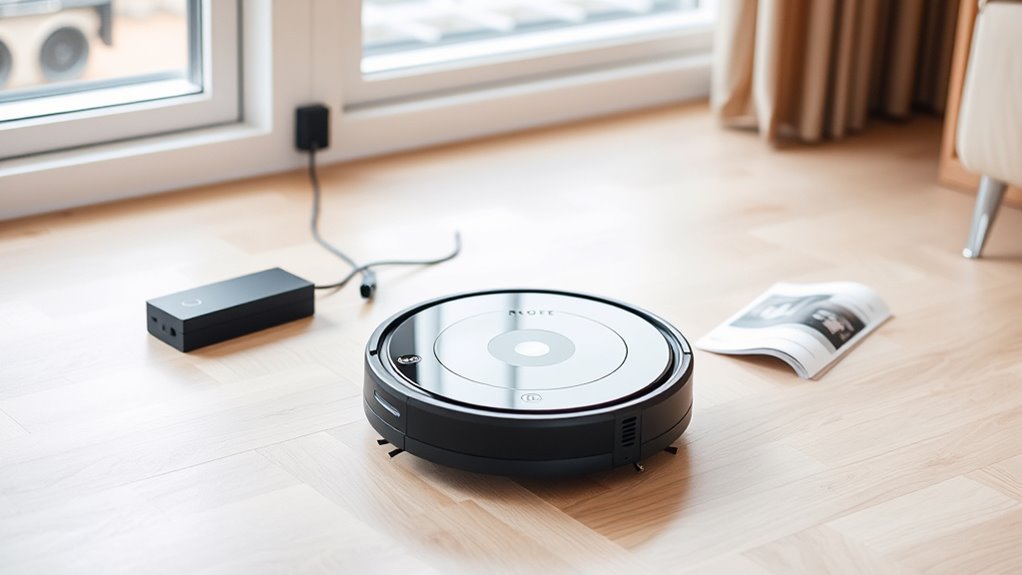
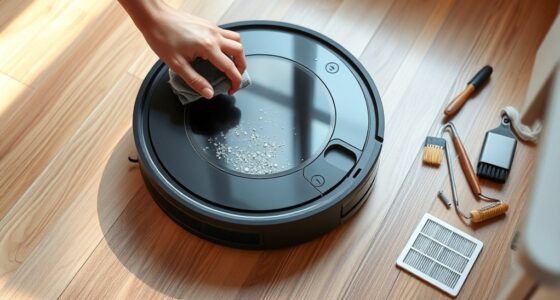
Setting up your robot vacuum is a straightforward process that guarantees it works efficiently from the start. The first step is to find a suitable charging station and place it against a wall on a hard, flat surface. Make sure the area around the dock is free of clutter and cables, as this allows your robot to dock easily and charge properly. Once you’ve positioned the charging station, plug it into an outlet and turn it on if there’s a power switch. Most models automatically detect the station and enter a charging mode once connected. To guarantee a good connection, check that the charging contacts on both the robot and the dock are clean and free of dust or debris. Some models have LED indicators to confirm that charging is in progress; if not, consult your manual to troubleshoot any issues.
Place the charging station on a flat surface, ensure contacts are clean, and connect it to power for optimal setup.
Next, locate your robot vacuum and remove any packaging or protective films. Place the robot on the charging dock, aligning the charging contacts precisely. The robot should automatically start charging once properly seated. Many models will emit a sound or light up to confirm that charging has begun. If it doesn’t, reposition the robot or check the power connection at the dock. In some cases, you might need to press a power button on the robot to initiate charging. Allow your robot to charge fully before the first cleaning session; this typically takes a few hours and guarantees maximum battery health and performance. Proper navigation and mapping during setup can help optimize cleaning routes and efficiency.
Now, familiarize yourself with the controls and features of your robot vacuum. Many devices have a clean button, a home button, or a mobile app for remote operation. Read through the user manual to understand its capabilities, such as scheduling cleanings or adjusting cleaning modes. If your model supports app control, download the manufacturer’s app and connect your robot to Wi-Fi following the instructions. During this setup, you might need to create an account and connect your device via Bluetooth or Wi-Fi. Make sure your smartphone or tablet is connected to a stable internet connection, as this will streamline the setup process.
Once your robot is fully charged and connected, perform a quick test run in a small, clutter-free area to ensure it responds correctly and navigates smoothly. Clear the floor of any loose items, cords, or fragile objects that could obstruct or damage the robot. This initial trial helps you identify any issues with navigation or obstacle detection. After confirming everything works as intended, you’re ready to set a cleaning schedule or manually start cleaning sessions. With your robot vacuum properly set up, you can now enjoy effortless, automated cleaning that saves you time and effort daily.

Replacement for Roomba Charging Dock, for Roomba Charging Base, Replacement for Roomba Docking Station for Roomba e5 e6 i1 i3 i4 i6 i7 i8 500 600 700 800 900 Series ADF-N1 4452369 17064 17170
Package includes: 1* for Roomba charger dock; 1* US standard cable; 2* Side brush; 2* Double-sided adhesive; 1*…
As an affiliate, we earn on qualifying purchases.
As an affiliate, we earn on qualifying purchases.
Frequently Asked Questions
How Do I Update the Robot Vacuum’s Firmware?
To update your robot vacuum’s firmware, first guarantee it’s connected to your Wi-Fi network. Open the companion app on your smartphone, then navigate to the device settings. Look for the firmware update option—usually labeled “Update” or “Check for Updates.” Tap it, and the app will automatically download and install the latest firmware. Make sure your vacuum stays connected and powered during the process to avoid any issues.
Can I Use the Robot Vacuum on Multiple Floor Types?
Imagine your robot vacuum as a versatile explorer, ready to conquer different terrains. Yes, you can use it on multiple floor types, but check if it has specific settings for carpets, hardwood, or tiles. Adjust the cleaning modes accordingly to guarantee thorough cleaning. Keep an eye on your device’s manual for compatibility tips, and you’ll have a smooth, gliding helper that adapts seamlessly to every corner of your home.
What Should I Do if the Robot Gets Stuck?
If your robot vacuum gets stuck, first turn it off to prevent further issues. Gently remove it from the obstacle or area causing the problem. Check for any debris or tangled cords that might be blocking its movement. Clear the area of small objects or wires, and make certain the vacuum’s wheels and brushes are clean. Restart the device, and consider adjusting its settings or boundaries to prevent future incidents.
How Do I Customize Cleaning Schedules?
Did you know 80% of robot vacuum users customize their schedules for better cleaning? To set yours, open the app or control panel. Select the scheduling feature, then choose your preferred days and times. Adjust the cleaning frequency and zones if available. Save your settings, and your robot will automatically clean when it suits you, freeing up your time and keeping your home consistently spotless.
Is It Safe to Leave the Robot Vacuum Charging Overnight?
Yes, it’s generally safe to leave your robot vacuum charging overnight. Modern vacuums have built-in safety features, like automatic shutoff when fully charged, reducing fire risks. Just make certain the charging dock and cord are in good condition and placed on a stable, flat surface. Avoid charging on soft surfaces like beds or couches, and keep the area around the dock clear to prevent any accidents or overheating.

Robot Vacuum and Mop, Robotic Vacuum with Mapping, Self-Emptying Station for 90 Days Hands-Free Cleaning, LiDAR Navigation, No-Go Zones, Wi-Fi/App/Alexa Voice Control, for Carpets and Hard Floors
【90 Days of Hands-Free Cleaning】Robot Vacuum and Mop features a high-capacity self-emptying station that automatically collects dirt and…
As an affiliate, we earn on qualifying purchases.
As an affiliate, we earn on qualifying purchases.
Conclusion
Now that you’ve set up your robot vacuum, you’re ready to enjoy hassle-free cleaning. Imagine coming home after a busy day and finding your floors spotless—thanks to your new device. Just like Sarah, who scheduled her vacuum to run every evening, you’ll save time and keep your home tidy effortlessly. With a little initial setup, you’ll soon wonder how you ever managed without it. Happy cleaning!

Tikom Robot Vacuum and Mop Combo, 5000Pa Robotic Vacuum Cleaner, 150 Min Max, App & Remote Control, Ideal for Hard Floor, Carpet, Pet Hair, Self-Charge(G8000 Max)
5000Pa Strong Suction: Robot Vacuum With 5000Pa suction power, it effortlessly removes pet hair, dust, and debris from…
As an affiliate, we earn on qualifying purchases.
As an affiliate, we earn on qualifying purchases.

iRobot Roomba 105 Vac Robot Vacuum – Easy to use, Intense Power-Lifting Suction, LiDAR Navigation, Multi-Surface Cleaning, Cleans in Neat Rows, Self-Charging
DEVOURS DIRT WITH 70X MORE POWER-LIFTING SUCTION*. 3-Stage Cleaning includes 70X more power-lifting suction*, a Multi-Surface brush, and…
As an affiliate, we earn on qualifying purchases.
As an affiliate, we earn on qualifying purchases.