
While you can set up Alexa, Google Assistant, and Siri in your home, they don’t seamlessly work together due to differences in ecosystems, protocols, and device compatibility. You can use third-party tools like IFTTT to help bridge some gaps, but full integration remains limited. Managing multiple assistants can still improve your smart home experience, especially with customized routines and device grouping. If you want to discover how to optimize this setup, there’s more to explore on making these assistants coexist smoothly.
Key Takeaways
- Native integration among Alexa, Google Assistant, and Siri is limited due to proprietary ecosystems and incompatible protocols.
- Third-party tools like IFTTT enable some cross-platform communication, but may have limitations in seamless functionality.
- Managing multiple assistants requires customized routines, device grouping, and strategic organization for effective multi-assistant homes.
- Universal standards and open protocols are emerging to improve interoperability, but full integration is still developing.
- Security and privacy concerns must be addressed when linking multiple voice assistants to ensure data protection and user control.
The Current State of Voice Assistant Ecosystems

Voice assistant ecosystems have rapidly expanded in recent years, transforming how you interact with technology at home. Advances in voice recognition make it easier for these assistants to understand your commands accurately, even in noisy environments. As a result, you experience smoother, more natural conversations with devices like Alexa, Google Assistant, and Siri. User personalization plays a key role, allowing each assistant to adapt to your preferences, routines, and speech patterns. This customization helps create a more seamless experience, making it feel like your smart home truly understands you. While these ecosystems continue to grow, they also shape how you control your environment, access information, and manage daily tasks, all through voice. The current state reflects a focus on smarter, more responsive technology tailored to your needs. Integration across these platforms is also improving, enabling better collaboration and interoperability among different devices and assistants. Additionally, ongoing developments in cross-platform compatibility are paving the way for more unified voice control experiences, fostering a more cohesive ecosystem that benefits users. Furthermore, efforts toward interoperability standards are essential for achieving a truly integrated smart home environment.
Compatibility Challenges Among Major Assistants

Despite the rapid growth of voice assistant technology, compatibility among major platforms like Alexa, Google Assistant, and Siri remains a significant hurdle. Brand compatibility issues arise because each assistant is built around different ecosystems, making seamless communication challenging. This fragmentation can hinder your user experience, forcing you to juggle multiple apps and commands instead of enjoying a unified system. You might find that certain devices or services only work with one assistant, limiting your ability to create a truly integrated smart home. These compatibility challenges often lead to frustration, as you navigate incompatible protocols and proprietary ecosystems. Until manufacturers prioritize interoperability, achieving smooth collaboration among Alexa, Google, and Siri will continue to be a complex and frustrating process for users seeking a multi-assistant home. Additionally, understanding the underlying ecosystem differences can help you make more informed choices when expanding your smart home setup. Recognizing the compatibility limitations can guide you in selecting devices that offer broader support across platforms. Moreover, ongoing developments in standardization efforts may eventually improve cross-platform compatibility in the future. A greater focus on interoperability standards could significantly ease these issues over time.
Cross-Platform Integration Efforts and Limitations

Efforts to bridge the gap between different smart home platforms have led to various integration solutions, but these initiatives often fall short of delivering seamless interoperability. While some companies develop unified user interfaces to simplify control, cross-platform challenges persist. These challenges include incompatible protocols, differing standards, and limited support across devices, making it difficult to coordinate multiple assistants smoothly. Although third-party apps and cloud-based services aim to address these issues, they often introduce delays, security concerns, or limited functionality. As a result, achieving a truly integrated experience remains a significant obstacle. You might find yourself juggling multiple apps or voice commands, unable to get all assistants to work harmoniously. These limitations highlight the need for more robust, standardized solutions in multi-assistant homes. Interoperability standards are essential to overcoming these hurdles and enabling truly seamless smart home integration. For instance, adopting universal communication protocols can greatly improve compatibility across diverse devices and platforms.
Using Third-Party Tools to Bridge Assistants
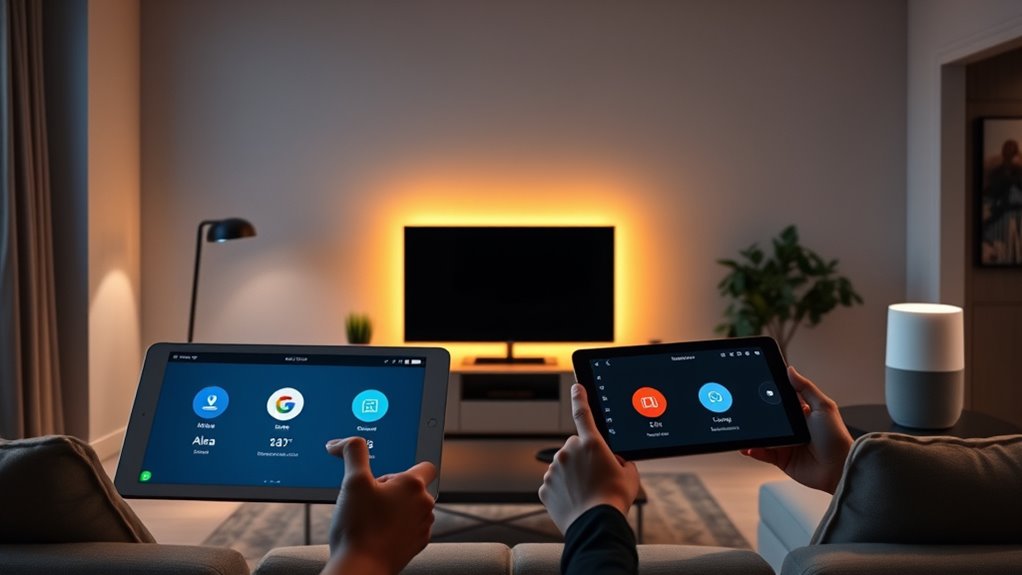
To overcome the limitations of native cross-platform integration, many users turn to third-party tools designed to connect and manage multiple smart assistants. These third-party integrations act as bridges, enabling different voice assistants to communicate and coordinate better. They help streamline commands and reduce voice assistant conflicts, which often happen when multiple assistants respond to the same trigger. By using platforms like IFTTT or custom automation apps, you can create workflows that trigger actions across Alexa, Google, and Siri. This setup minimizes the frustration caused by conflicting responses and makes your smart home feel more unified. Seamless integration is essential for creating a more cohesive smart home experience. These tools significantly improve the way your assistants work together, making your multi-assistant home more functional and easier to manage. While third-party tools don’t eliminate all challenges, they considerably improve the way your assistants work together, especially when leveraging smart home automation for better coordination. Additionally, understanding the capabilities of each assistant can help tailor interactions to prevent overlaps and confusion. Recognizing the limitations of native integration helps you choose the right tools and strategies for a smoother smart home experience.
Practical Examples of Multi-Assistant Setups
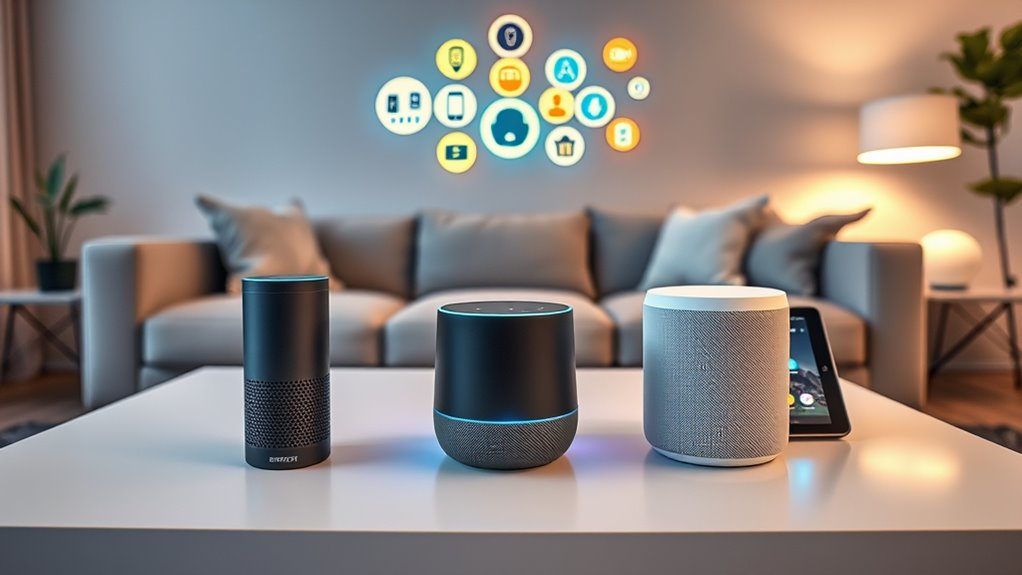
Setting up multiple assistants in your smart home can streamline daily routines and enhance convenience. For example, you can create custom routines that activate when you say a specific command, like “Good morning,” triggering both Alexa and Google Assistant to turn on lights, adjust thermostats, and play music. Device grouping allows you to organize smart devices by rooms or functions, so you can control everything with a single voice command through any assistant. For instance, saying “Good night” can turn off all devices in your bedroom, regardless of which assistant is responding. These setups make managing your smart home more seamless, allowing you to leverage the strengths of each assistant while maintaining a cohesive, efficient environment. Additionally, voice assistant integration enables you to synchronize commands across multiple platforms, creating a truly unified smart home experience.
Privacy and Security Considerations in Multi-Assistant Homes
In a multi-assistant home, you need to be aware of data sharing risks that could expose your personal information. Preventing unauthorized access is vital to keep your devices and data safe from intruders. Additionally, you should consider how voice commands are protected to guarantee your privacy remains intact. Understanding the concept of Free Floating is essential, as it influences how devices interpret and respond to commands without fixed boundaries, potentially impacting security. Being aware of environmental stress, such as extreme temperatures, can also help prevent malfunctions or vulnerabilities in your devices. For example, exposure to extreme temperatures may impair device performance or cause hardware failures. Furthermore, understanding how data encryption practices are implemented can help safeguard your communications from interception or hacking. Moreover, being knowledgeable about affiliate disclosure practices can help you understand how your data might be utilized for monetization purposes.
Data Sharing Risks
Have you considered how sharing data among multiple smart assistants might expose your personal information to security risks? When your devices communicate, sensitive data could be vulnerable if not properly protected. Without strong data encryption, hackers could intercept your conversations or commands. Additionally, if you haven’t given clear user consent for data sharing, your privacy could be compromised without realizing it. Be aware of these risks: 1. Unauthorized access to personal conversations and habits. 2. Data leaks due to weak encryption protocols. 3. Loss of control over who accesses your information. To protect yourself, ensure your devices use robust data encryption and always review user consent permissions. Implementing security protocols can help safeguard your data from potential breaches. Staying informed helps you prevent privacy breaches and keeps your personal data safe in a multi-assistant environment. Also, understanding the importance of data privacy can help you make better decisions about device permissions and security settings.
Unauthorized Access Prevention
To prevent unauthorized access in a multi-assistant home, you need to implement strong security measures that restrict who can reach your devices and data. Focus on access control and user authentication to keep intruders out. Set up separate user accounts and permissions for each family member, ensuring only trusted users can modify settings. Enable two-factor authentication where available to add an extra layer of security. Regularly update device firmware and passwords to patch vulnerabilities. Use a secure Wi-Fi network to prevent unauthorized device connections. Here’s a quick overview:
| Security Measure | Purpose |
|---|---|
| Access Control | Restricts device access |
| User Authentication | Verifies user identity |
| Regular Updates | Fixes security holes |
Voice Command Privacy
While securing your devices and data prevents unauthorized access, protecting your voice command privacy in a multi-assistant home requires extra care. You need to be aware of data sharing risks that come with multiple platforms listening and recording. These devices can unintentionally capture sensitive conversations, raising concerns about privacy.
Consider these risks:
- Your private conversations might be stored or shared without your knowledge, risking exposure.
- Data sharing between assistants could lead to unintended information leaks.
- Hackers could exploit vulnerabilities, accessing your voice command history and personal details.
To safeguard your voice command privacy, regularly review privacy settings, disable voice recordings when not needed, and stay informed about each assistant’s data policies. Protecting your privacy in a multi-assistant environment is essential to prevent misuse and maintain control.
The Future of Interoperability in Smart Home Devices
The future of interoperability in smart home devices hinges on seamless communication across diverse platforms and brands. As voice assistant competition intensifies, manufacturers are pushed to prioritize smart home interoperability, enabling devices to work together effortlessly. Imagine controlling lights, thermostats, and security systems with a simple command, regardless of whether you’re using Alexa, Google Assistant, or Siri. This progress depends on open standards and unified protocols that allow different systems to share data smoothly. In the future, you’ll likely see more universal integration, reducing the need to manage multiple apps or devices separately. This evolution will make your smart home more intuitive, flexible, and user-friendly, ensuring you can enjoy a truly connected living experience without compatibility concerns.
Tips for Managing Multiple Voice Assistants Effectively
Managing multiple voice assistants can be challenging as more devices become compatible across different platforms. To stay organized, focus on these tips:
- Prioritize voice training for each assistant to improve accuracy and reduce frustration. Spend time customizing commands so they understand you better.
- Use device customization wisely—set routines, labels, and preferences tailored to each platform. This streamlines your daily tasks.
- Create clear boundaries by assigning specific functions or rooms to each assistant, avoiding overlaps that cause confusion.
Frequently Asked Questions
Can Multiple Voice Assistants Operate Simultaneously Without Interference?
Multiple voice assistants can operate simultaneously, but you might face voice command conflicts and device synchronization issues. When different assistants respond to similar wake words, they may interfere with each other, causing confusion. To minimize this, set unique wake words and make certain your devices are properly synchronized. While it’s possible to have multiple assistants in one home, you should expect occasional overlaps and take steps to manage these potential conflicts effectively.
How Do I Troubleshoot Conflicts Between Different Voice Assistants?
You can troubleshoot conflicts between voice assistants by first testing each device individually to identify issues. Investigate if voice command conflicts occur due to overlapping commands or device interoperability problems. Check your smart home app settings to verify each assistant is properly configured and not interfering with others. Updating firmware, resetting devices, and assigning unique wake words help resolve conflicts, ensuring smooth operation and better device interoperability.
Are There Legal or Privacy Risks Using Third-Party Tools for Integration?
Using third-party tools for integration can pose privacy concerns and legal implications. You might unknowingly share sensitive data or violate terms of service, risking data breaches or legal action. Always review privacy policies and verify the tools comply with relevant laws. By staying informed, you protect your personal information and avoid potential legal issues, making your smart home both functional and secure.
What Devices Support Seamless Multi-Assistant Interoperability?
Devices supporting seamless multi-assistant interoperability include smart speakers and hubs compatible with popular smart home standards like Zigbee, Z-Wave, or Matter. These devices often allow you to customize voice commands across assistants, making control easier. Look for smart speakers from brands like Amazon Echo, Google Nest, or Apple HomePod, which integrate with various ecosystems. Your goal is to find hardware that prioritizes smart home standards and offers flexible voice command customization.
Will Future Updates Improve Cross-Platform Voice Assistant Compatibility?
Future updates are likely to improve cross-platform voice assistant compatibility, making it easier for you to integrate Alexa, Google, and Siri. However, as these updates roll out, you should stay aware of voice data security and user privacy concerns. Manufacturers will need to balance better interoperability with safeguarding your personal information, so verify you review privacy settings and stay informed about any new security features to protect your data.
Conclusion
Steering a multi-assistant home is like trying to tune several instruments into harmony—challenging but rewarding. While compatibility hurdles exist, innovative tools and strategies help you orchestrate your devices smoothly. With patience and a little experimentation, you can create a seamless smart home experience that plays your favorite tune. Embrace the journey, and soon you’ll enjoy a symphony of voices working together—making your home smarter and more personalized than ever.