
To use Guest Mode and privacy features on your smart speaker, start by opening the device’s app or settings menu. Enable Guest Mode before inviting others, which temporarily suspends access to your personal info like calendars and reminders. You can also disable voice recordings or delete past interactions to protect your data. Managing these options is easy and helps keep your privacy secure. Keep exploring the steps to maximize your privacy and control—more details await.
Key Takeaways
- Enable Guest Mode via device app or settings menu to temporarily restrict access to personal information.
- Use voice commands like “Hey Google, turn on Guest Mode” for quick activation.
- Adjust privacy settings to disable voice recordings and delete past interactions for better data control.
- Manage data sharing and set up separate guest profiles with limited permissions.
- Regularly review and update privacy preferences to maintain optimal data security and privacy.

Smart speakers have become a popular way to manage daily tasks and access entertainment, but it’s important to protect your privacy when sharing these devices. When guests come over or multiple people use the same smart speaker, you want to guarantee that your private information stays secure. Thankfully, many smart speaker platforms offer features like Guest Mode and privacy controls that help you maintain this privacy without sacrificing convenience. Understanding how to activate and customize these settings allows you to enjoy your device while keeping your information safe.
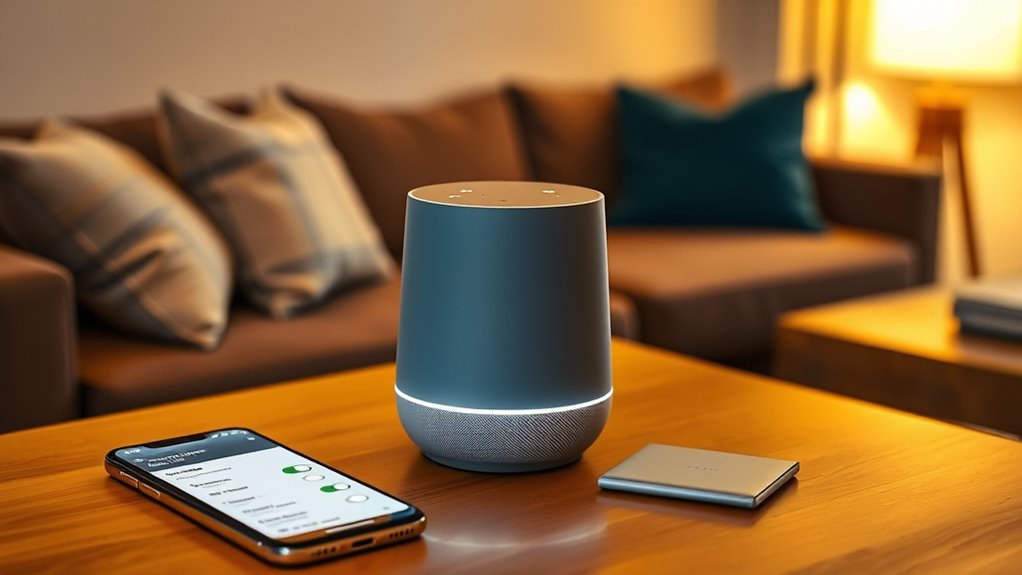
First, it’s essential to familiarize yourself with your smart speaker’s specific privacy features. For example, Amazon Alexa, Google Assistant, and Apple’s HomePod all have options for restricting access or creating separate profiles. These features often include enabling Guest Mode, which temporarily suspends access to personalized information, or turning off voice recordings altogether. You can usually find these options within the device’s app or settings menu. Once you’re comfortable navigating these features, you can enable Guest Mode before inviting someone to use your speaker. This mode often disables access to your calendars, reminders, shopping lists, and other personalized data, ensuring your private details don’t get exposed. To activate Guest Mode, you typically open the app associated with your smart speaker, locate the device settings, and toggle the Guest Mode option. Sometimes, it requires a simple voice command, such as “Hey Google, turn on Guest Mode,” but this depends on the device and its configuration.
Familiarize yourself with your smart speaker’s privacy features, like Guest Mode, to protect your personal information.
In addition to Guest Mode, many smart speakers allow you to customize privacy controls to better suit your needs. For instance, you can disable voice recordings, delete past interactions, or restrict certain features for guest users. It’s advisable to review these settings periodically to guarantee your privacy preferences align with your comfort level. For example, on Amazon Alexa, you can delete your voice history through the app, preventing your commands from being stored or analyzed. Similarly, on Google Assistant, you can pause or delete voice activity, and set up a separate guest profile that limits access to your personal information. These controls give you granular management over what data is collected and shared. Additionally, being aware of the vetted capabilities like wave and wind can help you understand the security measures in place for your device’s data transmission and privacy.
Finally, always keep your device’s firmware and app up to date. Manufacturers regularly release updates that improve security and privacy features, making it easier for you to safeguard your information. When sharing your smart speaker, communicate with your guests about the privacy settings in place, so they understand what information is accessible and what remains private. By actively managing Guest Mode and privacy features, you can enjoy the convenience of your smart speaker while confidently protecting your personal data. This proactive approach ensures your privacy stays intact, regardless of who’s using the device.

Amazon Echo Dot (newest model) – Vibrant sounding speaker, Designed for Alexa+, Great for bedrooms, dining rooms and offices, Charcoal
Your favorite music and content – Play music, audiobooks, and podcasts from Amazon Music, Apple Music, Spotify and…
As an affiliate, we earn on qualifying purchases.
As an affiliate, we earn on qualifying purchases.
Frequently Asked Questions
Can Guest Mode Be Turned on Automatically?
Guest mode on your smart speaker usually doesn’t turn on automatically. You need to enable it manually through the app or voice commands. Some devices may have settings that make it easier to activate guest mode quickly, but generally, you’ll have to turn it on each time you want to use it. Keep an eye on your device’s updates, as manufacturers sometimes add features for automatic activation in future versions.
How Do I Delete Voice Recordings From Guest Sessions?
Imagine your voice recordings are leaves falling from a tree—you can easily clear them. To delete recordings from guest sessions, open your smart speaker’s app, navigate to the privacy settings, and select “Manage Voice History.” From there, delete individual recordings or clear all at once. This quick act keeps your privacy intact, just like pruning branches to keep your digital garden tidy and secure.
Are Privacy Settings Different for Various Smart Speaker Brands?
Yes, privacy settings can vary between smart speaker brands. You’ll find different options for managing data, voice recordings, and permissions depending on the device. Some brands offer more granular controls, while others may have simplified settings. It’s important to explore each device’s app or settings menu to customize your privacy preferences. Always stay updated on firmware or app updates, as these can introduce new privacy features or changes.
Can Multiple Guests Use Guest Mode Simultaneously?
No, multiple guests can’t use guest mode simultaneously on most smart speakers. When one guest activates guest mode, it temporarily switches the device to that user’s profile. If another guest wants to use the speaker, they typically need to deactivate the current guest mode and enable their own. This process guarantees privacy and prevents overlapping profiles, so it’s best to switch modes between users whenever needed.
Is Guest Mode Available on All Smart Speaker Models?
Like a secret passage in a mystery novel, guest mode isn’t available on all smart speaker models. You’ll find it on popular devices like Google Nest and Amazon Echo, but some older or budget models might lack this feature. To guarantee your guests can enjoy privacy, check your device’s specifications or update your software. If in doubt, consult the manufacturer’s website for the most accurate info.

Google Nest Hub 7” Smart Display with Google Assistant (2nd Gen) – Chalk
VALUE BUNDLE INCLUDES: Google Nest Hub 2nd Generation with English, Spanish, French and Portuguese Global Language Compatibility so…
As an affiliate, we earn on qualifying purchases.
As an affiliate, we earn on qualifying purchases.
Conclusion
By enabling Guest Mode and privacy features on your smart speaker, you protect your personal information and create a secure environment for visitors. Did you know that 72% of smart speaker users are concerned about privacy? Taking simple steps like activating guest access or muting microphones can help ease those worries. Stay proactive about your privacy, and enjoy the convenience of your smart device without sacrificing security or peace of mind.

Stemedu MP3 Playback Kit Music Voice Recording Module DIY Welcomer Sound Recording Board with Speaker and PIR Infrared Sensor, Support USB Download and TF Card
🚩 This is a voice recording module, it can realize MP3 music playback, small size, light weight, simple…
As an affiliate, we earn on qualifying purchases.
As an affiliate, we earn on qualifying purchases.

YoLink SpeakerHub – Smart Home Speaker Hub, Plays Tones/Alarms and Your Text-to-Speech Custom Messages, Voice Announcements, Audio Voice Alert, Spoken Alerts, LoRa-Powered ¼ Mile Range, WiFi Required
Audible Notifications – be informed of system alerts and events with your selected sounds/tones as well as text-to-speech…
As an affiliate, we earn on qualifying purchases.
As an affiliate, we earn on qualifying purchases.