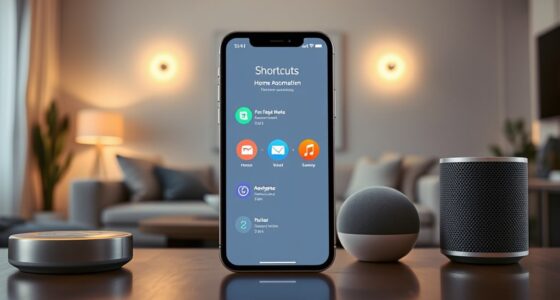

To restock your pantry hands-free with a voice assistant, connect it to your favorite shopping app or service like Amazon Alexa, Google Assistant, or Siri. Use voice commands to add items to your shopping list, place orders, and set recurring orders for staples. You can also automate routines so your pantry stays stocked effortlessly. If you want to learn how to maximize these features, keep exploring how voice shopping can simplify your routine.
Key Takeaways
- Connect your voice assistant to your preferred shopping app or retailer for seamless ordering.
- Create and manage shopping lists using voice commands like “Add eggs to my shopping list.”
- Use voice commands to reorder regular pantry staples automatically or manually review suggested products.
- Ask your voice assistant for product details or comparisons to make informed choices hands-free.
- Automate routine restocking by setting recurring orders or integrating with smart home devices for automatic shopping.

Have you ever wondered how voice assistants are transforming the way we shop? These smart tools are changing the game by making it easier to keep your pantry stocked without lifting a finger. With just a simple voice command, you can reorder your favorite snacks, ingredients, or household essentials, saving you time and effort. It’s like having a personal shopper that’s always ready to help, and the best part is, you don’t need to be tech-savvy to get started.
To begin, guarantee your voice assistant is properly set up and connected to your preferred shopping app or service. Most popular assistants, like Amazon Alexa, Google Assistant, or Apple’s Siri, integrate seamlessly with major grocery stores or online retailers. Once connected, you can start creating shopping lists by simply speaking. For example, say, “Hey Google, add milk and eggs to my shopping list,” and your assistant will do just that. Over time, these lists become handy references for when you’re ready to place an order.
When you’re ready to restock, you can ask your voice assistant to place an order directly. Say, “Hey Alexa, reorder my favorite cereal,” or “Siri, buy more paper towels.” The assistant will look for the product in your linked accounts and add it to your cart, often with options to review or customize quantities. Some assistants can even suggest products based on your previous shopping habits, making the process even faster. If you’re unsure about a product, you can ask for details, such as “What’s the difference between these two brands of pasta?” to make an informed choice without browsing through screens.
Using voice commands also helps you stay organized. You can set recurring orders for staples you buy regularly, so you don’t have to remember each time. Just say, “Remind me to reorder coffee every month,” and your assistant will prompt you when it’s time. Many assistants also offer integrations with smart home devices, allowing you to create routines — like ordering groceries when you walk in the door or at a specific time each week. This automation keeps your pantry full without any manual effort.

Grocery List Magnet Pad for Fridge – 6 x 9" – Grocery Shopping Checklist Notepad with Categories – 50 Sheets
DON’T FORGET THE MILK: Quick and convenient, our sleek, magnetic notepad sticks to the fridge with a super…
As an affiliate, we earn on qualifying purchases.
As an affiliate, we earn on qualifying purchases.
Frequently Asked Questions
Can I Compare Prices With Voice Assistants Before Purchasing?
Yes, you can compare prices with voice assistants before purchasing. Just ask your voice assistant something like, “Compare prices for [product],” and it will provide options from different stores or online retailers. This helps you find the best deal quickly. Keep in mind, some voice assistants may have limitations depending on the device or apps you use, but overall, they make price comparison convenient and hands-free.
How Do I Cancel or Modify an Order via Voice Command?
A stitch in time saves nine, so don’t delay when you need to cancel or modify an order. You can typically say, “Hey [Assistant], cancel my order,” or “Modify my last order to include more items.” Make sure your voice assistant is linked to your shopping account. If it doesn’t work, check the app or website for specific instructions. Stay proactive to avoid unnecessary charges or mix-ups.
Are Voice Assistants Secure for Sharing Sensitive Payment Information?
Voice assistants can be secure for sharing payment info if you enable features like voice recognition and strong passcodes. Always guarantee your device is updated, use secure Wi-Fi, and avoid sharing sensitive details in public or unsecured spaces. Be cautious with voice commands, and review privacy settings regularly. When in doubt, consider entering payment info manually for added security, especially for sensitive transactions.
Can I Set up Recurring Shopping Lists With My Voice Assistant?
Yes, you can set up recurring shopping lists with your voice assistant. Just tell it to create or update a list regularly, like “Add milk and eggs to my shopping list every week.” Many voice assistants allow you to automate this process, so you don’t have to manually repeat commands each time. Make sure to link your shopping app or service to streamline the process and stay stocked effortlessly.
How Do I Troubleshoot Voice Recognition Errors During Shopping?
Imagine your voice assistant as a loyal friend, but sometimes it’s like talking to a wall. To troubleshoot recognition errors, speak clearly and slowly, ensuring no background noise interferes. Check your microphone permissions and update your device’s software. Rephrase commands if misunderstood and train your assistant’s voice profile. Think of it as tuning an instrument—patience and clarity help it hit the right notes every time.

Google Nest Hub 7” Smart Display with Google Assistant (2nd Gen) – Chalk
VALUE BUNDLE INCLUDES: Google Nest Hub 2nd Generation with English, Spanish, French and Portuguese Global Language Compatibility so…
As an affiliate, we earn on qualifying purchases.
As an affiliate, we earn on qualifying purchases.
Conclusion
So, next time your voice assistant saves you from a trip to the store, remember—it’s almost like having a personal shopper who never forgets your milk or your shampoo. Who knew that talking to a device could turn your pantry into a well-stocked paradise without ever leaving your couch? It’s amusing how a simple “order more” can make grocery shopping feel as effortless as a quick chat. Now, your pantry’s full, and you barely lifted a finger—talk about modern convenience!
Siri voice shopping for pantry staples
As an affiliate, we earn on qualifying purchases.
As an affiliate, we earn on qualifying purchases.

Grocery Vest – Hands-Free Grocery Carrying Vest for Apartments & Stairs | Reusable Grocery Bag Alternative for Easy One-Trip Shopping, Durable 8 Hooks & Padded Comfort Design
One Trip, Zero Stress – Carry all your groceries in one trip, even upstairs or long hallways.
As an affiliate, we earn on qualifying purchases.
As an affiliate, we earn on qualifying purchases.