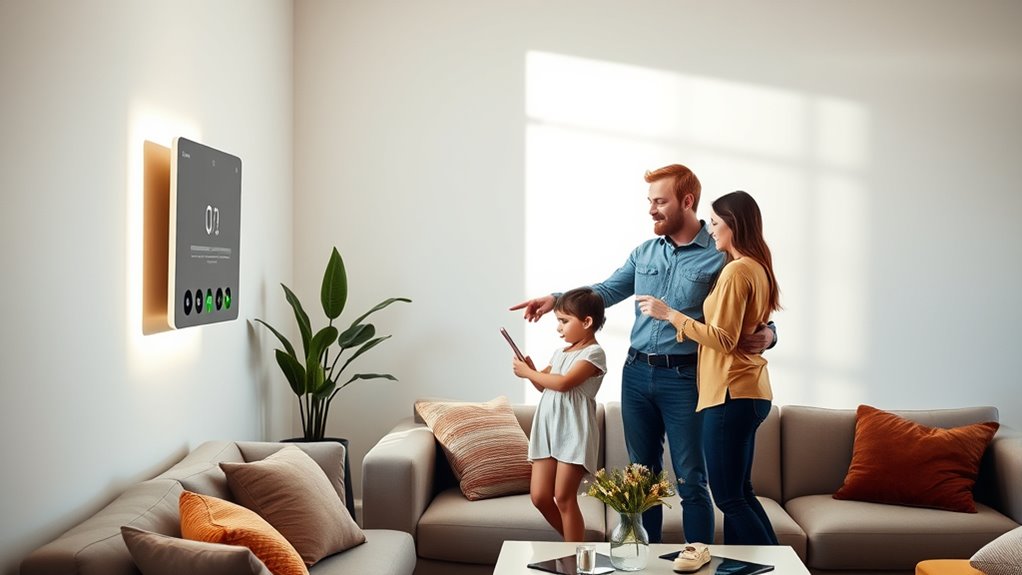

To share your smart home controls with family members, start by using your device’s app or platform to send them invitations via email or sharing links. Assign different permission levels based on how much control you want them to have, such as full access or limited features. Make sure everyone understands how to use the devices responsibly. If you want to learn more about setting secure, flexible access for your household, keep exploring the options available.
Key Takeaways
- Use the platform’s sharing feature to send invitations via email or link for family member access.
- Set appropriate permissions (full control or limited) based on each family member’s needs.
- Create individual user profiles to personalize settings and establish device boundaries.
- Regularly review and update access permissions as household members change.
- Enable security features like two-factor authentication and keep devices updated for safety.

Sharing smart home controls has become increasingly common as more households adopt connected devices. Whether it’s to make daily routines more convenient or to keep everyone in the household connected, sharing access can streamline how your family interacts with your smart home. However, it’s important to do this thoughtfully to guarantee security, privacy, and ease of use. You don’t want to compromise your network or create confusion among family members. The good news is that most smart home systems have user-friendly options that make sharing straightforward and safe.
To start, familiarize yourself with your device’s sharing features. Most platforms, like Google Home, Amazon Alexa, or Apple HomeKit, allow you to add family members or other users with specific permissions. These permissions typically let you control what each person can access—whether it’s full control over devices or limited access to certain features. When you add a new user, you might send them an invite via email or a link, which they can accept to join your smart home ecosystem. This process helps you keep track of who has access and makes it easier to revoke permissions if needed.
Familiarize yourself with your device’s sharing features and permissions to manage access effectively.
Next, consider creating user profiles or accounts for each family member. This way, everyone can have their personalized settings, routines, and preferences. For example, children might only have access to certain devices like lights or a smart speaker, while adults can control thermostats or security cameras. Setting these boundaries helps prevent accidental changes or misuse. Many systems also allow you to assign different levels of access—some can be admin rights, while others are limited users. This flexibility ensures everyone can participate without compromising the system’s security.
Communication plays a key role in sharing controls effectively. Make sure everyone understands how to operate the devices and respects boundaries. It’s helpful to have a family agreement about device use, especially when it involves security features like cameras or door locks. If someone makes an undesired change, you want to be able to quickly identify and address it. Regularly reviewing who has access and updating permissions is a good habit, especially when new family members join or old ones move out. Additionally, understanding AI integration can help you optimize your household routines and improve device responsiveness.
Finally, prioritize security when sharing controls. Use strong, unique passwords for your accounts and enable two-factor authentication if available. Keep your device firmware and apps updated to fix vulnerabilities. When sharing access, avoid giving full admin rights unless necessary. Instead, tailor permissions to suit each person’s needs, reducing the risk of accidental or malicious changes. By following these steps, you make sharing your smart home controls safe, simple, and effective for everyone in your household.

GHome Smart Plug, WiFi Smart Plugs Work with Alexa and Google Home, Smart Outlet Timer with APP Remote Control, 2.4GHz Wi-Fi Only, No Hub Required, ETL FCC Listed
Stability Upgrade Quick Connection:Supports Bluetooth or WiFi connection.The improved WiFi technology let you quick connection and stay stable,no…
As an affiliate, we earn on qualifying purchases.
As an affiliate, we earn on qualifying purchases.
Frequently Asked Questions
Can I Limit Access for Specific Devices or Functions?
Yes, you can limit access to specific devices or functions in your smart home. Most smart home apps let you set permissions for each family member, so you control what they can access or modify. You can restrict control over certain lights, thermostats, or security cameras. Just go into the app’s settings, find the user permissions section, and customize access levels for each person, ensuring everyone only controls what you allow.
How Do I Revoke Access From a Family Member?
Think of revoking access like closing a door after your guest leaves. To do this, open your smart home app, find the family member’s profile, and select the option to remove or revoke their permissions. You’ll see a confirmation prompt—just confirm it. Once done, they’ll no longer control your devices. It’s a simple, quick step to regain your privacy and control, just like locking a door behind you.
Is There a Way to Monitor Usage Activity?
Yes, you can monitor usage activity on your smart home devices. Most smart home platforms have built-in activity logs or history features. You simply log into your app or control panel, navigate to the device or user activity section, and review recent actions. Some systems even send you notifications or summaries of activity. Regularly checking these logs helps you stay aware of how your smart home is being used and guarantees security.
Can Multiple Family Members Control the System Simultaneously?
Imagine a bustling household where everyone’s hands reach out to the smart home controls at once. Yes, multiple family members can control the system simultaneously if you set up individual accounts or user profiles. Many smart home platforms support this, allowing each person to customize their preferences. You just need to guarantee everyone has access rights, creating a seamless experience where everyone can manage lights, thermostats, or security with ease.
Are There Security Risks With Shared Smart Home Controls?
Yes, sharing your smart home controls can pose security risks. If you don’t set strong passwords or limit access, unauthorized users could manipulate your devices or access sensitive data. To reduce risks, update firmware regularly, enable two-factor authentication, and only share controls with trusted family members. Keep an eye on device activity logs to spot suspicious activity early, and consider creating separate user profiles for added security.

PGST Home Security Systems for House,Alarm System for Home Security 21 Pieces Kits,App Alerts,WiFi Alarm,Compatible with Alexa and Google Assistant,No Subscription for Villa Home Apartment
The security alarm system consists of:1 control panel (host),4 motion sensors,8 door/window sensors,3 RFID cards,3 remote controls,1 siren,1…
As an affiliate, we earn on qualifying purchases.
As an affiliate, we earn on qualifying purchases.
Conclusion
Sharing smart home controls simplifies security, strengthens support, and sparks spontaneous suggestions. By setting up straightforward sharing strategies, you’ll smoothly supervise your smart space while supporting family members. Remember, clear communication and careful control keep your connected community cozy and convenient. So, step confidently into sharing, sustaining a safe, synchronized space where everyone’s comfort counts. Smart sharing strengthens your sanctuary, showcasing the seamless, supportive spirit of a smart, synchronized home.

DEWENWILS Matter Smart Plug, Work with Alexa, Apple Home, Google, SmartThings, Smart Outlet with Schedule and Timer, FFS Easy Setup, 100% Privacy 15A/1800W, APP Voice Control, 2.4G Wi-Fi Only, 2 Pack
[Matter-Certified Smart Plug] Connect directly to your existing Matter platform—no extra apps needed; control devices through Apple Home,…
As an affiliate, we earn on qualifying purchases.
As an affiliate, we earn on qualifying purchases.

myQ Smart Garage Door Video Keypad with Wide-Angle Camera,Customizable PIN Codes,and Smartphone Control–Take Charge of Your Garage Access Works with Chamberlain, LiftMaster and Craftsman openers,White
Wide-Angle Surveillance Camera: Capture a comprehensive view of your garage area, from driveway to doorway.
As an affiliate, we earn on qualifying purchases.
As an affiliate, we earn on qualifying purchases.