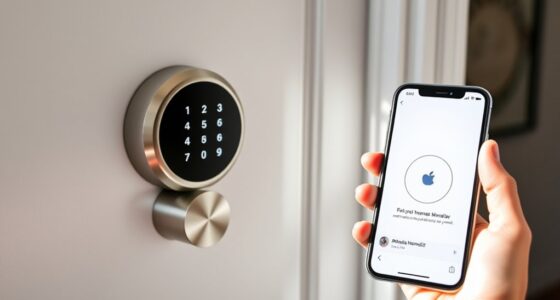
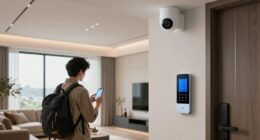
If you’re looking for the best smart locks that work seamlessly with Google Home, I’ve found some top options like the Philips Wi-Fi Smart Lock, Yale models with Matter support, and eufy Security’s C220. These locks offer easy installation, multiple access methods, and reliable remote control through the Google ecosystem. They also include features like fingerprint recognition, keypad entry, and activity alerts. Keep going to discover how these choices can upgrade your smart home experience.
Key Takeaways
- Many smart locks support Google Home integration via Matter, Google Assistant, or compatible hubs for seamless voice control.
- Features like remote management, real-time alerts, and multiple access methods enhance smart home connectivity.
- Compatibility varies; select models explicitly designed for Google Home ecosystem for smooth integration.
- Locks with built-in Wi-Fi or compatible hubs enable remote control without extra devices.
- Biometric options and keyless entry provide quick, secure access compatible with Google smart home routines.

Philips Wi-Fi Door Lock, WiFi Smart Lock Keyless Entry Deadbolt for Front Door, Compatible with Alexa & Google Assistant, Remote Control, Built-in WiFi, APP Fingerprint Passcode Unlock, Auto Locking
𝐅𝐥𝐞𝐱𝐢𝐛𝐥𝐞 𝐖𝐚𝐲𝐬 𝐭𝐨 𝐔𝐧𝐥𝐨𝐜𝐤: Unlock the way you want: app, passcode, fingerprint, physical key, or voice via Alexa/Google...
As an affiliate, we earn on qualifying purchases.
Philips Wi-Fi Smart Door Lock

If you’re looking for a smart lock that combines convenience with robust security, the Philips Wi-Fi Smart Door Lock is a top choice. It offers multiple unlocking methods, including app control, passcodes, fingerprints, physical keys, and voice commands with Alexa or Google Assistant. You can create up to 100 custom passcodes and share one-time or scheduled codes remotely, making it perfect for family, friends, or renters. With built-in Wi-Fi, you can control the lock from anywhere without extra hubs. Its auto-lock feature and real-time activity alerts enhance security, all while allowing easy DIY installation on most doors.
Best For: homeowners and renters seeking a secure, versatile, and easy-to-install smart lock with remote access and multiple unlocking options.
Pros:
- Offers multiple unlocking methods including app control, passcodes, fingerprints, physical keys, and voice commands.
- Built-in Wi-Fi enables remote control from anywhere without additional hubs.
- Auto-lock feature and real-time activity alerts enhance security and convenience.
Cons:
- Requires 4 or 8 AA alkaline batteries (not included), which need regular replacement.
- Does not include a door sensor, so users rely on activity alerts for door status.
- Installation may be challenging on certain door types or thicknesses outside the specified range.

Yale Matte Black Keyed Deadbolt Smart Lock with Google Matter, YRD510-MT1-BLK
STAY IN CONROL, WHEREVER YOU ARE: Easily manage access to your home from anywhere using the Google Home...
As an affiliate, we earn on qualifying purchases.
Yale Matte Black Keyed Deadbolt Smart Lock with Google Matter
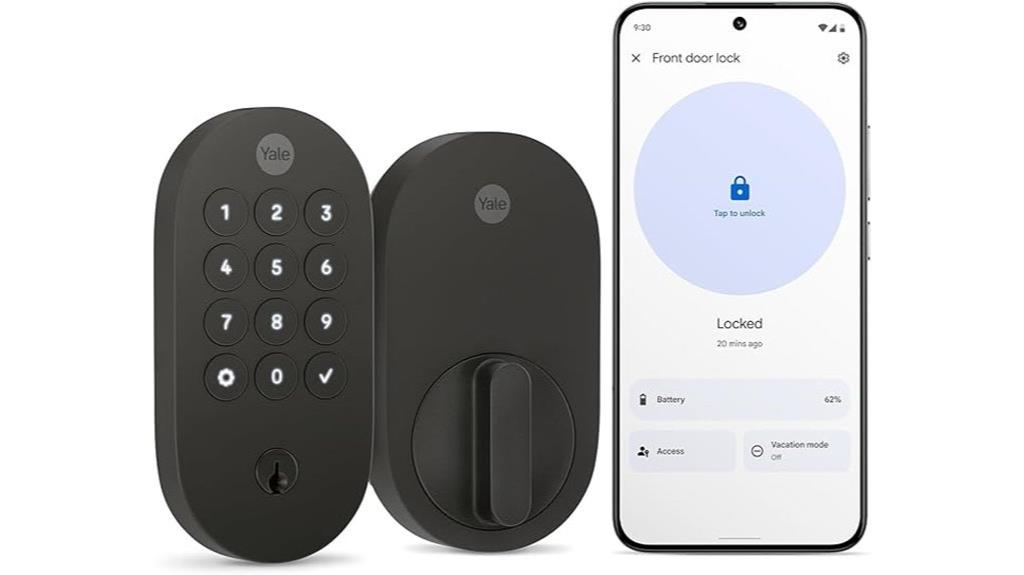
The Yale Matte Black Keyed Deadbolt Smart Lock with Google Matter stands out as an excellent choice for homeowners seeking a sleek, durable lock that combines traditional security with modern smart features. Its elegant oval design, available in three finishes, complements contemporary homes. The lock includes a push-button keypad, a traditional key option, and a removable battery cover for easy maintenance. It’s weather-resistant and compatible with most US and Canadian doors, thanks to an included adapter. With onboard Matter technology, it integrates seamlessly with Google Home devices, enabling remote management, activity alerts, and voice control through Google Assistant—making everyday access simple and secure.
Best For: homeowners seeking a stylish, weather-resistant smart deadbolt with seamless integration into Google smart home ecosystems.
Pros:
- Sleek oval design available in multiple finishes complements modern home aesthetics
- Seamless Matter integration with Google Home devices for remote control and activity monitoring
- Durable, weather-resistant build with easy installation and maintenance features
Cons:
- Requires batteries, which need periodic replacement despite energy-efficient technology
- May be incompatible with doors that have non-standard bore sizes without additional adapters
- Limited to compatibility with Google ecosystem and Matter-enabled hubs, restricting some smart home integrations

Yale Snow Keyed Deadbolt Smart Lock with Google Matter, YRD510-MT1-SNW
STAY IN CONROL, WHEREVER YOU ARE: Easily manage access to your home from anywhere using the Google Home...
As an affiliate, we earn on qualifying purchases.
Yale Smart Lock with Matter – Made for Google Home – Snow – YRD510-MT1-SNW
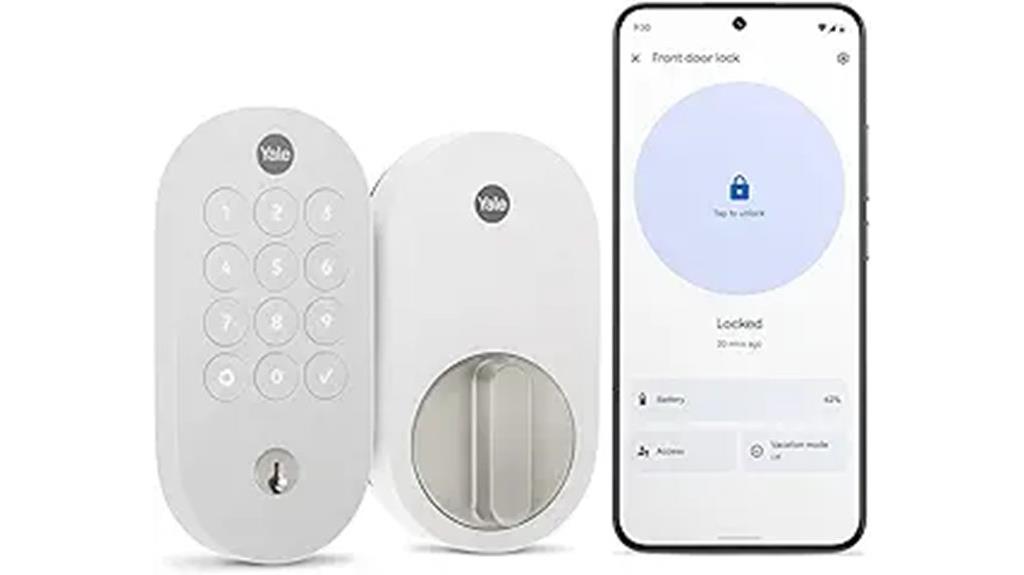
Looking for a smart lock that offers seamless integration with Google Home and advanced security features? The Yale Smart Lock with Matter in Snow is an excellent choice. It allows you to manage access remotely via the Google Home app, create and share entry codes, and monitor activity from anywhere—ideal for busy lives or vacations. It integrates effortlessly with Google devices like Nest Hub and Google TV, thanks to built-in Matter technology. You can open it using custom codes, your phone, or a physical key. With sleek design, Grade 2 security, and eco-friendly construction, it combines convenience, security, and sustainability in one smart package.
Best For: homeowners seeking a secure, easy-to-integrate smart lock that works seamlessly with Google Home and offers remote access management.
Pros:
- Seamless integration with Google devices and built-in Matter technology for broad ecosystem compatibility
- Remote control, activity monitoring, and customizable entry codes via the Google Home app
- Certified ANSI/BHMA Grade 2 security with advanced encryption and tamper-resistant features
Cons:
- Requires a Matter-enabled hub for remote access, adding to initial setup costs
- Battery life may require regular replacement despite energy-efficient features
- The physical key option may be less convenient compared to fully keyless solutions

eufy Security Smart Lock C220, Fingerprint Keyless Entry Door Lock, Built-in Wi-Fi, App Remote Control, Front Door Smart Lock Deadbolt, 8Months Battery, Reliable Power, IP53 Waterproof, BHMA Grade 3
8 Months Battery Life: With 8 AA batteries, Smart Lock C220 runs around 8 months. Experience ultimate convenience...
As an affiliate, we earn on qualifying purchases.
eufy Security Smart Lock C220, Keyless Entry Door Lock

For homeowners seeking a reliable, easy-to-install smart lock that integrates seamlessly with their existing deadbolt, the eufy Security Smart Lock C220 stands out. It offers up to eight months of battery life with 8 AA batteries and features an alarm system for security alerts. Opening options include fingerprint recognition, app control, keypad, physical key, Apple Watch, and voice commands via Alexa or Google Assistant. Its self-learning AI improves fingerprint accuracy, and built-in Wi-Fi allows remote management without extra hubs. Designed for outdoor use, it’s weatherproof and simple to install, making it a versatile addition to any smart home.
Best For: homeowners seeking a reliable, easy-to-install smart lock that offers multiple unlocking options and seamless integration with their existing smart home ecosystem.
Pros:
- Supports six unlocking methods, including fingerprint, app, keypad, physical key, Apple Watch, and voice commands, providing versatile access options.
- Self-learning AI enhances fingerprint recognition accuracy over time, reducing unlocking errors.
- Built-in Wi-Fi allows remote control and monitoring from anywhere without additional hubs, offering convenience and security.
Cons:
- Battery life may vary with usage, potentially requiring replacements sooner in high-traffic households.
- Installation, while simple, may not be compatible with all types of existing deadbolts without adjustments.
- The device is designed for outdoor use, so extreme weather conditions beyond specified temperature ranges might affect performance.
Philips WiFi Smart Lock with App and Touchscreen
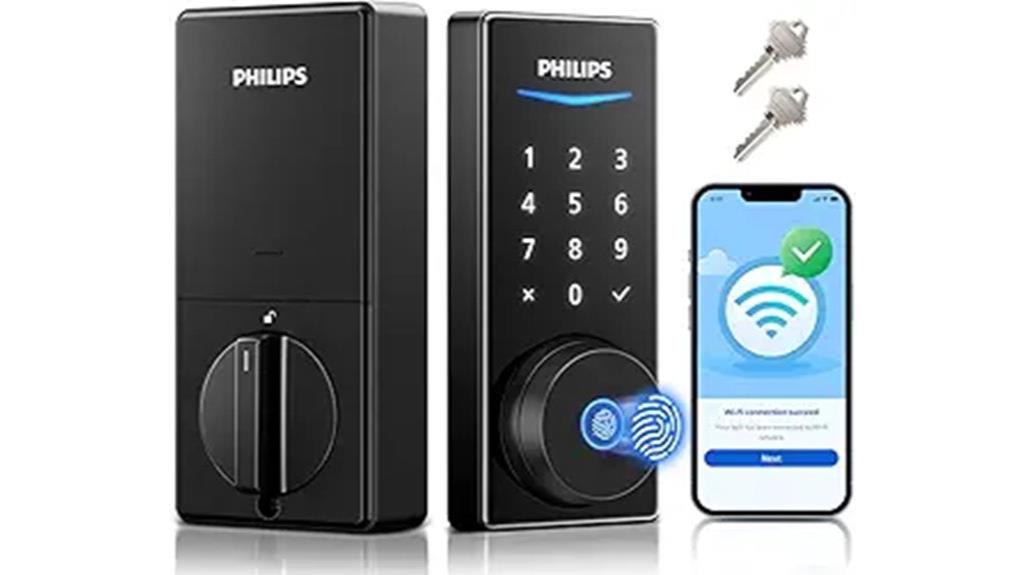
If you’re seeking a smart lock that combines advanced security features with easy remote management, the Philips WiFi Smart Lock with App and Touchscreen stands out as an excellent choice. It connects directly to Wi-Fi, allowing you to control and monitor your lock via a smartphone app without extra hubs. You can manage PIN codes, grant access, and receive real-time notifications. The lock supports voice commands through Alexa and Google Assistant, enabling hands-free operation. With multiple unlocking options—fingerprint, PIN, app, voice, or key—and a quick 0.3-second fingerprint recognition, it offers both convenience and security for your smart home.
Best For: homeowners and renters seeking a secure, easy-to-manage smart lock with remote access and voice control capabilities.
Pros:
- Supports multiple unlocking methods including fingerprint, PIN, app, voice, and key for versatile access
- Connects directly to Wi-Fi without the need for an additional hub, enabling remote management and real-time notifications
- Compatible with Alexa and Google Assistant for seamless voice control and smart home integration
Cons:
- Requires 8 batteries, which may need frequent replacement over time
- Limited support hours (Monday to Saturday, specific times), potentially delaying assistance outside these periods
- Touchscreen and biometric features may require regular calibration or updates for optimal performance
Aqara Smart Lock U100 with Touchscreen Keypad and Apple HomeKit
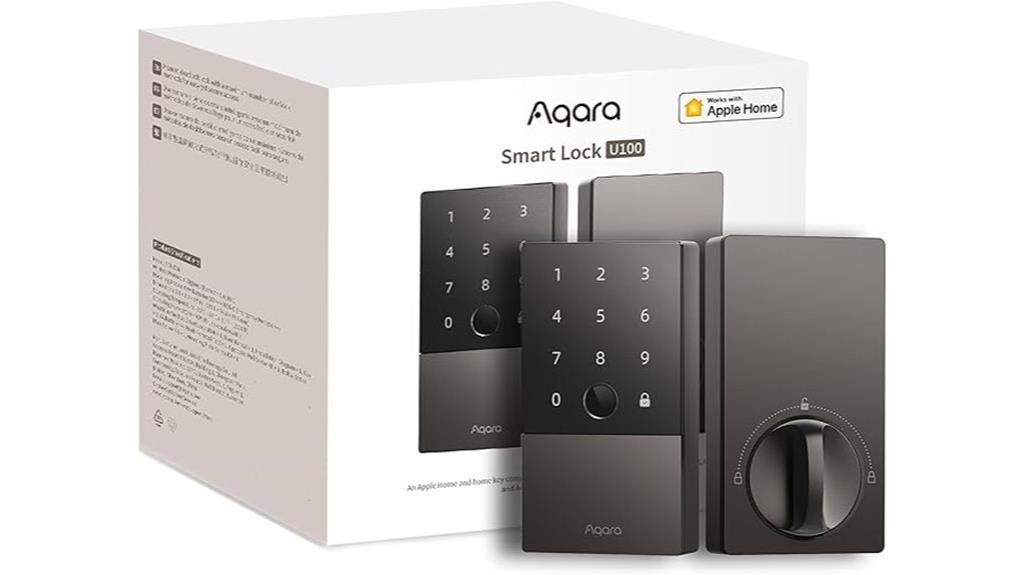
The Aqara Smart Lock U100 with Touchscreen Keypad and Apple HomeKit stands out for homeowners who want seamless Apple ecosystem integration alongside robust security features. It supports Apple Home and Home Key, letting you open with a tap on your iPhone or Apple Watch, even if the battery is dead. You can manage and share access easily within Apple Home, using an Apple Home Hub. The lock offers multiple entry methods, including a fingerprint reader, remote passwords, one-time codes, NFC cards, and a mechanical key. Its durable zinc alloy build, IP65 weatherproof rating, and AES encryption guarantee high security and reliability in various environments.
Best For: homeowners seeking seamless Apple ecosystem integration and versatile security features for their smart locks.
Pros:
- Fully supports Apple Home and Home Key for effortless unlocking with iPhone or Apple Watch even during battery depletion
- Multiple access options including fingerprint, remote passwords, one-time codes, NFC cards, and mechanical key for flexibility
- Durable zinc alloy construction with IP65 weatherproof rating and AES encryption for high security and reliability
Cons:
- Requires an Apple Home Hub for managing and sharing access within Apple Home ecosystem
- NFC cards are sold separately, adding extra cost for full functionality
- Battery life may require replacement approximately every 8 months depending on usage
Philips WiFi Smart Keyless Entry Door Lock

When security and convenience are top priorities, the Philips WiFi Smart Keyless Entry Door Lock stands out with its built-in WiFi that connects directly to your home network. This allows me to manage the lock remotely via the mobile app anytime, anywhere, providing features like remote locking and unlocking, access sharing, and real-time activity alerts. It offers fast fingerprint unlocking in just 0.3 seconds, along with multiple passcode options for family or visitors. The backlit keypad makes it easy to use in low-light conditions, while auto-lock and one-touch locking enhance security. Seamlessly integrating with Google Assistant, it’s a reliable, stylish choice for modern smart homes.
Best For: homeowners seeking a secure, stylish, and remotely manageable smart lock that integrates seamlessly with voice assistants and offers flexible access options.
Pros:
- Easy remote management via built-in WiFi without needing a separate hub
- Fast biometric unlocking in just 0.3 seconds with advanced recognition technology
- Multiple passcode options (permanent, temporary, one-time) for versatile access control
Cons:
- May require a stable WiFi connection for optimal performance
- Installation could be challenging for those unfamiliar with smart locks
- Customer support availability is limited to specific hours on weekdays
Philips WiFi Smart Keypad Deadbolt Lock

For homeowners seeking a reliable and versatile smart lock compatible with Google Home, the Philips WiFi Smart Keypad Deadbolt Lock stands out. It offers app remote control, voice unlocking via Alexa and Google Assistant, and keyless entry through a keypad, keys, or mobile app. You can create up to 100 custom passcodes with flexible access options, plus set auto-lock timers from 10 to 180 seconds. Built from durable aluminum and rated IP54, it handles harsh weather and tampering effectively. Easy to install and maintain, it features anti-peeping passwords, real-time alerts, and a long-lasting battery life of up to six months.
Best For: homeowners seeking a durable, versatile, and WiFi-enabled smart lock compatible with voice assistants and keyless entry options.
Pros:
- Supports app remote control, Alexa, and Google Assistant for convenient voice unlocking
- Creates up to 100 customizable passcodes with flexible access and auto-lock timer settings
- Constructed from durable aluminum with IP54 rating, suitable for harsh weather conditions
Cons:
- Requires 8 AA batteries (not included), which need replacement approximately every 6 months
- Installation, while straightforward, may require some DIY skills for proper setup
- Limited to standard US deadbolt dimensions, potentially incompatible with non-standard doors
Google Nest x Yale Lock – Tamper-Proof Smart Lock
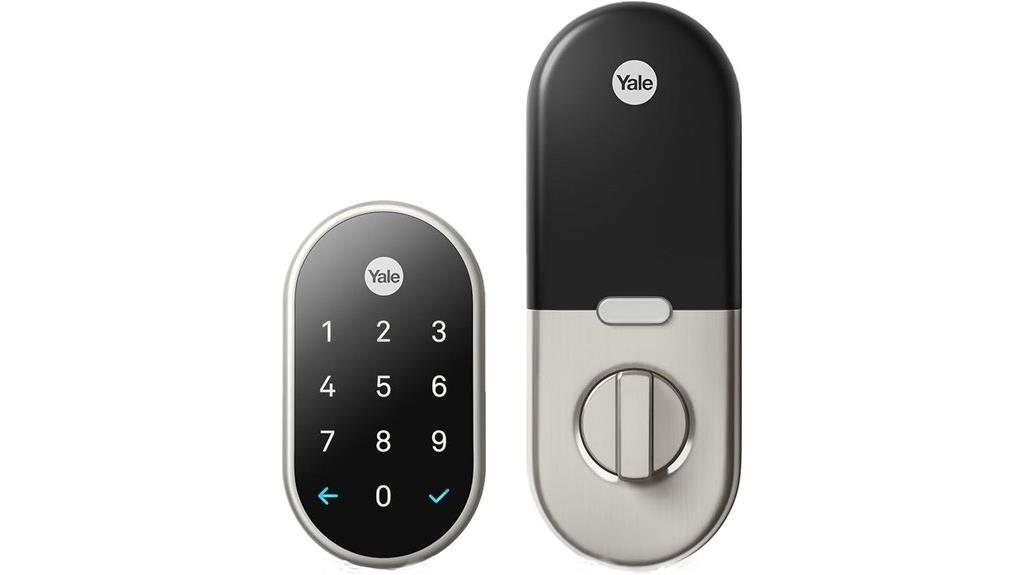
If you want a smart lock that combines robust security with seamless smart home integration, the Google Nest x Yale Lock is an excellent choice. It’s tamper-proof and designed for keyless entry, easily replacing your existing deadbolt. The LED keypad provides quick, silent locking and unfastening, with chimes confirming actions. You can assign unique passcodes, schedule access, and activate Privacy Mode to disable keypad access. Remotely open and monitor your door via the app, receiving alerts for activity or tampering. With auto-lock and tamper alerts, this lock offers peace of mind, making it an ideal addition to any secure, connected home.
Best For: homeowners seeking a secure, keyless smart lock that integrates seamlessly with their smart home system and offers remote access control.
Pros:
- Tamper-proof design enhances security against unauthorized attempts
- Easy to install as a replacement for existing deadbolts, suitable for most standard doors
- Remote monitoring and control via smartphone app for added convenience and peace of mind
Cons:
- Requires compatibility with existing door measurements (backset, cross bore, thickness) for proper fit
- May need professional assistance for installation if unfamiliar with door hardware
- Limited to specific smart home ecosystems, which could affect integration with non-compatible systems
ULTRALOQ U-Bolt Pro WiFi Smart Lock with Door Sensor
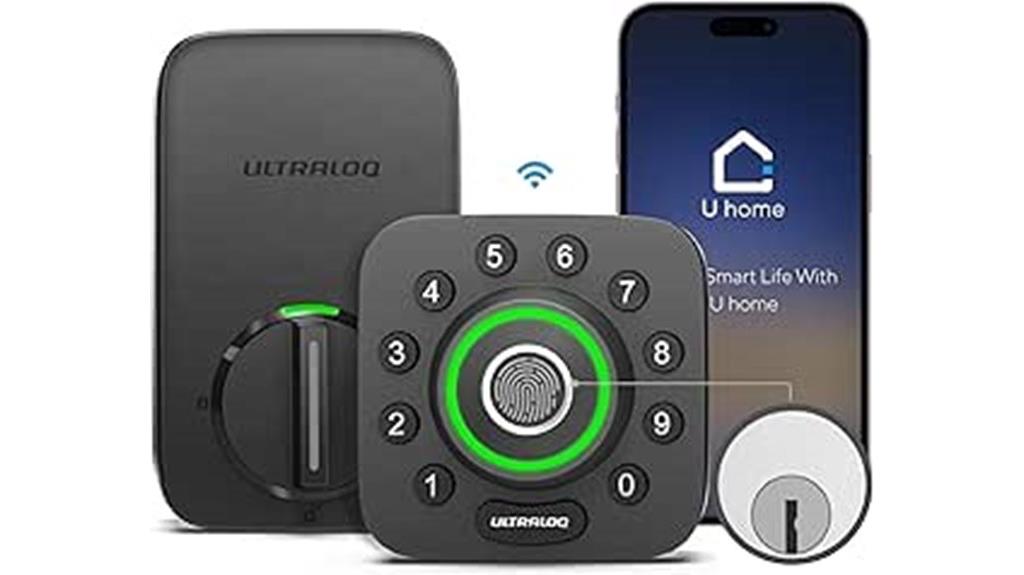
The ULTRALOQ U-Bolt Pro WiFi Smart Lock with Door Sensor stands out as an excellent choice for homeowners seeking a versatile, secure, and easy-to-install smart lock that works seamlessly with Google Home. It offers remote control via a smartphone app, allowing me to lock, open, and view entry logs from anywhere. With direct WiFi connectivity, it supports voice commands through Google Assistant and other platforms without extra hubs. Its 8-in-1 keyless entry features include fingerprint ID, keypad, auto-lock, and eKey sharing, providing flexible, secure access. Plus, its weatherproof design and quick installation make it a reliable, user-friendly choice for modern smart homes.
Best For: homeowners and property managers seeking a secure, versatile, and easy-to-install smart lock that integrates seamlessly with Google Home and offers remote access and advanced security features.
Pros:
- Supports remote control and access logging via smartphone app without needing an extra hub
- Features 8-in-1 keyless entry options including fingerprint, keypad, and eKey sharing for versatile security
- Durable IP65-rated weatherproof design suitable for outdoor use
Cons:
- Requires a stable WiFi connection for optimal performance
- Installation may vary slightly depending on door type, potentially requiring additional tools or adjustments
- Some users may find the array of features complex to set up initially
Veise RZ07 Smart Lock with Fingerprint, App Control, and Keyless Entry
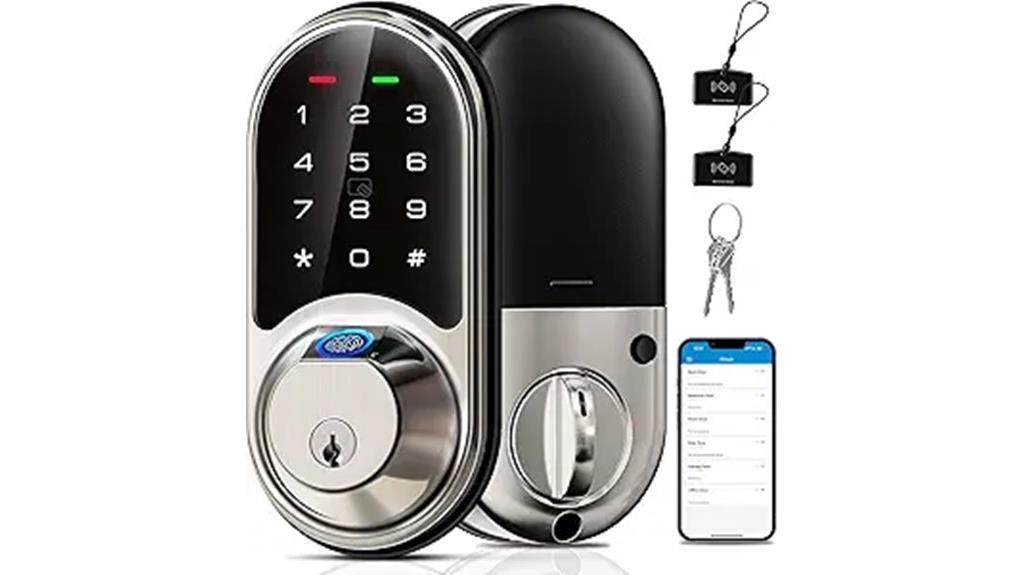
The Veise RZ07 Smart Lock stands out for those seeking versatile access options, including fingerprint recognition, app control, and keyless entry. It offers seven ways to open: fingerprint, app, web portal, key fobs, numeric codes, eKey sharing, and a mechanical key. Supporting up to 50 fingerprints and 250+ user codes, it’s perfect for homes, offices, or hotels. You can remotely manage access, generate eKeys, and view activity logs via the free app or web portal. Its security features include auto-lock, privacy mode, and anti-hacking measures. Plus, it integrates with Google Home through the Veise G2 gateway, enabling voice commands and real-time lock status updates.
Best For: households, small businesses, or hotels seeking flexible, remote-controlled keyless entry with multiple access options and strong security features.
Pros:
- Offers 7-in-1 access methods including fingerprint, app, web, key fobs, and codes for versatile use
- Supports remote management of users, access logs, and real-time lock status via app and web portal
- Integrates with smart home systems like Google Home for voice control and automation
Cons:
- Requires Veise G2 gateway for smart home integration and voice control features
- Installation may be challenging for some users due to the need for precise setup and compatibility checks
- Resetting the lock or changing the master password via keypad can cause connectivity issues if not done correctly
Philips WiFi Smart Lock with Keypad and App Control

With built-in 2.4GHz Wi-Fi, the Philips WiFi Smart Lock with Keypad and App Control lets you lock or open your door remotely without any additional hub. You can control it via the Philips Home Access App, managing users, reviewing access history, and receiving notifications from anywhere. It’s compatible with Alexa and Google Assistant, so you can lock or check your door hands-free with voice commands. The lock features quick fingerprint recognition, storing up to 50 fingerprints, and a flexible digital keypad for PIN codes. Auto-locking and real-time status updates boost security, while easy installation and support make it a convenient, reliable choice.
Best For: homeowners or renters seeking a smart, keyless, and remote-controlled lock that integrates seamlessly with voice assistants and offers enhanced security features.
Pros:
- Easy to install without extra hardware, compatible with most doors
- Remote control and management via the Philips Home Access App from anywhere
- Supports multiple access methods including fingerprint, PIN codes, and voice commands
Cons:
- Requires a stable Wi-Fi connection for optimal operation
- Limited to 50 stored fingerprints, which may not suit very large households
- May be more expensive compared to traditional locks without smart features
Smart Lock for Front Door HK01: Apple Home Ecosystem Fingerprint Keyless Door Lock

If you’re already invested in the Apple ecosystem, the Smart Lock for Front Door HK01 offers seamless integration with Apple HomeKit, making it the perfect choice. You can open your door effortlessly using Apple Home Keys with a tap on your iPhone or Apple Watch, even if the batteries are dead. It supports voice commands through Siri via HomePod, and allows remote control and monitoring with the LNDU App on Android devices. The lock features multiple entry methods, including fingerprint recognition, keypad, physical keys, and key fobs, all with quick access in under 0.3 seconds. Its robust security and easy DIY installation make it a top pick for Apple users.
Best For: Apple ecosystem users seeking a secure, easy-to-install smart lock with seamless integration for keyless entry.
Pros:
- Seamless integration with Apple HomeKit and Home Keys for effortless unlocking with iPhone or Apple Watch
- Multiple unlocking options including fingerprint, keypad, physical keys, and remote app control
- Quick DIY installation without drilling, taking approximately 15 minutes
Cons:
- Compatibility limited to Apple devices for most features, requiring the LNDU App for Android users
- Reliance on batteries; although backup features are available, regular battery replacements are necessary
- The need to set up and manage multiple access methods may be complex for some users unfamiliar with smart home devices
TCL Smart Lock D1, Fingerprint Keyless Entry Front Smart Door Lock
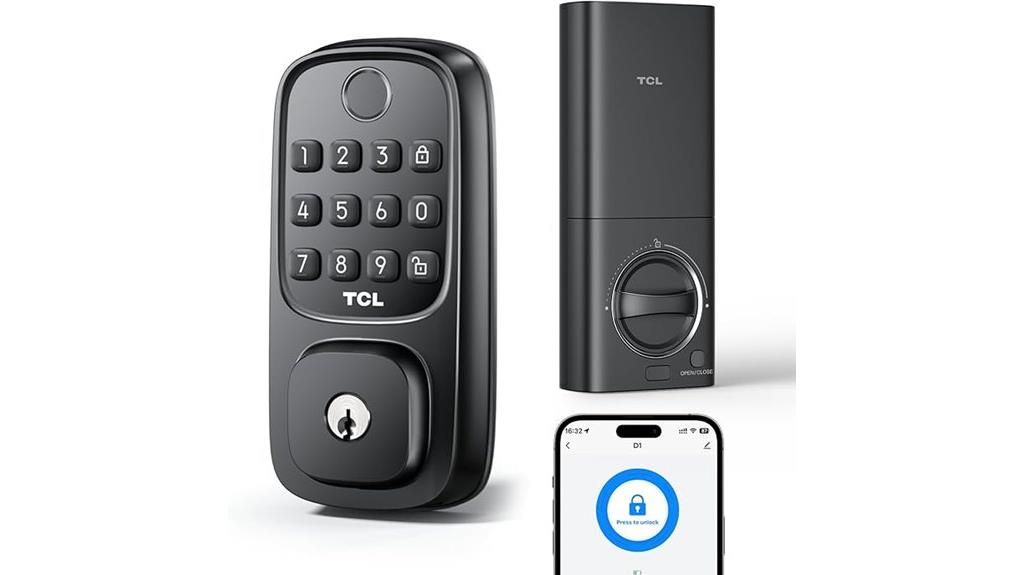
Looking for a smart lock that combines advanced security features with easy remote management? The TCL Smart Lock D1 offers a quick, 0.3-second AI fingerprint scanner that learns and improves over time, even with wet or dry fingers. It provides multiple access options, including keypad, smartphone app, and physical key. You can manage permissions remotely and set scheduled or permanent access for family and visitors. With auto-lock, real-time alerts, and built-in WiFi, it guarantees security and convenience without extra hubs. Compatible with Google Assistant, installation is straightforward, and the lock runs on 8 AA batteries, with low-battery alerts.
Best For: homeowners seeking a secure, easy-to-manage smart lock with versatile access options and remote control capabilities.
Pros:
- Fast 0.3-second AI fingerprint scanner that learns and works effectively with wet or dry fingers.
- Multiple access methods including keypad, smartphone app, and physical key, with remote management and scheduling.
- Built-in WiFi for remote control and monitoring without extra hubs, plus real-time alerts and low-battery notifications.
Cons:
- Requires 8 AA batteries (not included), so battery replacement may be necessary over time.
- Installation may be less straightforward for non-technical users despite being tool-free.
- Compatibility limited to standard US doors, which may not fit custom or non-standard door sizes.
Fingerprint Smart Door Lock with Keypad and Handle

The Fingerprint Smart Door Lock with Keypad and Handle stands out as an excellent choice for families, rental property owners, and anyone seeking convenient, keyless access. It offers multiple unlocking methods, including fingerprint, keypad, app, FOB, and physical key, providing flexibility. Designed for easy DIY installation, it fits most standard doors and features a modern, weather-resistant handle. With smart home integration via Alexa and Google Assistant, plus remote control, you can monitor access logs and manage users effortlessly. Its security features—auto-lock, anti-peeping passcode, and deadbolt—ensure peace of mind. This versatile lock combines convenience, security, and seamless smart home compatibility.
Best For: families, rental property owners, and individuals seeking a secure, convenient keyless entry solution with smart home integration.
Pros:
- Multiple unlock options including fingerprint, keypad, app, FOB, and physical key for versatile access.
- Easy DIY installation with a modern, weather-resistant handle suitable for most standard doors.
- Smart home compatibility with Alexa and Google Assistant for remote control, access logs, and user management.
Cons:
- Requires 4 AA lithium-ion batteries which may need replacement over time.
- Slightly higher price point compared to traditional locks with fewer features.
- Limited control options if WiFi Gateway or app connectivity is unavailable or unstable.
Factors to Consider When Choosing a Smart Lock Compatible With Google Home
When choosing a smart lock for Google Home, I focus on compatibility and ease of use. I also consider the unlocking options, security features, and how long the batteries last. Finally, installation should be straightforward so I can set it up without hassle.
Compatibility With Google Home
Ever wondered how smoothly your smart lock integrates with Google Home? To guarantee seamless voice control and automation, look for a lock that explicitly supports Google Home compatibility. Check if it works well with Google Assistant-enabled devices like Google Nest Hub, Google TV, or Wi-Fi Pro, which are essential for smooth operation. Also, verify if the lock connects via Wi-Fi or Thread mesh network, as these are crucial for reliable communication. Confirm that it offers remote management and activity monitoring through the Google Home app, giving you full control and visibility. Features like voice-activated locking and real-time status updates are also important, ensuring your lock functions effortlessly within the Google Home ecosystem. Compatibility is key to a truly integrated smart lock experience.
Unlocking Method Options
Are you considering which opening methods best suit your lifestyle when choosing a smart lock compatible with Google Home? Many models support multiple options, including app control, voice commands, fingerprint recognition, PIN codes, physical keys, and keypad entry. Biometric options like fingerprints and passcodes offer quick access, often opening in under 0.3 seconds, adding convenience. You can also manage temporary or permanent passcodes remotely, giving flexible access to family, guests, or service providers. Some locks feature auto-lock capabilities with customizable timers, ensuring your door locks itself after a set period without manual intervention. Seamless integration with Google Assistant allows for hands-free locking, opening, and status checks, making daily access smooth and efficient. Choosing the right opening method depends on your lifestyle and security preferences.
Security and Privacy Features
Choosing a smart lock that prioritizes security and privacy means looking for features like advanced encryption protocols, such as AES and Bluetooth encryption, which protect your data from hackers. I also recommend selecting locks with multiple access methods—passcodes, biometrics, and physical keys—to balance security with flexibility. Features like auto-lock, privacy modes, and tamper alerts help prevent unauthorized access and alert you to suspicious activity. For remote management, ensure the lock supports secure password or code sharing, audit trails, and real-time notifications, safeguarding your activity logs. Privacy-focused options like temporary or scheduled access codes and encryption of stored access data further enhance your privacy. These features give me confidence that my smart lock keeps my home safe while respecting my privacy.
Power and Battery Life
Battery life is a crucial factor when selecting a smart lock compatible with Google Home since it directly impacts maintenance and security reliability. I recommend checking the type and number of batteries the lock uses, as longer-lasting batteries mean less frequent replacements. Look at the manufacturer’s estimated battery life, which can vary from several months to over a year depending on usage. A smart lock with low-battery alerts—via app or voice—can prevent unexpected lockouts. Support for standard AA or lithium-ion batteries makes replacements straightforward and affordable. Additionally, some locks include backup power options, like an external USB-C port, ensuring you can charge the lock in emergencies. Prioritizing these features ensures your smart lock remains dependable without constant upkeep.
Installation Ease
When selecting a smart lock compatible with Google Home, installation ease can make a big difference in your overall experience. I recommend choosing models that are straightforward to install yourself, with clear instructions that minimize setup time. Look for locks designed for standard door sizes and types to avoid needing modifications or professional help. Opt for models with tool-free installation options, like snap-in or slide-on designs, which save time and effort. Make sure the lock comes with thorough hardware and detailed guides to streamline the process. Additionally, consider locks with minimal wiring and modular parts, as these features simplify installation and reduce troubleshooting. Overall, an easy-to-install smart lock ensures you get your smart home up and running smoothly, without unnecessary hassle.
Smart Home Integration
Integrating a smart lock with Google Home requires careful consideration of its compatibility and features to guarantee a seamless smart home experience. First, make sure the lock supports Google Home or Google Assistant for effortless voice control. Check if it’s compatible with Google’s Matter protocol, which ensures broader device interoperability and future-proofing. You’ll also want remote management capabilities through the Google Home app, including locking, unlocking, access sharing, and activity monitoring. Real-time notifications and alerts are essential for security, so verify the lock offers these features within Google Home. Lastly, look for added convenience features like auto-lock, multiple access methods, and straightforward setup. These factors ensure your smart lock integrates smoothly into your existing ecosystem, providing security, control, and peace of mind.
Frequently Asked Questions
Can These Locks Be Integrated With Other Smart Home Devices?
Yes, these smart locks can be integrated with other smart home devices. I’ve set mine up to work seamlessly with my Google Home, so I can lock or open my door with voice commands. Plus, they connect easily with other devices like smart lights and thermostats, creating a truly integrated home experience. It’s convenient and gives me peace of mind knowing everything works together smoothly.
What Is the Battery Life Expectancy of These Smart Locks?
Most smart locks I’ve looked into typically offer a battery life of around six months to a year, depending on usage and model. I recommend checking the specific product details, as some locks have low-battery alerts to prevent lockouts. To stay prepared, I always keep spare batteries handy. Regularly replacing batteries guarantees seamless access and maintains your lock’s reliability without unexpected interruptions.
Are Additional Accessories Needed for Google Home Compatibility?
You typically don’t need extra accessories to connect smart locks to Google Home. For example, I set up my August Smart Lock, and it synced seamlessly through the Google Home app without any additional devices. Just make certain your lock is Wi-Fi or Z-Wave enabled, and you follow the pairing instructions. Sometimes, a compatible hub might be necessary, but most smart locks are designed for direct integration, making setup straightforward and hassle-free.
How Secure Are These Smart Locks Against Hacking?
Smart locks are generally secure, but no system is entirely invulnerable. I recommend choosing models with strong encryption, regular firmware updates, and two-factor authentication. It’s also essential to change default passwords and use a secure Wi-Fi network. While they greatly enhance home security, staying vigilant and maintaining your lock’s software helps protect against hacking attempts. Overall, when properly secured, these locks offer a reliable and safe smart home solution.
Do These Locks Support Remote Access From Multiple Users?
Yes, most smart locks support remote access for multiple users. I can easily grant family members or trusted friends access through the app, and they can lock or disengage the door from anywhere. This feature is perfect for managing households or rental properties. Just guarantee the lock you choose explicitly mentions multi-user support, and you’ll enjoy seamless, remote control for everyone you trust, all integrated smoothly with Google Home.
Conclusion
Finding the perfect smart lock that seamlessly integrates with Google Home can feel like a coincidence—until you discover the right one. Whether it’s the sleek Philips Wi-Fi lock or the trusted Yale options, each offers something unique. When you pick a compatible lock, you’re not just upgrading your door; you’re simplifying your life. It’s funny how the right choice can make everything feel more connected, safe, and effortlessly smart.