If you’re looking for the best smart locks compatible with Apple HomeKit in 2025, I’ve tested top options that offer seamless, secure access. These include locks with features like tap-to-unlock, fingerprint recognition, keypad entry, and remote control, all integrated with Apple’s ecosystem. They’re durable, weatherproof, and user-friendly, making them perfect for homes or small businesses. Keep exploring to discover which smart lock best fits your needs and guarantees hassle-free security.
Open a free Amazon Business account
Business pricing, bulk buying and tax-exempt orders.
As an affiliate, we earn on qualifying purchases.
Key Takeaways
- Look for locks with Apple HomeKit certification supporting seamless integration, automation, and remote control within the Apple ecosystem.
- Prioritize models offering multiple unlocking methods, such as tap-to-unlock, keypad, biometric, and physical keys for versatile access.
- Choose locks with durable, weatherproof designs, high security standards, and local data storage to ensure reliable outdoor use.
- Consider locks supporting Matter via Aqara Hub or compatible hubs for broader device compatibility and future-proofing.
- Check user capacity, battery life, and emergency backup options to maintain security and accessibility in all scenarios.
X1 Apple Home Key Tap to Unlock Smart Door Lock
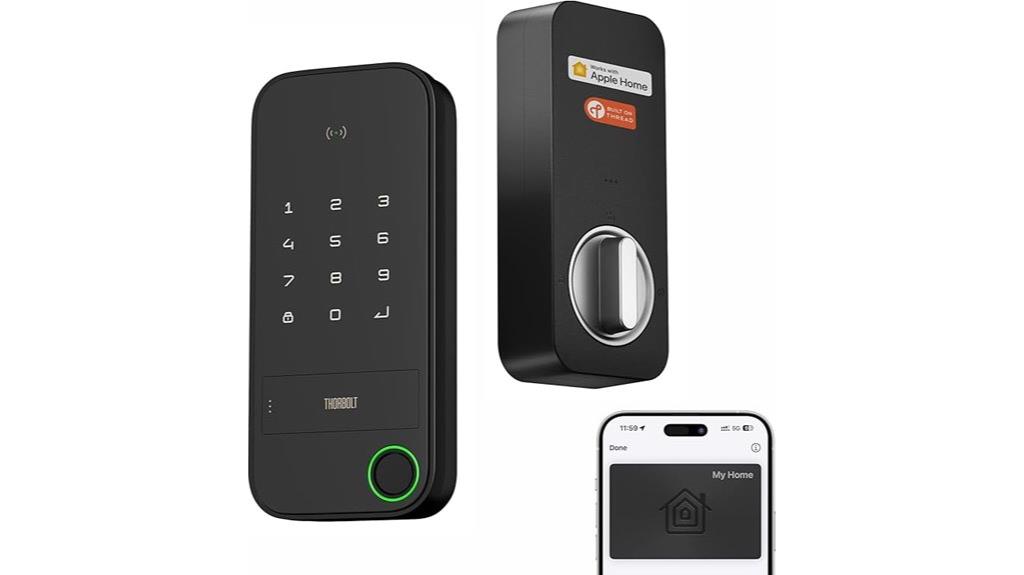
If you’re looking for a smart lock that combines quick, secure access with seamless Apple ecosystem integration, the X1 Apple Home Key Tap to Open Smart Door Lock is an excellent choice. It supports Apple Home Key, Thread, and HomeKit protocols, making it easy to control via the Home app. The NFC sensing zone allows for instant tap-to-unlock with your iPhone or Apple Watch, even if devices are offline or out of power. With features like fingerprint recognition, passcodes, Siri commands, and physical keys, it offers flexible security options. Its weatherproof design and easy DIY installation make it perfect for outdoor use and hassle-free setup.
Best For: Smart home users who value quick, secure access and seamless Apple ecosystem integration for their outdoor or indoor doors.
Pros:
- Supports Apple Home Key, Thread, and HomeKit for versatile connectivity and control
- NFC sensing zone enables instant tap-to-unlock with iPhone or Apple Watch, even offline
- Easy DIY installation with weatherproof IP65 rating suitable for outdoor use
Cons:
- Requires a Thread-enabled Apple home hub for remote access within 33 feet
- Battery life may need replacement after approximately one year of use
- Only compatible with doors 1-3/8 to 1-3/4 inches thick and specific standard deadbolts
Aqara Smart Lock U100 with Fingerprint and Keyless Entry
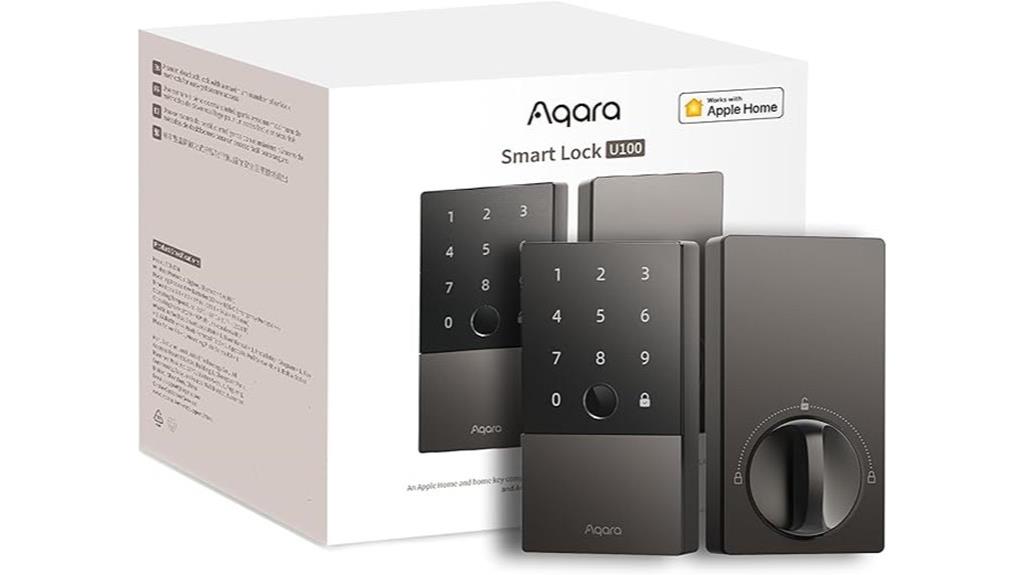
The Aqara Smart Lock U100 stands out for those seeking a highly secure and versatile keyless entry system that integrates seamlessly with Apple Homekit. It offers multiple unlocking options, including a high-precision fingerprint reader supporting 50 fingerprints, remote password management via the Aqara Home app, one-time visitor passwords, and NFC cards (sold separately). The lock features auto-locking with a gyroscope, a touchscreen keypad, and emergency power via USB-C. Built from durable zinc alloy with IP65 weatherproofing, it’s designed for harsh environments. Compatible with Apple Home and other ecosystems like Google and Alexa, it provides a flexible, secure solution for modern smart homes.
Best For: homeowners and smart home enthusiasts seeking a highly secure, versatile, and Apple-compatible keyless lock with multiple access options and durable weatherproof design.
Pros:
- Supports multiple unlocking methods including fingerprint, app management, one-time passwords, and NFC cards, offering flexibility.
- Fully compatible with Apple HomeKit and Home Key, enabling seamless integration with Apple devices and automation.
- Constructed from zinc alloy with IP65 weatherproof rating, suitable for outdoor and harsh environments.
Cons:
- NFC cards are sold separately, adding extra cost for complete access options.
- Requires an Apple Home Hub for full Apple HomeKit functionality and remote access management.
- Battery life may be up to 8 months, requiring periodic replacement or emergency charging via USB-C.
Schlage Encode Plus Smart Wi-Fi Lock
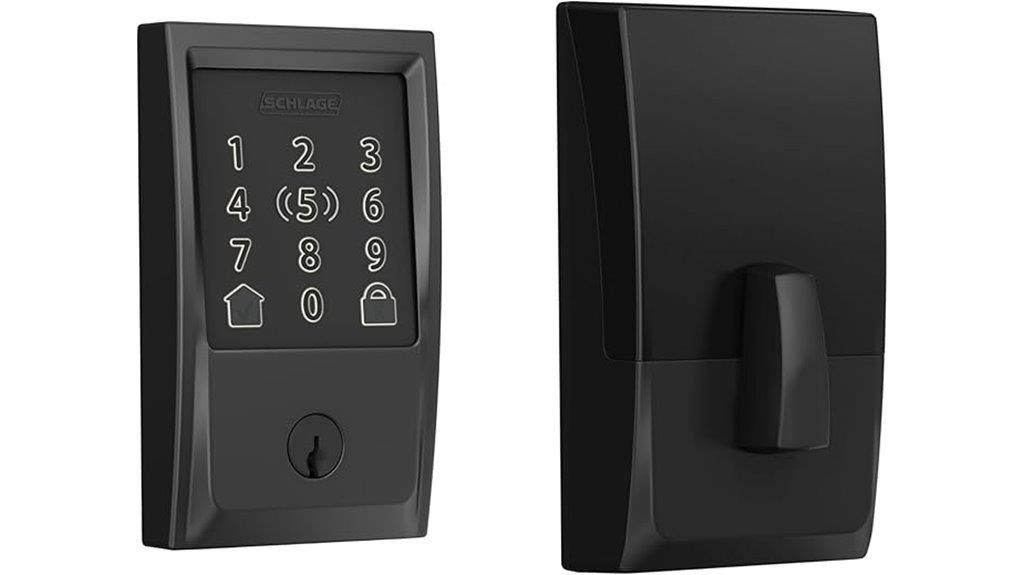
For those seeking a smart lock that combines seamless Apple ecosystem integration with robust security, the Schlage Encode Plus Smart Wi-Fi Lock stands out. Its built-in WiFi allows remote control and monitoring via the Schlage Home app, while compatibility with Apple HomeKit and Apple home keys means I can release with my iPhone or Apple Watch with a tap. It also works with Alexa and Google Assistant for voice commands. Managing up to 100 access codes, viewing lock history, and receiving notifications are straightforward. Easy to install and highly secure, it’s perfect for those who want convenience without sacrificing safety.
Best For: Homeowners and residents seeking a secure, easy-to-use smart lock with seamless Apple ecosystem integration and remote management capabilities.
Pros:
- Integrates effortlessly with Apple HomeKit and Apple home keys for quick tap-to-unlock access with iPhone or Apple Watch
- Built-in WiFi enables remote control, monitoring, and management via the Schlage Home app from anywhere
- Certified with top BHMA ratings for security, durability, and finish, ensuring long-lasting safety and performance
Cons:
- Requires a standard door thickness of 1-3/8 to 1-3/4 inches and specific backset measurements, which may not fit all doors
- Needs screwdriver for installation, which might be challenging for some users lacking tools or experience
- Limited to managing up to 100 access codes, which could be insufficient for larger households or multi-tenant situations
Smart Lock for Front Door HK01: Apple Home Ecosystem Fingerprint Keyless Door Lock
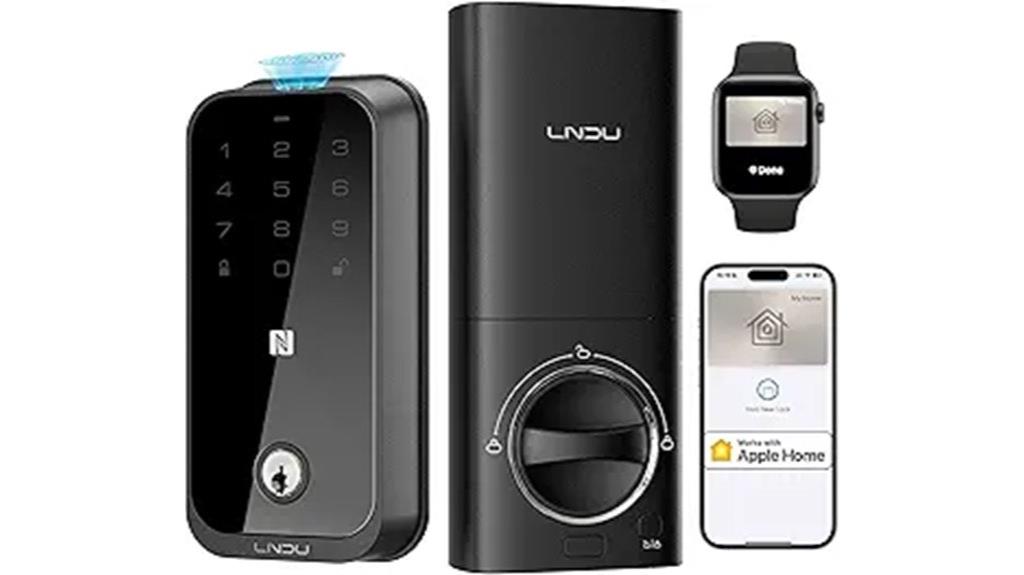
The Smart Lock for Front Door HK01 stands out as the ideal choice for homeowners seeking seamless integration within the Apple ecosystem. It allows access via Apple Home Keys by tapping your iPhone or Apple Watch, even if batteries are dead. You can also use Siri through HomePod for voice commands. The lock supports multiple entry methods, including fingerprint recognition, keypad, physical keys, and remote control via the app. Built with a reinforced zinc alloy bolt, it offers strong security, and an external USB-C port provides emergency power. Easy to install and manage, it’s perfect for those wanting reliable, high-tech home security with Apple compatibility.
Best For: homeowners who want seamless, high-security smart lock integration with the Apple ecosystem and easy DIY installation.
Pros:
- Seamless integration with Apple HomeKit and Apple Home Keys for effortless access and control
- Multiple unlocking options including fingerprint, keypad, physical keys, and remote app control
- Robust security features with impact-resistant zinc alloy bolt and emergency USB-C backup power
Cons:
- Requires 8 AA batteries, which may need periodic replacement
- Compatibility limited for Android users to app control via LNDU App, lacking native Android ecosystem integration
- Installation, while designed to be quick, may still be challenging for some DIY users unfamiliar with smart locks
Aqara Smart Lock U50, Bluetooth Keyless Door Lock with Apple HomeKit

If you’re looking for a smart lock that offers seamless Apple HomeKit integration and versatile opening options, the Aqara Smart Lock U50 stands out as an excellent choice. It supports Apple Home Key, letting you access with your iPhone or Apple Watch—even when the device is off. The lock also works with Matter via Aqara Hub, ensuring compatibility with Google Home, Alexa, and IFTTT. You can manage and share access easily through Apple Home, and set up remote control with passwords or NFC cards (sold separately). Built for security and durability, the U50 combines convenience with robust features perfect for modern smart homes.
Best For: homeowners and smart home enthusiasts seeking seamless Apple ecosystem integration and versatile keyless entry options.
Pros:
- Fully compatible with Apple HomeKit and supports Apple Home Key for effortless unlocking with iPhone or Apple Watch even when device is off
- Supports Matter via Aqara Hub for compatibility with Google Home, Alexa, and IFTTT, enabling flexible automation and ecosystem integration
- Offers multiple unlocking methods including keypad, remote passwords, local passwords, and NFC cards (sold separately) for convenience and security
Cons:
- NFC cards are sold separately, adding extra cost for additional access options
- Requires Zigbee 3.0 hub for remote password management and automation setup, which may be an additional purchase
- Battery life may require replacement approximately every 6 months depending on usage, and emergency charging via USB-C is a backup but not a primary power source
X1 Apple Home Key Tap to Unlock Smart Keyless Door Lock
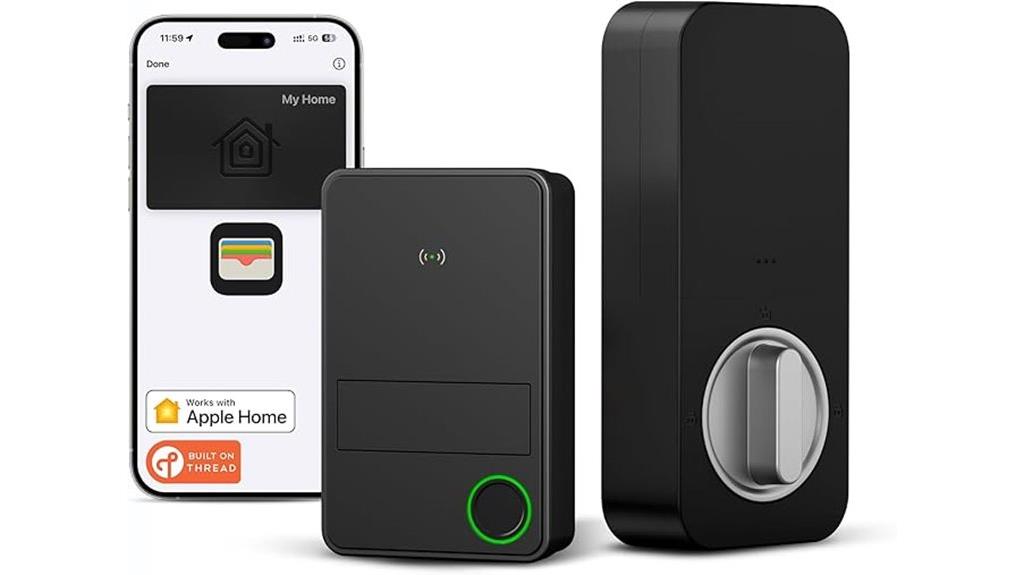
The X1 Apple Home Key Tap to Open Smart Keyless Door Lock stands out for its seamless tap-to-unlock capability using Apple’s Wallet app, making it ideal for anyone seeking quick, keyless access without sacrificing security. It supports Apple Home Key, so you can open your door with a simple tap on your iPhone or Apple Watch, even without power or network. The lock is compatible with most standard U.S. and Canadian deadbolts and offers easy DIY installation. With features like fingerprint recognition, passcodes, Siri commands, and app management, it provides versatile control and robust security, all while maintaining a sleek, weatherproof design.
Best For: those seeking a premium, keyless entry solution compatible with Apple devices for quick, secure access at home or in small business settings.
Pros:
- Seamless tap-to-unlock feature using Apple Wallet on iPhone or Apple Watch for quick access
- Supports Apple Home Key and Thread for reliable, future-proof smart home integration
- Easy DIY installation with adjustable fit for standard U.S. and Canadian deadbolts
Cons:
- Requires compatible Apple devices and ecosystem for full functionality
- Limited to 50 users and 100 passcodes, which may not suit larger households or businesses
- Dependence on batteries; although long-lasting, battery replacement is necessary over time
ULTRALOQ Bolt Smart Lock with WiFi and Fingerprint
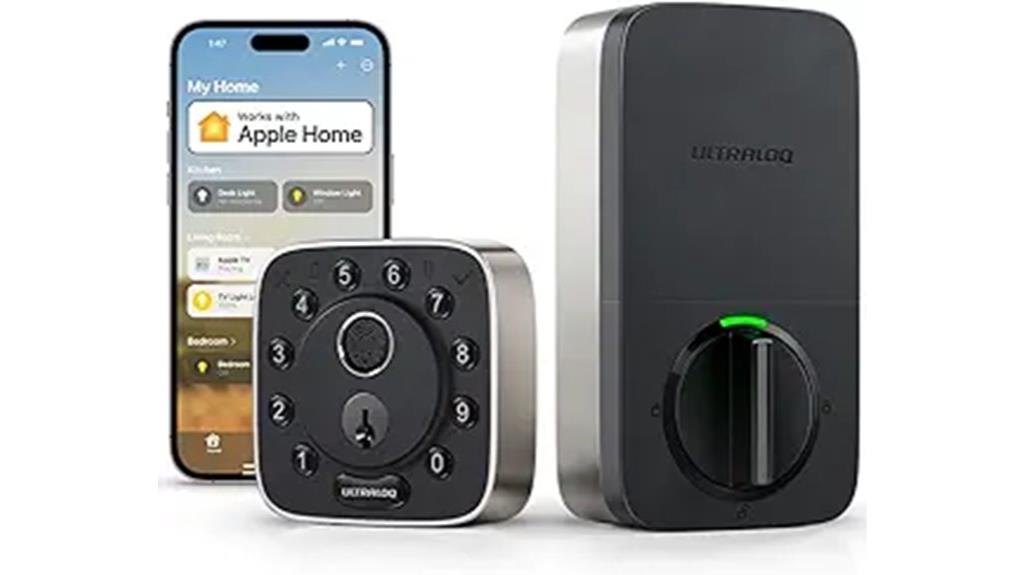
For homeowners seeking a smart lock that combines biometric security with seamless integration into their Apple ecosystem, ULTRALOQ Bolt Smart Lock with WiFi and Fingerprint stands out. It offers a biometric fingerprint scanner, anti-peep keypad, and remote control via app, supporting auto lock/unlock and mechanical backup keys. Fully compatible with Apple HomeKit, Siri, and other smart platforms like Alexa and Google Assistant, it’s easy to control through voice or smartphone. Certified for security and weatherproof, it installs with just a screwdriver and provides up to a year of battery life. Its versatility makes it a top choice for modern, connected homes in 2025.
Best For: homeowners seeking a secure, smart, and easy-to-integrate lock system that works seamlessly with Apple HomeKit and other smart home platforms.
Pros:
- Supports biometric fingerprint, anti-peep keypad, app remote control, and mechanical keys for versatile access.
- Fully compatible with Apple HomeKit, Siri, Alexa, Google Assistant, and IFTTT for effortless voice and automation control.
- Weatherproof with a sleek design, easy installation with just a screwdriver, and up to a year of battery life.
Cons:
- Requires 8 AA batteries, which may need replacement after extended use.
- Slightly higher price point compared to traditional locks due to advanced features.
- Some users report occasional connectivity issues with WiFi or app control.
X3 Apple Home Key Tap to Unlock Smart Door Lock with Fingerprint and HomeKit Compatibility
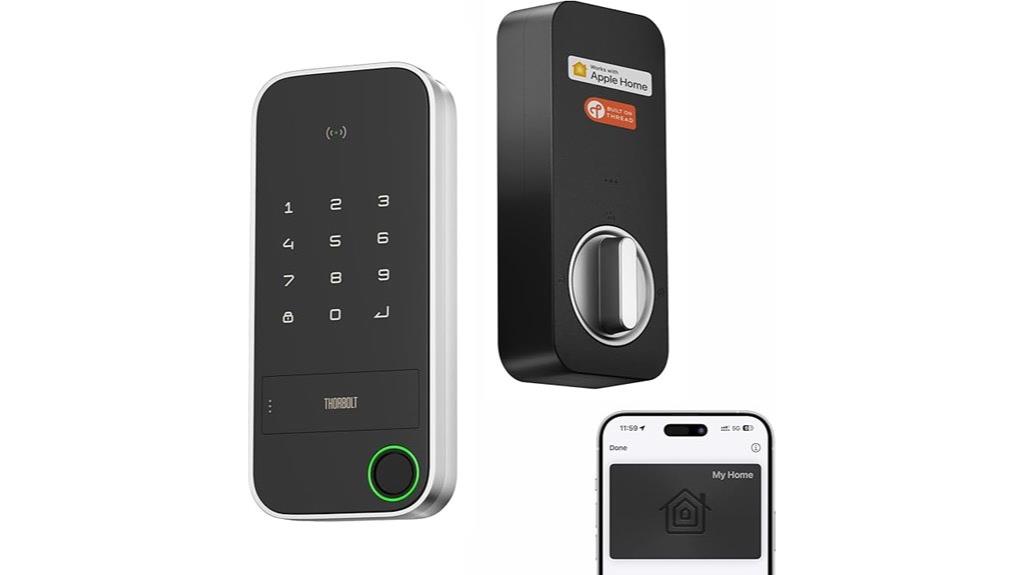
When seeking a smart lock that offers both advanced security and seamless Apple ecosystem integration, the ThorBolt X3 with Apple Home Key stands out. This sleek, weatherproof lock supports Apple Home Key, NFC sensing, and Thread protocol for reliable, energy-efficient connectivity without extra hubs. You can *access* it via Apple Watch or iPhone, fingerprint, Siri voice commands, remote app, or traditional key. It manages up to 50 users with encrypted fingerprint data and real-time activity logs. Easy to install on standard doors, it boasts a modern design and long-lasting battery life. Overall, the ThorBolt X3 combines security, convenience, and Apple compatibility in a compact, durable package.
Best For: Homeowners and Apple ecosystem users seeking a secure, easy-to-install smart lock with seamless integration and multiple unlocking options.
Pros:
- Supports Apple Home Key, NFC sensing, and Thread protocol for reliable, energy-efficient connectivity without extra hubs
- Manages multiple users with encrypted fingerprints, real-time activity logs, and customizable security settings
- Durable, weatherproof design with long battery life (up to 12 months) and straightforward DIY installation
Cons:
- Requires 8 AA batteries (not included), which may need periodic replacement
- Only compatible with standard US/Canada deadbolts and specific door thicknesses, limiting versatility
- Premium pricing may be higher compared to basic smart locks without Apple ecosystem features
Schlage Encode Plus WiFi Deadbolt Smart Lock
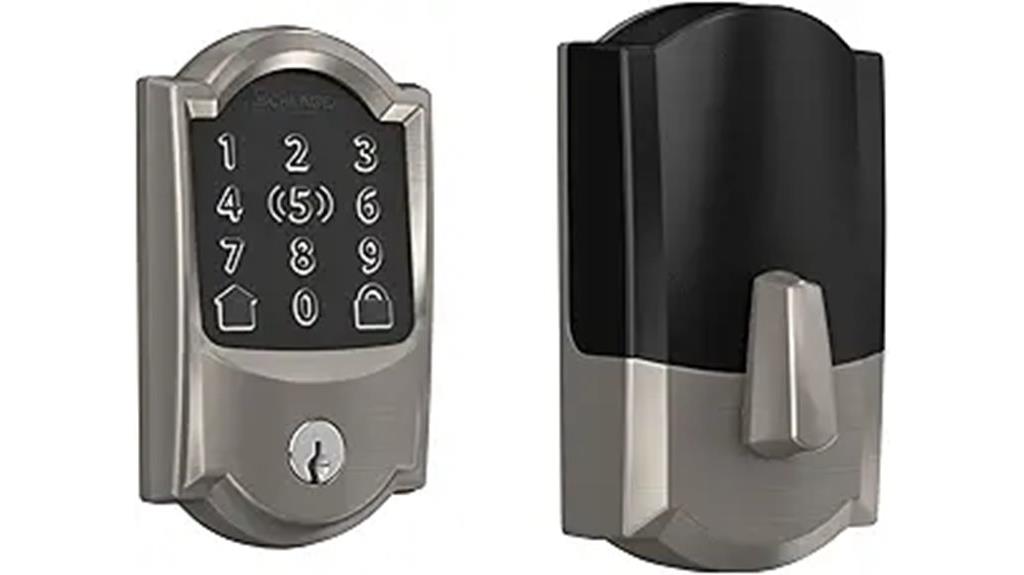
If you’re looking for a smart lock that combines easy installation with seamless Apple ecosystem integration, the Schlage Encode Plus WiFi Deadbolt is an excellent choice. It offers built-in WiFi for remote access through the Schlage Home app and works effortlessly with Apple HomeKit and Home Keys, allowing tap-to-unlock via iPhone or Apple Watch. The lock features a fingerprint-resistant touchscreen, advanced encryption, and customizable security alerts. Installation takes minutes with no hardwiring needed, thanks to its Snap ‘n Stay design. Plus, you can manage up to 100 access codes, view history, and control multiple locks, making it perfect for all-encompassing home security.
Best For: homeowners and property managers seeking a secure, easy-to-install smart lock with seamless Apple ecosystem integration and remote access capabilities.
Pros:
- Easy to install in minutes without hardwiring, thanks to Snap ‘n Stay design
- Compatible with Apple HomeKit, Apple Home Keys, and voice assistants like Alexa and Google Assistant for versatile control
- Manages up to 100 access codes and monitors lock activity via the app, enhancing security and convenience
Cons:
- Limited to doors with standard thicknesses (1-3/8 to 1-3/4 inches) and backsets (2-3/8 or 2-3/4 inches)
- Requires a smartphone or compatible device for full functionality and remote access
- The touchscreen’s fingerprint resistance may still be affected by frequent use over time
Keyless Entry Door Lock with Wi-Fi and Touchscreen
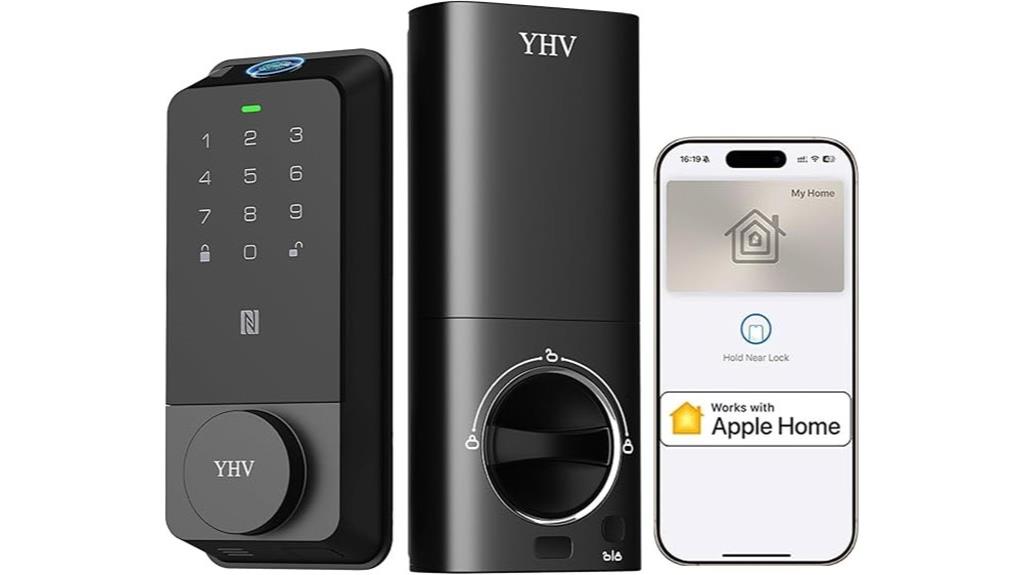
The Keyless Entry Door Lock with Wi-Fi and Touchscreen stands out as an ideal choice for homeowners seeking seamless smart home integration, thanks to its full compatibility with Apple HomeKit. You can release it using Apple Home Keys on your iPhone or Apple Watch, even if the device’s battery dies. It supports voice commands through Apple HomePod and allows remote control via the Home and Cldbus apps. With multiple unlocking options—including fingerprint, keypad, physical keys, and key fobs—it combines convenience with security. Built from durable aluminum-alloy and rated IP54, it’s designed to withstand harsh conditions while offering fast, secure access in under 0.3 seconds.
Best For: homeowners seeking a highly secure, tech-savvy smart lock that integrates seamlessly with Apple HomeKit and offers versatile unlocking options.
Pros:
- Fully compatible with Apple HomeKit, enabling convenient unlocking via iPhone or Apple Watch even during dead battery situations.
- Multiple unlocking methods including fingerprint, keypad, physical keys, key fobs, and remote app control for maximum flexibility.
- Durable construction from aluminum-alloy with IP54 rating, ensuring reliable performance in various weather conditions.
Cons:
- Requires 8 AA batteries that need replacement approximately every 8 months.
- Installation, while straightforward, may still require some basic DIY skills and tools.
- Dependence on Wi-Fi and app connectivity could pose issues during network outages or technical glitches.
ULTRALOQ Bolt NFC Smart Lock with Wi-Fi and HomeKit Integration
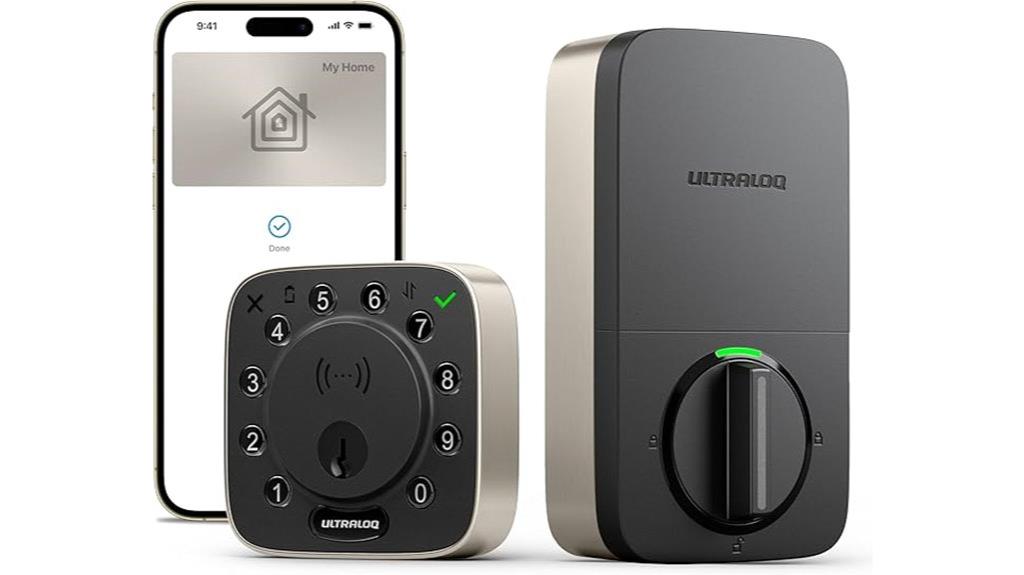
The ULTRALOQ Bolt NFC Smart Lock stands out as an excellent choice for homeowners seeking seamless Apple HomeKit integration without sacrificing convenience. It supports Apple Home Key, NFC tap, Apple Watch, Siri, Alexa, and Google Assistant, allowing instant opening by simply tapping your phone or smartwatch—no app needed. With features like an anti-peep keypad, remote app control, key fob, and mechanical keys, you’re covered even if your phone’s dead. It’s BHMA certified, weatherproof, and easy to install, taking just 10 minutes. Plus, the built-in Wi-Fi enables remote access, sharing, and alerts, making it a versatile, secure solution for modern smart homes.
Best For: homeowners seeking a highly secure, easy-to-install smart lock with seamless Apple HomeKit compatibility and remote access features.
Pros:
- Supports multiple unlocking methods including Apple Home Key, NFC tap, Apple Watch, Siri, Alexa, and Google Assistant for maximum convenience
- BHMA certified with weatherproof design, ensuring durability and security in all weather conditions
- Easy installation within 10 minutes without wiring, and includes remote control, access sharing, and real-time alerts via Wi-Fi
Cons:
- Requires 8 AA batteries, which need periodic replacement (up to 1 year of operation)
- Some users may find advanced features and integrations complex to set up initially
- Limited to 50 user access codes, which may be restrictive for larger households or businesses
Aqara Smart Lock U300 with Touchscreen Keypad and Apple Home Support
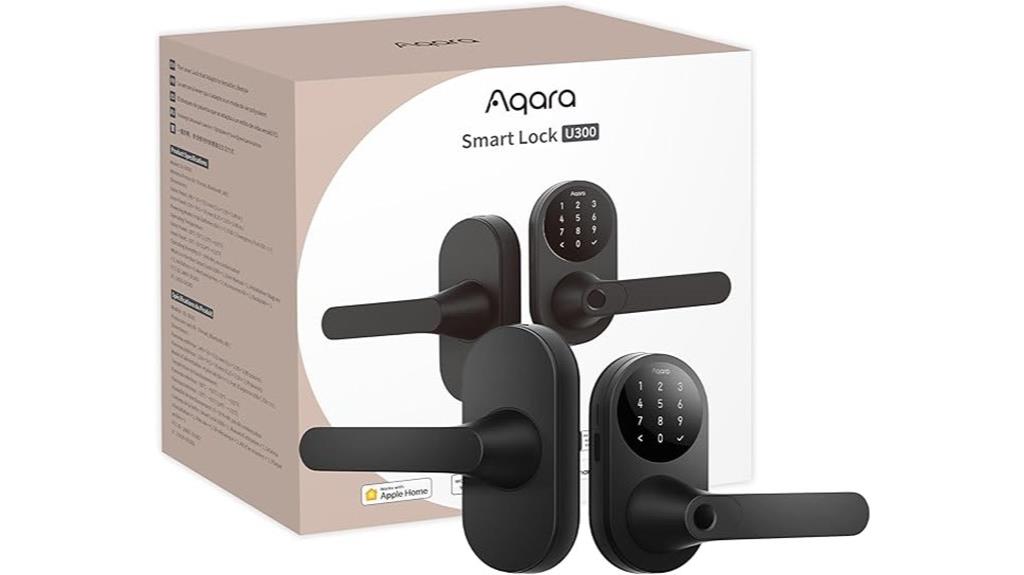
For homeowners seeking a secure yet smart way to manage access, the Aqara Smart Lock U300 with Touchscreen Keypad and Apple Home support stands out. It integrates seamlessly with Apple Home, allowing opening via Apple Home Keys on iPhone or Apple Watch, even when devices are out of power. Compatible with Matter over Thread, it works with third-party ecosystems like Google Home, Alexa, and SmartThings through an Aqara Thread-enabled Matter Hub. The lock offers multiple opening options, including fingerprint, passwords, NFC cards, and guest codes. Designed for durability, it features local data storage with AES encryption, ensuring maximum security and convenience for modern homes.
Best For: homeowners and smart home enthusiasts seeking a secure, versatile, and Apple-compatible smart lock for modern home access management.
Pros:
- Seamless integration with Apple Home and support for Apple Home Keys, enabling unlocking even when devices are out of power
- Multiple unlocking options including fingerprint, passwords, NFC cards, and guest codes for flexibility and convenience
- Durable construction with zinc alloy, IPX4 water resistance, and local AES-encrypted data storage for enhanced security
Cons:
- Requires a Matter Controller & Border Router for full Apple Home integration, adding setup complexity
- NFC cards are sold separately, which may increase overall costs for users needing all features
- Battery life of up to 10 months, necessitating periodic replacements or backup power in emergencies
Level Smart Lock+ WiFi Deadbolt

If you’re looking for a smart lock that combines sleek design with advanced functionality, the Level Smart Lock+ WiFi Deadbolt stands out as an excellent choice. It’s the smallest smart lock available, seamlessly blending with your existing door hardware and offering a discreet look in various sophisticated finishes. You can open and lock remotely using the Level Connect Wi-Fi bridge or control everything with the Level Home app. It’s compatible with Apple HomeKit, Google, and Alexa, allowing voice commands and automation. Made from durable stainless steel and rated top by BHMA, it delivers security, durability, and style—all easy to install yourself.
Best For: Homeowners seeking a sleek, discreet, and highly secure smart lock that integrates seamlessly with their existing door hardware and smart home ecosystem.
Pros:
- Ultra-compact and discreet design that blends seamlessly with various door styles
- Compatible with Apple HomeKit, Google, and Alexa for versatile voice control and automation
- Easy DIY installation with remote control, activity monitoring, and auto-lock features
Cons:
- Requires the Level Connect Wi-Fi bridge for remote access, which is an additional component
- Limited to most American standard exterior doors, may not fit all door types
- No visible technology on interior or exterior, which might be a concern for those wanting more physical cues
Yale Assure Lock 2 with Wi-Fi (YRD410-WF1-BSP)

When seeking a smart lock that combines ease of installation with versatile access options, the Yale Assure Lock 2 with Wi-Fi (YRD410-WF1-BSP) stands out. It offers keypad entry, voice assistant support, Auto-Unlock, and control via the Yale Access App on your smartphone or Apple Watch. Installing it is straightforward, replacing most standard US deadbolts with just a screwdriver—no expert help needed. It features Auto-Lock for added security and remote management, allowing you to lock, open, share access, and receive notifications from anywhere. Its seamless integration makes it an excellent choice for those wanting reliable, hands-free security.
Best For: homeowners seeking a easy-to-install, versatile smart lock with multiple access options and remote management capabilities.
Pros:
- Easy to install, replacing most standard US deadbolts with just a screwdriver.
- Supports multiple access methods including keypad, voice assistant, Auto-Unlock, and app control.
- Features Auto-Lock and remote management for enhanced security and convenience.
Cons:
- Only supports 2.4 GHz Wi-Fi, which may limit compatibility with some networks.
- Compatible primarily with U.S. and Canada markets, restricting use elsewhere.
- Lacks advanced security features like biometric access or keypad customization options.
Fingerprint Door Lock with Keypad, HomeKit Compatible Smart Lock for Interior Doors
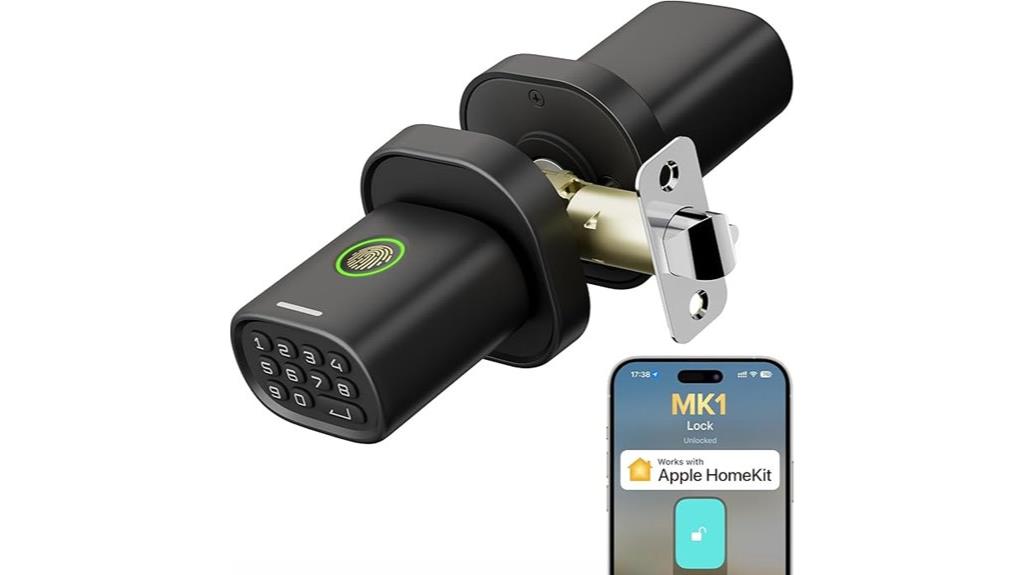
The Fingerprint Door Lock with Keypad stands out as an ideal choice for those seeking a secure and convenient interior smart lock that integrates seamlessly with Apple HomeKit. It offers five unlocking methods: Siri commands, smartphone app, fingerprint, passcode, and a physical key backup, ensuring flexible access. Its advanced fingerprint tech learns over time for quick, secure entry, managing up to 50 users. Compatible with Thread-enabled HomeKit, it allows remote control via Siri and the Home app. Easy to install and built with durable water-resistant zinc alloy, it combines sleek design with reliable security, perfect for bedrooms, offices, or storage rooms.
Best For: Homeowners and interior space managers seeking a secure, keyless smart lock that integrates seamlessly with Apple HomeKit for convenient remote access and enhanced security.
Pros:
- Multiple unlocking methods including fingerprint, passcode, Siri, app, and backup key for flexible access
- Durable water-resistant zinc alloy construction suitable for various indoor environments
- Easy DIY installation with real-time app management and firmware updates for optimal performance
Cons:
- Requires a Thread-enabled Apple home hub within 33 feet for remote control functionality
- Batteries are not included and may need replacement approximately annually
- Limited to interior doors, so not suitable for external or high-security exterior applications
Factors to Consider When Choosing a Smart Lock Compatible With Apple Homekit
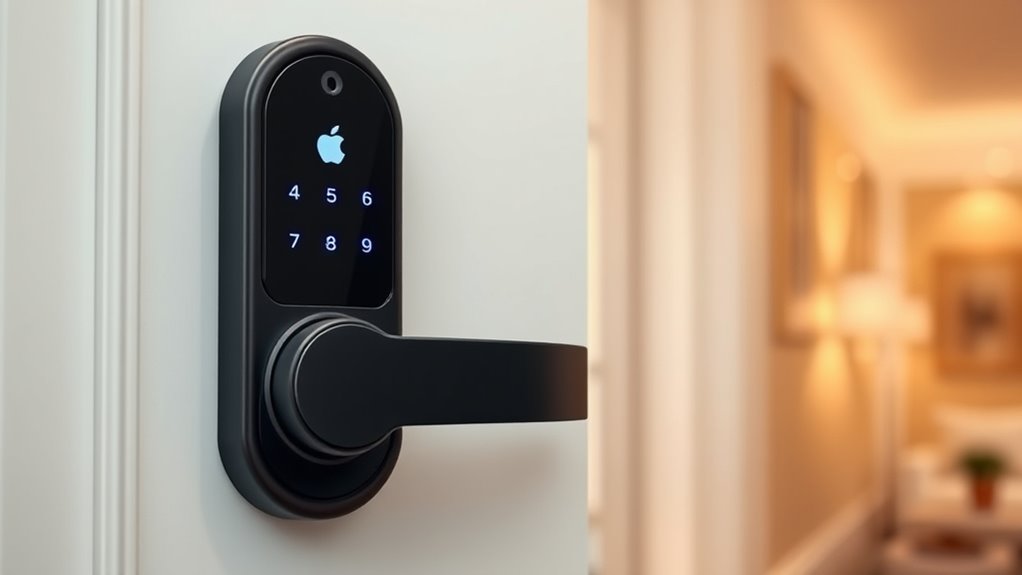
When selecting a smart lock for Apple Homekit, I consider how well it fits into my existing ecosystem and offers versatile unlocking options. Ease of installation and setup is also vital, along with strong security features and reliable battery life. Focusing on these factors helps guarantee I choose a lock that’s both convenient and secure.
Compatibility With Ecosystem
Choosing a smart lock that seamlessly integrates with your Apple ecosystem requires verifying its compatibility with Apple HomeKit. First, confirm the lock explicitly supports the HomeKit protocol for smooth setup and operation. Check if it’s compatible with Apple Home Keys, allowing tap-to-unlock features via iPhone or Apple Watch, which adds convenience. Confirm the lock supports Thread or Bluetooth Low Energy (BLE) for reliable, energy-efficient communication within your Apple network. It’s also important that the lock can be managed through the Apple Home app, enabling automation and remote control. Finally, verify that the lock meets Apple’s security standards, such as local biometric data encryption and integration with Siri. These factors guarantee your smart lock will work seamlessly with your existing Apple devices and ecosystem.
Unlocking Methods Variety
Selecting a smart lock with a variety of opening methods can greatly enhance both convenience and security. Multiple options like fingerprint, keypad, voice commands, and traditional keys give you flexibility in how you access your home. Support for Apple Home Key lets you tap to open with your iPhone or Apple Watch, even if there’s no power or network. Having diverse methods guarantees you’re covered during power outages or device failures, boosting reliability. Compatibility with Apple HomeKit allows these different unlocking options to work seamlessly within your smart home system. Plus, advanced locks often offer remote management and activity logs, so you can monitor access and grant flexible permissions. Overall, choosing a lock with various unlocking methods means more convenience, security, and peace of mind.
Installation and Setup Ease
Installing a smart lock that’s compatible with Apple HomeKit should be straightforward, especially if you opt for models designed with DIY installation in mind. Many models take 15 minutes or less to install, usually requiring only basic tools like a screwdriver. Look for locks with adjustable latch backsets (2-3/8″ to 2-3/4″) and compatibility with standard US/Canada deadbolts, ensuring a hassle-free fit. Clear, step-by-step instructions and setup guides, including QR code scanning or app-based procedures, make the process even simpler. Choose locks that offer thorough app controls and real-time activity logs to streamline setup and management. Additionally, support for firmware updates and responsive customer service can help resolve installation issues quickly, making your smart lock setup smooth and stress-free.
Security and Data Protection
When evaluating smart locks for Apple HomeKit, ensuring robust security and data protection is essential. I look for locks that use advanced encryption protocols like AES, which securely store and transmit biometric and access data. It’s also important they support secure communication standards such as Thread or Z-Wave, which prevent data from being intercepted or tampered with. I check if the manufacturer provides firmware updates and security patches regularly, as these strengthen the lock’s defenses over time. Additionally, I verify that access logs and activity history are stored locally or encrypted during transmission, reducing the risk of unauthorized access. finally, I prioritize locks that meet industry standards like BHMA or UL certifications, as these indicate rigorous testing of their security measures.
Power and Battery Life
Battery life is a key factor to contemplate when choosing a smart lock for Apple HomeKit, as it directly impacts convenience and security. I look for models that use long-lasting batteries, ideally providing at least 6 to 12 months of operation on a standard set of 8 AA batteries. It’s also helpful if the lock has low-battery alerts or notifications, so I won’t be caught off guard by power depletion. Emergency power options like USB-C ports or backup batteries are great for quick recharges during outages. I also consider the lock’s power consumption efficiency, which helps extend battery life and reduces replacements. Finally, firmware or software features that optimize power management during standby or low activity are a bonus for ensuring consistent performance.
Frequently Asked Questions
How Secure Is Biometric Fingerprint Recognition on These Smart Locks?
Biometric fingerprint recognition on these smart locks is quite secure, but no system is foolproof. I trust it because it uses advanced encryption and biometric data is stored locally, not on servers. However, I always recommend combining it with other security measures, like passcodes or biometric backups, to guarantee your home stays protected. It’s convenient and adds a solid layer of security, but staying cautious is always smart.
Can These Locks Be Integrated With Existing Apple Homekit Scenes?
Did you know over 70% of smart home users want seamless device integration? Yes, these locks can be integrated with existing Apple HomeKit scenes. I’ve set up routines where opening my door triggers the thermostat and lights automatically. It’s straightforward—just make sure your lock is compatible and connected to your HomeKit hub. Once linked, you can control and automate your lock alongside other devices effortlessly.
Do All Models Support Remote Access via Iphone When Away?
Not all models support remote access via iPhone when you’re away. I’ve found that some smart locks require a home hub, like an Apple TV or HomePod, to enable remote control. Others might only work locally through Bluetooth or Wi-Fi. So, if remote access is essential for you, I recommend choosing a model specifically designed for that feature and ensuring you have the necessary hub set up.
Are These Locks Compatible With Other Smart Home Ecosystems Besides Apple?
Yes, many of these smart locks are compatible with other ecosystems like Google Assistant and Amazon Alexa. I find it helpful because it gives me flexibility to control my lock through different devices and platforms. However, I always double-check each lock’s specifications to confirm it supports my preferred smart home system. This way, I get seamless integration and peace of mind, no matter what ecosystem I use.
What Is the Battery Life and How Easy Is Battery Replacement?
The battery life varies, but most smart locks last around 6 to 12 months on a single charge or set of batteries. I find replacing the batteries straightforward—usually just pop off the cover and swap them out with standard batteries like AA or CR123A, depending on the model. It’s a simple process that I can do quickly, ensuring my lock stays secure without much hassle.
Conclusion
Choosing the right smart lock for Apple HomeKit isn’t just about convenience—it’s about trusting your home’s security. I believe that seamless integration actually enhances safety, making your smart home smarter and more reliable. By selecting from these top options, you’re not just upgrading your lock; you’re investing in peace of mind. After all, isn’t feeling secure the true goal of any smart home? Your perfect lock might just be a tap away.
Fall Picks
fall essentials
As an affiliate, we earn on qualifying purchases.