TL;DR

Get home appliances delivered free with Prime
- Fast, free delivery on millions of items
- Prime Video, Amazon Music and more included
- Member-only deals all year
A Matter Alpha how-to report describes adding Govee smart lighting to IKEA’s YXSTABY gaming side table without drilling or permanently altering it. The method uses 3D-printed fixtures seated in existing screw holes, then connects the light strip to a Matter-compatible smart-home platform.
Matter Alpha has published a how-to guide for adding Matter-compatible Govee lighting inside IKEA’s YXSTABY gaming side table without drilling new holes or making permanent changes. The installation uses custom 3D-printed fixtures fitted into existing screw holes to hold a COB light strip, offering a way to illuminate the table’s enclosed storage while keeping the furniture intact.
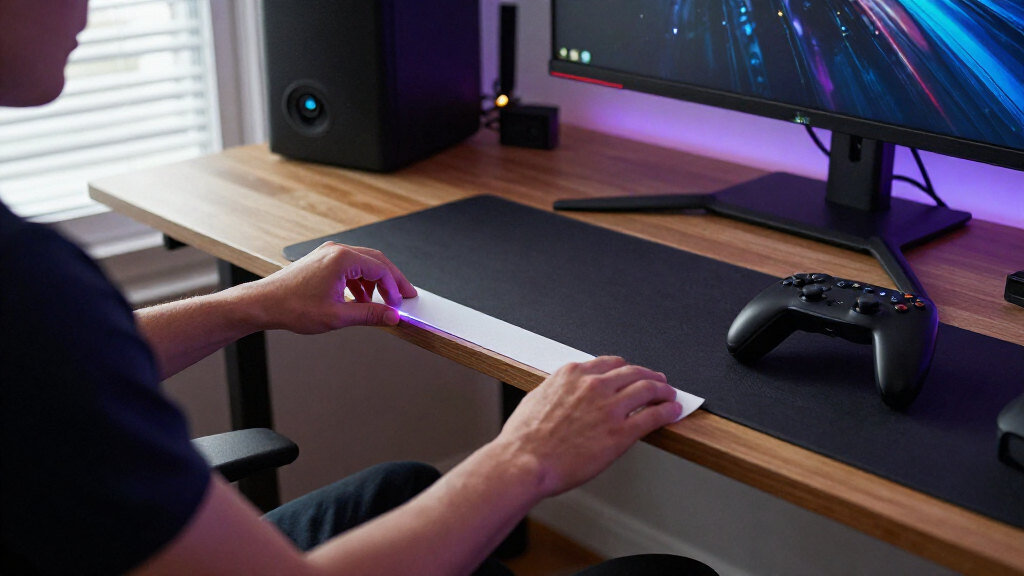
The project pairs IKEA’s YXSTABY gaming side table with a Govee COB Strip Light 2 Pro. The guide says the table’s enclosed storage can be dark, while a COB strip produces a more continuous-looking glow than conventional strips with more visible individual LEDs. The selected strip also supports multicolor lighting effects.
Rather than relying on the strip’s adhesive backing, the author designed eight small printed fixtures: four for upper mounting points and four for the lower section. They fit into screw holes already present in the table, with the guide identifying the relevant holes by numbers in IKEA’s assembly instructions. The fixtures are available as print files on MakerWorld. The author says they were printed in translucent PETG; PLA is also listed as an option, though the fit may differ.
The strip is routed around the inside of the table and held by the fixtures. The report advises keeping bends broad, disconnecting power before trimming, and cutting only at the strip’s marked cut points. After the cable is routed through the opening in the bottom panel, the light can be paired with a compatible platform such as Apple Home, Home Assistant or SmartThings. The guide says Matter provides basic controls including power, brightness and color; more advanced effects remain available in the Govee Home app.
A Reversible Lighting Upgrade
The method addresses a practical trade-off for people adapting furniture for gaming or smart-home use: adding light to a dark storage space without drilling into the table or depending on adhesive that may not hold well on its surfaces. Using existing screw holes makes the installation reversible in principle, while printed mounts provide a way to position the strip around the interior.
The setup also illustrates the distinction between Matter’s basic device controls and a manufacturer’s app features. Users can bring the light into a wider smart-home system, but the report says customized animations and some multicolor effects require Govee’s app. The guide does not provide independent testing of long-term fixture durability, light performance or compatibility across every platform.
Products Worth Considering

Apple AirPods Pro 3 Wireless Earbuds with Active Noise Cancellation
Apple iPad mini (A17 Pro), 128GB, Wi-Fi 6E, Space Gray

Kindle Paperwhite Signature Edition 32GB (2024) – Auto-adjusting front light, wireless charging, weeks of battery life – Metallic Black
As an affiliate, we earn on qualifying purchases.
How the Table Is Lit
The YXSTABY collection was developed by IKEA with Xbox, according to the supplied report. The gaming side table has enclosed storage for controllers, accessories and other gear. The article’s author chose to add lighting to that space after finding it dark, and describes a project using a specific Govee COB strip rather than a general IKEA lighting accessory.
Assembly order affects access. For a table that has not yet been assembled, the guide recommends following IKEA’s instructions through step six and leaving the bottom panel and feet off while installing the fixtures and strip. Owners of an assembled table can still attempt the installation, but the report says moving the sliding panel to reach mounting points makes the work less convenient. The source does not say IKEA endorses or officially supports the modification.
““without drilling extra holes or making permanent changes to the furniture””
— Matter Alpha report
Fit and Platform Limits
The source describes one completed setup but does not provide measurements, independent verification or durability results. It is unclear how consistently the printed fixtures fit across different printers, materials and print settings; the author specifically cautions that PLA may fit differently from PETG. The guide suggests tissue to tighten a loose PLA fixture, but does not establish that this works in every case.
The supplied source text ends while describing an AI-generated lighting effect, so the author’s final customization details are not available. It also does not specify the finished strip length, the exact light output, power consumption or whether every Matter platform exposes identical controls. The report’s compatibility examples are not a guarantee of support for every device or software version.
Pair, Calibrate and Test
After installation, users need to pair the strip with their chosen Matter-compatible smart-home platform and check that basic controls work. The guide also calls for recalibrating the strip’s length in the Govee Home app after trimming it, so effects correspond to the remaining strip. Users can then test the lighting and choose whether to use Matter controls or Govee’s additional app features.
The next practical test is how securely the fixtures and strip remain positioned during everyday use. The source does not report follow-up results or announce an IKEA product change; the development is a DIY guide, and further performance claims would require testing beyond the supplied report.
Key Questions
Does the installation require drilling into the YXSTABY table?
No. The guide uses existing screw holes to hold 3D-printed fixtures and says it makes no new holes or permanent furniture changes.
What lighting does the guide use?
It uses a Govee COB Strip Light 2 Pro. The report describes COB lighting as producing a more continuous glow, and notes that this strip supports multicolor effects.
Can the lights be controlled through Matter?
The guide says the strip can be paired with platforms including Apple Home, Home Assistant and SmartThings for basic controls such as power, brightness and color. Some advanced effects remain in the Govee Home app.
Do I need a 3D printer?
Yes, for the method as described. The fixtures are custom 3D-printed parts available as files on MakerWorld. The author used translucent PETG and says PLA may work, although the fit can vary.
What should I check before trimming the strip?
Disconnect the power and cut only at the strip’s marked cut points, the guide advises. It says the removed section cannot be reconnected, and recommends calibrating the remaining strip length in the Govee app afterward.
Source: matteralpha.com