
TL;DR

Get home appliances delivered free with Prime
- Fast, free delivery on millions of items
- Prime Video, Amazon Music and more included
- Member-only deals all year
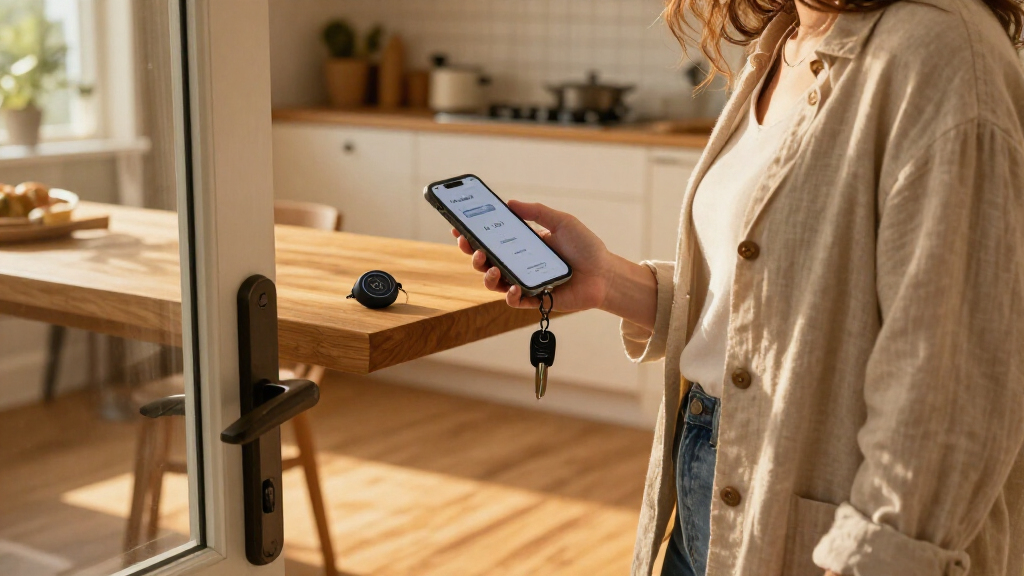
Google has added a per-tracker “Notify when left behind” setting to its Find Hub app for Android. The alert feature is reported to work with supported Moto Tag and Chipolo trackers as well as Google-compatible devices, but availability is currently limited to the US and certain parts of Europe.
Google’s Find Hub for Android has added a “Notify when left behind” setting that can alert users when they walk away from a compatible tracker. The feature is not limited to Google-made trackers: the report says it has appeared on Moto Tag and Chipolo devices linked to Android phones, giving users of some third-party tags a way to catch a forgotten item sooner.
Users can turn on the alert from the Find Hub app by selecting a supported tag or device, opening its settings and enabling “Notify when left behind.” The setting is per tracker, so an owner can enable warnings for a wallet tag while leaving them off for another item.
Once enabled, the phone is intended to notify the user when they move away from the tracker. The report says alerts are suppressed when a tracker is at a saved or familiar location, such as where an item is normally kept, to avoid warnings every time a user leaves a tagged object at home.
The feature is reported to be available in the United States and certain parts of Europe. The source identifies Find Hub version 3.1.787-06 as the version in which the option is available, while noting that users who do not see it may need to check for an app update.
Alerts Across Tracker Brands
The expansion matters because Android trackers come from multiple manufacturers, and a warning that only worked with Google’s own hardware would cover fewer users. Support reported for Moto Tag and Chipolo makes the feature more useful to people who already own third-party trackers, although the report does not establish that every model from those brands is supported.
For users, the alert addresses a practical gap between noticing an item is missing and being able to retrace their steps. A prompt soon after walking away may give someone a chance to retrieve keys, a wallet or a bag before they get far. The setting is optional and can be assigned selectively, which may help people avoid receiving warnings for objects they do not need to monitor closely.
The feature also brings Find Hub closer to an established kind of tracker function: the source reports that Apple’s Find My has offered separation alerts for years and that Samsung added a similar feature to SmartThings. Google’s addition gives Android users another option, but its geographic limits and supported-device list affect how many can use it now.
Products Worth Considering

Logitech MX Keys Combo for Business Keyboard and Mouse – Graphite

Sony WH-1000XM4 Wireless Noise Cancelling Headphones, Black

Jackery Explorer 300 Portable Power Station, 292Wh
As an affiliate, we earn on qualifying purchases.
How Find Hub Alerts Work
Find Hub is Google’s Android app for locating compatible devices and trackers. The new setting applies to individual supported items rather than acting as a single alert for every tracker connected to an account. That lets users choose which belongings trigger a warning.
The report says the alert is designed to distinguish between walking away from an item and leaving it in a place the user has saved or that the phone recognizes as familiar. It does not describe the technical method used to determine distance, how quickly an alert arrives, or whether users can customize the distance or delay.
Coverage of the rollout by Digital Trends cites 9to5Google and reports that the feature has appeared on Moto Tag and Chipolo trackers. The available information describes a rollout in the US and parts of Europe, rather than worldwide availability.
Supported Devices and Rollout
The report does not give a complete list of compatible tracker models or say whether support extends to every Moto Tag and Chipolo product. It also does not specify which European countries are included, whether the rollout is staged, or when users in other regions might receive the feature.
Other practical details remain unconfirmed in the source, including how far a user must move before an alert is triggered, whether warnings depend on particular phone settings, and how reliably the familiar-location exception works. Google’s own announcement or support documentation would be needed to confirm those details and the full compatibility list.
Check for the Find Hub Update
Android users can check whether Find Hub has updated to version 3.1.787-06 and look in the settings for an individual tracker. If the “Notify when left behind” option is absent, the report suggests checking for an app update; availability may also depend on the user’s region and device compatibility.
The next useful confirmation would be a fuller Google compatibility and rollout notice, particularly for users outside the reported markets. Until then, users should treat the feature as available only for supported trackers in the US and certain parts of Europe, rather than as a universal Android alert.
Key Questions
What does Find Hub’s new alert do?
It can send an Android phone notification when a user walks away from a compatible tracker with “Notify when left behind” enabled.
Does it work with trackers made by other companies?
Yes, according to the report, the feature has appeared on Moto Tag and Chipolo trackers linked to Android phones. A complete list of supported models was not provided.
How do I turn on the alert?
In Find Hub, select a supported tag or device, open its settings and enable “Notify when left behind.” The setting is managed separately for each tracker.
Where is the feature available?
The report says it is available in the United States and certain parts of Europe. It does not name the European countries or provide a date for wider availability.
Will it warn me whenever I leave a tracker at home?
The report says alerts are suppressed when a tracker is at a saved or familiar location. It does not explain how that location recognition works or how users can adjust it.
Source: digitaltrends.com