
I’ve tested a variety of smart indoor motion sensors that boost home security and convenience. From Zigbee and Z-Wave options to Wi-Fi models, each offers unique features like adjustable detection angles, simple installation, and seamless integration with smart home platforms. Some are wired, others battery-powered, and many support automation routines. Want to find the perfect fit for your space? Keep exploring; I’ll guide you through the top choices and what makes them stand out.
Key Takeaways
- The list highlights sensors compatible with popular smart home ecosystems like Zigbee, Z-Wave, Wi-Fi, and LoRa for seamless integration.
- Coverage ranges vary from 6 to 26 feet, with advanced sensors offering long-range detection up to 1/4 mile for outdoor use.
- Installation options include battery-powered, rechargeable, or wired setups, providing flexible placement in different indoor environments.
- Features such as adjustable sensitivity, multi-zone detection, daylight sensing, and pet-friendly modes enhance security and convenience.
- Many sensors support automation routines, remote alerts, and customizable settings to optimize home security and energy efficiency.
ThirdReality Zigbee Motion Sensor with Built-in Hub

If you’re looking for a versatile indoor motion sensor that easily integrates with your existing smart home setup, the ThirdReality Zigbee Motion Sensor with Built-in Hub is an excellent choice. It works seamlessly with Zigbee hubs and popular devices like Echo, SmartThings, and Home Assistant, making setup straightforward. The sensor detects motion up to 20 feet away and has a pet-friendly design to minimize false alarms. With a battery life of around two years and over-the-air updates, it’s reliable and future-proof. Using the Alexa app, you can create custom routines, automate lights, or send alerts—adding convenience and security to your home effortlessly.
Best For: those seeking a reliable, easy-to-install indoor motion sensor compatible with a wide range of smart home systems for enhanced security and automation.
Pros:
- Seamless integration with Zigbee hubs, Echo devices, and popular smart home platforms like SmartThings and Home Assistant
- Pet-friendly design reduces false alarms and extends sensor usability in pet households
- Long battery life of approximately two years with over-the-air firmware updates for continuous improvements
Cons:
- Limited to indoor use, not suitable for outdoor environments
- Requires compatible Zigbee hub or Echo device with built-in Zigbee for operation
- Setup may be less straightforward for users unfamiliar with smart home ecosystems
YoLink LoRa Wireless Motion Detector (Indoor, Alexa & IFTTT Compatible)
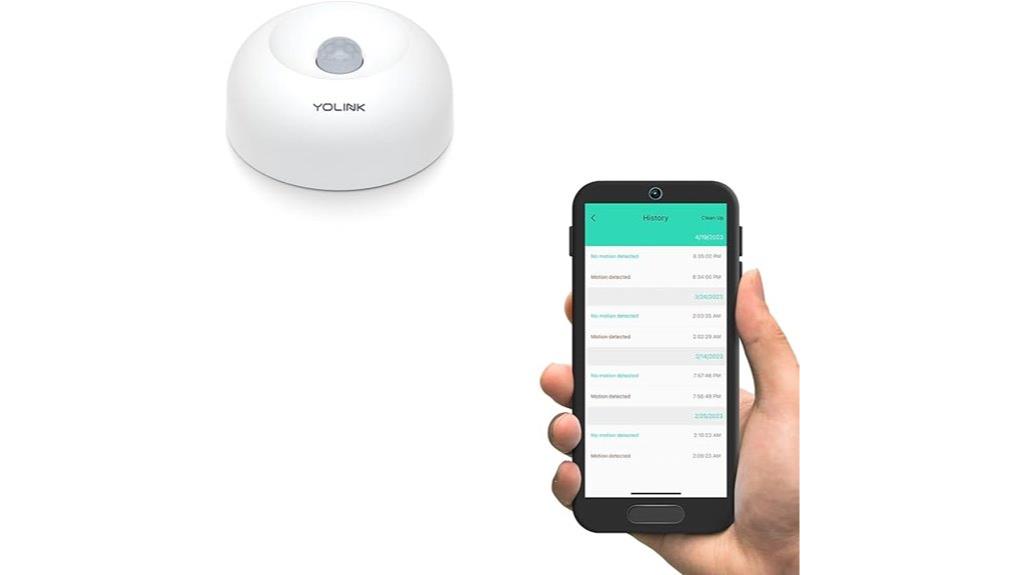
The YoLink LoRa Wireless Motion Detector stands out for those seeking reliable indoor security with extensive coverage. Its impressive 0.25-mile range, thanks to LoRa technology, surpasses WiFi and RF signals, making it ideal for multi-floor or multi-building setups. Easy to install with a plug-and-play setup via QR code, it can be mounted without tools using a built-in magnet or included hardware. Compatible with Alexa and IFTTT, it integrates seamlessly into smart homes. Connecting solely to a YoLink Hub guarantees secure communication and operation during internet outages. With notifications, automation options, and a two-year warranty, it offers a robust, hassle-free solution for enhancing home security and convenience.
Best For: homeowners or property managers seeking reliable, long-range indoor motion detection with easy installation and smart home integration.
Pros:
- Impressive 0.25-mile LoRa range suitable for multi-floor and multi-building setups
- Easy plug-and-play installation with QR code and optional magnetic mounting
- Compatible with Alexa, IFTTT, and supports automation and alerts for enhanced security
Cons:
- Limited to connecting only with YoLink Hub, not compatible directly with WiFi or other hubs
- SMS notification limit of five messages per device per month, which may be restrictive for some users
- Primarily designed for indoor use; outdoor applications require additional considerations
TP-Link Tapo Motion Sensor with Real-Time Alerts
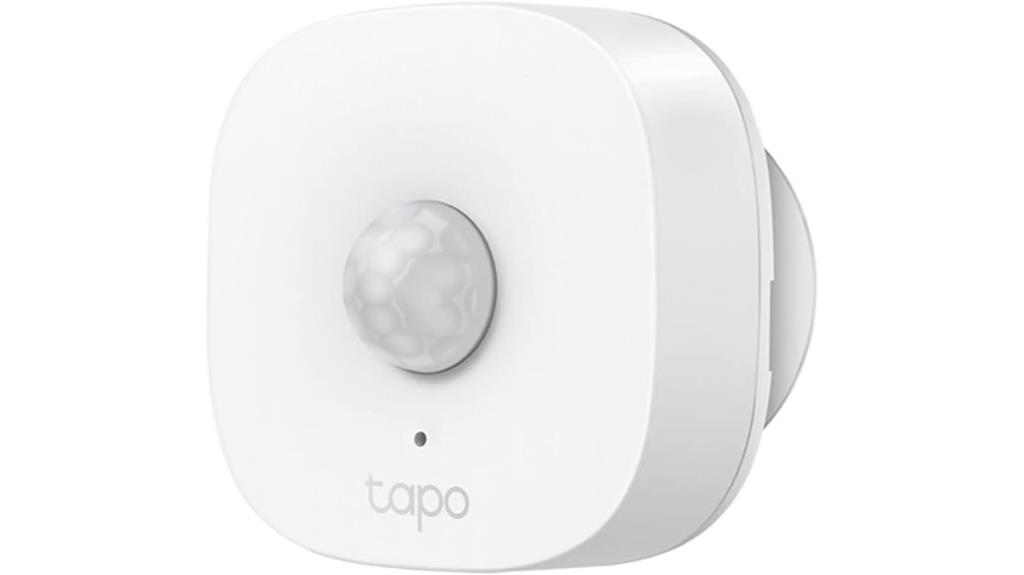
For those seeking reliable indoor motion detection that seamlessly integrates with their smart home setup, the TP-Link Tapo Motion Sensor with Real-Time Alerts stands out. It detects motion within a 120-degree angle up to 23 feet and offers adjustable detection ranges of 3m, 5m, or 7m. The sensor communicates via low-power protocol, ensuring extended battery life of up to two years. It works with the Tapo app for customizable alerts, automation, and remote monitoring, and supports Alexa integration. Easy to install, it’s perfect for indoor spaces like hallways, garages, or gardens, enhancing security and convenience without complex wiring or fuss.
Best For: homeowners and renters seeking reliable, easy-to-install indoor motion detection that integrates seamlessly with their smart home systems for enhanced security and automation.
Pros:
- Long battery life of up to two years with minimal maintenance
- Adjustable detection range and sensitivity for customized security
- Supports remote monitoring, alerts, and automation via the Tapo app and Alexa
Cons:
- Requires a separate Tapo Hub H100 for full functionality, adding to initial setup cost
- Indoor use only; not rated for outdoor environments
- Limited to 64 sensors per hub, which may be insufficient for larger properties
Kasa Smart Motion Sensor Switch, 2-Pack

The Kasa Smart Motion Sensor Switch, 2-Pack, stands out as an ideal choice for homeowners seeking reliable and seamless lighting automation. It’s designed for single-pole setups, requiring a neutral wire, and fits standard wall plates. Operating on 2.4GHz Wi-Fi, it doesn’t need a hub, making installation straightforward. Compatible with all bulb types, it offers advanced motion detection, turning lights on automatically and off after a preset time, with daylight detection to avoid unnecessary activation during the day. Plus, you can customize modes, automate routines, and control everything remotely through the Kasa app or voice commands. It’s UL certified and backed by a 2-year warranty, ensuring safety and dependability.
Best For: homeowners seeking reliable, easy-to-install smart lighting automation without the need for a hub.
Pros:
- Easy to install with app-guided setup, no complex wiring needed
- Compatible with all bulb types and voice assistants like Alexa and Google
- Advanced motion and daylight detection for energy efficiency
Cons:
- Requires neutral wire for installation, not suitable for all homes
- Only works with single-pole wiring setups, limiting multi-location control
- No dimming feature included in the switch itself
GoveeLife Human Presence Sensor with Wi-Fi and Motion Detection
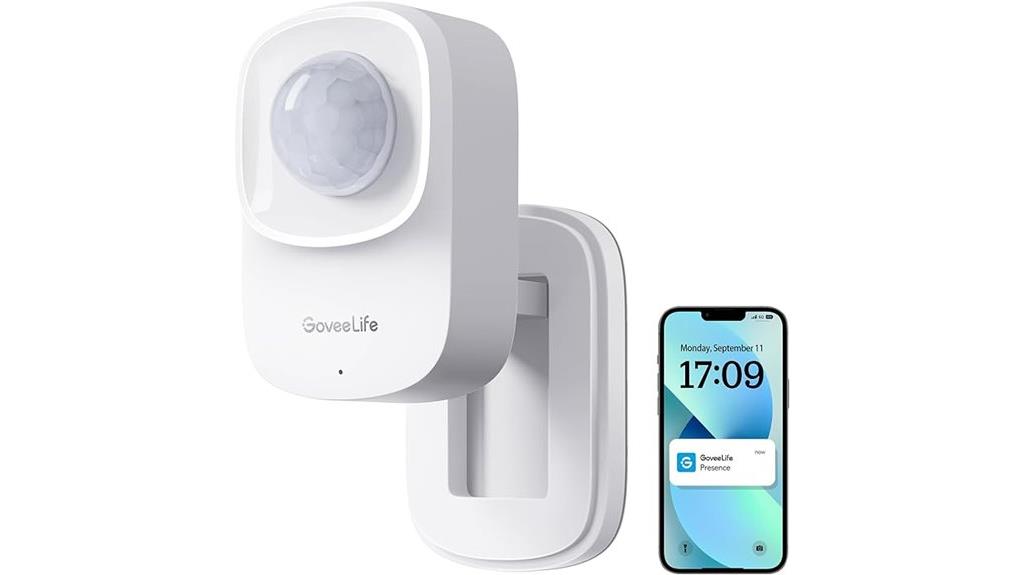
If you’re looking for an indoor motion sensor that combines high accuracy with smart home integration, the GoveeLife Human Presence Sensor is an excellent choice. It connects via 2.4 GHz Wi-Fi and works smoothly with Alexa, Google Assistant, and IFTTT, making automation simple. Using advanced radar and infrared tech, it detects static presence and movement up to 26 feet away with remarkable precision. Its flexible mounting options—wall, ceiling, magnetic base—allow for easy installation. You can customize automation based on zones, presence, and duration, giving you tailored control over your devices. Plus, its compact design ensures it blends seamlessly into your home environment.
Best For: homeowners seeking a high-accuracy, Wi-Fi-enabled indoor motion sensor that integrates seamlessly with smart home systems like Alexa, Google Assistant, and IFTTT for customizable automation.
Pros:
- Utilizes advanced radar and infrared technology for ultra-high accuracy detection of presence and movement up to 26 ft.
- Supports flexible installation options including wall, ceiling, magnetic base, and 360° rotation for versatile placement.
- Compatible with popular smart home platforms for easy automation of connected devices like lights, fans, and smartphones.
Cons:
- Does not support integration with Home Assistant (HA).
- Requires continuous power via corded electric, no battery option available.
- Slightly larger than basic sensors, which might affect discreet placement in very tight spaces.
WiZ Indoor Motion Sensor
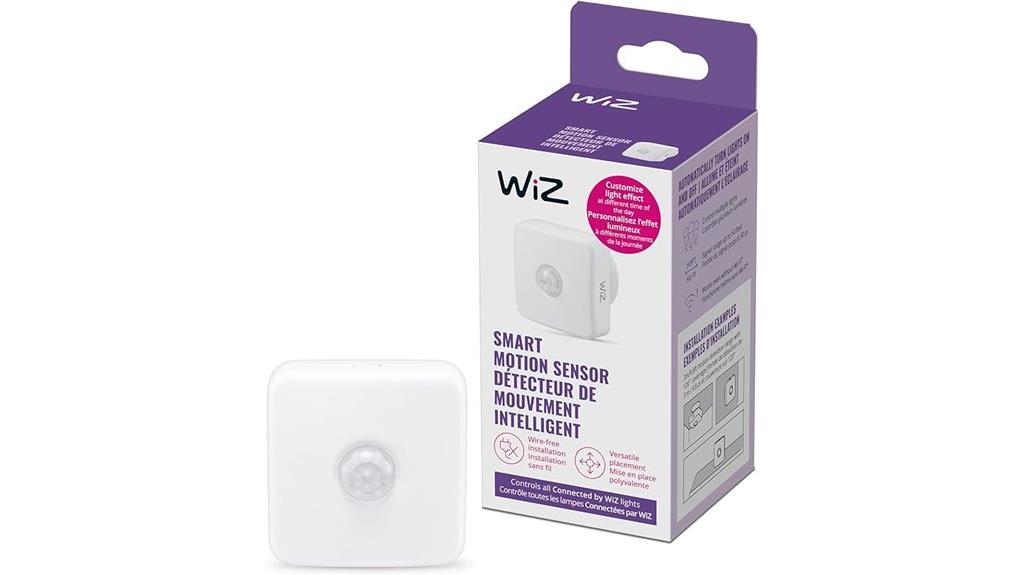
The WiZ Indoor Motion Sensor stands out for its easy setup and seamless integration with WiZ connected lighting products, making it a top choice for anyone seeking a straightforward smart lighting upgrade. It connects via 2.4GHz Wi-Fi and is powered by 2 included AA batteries, with a detection range of up to 3 meters. The sensor’s intuitive app controls allow you to customize lighting triggers, schedules, and modes for different times of day, enhancing both security and convenience. Its simple wall-mount design, combined with preset lighting options like dimming or warm white, makes managing your home’s lighting effortless and responsive to motion.
Best For: homeowners and renters seeking an easy-to-install, reliable smart motion sensor to enhance security and automate lighting in walkways, entrances, or corridors.
Pros:
- Easy setup via the free WiZ app with intuitive controls
- Compatible with WiZ connected lighting products for seamless integration
- Battery-powered with a 3-meter detection range, suitable for various home locations
Cons:
- Limited to a 3-meter detection range, which may be insufficient for larger spaces
- Requires 2.4GHz Wi-Fi network, not compatible with 5GHz bands
- Dependence on batteries, which may need replacement every couple of years
WiFi PIR Motion Sensor with App Alerts & Records
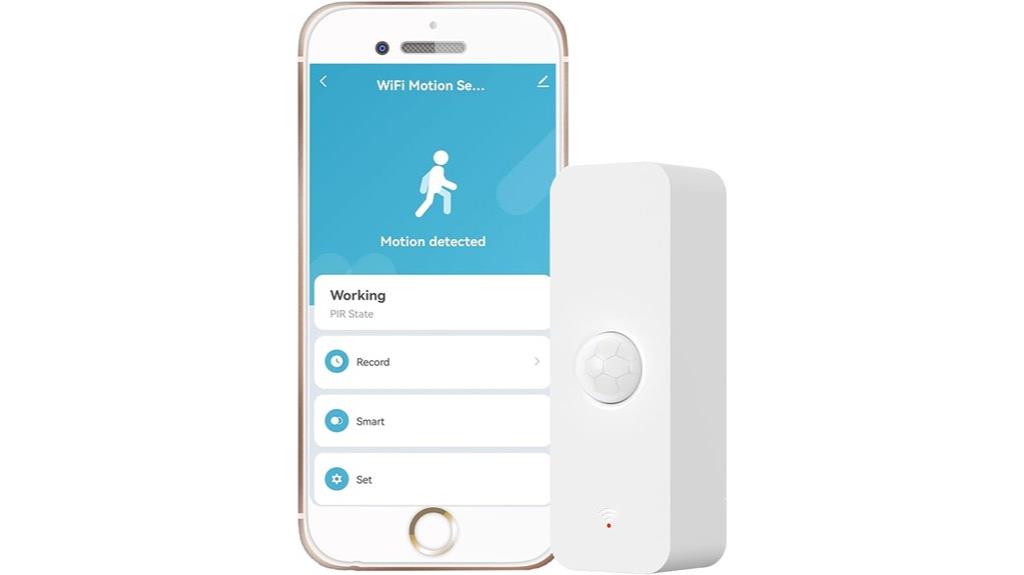
Looking for a smart indoor motion sensor that offers instant control and real-time alerts without the hassle of extra hubs? The WiFi PIR Motion Sensor is perfect. It connects directly to your WiFi network using 2.4GHz, with a simple one-key setup. Compatible with Tuya or Smart Life apps, it lets you monitor activity, receive alerts, and view history records from your phone. Its dual-element infrared detection covers a 128º wide angle up to 40 feet. Powered by batteries that last about six months, it’s easy to install anywhere. Plus, it integrates with other smart devices for automation, making your home more secure and convenient.
Best For: homeowners and small business owners seeking an easy-to-install, wireless indoor motion sensor with real-time alerts and automation capabilities without needing a hub.
Pros:
- Easy one-key setup with WiFi connectivity, no hub required
- Wide 128º detection angle and up to 40 feet detection range for comprehensive monitoring
- Compatible with Tuya/Smart Life apps for remote control, alerts, and automation
Cons:
- Battery life may require replacement approximately every six months
- Dependent on 2.4GHz WiFi signal, which can be prone to interference
- Limited to indoor use with no mention of weatherproofing for outdoor environments
Lutron Maestro Motion Sensor Light Switch
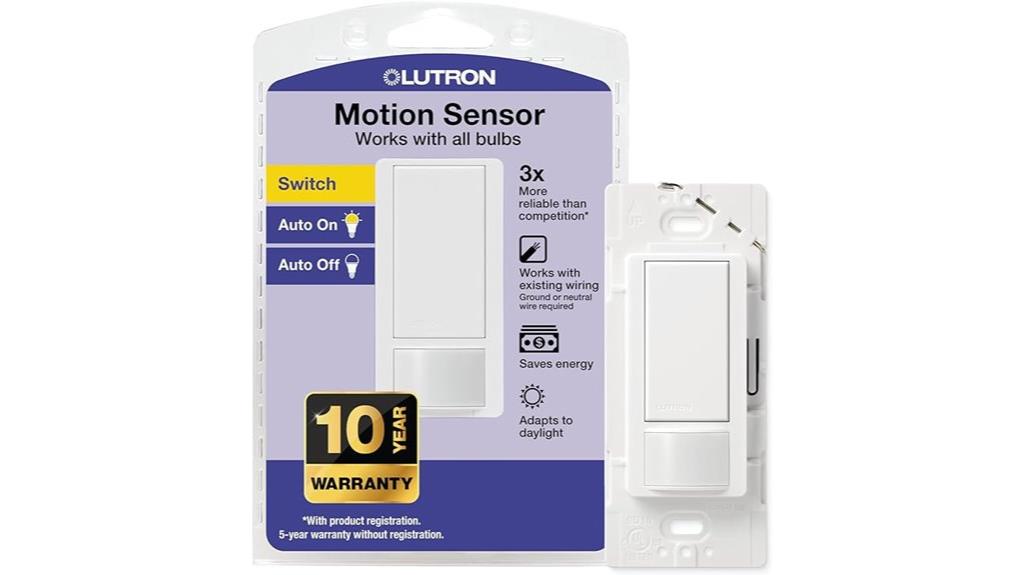
The Lutron Maestro Motion Sensor Light Switch stands out as an excellent choice for homeowners seeking seamless, customizable control over indoor lighting. It’s perfect for spaces like bathrooms, garages, and closets, offering occupancy and vacancy modes with adjustable delay settings from 1 to 30 minutes. Compatible with all bulb types, including LED and CFL, it’s easy to install with no neutral wire needed in many cases. The sensor detects daylight to prevent unnecessary lighting and learns your preferred light levels over time. With a sleek design that matches the Maestro family, it provides energy savings and convenience, all within a simple 15-minute setup.
Best For: homeowners looking for an easy-to-install, energy-efficient motion sensor switch suitable for various indoor spaces like bathrooms, garages, and closets.
Pros:
- Compatible with all bulb types including LED, CFL, incandescent, and halogen
- Adjustable delay settings from 1 to 30 minutes for customized lighting control
- Easy installation within approximately 15 minutes, often without the need for a neutral wire
Cons:
- Limited to single-pole wiring setups, not suitable for multi-location switching
- Rated for only 2 Amps, which may not be sufficient for high-wattage lighting needs
- No included wall plates, requiring separate purchase for a complete finished look
Philips Hue Motion Sensor
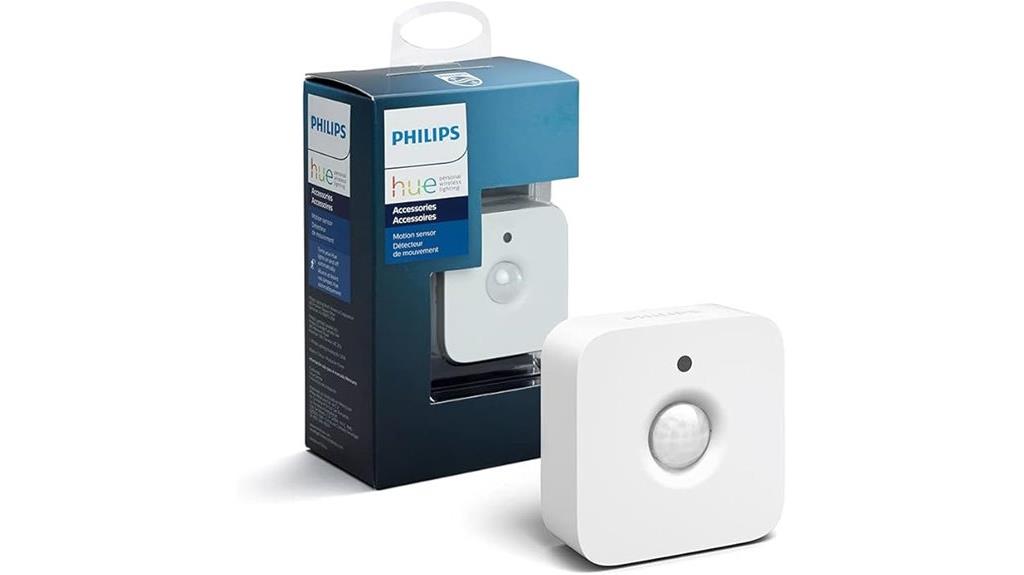
If you already have Philips Hue smart lights, the Hue Motion Sensor is an excellent choice to automate your lighting. It’s designed specifically for Hue systems and requires a Hue Bridge for full functionality. The sensor detects motion within 12 meters and can turn lights on or off automatically, adding convenience and security. You can personalize lighting scenes via the Hue app, adjusting brightness and color temperature to suit different times of day. Easy to install with a magnetic mount or screw, it’s battery-powered and wire-free, making placement flexible. Its compact design and simple setup make it a practical addition to any smart home.
Best For: homeowners seeking an easy-to-install, motion-activated lighting solution that seamlessly integrates with Philips Hue smart lights for added convenience and security.
Pros:
- Easy wireless installation with magnetic mount or screw options.
- Automates lighting based on motion detection within 12 meters.
- Personalizes lighting scenes via the Hue app, adjusting brightness and color temperature.
Cons:
- Requires a Hue Bridge for full functionality, adding to initial setup cost.
- Limited to Philips Hue ecosystem, reducing compatibility with other smart brands.
- Battery life depends on usage, and replacement batteries are needed over time.
Philips Hue Indoor Motion Sensor for Smart Lights

When it comes to seamless smart lighting automation, the Philips Hue Indoor Motion Sensor stands out as an excellent choice for homeowners seeking convenience and energy efficiency. This battery-powered, wireless device requires no installation and can be easily placed or wall-mounted. It detects motion and adjusts connected Philips Hue lights accordingly, turning them on when movement is detected and off when the room is vacant. The sensor also senses daylight levels to conserve energy and offers customizable settings through the Hue app. Compatible with HomeKit-enabled devices, it’s perfect for hallways, bathrooms, or bedrooms, seamlessly integrating into your daily routines.
Best For: homeowners seeking a convenient, energy-saving, and customizable smart lighting solution for everyday areas like hallways, bathrooms, or bedrooms.
Pros:
- Easy to install and place without wiring or tools, thanks to wireless, battery-powered design
- Adjustable detection zones and customizable settings via the Hue app for personalized automation
- Compatible with HomeKit-enabled devices for seamless smart home integration
Cons:
- Requires a Hue Hub for full system functionality, adding to initial setup costs
- Limited to supporting up to 50 connected lights, which may be restrictive for larger setups
- Discontinued model status might affect long-term support or compatibility with future updates
YoLink LoRa Wireless Smart Motion Sensors (2 Pack)
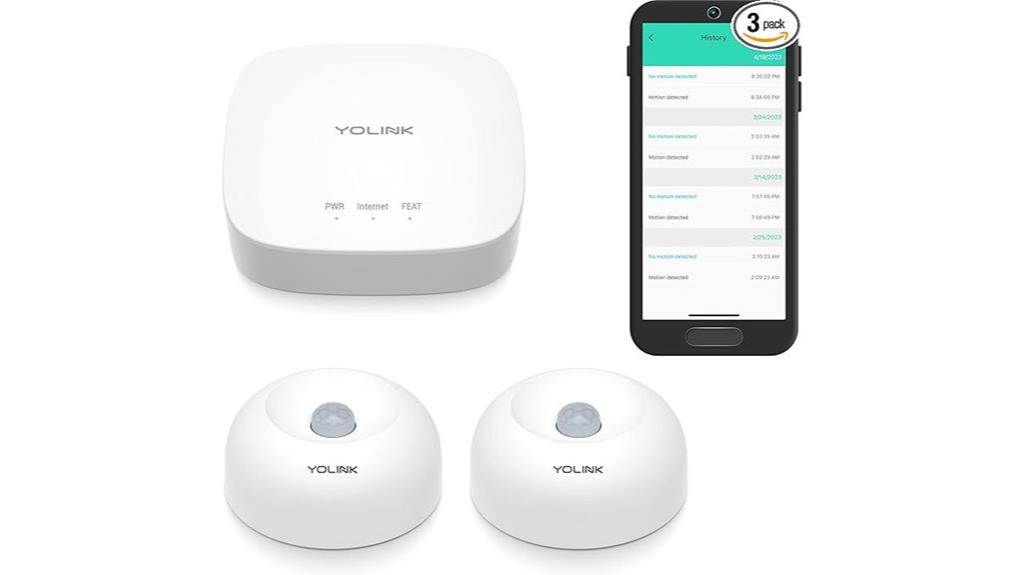
For those seeking reliable coverage in challenging indoor and outdoor areas, YoLink LoRa Wireless Smart Motion Sensors (2 Pack) stand out due to their long-range LoRa technology, which offers up to a quarter-mile of wireless reach. This makes them perfect for basements, porches, sheds, garages, and remote outbuildings where Wi-Fi fails. They send real-time notifications via smartphone, SMS, or email—no loud alarms, just alerts. Powered by standard AAA batteries, they last over two years with low maintenance. Easy to set up and compatible with Alexa, IFTTT, and other smart platforms, these sensors provide dependable monitoring and seamless automation.
Best For: homeowners and property managers seeking reliable, long-range motion detection for challenging indoor and outdoor areas without the need for loud alarms.
Pros:
- Long-range LoRa technology provides up to 1/4 mile wireless coverage, ideal for remote or difficult-to-reach locations
- Low-maintenance operation with batteries lasting over two years, reducing replacement frequency
- Easy plug-and-play setup with seamless integration options such as Alexa and IFTTT
Cons:
- No built-in audible alarms or sirens; alerts are limited to notifications via smartphone, SMS, or email
- Wi-Fi setup can be challenging and may require network configuration adjustments
- Limited to motion detection notifications; lacks additional sensors or multi-functionality
EZVALO 3 Pack 7” Motion Sensor Lights for Indoor Use
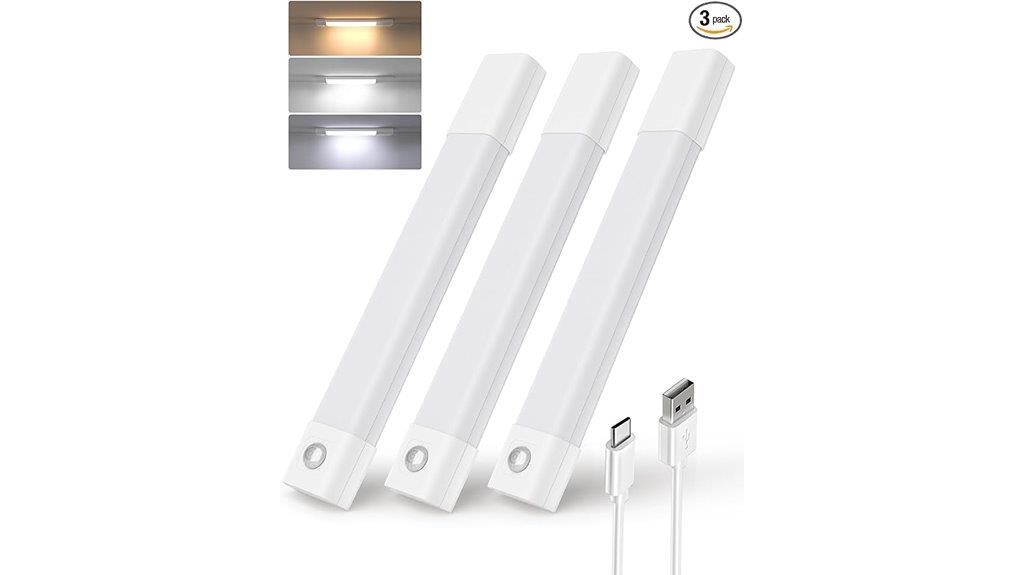
The EZVALO 3 Pack 7” Motion Sensor Lights stand out as an excellent choice for anyone seeking versatile, easy-to-install indoor lighting. These lights feature 30 LEDs that deliver bright, even illumination perfect for closets, pantries, or workspaces. Installation is simple thanks to magnetic mounting or adhesive strips—no wiring needed. The smart motion sensor detects movement within 10 feet and a 120° field of view, activating the light in low-light conditions. With adjustable brightness and three color temperatures, you can customize the lighting to suit your needs. Rechargeable and energy-efficient, these lights provide reliable, convenient illumination for days on a single charge.
Best For: those seeking easy-to-install, rechargeable indoor lighting solutions for closets, pantries, or workspaces with customizable brightness and color options.
Pros:
- Easy, tool-free installation with magnetic mounting or adhesive strips.
- Adjustable brightness and three color temperature options for personalized lighting.
- Rechargeable battery offers 7-20 days of use on a single charge, reducing hassle.
Cons:
- Limited to low-light conditions for auto mode activation, not suitable for fully dark environments.
- Maximum continuous illumination duration is only 3-4 hours at full brightness.
- May require frequent recharging with heavy daily use.
Lutron Maestro Motion Sensor Light Switch (2 Pack)
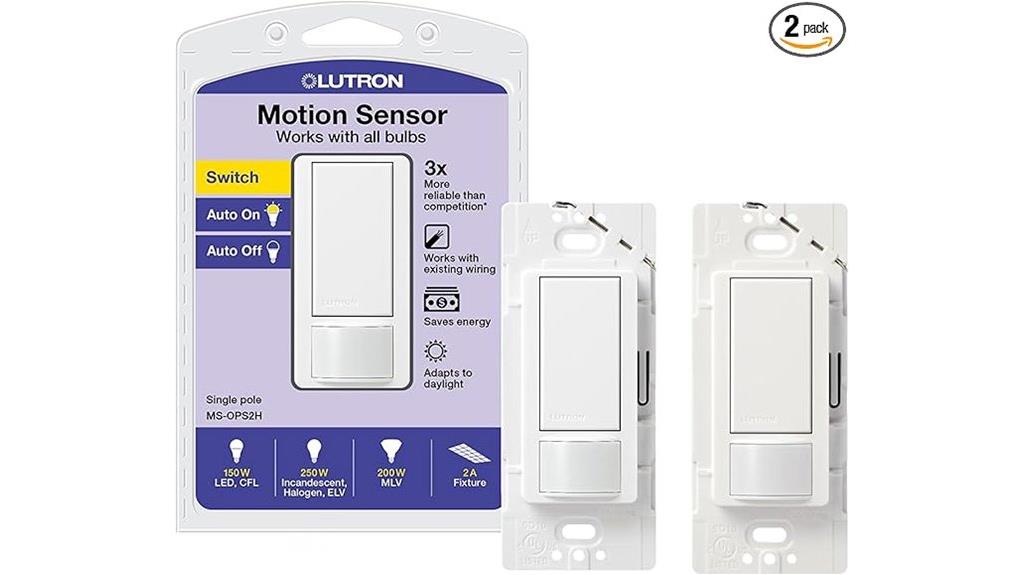
If you’re looking for an easy-to-install motion sensor switch that offers both convenience and energy savings, the Lutron Maestro Motion Sensor Light Switch (2 Pack) is an excellent choice. Designed for bathrooms, garages, laundry rooms, or closets, it includes two 2-amp switches compatible with CFL, LED, incandescent, halogen, and low-voltage lighting. It automatically turns lights on when you enter and off when you leave, with customizable delay settings from 1 to 30 minutes. The sensor detects occupancy and ambient daylight, ensuring lights only turn on when needed. Easy to install, even in wiring setups without neutral wires, it’s perfect for enhancing your home’s automation and efficiency.
Best For: households seeking an easy-to-install, energy-efficient motion sensor switch for bathrooms, garages, laundry rooms, or closets.
Pros:
- Simplifies lighting control with automatic on/off based on occupancy and daylight detection
- Compatible with multiple bulb types including CFL, LED, incandescent, halogen, and low-voltage lighting
- Adjustable delay settings from 1 to 30 minutes for customized lighting needs
Cons:
- Requires wiring knowledge for proper installation, especially in complex setups
- Neutral wire may be needed in some wiring configurations, limiting compatibility in certain homes
- Wallplate sold separately, which may add to the overall cost or require additional purchase
Aqara Zigbee Motion Sensor P1, Smart Motion Detector
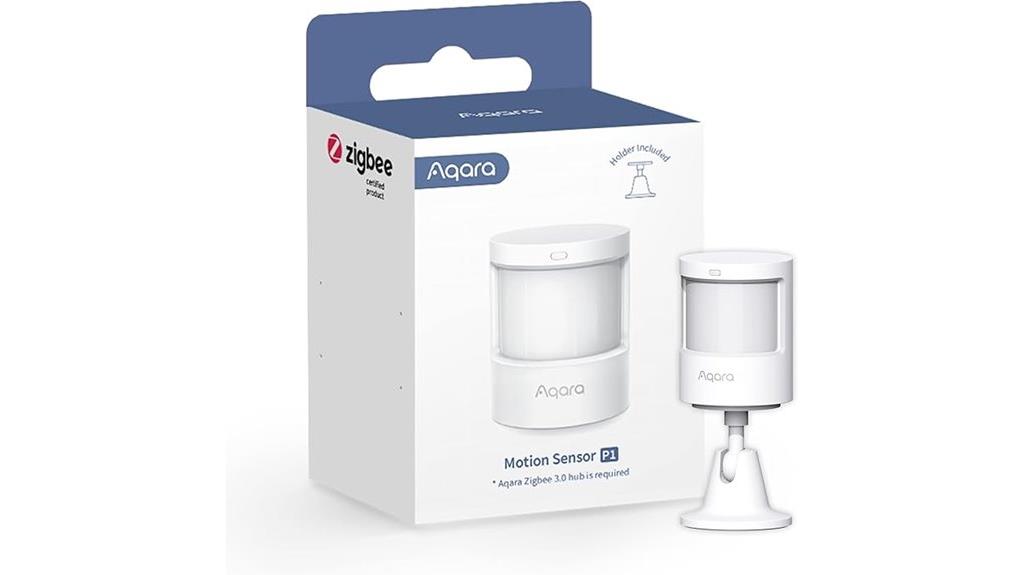
The Aqara Zigbee Motion Sensor P1 stands out for those who want a reliable, long-lasting device that integrates seamlessly with a dedicated Zigbee hub. It offers a 5-year battery life and precise detection within 10 meters, with adjustable angles and sensitivity levels. The sensor supports customizable detection timeouts and integrates with Aqara Home, HomeKit, Alexa, and IFTTT, making automation easy. Its 360° stand allows for accurate positioning, and it can trigger lights, alarms, or other devices based on motion. While it requires an Aqara Zigbee hub, its dependable performance and flexible settings make it a smart choice for enhancing home security and convenience.
Best For: homeowners seeking a reliable, long-lasting Zigbee motion sensor that integrates seamlessly with Aqara’s ecosystem for enhanced security and automation.
Pros:
- 5-year battery life ensures long-term, maintenance-free operation
- Adjustable viewing angle and sensitivity for precise detection and customization
- Compatible with Aqara Home, HomeKit, Alexa, and IFTTT for versatile automation options
Cons:
- Requires Aqara Zigbee 3.0 hub; not compatible with other Zigbee hubs
- No light sensitivity feature in HomeKit and Alexa; firmware update may be needed for optimal performance
- Limited support for third-party integrations like Zigbee2MQTT and USB dongles
Enbrighten Z-Wave Smart Motion Sensor Light Indoor

Enbrighten Z-Wave Smart Motion Sensor Light Indoor stands out for its seamless integration with popular smart home hubs like SmartThings, Wink, and Alexa, making it an ideal choice for anyone looking to enhance their home automation setup. I appreciate its versatility, as it replaces standard in-wall switches with neutral wires, supporting up to four add-on switches to control lights, fans, or appliances. The sensor offers three modes—occupancy, vacancy, and manual—allowing tailored automation. Its adjustable timeout and sensitivity settings, along with light-sensing, make it adaptable to any room activity. Plus, it functions as a Z-Wave repeater, extending coverage and improving reliability across my smart home network.
Best For: homeowners seeking a customizable, reliable indoor motion sensor light that seamlessly integrates with Z-Wave smart home hubs like SmartThings, Wink, and Alexa.
Pros:
- Compatible with popular Z-Wave hubs for easy integration and automation
- Offers multiple motion detection modes, including occupancy, vacancy, and manual control
- Functions as a Z-Wave repeater to extend network range and improve reliability
Cons:
- Requires a Z-Wave hub for operation, adding to initial setup costs
- Designed exclusively for indoor use, limiting outdoor applications
- May need neutral wiring in existing switches, which isn’t available in all homes
Factors to Consider When Choosing a Smart Motion Sensor Indoor
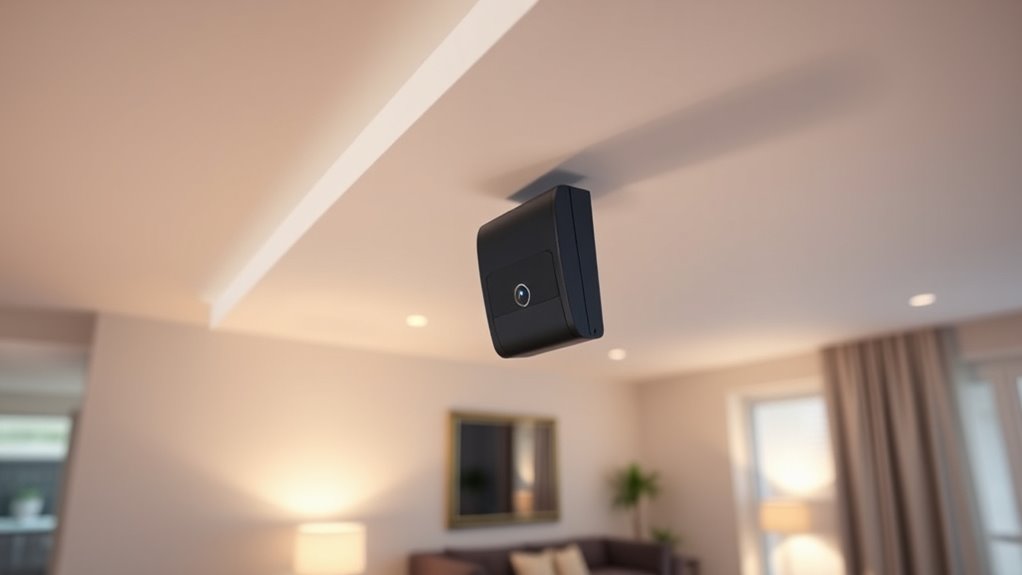
When choosing a smart indoor motion sensor, I consider factors like compatibility with my existing smart home ecosystem and the sensor’s detection range and angle. I also look at power options and how easy it is to install, along with the available customization features. These points help guarantee I pick a sensor that fits my needs perfectly.
Compatibility With Ecosystems
Choosing a smart indoor motion sensor that seamlessly integrates with your existing ecosystem is essential for smooth automation. First, verify it’s compatible with your smart home protocols, whether Zigbee, Z-Wave, Wi-Fi, or proprietary systems like Apple HomeKit or Philips Hue. Next, confirm it works with your voice assistant platform—Amazon Alexa, Google Assistant, or Apple Siri—to control your devices effortlessly. It’s also important to check if the sensor connects with your hub or controller, like SmartThings or Hubitat, for reliable automation. Additionally, confirm compatibility with automation platforms such as IFTTT or Home Assistant for custom routines. Finally, see if the sensor supports over-the-air firmware updates, ensuring it stays compatible with system updates and new features over time. Compatibility guarantees a cohesive, user-friendly smart home experience.
Detection Range and Angle
The detection range and angle of an indoor motion sensor directly impact how well it can monitor a space. Typically, the range varies from 6 to 26 feet, which determines how large an area the sensor can cover effectively. The detection angle, usually between 90° and 170°, affects how wide the sensor’s coverage is horizontally. A wider angle means the sensor can monitor more of the room without needing multiple devices. Both range and angle work together to influence how accurately the sensor detects movement in different room layouts and sizes. Many sensors offer adjustable settings, allowing you to customize coverage based on your specific needs. Choosing the right combination guarantees reliable detection without blind spots, boosting your home security and convenience.
Power Source Options
Selecting the right power source for your indoor smart motion sensor is essential because it affects installation flexibility, maintenance, and overall reliability. Battery-powered sensors offer wireless installation and portability, making placement easy, but they need battery replacements every 1-3 years, depending on usage. Wired sensors, connected directly to your electrical system, ensure continuous power and are ideal for fixed locations, though installation can be more complex. Rechargeable sensors blend convenience and flexibility—they can be recharged via USB, reducing the need for frequent battery changes. Your choice impacts where you can place the sensor, how dependable it is, and the ongoing effort needed to keep it operational. Consider your home’s wiring, your maintenance preferences, and the sensor’s intended location when selecting a power source.
Ease of Installation
When installing a smart indoor motion sensor, I look for options that make setup quick and straightforward. I prefer battery-powered devices or those that don’t require professional wiring, saving time and effort. Tool-free mounting options like adhesive strips or magnetic mounts are a huge plus, allowing me to place sensors discreetly without fuss. Compatibility with my existing smart home hub is essential to avoid extra adapters or complex wiring. Clear instructions and an intuitive setup process help me get the sensor running quickly, reducing frustration. I also consider the sensor’s size and mounting features to ensure it fits well and remains discreet in its intended location. Overall, ease of installation is key to seamlessly integrating a motion sensor into my home security system.
Customization Features
Have you considered how customizable a motion sensor truly needs to be? I find that adjustable detection zones, sensitivity levels, and timeout settings allow me to fine-tune responses to specific areas and activities. Setting active hours or schedules ensures the sensor only triggers when I want it to, saving energy and reducing false alarms. Personalized alerts and automation triggers let me tailor notifications and actions based on motion, making my smart home more efficient. Programmable features like light sensitivity or ambient light detection give me precise control over when lights turn on or off. Most importantly, I prefer sensors with user-friendly apps that make customizing settings simple, without needing technical skills. This level of customization ensures the sensor fits seamlessly into my routines and preferences.
Notification and Alert Types
Choosing the right notification and alert options can considerably enhance how you respond to motion detected indoors. Different sensors support various methods like push notifications, SMS, emails, and audible alarms, so it’s important to pick what works best for you. Real-time alerts are vital for immediate awareness, especially for security concerns or automation triggers. Keep in mind that some systems limit the number of SMS messages per month, which could affect your notification strategy. Customizable settings let you decide when and how you receive alerts, such as during certain hours or based on activity levels. Additionally, integration with smartphones and smart home apps ensures you can access alerts remotely across multiple devices, keeping you informed no matter where you are.
Integration Capabilities
Ensuring your indoor motion sensor works seamlessly with your existing smart home setup is crucial for smooth automation and control. First, I check that the sensor is compatible with my ecosystem, whether Zigbee, Z-Wave, Wi-Fi, or proprietary protocols. It’s also important that it supports popular voice assistants like Alexa, Google Assistant, or Apple HomeKit for effortless voice control. I look for compatibility with automation platforms such as SmartThings, Home Assistant, or IFTTT, enabling custom routines and device linking. I also verify if the sensor requires a specific hub or bridge and ensure it can connect reliably to my network. Ultimately, I consider firmware update options, OTA support, and multi-device integration features to keep my system secure and expandable over time.
Battery Life Durability
Battery life durability is a key factor when selecting a smart indoor motion sensor, as it directly affects how often you’ll need to replace or recharge batteries. Longer battery life means fewer interruptions, ensuring your sensor consistently detects motion. Devices with low power consumption can often last over two years on standard batteries, saving you time and money. The type of batteries matters too—lithium or alkaline batteries tend to last longer than regular AAAs. Some sensors include power-saving features like motion-activated lighting or sleep modes that help extend battery life even further. Additionally, many sensors offer app alerts or device notifications to monitor battery levels, preventing unexpected failures. Prioritizing battery longevity ensures your home security remains reliable without frequent maintenance.
Frequently Asked Questions
How Do Smart Motion Sensors Integrate With Existing Home Automation Systems?
Smart motion sensors easily integrate with existing home automation systems through compatible hubs or Wi-Fi connections. I simply connect the sensors to my smart home app or hub, then set up routines or triggers that activate lights, alarms, or cameras when motion is detected. The process is straightforward, and most sensors support popular platforms like Alexa, Google Home, or Zigbee, making automation seamless and personalized for my home.
What Is the Typical Battery Life of Indoor Motion Sensors?
Imagine a tiny sentinel quietly watching over your home—most indoor motion sensors last between 2 to 4 years on a single set of batteries. I’ve found that modern models with low-power technology often extend this lifespan even longer, sometimes up to 5 years. Regularly checking and replacing batteries keeps your system alert without interruptions. It’s like giving your home a vigilant, long-lasting guardian that doesn’t demand constant attention.
Can Motion Sensors Differentiate Between Humans and Pets?
Yes, many indoor motion sensors can differentiate between humans and pets. I’ve found that sensors with pet immunity features use advanced algorithms to reduce false alarms caused by animals under a certain weight, usually around 20 pounds. This way, I don’t have to worry about my pets setting off the alarm. It’s a smart feature that improves security without sacrificing convenience, especially when I have furry friends at home.
Are There Privacy Concerns With Continuous Motion Detection Recording?
Continuous motion detection recording can raise serious privacy concerns, and I understand why it feels like having an ever-watchful eye. While many devices offer encryption and privacy controls, I always recommend reviewing privacy policies and settings thoroughly. You should be aware of who has access and how data is stored. Personally, I prioritize sensors with customizable recording options to balance security and privacy, ensuring my home stays safe without feeling surveilled.
How Customizable Are the Alert and Notification Settings?
The alert and notification settings are highly customizable. I can adjust sensitivity levels, choose specific times for alerts, and select which devices or areas trigger notifications. I also have the option to set quiet hours or disable alerts altogether when I’m home. This flexibility helps me stay informed without feeling overwhelmed by constant notifications. Overall, it’s easy to tailor the system to fit my lifestyle and security needs.
Conclusion
Did you know that installing smart indoor motion sensors can reduce home energy costs by up to 30%? With so many great options available, choosing the right one can boost both your security and convenience. Whether you want seamless integration or real-time alerts, there’s a sensor for you. Investing in the right motion sensor isn’t just smart—it’s a simple step toward a safer, more efficient home.