To train your voice assistant to recognize your family members, start by accessing the device’s app and steering toward settings like “Voice Match” or “Voice Profile.” Next, follow the prompts to add each person, encouraging them to speak naturally and clearly during setup. Repeat the process as needed to improve accuracy, and regularly update profiles if voices change over time. Keep exploring more tips to guarantee smooth recognition for everyone in your household.
Key Takeaways
- Access your device’s voice settings and select “Voice Match” or “Voice Profile” options.
- Have each family member repeat setup prompts clearly multiple times for accurate profile creation.
- Use a quiet environment to minimize background noise during training sessions.
- Regularly review and update voice profiles to accommodate voice changes and improve accuracy.
- Test each profile with common commands and re-train if the device frequently misidentifies users.
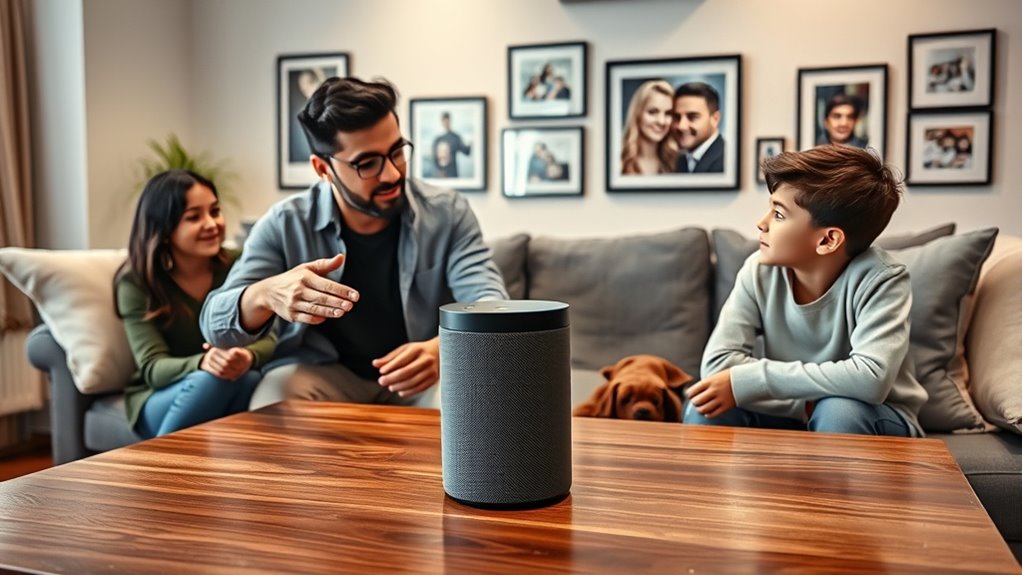
Training your voice assistant to recognize family members can greatly enhance its responsiveness and personalized support. When your device understands who’s speaking, it can provide tailored information, control specific devices, and deliver more accurate responses. To get started, confirm your voice assistant is set up correctly and that everyone in your household has a unique voice profile. Most popular assistants, like Amazon Alexa, Google Assistant, and Apple’s Siri, offer voice recognition features that you can activate through their respective apps or settings.
First, verify that voice recognition is enabled on your device. Open the app associated with your voice assistant and navigate to the settings menu. Look for options labeled “Voice Match,” “Voice Profile,” or something similar. Once you find the feature, follow the prompts to add voice profiles for each family member. Typically, the process involves speaking specific phrases or sentences so the device can learn the unique characteristics of each person’s voice. Make sure each family member speaks naturally and clearly to guarantee the system captures their voice accurately.
Encourage each person to repeat the setup process multiple times, especially if they have distinct speech patterns, accents, or vocal qualities. The more the system trains on their voice, the better it’ll distinguish them in real-world situations. It’s a good idea to do this in a quiet environment to minimize background noise, which can interfere with the voice recognition process. Once the profiles are set up, test them by asking common questions or commands to see if the device responds appropriately to each person.
You should also regularly update the voice profiles as family members’ voices change over time. This might involve re-training or re-recording certain phrases periodically. Some voice assistants allow you to review and improve voice recognition accuracy by confirming or correcting who responds to each command. If you notice the device frequently misidentifies someone, revisit the training process and repeat the setup with clearer, more consistent voice samples. Incorporating accurate voice data helps improve overall recognition performance and security.
Additionally, establish clear boundaries about who can access certain information or control specific devices. Many assistants allow you to set permissions or restrict access based on voice profiles. This adds an extra layer of privacy and security, ensuring that only authorized voices can perform sensitive actions. Training your voice assistant this way not only makes interactions smoother but also helps protect your family’s privacy.
Frequently Asked Questions
Can Voice Recognition Be Improved Over Time?
Yes, voice recognition can improve over time. As you use your voice assistant, it learns your speech patterns and vocabulary, making it more accurate. Regularly updating the device’s software and providing feedback helps refine its ability to understand you. Additionally, consistently speaking clearly and in a similar manner allows the system to adapt better, resulting in faster and more accurate responses over time.
How Secure Is Voice-Activated Family Member Recognition?
Voice-activated family member recognition can be fairly secure, but it’s not foolproof. You might worry about unauthorized access or someone mimicking voices. To improve security, use multi-factor authentication or set up voice profiles carefully. Always keep your device’s software updated, and be cautious about sharing sensitive information through voice commands. While it offers convenience, remember that no system is completely invulnerable, so stay vigilant.
Can Multiple Family Members Share the Same Voice Profile?
Yes, multiple family members can share the same voice profile if the voice assistant supports it. You typically need to set up a shared profile or enable multi-user recognition. Keep in mind, this may reduce accuracy in distinguishing voices, especially if they sound similar. To improve recognition, some systems allow individual profiles for each person, making it easier for your voice assistant to respond accurately to everyone in your family.
What if a Family Member’s Voice Changes Significantly?
If a family member’s voice changes markedly, don’t worry—your voice assistant can adapt. Studies show voices can change up to 25% over time due to aging or illness. You should re-train the device with the new voice samples. Simply record the updated voice prompts, and the system will learn the new patterns. This ensures accurate recognition, keeping your smart home personalized and responsive to everyone’s evolving voices.
Are There Privacy Concerns With Family Voice Data?
Yes, there are privacy concerns with family voice data. You should be aware that your voice recordings might be stored on servers or shared with third parties, risking unauthorized access. To protect your family’s privacy, review privacy settings, limit data sharing, and understand how your voice data is used. Regularly update security options and consider deleting recordings if you’re concerned about sensitive information being exposed or misused.
Conclusion
By teaching your voice assistant to recognize your family members, you’re opening a doorway to a more personalized home. Think of it as tuning a musical instrument—you guarantee each note is clear and harmonious. With patience, your assistant will become more attuned to your loved ones’ voices, creating a symphony of seamless interactions. Ultimately, this small effort transforms your smart device into a trusted family member, making everyday life smoother and more connected.