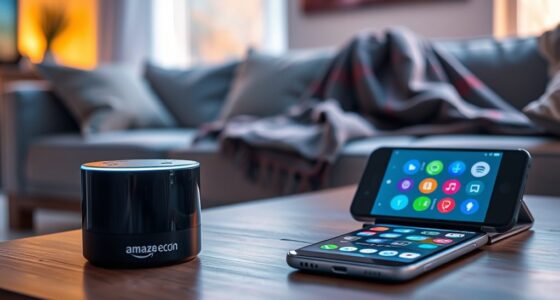

If you’re tired of talking, consider using buttons when you need quick, precise control or in noisy environments where voice recognition may struggle. Buttons are reliable, offer tactile feedback, and work well for frequently used functions like volume or pause. Use voice commands when you want hands-free convenience, especially if your hands are busy or in multitasking situations. Exploring both options can help you find the best balance for your needs—keep going to discover more tips.
Key Takeaways
- Use buttons for quick, precise control, especially in noisy environments or when multitasking.
- Opt for voice commands when hands-free operation is needed or during activities like cooking or cleaning.
- Choose buttons to avoid misunderstandings caused by background noise or accents affecting speech recognition.
- Use voice commands for convenience when your hands are occupied or when quick, hands-free interaction is preferred.
- Rely on buttons in situations requiring privacy or tactile feedback, ensuring reliable control regardless of environment.
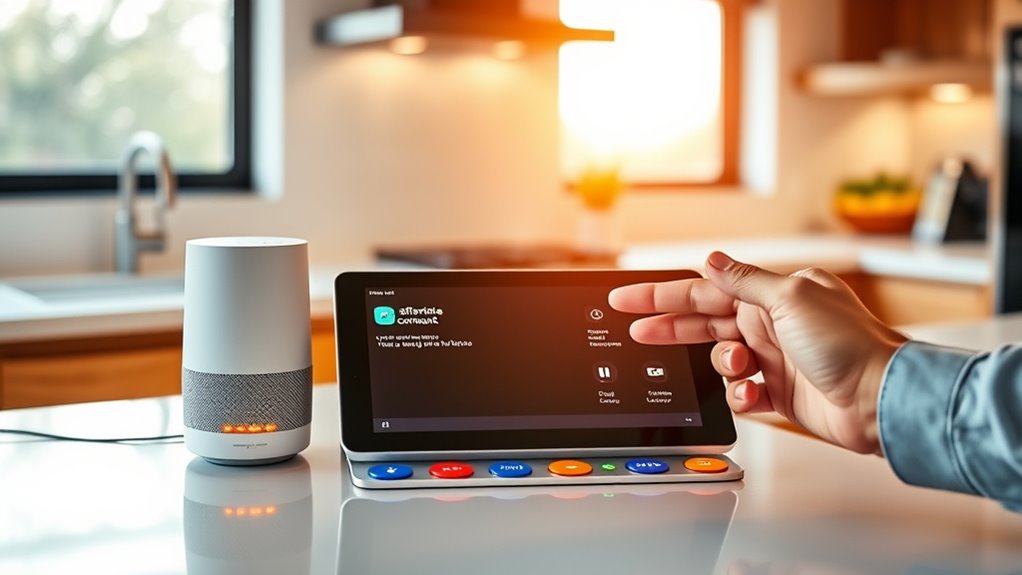
As technology advances, many devices now offer both voice commands and traditional buttons for control, giving you the choice to interact in different ways. This dual approach lets you pick what’s most convenient depending on your situation. When your hands are full or you’re in a noisy environment, voice commands can be a real lifesaver. You can simply speak to your device to play music, set reminders, or ask for directions without needing to stop what you’re doing. On the other hand, buttons are straightforward and reliable, especially when voice recognition isn’t perfect or if you prefer a tactile response. They offer precise control, instantly executing commands without the risk of misunderstanding or mishearing.
Using voice commands is great when you want to keep moving or avoid interrupting your flow. For example, if you’re cooking and your hands are messy, you can ask your smart speaker or device to set a timer or find a recipe without touching anything. Voice control also helps you multitask efficiently—just say what you need, and you can focus on other tasks. However, voice commands can sometimes be frustrating if the device doesn’t understand you clearly, especially in environments with background noise or accents that the system isn’t trained to recognize. That’s where buttons shine—they’re always ready to respond instantly, no matter the noise level, and they don’t depend on speech recognition accuracy. Understanding device limitations can help you choose the right control method for each situation.
Buttons are your go-to when you need quick, precise control. If you’re trying to turn up the volume, pause a song, or switch modes, pressing a button is often faster and more reliable than speaking. They also work well in situations where privacy is a concern—no need to worry about others overhearing your commands or your device picking up unintended conversations. Plus, buttons are ideal for those who prefer a more tactile experience or find voice commands cumbersome, especially if they have speech impairments or find talking to devices uncomfortable.
Ultimately, the choice between voice commands and buttons comes down to your context and preferences. If you’re in a hurry, multitasking, or in a noisy environment, buttons are your best bet. If you want to keep moving or prefer hands-free interaction, voice commands are incredibly convenient. Both options are designed to enhance your experience, so it’s worth familiarizing yourself with when to use each. By understanding their strengths, you can decide which control method suits your needs in any situation, making your interactions with technology smoother and more efficient.
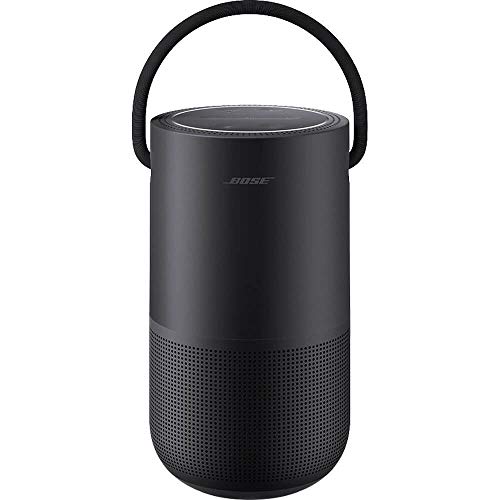
Bose Portable Smart Speaker — Wireless Bluetooth Speaker with Alexa Voice Control Built-in, Black
No Keywords Found
As an affiliate, we earn on qualifying purchases.
As an affiliate, we earn on qualifying purchases.
Frequently Asked Questions
How Do Voice Commands Work in Noisy Environments?
Voice commands often struggle in noisy environments because background sounds can interfere with the microphone’s ability to pick up your voice clearly. To improve recognition, speak directly into the microphone and minimize surrounding noise. Additionally, many devices have noise-canceling features that filter out background sounds. If noise remains a problem, using physical buttons can be more reliable, as they aren’t affected by ambient noise and provide precise control.
Are Voice Commands Secure From Eavesdropping?
Voice commands can be secure, but they’re not foolproof. When you use them, your device processes your speech, which could be intercepted or stored by companies if not properly protected. To stay safe, use devices with strong encryption, review privacy settings, and disable voice activation when not needed. Be cautious, and remember that sensitive info should be handled carefully, whether via voice or buttons.
Can Buttons Be Customized for Different Functions?
Yes, buttons can be customized for different functions. Many devices allow you to reprogram or assign specific tasks to buttons, giving you control over how they operate. You typically do this through app settings or device menus, making it easy to tailor your device to your preferences. Customizing buttons helps streamline your experience, letting you quickly access frequently used features without relying on voice commands or exploring complex menus.
Which Method Consumes More Device Battery?
Voice commands generally consume more device battery than using buttons because they require the microphone and voice recognition software to stay active. When you press buttons, the device uses less power since it doesn’t need to process audio constantly. If you’re trying to conserve battery life, sticking to buttons is more efficient. Voice commands are convenient but tend to drain your battery faster, especially with frequent use.
Are Voice Commands Accessible for People With Disabilities?
Voice commands are highly accessible for people with disabilities, with studies showing up to 80% of users find them empowering. You can easily control devices or access features without physical interaction, making technology more inclusive. If you have mobility or vision challenges, voice commands offer a hands-free, efficient way to operate your devices. This accessibility helps bridge gaps and promotes independence in daily tasks.

Bluetooth Media Button Remote Control,Adjustable Direction Waterproof Controller,Remote Selfie Music Control Button,Suitable for Bicycles,Electric Bicycles,Cars,Compatible with iPhone/Android
【Wireless Bluetooth remote control】 GLOBELEC Bluetooth control button, our bluetooth remote button offers seamless compatibility with a wide…
As an affiliate, we earn on qualifying purchases.
As an affiliate, we earn on qualifying purchases.
Conclusion
Knowing when to use voice commands or buttons can make your life easier. If you’re feeling tired or distracted, voice commands are your best bet—they let you multitask without missing a beat. But for precise, quick actions, buttons are reliable. Remember, it’s all about playing to each one’s strengths. Don’t be a stranger to either—sometimes, you’ve got to use your head and switch gears. After all, variety is the spice of life!

EIGHTREE Smart Plug, WiFi Outlet Works with Alexa & Google Home, Smart Home Socket with Remote Control & Timer Function, 2.4GHz WiFi Only, 4 Packs
Warm Tips: To use Alexa and Google Home for voice control, please connect the plug with the “Smart…
As an affiliate, we earn on qualifying purchases.
As an affiliate, we earn on qualifying purchases.

UltraPro OneTouch Backlit Universal Remote Control for Smart TV, Samsung, LG, Sony, Vizio, Roku, Fire TV, Replacement, Black, 83758
Remote designed in the USA for six popular TV brands – Preprogrammed TV device buttons for Samsung, LG,…
As an affiliate, we earn on qualifying purchases.
As an affiliate, we earn on qualifying purchases.