When installing AI cameras at home, you can generally monitor your own property like yards and entrances. However, recording public spaces or neighbors’ properties can lead to legal issues, especially with audio. Make certain you follow local laws about biometrics and privacy, use clear signage, and avoid pointing cameras where they shouldn’t be. If you’re mindful of these boundaries, you stay compliant—continue exploring to learn more about keeping your surveillance within legal limits.
Key Takeaways
- Monitoring your property is generally legal, but recording public spaces or neighbors’ properties may breach privacy laws.
- Audio recording often requires all-party consent; illegal to record conversations without permission in many jurisdictions.
- Using AI features like facial recognition may be restricted due to biometric data regulations.
- Posting surveillance signs and informing visitors enhances transparency and helps avoid legal disputes.
- Always comply with local laws regarding data storage, footage retention, and sharing to prevent legal issues.

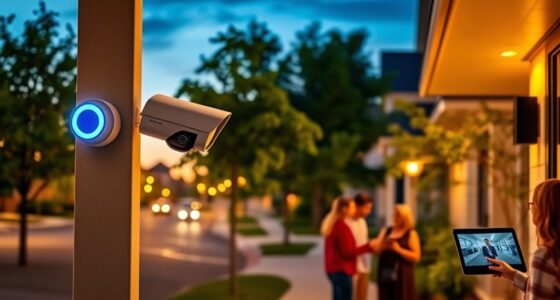
In today’s world, using AI-powered cameras for home surveillance can enhance security while guaranteeing you stay within legal boundaries. As a homeowner, you want to protect your property and loved ones, but it’s equally important to respect others’ privacy rights. The key is understanding what’s legally permissible when installing and operating these cameras. Laws vary depending on your location, but generally, you’re allowed to monitor your own property, including your yard, driveway, and entrance areas. However, recording public spaces or neighboring properties often introduces legal complications, especially if you’re capturing audio or detailed images of people without their consent.
Most jurisdictions allow video recording of your property because it’s considered private property, and you’re not invading anyone’s privacy by watching over your own land. AI cameras equipped with motion detection, facial recognition, or other advanced features can help you identify intruders or monitor activity around your home. Still, you need to be cautious about how these features are used. For instance, facial recognition technology might be regulated or restricted because it involves processing sensitive biometric data. Some local laws require you to notify visitors or intruders that they are under surveillance, often through visible signs or notices. This transparency can help you avoid legal disputes or accusations of privacy invasion.
When it comes to audio recording, the rules tighten. Many areas have strict laws against recording conversations without all parties’ consent because audio recordings are considered more intrusive than video. If your AI camera captures sound, you might need to inform visitors and residents that they’re being recorded. Ignoring these rules could lead to legal trouble, even if your intentions are purely to protect your home. Privacy rights extend beyond your property boundaries, and you should be mindful not to point cameras toward public sidewalks, streets, or neighboring yards, especially if doing so could intrude on someone’s reasonable expectation of privacy. Additionally, understanding Free Floating concepts about surveillance laws can help you better navigate these complexities and avoid inadvertent violations.
It’s also wise to familiarize yourself with local regulations related to data storage and sharing. Some jurisdictions require you to securely store footage and delete it after a certain period. Sharing recordings without consent can lead to legal issues, especially if they’re used in disputes or shared with third parties. To stay within legal boundaries, you should keep your surveillance setup transparent, avoid recording beyond your property, and respect others’ privacy rights. Consulting with a legal expert or researching local laws can help you ensure your surveillance system protects your home without infringing on others’ rights.

Cloarks 2K Pan/Tilt Security Camera, WiFi Indoor Cameras for Home Security with AI Motion Detection, Pet/Dog/Baby Camera with Phone App, 2-Way Audio, 24/7, Siren, TF/Cloud Storage,Black
Note: The indoor camera requires to be plugged all the time. The security camera only support work with…
As an affiliate, we earn on qualifying purchases.
As an affiliate, we earn on qualifying purchases.
Frequently Asked Questions
Can My Neighbors Legally View My Surveillance Footage?
No, your neighbors generally can’t legally view your surveillance footage without your permission. If your cameras only record your property, you’re within your rights to keep the footage private. However, if your cameras capture areas beyond your property, like neighbors’ yards or streets, you could be infringing on their privacy rights. Always guarantee your surveillance stays within legal boundaries to avoid potential privacy violations.
Are There Restrictions on Recording Audio With AI Cameras?
Yes, there are restrictions on recording audio with AI cameras. You generally can’t record conversations without everyone’s consent, especially if they have a reasonable expectation of privacy, like inside their homes or private spaces. Laws vary by jurisdiction, so you should check local regulations. Be aware that recording audio without permission can lead to legal issues, so always inform others if you’re capturing sound to stay compliant.
How Long Can I Legally Store Surveillance Footage?
You can usually store surveillance footage for up to 30 to 90 days, but it depends on your local laws and your storage capacity. Some jurisdictions require you to delete footage after a certain period to protect privacy rights. To stay compliant, check your state or local regulations, and consider setting automatic deletion schedules to make sure you’re not keeping footage longer than legally allowed.
Do I Need Consent to Record Visitors on My Property?
Yes, you generally need consent to record visitors on your property, especially if you’re capturing audio or using cameras in private spaces. Laws vary by location, so you should check your local regulations. It’s a good idea to notify visitors with signs or direct communication. Being transparent helps avoid legal issues and respects privacy, ensuring you stay compliant while maintaining trust with your guests.
What Are the Penalties for Illegal Surveillance Practices?
Imagine your neighbor’s camera catching a private moment—illegal surveillance can lead to hefty fines or even criminal charges. Penalties vary by state, but you could face civil lawsuits, fines up to thousands of dollars, or jail time. For example, someone was fined $10,000 for recording neighbors without consent. Always stay within legal boundaries to avoid these serious consequences and respect others’ privacy rights.
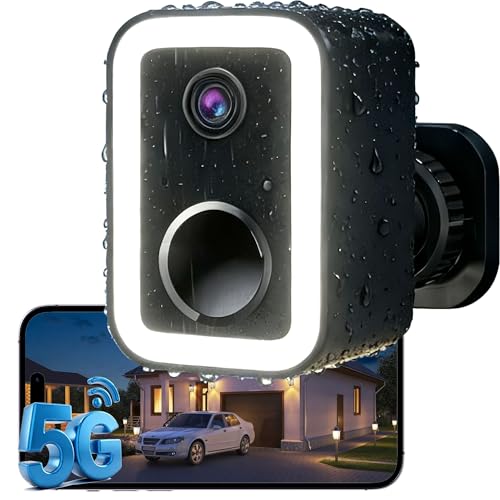
2026 Upgraded 2K Security Cameras Wireless Outdoor, AI Motion Detection & Spotlight Siren Alarm, Outside Battery Powered Camera for Home Security, Full-Color Night Vision, Support WiFi 5G & 2.4G
🌟【Why Choose Us?】Crime prevention, not just crime recording. True Color Night Vision & 2K 3MP Super HD. Upgraded…
As an affiliate, we earn on qualifying purchases.
As an affiliate, we earn on qualifying purchases.
Conclusion
Understanding the legal boundaries of AI home surveillance helps you stay compliant and avoid trouble. For instance, if you install cameras that record your neighbor’s property without permission, you could face legal action. Always respect privacy laws and inform visitors when cameras are active. By staying informed, you protect yourself and your home. Remember, responsible surveillance guarantees you benefit from security without crossing legal lines.

2K Cameras for Home Security,Indoor/Outdoor for Baby/Elder/Pet Monitoring with Phone app,Wired Plug&Play,Color Night Vision,2-Way Audio&24/7 Recording ,Support 128G Card Storage ( Not Included)
【Easy Setup Whole-Home Security Cameras】Ready to use right out of the box!This home security camera system lets you…
As an affiliate, we earn on qualifying purchases.
As an affiliate, we earn on qualifying purchases.

Tapo 1080P Indoor Wired Security Camera – Works as a Baby Monitor & Pet Camera, Motion Detection, 2-Way Audio, Siren, Night Vision, Subscription-Free Local Storage or Optional Cloud, C101
【Motion Detection & Instant Notification】Get instant push notifications when motion, person or baby crying is detected, there is…
As an affiliate, we earn on qualifying purchases.
As an affiliate, we earn on qualifying purchases.