
To secure your smart home Wi-Fi, change default passwords to strong, unique ones and use WPA3 encryption if possible. Keep your router’s firmware updated regularly and disable features like remote management or UPnP that can be exploited. Create a separate network for your smart devices to limit access and potential damage. Regularly review connected devices and immediately disconnect unfamiliar ones. Continuing with these steps will help you strengthen your network’s defenses and better protect your privacy.
Key Takeaways
- Use strong, unique passwords and enable WPA3 encryption to protect Wi-Fi access.
- Regularly update router firmware to patch security vulnerabilities and disable remote management features.
- Create separate networks for smart devices to isolate them from main devices and reduce risks.
- Disable unnecessary features like UPnP and monitor connected devices for suspicious activity.
- Follow best security practices by staying informed, using complex passwords, and maintaining updated devices.

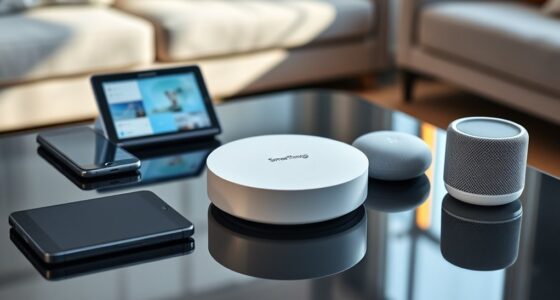
Have you ever considered how vulnerable your smart home devices might be to cyber threats? With more people relying on smart gadgets for convenience and security, protecting your Wi-Fi network is vital. These devices, from smart thermostats to security cameras, often connect to your network with minimal security measures, making them attractive targets for hackers. If an intruder gains access, they could control your devices, steal personal information, or even create a foothold to attack other parts of your home network. That’s why implementing strong security practices is essential to keep your smart home safe.
Smart home devices are vulnerable to cyber threats; securing your Wi-Fi is essential for safety and privacy.
First, start by changing the default password on your Wi-Fi router. Many devices come with factory-set credentials that are widely known or easily guessed. Creating a complex, unique password greatly reduces the risk of unauthorized access. Combine uppercase and lowercase letters, numbers, and special characters to make it harder for intruders to crack. Next, enable WPA3 encryption if your router supports it; if not, WPA2 is still secure. Avoid using outdated encryption methods like WEP, which are vulnerable to attacks. This step guarantees that the data transmitted between your devices and the router remains encrypted and difficult to intercept.
Another key practice involves updating your router’s firmware regularly. Manufacturers release updates to patch security vulnerabilities, fix bugs, and improve performance. Set your router to update automatically if possible, or check periodically for updates. Outdated firmware leaves your network exposed to known exploits that hackers actively target. Additionally, disable remote management features unless you absolutely need them. This feature allows access to your router’s settings from outside your home network, but if misconfigured, it can give hackers a backdoor into your system.
Segregating your smart devices onto a separate network can further enhance security. Many routers allow you to create a guest or secondary network. By isolating your smart home gadgets from your main devices like computers and smartphones, you limit the potential damage if a device becomes compromised. Even if an attacker gains access to one smart device, they won’t be able to easily access your personal data or other critical devices.
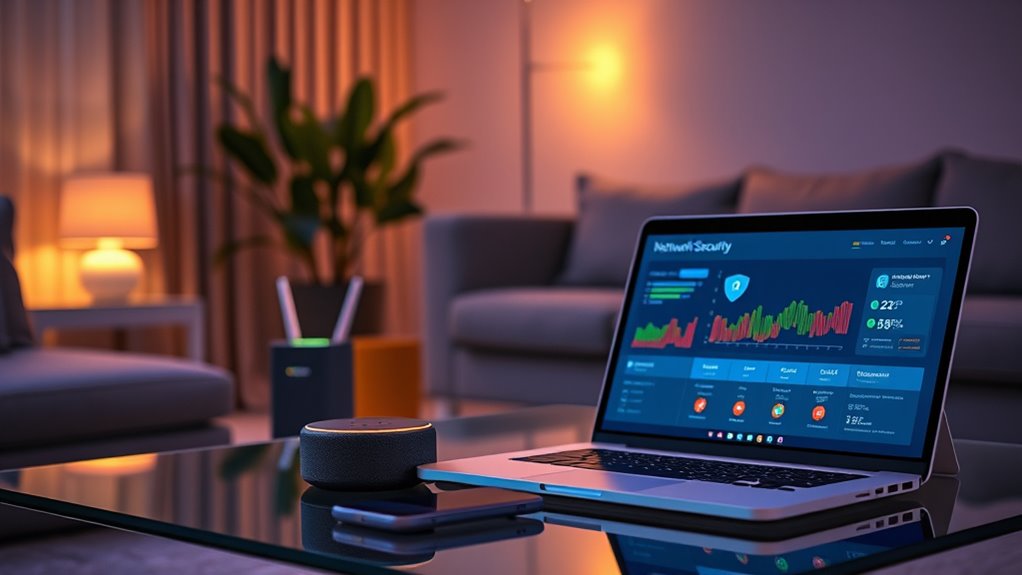
Finally, consider turning off features you don’t need. Many routers include options like UPnP, which simplifies device setup but can also be exploited by hackers to open ports without your knowledge. Disabling such features minimizes the attack surface of your network. Be vigilant about the devices connecting to your network by regularly reviewing the list of connected devices. If you notice unfamiliar gadgets, change your Wi-Fi password immediately and re-secure your network.
Being aware of network security best practices can significantly enhance your overall smart home safety.
Frequently Asked Questions
How Often Should I Update My Wi-Fi Router Firmware?
You should update your Wi-Fi router firmware at least once every three to six months. Regular updates patch security vulnerabilities and improve performance, keeping your network safe from potential threats. Check your router’s admin panel or manufacturer’s website for updates, and enable automatic updates if available. Staying current helps prevent hacking attempts and ensures your smart home devices stay connected securely. Don’t delay updating—your network’s security depends on it.
Can I Disable Remote Access to Enhance Security?
Yes, disabling remote access substantially enhances your security. You might worry it limits convenience, but protecting your personal data is worth it. By turning off remote access, you prevent hackers from reaching your devices outside your home network. This simple step reduces vulnerabilities, giving you peace of mind. Focus on local control instead, and keep your smart home safe from potential cyber threats.
Is Using a Guest Network Safer for Visitors?
Using a guest network is safer for visitors because it keeps their devices separated from your main network. This way, they can’t access your personal files or smart home devices. You also prevent potential security threats from spreading. Make sure to set a strong password for the guest network and limit its access to the internet only. This simple step helps protect your entire smart home ecosystem while allowing visitors to stay connected.
How Do I Identify Unauthorized Devices Connected to My Network?
Think of your Wi-Fi as a busy city street. To spot unauthorized devices, open your router’s admin panel like a city map, and check the connected devices list—this is your street’s directory. Look for unfamiliar names or devices. If you find any, block them immediately. Regularly updating your router’s firmware is like fixing potholes, keeping your network secure and running smoothly, preventing unwanted visitors from sneaking in.
What Are the Risks of Using Default Router Passwords?
Using default router passwords puts your network at risk because hackers often know these common credentials. They can easily access your Wi-Fi, intercept data, or even take control of your devices. You might not realize someone’s unauthorized in your network until problems arise. To protect yourself, change your default password to a strong, unique one immediately. This simple step markedly reduces the chance of cyber threats and keeps your smart home safer.
Conclusion
By following these best practices, you’re not only protecting your smart home devices but also your personal information. It’s funny how a simple change, like updating your password, can make such a difference—almost like a coincidence. Stay vigilant, keep your network secure, and you’ll enjoy the convenience of your smart home without worry. After all, securing your Wi-Fi is a small step that truly makes a big difference in your peace of mind.