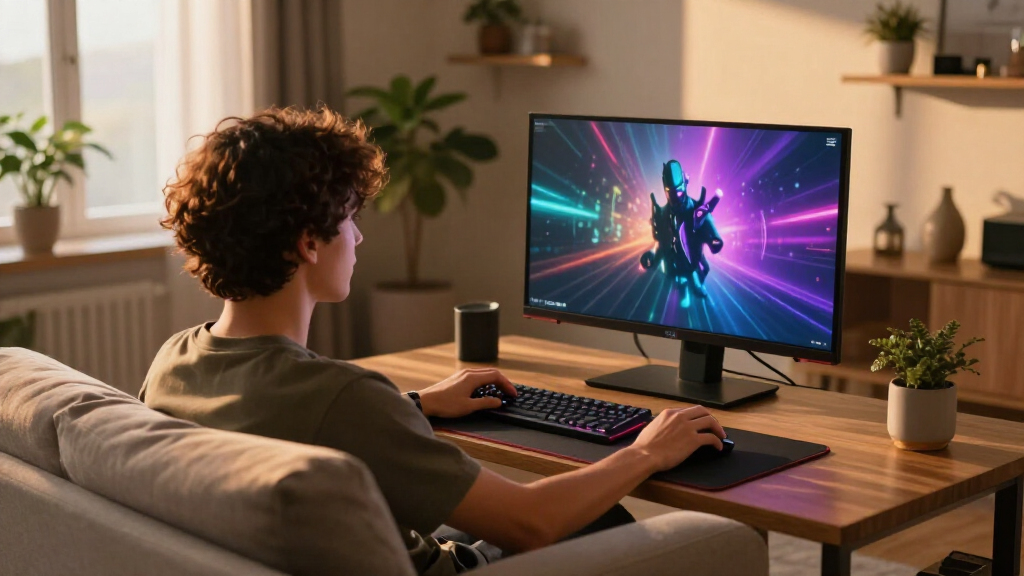

When searching for the best gaming monitors, gamers face a range of choices that balance performance, price, and features. The LG 27G610A-B stands out for its solid IPS panel and sharp QHD resolution, making it a great all-rounder. Meanwhile, the Samsung Odyssey G55C offers a curved design and high refresh rate for immersive gameplay. However, tradeoffs often involve resolution versus refresh rate or premium features versus affordability. Continue reading for a detailed breakdown of these top options and what makes each one unique.

Get home appliances delivered free with Prime
- Fast, free delivery on millions of items
- Prime Video, Amazon Music and more included
- Member-only deals all year
Complete the kit



Key Takeaways
- High refresh rates (144Hz and above) are essential for smooth gameplay, especially in fast-paced titles.
- OLED and QD-OLED monitors provide superior contrast and color, but often come at a premium price.
- Curved screens enhance immersion but may not suit competitive players who prefer flat panels for precision.
- G-SYNC and FreeSync support help eliminate screen tearing, but compatibility depends on your GPU.
- Budget options often compromise on color accuracy or HDR capabilities, so consider your priorities.


| gaming monitor | Resolution | Refresh Rate | Response Time | HDR |
|---|---|---|---|---|
| LG 27G610A-B 27-inch Ultragear | 2560 x 1440 (QHD) | 200Hz | 1ms (GtG) | VESA DisplayHDR 400 |
| Samsung 32" Odyssey G55C Serie | QHD (2560×1440) | 165Hz | 1ms | HDR10 |
| LG 34G630A-B 34-Inch Ultragear | 3440 x 1440 WQHD | 240Hz | 1ms (GtG) | DisplayHDR 400 |
| Samsung 32” Odyssey G5 | QHD (2560×1440) | 180Hz | 1ms (GtG) | HDR10 |
| ASUS ROG XG27ACS 27-Inch 1440p | 2560 x 1440 (QHD) | 180Hz | 1ms (GTG) | — |
| ASUS TUF Gaming VG27AQ3A 27-In | 2560 x 1440 (QHD) | 180Hz | 1ms | HDR-10 |
| Alienware 34 Curved Gaming Mon | WQHD | 180Hz | 1ms | VESA DisplayHDR 400 |
| LG 27GX704A-B 27-Inch Ultragea | 2650 x 1440 | 240Hz | 0.03ms | VESA DisplayHDR True Black 400 |
| Alienware 34 240Hz QD-OLED Cur | 3440 x 1440 | 240Hz | 0.03ms | DisplayHDR TrueBlack 400 |
| Samsung 27" Odyssey G5 | 2560 x 1440 (QHD) | 180Hz | 1ms | HDR10 |
| Samsung 27" Odyssey OLED G6 | QHD (1440P) | 240Hz | 0.03ms | HDR10 |
| Samsung 27” Odyssey OLED G5 | QHD | 180Hz | 0.03ms (GTG) | HDR10 |
More Details on Our Top Picks
LG 27G610A-B 27-inch Ultragear QHD IPS Gaming Monitor
The LG 27G610A-B stands out as the best overall choice thanks to its sharp QHD resolution, fast 200Hz refresh rate, and vibrant IPS display with DisplayHDR 400 support. Its 1ms response time ensures minimal motion blur, making it ideal for fast-paced gaming. Compared with the Samsung 32″ Odyssey G55C, the LG’s smaller size may suit those with limited desk space, but it lacks built-in speakers and is more dependent on a compatible graphics card for FreeSync to perform optimally. The adjustable stand enhances comfort, and multitasking features via the Switch app add extra value. This monitor balances image quality, smooth gameplay, and versatility, making it suitable for gamers who also want a monitor for productivity. The primary tradeoff is its 27-inch size, which might feel limiting for some users seeking a more immersive experience.
Pros:- Vivid colors with DisplayHDR 400 for enhanced visuals
- Fast 200Hz refresh rate and 1ms response time for smooth gameplay
- Adjustable stand for personalized viewing angles
- Multitasking features via Switch app
Cons:- Limited to 27-inch size, which may not suit all desk setups
- Requires compatible graphics card for optimal FreeSync performance
- No built-in speakers
Best for: Gamers who want a versatile, high-performance monitor suitable for both gaming and multitasking in a compact form factor
Not ideal for: Users preferring a larger, more immersive display for AAA gaming or professional content creation
- Display Size:27 inches
- Resolution:2560 x 1440 (QHD)
- Refresh Rate:200Hz
- Response Time:1ms (GtG)
- HDR:VESA DisplayHDR 400
- Color Coverage:up to 99% sRGB
- Adaptive Sync:AMD FreeSync Premium
- Stand Adjustments:Height, tilt, swivel, pivot
Our verdict“This monitor is an excellent choice for gamers who need a balanced mix of speed, image quality, and adjustability in a compact size.”
Samsung 32″ Odyssey G55C Series QHD Curved Gaming Monitor
The Samsung Odyssey G55C is tailored for gamers seeking immersive visuals, thanks to its 32-inch curved QHD display with a 1000R curvature. Its 165Hz refresh rate and 1ms response time deliver smooth, responsive gameplay, comparable to the LG 34G630A-B but with a more aggressive curve that enhances immersion. The HDR10 support and wide viewing angles make visuals more vibrant and consistent from different positions. However, its 32-inch size may feel cramped on some desktops, and it’s primarily designed for gaming rather than professional work. The eye comfort features like flicker reduction help reduce fatigue during long sessions. Compared to the LG 27G610A-B, it sacrifices some versatility for a larger, more immersive experience, making it ideal for dedicated gamers who prioritize depth and engagement over multitasking.
Pros:- Curved 1000R display enhances immersion
- High refresh rate and rapid response time for smooth gameplay
- Wide viewing angles with vibrant colors
- Flicker reduction and eye saver mode for comfort
Cons:- Limited to gaming use, less suited for professional tasks
- Potentially expensive for the size and features
- No built-in speakers
Best for: Gamers who want an immersive, curved experience with fast response and high refresh rates
Not ideal for: Professional content creators or users with limited desk space who prefer a flat panel
- Size:32 inches
- Resolution:QHD (2560×1440)
- Curvature:1000R
- Refresh Rate:165Hz
- Response Time:1ms
- HDR:HDR10
- Adaptive Sync:AMD Radeon FreeSync
- Stand Features:Height, tilt, swivel, pivots
Our verdict“This monitor excels for gamers craving a deeply immersive experience with top-tier responsiveness and curved design.”
LG 34G630A-B 34-Inch Ultragear WQHD Curved Gaming Monitor, 240Hz, 1ms, FreeSync Premium, DisplayHDR 400, HDMI, DisplayPort, USB Type-C, Adjustable Stand
The LG 34G630A-B offers a broad 34-inch curved WQHD display, providing a more expansive field of view ideal for immersive gaming and multitasking. Its 240Hz refresh rate and 1ms response time set it apart for competitive gamers who need ultra-smooth visuals, especially compared to the 180Hz Samsung G50F. The wide color gamut and HDR support enhance visual richness, while multiple connectivity options, including USB Type-C, add versatility. The adjustable stand allows for comfortable positioning, but the 34-inch size might be overwhelming on smaller desks, and some users may find the curved design less appealing if they prefer flat screens. It’s best suited for gamers who prioritize extensive screen real estate combined with high responsiveness.
Pros:- Ultra-wide 34-inch curved display enhances immersion
- High 240Hz refresh rate and 1ms response time for competitive gaming
- Vivid colors with HDR support and wide color gamut
- Multiple connectivity options including USB Type-C
Cons:- Large size may be too big for some setups
- Curved design might not suit all preferences
- Potentially higher price point
Best for: Competitive gamers and streamers who want a wide, immersive experience with high refresh rates and flexible connectivity
Not ideal for: Users with limited desk space or those preferring a flat display for professional tasks
- Screen Size:34 inches
- Resolution:3440 x 1440 WQHD
- Curvature:Curved
- Refresh Rate:240Hz
- Response Time:1ms (GtG)
- HDR:DisplayHDR 400
- Connectivity:HDMI, DisplayPort, USB Type-C
- Stand Adjustments:Height, tilt, swivel
Our verdict“This monitor is an excellent choice for competitive gamers seeking a wide, fast, and versatile display for serious gameplay.”
Samsung 32” Odyssey G5 (G50F) Series QHD Gaming Monitor
The Samsung Odyssey G5 G50F combines solid QHD visuals with a 180Hz refresh rate, making it a balanced choice for gamers who want responsiveness without sacrificing comfort. Its IPS panel with 178° viewing angles ensures consistent visuals from different positions, and the HDR10 support adds vibrancy. The ergonomic stand with height, tilt, pivots, and swivels makes it adaptable to various setups, but the 180Hz refresh rate is slightly lower than some competitors like the LG 34G630A-B, which offers 240Hz. The G5 is well-suited for gamers who value a combination of performance and ergonomic flexibility, but it may not be the best pick for those seeking the absolute highest frame rates or ultra-wide screens.
Pros:- High refresh rate and quick response time for smooth gameplay
- Wide viewing angles with IPS panel
- Adjustable ergonomic stand for comfort
- Supports G-Sync and HDR10 for enhanced visuals
Cons:- Limited to 32 inches, which may be small for some users
- Slightly lower refresh rate compared to higher-end models
- Potentially higher cost relative to features
Best for: Casual to mid-tier competitive gamers who want a reliable, adjustable 32-inch monitor with good image quality
Not ideal for: Pro gamers or users needing the highest possible refresh rates for fast-paced esports
- Size:32 inches
- Resolution:QHD (2560×1440)
- Refresh Rate:180Hz
- Response Time:1ms (GtG)
- Panel Type:IPS
- HDR:HDR10
- G-Sync Compatible:Yes
- Stand Features:Height, tilt, pivots, swivels
Our verdict“This monitor offers a balanced mix of performance and comfort, ideal for gamers seeking reliability and ergonomic flexibility.”
ASUS ROG XG27ACS 27-Inch 1440p 180Hz Gaming Monitor with USB-C and G-SYNC HDR
The ASUS ROG XG27ACS is designed for gamers demanding high-end features like a 180Hz refresh rate, 1ms response time, and G-SYNC HDR technology. Its 27-inch size balances performance with desk space, and the Fast IPS panel offers excellent color accuracy and wide viewing angles. The inclusion of a USB-C port provides versatile connectivity, perfect for streamers or players who want to connect laptops or peripherals easily. Compared to the LG 27G610A-B, the ASUS offers more advanced sync technology and a USB-C hub, but its higher price and specific focus on gaming mean it’s less suited for casual users or those needing a more versatile monitor for work. It’s an ideal pick for competitive gamers who also want premium connectivity options.
Pros:- High 180Hz refresh rate and 1ms response time for smooth, competitive gameplay
- G-SYNC HDR technology for tear-free visuals
- USB-C port for versatile connectivity and charging
- Excellent color accuracy and wide viewing angles
Cons:- Higher price point compared to standard monitors
- Limited to 27 inches, smaller than some alternatives
- Designed mainly for gaming, less suited for professional productivity
Best for: Serious gamers and streamers seeking a high-performance monitor with premium connectivity features
Not ideal for: Users on a tight budget or those seeking a large, multi-purpose display for general use
- Size:27 inches
- Resolution:2560 x 1440 (QHD)
- Refresh Rate:180Hz
- Response Time:1ms (GTG)
- Technology:Fast IPS, G-SYNC HDR
- Connectivity:USB Type-C, DisplayPort
- Color Gamut:95% DCI-P3
Our verdict“This monitor is best for dedicated gamers and streamers wanting top-tier responsiveness and flexible connectivity in a compact size.”
ASUS TUF Gaming VG27AQ3A 27-Inch QHD 1440p 180Hz G-SYNC Gaming Monitor
The ASUS TUF Gaming VG27AQ3A stands out for offering a balanced combination of high refresh rate, fast response, and vibrant visuals at a reasonable price point. Compared with the LG 27GX704A-B OLED, it trades off OLED’s deep blacks for a more affordable IPS panel that still provides excellent color accuracy and response times. Its 180Hz refresh rate and 1ms response time make it a top choice for competitive gamers, while HDR-10 support adds some visual pop, though it isn’t as advanced as higher-end HDR standards. The monitor’s inclusion of FreeSync Premium and G-SYNC compatibility ensures tear-free gameplay across a wide range of systems. Its built-in speakers and accessories add value, but the limited HDR depth might disappoint HDR enthusiasts seeking more contrast. Overall, this monitor is ideal for gamers who want high performance without the premium price of OLED options.
Pros:- High 180Hz refresh rate ideal for fast-paced gaming
- 1ms response time with fast IPS panel for sharp visuals
- Supports HDR-10 for enhanced contrast and color
Cons:- Limited to 27 inches, which may not suit those wanting larger screens
- HDR support is basic and less impressive for professional HDR users
Best for: Competitive gamers seeking high refresh rate and quick response times at a mid-range price.
Not ideal for: HDR purists or users wanting the deepest contrast and black levels, as HDR support is basic.
- Display Size:27 inches
- Resolution:2560 x 1440 (QHD)
- Refresh Rate:180Hz
- Response Time:1ms
- Color Gamut:130% sRGB
- HDR:HDR-10
Our verdict“This monitor excels for gamers who prioritize speed and color accuracy over advanced HDR capabilities.”
Alienware 34 Curved Gaming Monitor – AW3425DWM
The Alienware AW3425DWM is tailored for gamers craving immersive experiences, with its 34-inch curved WQHD display, 1500R curvature, and 180Hz refresh rate. It surpasses many standard 27-inch models like the Samsung G5 in size and immersion, making it ideal for story-driven or simulation titles. Its fast 1ms response time and support for AMD FreeSync Premium and VESA Adaptive Sync reduce tearing and input lag, while the high color coverage enhances visuals. The curved design and wide aspect ratio boost immersion, but its large footprint and premium price might be off-putting for users with limited desk space or budget. The limited stand adjustability could also be a downside for those seeking precise ergonomic setups. This monitor is best suited for gamers who prioritize expansive views and visual richness over compact size or maximum adjustability.
Pros:- Large 34-inch curved display for immersive gaming
- Fast 180Hz refresh rate with 1ms response time
- Supports multiple adaptive sync technologies for tear-free gaming
- High color coverage and HDR support
Cons:- High price and large size limit accessibility for some users
- Limited stand adjustment options may affect ergonomic comfort
Best for: Gamers who want an immersive ultrawide experience with vibrant colors and smooth gameplay.
Not ideal for: Users with small desks or tight budgets, as the size and cost may be prohibitive.
- Size:34 inches
- Resolution:WQHD
- Refresh Rate:180Hz
- Response Time:1ms
- Curvature:1500R
- HDR:VESA DisplayHDR 400
Our verdict“This monitor is perfect for gamers who want a wide, immersive display with vibrant visuals and smooth performance, despite a higher price point.”
LG 27GX704A-B 27-Inch Ultragear QHD OLED Gaming Monitor
The LG 27GX704A-B offers a stunning OLED display that delivers deep blacks, vibrant colors, and incredible contrast, making it the choice for visually demanding gamers. Compared with the ASUS VG27AQ3A, it trades some of the high refresh rate for the unmatched visual depth of OLED technology. Its 240Hz refresh rate and 0.03ms response time ensure ultra-smooth gameplay, especially for fast-paced shooters or racing games. Extensive connectivity options, including HDMI 2.1 and DisplayPort 1.4, support high-end gaming rigs and console integration. However, OLED’s susceptibility to image retention and its high price are important considerations. The glossy finish may also cause glare in bright environments, which could diminish visual clarity. This monitor is best for gamers who prioritize stunning visuals and are willing to accept some risks associated with OLED technology.
Pros:- Vivid OLED display with deep blacks and high contrast
- High 240Hz refresh rate and 0.03ms response time
- Supports NVIDIA G-SYNC and AMD FreeSync
Cons:- Potential risk of burn-in or image retention
- Premium price may be prohibitive for some users
- Glossy finish can cause glare in bright rooms
Best for: Gamers who value picture quality and deep blacks, especially in single-player or visually rich titles.
Not ideal for: Players concerned about potential image retention or seeking a more budget-friendly option.
- Display Size:27 inches
- Resolution:2650 x 1440
- Refresh Rate:240Hz
- Response Time:0.03ms
- Brightness:275 nits (standard), 1300 nits (peak)
- HDR:VESA DisplayHDR True Black 400
Our verdict“This monitor excels for gamers who prioritize stunning visuals and fast response times, accepting OLED’s inherent risks and higher cost.”
Alienware 34 240Hz QD-OLED Curved Gaming Monitor – AW3425DW
The Alienware AW3425DW pushes ultrawide gaming to new heights with its 34.2-inch QD-OLED panel, offering a stunning 1800R curvature and a blazing 240Hz refresh rate. It combines the vibrant color accuracy of OLED with the speed of 0.03ms response time, making it a top pick for fast-paced, visually demanding titles. Its DCI-P3 99.3% coverage and HDR support create visuals that are rich and immersive, ideal for users who want cinematic quality in their gaming experience. Compared to the LG OLED, it offers a larger, more curved display with similar high performance, but at a likely higher price point. The large size may not suit all setups, and its premium features come with a premium cost. This monitor is best for enthusiasts seeking the ultimate ultrawide, OLED-powered gaming experience.
Pros:- Vibrant 34.2-inch curved QD-OLED display
- Fast 240Hz refresh rate with 0.03ms response time
- Supports multiple adaptive sync technologies
- High color accuracy and HDR performance
Cons:- Likely very high price and large size
- Potential size limitations for smaller desks
- Premium features may be overkill for casual gamers
Best for: Gamers seeking an immersive, ultrawide OLED experience with top-tier color and speed.
Not ideal for: Those with limited desk space or a tight budget, as size and cost are significant considerations.
- Size:34.2 inches
- Resolution:3440 x 1440
- Refresh Rate:240Hz
- Response Time:0.03ms
- HDR:DisplayHDR TrueBlack 400
- Peak HDR Brightness:1000 nits
Our verdict“This ultrawide OLED monitor is ideal for gamers who want immersive visuals and top-tier performance at a premium cost.”
Samsung 27″ Odyssey G5 (G51F) Series QHD Gaming Monitor
The Samsung Odyssey G5 G51F offers a solid QHD gaming experience at a more accessible price, featuring a 27-inch curved screen that enhances immersion without stretching the budget. While it may not match the color coverage or HDR capabilities of pricier models like the LG OLED or Alienware QD-OLED, it provides a good balance of performance and affordability. Its 180Hz refresh rate and 1ms response time deliver smooth gameplay, similar to higher-end competitors like the ASUS VG27AQ3A, but with fewer premium features. The stand’s tilt, pivot, and height adjustments add ergonomic comfort, but the absence of built-in speakers and more advanced HDR support might be drawbacks for some. This monitor is best for gamers wanting a reliable, curved display without breaking the bank.
Pros:- Affordable price point for QHD gaming
- Curved 27-inch display enhances immersion
- Fast 180Hz refresh rate and 1ms response time
- Ergonomic stand with tilt, pivot, and height adjustments
Cons:- Lacks advanced HDR support and extensive color coverage
- No built-in speakers or premium connectivity options
Best for: Budget-conscious gamers seeking a good balance of speed and immersion with a curved display.
Not ideal for: Enthusiasts demanding advanced HDR or extensive color accuracy, as those features are limited here.
- Screen Size:27 inches
- Resolution:2560 x 1440 (QHD)
- Refresh Rate:180Hz
- Response Time:1ms
- HDR:HDR10
- Curvature:1800R
Our verdict“This monitor offers a compelling combination of affordability and performance for gamers on a budget who prefer curved screens.”
Samsung 27″ Odyssey OLED G6 (G61SH) QD-OLED Gaming Monitor
The Samsung Odyssey OLED G6 stands out for its stunning color accuracy and ultra-fast response time, making it ideal for gamers who prioritize visuals and responsiveness. Compared to the G5 model, the G6 offers a higher 240Hz refresh rate and a more advanced OLED panel with Pantone validation, ensuring more precise and vibrant colors. Its ergonomic stand allows for customized positioning, enhancing comfort during long gaming sessions. However, the G6’s premium features come with a higher price tag, which might be a barrier for budget-conscious buyers. Additionally, its 27-inch size, while perfect for many setups, could feel limiting for those seeking a larger display or multi-monitor arrangements.
Pros:- Vivid, accurate colors thanks to Pantone validation
- Ultra-fast 0.03ms response time and 240Hz refresh rate for smooth gameplay
- Ergonomic stand for customizable viewing angles
- Advanced OLED technology with burn-in prevention
Cons:- High price point may be prohibitive for some
- Limited to a 27-inch size, which may not suit all preferences
Best for: Gamers who want the best possible color accuracy and response times for immersive, competitive gaming and are willing to invest in top-tier tech.
Not ideal for: Budget-conscious gamers or those with larger desk setups who prefer bigger screens or multi-monitor configurations.
- Display Size:27 inches
- Resolution:QHD (1440P)
- Panel Technology:QD-OLED
- Refresh Rate:240Hz
- Response Time:0.03ms
- HDR:HDR10
- Stand Features:Height-adjustable, pivots, tilts, swivels
Our verdict“This monitor is an excellent choice for serious gamers seeking premium visuals and responsiveness, provided they are comfortable with the cost and size.”
Samsung 27” Odyssey OLED G5 (G50SF) Series QHD Gaming Monitor
The Samsung Odyssey OLED G5 offers a compelling balance of vibrant visuals and smooth gameplay at a more accessible price compared to the G6. Its 27-inch QHD QD-OLED panel delivers rich, accurate colors validated by Pantone, making it ideal for gamers who value visual fidelity. The 180Hz refresh rate and 0.03ms response time ensure fluid motion during fast-paced action, while support for G-Sync and FreeSync minimizes lag and tearing. Its glare-free technology enhances clarity in bright environments, making it versatile across different lighting conditions. However, the tradeoff for this value-oriented approach is a slightly lower refresh rate than the G6, which might be noticeable to competitive gamers. Additionally, OLED technology carries a small risk of burn-in, a concern for prolonged static images.
Pros:- Vivid, accurate colors with Pantone validation
- Fast 0.03ms response time and 180Hz refresh rate
- Supports G-Sync and FreeSync for tear-free gaming
- Glare-free technology for clear visuals in bright conditions
Cons:- Potential risk of OLED burn-in with static images
- Lower refresh rate compared to G6 may impact ultra-competitive gaming
Best for: Gamers seeking excellent color accuracy and smooth gameplay without the premium price of the G6, especially those who play in well-lit rooms.
Not ideal for: Competitive gamers who prioritize the highest possible refresh rate or those concerned about OLED burn-in over time.
- Size:27 inches
- Resolution:QHD
- Panel Technology:QD-OLED
- Refresh Rate:180Hz
- Response Time:0.03ms (GTG)
- HDR:HDR10
- Additional Features:G-Sync, AMD FreeSync, Glare Free technology, Auto Source Switch+
Our verdict“This monitor offers excellent visual quality and smooth performance for gamers who want high-end OLED features at a more accessible price point.”
How We Picked
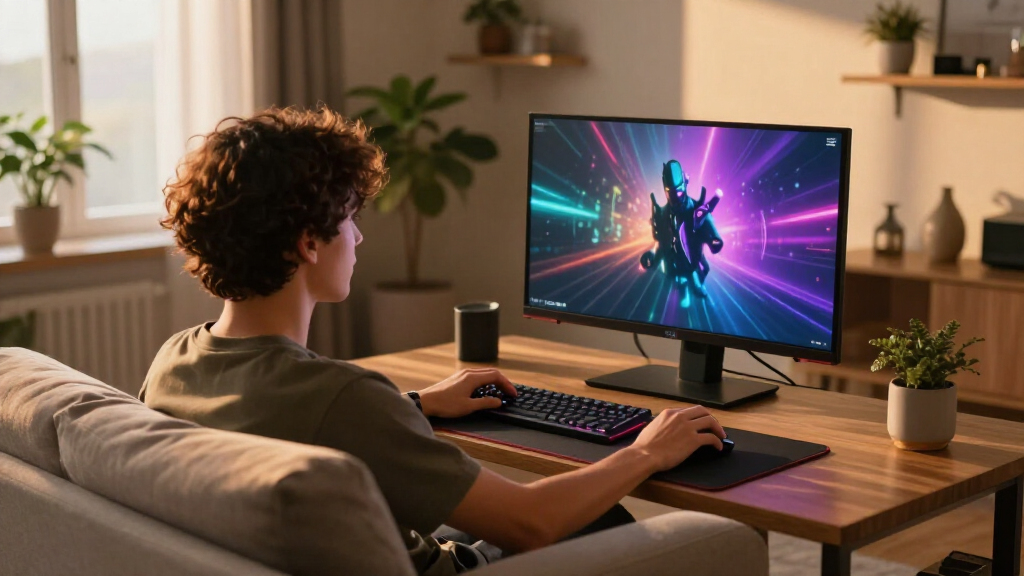
To determine the best gaming monitors, I focused on key factors that impact gaming performance and user experience. Performance criteria included refresh rate, response time, and adaptive sync support, which are vital for smooth, tear-free gameplay. Build quality and ergonomic adjustments were also considered to ensure comfort during long gaming sessions. I ranked products based on a balance of these features against value, ensuring each pick offers a clear advantage for specific types of gamers. Ultimately, the goal was to highlight monitors that deliver both high performance and good usability within different budgets and gaming needs.| gaming monitor | HDR |
|---|---|
| LG 27G610A-B 27-inch Ultragear | VESA DisplayHDR 400 |
| Samsung 32" Odyssey G55C Serie | HDR10 |
| LG 34G630A-B 34-Inch Ultragear | DisplayHDR 400 |
| Samsung 32” Odyssey G5 | HDR10 |
| ASUS ROG XG27ACS 27-Inch 1440p | — |
| ASUS TUF Gaming VG27AQ3A 27-In | HDR-10 |
| Alienware 34 Curved Gaming Mon | VESA DisplayHDR 400 |
| LG 27GX704A-B 27-Inch Ultragea | VESA DisplayHDR True Black 400 |
| Alienware 34 240Hz QD-OLED Cur | DisplayHDR TrueBlack 400 |
| Samsung 27" Odyssey G5 | HDR10 |
| Samsung 27" Odyssey OLED G6 | HDR10 |
| Samsung 27” Odyssey OLED G5 | HDR10 |
Factors to Consider When Choosing Best Gaming Monitors
Choosing the right gaming monitor involves more than just specs; understanding how different features affect your gaming can save you money and frustration. Here are the key factors to consider before making a purchase.Refresh Rate and Response Time
For fast-paced games like shooters or racing titles, a high refresh rate (at least 144Hz) ensures smoother motion and reduces motion blur. Response time, ideally 1ms to 3ms, minimizes ghosting and trailing artifacts. Balancing these two helps maintain clarity during rapid movements, which can be the difference between winning and losing. Cheaper monitors often cut corners here, so prioritize these specs if competitive play is your goal.
Resolution and Screen Size
Higher resolutions, such as QHD or 4K, offer sharper images, but demand more from your GPU. Screen size should match your space and gaming style; larger screens (27 inches or more) increase immersion but may require better graphics hardware. Curved displays can enhance the feeling of depth, but might not suit all setups or preferences. Consider your gaming space and hardware to find the best resolution and size balance.
Panel Type and Image Quality
IPS panels deliver accurate colors and wide viewing angles, making them great for immersive experiences and color-critical tasks. OLED and QD-OLED screens provide exceptional contrast and deep blacks but can be costly. VA panels offer higher contrast ratios, while TN panels are faster but less color-accurate. Your choice depends on whether you prioritize visual fidelity or raw speed.
Adaptive Sync and Connectivity
G-SYNC and FreeSync support help prevent screen tearing, essential for competitive gaming. Compatibility depends on your GPU—NVIDIA cards work best with G-SYNC, AMD with FreeSync. Look for monitors with multiple input options like HDMI, DisplayPort, and USB-C to connect to various devices. Ensure the monitor’s adaptive sync technology matches your graphics hardware for the best experience.
Additional Features and Ergonomics
Adjustable stands, VESA compatibility, and blue light filters improve comfort and usability. Built-in speakers or USB hubs add convenience, but often at the expense of quality or added cost. HDR support can enhance visuals, but only if the monitor’s HDR performance is genuine. Prioritize features that improve your gaming comfort and setup flexibility, especially for long sessions.
Frequently Asked Questions
Is a 144Hz refresh rate necessary for casual gaming?
For casual gaming, a 60Hz or 75Hz monitor might suffice, especially if you play slower-paced titles. However, opting for 144Hz provides a noticeably smoother experience, even in less demanding games, and can future-proof your setup for more competitive titles. Keep in mind that a higher refresh rate is most beneficial when paired with a capable GPU that can deliver high frame rates.
Should I buy an OLED gaming monitor for better visuals?
OLED monitors offer superior contrast and color accuracy, creating stunning visuals. However, they tend to be more expensive and may have issues like burn-in over prolonged static images. If visual fidelity is your priority and you’re willing to invest, an OLED can elevate your gaming experience, but for most gamers, QD-OLED and high-end IPS panels provide a more balanced mix of performance and durability.
How important is HDR support in a gaming monitor?
HDR can significantly enhance visual richness by providing brighter highlights and better contrast. Nonetheless, many monitors offer HDR that doesn’t live up to the hype, due to limited peak brightness or poor local dimming. For the best experience, look for monitors with genuine HDR certification and high peak brightness, especially if you enjoy visually demanding games or multimedia. Otherwise, investing in a monitor with strong SDR performance might be more practical.
Is a curved monitor better than a flat one for gaming?
Curved monitors can create a more immersive experience, especially on larger screens or ultrawide formats. They help reduce glare and distortion at the edges, making gameplay more natural. However, for competitive gaming, some players prefer flat screens for precise aiming and less distraction. Your personal preference and game style will determine whether curvature enhances your setup or becomes a distraction.
What should I prioritize if I have a limited budget?
If budget is a concern, focus on getting a monitor with at least 1080p resolution, a 144Hz refresh rate, and FreeSync or G-SYNC support if possible. These features enhance smoothness and visual stability without requiring high-end hardware or premium panels. Avoid overly cheap monitors that compromise response times or color accuracy, as they can diminish the overall gaming experience.
Conclusion
If you want the best overall gaming monitor, the Alienware AW3425DWM offers a superb balance of ultrawide immersion, high refresh rate, and OLED contrast. For those on a budget, the LG 27G610A-B provides solid performance at a reasonable price. Gamers seeking a premium experience should consider the Samsung Odyssey OLED G6 for its cutting-edge QD-OLED display. Beginners or casual players might prefer simpler, more affordable options like the Samsung Odyssey G55C. For specific needs, such as fast-paced competitive play or immersive storytelling, choose a monitor that emphasizes high refresh rate or high contrast, respectively, to match your gaming style and setup.
As an affiliate, we earn on qualifying purchases.Columbus Day / Indigenous Peoples' Day Picks
long weekend sales