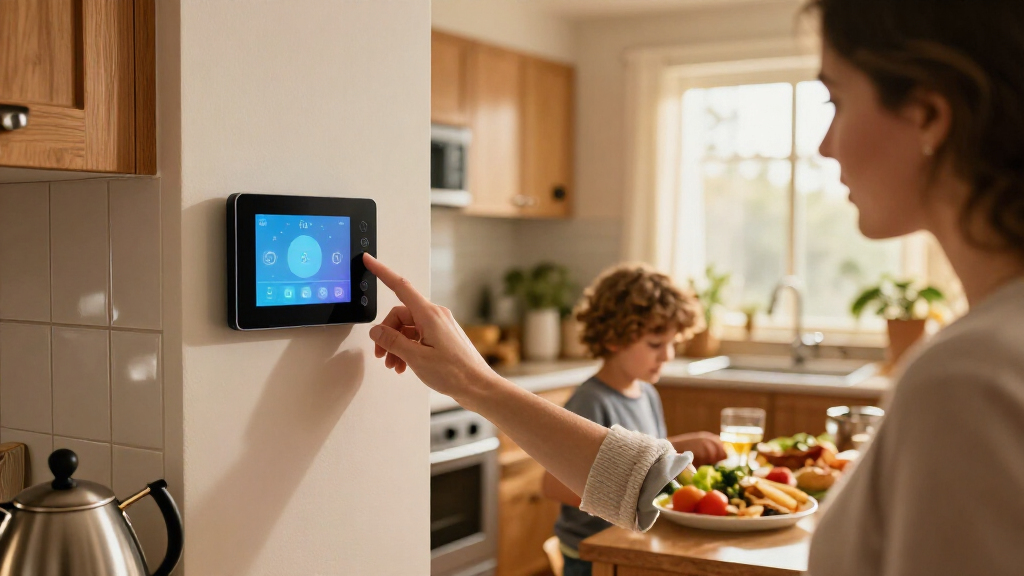

The best smart home wall displays balance at-a-glance home control with a screen and setup that fit the household using them. My best overall pick is the Amazon Echo Hub for buyers who want a dedicated Alexa control panel, while the Echo Show 15 stands out for combining a large display with Fire TV and household information. For a more customizable installation, the 10.1-inch Android panel with PoE and MQTT offers a different path for DIY automation. The central tradeoff is between a focused smart-home controller, a media-friendly screen, and a calendar-first display. Read on for how each option fits—and where its compromises may matter.

Get home appliances delivered free with Prime
- Fast, free delivery on millions of items
- Prime Video, Amazon Music and more included
- Member-only deals all year
Complete the kit



Key Takeaways
- The Echo Hub is the clearest control-first choice: it is designed as a smart-home panel, while the Echo Show 15 gives more space to media and household information.
- PoE and MQTT favor hands-on buyers: the Android panel can suit custom automation setups, but it calls for more technical planning than an Alexa-based display.
- Shelly separates into two installation styles: the compact Wall Display with BLU H&T Sensor emphasizes room control and sensing, while the amazon.com/dp/B0C5DPSW5Y?tag=theintellihome-20&ascsubtag=dc-1200354″ target=”_blank” rel=”nofollow sponsored noopener”>amazon.com/dp/B0GSWXPB9K?tag=theintellihome-20&ascsubtag=dc-1200354″ target=”_blank” rel=”nofollow sponsored noopener”>10.1-inch XL model gives more screen area.
- Large calendar displays serve a different purpose: Mazera’s 21.5-inch and Yemsd’s 15.6-inch options prioritize shared schedules over dedicated smart-home control.
- Screen size alone does not define the best fit: ecosystem compatibility, mounting and power needs, and the household’s main daily task matter just as much.
| 10.1-Inch Wall-Mounted Android Smart Home Panel with PoE and MQTT |  | Best for Open Home Automation | Display: 10.1 inches | Operating system: Android 14 | Processor: RK3576, 8-core | VIEW LATEST PRICE | See Our Full Breakdown |
| Amazon Echo Show 15 (2nd Gen) 15.6-Inch Full HD Smart Display with Fire TV and Alexa |  | Best for Family Organization and Entertainment | Display: 15.6-inch Full HD, 1920 x 1080 | Dimensions: 16.1 x 10.1 x 1.4 inches | Weight: 4.96 lb | VIEW LATEST PRICE | See Our Full Breakdown |
| Shelly Wall Display with BLU H&T Sensor, Black |  | Best Compact Wall Control | Display: 4-inch touchscreen | Connectivity: Wi-Fi and Bluetooth | Dimensions: 85 × 85 × 30 mm | VIEW LATEST PRICE | See Our Full Breakdown |
| Amazon Echo Hub Smart Home Control Panel |  | Best Dedicated Alexa Control Panel | Display: 8 inches | Connectivity: Wi-Fi, Bluetooth, Zigbee, Matter, Sidewalk, and Thread | Installation: Wall mounted; compatible with separately sold tabletop stands | VIEW LATEST PRICE | See Our Full Breakdown |
| Shelly Wall Display XL Black 10.1-Inch Touchscreen Smart Home Control Panel |  | Best for Shelly Controls and Physical Buttons | Display: 10.1-inch touchscreen | Connectivity: Wi-Fi and Bluetooth | Relay: Built-in, 5 A | VIEW LATEST PRICE | See Our Full Breakdown |
| Mazera 21.5-Inch Smart Hub Digital Calendar Touchscreen |  | Best for a Large, Customizable Family Dashboard | Brand: Mazera | Model: V1 | Screen size: 21.5 inches | VIEW LATEST PRICE | See Our Full Breakdown |
| Yemsd 15.6-Inch Digital Wall Calendar and Touchscreen |  | Best for Family Chores and Meal Planning | Brand: Yemsd | Screen size: 15.6 inches | Storage: 32GB, expandable | VIEW LATEST PRICE | See Our Full Breakdown |
| TIKVITO 10.1-Inch Wi-Fi Digital Wall Calendar and Photo Frame |  | Best Compact Wall Calendar | Brand: TIKVITO | Model: S101 | Screen size: 10.1 inches | VIEW LATEST PRICE | See Our Full Breakdown |
| smart home wall display | Display | Connectivity | Mounting |
|---|---|---|---|
| 10.1-Inch Wall-Mounted Android | 10.1 inches | Ethernet, USB, Bluetooth, Wi-Fi 802.11ax | — |
| Amazon Echo Show 15 | 15.6-inch Full HD, 1920 x 1080 | — | — |
| Shelly Wall Display with BLU H | 4-inch touchscreen | Wi-Fi and Bluetooth | — |
| Amazon Echo Hub Smart Home Con | 8 inches | Wi-Fi, Bluetooth, Zigbee, Matter, Sidewalk, and Thread | — |
| Shelly Wall Display XL Black 1 | 10.1-inch touchscreen | Wi-Fi and Bluetooth | Wall mount; standard electrical wall box |
| Mazera 21.5-Inch Smart Hub Dig | Full HD anti-glare touchscreen | — | Wall mount or included metal stand |
| Yemsd 15.6-Inch Digital Wall C | — | — | Wall or desk |
| TIKVITO 10.1-Inch Wi-Fi Digita | — | Wi-Fi | Wall-mountable |
More Details on Our Top Picks
10.1-Inch Wall-Mounted Android Smart Home Panel with PoE and MQTT
MQTT support and Android 14 make this a strong fit for buyers who want a dedicated panel for their own automation setup rather than a display centered on one voice-assistant ecosystem. Its 10.1-inch screen, kiosk mode, and Google Play let you run compatible dashboards and apps, while the temperature and humidity sensors and LED lighting add useful wall-panel functions. Compared with the Amazon Echo Hub, this Android panel offers more flexibility to choose apps, but the Echo Hub has named support for protocols including Zigbee, Matter, and Thread built in. Ethernet is listed as a connection option, though PoE support appears in the title rather than the detailed specifications, so I would verify power requirements before buying. The product data also conflicts on whether a front camera is included, and there is no built-in battery.
Pros:- MQTT support suits custom home automation setups
- Android 14, Google Play, and kiosk mode allow a choice of compatible dashboard apps
- Built-in temperature and humidity sensors add environmental data at the wall
- Offers Ethernet, Wi-Fi, and Bluetooth connectivity
Cons:- No built-in battery, so it needs a constant power source
- Camera details conflict: the description says there is no camera, while specifications list a 5MP front-facing camera
- The title mentions PoE, but the detailed specifications do not clearly confirm PoE power support
Best for: Home automation enthusiasts who want an Android kiosk for MQTT-compatible dashboards and value built-in temperature and humidity sensing.
Not ideal for: Buyers who need a clearly documented PoE installation, a battery-powered panel, or certainty about whether the device has a camera.
- Display:10.1 inches
- Operating system:Android 14
- Processor:RK3576, 8-core
- Memory and storage:4 GB RAM; 64 GB storage
- Connectivity:Ethernet, USB, Bluetooth, Wi-Fi 802.11ax
- Smart home features:MQTT support; temperature and humidity sensors; integrated LED lights
- Modes:Kiosk mode
- Power and camera:No built-in battery; camera information conflicts between description and specifications
Our verdict“Choose this panel for a flexible Android and MQTT dashboard, but verify its PoE and camera details before installation.”
Amazon Echo Show 15 (2nd Gen) 15.6-Inch Full HD Smart Display with Fire TV and Alexa
The 15.6-inch Full HD screen gives the Echo Show 15 more room for shared calendars, customizable widgets, and video than compact control panels such as the Amazon Echo Hub. Built-in Fire TV also makes this a more capable wall display for streaming, while its Zigbee, Matter, and Thread support adds smart-home control alongside Alexa. The 13MP auto-framing camera can support video calls, and its shutter and mic/camera-off control offer tangible privacy measures. The tradeoff is size: at nearly five pounds, it needs a suitable mounting location and access to power, so it is less discreet than the Echo Hub or the 4-inch Shelly Wall Display. Some skills and streaming services may also involve subscriptions or fees. I’d choose it for a shared household screen, not just a simple switchboard.
Pros:- Large Full HD display leaves room for widgets, household information, and video
- Built-in Fire TV supports several streaming apps
- Zigbee, Matter, and Thread support broaden smart-home device compatibility
- 13MP auto-framing camera includes a physical shutter and mic/camera-off control
Cons:- Its large, nearly five-pound body calls for a suitable mounting location
- Streaming services and some skills may require subscriptions or fees
- A wall installation needs access to power and may require planning for cable placement
Best for: Households that want a large shared wall screen for schedules, Alexa smart-home controls, video calls, and streaming.
Not ideal for: Buyers who need a compact control-only panel, have limited wall space, or want to avoid subscription-dependent services.
- Display:15.6-inch Full HD, 1920 x 1080
- Dimensions:16.1 x 10.1 x 1.4 inches
- Weight:4.96 lb
- Camera:13 MP with shutter
- Audio:Two 2-inch woofers and two 0.6-inch tweeters
- Wi-Fi:Wi-Fi 6E; tri-band, dual-antenna MIMO
- Smart home connectivity:Zigbee, Matter, and Thread Border Router
- Orientation:Landscape or portrait
Our verdict“Pick the Echo Show 15 if you want a large family hub that also streams video, rather than a discreet dedicated control panel.”
Shelly Wall Display with BLU H&T Sensor, Black
At 4 inches, this Shelly is a small, focused control point rather than a household information screen. It can manage devices, scenes, and automations over Wi-Fi, while the bundled BLU H&T sensor supplies temperature and humidity readings for thermostat functions. A built-in 5 A relay can directly switch compatible lighting or appliances, giving it a different role from the larger Shelly Wall Display XL, which offers a 10.1-inch touchscreen and four customizable buttons. Home Assistant compatibility is another plus for buyers building a mixed setup. The compact screen limits how much information and how many controls are comfortable to use at once, though, and the product text includes unrelated RGBW-controller details, leaving some uncertainty about bundle contents beyond the display and sensor.
Pros:- Compact touchscreen controls devices, scenes, and automations
- Bundled temperature and humidity sensor supports thermostat functions
- Home Assistant compatibility suits broader automation setups
- Built-in 5 A relay can switch compatible lighting or appliances
Cons:- The 4-inch display offers limited room for controls and information
- Product text includes unrelated RGBW-controller details, making other bundle contents unclear
Best for: Shelly and Home Assistant users who want a compact wall control with an included environmental sensor and relay.
Not ideal for: Buyers who need a large, easy-to-scan dashboard or want fully clear documentation of every included component.
- Display:4-inch touchscreen
- Connectivity:Wi-Fi and Bluetooth
- Dimensions:85 × 85 × 30 mm
- Weight:180 g
- Relay:5 A
- Maximum switching voltage:230 V AC
- Wattage:1150 W
- Compatibility:Shelly Smart Control app and Home Assistant
Our verdict“Choose this Shelly when a small sensor-equipped control point matters more than the larger dashboard offered by the Shelly Wall Display XL.”
Amazon Echo Hub Smart Home Control Panel
The Echo Hub is the most focused choice here for a dedicated smart-home control surface: its customizable dashboard brings compatible devices, cameras, routines, security devices, and media into an 8-inch panel. Built-in Zigbee, Matter, and Thread support gives it broader device-linking options than a basic Wi-Fi screen, while Alexa ties controls to an established voice-assistant setup. Compared with the Echo Show 15, it takes up less wall space and prioritizes device management over streaming and family widgets. That focus is also its limitation: the 8-inch screen is smaller, and the listed features do not include the Echo Show 15’s built-in Fire TV or camera. Wall power and cable-hiding accessories are sold separately; Ring camera summaries also depend on Alexa+ and a compatible Ring subscription.
Pros:- Customizable dashboard gathers compatible device, camera, routine, and media controls
- Built-in support for Wi-Fi, Bluetooth, Zigbee, Matter, Sidewalk, and Thread
- Smaller wall footprint than the Echo Show 15
- Includes a microphone-off button
Cons:- Wall power and cable-hiding accessories are sold separately
- Its 8-inch display is less suited to large widgets or viewing video from a distance
- Ring camera summaries require Alexa+ and a compatible Ring subscription
Best for: Alexa households that want a compact wall-mounted dashboard for compatible devices, routines, cameras, and security controls.
Not ideal for: Buyers looking for a large entertainment screen, a built-in camera, or an installation with all power and cable-management parts included.
- Display:8 inches
- Connectivity:Wi-Fi, Bluetooth, Zigbee, Matter, Sidewalk, and Thread
- Installation:Wall mounted; compatible with separately sold tabletop stands
- Dashboard:Customizable controls for compatible devices, cameras, routines, and media
- Privacy feature:Microphone-off button
- Recycled materials:27%
Our verdict“Choose the Echo Hub for a compact Alexa-centered control panel, not as a substitute for the Echo Show 15’s larger entertainment display.”
Shelly Wall Display XL Black 10.1-Inch Touchscreen Smart Home Control Panel
The Shelly Wall Display XL combines a 10.1-inch touchscreen with four customizable physical buttons, making it a practical fit for households that want quick access to frequent controls as well as an on-screen dashboard. Its built-in 5 A relay can switch compatible appliances directly, while support for Shelly, Home Assistant, Alexa, Google, HomeKit, and Sonos gives it broader platform reach than the smaller Shelly Wall Display with BLU H&T sensor. The larger sibling is more suitable when screen space and button shortcuts matter; the 4-inch model is the more compact pick and includes a temperature and humidity sensor. The XL’s main installation constraint is a required neutral wire, which may rule it out in some existing wall boxes. The listed warranty information also conflicts between two and three years.
Pros:- Large touchscreen gives more room for smart-home controls
- Four customizable buttons provide quick access to selected actions
- Built-in 5 A relay can control compatible appliances directly
- Supports Shelly, Home Assistant, Alexa, Google, HomeKit, and Sonos
Cons:- Requires a neutral wire, limiting installation options in some homes
- Does not list a bundled temperature and humidity sensor like the smaller Shelly Wall Display
- Warranty information conflicts between two and three years
Best for: Homeowners with a neutral wire who want a larger Shelly-compatible wall panel, relay control, and dedicated buttons for common actions.
Not ideal for: Renters or homeowners whose wall box lacks a neutral wire, and buyers who want an included temperature and humidity sensor.
- Display:10.1-inch touchscreen
- Connectivity:Wi-Fi and Bluetooth
- Relay:Built-in, 5 A
- Buttons:4 customizable
- Wattage:1150 W
- Mounting:Wall mount; standard electrical wall box
- Power requirement:Neutral wire required
- Compatibility:Shelly Smart Control app, Home Assistant, Alexa, Google, HomeKit, Sonos
Our verdict“Pick the XL for a larger Shelly-focused panel with physical shortcuts, provided your wall box has a neutral wire.”
Mazera 21.5-Inch Smart Hub Digital Calendar Touchscreen
The Mazera’s 21.5-inch Full HD screen gives shared schedules and household widgets more room than the Yemsd’s 15.6-inch display, making it easier to read from across a kitchen or living area. Its Google Play access and support for Google, Apple, Outlook, and Cozi calendars also make it more flexible than a dedicated calendar panel: you can add compatible apps, photo tools, and smart home controls to shape the dashboard around your routines.
That flexibility brings setup and service dependencies. The power adapter is required for continuous use, so placement depends on a nearby outlet, and hands-free or smart home functions rely on compatible services and devices. Compared with the Echo Show 15, this is more centered on a customizable calendar hub than a branded Alexa-and-Fire-TV experience. Choose it for a large, adaptable household display; skip it if you want a simple, cordless wall panel.
Pros:- Syncs with Google, Apple, Outlook, Cozi, and other calendar services
- Google Play apps and widgets allow a customizable household dashboard
- Large Full HD anti-glare touchscreen with auto brightness
- Supports wall mounting or use on the included metal stand
Cons:- Needs its included power adapter for continuous operation, limiting outlet-free placement
- Hands-free and smart home features depend on supported services and devices
Best for: Households with several calendars that want a large, app-customizable dashboard for schedules, chores, reminders, and smart home controls.
Not ideal for: Buyers who need battery-powered placement, prefer a simple calendar-only interface, or rely on smart home functions without checking device and service compatibility.
- Brand:Mazera
- Model:V1
- Screen size:21.5 inches
- Display:Full HD anti-glare touchscreen
- Operating system:Android
- App store:Google Play
- Mounting:Wall mount or included metal stand
- Power:Included power adapter; designed for continuous use
Our verdict“Pick the Mazera if you want a large, flexible calendar-and-control dashboard and have a convenient powered location for it.”
Yemsd 15.6-Inch Digital Wall Calendar and Touchscreen
The Yemsd is the clearest fit here for families who want a shared routine board, not just a calendar on the wall. Alongside Google, Outlook, and iCloud syncing, it combines meal planning with a chore chart and reward points, giving children and caregivers a shared place to track responsibilities. Its 15.6-inch screen is less imposing than the Mazera’s 21.5-inch panel, while still offering more room for family planning than the compact TIKVITO.
The tradeoff is that the product information gives fewer details about display resolution and power than the Mazera does, so buyers have less to judge about visual clarity and placement. Its 32GB expandable storage supports photo display, and wall or desk placement adds flexibility, but the battery detail is unclear: batteries are not included. Choose this for family scheduling and chore motivation; skip it if you want a deeply customizable Android app hub.
Pros:- Syncs calendars from Google, Outlook, iCloud, and other platforms
- Combines family scheduling, meal planning, chores, and reward points
- No subscription fees for the described calendar features
- Supports photo display and wall or desk placement
Cons:- Display resolution is not specified in the provided product details
- Batteries are not included, and the power requirements are unclear from the provided details
Best for: Families who want one shared display for multi-calendar scheduling, meal plans, chores, and reward-based task tracking.
Not ideal for: Buyers seeking a large, specification-rich Android smart home panel or those who need clear information about power and display resolution before choosing.
- Brand:Yemsd
- Screen size:15.6 inches
- Storage:32GB, expandable
- Calendar sync:Google, Outlook, iCloud, and other platforms
- Features:Family calendar, meal planning, chore chart, reward points, digital photo frame
- Mounting:Wall or desk
- Warranty:2 years
Our verdict“Choose the Yemsd if family chores and meal planning matter more than app flexibility or a larger screen.”
TIKVITO 10.1-Inch Wi-Fi Digital Wall Calendar and Photo Frame
The TIKVITO takes the smallest footprint of these three calendar-focused displays. At 10.1 inches and 1.4 pounds, it suits a narrow wall or a household that wants shared schedules in view without giving up much space. It still covers useful planning basics—Google, iCloud, and Outlook sync, shared tasks, chores, meal planning, and grocery lists—while adding photo slideshows, weather, and reminders. Compared with the Yemsd, it is more compact but lacks the listed reward-points chore system and expandable storage.
This is a focused wall calendar rather than the Mazera’s larger, app-based smart hub. The compact size also means less room for schedules and lists at a glance, and the provided details do not specify screen resolution or power requirements. Its auto-sleep mode can help limit energy use, but it does not answer how the display is powered. Choose it when space is tight; skip it if you want a large dashboard or need clear hardware specifications.
Pros:- Syncs schedules with Google, iCloud, and Outlook
- Includes shared tasks, chore tracking, meal planning, and grocery lists
- Combines photo slideshows, local weather, and reminders
- Compact 1.4-pound design is wall-mountable and includes auto-sleep mode
Cons:- Smaller screen offers less space for schedules and lists than the Yemsd or Mazera
- Screen resolution and battery or power details are not specified
- Warranty description may be unclear
Best for: People with limited wall space who want a lightweight shared calendar with household lists, reminders, weather, and photo slideshows.
Not ideal for: Families who need a large schedule view, reward-based chore tracking, or confirmed screen-resolution and power details before buying.
- Brand:TIKVITO
- Model:S101
- Screen size:10.1 inches
- Connectivity:Wi-Fi
- Calendar sync:Google, iCloud, and Outlook
- Mounting:Wall-mountable
- Weight:1.4 pounds
- Warranty:1 year
Our verdict“Pick the TIKVITO for a compact wall calendar with household planning tools, but choose a larger model for easier at-a-glance reading.”

How We Picked
I compared the eight products as wall-mounted household interfaces, not as interchangeable tablets. The ranking weighs how directly each display supports home control, how approachable its everyday interface is, the screen’s usefulness for its intended task, and practical factors such as mounting, power, and the amount of setup a household may need to handle.
The order favors clear smart-home purpose and broad everyday usefulness over screen size alone. That puts the Echo Hub ahead for buyers seeking a dedicated controller, while the Echo Show 15 ranks highly for homes that value media and shared information alongside Alexa control. DIY-oriented and Shelly panels follow for their more specific installation or automation needs; the remaining picks make most sense when calendars, photos, or a very large shared schedule are the priority. A display can rank lower here and still be the better choice for a household whose main goal is not device control.
| smart home wall display | Connectivity | Mounting |
|---|---|---|
| 10.1-Inch Wall-Mounted Android | Ethernet, USB, Bluetooth, Wi-Fi 802.11ax | — |
| Amazon Echo Show 15 | — | — |
| Shelly Wall Display with BLU H | Wi-Fi and Bluetooth | — |
| Amazon Echo Hub Smart Home Con | Wi-Fi, Bluetooth, Zigbee, Matter, Sidewalk, and Thread | — |
| Shelly Wall Display XL Black 1 | Wi-Fi and Bluetooth | Wall mount; standard electrical wall box |
| Mazera 21.5-Inch Smart Hub Dig | — | Wall mount or included metal stand |
| Yemsd 15.6-Inch Digital Wall C | — | Wall or desk |
| TIKVITO 10.1-Inch Wi-Fi Digita | Wi-Fi | Wall-mountable |
Factors to Consider When Choosing Best Smart Home Wall Displays
Before choosing a wall display, decide what job it needs to perform every day. A screen mounted near an entryway may need to show schedules at a glance, while one beside a kitchen or utility area may be used mainly to control lights and other connected devices. These broader choices often matter more than a larger screen or a longer feature list.
Choose the daily task before the screen size
Start by naming the one action the display should make easier: checking a shared calendar, controlling smart-home devices, viewing household information, or playing media. Buyers often overvalue screen area and end up with a display that looks useful but does not support the household’s main routine. A large calendar panel can be easier to read across a room, yet it may be less suitable than a dedicated controller for frequent device commands. A compact control panel can keep everyday interactions focused, though it offers less room for multiple schedules or media. Think about the viewing distance and who will use the screen, including children or visitors. Prioritize the job first, then choose a size that serves it.
Check ecosystem fit before buying
A wall display is most useful when it can reach the devices and services your household already uses. Before choosing, list the smart-home platform, sensors, lights, and routines that matter, then check whether the display supports the controls you expect. A familiar voice-assistant ecosystem can simplify setup for households already invested in it, but may be limiting if your devices sit across several platforms. MQTT support can suit custom systems, though it is a signal that setup may require more technical work rather than a plug-and-play experience. Avoid assuming that a touchscreen can control every connected product just because it is marketed as a smart-home panel. Compatibility should be verified at the level of the specific device and task.
Plan mounting, power, and network access
Wall placement affects both installation effort and whether the screen becomes part of daily life. Check the mounting approach, available wall space, nearby power, and Wi-Fi or wired-network coverage before ordering. Power over Ethernet can reduce the need for a separate power connection, but only helps if a suitable cable run and network equipment are available. A plug-in display may be simpler to install, while a visible cable can affect where it looks tidy. Also consider whether the panel can be reached comfortably without blocking doors, cabinets, or other household fixtures. A quick wall measurement and power check can prevent a display from being awkward in its intended spot.
Decide whether the display is a controller or a shared noticeboard
Smart-home control and family scheduling overlap, but they are not the same buying goal. A controller should make common commands quick to find and use; a household noticeboard needs readable calendars and enough visible space for shared information. Media features may add value in a kitchen or living area, but they can distract from a screen intended to show schedules at a glance. For a busy household, ask whether everyone can see and understand the display without navigating through menus. If only one person will manage the system, a more configurable panel may work; if many people will use it, clarity should take priority. Choose for the room’s routine, not for the longest feature list.
Match setup complexity to the person who will maintain it
Installation is only the first step; someone may also need to manage accounts, integrations, updates, and changes to household routines. A familiar consumer ecosystem can reduce the learning curve for beginners, while an Android or MQTT-based panel may allow more control for someone comfortable configuring a system. The common mistake is buying flexibility without deciding who will maintain it. If the person responsible for automation changes or moves away, a highly customized setup may be harder for others to adjust. Ask whether the display will still be straightforward for other household members after setup. Paying for a simpler path can be worthwhile when reliability and shared use matter more than customization.
Frequently Asked Questions
Should I choose a dedicated control panel or a smart display with media features?
Choose a dedicated panel if controlling connected devices is the main reason for adding a screen to the wall. A media-friendly display makes more sense when the same location also needs video, voice-assistant access, or household information. The Echo Hub is the more control-focused option in this group, while the Echo Show 15 pairs Alexa functions with Fire TV and a larger screen. A mixed-use display can be convenient, but its additional functions do not automatically make device control simpler. Decide which task you expect to use most often.
Is the Android panel with PoE and MQTT suitable for a first smart-home display?
It can be a good fit for a first display if you already have a compatible automation setup and are comfortable configuring it. PoE can be useful where a network cable can reach the mounting point, while MQTT gives technically confident buyers a route into custom control systems. Those features do not necessarily make setup easier for a beginner. If you want a familiar, guided experience, an Alexa-based option may be a more approachable starting point. Check the panel’s software and integration requirements against your existing system before choosing.
Are calendar-first wall displays a substitute for smart-home control panels?
Not automatically. The Mazera and Yemsd displays are calendar-oriented choices in this lineup, so they make the most sense when a shared schedule is the household’s main need. A calendar screen can be more useful than a control panel in a busy family area, but buyers should confirm the scheduling and connected-service support they require. If the priority is operating smart devices from the wall, compare the specific control capabilities rather than assuming calendar features imply broad automation support. For households that want both jobs, check how easily the display presents each one.
How large should a wall display be for a shared room?
Choose a size based on viewing distance, available wall space, and what must be visible at once. A larger screen can make shared schedules easier to read across a room, but it needs more wall area and may dominate a smaller space. A 10.1-inch panel is more compact and can suit focused controls, though it gives less room for a broad calendar view. Measure the mounting area and imagine the screen at its actual height before deciding. The best size is the one people can read and reach comfortably in the intended location.
What should I verify before mounting a display permanently?
Confirm the mounting method, power route, network coverage, and the specific devices or services you want to control. Check whether a wired connection is available if you are considering PoE, and make sure the screen will not interfere with doors, cabinets, or daily movement. Decide who will manage account access and ongoing configuration, especially if the panel supports custom integrations. It is also useful to check how the display behaves when not actively used, since its normal idle presentation affects a shared room. These checks can reveal installation or usability issues before the screen is fixed in place.
Conclusion
For most buyers seeking a dedicated home-control screen, my best overall recommendation is the Amazon Echo Hub. Choose the Echo Show 15 as the best premium-style mixed-use pick if media and household information matter alongside Alexa control, and consider the 10.1-inch Android PoE/MQTT panel as best for customization if you are comfortable configuring a DIY system. For beginners already using Alexa, the Echo Hub offers the more focused starting point; for a calendar-first household, compare the Mazera and Yemsd by the screen size and schedule experience you need. The compact Shelly display suits a more focused room-control installation, while Shelly’s XL model gives buyers a larger touchscreen in that family. Pick the option that fits your main daily task and installation plan, rather than choosing by screen size alone.
Cold & flu season Picks
humidifiers
As an affiliate, we earn on qualifying purchases.