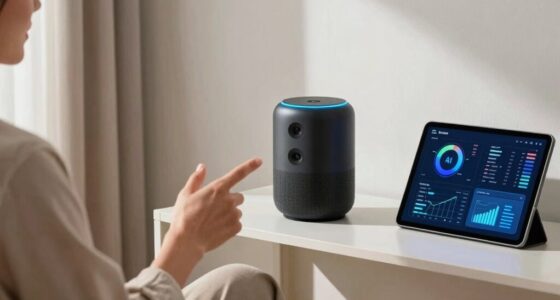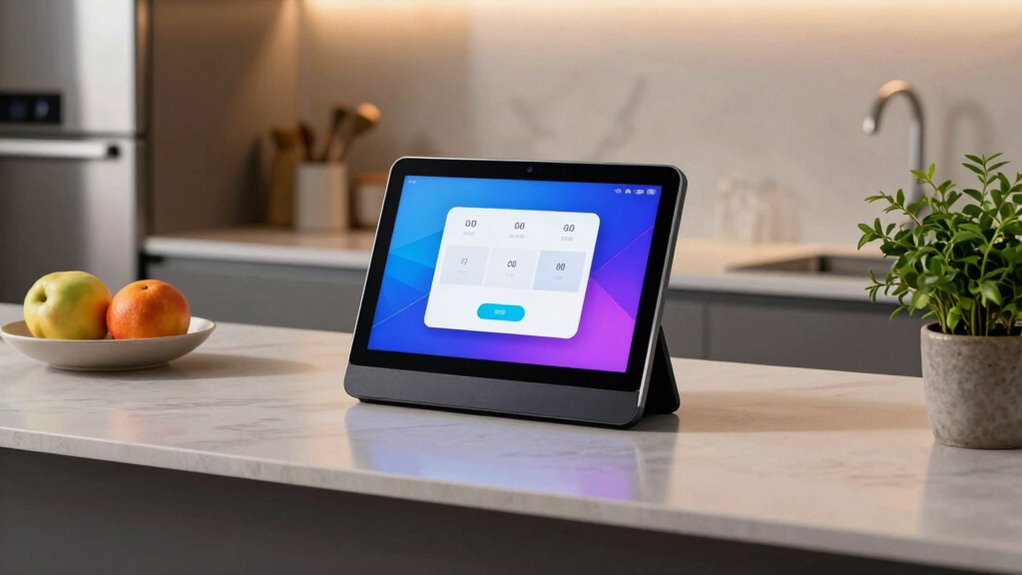

Smart displays in voice-first homes add a visual layer to your interaction, making it easier to control devices, see updates, and access content. They combine voice commands with visual cues, helping you avoid misunderstandings and navigate options smoothly. These displays also show step-by-step instructions, notifications, and multimedia, creating a more engaging and intuitive experience. If you want to discover how they can transform your smart home, there’s more to explore below.
Key Takeaways
- Enhance voice commands with visual feedback for clearer understanding and easier navigation.
- Serve as interactive hubs displaying weather, videos, recipes, and device controls.
- Improve user engagement through seamless integration of visual and voice interactions.
- Increase accessibility and usability, especially for non-tech-savvy users.
- Strengthen privacy and security features to protect user data in connected environments.

Smart displays are transforming voice-first homes by providing a seamless blend of visual and audio interactions. Instead of relying solely on voice commands, you now have a visual interface that makes controlling your smart home more intuitive and engaging. With a smart display, you can see weather updates, video calls, recipes, and even control other connected devices with just a tap or a voice command. This combination of visual cues and voice interaction not only enhances convenience but also makes managing your smart home feel more natural. Additionally, the integration of user interface design helps users navigate these devices more effectively, ensuring a smoother experience.
Smart displays blend visuals and voice for easier, more natural smart home control.
However, with increased connectivity, privacy concerns become more prominent. When your smart display constantly listens for commands, it raises questions about data security and how your personal information is stored and used. Manufacturers are working to address these concerns by integrating privacy features, like physical microphone switches and customizable privacy settings. Still, it’s essential for you to stay informed about how your data is handled and to take advantage of these controls to protect your privacy. Understanding privacy management is crucial in maintaining trust and security in a connected environment. Implementing strong security protocols can further safeguard your data from potential breaches. Moreover, adopting trustworthy device practices can help ensure your connected home remains secure and private. Incorporating privacy-aware design can also help manufacturers develop devices that better protect user data from the outset.
Another key aspect that smart displays improve in voice-first homes is user interface design. The visual element allows for a more organized and straightforward way to access information. Instead of relying solely on spoken instructions, you can see options, menus, and multimedia content clearly displayed on the screen. Good user interface design ensures that you can navigate your smart display effortlessly, whether you’re setting reminders, viewing security camera footage, or playing music. Manufacturers focus on creating clean, simple layouts that minimize clutter and make interactions feel natural, even for those who aren’t tech-savvy.
The visuals also help reduce misunderstandings that can happen with voice commands alone. Sometimes, speech recognition isn’t perfect, and a display can clarify what’s being asked or show relevant options. For example, if you ask for a recipe, the display can show step-by-step instructions, pictures, and ingredient lists, making cooking more accessible. This visual support enhances your overall experience, making smart displays more than just voice assistants—they turn into helpful, interactive hubs for your connected home.

Sensi Touch Smart Thermostat by Emerson with Touchscreen Color Display, Programmable, Wi-Fi, Mobile App, Easy DIY, Data Privacy, Works with Alexa, Energy Star Certified, ST75 – Black, C-Wire Required
- Privacy Protection: Won't sell your personal info
- Easy DIY Installation: Built-in level and step-by-step app
- Energy Savings: Save about 23% on HVAC energy
As an affiliate, we earn on qualifying purchases.
As an affiliate, we earn on qualifying purchases.
Frequently Asked Questions
Can Smart Displays Function Without an Internet Connection?
Smart displays typically can’t function fully without an internet connection. Offline functionality is limited, mainly allowing local control of connected devices, like adjusting smart lights or thermostats within your home. You won’t be able to access voice assistants, stream media, or get real-time updates. To maximize their capabilities, make sure your smart display stays connected online. Otherwise, you’re mostly relying on local control features, which don’t require internet but are more limited.
How Secure Are My Privacy Settings on Smart Displays?
Your privacy settings on smart displays are surprisingly secure—if you ignore the irony of trusting a device designed to listen in. While manufacturers claim robust data management, privacy concerns linger because these devices continuously collect and analyze data. You can customize privacy settings, but staying vigilant is key. Remember, the more you rely on voice-activated technology, the more your privacy becomes a delicate balance of trust and control.
Do Smart Displays Support Multiple User Profiles?
Yes, smart displays support multiple user profiles. This feature allows the device to recognize different users through user recognition, enabling personalized suggestions and tailored content for each person. When you set up profiles, the display can differentiate voices and preferences, making your experience more seamless. You and your family members can enjoy customized music, calendars, and reminders, all while maintaining privacy and convenience within a shared device environment.
What Is the Average Cost of a Smart Display?
The average cost of a smart display ranges from $80 to $250, depending on features. For example, models with high display resolution options, like 10-inch screens, tend to be on the higher end. You can customize voice commands for better interaction, making these devices versatile. Prices vary based on display size, resolution, and additional features like cameras or speaker quality, so you can find an option that fits your budget.
How Do Smart Displays Integrate With Existing Smart Home Devices?
Smart displays seamlessly integrate with your existing smart home devices through smart home automation, allowing you to control lights, thermostats, and security systems with voice commands or touch. You can customize voice commands for specific actions, making your smart home more intuitive. By linking your devices, the smart display acts as a central hub, providing real-time updates and simplifying management, so your home responds effortlessly to your needs.
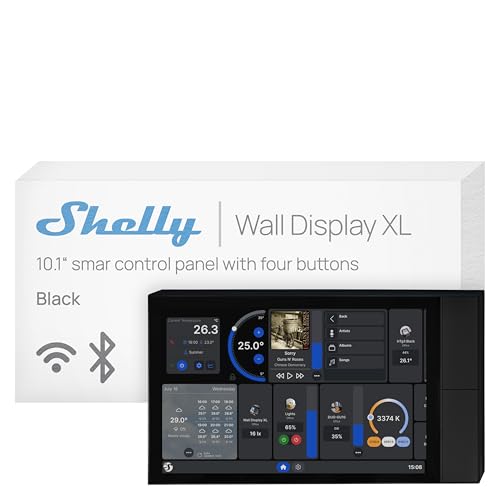
Shelly Wall Display XL Black – 10.1 Inch Touchscreen WiFi Smart Home Control Panel, Built-in 5A Relay, Works with Alexa, Google, HomeKit, Home Assistant, 4 Buttons, Lux Sensor, Neutral Wire Required
- Size: 10.1-inch touchscreen display
- Control Panel: Wi-Fi smart home control panel
- Built-in Relay: 5A relay for device control
As an affiliate, we earn on qualifying purchases.
As an affiliate, we earn on qualifying purchases.
Conclusion
Imagine waking up to the gentle glow of your smart display, sunlight spilling across the screen as your voice gently guides your morning routine. These devices don’t just add convenience—they create a seamless, calming harmony within your home. With every glance and command, you weave technology into your daily life, transforming your space into a sanctuary of effortless connection. In this quiet symphony, your voice and the display work together, making your home feel truly alive.

Amazon Echo Hub (newest model), 8” smart home control panel, Designed for Alexa+, Compatible with thousands of devices
- Smart Home Control Panel: Easy-to-use home control interface
- Customizable Dashboard: Arrange and resize device controls
- Alexa+ Integration: Enhanced voice control features
As an affiliate, we earn on qualifying purchases.
As an affiliate, we earn on qualifying purchases.
smart display for recipes and multimedia
As an affiliate, we earn on qualifying purchases.
As an affiliate, we earn on qualifying purchases.