To prevent Alexa and Google from eavesdropping, start by disabling their wake word detection in the settings app, so they don’t listen constantly. Review and delete your voice history regularly, and consider turning off voice recording storage altogether. Manage third-party skills carefully, removing ones you don’t use or trust. You can also place devices in common areas and turn them off when not needed. Exploring these options further helps you feel more in control of your privacy.
Key Takeaways
- Disable “listen for wake word” features in device settings to prevent passive listening.
- Review and delete voice recordings regularly through your account privacy settings.
- Turn off or pause voice recording history to minimize stored audio data.
- Manage and disable third-party skills or apps that request microphone access.
- Place devices in common areas and power them down when privacy is a concern.
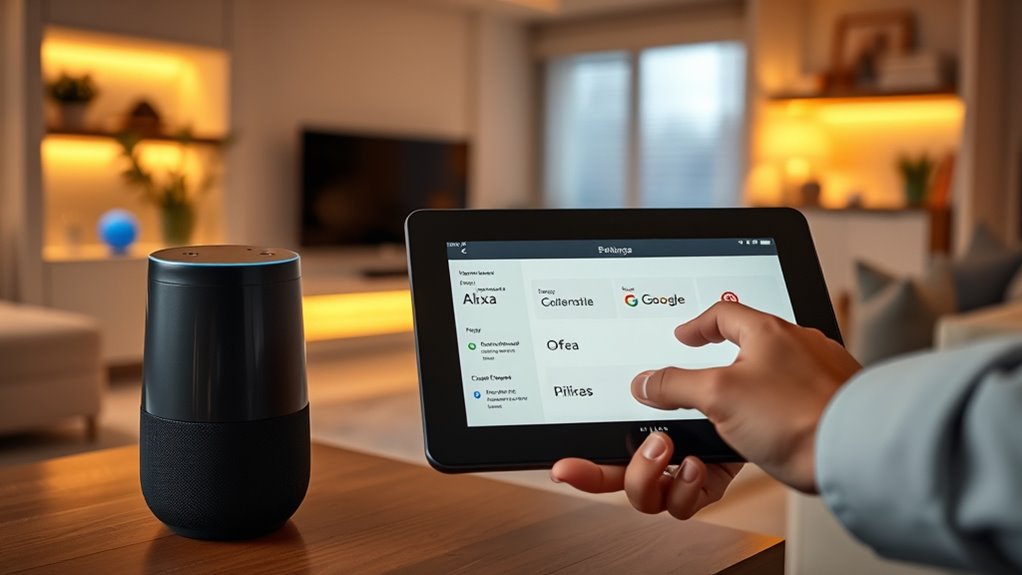
Have you ever wondered what happens to your voice commands after you speak them to your smart device? When you activate your voice assistant like Alexa or Google, your words are sent to the company’s servers for processing. While this makes your device responsive and capable of understanding complex commands, it also raises concerns about privacy. Many users aren’t aware of how their data is stored, used, or shared. Fortunately, you can take steps to tighten your privacy settings and prevent your devices from eavesdropping on your conversations.
Understanding how your voice commands are processed and stored helps protect your privacy.
The first step is to understand that these assistants are always listening for a wake word, like “Hey Alexa” or “Hey Google.” While they only process commands after hearing the wake word, some devices may inadvertently pick up background conversations or noise. To mitigate this, you should regularly review and adjust your voice assistant’s settings. Most devices allow you to disable the “listen for wake word” feature when you’re not actively using the device, which means it won’t be constantly listening in the background. You can turn this off through the device’s app or settings menu, giving you more control over when your device is listening.
Another important step is managing your voice history. Both Amazon and Google store recordings of your commands to improve their services. You can access these recordings through your account settings and delete them manually or set up automatic deletion options. Doing so ensures that your voice data doesn’t accumulate over time, reducing the risk of sensitive information being stored without your knowledge. These platforms also offer options to limit how long recordings are kept and to prevent future recordings altogether if you prefer not to have your voice data stored.
Additionally, you should review third-party skills and integrations linked to your voice assistant. Some skills require access to your microphone or other personal data, which could compromise your privacy if not properly managed. Disable or remove any skills or apps that you no longer use or trust, and carefully read permissions before enabling new ones. This way, you prevent unnecessary access to your voice data and minimize potential vulnerabilities.
Furthermore, understanding the privacy implications of smart home devices can help you make informed decisions about device placement and usage. Keep them in common areas rather than private spaces to reduce the risk of eavesdropping on sensitive conversations. If privacy is a top concern, you can also disconnect or power down your device when it’s not in use. Remember, technology is powerful but not infallible, so staying proactive about your privacy is essential. By adjusting settings, managing recordings, and being mindful of device placement, you can enjoy the convenience of your smart assistant without sacrificing your privacy.

Amazon Echo Dot (newest model) – Vibrant sounding speaker, Designed for Alexa+, Great for bedrooms, dining rooms and offices, Charcoal
- Music and Content Playback: Stream music, audiobooks, podcasts via Bluetooth
- Voice Assistant Support: Ask Alexa for weather, timers, answers, jokes
- Smart Home Control: Manage compatible devices with voice commands
As an affiliate, we earn on qualifying purchases.
As an affiliate, we earn on qualifying purchases.
Frequently Asked Questions
Can I Completely Disable My Voice Assistant’s Microphone?
Yes, you can completely disable your voice assistant’s microphone. Most devices have a physical button that turns off the mic, ensuring it can’t listen or record anything. For example, on Alexa devices, press the microphone off button; on Google devices, do the same. When disabled, the assistant won’t respond to voice commands or listen in, giving you peace of mind about privacy. Just remember to turn it back on when needed.
How Often Does Alexa or Google Delete Recorded Data Automatically?
Think of your voice data as a garden that needs regular tending. Alexa and Google automatically delete recordings after 18 months, but you can delete them sooner through your account settings. You also have control to limit what’s stored by adjusting privacy options. Regularly review and delete old recordings to keep your data from growing wild, ensuring your privacy stays in your hands, not the cloud.
Are There Privacy Risks With Third-Party Skills or Apps?
Yes, third-party skills and apps can pose privacy risks because they often access your data or microphone. When you enable these skills, you grant them permission to collect information, which could be misused or leaked. To protect yourself, review permissions carefully, disable or delete skills you no longer use, and regularly check privacy settings. Staying vigilant helps minimize potential risks from third-party integrations.
Can I Review and Delete Specific Voice Recordings?
Yes, you can review and delete specific voice recordings. Simply access your device’s app or website, navigate to the privacy or history section, and select the recordings you want to manage. With a few clicks, you can review what’s stored, and delete or manage recordings to control your privacy. Stay savvy by regularly checking and cleaning your voice data, keeping your conversations confidential and your comfort intact.
Do Voice Assistants Listen to Conversations When Not Activated?
No, your voice assistants aren’t listening constantly. They only start listening when you say their wake words, like “Alexa” or “Hey Google.” However, they do process and store some audio recordings after activation, which you can review and delete. To stay safe, check your privacy settings regularly, disable voice recording history if you’re concerned, and mute the device when you’re not using it.

Google Nest Doorbell (Battery) – Snow
- Smart Detection: Identifies people, packages, animals, vehicles
- Remote Monitoring: HD live video with HDR and night vision
- Event History: 3 hours free, up to 60 days with subscription
As an affiliate, we earn on qualifying purchases.
As an affiliate, we earn on qualifying purchases.
Conclusion
Just as a lighthouse guides ships safely through foggy waters, your privacy settings illuminate your control over voice assistants. By adjusting these options, you prevent uninvited eavesdroppers from lurking in the shadows of your smart home. Remember, you hold the power to keep your conversations private, turning off listening features when not needed. Take charge today, and navigate your digital world with confidence—your personal sanctuary amid the waves of technology.

44 Pack Speaker Dustproof Stickers Protector with 10 Pcs Silicone Anti Dust Plugs Caps, Mesh Speaker Anti Dust Adhesive Cover Compatible with iPhone 16 15 14 13 12 Pro, 2 Sizes, 2 Colors
- Wide Compatibility: Fits various Apple and Android devices
- Waterproof Mesh Design: Reduces ash and water ingress
- Anti Dust Plugs: Securely fits multiple iPhone models
As an affiliate, we earn on qualifying purchases.
As an affiliate, we earn on qualifying purchases.
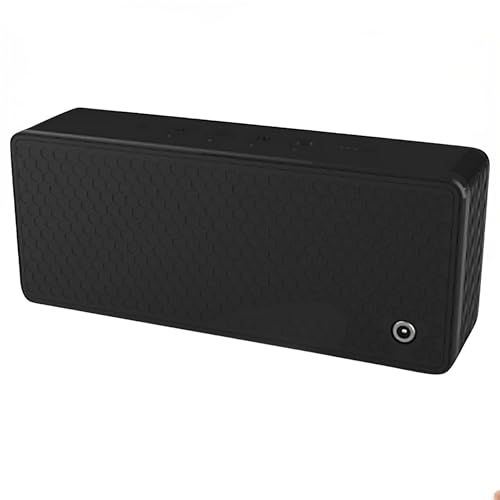
Spy Associates Ultrasonic Privacy Protector – Portable Acoustic Masking Device, Voice Privacy Tool for Secure Conversations in Meetings, Offices, Cars & Travel
- Ultrasonic Speech Privacy: Uses inaudible ultrasonic sound to mask speech
- Adaptive Privacy Coverage: Covers up to 20 ft with 270° protection
- Multiple Operation Modes: Manual, remote, and voice-activated modes
As an affiliate, we earn on qualifying purchases.
As an affiliate, we earn on qualifying purchases.