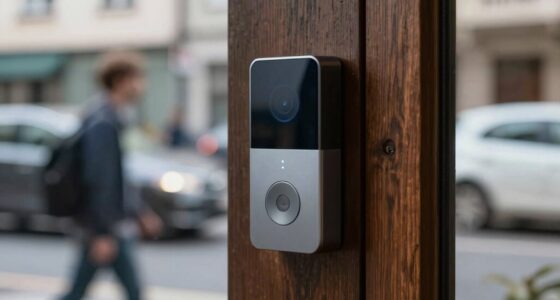
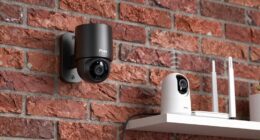
Cloud storage for your home security devices is a secure and flexible solution that offers reliable, accessible footage without physical units. It encrypts your data during transfer and storage, protecting you from cyber threats. You can easily scale up storage as your needs grow, and enjoy remote access from any device. With proper security practices, it’s a hassle-free way to keep your home safe—if you stay informed, you’ll understand how to maximize its benefits.
Key Takeaways
- Cloud storage offers reliable, remote access to security footage without physical device dependence.
- Data encryption ensures footage remains secure during transmission and storage, protecting against unauthorized access.
- Providers often comply with security standards and conduct audits to enhance data protection.
- Cloud services allow flexible storage capacity, scaling easily with increased device or resolution needs.
- Using cloud storage simplifies footage management, enhances privacy, and supports home security growth.

Cloud storage has become an essential component of modern home security systems, offering a convenient and reliable way to store footage without the need for physical devices. When you opt for cloud storage, your security footage is transmitted over the internet and stored on remote servers managed by a service provider. This setup means you don’t have to worry about running out of space on local devices or dealing with the hassle of physical backups. Instead, you can access your footage anytime, from anywhere, using your smartphone, tablet, or computer, making remote monitoring more straightforward than ever.
One of the key benefits of cloud storage is data encryption. Reputable providers prioritize your security by encrypting your footage both during transmission and while stored on their servers. This process guarantees that your sensitive security footage remains private and protected from unauthorized access. You can feel confident that your home’s security data is shielded from cyber threats, even if someone attempts to intercept the data during upload or download. Encryption acts as a digital lock, safeguarding your footage against hacking or breaches, which is especially important given the sensitive nature of home security recordings. Additionally, understanding the security practices of your provider can help ensure your data remains protected against evolving cyber threats. Cloud storage providers often have compliance standards that further enhance your data security. Implementing regular security audits can help identify potential vulnerabilities in your security strategy. Staying informed about cybersecurity best practices can also bolster your overall data protection efforts.
Data encryption ensures your security footage remains private and protected from cyber threats during upload and storage.
Another essential aspect of cloud storage is storage scalability. Unlike traditional physical storage solutions, cloud services allow you to easily increase or decrease your storage capacity based on your needs. If you install more cameras or start recording in higher resolution, your storage plan can be adjusted accordingly without the need for new hardware. This flexibility means you only pay for what you need, and you can expand your storage as your home security requirements grow. It’s a practical advantage for homeowners who want their security system to evolve with their lifestyle, without the constraints of fixed storage limits.
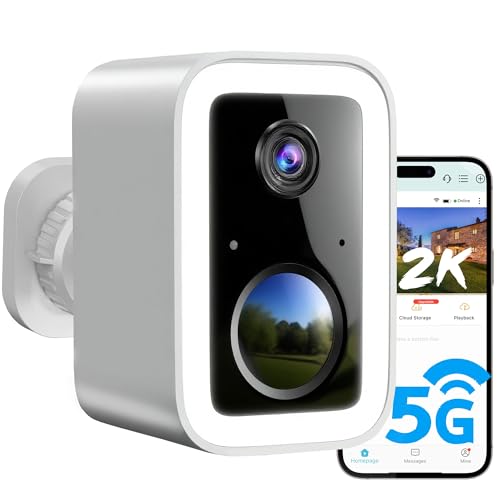
2K Security Cameras Wireless Outdoor, Free Cloud Storage, Integrated Spotlight & Siren, AI Motion Detection, 2-Way Audio, 1-6 Months Battery Life, Cameras for Home Security Support 5GHz WiFi, IP66
🌟【Latest Upgrades】2K 3MP Super HD & full color night vision. Upgraded integrated spotlight and siren. Free cloud storage….
As an affiliate, we earn on qualifying purchases.
As an affiliate, we earn on qualifying purchases.
Frequently Asked Questions
How Secure Is My Data Stored in the Cloud?
Your data stored in the cloud is generally secure, thanks to strong encryption protocols that protect your information during transfer and storage. Cloud providers also implement data redundancy, ensuring your footage is backed up across multiple servers. While no system is completely invulnerable, these measures markedly reduce risks. To enhance security, choose reputable providers, enable two-factor authentication, and regularly update your passwords.
Can I Access Cloud Footage Without an Internet Connection?
You can’t access cloud footage without an internet connection. However, many systems offer offline access through a local backup, like an SD card or external hard drive, which allows you to view footage directly on your device. To guarantee continuous access, consider a security setup that combines cloud storage with local backup options, so you can review footage even when your internet is down.
What Happens if the Cloud Service Provider Goes Out of Business?
If your cloud service provider goes out of business, it’s a bit like relying on a fairy tale—until the magic disappears. You’ll need to do a data migration quickly, or risk losing access to your footage during service outages. Sadly, without a backup plan, you might find yourself scrambling to recover your security data, proving that trusting cloud storage can sometimes feel like betting on a fleeting illusion.
Are There Any Hidden Costs With Cloud Storage Plans?
You might face pricing surprises with cloud storage plans, as some providers charge extra for upgrades or additional features. Always read the fine print to understand potential hidden costs. Additionally, consider data privacy concerns, since your footage is stored on third-party servers. Make sure the provider has strong security measures and transparent policies to protect your information. Being aware of these factors helps you avoid unexpected expenses and safeguard your privacy.
How Long Does Cloud Footage Typically Get Stored?
Cloud footage typically gets stored for a specific storage duration, which varies by provider and plan. Most services retain data from 7 to 30 days, but some offer longer data retention options for an additional fee. You should check your provider’s storage duration policies to understand how long your footage will be accessible. This way, you can guarantee you’re comfortable with the data retention period and plan accordingly.

2026 Enhanced 2K UHD Security Cameras Wireless Outdoor – Free Cloud & SD Storage, Dual-Band WiFi 2.4G/5G, Full-Color Night Vision, 6-Month Battery, Motion Alerts, IP66 Weatherproof, 2-Way Talk
📌【Why Choose Us?】 Millions of families trust realhide for hassle-free, reliable home security. From easy setup to long-lasting…
As an affiliate, we earn on qualifying purchases.
As an affiliate, we earn on qualifying purchases.
Conclusion
As you settle into your cozy home, knowing your security footage is safely stored in the cloud feels like having an invisible shield. Imagine the gentle hum of your devices, quietly watching over your space, ready to spring into action if needed. With cloud storage, you’re not just protecting your belongings—you’re creating a secure sanctuary. Rest easy tonight, knowing that your peace of mind is just a click away, wrapped in the comforting glow of your connected home.

GMK Security Cameras Wireless Outdoor 4 Pack, 2K Battery Powered Cameras for Home Security, Color Night Vision, Motion Detection, 2-Way Talk, IP65 Waterproof, Remote Access, Cloud/SD Storage
【2K Ultra HD & Full Color Night Vision – 4 Cam Kit】Upgrade your home security with this 4…
As an affiliate, we earn on qualifying purchases.
As an affiliate, we earn on qualifying purchases.

Yxk Zero1 2-Bay Desktop NAS, Maximum 60TB (Diskless), User-Friendly Home NAS Storage, Private Security & Remote Access, Silent, 4GB RAM, 2.5GbE Port, 4K HDMI, Network Attached Storage
Advanced Storage Management & Resilience: Yxk NAS ensures data integrity through enterprise-grade features like RAID redundancy, automated backups,…
As an affiliate, we earn on qualifying purchases.
As an affiliate, we earn on qualifying purchases.