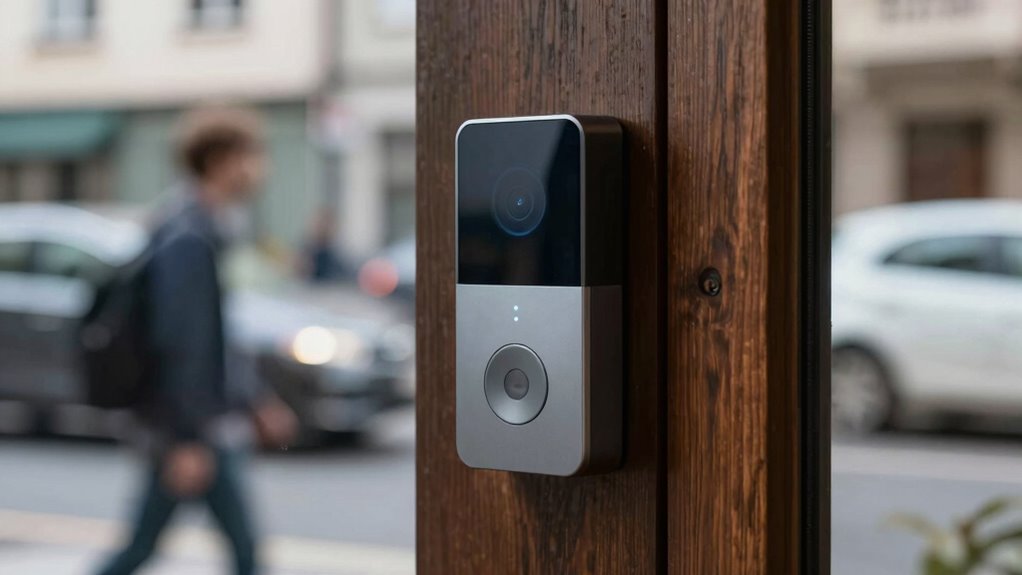

If your smart doorbell keeps missing events, check your power supply—low or unstable batteries and poor wiring can cause it to shut down or miss alerts. Confirm your Wi-Fi is strong and stable by placing your router closer or upgrading it, especially if interference is an issue. Using the 2.4 GHz band usually improves range. Managing interference and optimizing your network can make a big difference. Keep going for more tips to improve your doorbell’s reliability.

Get home appliances delivered free with Prime
- Fast, free delivery on millions of items
- Prime Video, Amazon Music and more included
- Member-only deals all year
Key Takeaways
- Ensure the doorbell has sufficient battery charge or replace batteries regularly to prevent power loss.
- Verify proper wiring and stable power supply in hardwired models to avoid missed alerts.
- Position your Wi-Fi router closer to the doorbell and reduce obstructions for a stronger, more stable connection.
- Use the 2.4 GHz Wi-Fi band, which offers better range and compatibility for most smart doorbells.
- Minimize electronic interference and optimize network settings to maintain reliable connectivity and notifications.

Smart doorbells have become popular for their convenience and security, but many users notice they sometimes miss important events—like someone ringing the bell or a package delivery. One common reason for this is unreliable battery life. If your doorbell’s battery is low, it may turn off or enter a power-saving mode, causing missed notifications. To prevent this, you should regularly check the battery level and recharge or replace it as needed. Some models offer rechargeable batteries with longer life spans, so investing in those can reduce the chances of your doorbell losing power unexpectedly. Also, make certain that your doorbell is wired correctly if it’s a hardwired model, as poor wiring can cause inconsistent power supply, leading to missed alerts.
Another major factor is network stability. Smart doorbells rely on a Wi-Fi connection to send video feeds and notifications. If your Wi-Fi signal is weak or unstable, your device may struggle to communicate with your network, resulting in missed events. To improve this, position your router closer to your doorbell or eliminate physical obstructions like thick walls or large metal objects. Upgrading to a dual-band router that supports both 2.4 GHz and 5 GHz frequencies can also help, since many smart doorbells work better on the 2.4 GHz band due to its longer range. Additionally, ensure that your Wi-Fi network has sufficient bandwidth; multiple devices competing for bandwidth can cause lag or dropped connections. Setting up a dedicated network or a separate SSID for your smart devices can help maintain a stable connection. Ensuring your device is compatible with reliable Wi-Fi standards can also improve overall communication. Regularly testing your network’s signal strength can help identify and resolve connectivity issues before they affect your doorbell’s performance. Managing interference from other electronic devices is also crucial, as it can disrupt your Wi-Fi signal and cause missed notifications. Optimizing your network settings and interference management can further enhance connection stability and reduce missed events.
rechargeable smart doorbell batteries
As an affiliate, we earn on qualifying purchases.
As an affiliate, we earn on qualifying purchases.
Frequently Asked Questions
Can Weather Conditions Affect Smart Doorbell Event Detection?
Weather interference can definitely affect your smart doorbell’s event detection, especially in heavy rain, snow, or fog, which can obscure the camera’s view. Signal interference from weather conditions like strong winds or storms can also disrupt Wi-Fi connection, causing missed alerts. To reduce this, make sure your doorbell is weatherproofed, positioned away from interference sources, and your Wi-Fi signal is strong and stable for consistent detection.
Do Different Brands Have Varying Event Detection Accuracy?
Different brands do vary in detection accuracy, so it’s important to compare them. In a brand comparison, some smart doorbells use advanced sensors and algorithms that catch more events, while others might miss essential moments. You’ll find that top-tier brands generally deliver better detection accuracy, reducing false alerts and missed events. Don’t settle for the first one; research to find a doorbell that matches your needs for reliable security.
How Does Internet Speed Impact Doorbell Event Recording?
Your internet speed directly impacts doorbell event recording because video compression requires sufficient bandwidth. If your bandwidth limitations are tight, it can cause lag or missed events. Faster internet allows smoother video compression, reducing lags and guaranteeing events are recorded accurately. To improve recording reliability, confirm your connection offers enough bandwidth, especially during peak times, so the doorbell’s video stream isn’t compromised by slow internet or heavy network traffic.
Are There Specific Settings to Improve Motion Detection?
Coincidentally, adjusting your motion zones and notification settings can greatly improve detection accuracy. You should customize motion zones to focus on high-traffic areas, reducing false alerts. Also, tweak notification settings to alert you only for specific motions or times. This way, your doorbell becomes more responsive, capturing important events without unnecessary notifications, ensuring you won’t miss essential moments right at your doorstep.
How Often Should Firmware Updates Be Performed?
You should perform firmware updates on your smart doorbell as soon as they’re available. Regular updates guarantee you receive the latest security enhancements, bug fixes, and performance improvements. Keeping your firmware current helps prevent missed events by optimizing motion detection and overall functionality. Check for updates monthly or whenever notifications prompt, and install them promptly to maintain security and assure your smart doorbell operates smoothly and reliably.
dual band Wi-Fi router for smart home
As an affiliate, we earn on qualifying purchases.
As an affiliate, we earn on qualifying purchases.
Conclusion
So, next time your smart doorbell misses an event, remember it’s not just bad luck. Sometimes, it’s about adjusting your settings, clearing the camera’s view, or simply updating the software. It’s funny how a small tweak can make all the difference—kind of like finding that missing sock after laundry day. With a little patience and attention, you’ll catch more moments, making your smart doorbell truly smarter and more reliable than ever.
Wi-Fi range extender for doorbell
As an affiliate, we earn on qualifying purchases.
As an affiliate, we earn on qualifying purchases.
As an affiliate, we earn on qualifying purchases.
Cold & flu season Picks
humidifiers
As an affiliate, we earn on qualifying purchases.