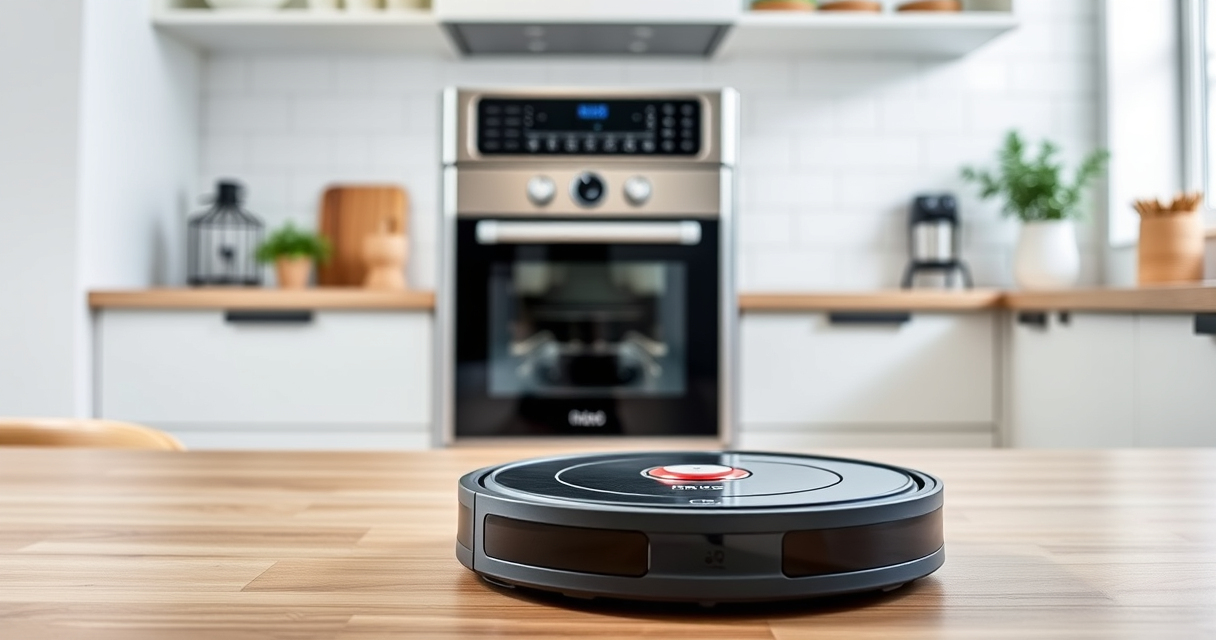
If your Roborock Q10 S5+ robot vacuum is cleaning well but refuses to mop, it can be frustrating. Proper mopping depends on several factors, from water supply to software settings. This guide provides clear, step-by-step troubleshooting to help you restore effective mopping function safely and efficiently.

Get home appliances delivered free — and shop member deals
- Fast, free delivery on millions of items
- Access to Prime Big Deal Days deals on October 6–7
- Prime Video, Amazon Music and more included
By following these instructions, you’ll be able to identify common problems and fix them without professional assistance, ensuring your floors stay spotless and your robot operates smoothly.
Key Takeaways
| Check water tank and mop pad | Ensure water is flowing and the mop pad is properly installed. |
| Software settings | Verify mopping is enabled in the app and settings are correct. |
| Inspect hardware | Look for clogs, debris, or damage in the water outlet and mop components. |
| Update firmware | Keep your Roborock updated to avoid bugs affecting mopping. |
| Perform maintenance | Regularly clean filters, brushes, and water components for optimal performance. |
Check the Water Tank and Mop Pad
- Ensure the water tank is filled to the recommended level, and securely attached to the robot. A loose or empty tank prevents water flow.
- Inspect the mop pad for proper installation. It should be clean, dry, and firmly attached to the mop plate.
- Check for clogs in the water outlet or nozzle. Clear any blockages with a soft brush or compressed air.
Verify App and Software Settings
- Open the Roborock app and confirm that mopping is enabled in the cleaning preferences.
- Ensure the selected cleaning mode includes mopping. Some modes may only vacuum.
- Update the robot’s firmware to the latest version via the app to fix bugs affecting mopping.
Inspect Hardware for Blockages and Damage
Carefully examine the water outlet, mop attachment, and brushes for debris or damage. Clean any buildup with a soft cloth and check for worn or broken parts.
If the water outlet is clogged or the mop pad is worn out, replace or clean these components to restore water flow and mopping ability.
Perform Routine Maintenance
- Clean the filter regularly to prevent airflow and water flow issues.
- Check and clean the main brush and side brushes to prevent tangles and debris buildup.
- Replace the washable filter if it’s excessively dirty or damaged.
Test the Mopping Function
After completing the above steps, run a test cleaning cycle with mopping enabled. Observe whether water is being dispensed and the mop pad moves correctly.
If the robot still refuses to mop, consider resetting the device or contacting customer support for further assistance.
The Products in This Guide

roborock Q10 S5+ Robot Vacuum and Mop
- ✔ Weight: Approx. 4.8 kg
- ✔ Charging Time: 3-4 hours
- ✔ App Control: Yes

4 Pack Washable Filter
- ✔ Package: 4 filters
- ✔ Compatibility: Multiple models
- ✔ Material: HEPA
roborock Q10 S5+ Robot Vacuum and Mop
The Roborock Q10 S5+ offers powerful 10,000 Pa suction, obstacle avoidance, sonic mopping, and a 70-day self-emptying station. Its dual anti-tangle system minimizes hair tangling, making maintenance easier. Ideal for busy households and pet owners, it combines high performance with convenience.
Pros:
- Powerful 10,000 Pa suction
- Sonic mopping with VibraRise 2.0
- Self-emptying station for 70 days
- Obstacle avoidance technology
Cons:
- Higher price point
- Requires regular filter cleaning
- Mopping may be less effective on uneven floors
Best for: Large households, pet owners, busy families seeking low-maintenance cleaning
Not ideal for: Users on a tight budget or those with very uneven flooring
Bottom line: A highly capable robot vacuum and mop with advanced features for efficient cleaning.
4 Pack Washable Filter
This 4-pack of washable filters is compatible with multiple Roborock models, including the Q7 and Q8 Max. They are designed to perform as effectively as original filters, ensuring your vacuum maintains strong suction and filtration.
Pros:
- Effective HEPA filtration
- Reusable and washable
- Easy to install
- Compatible with multiple models
Cons:
- Requires regular cleaning
- Not OEM, but high quality
- Replacement needed every few months
Best for: Maintaining optimal suction and air quality in your robotic vacuum
Not ideal for: Users seeking OEM parts or with very specific model requirements
Bottom line: A cost-effective way to keep your vacuum’s filtration system functioning perfectly.
Frequently Asked Questions
Why is my Roborock not dispensing water during mopping?
Check if the water tank is full, properly attached, and free of clogs. Also, ensure mopping is enabled in the app settings.
How often should I clean the water outlet and mop pad?
Clean the water outlet and mop pad after every few uses to prevent blockages and maintain effective water flow.
Can I use regular water in the tank?
Yes, use clean, room-temperature water. Avoid harsh chemicals or additives that could damage the components.
What should I do if my robot still won’t mop after troubleshooting?
Try resetting the device, updating firmware, or replacing worn parts. Contact customer support if the problem persists.
How do I know if my mop pad needs replacing?
Replace the mop pad every 1-3 months or when it shows signs of wear, fraying, or reduced cleaning effectiveness.
Ensuring Your Roborock Mops Perfectly Every Time
Regular maintenance and proper setup are key to keeping your Roborock Q10 S5+ performing its best in mopping tasks. By following these troubleshooting steps, you can quickly identify issues and restore full functionality, ensuring your floors stay spotless with minimal effort.
Remember to keep water levels adequate, clean components regularly, and update your device’s software for optimal performance. With a little care, your Roborock will continue to deliver efficient cleaning and mopping for years to come.
Affiliate disclosure: As an Amazon Associate we earn from qualifying purchases. Prices and availability are accurate as of the time of publishing.
NFL season / tailgating Picks
team gear
As an affiliate, we earn on qualifying purchases.