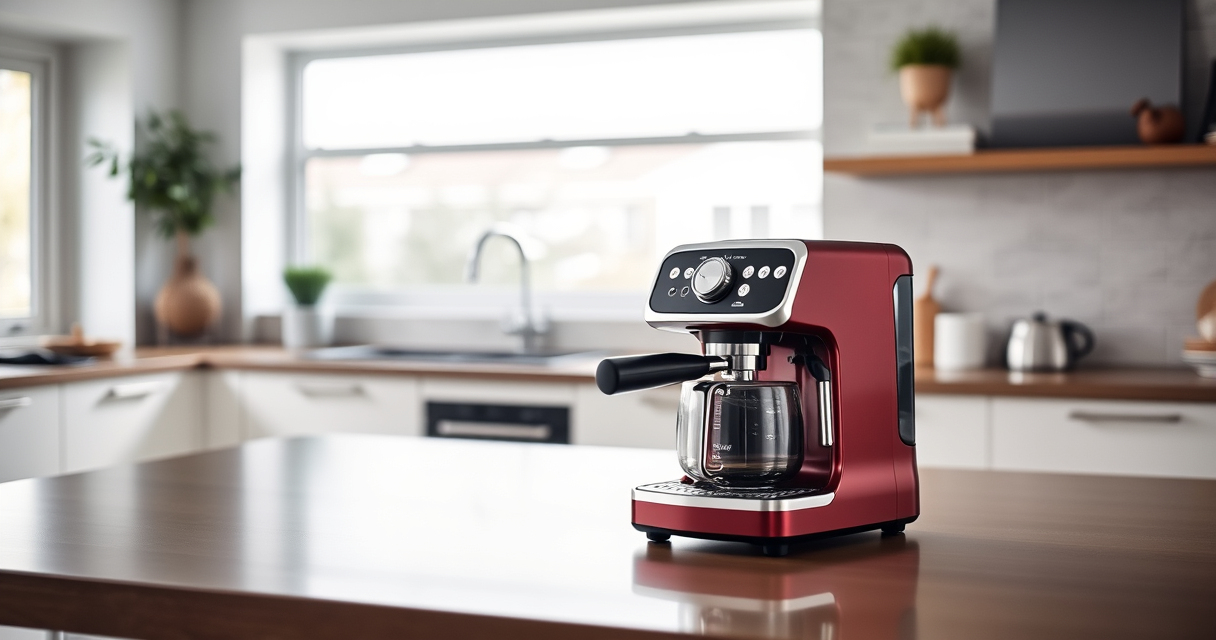
If your De’Longhi Magnifica Evo or similar espresso machine displays a persistent descale light, it can disrupt your coffee routine. This guide provides clear, safe steps to troubleshoot and resolve the issue, ensuring your machine stays in top shape.

Get home appliances delivered free — and shop member deals
- Fast, free delivery on millions of items
- Access to Prime Big Deal Days deals on October 6–7
- Prime Video, Amazon Music and more included
Regular descaling is essential, but sometimes the indicator gets stuck even after cleaning. Follow these instructions carefully to reset the alert and maintain optimal performance.
Key Takeaways
| Understanding the issue | The descale light may stay on due to incomplete descaling or sensor issues. |
| Preparation | Gather the right descaling solution and tools before starting. |
| Step-by-step fix | Properly descale, reset the indicator, and verify machine operation. |
| Preventative tips | Use filtered water and regular maintenance to avoid future problems. |
Step 1: Ensure Proper Descaling
- Fill the water tank with the recommended descaling solution, following the product instructions.
- Turn on your machine and initiate the descaling cycle as per the user manual.
- Let the cycle complete fully, ensuring the machine runs the entire descaling process.
Step 2: Rinse and Flush
- After descaling, rinse the water tank thoroughly and fill it with fresh, clean water.
- Run a rinse cycle to clear any residual descaling solution from the system.
- Repeat the rinse if necessary to ensure no solution remains.
Step 3: Reset the Descale Light
Most De’Longhi models require manual reset of the descale indicator. Consult your manual for specific instructions, but generally:
- Press and hold the descaling or reset button for about 10 seconds.
- Turn the machine off and on to see if the light clears.
- If the light persists, proceed to the next step.
Step 4: Check for Sensor or Software Issues
If the light remains on after descaling and resetting, the issue may be with the water hardness sensor or internal software. Try:
- Cleaning the water sensor with a soft cloth.
- Performing a factory reset if available in your machine’s settings.
Additional Tips and Warnings
- Always use the recommended descaling solution, such as the De’Longhi EcoDecalk Descaler, to avoid damage.
- Avoid using citric acid or homemade solutions that may harm your machine.
- Regularly check and replace water filters to prevent mineral buildup.
The Products in This Guide
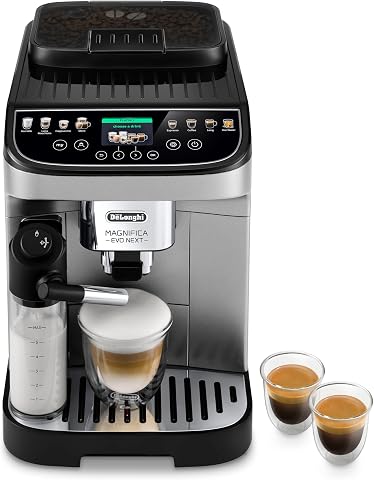
De’Longhi Magnifica Evo Next Fully Automatic Espresso Ma
- ✔ Water Filter Compatibility: Yes
- ✔ Programmable Recipes: 13
- ✔ Maintenance Indicator: Descale light

De’Longhi Replacement Water Filter
- ✔ Pack Size: 2 bottles
- ✔ Application: Universal descaler
- ✔ Ingredients: Plant-based lactic acid
De’Longhi Magnifica Evo Next Fully Automatic Espresso Ma
The De’Longhi Magnifica Evo Next offers advanced features like a built-in grinder and milk frother, making it a versatile choice for coffee lovers. Proper maintenance, including descaling, extends its lifespan.
Pros:
- Easy to use with one-touch recipes
- Customizable drinks
- Built-in grinder with 13 settings
- Automatic milk frother
Cons:
- Can be complex to troubleshoot
- Descaling process requires patience
- Sensor issues may need professional help
Best for: Home baristas seeking a fully automatic, feature-rich espresso machine
Not ideal for: Users looking for a simple, manual espresso maker
Bottom line: Regular descaling and proper reset procedures keep your De’Longhi machine functioning perfectly.
De’Longhi Replacement Water Filter
The De’Longhi EcoDecalk Descaler is a safe and eco-friendly choice to keep your espresso machine in top condition. It helps prevent lime scale buildup that causes descale light issues.
Pros:
- Fast-acting formula
- Eco-friendly ingredients
- Suitable for multiple brands
- Extends machine lifespan
Cons:
- Requires buy in bulk for frequent use
- Contains natural ingredients that may vary in strength
- Not a manual cleaning agent
Best for: Regular descaling and preventing lime scale issues
Not ideal for: Users needing immediate, heavy-duty descaling for severe buildup
Bottom line: Use eco-friendly descalers regularly to keep your machine running smoothly.
Frequently Asked Questions
Why does the descale light stay on after descaling?
It may be due to incomplete descaling, a sensor issue, or the need for a manual reset. Follow the reset instructions specific to your model.
How often should I descale my espresso machine?
Descale your machine every 2-3 months or based on the water hardness in your area. Using a water filter can reduce descaling frequency.
Can I use homemade solutions for descaling?
It’s best to use recommended descaling products like De’Longhi EcoDecalk to prevent damage and ensure proper cleaning.
What if resetting the descale light doesn’t work?
If resetting doesn’t resolve the issue, check for sensor cleanliness, perform a factory reset, or contact customer support for assistance.
Keep Your Espresso Machine in Top Shape
Regular descaling, proper reset procedures, and using recommended products like the De’Longhi EcoDecalk Descaler will help prevent the descale light from sticking and ensure your espresso machine performs at its best. With attentive maintenance, you’ll continue to enjoy delicious coffee every day.
Affiliate disclosure: As an Amazon Associate we earn from qualifying purchases. Prices and availability are accurate as of the time of publishing.
Fall yard work Picks
leaf blowers
As an affiliate, we earn on qualifying purchases.