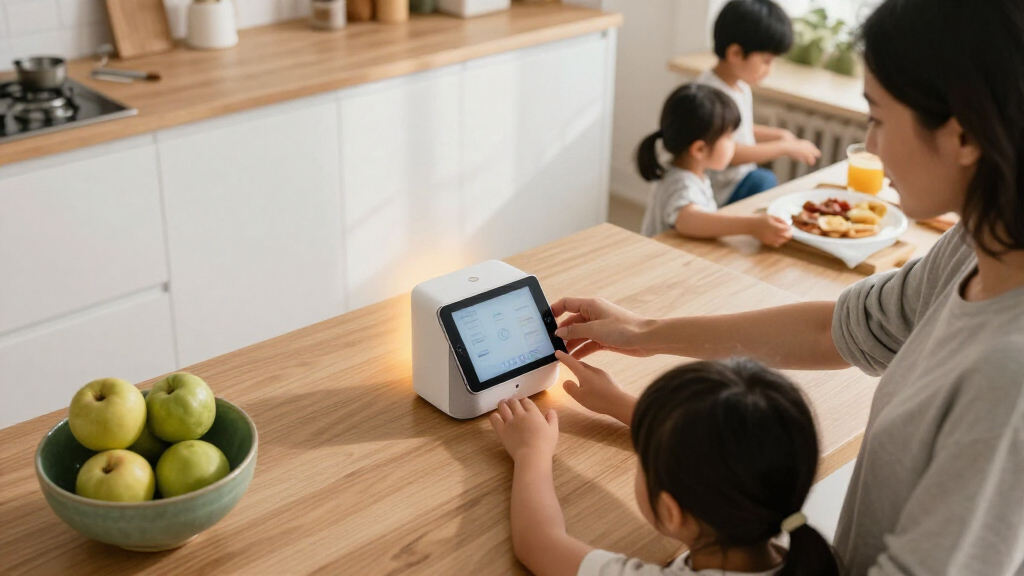

The best smart home devices for families make everyday routines easier without adding more setup or household friction. I’d put the Amazon Echo Hub Smart Home Starter Kit first for families who want a central control point plus bulbs and a plug to get started. The Echo Show 15 stands out for shared calendars and kitchen viewing, while the Kasa Smart Plug four-pack is a straightforward way to automate lamps and other small appliances. The main tradeoffs are how much control a family wants in one place, whether a screen or voice control fits its routines, and how much setup it can take on. Read on for the full breakdown and advice on choosing devices that suit your home.

Get home appliances delivered free with Prime
- Fast, free delivery on millions of items
- Prime Video, Amazon Music and more included
- Member-only deals all year
Complete the kit



Key Takeaways
- The amazon.com/dp/B0BFCBKXWL?tag=theintellihome-20&ascsubtag=dc-1168182″ target=”_blank” rel=”nofollow sponsored noopener”>amazon.com/dp/B0DC91H3JK?tag=theintellihome-20&ascsubtag=dc-1168182″ target=”_blank” rel=”nofollow sponsored noopener”>amazon.com/dp/B09B2SRGXH?tag=theintellihome-20&ascsubtag=dc-1168182″ target=”_blank” rel=”nofollow sponsored noopener”>amazon.com/dp/B0DB3YCPH5?tag=theintellihome-20&ascsubtag=dc-1168182″ target=”_blank” rel=”nofollow sponsored noopener”>amazon.com/dp/B0C5DPSW5Y?tag=theintellihome-20&ascsubtag=dc-1168182″ target=”_blank” rel=”nofollow sponsored noopener”>Echo Hub Starter Kit is the strongest starting point for a connected household: it pairs a control panel with four bulbs and a smart plug, rather than leaving families to source accessories separately.
- The Echo Show 15 is better suited to shared household information than a small bedside display: its larger screen and Fire TV make it a more flexible common-area device, but it needs more wall or counter space.
- The Kasa and Govee four-packs fill a similar entry-level role, but plug choice should follow ecosystem fit and setup preferences: neither is a substitute for a central controller.
- Echo speakers and displays serve different family routines: the Dot and Dot Max lean toward voice control and audio, while the Show models add visual information and the Echo Hub prioritizes device control.
- More capable devices bring more setup and placement decisions: families should choose a screen size, hub, or thermostat based on where people will use it and which household tasks they want to simplify.
| Amazon Smart Thermostat |  | Best for Energy-Conscious Families | Dimensions: 3.56 × 3.56 × 0.84 inches | Weight: 3.86 ounces | HVAC compatibility: Most 24V systems; C-wire required | VIEW LATEST PRICE | See Our Full Breakdown |
| Amazon Echo Dot (5th Gen) – Vibrant Sound, Alexa, Smart Home, Mesh Wi-Fi, Deep Sea Blue |  | Best Compact Voice Assistant | Dimensions: 3.9 × 3.9 × 3.5 inches | Weight: 10.7 ounces | Speaker: 1.6-inch full-range driver | VIEW LATEST PRICE | See Our Full Breakdown |
| Echo Show 15 (latest model), 15.6″ Full HD Smart Display with Fire TV and Alexa |  | Best for Family Organization | Display: 15.6-inch Full HD, 1920 × 1080 | Dimensions: 16.1 × 10.1 × 1.4 inches | Weight: 4.96 pounds | VIEW LATEST PRICE | See Our Full Breakdown |
| Amazon Echo Hub Smart Home Starter Kit with Smart Plug and Four Smart Bulbs |  | Best Starter Kit for Alexa Homes | Included items: Echo Hub, Amazon Smart Plug, and four Amazon Basics Smart Bulbs | Display: 8-inch touchscreen, 1280 × 800 | Dimensions: 7.9 × 5.4 × 0.6 inches | VIEW LATEST PRICE | See Our Full Breakdown |
| Amazon Echo Show 5 (Newest Model) – Smart Display with Alexa, 5.5″ Screen, Better Sound, Cloud Blue |  | Best Compact Smart Display | Display: 5.5 inches | Camera: 2 MP | Sound: Improved sound with deeper bass and clearer vocals | VIEW LATEST PRICE | See Our Full Breakdown |
| Amazon Echo Show 11 (2025 Model) – 11″ Full-HD Smart Display with Alexa+ and Spatial Audio |  | Best for Shared Family Spaces | Display: 11-inch Full-HD touchscreen, 1920 x 1200 | Dimensions: 10 x 5 x 7.2 inches | Weight: 45.92 oz | VIEW LATEST PRICE | See Our Full Breakdown |
| Amazon Echo Spot (latest model), Smart Alarm Clock with Alexa, Glacier White |  | Best for Family Nightstands | Display: 2.83-inch touchscreen, 240 x 320 | Dimensions: 4.5 x 4.1 x 4.4 inches | Weight: 14.3 oz | VIEW LATEST PRICE | See Our Full Breakdown |
| Echo Dot Max (newest model) with Alexa, Room-Filling Sound, and Built-in Smart Home Hub |  | Best Audio-First Smart Home Hub | Dimensions: 4.27 x 4.27 x 3.9 inches | Weight: 17.82 oz | Audio bandwidth: 53 Hz to 16 kHz | VIEW LATEST PRICE | See Our Full Breakdown |
| Govee Smart Plug, WiFi Outlet Compatible with Alexa & Google Assistant, 4 pcs |  | Best for Mixed Alexa and Google Homes | Pack size: 4 smart plugs | Voltage: 120 V | Maximum power: 1200 W | VIEW LATEST PRICE | See Our Full Breakdown |
| Kasa Smart Plug HS103P4, 4-Pack, Wi-Fi Outlet Compatible with Alexa & Google Assistant, UL Certified |  | Best for Straightforward Outlet Automation | Pack size: 4 smart plugs | Operating voltage: 120 V | Wattage: 1800 W | VIEW LATEST PRICE | See Our Full Breakdown |
| Amazon Echo Hub (newest model), 8″ Smart Home Control Panel with Alexa+ |  | Best for Centralized Smart Home Control | Display size: 8 inches | Compatibility: Alexa, Ring, Zigbee, Matter, Sidewalk, and Thread | Connectivity: Wi-Fi and Bluetooth | VIEW LATEST PRICE | See Our Full Breakdown |
| smart home devices for familie | Dimensions | Weight | Wi-Fi |
|---|---|---|---|
| Amazon Smart Thermostat | 3.56 × 3.56 × 0.84 inches | 3.86 ounces | 2.4 GHz, 802.11 b/g/n |
| Amazon Echo Dot | 3.9 × 3.9 × 3.5 inches | 10.7 ounces | Dual-band 802.11a/b/g/n/ac, 2.4 and 5 GHz |
| Echo Show 15 | 16.1 × 10.1 × 1.4 inches | 4.96 pounds | Wi-Fi 6E, tri-band, dual-antenna MIMO |
| Amazon Echo Hub Smart Home Sta | 7.9 × 5.4 × 0.6 inches | 12.9 ounces | — |
| Amazon Echo Show 5 | — | — | — |
| Amazon Echo Show 11 | 10 x 5 x 7.2 inches | 45.92 oz | Wi-Fi 6E |
| Amazon Echo Spot | 4.5 x 4.1 x 4.4 inches | 14.3 oz | Dual-band 2.4 and 5 GHz, 802.11a/b/g/n/ac |
| Echo Dot Max | 4.27 x 4.27 x 3.9 inches | 17.82 oz | Wi-Fi 6E |
| Govee Smart Plug | — | — | 2.4 GHz |
| Kasa Smart Plug HS103P4 | — | — | — |
| Amazon Echo Hub | — | — | — |
More Details on Our Top Picks
Amazon Smart Thermostat
For families who want to adjust heating and cooling without adding another screen to the home, the Amazon Smart Thermostat is the most focused pick here. Alexa app setup, schedules, vacation mode, and an energy dashboard can help household routines use less heating or cooling when rooms are empty. Compared with the Echo Hub Starter Kit, it does not add general device control or included smart bulbs; its value is in managing the HVAC system. It also reads indoor humidity, a useful bit of context when setting family comfort routines. The tradeoff is installation: it requires a C-wire or power adapter and works on 2.4 GHz Wi-Fi only. There is no built-in microphone, so voice control needs a separate Alexa-enabled device.
Pros:- Alexa app-guided DIY installation
- Schedules, vacation mode, and an energy dashboard support more efficient household routines
- Indoor humidity sensing adds context to temperature settings
- Works with most 24V HVAC systems and carries ENERGY STAR and ECOLOGO Gold certifications
Cons:- Requires a C-wire or power adapter
- Supports 2.4 GHz Wi-Fi, not 5 GHz
- Voice control requires a separate Alexa-enabled device
Best for: Families with a compatible 24V HVAC system who want scheduled, remote temperature control and already use Alexa.
Not ideal for: Renters, homes without a C-wire or suitable power adapter, and households that want a thermostat with built-in voice control.
- Dimensions:3.56 × 3.56 × 0.84 inches
- Weight:3.86 ounces
- HVAC compatibility:Most 24V systems; C-wire required
- Wi-Fi:2.4 GHz, 802.11 b/g/n
- On-device controls:3 touch buttons
- Sensors and features:Indoor humidity sensing, schedules, emergency heat, vacation mode, energy dashboard, and automatic air filter ordering
- Certifications:ENERGY STAR and ECOLOGO Gold
Our verdict“Choose this thermostat if your family wants Alexa-based HVAC scheduling and has the wiring and Wi-Fi it requires.”
Amazon Echo Dot (5th Gen) – Vibrant Sound, Alexa, Smart Home, Mesh Wi-Fi, Deep Sea Blue
The Echo Dot (5th Gen) is a practical family-room or bedroom assistant when the main need is hands-free timers, music, questions, and control of compatible smart devices. Its compact body and full-range speaker make it easier to place around the home than the large Echo Show 15, though it cannot display calendars, video calls, or visual reminders. A distinctive extra is eero Built-in, which can extend compatible eero coverage in supported setups; that may help a connected home, but its performance depends on the existing network and it is not a substitute for a dedicated Wi-Fi system. The Dot also supports dual-band Wi-Fi and has a microphone-off control. Families who prefer a shared visual schedule should choose a display instead, while those wanting a simple voice-first device get a less bulky option.
Pros:- Compact design suits bedrooms and smaller shared spaces
- Alexa voice control can manage compatible smart-home devices and household routines
- Full-range 1.6-inch driver provides sound for music and spoken responses
- eero Built-in can add coverage in compatible network setups
Cons:- No display for visual reminders, calendars, or video calls
- eero Built-in performance depends on network conditions and supports up to 100 Mbps
- Setup may be less straightforward for nontechnical users
Best for: Families who want an affordable-to-place voice assistant for timers, music, and smart-home commands in a bedroom or shared room.
Not ideal for: Households that need a visual family calendar, video calls, or reliable Wi-Fi coverage beyond what their existing eero network can support.
- Dimensions:3.9 × 3.9 × 3.5 inches
- Weight:10.7 ounces
- Speaker:1.6-inch full-range driver
- Audio bandwidth:62 Hz–19 kHz
- Wi-Fi:Dual-band 802.11a/b/g/n/ac, 2.4 and 5 GHz
- eero Built-in:Up to 1,000 square feet of coverage; speeds up to 100 Mbps
- Privacy:Microphone-off button and multiple privacy controls
Our verdict“Pick the Echo Dot if your family wants a compact, voice-first helper rather than the visual organization offered by the Echo Show 15.”
Echo Show 15 (latest model), 15.6″ Full HD Smart Display with Fire TV and Alexa
The Echo Show 15 earns its place as the family command center: its 15.6-inch Full HD screen gives shared widgets, smart-home controls, video calls, and Fire TV room to be useful at a glance. That makes it a better fit for a kitchen or busy common area than the compact Echo Show 5, whose smaller screen is easier to place but less suited to shared viewing. The Show 15 also has a built-in smart-home hub supporting Zigbee, Matter, and Thread, reducing the need for separate control hardware for compatible devices. Its size is part of the appeal, but also the main compromise: at nearly five pounds and over 16 inches wide, it needs a suitable wall or counter spot. Some streaming content may also require compatible subscriptions.
Pros:- Large Full HD screen gives family widgets and shared information room to be readable
- Built-in Fire TV combines household display use with streaming
- Zigbee, Matter, and Thread support can simplify control of compatible devices
- 13 MP camera includes a shutter and supports video calls
Cons:- Large footprint and 4.96-pound weight limit placement options
- Some streaming content requires compatible subscriptions
- A large shared display may be unnecessary for families who only want voice control
Best for: Families with a dedicated kitchen or common-area wall who want shared visual organization, streaming, video calls, and smart-home control in one device.
Not ideal for: Small homes or renters without a suitable mounting or counter space, and families who only need a compact voice assistant.
- Display:15.6-inch Full HD, 1920 × 1080
- Dimensions:16.1 × 10.1 × 1.4 inches
- Weight:4.96 pounds
- Camera:13 MP with shutter
- Audio:Two 2-inch woofers and two 0.6-inch tweeters
- Wi-Fi:Wi-Fi 6E, tri-band, dual-antenna MIMO
- Smart-home hub:Zigbee, Matter, and Thread
- Processor:Octa-core SoC with Amazon AZ2 neural engine
Our verdict“Choose the Echo Show 15 when your family will use a large shared screen for organization and entertainment, not just occasional Alexa commands.”
Amazon Echo Hub Smart Home Starter Kit with Smart Plug and Four Smart Bulbs
For families setting up several connected devices at once, this Echo Hub Starter Kit offers more of a ready-made foundation than the standalone Amazon Smart Thermostat. The package includes an 8-inch touchscreen, a smart plug, and four smart bulbs, so a household can begin making routines for lighting and a plugged-in device from one control point. Support for Zigbee, Thread, and Matter (controller only), alongside Wi-Fi and Bluetooth, gives it broader device reach than a voice-only Echo Dot. That flexibility comes with setup dependence: an internet connection is required, and the kit is designed to stay in one place rather than move between rooms. The stand is sold separately, so families should plan for wall mounting or source a stand before choosing a countertop location.
Pros:- Includes an Echo Hub, one smart plug, and four smart bulbs
- 8-inch touchscreen provides a shared control point for household devices
- Supports Wi-Fi, Bluetooth, Zigbee, Thread, and Matter as a controller
- Alexa routines can coordinate multiple compatible devices
Cons:- Internet connection is required for setup
- Stand is sold separately
- Designed for fixed placement rather than handheld or portable use
Best for: Families building their first Alexa-compatible setup who want a central touchscreen plus included bulbs and a smart plug.
Not ideal for: Households that need a portable controller, lack reliable internet for setup, or want a stand included for countertop use.
- Included items:Echo Hub, Amazon Smart Plug, and four Amazon Basics Smart Bulbs
- Display:8-inch touchscreen, 1280 × 800
- Dimensions:7.9 × 5.4 × 0.6 inches
- Weight:12.9 ounces
- Connectivity:Dual-band Wi-Fi, Ethernet, and Bluetooth
- Smart-home compatibility:Wi-Fi, Bluetooth Low Energy Mesh, Zigbee, Thread, and Matter controller
- Power:12.5 W adapter included; compatible with USB-C Power Delivery accessories
- Warranty:1-year limited warranty
Our verdict“Choose this kit if your family wants to start controlling lights and a plug from one fixed Alexa touchscreen.”
Amazon Echo Show 5 (Newest Model) – Smart Display with Alexa, 5.5″ Screen, Better Sound, Cloud Blue
The Echo Show 5 brings a screen, camera, and Alexa controls to a bedside table or desk without claiming the wall space needed by the Echo Show 15. Families can use it for quick weather checks, basic smart-home control, photo display, and video calls, while the physical camera shutter and mic/camera-off button offer direct privacy controls. Its compact scale is helpful in a child’s room or a crowded kitchen, but the 5.5-inch screen is not a substitute for a shared family dashboard or comfortable group viewing. The 2 MP camera is also a simpler choice than the Show 15’s 13 MP camera for video calls. Choose this model when occasional visual interaction matters more than a large screen or broad smart-home hub support.
Pros:- Compact 5.5-inch display fits bedside tables and crowded surfaces
- Supports Alexa smart-home control, news, weather, and photo display
- Improved sound is described as having deeper bass and clearer vocals
- Camera shutter and mic/camera-off button provide straightforward privacy controls
Cons:- Small screen limits shared viewing and detailed household organization
- 2 MP camera is basic compared with the Echo Show 15’s 13 MP camera
- Smart-home control is limited to compatible devices
Best for: Families who want a small display for bedside use, quick household updates, or occasional video calls in a room with limited space.
Not ideal for: Families seeking a shared calendar screen, group video viewing, or a built-in hub with the broader protocol support of the Echo Show 15.
- Display:5.5 inches
- Camera:2 MP
- Sound:Improved sound with deeper bass and clearer vocals
- Color:Cloud Blue
- Privacy controls:Mic/camera-off button and camera shutter
- Ring video privacy:End-to-end encrypted Ring video
- Materials:Recycled polyester yarn and recycled aluminum
- Packaging:Recyclable
Our verdict“Pick the Echo Show 5 if your family needs a compact screen for quick updates and occasional calls, not a shared command center.”
Amazon Echo Show 11 (2025 Model) – 11″ Full-HD Smart Display with Alexa+ and Spatial Audio
For a kitchen or family room where people need to see recipes, calendars, calls, and smart-home controls from across the room, the Echo Show 11 is the most screen-focused pick in this group. Its 11-inch Full-HD display gives it more viewing area than the Echo Show 5, making shared information and video calls easier to follow. The 13 MP camera with auto framing also suits family calls when people move around rather than sit neatly in front of a screen.
The tradeoff is footprint: at nearly 46 ounces, it takes more counter or shelf space than an audio-first Echo Dot Max. Its Wi-Fi 6E connection and some smart-home features also depend on compatible equipment. I’d choose it for a busy shared room, not a cramped bedside table.
Pros:- Large Full-HD screen makes shared controls and video calls easier to see.
- 13 MP camera with auto framing helps keep moving family members in view.
- Zigbee, Matter, and Thread support can connect compatible smart-home devices.
- Microphone and camera disable controls offer direct privacy management.
Cons:- Its large footprint and weight make it less suited to small rooms or nightstands.
- Wi-Fi 6E is listed for optimal performance, which may require newer network equipment.
- Some smart-home functions depend on compatible devices.
Best for: Families who want a large shared display for video calls, smart-home controls, and everyday viewing in a kitchen or living room.
Not ideal for: Households with limited counter or shelf space, or those without compatible Wi-Fi 6E and smart-home devices who want to use every feature.
- Display:11-inch Full-HD touchscreen, 1920 x 1200
- Dimensions:10 x 5 x 7.2 inches
- Weight:45.92 oz
- Camera:13 MP with auto framing
- Wi-Fi:Wi-Fi 6E
- Smart home hub:Zigbee, Matter, and Thread
- Audio:One 2.8-inch woofer and two full-range drivers
- Privacy:Microphone and camera disable button with dedicated controls
Our verdict“Choose the Echo Show 11 for a shared family room where screen size and video calling matter more than saving space.”
Amazon Echo Spot (latest model), Smart Alarm Clock with Alexa, Glacier White
The Echo Spot is the compact choice for a child’s bedroom, a parent’s nightstand, or a kitchen corner where a full smart display would feel oversized. Its clock-focused 2.83-inch screen shows the time and customizable display options, while Alexa can handle voice requests and compatible smart-home controls. Unlike the Echo Show 11, it has no camera, which may suit families who prefer not to place a video device beside a bed.
That smaller screen also limits what it can do: it is not a substitute for video calls or a large shared dashboard. The built-in speaker suits bedside listening better than room-filling playback from the Echo Dot Max. Its eero Wi-Fi extension feature only applies to compatible eero routers, so I wouldn’t choose it as a general-purpose network upgrade.
Pros:- Compact shape fits nightstands and smaller surfaces.
- Camera-free design can be a better fit for bedrooms.
- Customizable clock display and Alexa voice control cover everyday bedside tasks.
- Can extend Wi-Fi when paired with a compatible eero router.
Cons:- Small screen is less useful for shared family controls or detailed visual information.
- No camera means it cannot handle video calls.
- Wi-Fi extension depends on compatible eero equipment.
Best for: Families who want an Alexa alarm clock for a bedroom or small work area, especially where a camera-free device is preferred.
Not ideal for: Buyers who need video calls, a large touch display, or Wi-Fi extension without a compatible eero router.
- Display:2.83-inch touchscreen, 240 x 320
- Dimensions:4.5 x 4.1 x 4.4 inches
- Weight:14.3 oz
- Camera:None
- Speaker:1.73-inch full-range speaker
- Wi-Fi:Dual-band 2.4 and 5 GHz, 802.11a/b/g/n/ac
- Bluetooth:A2DP and AVRCP support
- Privacy:Microphone off button and in-app controls
Our verdict“Pick the Echo Spot for a compact, camera-free Alexa clock, but choose an Echo Show if your family needs video calls or a larger screen.”
Echo Dot Max (newest model) with Alexa, Room-Filling Sound, and Built-in Smart Home Hub
The Echo Dot Max suits families who want voice control and substantial music playback without giving up space to a screen. Its woofer-and-tweeter setup and stated increase in bass over earlier models make it a stronger single-speaker choice for a shared room than the smaller-speaker Echo Spot. The built-in Zigbee, Matter, and Thread hub also lets it connect compatible devices without relying on a separate hub, which can simplify a growing smart-home setup.
Unlike the screen-equipped Echo Show 11, it cannot display recipes, calendars, or video calls, so voice interaction is the main way the family uses it. Its Wi-Fi extension feature requires a compatible eero router, and setup for advanced features may involve app and account linking. I’d choose it for sound and device control, not for visual family information.
Pros:- Woofer and tweeter provide a fuller sound setup than the Echo Spot.
- Zigbee, Matter, and Thread support can reduce the need for a separate smart-home hub.
- Voice control and streaming suit shared family spaces.
- eero Built-in can extend a compatible eero network.
Cons:- No display means no visual dashboard, recipes, or video calls.
- Wi-Fi extension requires a compatible eero router.
- Some advanced features involve app setup and account linking.
Best for: Families who want a room-filling Alexa speaker and a built-in hub for compatible smart-home devices in a shared room.
Not ideal for: Households that need a screen for video calls or visual controls, or buyers who expect Wi-Fi extension without a compatible eero router.
- Dimensions:4.27 x 4.27 x 3.9 inches
- Weight:17.82 oz
- Audio bandwidth:53 Hz to 16 kHz
- Drivers:One 0.8-inch tweeter and one 2.5-inch woofer
- Wi-Fi:Wi-Fi 6E
- Bluetooth:Version 5.3
- Smart home hub:Zigbee, Matter, and Thread
- Additional features:eero Built-in, Amazon Sidewalk, and privacy controls
Our verdict“Choose the Echo Dot Max if your family prioritizes stronger room audio and smart-home device connections over a screen.”
Govee Smart Plug, WiFi Outlet Compatible with Alexa & Google Assistant, 4 pcs
This four-pack of Govee Smart Plugs is a practical way for families to automate several compatible lamps or small appliances without replacing them. Scheduling can put predictable routines—such as switching on a lamp in the evening—on autopilot, while group control makes multiple plugs easier to manage. A useful distinction from the Kasa Smart Plug HS103P4 is that Govee lists both Wi-Fi and Bluetooth connectivity, as well as support for Alexa and Google Assistant; that makes it a flexible fit for homes using either assistant.
The plugs are limited to 2.4 GHz Wi-Fi and list a maximum power of 1200 W, so they are not a catch-all for high-load appliances. They also do not replace a hub-based setup for every device type. I’d use them for suitable lamps and small electronics, and check appliance requirements before plugging anything in.
Pros:- Four-plug set supports automation in several rooms.
- Works with both Alexa and Google Assistant.
- Scheduling and group control help coordinate routine household tasks.
- Wi-Fi and Bluetooth connectivity provide two listed connection methods.
Cons:- Supports 2.4 GHz Wi-Fi only.
- Listed maximum power is 1200 W, limiting which appliances are suitable.
- Compatibility is focused on voice assistants and supported devices rather than every smart-home platform.
Best for: Families with Alexa or Google Assistant who want to schedule several compatible lamps or small appliances across the home.
Not ideal for: Households with only 5 GHz Wi-Fi or those seeking plugs for appliances that exceed the listed 1200 W maximum.
- Pack size:4 smart plugs
- Voltage:120 V
- Maximum power:1200 W
- Amperage:11 A
- Wi-Fi:2.4 GHz
- Connectivity:Wi-Fi and Bluetooth
- Voice assistants:Amazon Alexa and Google Assistant
- Certification:ETL
Our verdict“Choose the Govee four-pack for scheduled control of compatible household devices, especially if your family uses Google Assistant as well as Alexa.”
Kasa Smart Plug HS103P4, 4-Pack, Wi-Fi Outlet Compatible with Alexa & Google Assistant, UL Certified
The Kasa Smart Plug HS103P4 is a simple four-pack for families who want to schedule lamps, fans, or humidifiers and control them remotely or by voice. Its listed 1800 W capacity is higher than the Govee Smart Plug’s 1200 W maximum, giving it more headroom for compatible devices—though both remain limited to 120 V household use and appliance requirements still matter. Kasa’s app-based setup and scheduling suit households that want basic routines rather than a more elaborate hub arrangement.
These plugs connect over 2.4 GHz Wi-Fi and support Alexa and Google Assistant, but they do not add Zigbee, Matter, or Thread connectivity like the Echo Dot Max. That keeps the job focused on switched outlets. The product data also lists a push-button switch, so I wouldn’t treat it as a fully hands-off device if local physical control is a priority.
Pros:- Four-pack can automate several household outlets.
- Remote control, scheduling, and voice commands support simple daily routines.
- Listed 1800 W capacity exceeds the Govee plug’s 1200 W maximum.
- Compatible with Alexa and Google Assistant and listed as UL certified.
Cons:- Requires a 2.4 GHz Wi-Fi network.
- Limited to 120 V devices, with suitability still dependent on appliance requirements.
- Does not provide Zigbee, Matter, or Thread hub functionality.
Best for: Families who want a straightforward four-pack for scheduling and remotely controlling compatible 120 V lamps, fans, and similar devices.
Not ideal for: Buyers who need support beyond 2.4 GHz Wi-Fi, a built-in smart-home hub, or plugs for devices outside the listed electrical limits.
- Pack size:4 smart plugs
- Operating voltage:120 V
- Wattage:1800 W
- Connectivity:Wi-Fi
- Wi-Fi band:2.4 GHz
- Voice assistants:Amazon Alexa and Google Assistant
- Control methods:Voice, remote, and scheduling
- Certification:UL certified
Our verdict“Choose the Kasa four-pack for basic family outlet schedules and its higher listed power capacity, but pick a hub device if you need broader smart-home connections.”
Amazon Echo Hub (newest model), 8″ Smart Home Control Panel with Alexa+
The Echo Hub is for families who want a shared place to manage lights, cameras, routines, and security devices without passing a phone around. Its customizable 8-inch dashboard puts household controls on one screen, while voice commands can help when hands are busy. Compared with the Echo Show 15, it is more focused on controlling a smart home than serving as a large entertainment and information display; its smaller screen also takes up less wall space. Compatibility with Alexa, Ring, Zigbee, Matter, and Thread gives it a wider role than a basic smart speaker, but some functions rely on compatible devices or subscriptions. The tradeoffs are a separate purchase for mounting accessories and a screen that may feel cramped for households wanting a large shared display. I’d choose it for control, not as the family’s main video screen.
Pros:- Customizable dashboard makes frequently used household controls easy to reach
- Works with Alexa, Ring, Zigbee, Matter, Sidewalk, and Thread devices
- Voice commands and routines can simplify recurring family tasks
- Mic-off button and other privacy controls give families options for limiting listening
Cons:- Mounting accessories must be purchased separately
- Some features depend on compatible devices or subscriptions
- The 8-inch display offers less viewing space than larger Echo Show models
Best for: Families with several compatible smart devices who want a shared wall-mounted dashboard for routines, cameras, and security controls.
Not ideal for: Households seeking a large screen for shared video viewing, or buyers who want mounting hardware included and do not already use Alexa-compatible devices.
- Display size:8 inches
- Compatibility:Alexa, Ring, Zigbee, Matter, Sidewalk, and Thread
- Connectivity:Wi-Fi and Bluetooth
- Voice control:Alexa voice commands
- Smart home features:Customizable dashboards, device control, camera viewing, and routines
- Privacy features:Microphone-off button and multiple privacy controls
- Recycled materials:27%
- Mounting accessories:Sold separately
Our verdict“Choose the Echo Hub if your family wants a dedicated, compatible-device control center rather than a large screen for entertainment.”
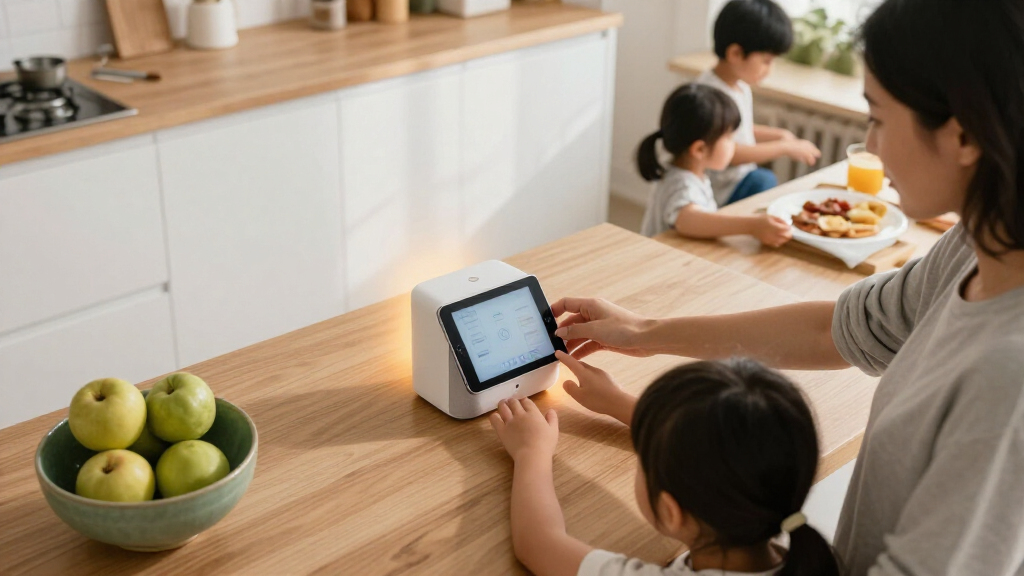
How We Picked
I ranked these devices by how well they address recurring family needs: convenient shared control, useful routines, accessible setup, and enough flexibility to fit different rooms and household habits. I also weighed what a product contributes beyond its headline feature, such as whether a starter kit supplies accessories, a display can serve a shared space, or a plug helps automate existing appliances. Family usefulness depends on placement and the devices already in a home, so ecosystem compatibility and the effort required to manage a setup matter as much as a feature list.
The ranking favors products that can solve a clear, common household need without requiring families to assemble every part themselves. That puts the Echo Hub Starter Kit near the top for its bundled starting point, followed by versatile displays and control options. More specialized devices, including the thermostat, bedside models, speakers, and standalone plug packs, rank according to how well they serve a narrower job; they may be the better choice when that job is the family’s priority. I treated the two smart plug packs as value-oriented add-ons rather than full smart home systems, since neither provides a central display or bundled lighting setup.
Factors to Consider When Choosing Best Smart Home Devices For Families
A family setup works best when devices fit existing routines, spaces, and household responsibilities. Before buying another screen or speaker, decide which recurring task you want to make simpler and who needs to use the device. These broader choices can help avoid a collection of gadgets that operate separately but do little to reduce daily hassle.
Start With a Household Routine, Not a Device
Pick one repeated job that causes friction, such as adjusting lights, checking a shared schedule, or changing the temperature. A device that supports that routine is more useful than one chosen because it has the longest feature list. Ask who will use it and whether they will reach for a voice command, a physical screen, or an app. Families with young children may prefer simple, visible controls for common tasks, while adults may value remote access and automations. Avoid automating appliances without checking whether their switches and power settings work reliably after being turned off and on. Add devices gradually so the family can learn what saves effort before expanding the setup.
Check Ecosystem Fit Before You Add More Devices
Smart home devices can work with different assistants and platforms, but compatibility claims do not always mean every feature works the same way everywhere. Check the device’s supported ecosystem and the control method your household already uses. A family split between voice assistants may need to favor products that support more than one platform, or agree on a primary system for shared routines. Mixing brands can offer flexibility, but it may also mean maintaining separate apps and troubleshooting different setup steps. Before buying a hub or starter kit, check which bulbs, plugs, and sensors it can control. A smaller setup that works together often serves a family better than a larger assortment with fragmented controls.
Choose Screen Size and Placement for Real Household Use
A screen is most helpful when its size and location suit the information people need to see. A large display can make shared schedules and entertainment easier to view from across a room, but it takes wall or counter space and may not suit every layout. Compact displays fit bedside tables and small counters, though their limited viewing area is less suited to shared information. Consider glare, nearby outlets, viewing distance, and whether children can reach the device. A dedicated control panel may be more useful near a household traffic point than a media-focused display. Decide where the device will live before buying, rather than assuming a convenient spot will appear later.
Treat Privacy and Household Access as Part of Setup
Smart speakers and displays can make shared tasks easier, but families should decide how voice history, cameras, microphones, and account access will be managed. Review privacy controls and disable features the household does not plan to use. Keep adult account credentials private, and set suitable parental controls on devices children can access. Think about whose calendar, contacts, and media accounts may appear on a shared screen. A household may prefer a central display in a common area over adding voice devices to every bedroom. Clear ground rules at setup can prevent confusion about who can change routines or access connected devices.
Balance Convenience Against Setup and Upkeep
A starter kit can reduce the work of matching individual accessories, while standalone plugs let families add automation in small steps. Neither approach removes the need to configure the network, name devices clearly, and keep apps and accounts organized. If several people will use the system, choose names and routines that are easy to understand, such as identifying a light by room rather than by technical model. Consider what happens when the Wi-Fi changes or a device needs to be reset. More connected components can expand what a home can do, but they also create more points to maintain. Families who want a low-effort setup should begin with a small number of devices and add more only when there is a clear use.
Pay More Only for a Benefit Your Family Will Use
More capable speakers, larger displays, and dedicated control panels can make a shared home setup more flexible, but they are not automatically better for every household. A family that mainly wants scheduled lamps may gain little from a large screen or premium audio features. A central panel makes more sense when several people need a visible place to manage devices. Likewise, a thermostat is a focused purchase: check that it suits the home’s heating and cooling system before making it the centerpiece of an automation plan. Compare the cost of a complete setup, including any extra compatible devices, rather than judging one product alone. Spend on the capability that solves a daily problem and skip extras that are unlikely to become part of the routine.
Frequently Asked Questions
Should I buy an Echo Hub, an Echo Show, or an Echo speaker first?
Choose based on the job you want the first device to handle. The Echo Hub is oriented toward managing connected devices, while an Echo Show adds a screen for shared information and media. An Echo speaker makes more sense when voice commands and audio are the main needs, without requiring a display. If you are new to smart home devices, check whether the devices you plan to add are compatible before choosing a control point. Starting with one clear household task can help you avoid paying for capabilities that will go unused.
Is the Echo Hub Starter Kit a better first purchase than buying smart plugs individually?
The starter kit makes more sense when you want a control panel and the included bulbs and plug as part of one initial setup. A plug pack is a simpler route when your immediate goal is controlling lamps or other suitable appliances you already own. Think about whether the household needs visible central control, or whether app and voice access are enough. Also check what kinds of devices each option can support before buying. A kit can simplify sourcing, but it still takes time to install and configure the devices.
Which smart display is more suitable for a shared family space?
Start with the room, viewing distance, and information the family wants to see. A larger display is easier to view across a kitchen or common area, while compact models fit tighter spaces and bedside use. The Echo Show 15 is a stronger fit when a large screen and media functions suit the household, but its size and placement needs may be inconvenient in a small room. The Show 5 and Echo Spot are more compact, though they are less suited to showing information to several people at once. Measure the intended spot and consider glare before choosing.
Can smart plugs make appliances smart, and what should I check first?
Smart plugs can add remote or scheduled power control to suitable appliances, but they do not give every appliance new functions. Check the appliance’s power requirements and whether it resumes its previous state when power returns. Devices that rely on a physical button or need a specific startup sequence may not work as expected with a plug. Avoid using a plug for equipment that should not be switched off abruptly. Confirm the plug’s Wi-Fi and assistant compatibility, then start with a low-risk lamp or similar device.
How can I make a family smart home easier for children and guests to use?
Keep shared controls in accessible common areas and give devices and routines plain, recognizable names. Use simple commands and limit access to settings or account details that children and guests do not need. A physical screen or plug-controlled lamp can provide an alternative when voice commands are inconvenient. Review parental controls and decide which devices belong in bedrooms versus shared spaces. A smaller, clearly organized setup is often easier for visitors to understand than many devices with overlapping names.
Conclusion
For most households seeking one useful starting point, I recommend the Amazon Echo Hub Smart Home Starter Kit as the best overall because it combines a control panel with lighting and a plug. The Kasa Smart Plug HS103P4 four-pack is my best value-style pick for families that only want to automate existing appliances, while the Echo Show 15 is the best premium fit for a household that will use a large shared display and Fire TV. Newcomers who want voice control and a compact footprint can start with the Echo Dot; families who need a dedicated place to manage connected devices should choose the Echo Hub. For a focused home-comfort upgrade, consider the Amazon Smart Thermostat after confirming it suits your heating and cooling system. The right choice is the one that fits your family’s routines, space, and preferred way to control the home.
Cold & flu season Picks
humidifiers
As an affiliate, we earn on qualifying purchases.