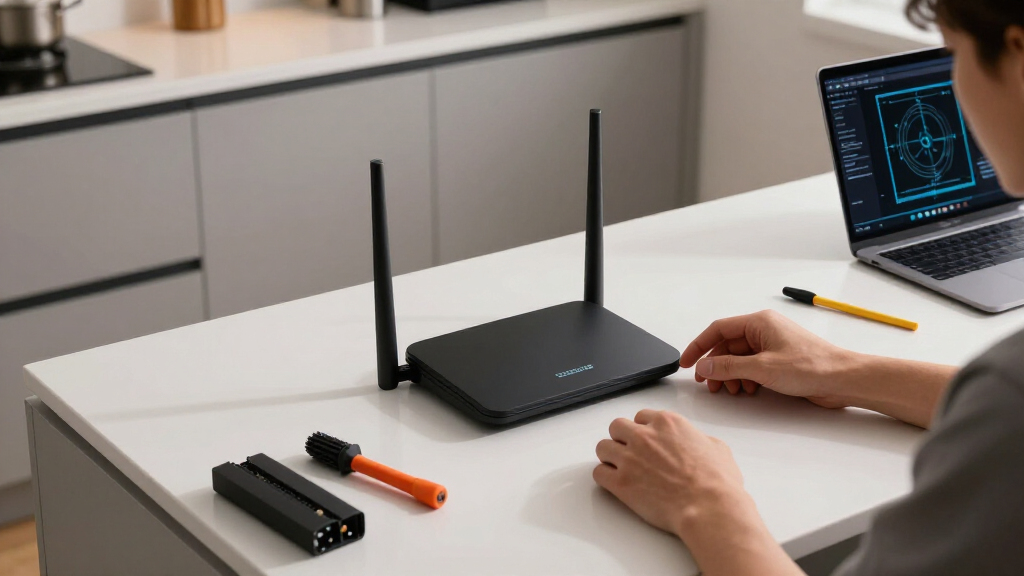

Searching for the best long range Wi-Fi routers can be challenging, as coverage needs vary widely. The WAVLINK AX6000 stands out for its impressive range and high-speed capabilities, making it ideal for large homes. The eero Outdoor offers weatherproof durability and extensive outdoor coverage for sprawling properties. Meanwhile, the TP-Link Archer AXE75 provides cutting-edge Wi-Fi 6E performance for tech enthusiasts. The main tradeoffs in this category often involve balancing maximum coverage with speed, ease of setup, and price. Continue reading for a detailed comparison of these options to find the best fit for your space and needs.

Get home appliances delivered free with Prime
- Fast, free delivery on millions of items
- Prime Video, Amazon Music and more included
- Member-only deals all year
Complete the kit



Key Takeaways
- The top routers offer extensive coverage through high-gain antennas and mesh systems, but often come at a higher price.
- Wi-Fi 6 and Wi-Fi 6E models generally deliver better range and future-proofing, especially in large or multi-story homes.
- Mesh systems tend to outperform traditional routers in sprawling spaces, though they may require more setup and investment.
- Weatherproof outdoor routers like the eero Outdoor excel for outdoor coverage but may not suit indoor-only setups.
- While high-end models provide exceptional performance, mid-range options often deliver excellent coverage for most home needs at a better value.


More Details on Our Top Picks
WAVLINK AX6000 Dual Band WiFi 6 Router, High-Speed Gigabit Router with 8 Antennas, 2.5G Ethernet, Mesh Support, WPA3, OpenVPN, Smart App
The WAVLINK AX6000 stands out for its impressive WiFi 6 performance combined with 8 high-gain antennas, making it ideal for expansive homes where coverage is a priority. Unlike the NETGEAR RAX120, which offers more advanced security options and a slightly larger coverage area, the WAVLINK excels in mesh support—though it’s limited to WAVLINK-compatible devices—making setup more straightforward for whole-home consistency. The inclusion of a 2.5G Ethernet port ensures future-proof wired connectivity, but the router cannot function as a modem, requiring a separate device. Its security features, including WPA3 and VPN support, are robust but rely on a mobile app that might be less familiar for some users. Overall, this router suits those who want high-speed WiFi with extensive coverage at a competitive price, provided they don’t need integrated modem functionality or extensive third-party security options.
Pros:- High-speed WiFi 6 with 6 Gbps throughput
- 8 antennas for extensive coverage and signal stability
- Mesh support for seamless whole-home coverage
- Advanced security including WPA3 and VPN support
Cons:- Requires an external modem, not a modem-router combo
- Mesh support limited to WAVLINK-compatible devices
- Web dashboard access necessitates account signup
Best for: Large households seeking dependable, high-speed WiFi with mesh expandability and easy management
Not ideal for: Small apartments or users needing built-in modem functionality or advanced third-party security
- Frequency Band:Dual-Band
- Wi-Fi Generation:WiFi 6
- Maximum Data Transfer Rate:6 Gbps
- Number of Antennas:8
- Number of Ports:6
- Coverage:1700 sq.ft
Our verdict“This router offers a powerful, coverage-focused solution for large homes that prioritize speed and mesh flexibility over integrated modem features.”
TP-Link BE6500 Dual-Band WiFi 7 Router (BE400) with 2.5Gbps Ports, USB 3.0, Covers 2,400 sq. ft., Supports 90 Devices, Quad-Core CPU, HomeShield Security
The TP-Link BE6500 leverages Wi-Fi 7’s latest technology to deliver impressive speeds and low latency, making it a strong choice for gaming, streaming, and smart home integration. Unlike the NETGEAR RAX120, which emphasizes WiFi 6 performance, the BE6500’s Wi-Fi 7 support offers future-ready performance, though it requires compatible devices to realize its full potential. The router’s coverage of 2,400 sq. ft. and capacity for 90 devices make it suitable for large households, but the premium price and complex setup might be daunting for casual users. Its security features, including WPA3 and HomeShield, are comprehensive. This model is best suited for users who want the latest Wi-Fi technology and have many devices or high bandwidth demands, but less so for those on a tight budget or with basic internet needs.
Pros:- Supports Wi-Fi 7 for ultra-fast, low-latency connections
- Wide coverage and support for up to 90 devices
- Advanced security with WPA3 and HomeShield
- Multiple 2.5Gbps ports including USB 3.0
Cons:- High price compared to Wi-Fi 6 counterparts
- Setup complexity may challenge non-technical users
- Requires Wi-Fi 7 compatible devices to maximize speeds
Best for: Tech enthusiasts seeking the latest Wi-Fi 7 speeds with extensive device support
Not ideal for: Casual users or those with older devices needing simple setup and basic performance
- Wi-Fi Technology:Wi-Fi 7
- Max Coverage:2,400 sq. ft.
- Device Capacity:90 devices
- Ports:1x 2.5 Gbps WAN/LAN, 1x 2.5 Gbps LAN, 3x 1 Gbps LAN
- Processor:Quad-Core CPU
- Security:WPA3, HomeShield
Our verdict“Ideal for early adopters and power users who want the latest Wi-Fi 7 technology for demanding household networks.”
TP-Link AXE5400 Tri-Band WiFi 6E Router (Archer AXE75)
The TP-Link Archer AXE75’s tri-band WiFi 6E support and speeds up to 5400 Mbps make it a prime choice for households with heavy streaming, gaming, and smart device use. Compared with the GL.iNet Flint 3, which offers faster speeds (up to 9 Gbps) but less coverage and simplicity, the AXE75 emphasizes ease of use and extensive security features with TP-Link HomeShield. Its support for OFDMA and MU-MIMO technology ensures stable connections for multiple devices simultaneously, but the setup might be complex for non-technical users. The integration of OneMesh allows seamless coverage with compatible devices. This router is best for those needing fast, reliable Wi-Fi 6E, especially in environments with many connected devices, but less suited for users with minimal Wi-Fi needs or older devices that don’t support Wi-Fi 6E.
Pros:- High-speed tri-band WiFi 6E with 5400 Mbps
- Supports OFDMA and MU-MIMO for multiple device stability
- Seamless coverage with OneMesh support
- Enhanced security with TP-Link HomeShield
Cons:- Setup can be complex for non-technical users
- Requires Wi-Fi 6E-compatible devices to fully utilize speeds
- Higher cost relative to dual-band Wi-Fi 6 routers
Best for: Gamer households and streamers seeking fast Wi-Fi 6E with broad device support
Not ideal for: Users with basic internet needs or non-compatible modems who prefer simple plug-and-play solutions
- Wi-Fi Standard:Wi-Fi 6E
- Wireless Speed:5400 Mbps
- Tri-Band:Yes
- Maximum Coverage:2000 sq ft
- Support Devices:Over 100
- Security:TP-Link HomeShield
Our verdict“Best suited for tech-savvy users needing ultra-fast Wi-Fi 6E with dependable multi-device support and security.”
GL.iNet GL-BE9300 Flint 3 Tri-Band Wi-Fi 7 Router
The GL.iNet Flint 3 offers exceptional Wi-Fi 7 speeds up to 9 Gbps, making it ideal for ultra-HD streaming, gaming, and high-density environments. Its advanced MLO technology reduces latency, a feature that sets it apart from many competitors like the NETGEAR RAX120, which uses WiFi 6 and may not support such high speeds. The router’s extensive coverage of 2000 sq. ft. and support for over 100 devices make it suitable for large smart homes or multi-user setups. However, setup may require firmware updates to achieve optimal performance, and actual speeds can vary based on environmental factors and internet plan. This device is perfect for users who prioritize speed and capacity, especially in environments demanding high-performance Wi-Fi for multiple concurrent activities, but less suitable for casual users or those with simpler needs.
Pros:- Ultra-fast Wi-Fi 7 speeds up to 9 Gbps
- Supports over 100 devices with stable connections
- Advanced MLO technology for low latency
- Extensive coverage suitable for large homes
Cons:- Setup may require firmware updates for best performance
- Speed can vary depending on environment and provider
- Higher cost and complexity for typical home users
Best for: Power users needing maximum Wi-Fi 7 speeds for streaming, gaming, and large device networks
Not ideal for: Minimalist users with basic internet needs or those unfamiliar with advanced network configurations
- Wi-Fi Standard:Wi-Fi 7
- Wireless Speed:up to 9 Gbps
- Tri-Band:Yes
- Maximum Coverage:2000 sq ft
- Device Capacity:Over 100
- Technology:MLO, OFDMA, 4K QAM
Our verdict“This router is best for demanding environments where maximum speed and device support are critical, and users are comfortable with advanced setup.”
NETGEAR Nighthawk WiFi 6 Router (RAX120) 12-Stream Dual-Band Gigabit AX6000
The NETGEAR Nighthawk RAX120 offers impressive Wi-Fi 6 speeds up to 6 Gbps, combined with a broad coverage of up to 3,500 sq. ft. making it well-suited for large households with many devices. Compared to the WAVLINK AX6000, which emphasizes mesh support, the RAX120 provides more robust security options and extensive management features through its app, appealing to tech-savvy users concerned with security and control. Its 12 streams and MU-MIMO technology ensure stable, fast connections across multiple devices, but its size and price might be excessive for smaller or less demanding setups. The inclusion of USB ports adds versatility for network storage sharing. Overall, it’s a solid choice for those who need a long-range, high-performance Wi-Fi 6 router with enterprise-level security features.
Pros:- High-speed Wi-Fi 6 with up to 6 Gbps
- Coverage up to 3,500 sq. ft. with multiple streams
- Advanced WPA3 security and management options
- Includes USB ports for file sharing
Cons:- Premium price point
- Large physical size requiring ample space
- Setup may be complex for non-technical users
Best for: Large households or small offices needing broad coverage and advanced security management
Not ideal for: Users with smaller spaces or limited budgets who do not require extensive device handling or enterprise features
- Maximum Range:3500 sq ft
- WiFi Standard:WiFi 6 (802.11ax)
- Speed:Up to 6 Gbps
- Number of Streams:12
- Ethernet Ports:4x 1G, 1x multi-Gig
- Security Protocols:WPA2/WPA3
Our verdict“This router offers enterprise-grade security and coverage, making it ideal for large homes or small offices with high security needs.”
TP-Link Deco X55 AX3000 WiFi 6 Mesh System (3-Pack)
This mesh system stands out for delivering extensive coverage up to 6,500 square feet, making it ideal for larger homes that need seamless Wi-Fi across multiple floors. Compared with traditional routers like the TP-Link AX6000, the Deco X55 prioritizes coverage over raw speed, supporting up to 150 devices with Wi-Fi 6 technology. Its easy setup via the Deco app and multiple Ethernet ports add to its appeal, though it requires a separate modem for most ISPs, which might add complexity. The three-unit design ensures stable connections throughout your home, but the overall price may be higher than single-router options. For those seeking reliable, all-encompassing Wi-Fi, this mesh system offers a balanced mix of coverage and device capacity.
Pros:- Extensive coverage up to 6,500 sq ft, ideal for large homes
- Supports up to 150 devices with Wi-Fi 6 technology
- Easy setup with user-friendly Deco app
- Includes multiple Gigabit Ethernet ports for wired devices
Cons:- Requires a separate modem for most ISPs, adding setup complexity
- Price can be higher than single-router solutions
Best for: Homeowners with large residences needing reliable, whole-home Wi-Fi coverage
Not ideal for: Users on a tight budget or with small apartments, as the multi-unit system may be overkill and costlier
- Wi-Fi Standard:Wi-Fi 6 (AX3000)
- Coverage Area:6500 sq ft
- Number of Units:3
- Ethernet Ports per Unit:3
- Total Ethernet Ports:6
- Supports Ethernet Backhaul:Yes
Our verdict“This mesh system makes the most sense for large homes where seamless coverage and device capacity matter most.”
TP-Link AX5400 WiFi 6 Router (Archer AX73) – Dual Band Gigabit Wireless Internet Router for Streaming and Long Range Coverage
The Archer AX73 offers impressive speeds up to 5400 Mbps, making it a solid choice for heavy streaming, gaming, and multiple device environments. Unlike the Deco X55, which emphasizes coverage, the AX73 focuses on delivering high throughput through its six antennas and beamforming technology. It supports MU-MIMO and OFDMA, ensuring efficient management of multiple devices, but it lacks the mesh capabilities of the Deco X55 or the advanced 6 GHz band of the Deco XE75. Its complex setup and need for a separate modem mirror the requirements of the other high-performance routers, yet its speed-focused design makes it ideal for tech-savvy users with demanding networks. If maximum throughput is your priority, this router satisfies those needs—but it’s less suited for sprawling coverage.
Pros:- High-speed Wi-Fi up to 5400 Mbps suitable for demanding tasks
- Supports MU-MIMO and OFDMA for efficient device handling
- Multiple antennas with beamforming for long-range coverage
- Includes USB port for media sharing
Cons:- Requires a modem for most ISPs, adding setup steps
- No mesh support, limiting coverage expansion
Best for: Gamers and streamers who need fast, reliable Wi-Fi for large data transfers
Not ideal for: Small households or users seeking simple setup or mesh coverage, as it’s more complex to configure
- WiFi Speed:Up to 5400 Mbps
- Bands:Dual Band
- Antennas:6× Antennas
- Technology:WiFi 6, MU-MIMO, OFDMA
- Ports:1× USB 3.0
- Supports Ethernet Backhaul:No
Our verdict“This router is better suited for users prioritizing speed and device management over widespread coverage.”
TP-Link Deco XE75 AXE5400 Tri-Band WiFi 6E Mesh System – 2-Pack, Covers up to 5500 Sq.Ft
The Deco XE75 introduces the latest WiFi 6E standard, offering a dedicated 6 GHz band for faster, interference-free connections. Compared to the AX5400, the XE75’s tri-band design with a 6 GHz band provides a significant boost in speed and reliability, especially in congested environments. Its smart AI-driven mesh technology simplifies management, and the coverage of up to 5,500 square feet makes it suitable for large homes or multi-story setups. However, it comes at a higher price point and still requires a modem for most ISPs. This system excels in delivering the fastest, clearest Wi-Fi experience when the latest tech is a priority, but it may be more than needed for basic streaming or browsing.
Pros:- Supports WiFi 6E with a dedicated 6 GHz band for interference-free speeds
- Provides coverage up to 5500 sq ft with 2 units
- Easy setup via Deco app with AI-driven mesh management
- Enhanced security features included
Cons:- Higher cost compared to dual-band routers
- Requires a modem, adding to overall setup complexity
Best for: Tech enthusiasts and large households wanting the latest Wi-Fi 6E benefits
Not ideal for: Budget-conscious buyers or smaller homes, as the premium price may be hard to justify
- Coverage Area:up to 5500 sq ft
- Bands:Tri-Band (2.4 GHz, 5 GHz, 6 GHz)
- Maximum Speed:5,400 Mbps
- Number of Units:2
- WiFi Standard:WiFi 6E
- Security:TP-Link HomeShield
Our verdict“Perfect for users wanting the newest Wi-Fi tech and maximum interference-free performance in large spaces.”
TP-Link AX6000 Wi-Fi 6 Router (Archer AX80) – Dual Band, 2.5 Gbps WAN/LAN, Long Range Coverage, WPA3, Beamforming
The Archer AX80 combines high-speed Wi-Fi 6 with long-range capabilities, thanks to its eight high-gain antennas and Beamforming technology. It supports speeds up to 4804 Mbps on 5 GHz and 1148 Mbps on 2.4 GHz, making it ideal for demanding households with multiple devices. Unlike the mesh systems, it’s a traditional router that offers extensive coverage for large homes, especially when paired with OneMesh for expanded coverage. It’s more complex to set up but provides a powerful, centralized solution for fast, reliable Wi-Fi. Its multi-gigabit port and WPA3 security make it a versatile choice for tech-savvy users seeking advanced features and robust performance.
Pros:- High-speed Wi-Fi up to 4804 Mbps on 5 GHz
- Excellent long-range coverage with 8 high-gain antennas
- Supports multi-gigabit WAN/LAN with 2.5 Gbps port
- Advanced security with WPA3 and TP-Link HomeShield
Cons:- Requires a modem for most ISPs, adding setup steps
- Complex setup process for non-technical users
- No mesh support, limiting expansion options
Best for: Large households needing fast, long-range Wi-Fi with security and wired options
Not ideal for: Small apartments or users preferring mesh flexibility, as it’s a single-router setup
- Wi-Fi Technology:Wi-Fi 6
- Max Speed:4804 Mbps
- Ports:1× 2.5 Gbps WAN/LAN
- Antennas:8 high-gain
- Security:WPA3, TP-Link HomeShield
- Features:OneMesh, MU-MIMO, OFDMA
Our verdict“Ideal for large homes where speed, security, and wired flexibility are priorities over mesh expandability.”
TP-Link AC1200 Gigabit WiFi Router (Archer A6) – Dual Band MU-MIMO Wireless Internet Router with 4 Antennas, OneMesh, and AP Mode
The Archer A6 provides a straightforward, affordable Wi-Fi solution with speeds up to 1200 Mbps, suitable for streaming, browsing, and moderate device loads. While it doesn’t match the high speeds or coverage of the others like the AX6000 or AX73, it’s a practical choice for smaller households or those new to Wi-Fi upgrades. Its four external antennas and MU-MIMO support help improve coverage and device management, and OneMesh compatibility allows for future expansion. However, the setup is less intuitive for absolute beginners, and its dual-band design might struggle in very large or heavily congested environments. This router balances cost and performance for typical home use without demanding advanced features.
Pros:- Affordable dual-band Wi-Fi up to 1200 Mbps
- Supports MU-MIMO and Beamforming for better coverage
- Supports OneMesh for seamless coverage expansion
- Four Gigabit LAN ports for wired devices
Cons:- Limited speed and coverage for large homes
- Setup may be less straightforward for beginners
Best for: Small to medium households seeking reliable Wi-Fi without high speed or extensive coverage needs
Not ideal for: Large homes or users with demanding bandwidth needs, as speeds and coverage are limited
- Wireless Speed:1200 Mbps
- Frequency Bands:2.4 GHz and 5 GHz
- Antennas:4 external
- Technology:MU-MIMO, Beamforming
- Ports:4 Gigabit LAN
- Features:OneMesh, AP Mode
Our verdict“This router is a budget-friendly choice perfect for smaller households that need basic, reliable Wi-Fi.”
eero Outdoor 7 Dual-Band Mesh WiFi Router (Weatherproof, 15,000 sq. ft., 1-pack)
The eero Outdoor 7 stands out for offering extensive outdoor coverage with a weatherproof design rated IP66, making it ideal for large gardens, patios, or pool areas. Unlike typical indoor routers like the Tenda AX1500, its weatherproof build ensures reliable performance across all seasons without fear of weather damage. The integration of Wi-Fi 7 technology supports speeds up to 2.1 Gbps, perfect for high-bandwidth outdoor activities such as streaming or outdoor gaming. Its support for PoE+ power simplifies installation in hard-to-reach outdoor spots, while the app-based setup makes it accessible for most users. The main tradeoff is that it’s designed exclusively for outdoor use, so it doesn’t replace indoor routers. Additionally, it requires a subscription for advanced security features, adding ongoing cost. This pick is suited for those needing reliable, high-speed outdoor Wi-Fi coverage over large areas without indoor compromises.
Pros:- Extensive outdoor coverage up to 15,000 sq. ft.
- Weatherproof design suitable for all seasons
- Supports Wi-Fi 7 speeds up to 2.1 Gbps
- Flexible power options including PoE+
Cons:- Requires subscription for advanced security features
- Limited to outdoor use, not suitable as an indoor router
- Higher price point compared to indoor-only options
Best for: Homeowners with large outdoor spaces seeking weather-resistant Wi-Fi coverage for streaming, browsing, or outdoor smart devices
Not ideal for: Indoor-focused users who want a single router for entire home without outdoor needs, as this model is specialized for outdoor environments
- Coverage:up to 15,000 sq. ft.
- Weatherproof rating:IP66
- Wi-Fi technology:Wi-Fi 7
- Speed:up to 2.1 Gbps
- Power options:AC or PoE+
- Temperature range:-40°F to 131°F
Our verdict“This router is an excellent choice for those needing robust outdoor Wi-Fi over large spaces, but not for indoor use or small properties.”
Tenda WiFi 6 Router for Home, AX1500 Dual Band Gigabit Router with High-Gain Antennas
The Tenda RX2Pro offers reliable whole-home coverage with dual-band Wi-Fi 6 speeds up to 1501Mbps, making it suitable for medium to large households. Compared with the eero Outdoor 7, which is specialized for outdoor environments, the Tenda focuses on providing robust indoor performance with five high-gain antennas that extend signal reach. Its use of Wi-Fi 6 technology ensures future-proof speeds and better capacity for multiple devices, especially in busy households. The Tenda app simplifies setup and management, including parental controls and device prioritization. However, it doesn’t support mesh networking, which could limit scalability in larger or multi-story homes. It’s best suited for users seeking a balance of speed, coverage, and affordability without outdoor weatherproofing needs. Still, those wanting seamless mesh expansion or outdoor durability should look elsewhere.
Pros:- Fast Wi-Fi speeds up to 1501Mbps for streaming and gaming
- Wide coverage with five high-gain antennas
- Supports Wi-Fi 6 for future-proof performance
- Easy setup and remote management via Tenda app
Cons:- Lacks mesh networking capabilities for multi-unit expansion
- Limited to medium and large households, not ideal for small apartments
- No specific price info, may be less competitive on cost
Best for: Medium to large households needing strong, fast Wi-Fi coverage without outdoor weatherproofing or mesh networking
Not ideal for: Users requiring outdoor or weatherproof Wi-Fi solutions, or those planning to expand their network with mesh systems later
- WiFi Technology:WiFi 6 (802.11ax)
- Speed:1501Mbps total
- Antennas:5 x 6dBi high-gain
- Ports:4 Gigabit Ethernet
- Security:WPA3
- Coverage:Whole-home Wi-Fi
Our verdict“This router makes the most sense for users who want reliable indoor Wi-Fi with strong coverage and speed without the need for outdoor weatherproofing or mesh expansion.”
How We Picked
These products were selected based on a combination of range performance, speed capabilities, build quality, ease of setup, and overall value. We prioritized routers with proven coverage in large or complex home layouts, focusing on modern standards like Wi-Fi 6 and Wi-Fi 6E for future-proofing. Mesh systems and outdoor routers were included to reflect diverse user needs, from sprawling properties to outdoor spaces. The ranking considers real-world usability, firmware stability, and security features, ensuring each pick offers a meaningful advantage in long-range performance. Tradeoffs such as cost, complexity, and feature sets were weighed to provide options for different budgets and technical comfort levels.Factors to Consider When Choosing Best Long Range Wi-Fi Routers
Choosing the best long range Wi-Fi router involves more than just looking at antennas and speed specs. Consider your space, device count, and future requirements to find a router that balances coverage and performance. It’s important to think about the type of home you have—multi-story, outdoor spaces, or large open areas—and pick a solution that can handle that environment effectively. Additionally, weighing factors like ease of setup, security, and upgradeability can save you headaches down the line. Here are key considerations to guide your decision.Coverage Area and Home Layout
Understanding your home’s size and layout is critical. Large, multi-story homes benefit from routers with high-gain antennas or mesh systems that can blanket multiple floors and outdoor areas. For sprawling properties, outdoor-rated routers like the eero Outdoor provide weatherproof durability and wide coverage. Avoid choosing a router solely based on speed if it can’t cover your entire space, as dead zones diminish your experience. Use square footage estimates and consider obstacles like walls and furniture that can weaken signals.
Wi-Fi Standard and Future-Proofing
Opting for Wi-Fi 6 or Wi-Fi 6E models ensures your network remains capable of handling increasing device counts and higher bandwidth demands. Wi-Fi 6E introduces the 6GHz band, which offers less interference and faster speeds for compatible devices, ideal for tech-forward households. While these standards tend to cost more upfront, they can extend your network’s relevance over several years. Remember, your devices also need to support these standards to fully benefit, so consider your current and future device ecosystem.
Mesh vs. Traditional Routers
Mesh systems create a seamless network across multiple nodes, making them better suited for very large or multi-story homes. They often provide more consistent coverage without dead zones, but at a higher price point. Traditional routers with high-gain antennas can also deliver impressive range but may struggle with complex layouts or outdoor spaces. The choice depends on your home’s size, construction, and whether you prefer a simple single-router setup or a more expandable mesh system.
Setup Ease and Firmware Features
Ease of setup varies widely; some routers offer app-based configuration that’s quick and intuitive, while others may require more technical know-how. Firmware stability and security features like WPA3 encryption, automatic updates, and parental controls add long-term value. Consider whether the router supports firmware customization or third-party firmware if you want advanced control. Simpler setups often suffice for typical households, but power users might prioritize extensive firmware options for optimization.
Cost and Long-Term Value
While premium models provide the best range and speed, many mid-range options deliver excellent coverage at a more accessible price. Mesh systems tend to cost more upfront but can reduce dead zones effectively. When evaluating cost, consider not only the purchase price but also potential future upgrades and compatibility with your devices. Sometimes spending more initially saves money later by avoiding dead zones or needing to replace multiple units sooner.
Frequently Asked Questions
Will a higher number of antennas always mean better coverage?
Not necessarily. While more antennas can improve signal directionality and strength, overall coverage depends on the entire system design, including transmit power, antenna quality, and firmware optimization. A well-engineered router with fewer antennas might outperform a model with many if it has better hardware and software. Focus on performance reviews and range tests rather than just antenna count to gauge true coverage capabilities.
Is Wi-Fi 6E worth it for my home?
Wi-Fi 6E offers less interference and higher speeds on the 6GHz band, which benefits homes with many devices or those seeking future-proofing. However, to fully utilize Wi-Fi 6E, your devices also need to support the new standard, which can be an additional investment. If your current setup is sufficient with Wi-Fi 6 or earlier, upgrading may not be urgent unless you plan to add many compatible devices or need the extra bandwidth for high-demand activities.
Should I prioritize outdoor-rated routers for indoor use?
Outdoor routers like the eero Outdoor are designed to withstand weather conditions and provide coverage outside, but they can work indoors if you need extended coverage over large indoor spaces. However, they often have features optimized for outdoor use, such as weatherproofing and different antennas, which might not be ideal indoors. For typical indoor use, standard indoor routers with high-gain antennas or mesh systems often provide better aesthetics and easier setup.
How important is firmware update support for long-range routers?
Regular firmware updates are vital for maintaining security, fixing bugs, and improving performance. Long-range routers, especially those supporting advanced standards like Wi-Fi 6E, benefit from manufacturer updates that optimize coverage and stability. Choosing a model from a vendor with a strong track record of regular updates can extend your network’s lifespan and protect your data. Avoid routers with limited or infrequent firmware support, as they may become outdated or vulnerable over time.
Is a mesh system better than a single powerful router for coverage?
Mesh systems generally provide better coverage for large or complex spaces by distributing multiple nodes, which reduces dead zones and ensures more uniform signal strength. They are especially effective in multi-story homes or properties with thick walls. However, they can be more expensive and slightly more complex to set up than a single high-performance router. If you have a smaller or simpler home, a single, robust router might suffice, but for sprawling properties, mesh systems often deliver more reliable coverage.
Conclusion
For most users seeking reliable long-range coverage, the WAVLINK AX6000 offers an excellent balance of speed and coverage, making it the best overall choice. If outdoor or outdoor-indoor hybrid coverage is a priority, the eero Outdoor stands out as the best option. Tech enthusiasts aiming for future-proofing should consider the TP-Link Archer AXE75 with Wi-Fi 6E. Beginners or those on a tighter budget might find the TP-Link Archer A6 provides solid coverage at an affordable price. Ultimately, your choice depends on your home layout, device needs, and budget—use this guide to match a router to your specific scenario.