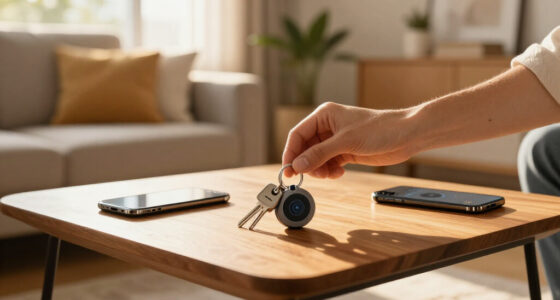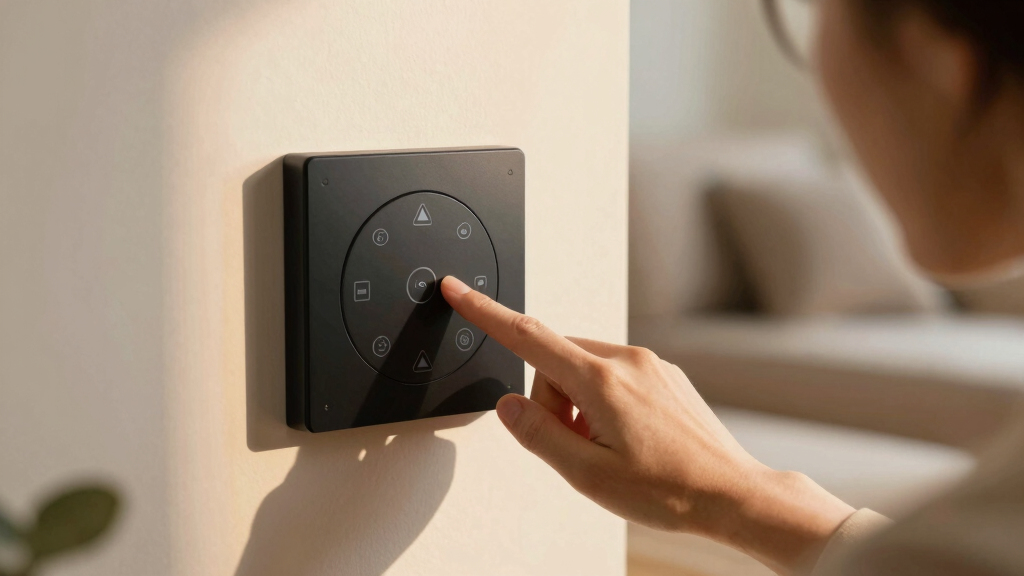
Searching for the best smart button switch in 2026? The top pick is the Aqara Zigbee Wireless Mini Switch, known for its reliable Zigbee connectivity and compact design. The Onvis Smart Button stands out for Apple HomeKit compatibility, offering seamless integration for Apple users. Meanwhile, the SwitchBot Smart Switch Button Pusher provides a no-wiring-needed solution perfect for renters or those wanting easy setup. All options come with tradeoffs such as compatibility limitations, price differences, and installation complexity. Keep reading to see how these and other options compare to help you choose the best smart button switch for your home.
Play games included with Prime
Start a Prime free trial and play with Amazon Luna on your devices.
Start playingAs an affiliate, we earn on qualifying purchases.
Key Takeaways
- Top picks vary by connectivity tech, with Zigbee, Bluetooth, and Thread options, impacting range and compatibility.
- Wired versus wireless setups are a key consideration; wireless models offer easier installation but may have limited control features.
- Compatibility with smart home ecosystems like Apple HomeKit, Alexa, or Google Assistant is crucial for seamless automation.
- Price ranges reflect differences in build quality, features, and ecosystem integration, so consider your budget carefully.
- Battery life and ease of use significantly impact daily convenience, especially for models designed for frequent button presses.
| Aqara Zigbee Wireless Mini Switch for Smart Home Control |  | Best Overall for Versatile Multi-Platform Control | Compatibility: Apple HomeKit, Google Home, Alexa | Hub Required: Yes, Aqara Hub (sold separately) | Connection: Zigbee, 2.4 GHz Wi-Fi, Ethernet | VIEW LATEST PRICE | See Our Full Breakdown |
| MOES Wireless Smart Scene Switch Button, 4-Gang, Battery-Powered, Requires MOES Hub, Zigbee Connection |  | Best Value for Custom Scene Control | Input Power: CR2430 battery (included) | Number of Gangs: 4 | Scene Capacity: 12 scenes | VIEW LATEST PRICE | See Our Full Breakdown |
| SONOFF Zigbee Switch SNZB-01P Wireless Push Button |  | Best for Customizable Actions & Emergency Use | Compatibility: Zigbee 3.0 hubs, Alexa routines | Control Options: Single, double, long press | Battery: CR2477 | VIEW LATEST PRICE | See Our Full Breakdown |
| SwitchBot Smart Switch Button Pusher (Bluetooth) – App Timer Control, No Wiring, Optional Hub, White |  | Best for No-Wiring Automation of Rocker Switches | Connectivity: Bluetooth, optional Wi-Fi hub | Power: Battery operated | Compatibility: Supported switches/buttons | VIEW LATEST PRICE | See Our Full Breakdown |
| Switchbot Bluetooth Fingerbot Button Pusher for Rocker Switches |  | Best for Mechanical Switch Automation without Wires | Compatibility: Supported rocker and one-way switches | Control: Bluetooth, optional Wi-Fi hub | Power: Battery operated | VIEW LATEST PRICE | See Our Full Breakdown |
| Onvis Smart Button, 5-Keys Scene Controller, Compatible with Apple HomeKit, Thread & Bluetooth |  | Best for Apple HomeKit Users Seeking Reliable Local Control | Keys: 5 | Connectivity: Thread, Bluetooth | Compatibility: Apple HomeKit | VIEW LATEST PRICE | See Our Full Breakdown |
| GoveeLife Smart Mini Double Button Switch, Group Control Multiple Devices, Wireless Control |  | Best for Govee Ecosystem Enthusiasts Needing Multi-Device Control | Connectivity: Wi-Fi and Bluetooth | Range: 55m / 180ft | Compatibility: Supports up to 50 Govee devices | VIEW LATEST PRICE | See Our Full Breakdown |
| SONOFF Orb 4-in-1 Zigbee Smart Scene Button (SZNB-01M) |  | Best Multi-Press Control for Zigbee Enthusiasts and Open Platforms | Number of Buttons: 4 | Actions per Button: Single, double, triple, long-press | Compatibility: Zigbee, eWeLink-Remote, Home Assistant | VIEW LATEST PRICE | See Our Full Breakdown |
| MOES Fingerbot Plus Smart Button Pusher with Touch Control and App Compatibility |  | Best Overall | Compatibility: Smart Life, Alexa, Google Home | Control: Remote, Voice, Timer | Power: Replaceable CR2 battery | VIEW LATEST PRICE | See Our Full Breakdown |
| Switchbot Smart Switch Button Pusher (Bluetooth) – App Timer Control, No Wiring, Optional Hub for Voice/Remote, Black |  | Best for Wireless Automation without Rewiring | Connectivity: Bluetooth, optional Wi-Fi with hub | Control: App timer, schedules, manual | Power: Battery-powered | VIEW LATEST PRICE | See Our Full Breakdown |
| Philips Hue Wireless Smart Light Switch Button, White, 1 Pack |  | Best for Wireless Light Control | Color: White | Pack Size: 1 Pack | Power: Battery Powered | VIEW LATEST PRICE | See Our Full Breakdown |
| Amazon Basics Smart Dimmer Switch and Remote for Music and Routines |  | Best for Multi-Device Control via Remote | Compatibility: Alexa devices | Power: Battery-powered | Setup: Guided via Alexa app | VIEW LATEST PRICE | See Our Full Breakdown |
More Details on Our Top Picks
Aqara Zigbee Wireless Mini Switch for Smart Home Control
This compact switch stands out through its seamless compatibility with Apple HomeKit, Google Home, and Alexa, provided you have an Aqara Hub. Compared with the SwitchBot Button Pusher, it offers broader platform support, making it suitable for users with diverse smart ecosystems. The device supports single, double, and long presses, allowing a variety of control scenarios, from scene activation to emergency alerts. However, it depends on a separate Aqara Hub, which adds to the overall cost and setup complexity. Its Zigbee connection ensures reliable communication within a 400-inch range, but battery life may require periodic replacement, especially with frequent use. This model is ideal for users seeking a flexible, multi-platform switch that integrates into existing smart home systems.
Pros:- Supports multiple smart home platforms including Apple, Google, and Alexa
- Flexible control options: single, double, and long presses
- Wireless installation with no wiring required
Cons:- Requires a separate Aqara Hub, increasing initial cost
- Limited to Zigbee and Wi-Fi networks within range
- Battery life may decline with frequent use
Best for: Homeowners with existing Zigbee-compatible hubs seeking versatile control options across platforms.
Not ideal for: Those without a Zigbee hub or looking for an ultra-simple setup, due to the need for an Aqara Hub and additional wiring.
- Compatibility:Apple HomeKit, Google Home, Alexa
- Hub Required:Yes, Aqara Hub (sold separately)
- Connection:Zigbee, 2.4 GHz Wi-Fi, Ethernet
- Range:Within 400 inches of Aqara Hub
- Control Types:Single, double, long press
- Battery:Included
Bottom line: This switch is best suited for users who want a versatile, multi-platform device with broad control capabilities.
MOES Wireless Smart Scene Switch Button, 4-Gang, Battery-Powered, Requires MOES Hub, Zigbee Connection
The MOES 4-gang scene switch excels as a budget-friendly way to control multiple scenes without wiring, making it a strong choice for users who want to automate up to 12 scenes via the MOES or Smart Life app. Unlike the SwitchBot Button Pusher, which is limited to controlling single switches and requires additional mode accessories, this device offers direct control over multiple scenes in a compact form. Its battery-powered design and easy wall-mounting make it highly flexible for various locations. However, it’s tied to the MOES ecosystem and demands the purchase of a dedicated MOES Hub, which limits compatibility with broader smart home platforms like Alexa or Google. Battery replacement is inevitable over time, especially with frequent use. This switch makes the most sense for users invested in the MOES ecosystem who prioritize multi-scene control and wireless flexibility.
Pros:- Supports up to 12 customizable scenes
- Wireless, no wiring needed for installation
- Compact and wall-mountable design
Cons:- Requires MOES Hub, adding to cost
- Limited compatibility outside MOES ecosystem
- Battery replacement needed over time
Best for: Smart home enthusiasts using MOES or Smart Life apps wanting multi-scene control on a budget.
Not ideal for: Users seeking compatibility with Alexa, Google, or Apple HomeKit, as it’s limited to MOES-specific systems.
- Input Power:CR2430 battery (included)
- Number of Gangs:4
- Scene Capacity:12 scenes
- Connection:Zigbee
- Compatibility:Requires MOES Hub
- Dimensions:1.3 cm thickness
Bottom line: This switch is ideal for users who need multiple scene controls within the MOES ecosystem at an affordable price.
SONOFF Zigbee Switch SNZB-01P Wireless Push Button
The SONOFF SNZB-01P shines with its support for custom button actions and long battery life, making it a flexible choice for those who want to trigger specific scenes or routines. Its compatibility with Zigbee 3.0 hubs like SONOFF NSPanel Pro and ZB Bridge Pro ensures reliable connectivity. Unlike the SwitchBot Fingerbot, which is a mechanical device, this push button offers more precise control over scene activation and emergency alerts. Its battery life of up to 5 years reduces maintenance, but it does require a Zigbee hub, which may add complexity and cost. The limited control options mean it’s best for users who want straightforward, customizable button triggers for smart routines. This pick suits users who want a reliable, long-lasting button for scene automation and emergency alerts.
Pros:- Supports custom actions and routines
- Battery lasts up to 5 years
- Compatible with various Zigbee 3.0 hubs and Alexa routines
Cons:- Requires Zigbee hub, adding setup complexity
- Limited to Zigbee 3.0 compatible systems
- Control options are fixed to button presses
Best for: Smart home users needing customizable, long-lasting buttons for routines or emergency alerts with Zigbee hubs.
Not ideal for: Those without Zigbee hubs or who prefer voice control over physical buttons, as it relies on hub-dependent operation.
- Compatibility:Zigbee 3.0 hubs, Alexa routines
- Control Options:Single, double, long press
- Battery:CR2477
- Battery Life:Up to 5 years
- Features:Custom actions, emergency alerts
- Size:Standard push button
Bottom line: This is a solid choice for users who need a durable, customizable button for routines or emergency use with Zigbee hubs.
SwitchBot Smart Switch Button Pusher (Bluetooth) – App Timer Control, No Wiring, Optional Hub, White
The SwitchBot Button Pusher offers a straightforward, tool-free way to automate supported rocker switches and one-way buttons without rewiring. Its Bluetooth connectivity makes it ideal for immediate use, but for remote or voice control, an optional hub is necessary. Compared to the Zigbee-based SONOFF Button, this model emphasizes simplicity and quick installation, perfect for users who want to automate existing switches with minimal fuss. The device supports app scheduling and can be expanded with a hub for voice commands, but it isn’t compatible with toggle switches or touch panels. Its adhesive mount requires clean, smooth surfaces for reliable operation, and the full bonding process takes about 24 hours. This pick is best for renters or DIYers needing quick, wire-free switch automation.
Pros:- Easy, tool-free installation with adhesive
- Supports scheduling and automation via app
- Optional hub for voice and remote control
Cons:- Limited to supported switches, not toggle or mini types
- Requires smooth, dry surface for adhesion
- Full bonding takes about 24 hours before heavy use
Best for: Renters or DIY homeowners wanting a simple, no-wiring-required solution for rocker switches.
Not ideal for: Users with toggle or mini switches, or those requiring immediate full functionality without bonding time, as it needs 24 hours to fully bond.
- Connectivity:Bluetooth, optional Wi-Fi hub
- Power:Battery operated
- Compatibility:Supported switches/buttons
- Installation:Adhesive mount
- Modes:Press Mode, Switch Mode (requires add-on)
- Color:White
Bottom line: This device is a practical choice for those seeking quick, adhesive-based automation of supported rocker switches without wiring.
Switchbot Bluetooth Fingerbot Button Pusher for Rocker Switches
The Switchbot Fingerbot provides a mechanical solution for making supported rocker switches and one-way buttons smart, without any rewiring. Its simple Bluetooth control makes it perfect for immediate, local automation, and when paired with an optional hub, it supports remote and voice commands. Compared to the SwitchBot Button Pusher, which is more compact and designed for push-button switches, the Fingerbot’s gripping mechanism works well on stiff or aged rocker switches. The device needs about 24 hours to fully bond before heavy use, and it doesn’t support toggle or touch panels. Its adhesive mounting is straightforward, but it requires a stable surface for reliable operation. This device is best for automating existing rocker switches where rewiring isn’t feasible or desired.
Pros:- Easy, tool-free installation with adhesive
- No rewiring needed, suitable for stiff or aged switches
- Supports app and timer control with optional hub
Cons:- Not compatible with toggle, mini, or touch switches
- Requires 24 hours for full bonding before heavy use
- Additional hub needed for remote/voice control
Best for: Homeowners needing a mechanical, wire-free solution for supported rocker switches, especially on stiff or aged buttons.
Not ideal for: Users with toggle switches, mini switches, or touch panels, as it’s limited to supported rocker and one-way switches.
- Compatibility:Supported rocker and one-way switches
- Control:Bluetooth, optional Wi-Fi hub
- Power:Battery operated
- Installation:Adhesive mounting
- Modes:Press Mode, Switch Mode (requires add-on)
Bottom line: This Fingerbot is best for automating supported rocker switches where rewiring isn’t possible, especially on stiff or old switches.
Onvis Smart Button, 5-Keys Scene Controller, Compatible with Apple HomeKit, Thread & Bluetooth
The Onvis Smart Button stands out for its seamless integration with Apple HomeKit, offering up to 15 customizable scenes through five keys with single, double, and long presses. Compared to the GoveeLife Double Button, this device provides more sophisticated scene management and end-to-end encryption, making it ideal for those prioritizing privacy and local control. However, it requires a Thread-enabled Apple hub, which can add to setup complexity and cost. Its compact design and mounting options make placement flexible, but the dependency on Apple’s ecosystem limits its versatility outside of HomeKit-compatible devices.
Pros:- Seamless Apple HomeKit integration for secure, local control
- Supports up to 15 scenes with flexible key actions
- Easy to mount with included accessories
- End-to-end encrypted privacy
Cons:- Requires a Thread-enabled Apple hub, increasing setup cost
- Limited to Apple ecosystem, less versatile for other platforms
- Battery life details are not specified
Best for: Apple HomeKit users who want a reliable, privacy-focused scene controller with local processing.
Not ideal for: Android users or those seeking compatibility with Alexa or Google Assistant, since it is exclusive to HomeKit.
- Keys:5
- Connectivity:Thread, Bluetooth
- Compatibility:Apple HomeKit
- Scenes Supported:Up to 15
- Power:Wireless
- Mounting Options:Double-sided tape, magnetic strips
Bottom line: This device is perfect for Apple-centric households that prioritize local, secure automation, despite ecosystem limitations.
GoveeLife Smart Mini Double Button Switch, Group Control Multiple Devices, Wireless Control
The GoveeLife Smart Mini Double Button Switch excels at controlling multiple devices with a single press, supporting group control and alternating commands—ideal for users already invested in the Govee ecosystem. Compared to the Onvis HomeKit controller, it offers broader compatibility within Govee’s platform but lacks integration with voice assistants like Alexa or Google. Its battery-powered design and range of 55 meters make it suitable for larger spaces, yet it cannot connect to external voice platforms, which may limit automation options. Its support for up to 50 devices makes it a strong choice for multi-device households, but the app’s sensor limit could restrict complex setups.
Pros:- Supports controlling up to 50 Govee devices
- Supports group, mode, and alternate commands for automation
- Long-range Wi-Fi and Bluetooth connectivity
- Battery-powered for flexible placement
Cons:- Limited to Govee ecosystem—no Alexa or Google Assistant support
- Supports only 10 sensors per app account, limiting automation complexity
- Requires Govee devices for full functionality
Best for: Users seeking straightforward, multi-device control within Govee’s smart ecosystem without needing voice assistant integration.
Not ideal for: Smart home owners who rely on Alexa or Google Assistant, as this switch does not support these platforms.
- Connectivity:Wi-Fi and Bluetooth
- Range:55m / 180ft
- Compatibility:Supports up to 50 Govee devices
- Power:Battery-powered
- App Limit:Supports up to 10 sensors
Bottom line: This switch suits Govee users needing simple, multi-device control without voice integration, with some limits on expansion.
SONOFF Orb 4-in-1 Zigbee Smart Scene Button (SZNB-01M)
The SONOFF Orb 4-in-1 Zigbee Scene Button offers versatile control with four buttons supporting multiple press actions—single, double, triple, and long-press—making it ideal for managing routines or lighting scenes. It is particularly suited for users comfortable with Zigbee protocols and open-source platforms like Home Assistant or Zigbee2MQTT, providing broad flexibility. Compared to the Onvis HomeKit button, it allows easier integration into custom setups but requires a bit more initial configuration, especially with ZHA. Its magnetic and adhesive mounting options make placement straightforward, but setup complexity might deter less technical users.
Pros:- Supports multiple press actions per button
- Magnetic, adhesive, or screw mounting for versatile placement
- Compatible with Zigbee, eWeLink-Remote, and open-source platforms
- No wiring needed—easy to install
Cons:- Requires setup with Zigbee hubs or ZHA for full functionality
- Limited to Zigbee and eWeLink protocols, less compatible with mainstream voice assistants
- Potential complexity for users unfamiliar with Zigbee ecosystems
Best for: Zigbee users who want multi-action control and are comfortable with open-source home automation platforms.
Not ideal for: Homeowners seeking plug-and-play solutions or those not willing to handle Zigbee setup and integration.
- Number of Buttons:4
- Actions per Button:Single, double, triple, long-press
- Compatibility:Zigbee, eWeLink-Remote, Home Assistant
- Installation:Magnetic, adhesive, screw
- Control Type:Wireless, local
Bottom line: Ideal for tech-savvy Zigbee users wanting flexible, multi-action control with open-platform support, accepting initial setup effort.
MOES Fingerbot Plus Smart Button Pusher with Touch Control and App Compatibility
The MOES Fingerbot Plus stands out for its ability to retrofit existing buttons and switches effortlessly, without wiring, making it a versatile choice for many smart home setups. Compared to the Switchbot Bluetooth model, it offers built-in touch controls and direct app compatibility with Smart Life, Alexa, and Google Home, which simplifies automation. However, it requires a separate Tuya Bluetooth Hub for remote access outside the local network, adding extra cost and setup complexity. Its adhesive installation and replaceable battery make it ideal for renters or those who dislike wiring, but the need for battery replacement can be a minor hassle. This pick makes the most sense for homeowners seeking a straightforward, compatible solution without extensive rewiring or custom integration.
Pros:- Easy to install without tools or wiring
- Compatible with Smart Life, Alexa, and Google Home
- Built-in touch buttons for direct control
- Remotely controllable via app and voice commands
Cons:- Requires separate Tuya Bluetooth Hub for remote access outside local network
- Limited to certain switch types—does not support touch screen buttons
- Battery replacement needed periodically
Best for: Homeowners who want a versatile, easy-to-install button retrofit compatible with popular smart platforms
Not ideal for: People seeking a completely touch-based, in-wall switch replacement or those unwilling to buy additional hubs
- Compatibility:Smart Life, Alexa, Google Home
- Control:Remote, Voice, Timer
- Power:Replaceable CR2 battery
- Installation:Adhesive sticker, no tools needed
- Additional Accessories:Available for different switch models (sold separately)
- Connectivity:Wi-Fi via Tuya Hub
Bottom line: This is a strong choice for users who want an easy, compatible retrofit with minimal fuss and are okay with occasional battery changes.
Switchbot Smart Switch Button Pusher (Bluetooth) – App Timer Control, No Wiring, Optional Hub for Voice/Remote, Black
The Switchbot Bluetooth Button Pusher excels for automating rocker switches and one-way buttons without any wiring, making it ideal for those who prefer a simple setup. Unlike the MOES Fingerbot Plus, it operates entirely via Bluetooth, which limits control to within Bluetooth range unless you add an optional Wi-Fi hub. Its adhesive mount ensures a secure fit, but adhesion might not hold on all surfaces, and it requires a 24-hour bonding period before use. The app offers scheduling and automation, and adding the hub unlocks voice control and remote access, putting it ahead of basic Bluetooth models. This product is best suited for renters or anyone who wants to automate existing buttons with minimal disruption, but those needing wider control range should consider the hub-enabled options.
Pros:- No rewiring required, simple installation
- Supports scheduling and automation via app
- Optional hub for voice and remote control
- Strong adhesive mount for secure placement
Cons:- Limited to supported rocker switches and one-way buttons
- Requires a hub for remote and voice control
- Adhesive may not suit all surfaces or long-term use
Best for: Renters or DIYers wanting a quick, no-wiring solution for smart automation of simple switches
Not ideal for: Homeowners needing long-range remote control or touch-based switch replacement, as it depends heavily on Bluetooth proximity
- Connectivity:Bluetooth, optional Wi-Fi with hub
- Control:App timer, schedules, manual
- Power:Battery-powered
- Compatibility:Supported rocker switches and one-way buttons
- Installation:Adhesive mount, 24-hour bonding
- Range:Bluetooth only (up to 10 meters)
Bottom line: Ideal for those seeking a straightforward, wire-free automation solution with future expandability via hub, but limited by Bluetooth range without the hub.
Philips Hue Wireless Smart Light Switch Button, White, 1 Pack
The Philips Hue Wireless Smart Light Switch offers a sleek, wireless way to control compatible Hue lights with a simple tap. Unlike the button pusher options, it is designed specifically for lighting and provides a clean, intuitive way to turn on/off, dim, and cycle scenes. Its main advantage over the MOES or Switchbot solutions is its integration into the Hue ecosystem, which allows for extensive scene customization via the app. However, it requires a Hue Bridge, adding to the overall cost, and is limited to Hue-compatible lights, which may restrict flexibility for users with broader smart home setups. The magnetic or adhesive mounting makes placement easy, but the reliance on the Hue Bridge makes it less suitable for those seeking a standalone solution.
Pros:- Wireless, portable, and easy to control lights
- Customizable via Hue app for scenes and settings
- Mountable on walls or magnetic surfaces
- Simple tap operation for quick lighting control
Cons:- Requires Hue Bridge for full functionality
- Limited to Philips Hue lights
- Battery life depends on usage intensity
Best for: Philips Hue users who want a dedicated, wireless light control button with customizable scenes
Not ideal for: Homeowners with non-Hue smart lights or those seeking a universal button for various devices
- Color:White
- Pack Size:1 Pack
- Power:Battery Powered
- Compatibility:Requires Hue Bridge, Hue lights
- Features:Wireless, Portable, Customizable, Mountable
- Control:Tap to turn on/off, dim, cycle scenes
Bottom line: Best suited for Hue ecosystem enthusiasts seeking a dedicated, wireless light control button with extensive customization options.
Amazon Basics Smart Dimmer Switch and Remote for Music and Routines
The Amazon Basics Smart Dimmer Switch and Remote caters to users who want comprehensive control over multiple smart devices through a single remote, particularly within an Alexa ecosystem. Unlike dedicated button pushers or light switches, it offers a flexible way to manage lights, blinds, locks, and more via voice or remote control. Its setup is straightforward through the Alexa app, making it ideal for those who prefer a less invasive installation. However, it relies heavily on Alexa-compatible devices, and it lacks the physical button interface for manual control—limiting its use as a standalone switch. This product is best for users who already have a robust Alexa setup and want a portable remote to control various smart routines, but it isn’t suited for those wanting wired or touch-based controls.
Pros:- Portable and easy to use without wiring
- Supports a wide range of smart devices via Alexa
- Simple setup with guided instructions
- Controls multiple devices from a single remote
Cons:- Requires Alexa-compatible devices as a hub
- Limited to Alexa ecosystem, no standalone control
- No physical wired switch option for permanent installation
Best for: Alexa users seeking a portable remote for controlling multiple smart devices without wiring
Not ideal for: Homeowners without Alexa devices or those preferring wired in-wall switches
- Compatibility:Alexa devices
- Power:Battery-powered
- Setup:Guided via Alexa app
- Functionality:Controls lights, blinds, locks, thermostats, and more
- Control:Remote and voice
- Range:Within Wi-Fi or Bluetooth range
Bottom line: Ideal for Alexa-centric households wanting a versatile, portable remote for routine control across multiple smart devices.
How We Picked
These products were selected based on their ability to reliably perform as smart button switches, with emphasis on connectivity, ease of installation, compatibility, and build quality. We prioritized devices that offer straightforward setup, stable performance, and broad ecosystem support. Cost-effectiveness was also considered, ensuring options suit a range of budgets without sacrificing core functionality. The ranking reflects a balance of versatility, reliability, and user-friendliness, helping buyers find solutions tailored to different smart home needs and technical comfort levels.Factors to Consider When Choosing Best Smart Button Switch
Choosing the right smart button switch involves evaluating several factors beyond basic features. The right choice depends on your existing smart home setup, your preferred control method, and how much you’re willing to spend. Making a mismatch can lead to frustration or limited functionality. Here are key considerations to help you make an informed decision and avoid common pitfalls.Connectivity Technology
Smart button switches come with a variety of connectivity options such as Zigbee, Bluetooth, Thread, and Wi-Fi. Zigbee and Thread are popular for their low power consumption and mesh network capabilities, offering better range and reliability in larger homes. Bluetooth models, like SwitchBot, are easier to set up and typically cheaper but may have limited range and fewer automation options. Wi-Fi-enabled switches can connect directly to your network without hubs, but they might consume more power and be less responsive during network congestion. Choosing the right tech depends on your existing smart ecosystem and desired control scope.
Compatibility and Ecosystem Support
Before selecting a smart button, consider which ecosystems you already use. Apple HomeKit-compatible options like Onvis or the Philips Hue switch are perfect for Apple-centric homes, offering seamless integration and strong privacy features. Conversely, Zigbee-based switches like Aqara work well with hubs that support multiple protocols, providing broader compatibility with other Zigbee devices. Devices that support multiple platforms, such as Alexa, Google Assistant, and Apple, give more flexibility but often come at a higher price. Be sure to verify ecosystem support to avoid dead-end integrations.
Installation and Ease of Use
Wired switches require some electrical work, which might involve hiring an electrician or risking voiding warranties if you DIY. Wireless models like SwitchBot or MOES offer plug-and-play convenience, ideal for renters or those who dislike electrical work. However, wireless switches can sometimes be less responsive or have limited control options. Consider whether you prefer a physical switch with minimal setup or a device that can be repositioned easily. Also, check how intuitive the app and physical interface are, as this impacts daily convenience.
Price and Value
Smart button switches span a broad price range, from budget-friendly options under $20 to premium models exceeding $50. Cheaper switches often lack advanced features like scene control or ecosystem integration, making them suitable for basic needs. Mid-range options tend to balance affordability with decent performance and compatibility. Premium models typically include advanced integration, multi-button controls, and durable build quality. Reflect on how frequently you’ll use the switch and whether the added features justify the higher cost for your home setup.
Battery Life and Maintenance
Battery-powered switches like Aqara or SwitchBot are convenient but require periodic replacement or recharging. Devices with longer battery life reduce maintenance, especially in hard-to-reach locations. Some models, like Onvis, support power-efficient protocols that extend battery life, while others may need frequent attention, which could be inconvenient. If you want a set-and-forget solution, prioritize switches known for long battery life and easy replacement or recharging options.
Frequently Asked Questions
Can I use a smart button switch with my existing smart home system?
Most smart button switches are designed for specific ecosystems or protocols, so compatibility is key. Devices like Onvis work seamlessly with Apple HomeKit, while Aqara Zigbee switches require a compatible hub. Check the product specifications to see if it supports your current setup, such as Alexa, Google Assistant, or Apple. In some cases, you might need a hub or bridge to connect different protocols. Confirming this before purchase helps prevent frustration and ensures your switch integrates smoothly into your smart home.
Are wireless smart button switches as reliable as wired ones?
Wireless switches offer significant convenience, especially for renters or temporary setups, but they can sometimes face issues like delayed responses or connectivity drops. Wired switches tend to be more dependable because they are directly connected to your electrical system, providing instant and consistent operation. However, wireless options are improving rapidly, with many now supporting mesh networks or strong protocols that reduce lag. Consider your environment and how critical immediate response is when choosing between wired and wireless models.
How long does the battery last in a typical smart button switch?
Battery life varies widely based on the device, usage, and technology. Many wireless switches can last from several months up to a year on a single charge or set of batteries. Devices that use low-power protocols like Zigbee or Bluetooth generally extend battery life. Frequent presses or scene changes may drain batteries faster, so check user reviews for real-world longevity estimates. Opting for models with easily accessible batteries or rechargeable options can save time and expense over the long term.
Is it worth paying more for a premium smart button switch?
Higher-priced options often offer enhanced features such as multi-button configurations, better build quality, longer battery life, and broader ecosystem support. If you need advanced automation, seamless integration, or durability, investing in a premium switch makes sense. However, if your needs are simple—like turning on a single light or controlling a scene—a more budget-friendly switch can do the job adequately. Consider your specific automation goals and whether the extra features align with your home setup.
Can I install a smart button switch myself?
Many wireless smart button switches are designed for DIY installation, requiring minimal tools and technical knowledge. They typically involve pairing via Bluetooth or Wi-Fi and placing the device in a desired location. Wired switches, however, involve electrical work and might require a licensed electrician, especially if replacing existing switches or adding new wiring. Always follow the manufacturer’s instructions carefully, and prioritize safety when dealing with electrical components. If unsure, hiring a professional can prevent costly mistakes or safety hazards.
Conclusion
For homeowners seeking a versatile, reliable, and easy-to-integrate solution, the Aqara Zigbee Wireless Mini Switch earns the title of best overall. Those on a budget or looking for straightforward setup will find the SwitchBot Smart Switch Button Pusher ideal, making it the best value. Apple users will benefit most from the Onvis Smart Button, which is the best for Apple HomeKit integration. For those who want a premium experience with advanced features and durability, investing in higher-end options like the Philips Hue Wireless Switch makes sense. Beginners or renters should prioritize wireless, easy-to-install models, while more advanced smart home enthusiasts may prefer multi-button or ecosystem-specific choices. As an affiliate, we earn on qualifying purchases.NFL season / tailgating Picks
team gear