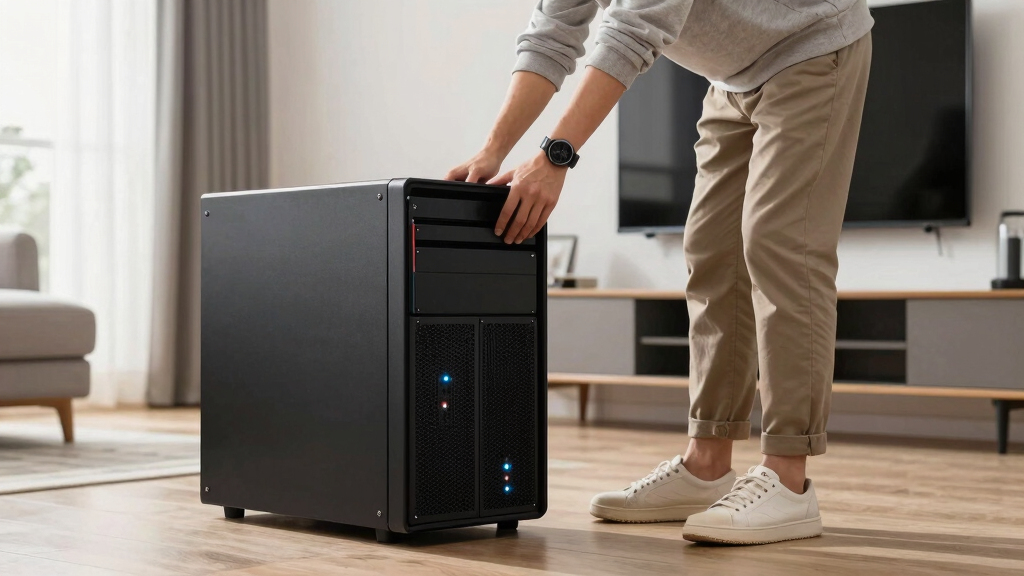

If you’re searching for the best home servers, you likely want a reliable, versatile solution that can handle media streaming, backups, or even complex workflows. The top picks range from compact mini PCs to full-scale enterprise servers, each with its tradeoffs. The UGREEN NAS DXP4800 stands out for robust performance, while the Synology DS425+ offers excellent user-friendliness for most homes. For those with demanding needs, the Dell PowerEdge R630 provides enterprise-grade power but at a much higher cost. Continue reading for a detailed breakdown of the best options and what makes each unique.

Get home appliances delivered free with Prime
- Fast, free delivery on millions of items
- Prime Video, Amazon Music and more included
- Member-only deals all year
Complete the kit


Key Takeaways
- High-performance models like the Dell PowerEdge R630 excel for demanding workflows but are often overkill for casual use.
- NAS systems from Synology tend to prioritize ease of use and ecosystem integration, ideal for non-technical users.
- Mini PCs like Beelink ME Pro offer a compact, budget-friendly option without sacrificing essential features for smaller homes.
- Many 4-bay NAS devices provide a good balance of storage capacity and expandability, appealing to most home users.
- Tradeoffs often involve choosing between raw power, ease of setup, and upfront cost—know your priorities before buying.





| home server | Processor |
|---|---|
| UGREEN NAS DXP4800 GT 4-Bay De | AMD Ryzen Embedded R2514, 4 cores, up to 3.70GHz |
| Synology DS425+ 4-Bay Diskless | — |
| Dell PowerEdge R630 Server wit | 2x Intel Xeon E5-2690 v4, 2.60GHz |
| Beelink Me Pro Mini PC NAS wit | Intel N150 up to 3.6GHz |
| UGREEN NAS DH4300 Plus 4-Bay N | — |
| Synology DS225+ Private Cloud | — |
| Synology DS223 2-Bay Diskless | — |
| Beelink Mini PC ME Pro 2 NAS w | Intel N95 (4C/4T, up to 3.4GHz) |
| Synology BeeStation Plus 8TB P | — |
| UGREEN NAS DXP2800 2-Bay Netwo | Intel N100 Quad-Core CPU |
| UGREEN NAS DXP4800 Plus 4-Bay | Intel Pentium Gold 8505 5-Core |
| Synology DS1525+ Video Editing | — |
| ZimaBoard 2 832 x86 Home Serve | Intel N150 Quad-Core |
More Details on Our Top Picks
UGREEN NAS DXP4800 GT 4-Bay Desktop NAS with AMD R2514 CPU, 8GB DDR4 RAM, Dual 10GbE, M.2 NVMe Slots, 4K HDMI, Diskless
The UGREEN DXP4800 GT stands out for its robust performance driven by an AMD Ryzen Embedded R2514 processor, making it ideal for users who need multitasking and extensive storage. Its support for up to 144TB with multiple drive types, combined with dual 10GbE ports, offers fast transfer speeds that outperform most consumer-focused NAS options like the Synology DS425+. Its built-in HDMI and surveillance features add versatility, though the device’s complex setup can challenge less tech-savvy users. The fact that drives are not included means additional costs, and the non-ECC RAM limits its enterprise-grade reliability. This high-performance, expandable NAS makes sense for tech professionals, media creators, or smart home integrators who prioritize power and flexibility but are prepared for a slightly steeper learning curve.Pros:- Powerful AMD Ryzen multi-core processor for multitasking
- Supports extensive storage up to 144TB with flexible drive options
- Dual 10GbE ports for ultra-fast network connectivity
- Built-in 4K HDMI output and surveillance features
Cons:- Drives not included, increasing initial setup costs
- Complex configuration process for advanced features
- Pre-installed RAM is non-ECC, limiting enterprise-grade reliability
Best for: Power users, small business owners, or media professionals needing high throughput and expandability
Not ideal for: Beginners or users seeking a simple, plug-and-play storage solution; those who prefer included drives
- Processor:AMD Ryzen Embedded R2514, 4 cores, up to 3.70GHz
- RAM:8GB DDR4 (expandable to 64GB)
- Storage Capacity:Up to 144TB (4 drive bays, SATA, U.2 NVMe, M.2 SSDs)
- Network:2x 10GbE ports, support for Link Aggregation
- Video Output:4K HDMI
- Drive Bays:4 (Diskless)
- Supported Drives:SATA, U.2 NVMe SSD, M.2 SSD
- Connectivity:USB 3.2, USB 2.0, SD card slot
Our verdict“This device suits tech-savvy users needing a high-performance, expandable NAS with multimedia and surveillance capabilities.”
Synology DS425+ 4-Bay Diskless NAS Private Cloud Media Server
The Synology DS425+ excels in delivering reliable, high-speed data transfer for small offices and media enthusiasts, with speeds up to 278 MB/s that surpass many consumer NAS options. Its support for multiple users and RAID configurations makes it ideal for shared environments, and the built-in surveillance support adds extra value. However, as a diskless model, it requires purchasing drives separately, which can add to the total cost. Its user interface, while comprehensive, could overwhelm beginners unfamiliar with NAS management. Compared to the UGREEN DXP4800 GT, it sacrifices hardware expandability for a more streamlined, user-friendly experience. This NAS is perfect for users prioritizing data security, multi-user access, and media streaming within a business or home setting.Pros:- High-speed data transfer and seamless media streaming
- Supports multiple users with access controls
- Robust data protection with RAID options
- Built-in surveillance support for up to 30 IP cameras
Cons:- Requires separate purchase of drives
- Complex setup for inexperienced users
- Price may be higher once drives are factored in
Best for: Small businesses, media creators, or teams needing reliable shared storage and surveillance features
Not ideal for: Beginners or users who prefer an all-in-one solution with included drives; those requiring high expandability
- Number of Bays:4
- Type:Diskless NAS
- Data Transfer Speed:278 MB/s
- Supported Users:10+
- Surveillance Support:30 IP cameras
- Warranty:3 years
Our verdict“This NAS provides dependable, multi-user storage with media and surveillance features, best suited for small business and media workflows.”
Dell PowerEdge R630 Server with Dual Intel Xeon E5-2690 v4, 128GB RAM, 2x 1TB SSD
The Dell PowerEdge R630 is a formidable choice for high-demand environments, offering dual Xeon processors with 28 cores total, and 128GB of RAM, making it overkill for typical home use but perfect for intensive workloads like virtualization or large-scale media processing. It’s a no-compromise, rack-mount solution that emphasizes raw power and expandability. Compared with NAS options like the Synology or UGREEN models, it’s more complex to set up and maintain, and the cost reflects its enterprise focus. Its form factor and hardware are better suited for server rooms than casual home setups. If you need a dedicated, enterprise-level server that can run multiple VMs or handle heavy data loads, this is a solid choice, but it’s overbuilt for simple backups or media streaming.Pros:- Dual Xeon E5-2690 v4 processors for maximum processing power
- 128GB DDR4 RAM for heavy multitasking and virtualization
- Fast SSD storage for quick data access
- Enterprise-level build quality and expandability
Cons:- High cost and complex setup process
- Designed for technical users, not plug-and-play
- Overkill for basic home storage or media needs
Best for: Advanced users, IT professionals, or small businesses needing dedicated, high-performance server hardware
Not ideal for: Home users or those seeking simple, plug-and-play storage solutions; users on a tight budget
- Processor:2x Intel Xeon E5-2690 v4, 2.60GHz
- Cores:28 cores total
- Memory:128GB DDR4
- Storage:2x 1TB SSD
- Form Factor:Rack-mount 1U
- Warranty:Typically limited, check with vendor
Our verdict“This server is ideal for professionals needing enterprise-grade power and scalability in a dedicated form factor.”
Beelink Me Pro Mini PC NAS with Intel N150, 16GB LPDDR5, 1TB SSD, Dual LAN, WiFi6, 4K Support
The Beelink Me Pro blends a mini PC with NAS capabilities, offering a compact footprint with a surprisingly powerful configuration including 16GB LPDDR5 RAM and dual LAN ports. Its space-efficient design makes it ideal for users who want a small, quiet device that can handle media hosting, backups, and private cloud tasks without the bulk of traditional NAS units. The support for dual 4K displays and WiFi6 enhances its multimedia appeal. However, its upgrade options are limited—adding drives is straightforward, but software customization and hardware upgrades require technical skill. Compared to larger NAS or mini PCs like the UGREEN DXP4800 GT, it sacrifices some expandability for size and quiet operation. This device works best for users who prioritize a compact, all-in-one media and storage solution in small spaces.Pros:- Compact, all-metal design fits anywhere
- Supports dual 4K display output and WiFi6 for high-quality media streaming
- High-speed dual LAN ports for reliable network connectivity
- Large 16GB LPDDR5 RAM for multitasking
Cons:- Limited internal upgrade options for drives and hardware
- Requires technical knowledge for setup and software configuration
- Pre-installed storage limits initial capacity
Best for: Tech-savvy home users or small offices needing a space-saving, all-in-one media, backup, and cloud server
Not ideal for: Users seeking extensive hardware expandability or enterprise features; those unfamiliar with system setup
- Processor:Intel N150 up to 3.6GHz
- RAM:16GB LPDDR5
- Storage:1TB SSD (pre-installed), supports up to 72TB
- Networking:Dual LAN, WiFi6
- Display Support:Dual 4K@60Hz via HDMI and Type-C
- Dimensions:6.5 x 4.8 x 4.4 inches
Our verdict“This mini PC NAS suits users who want a space-efficient, multimedia-capable server with moderate expandability and high performance.”
UGREEN NAS DH4300 Plus 4-Bay Network Attached Storage (Diskless) with 8GB RAM and 2.5GbE
The UGREEN NAS DH4300 Plus offers a solid entry point for private cloud storage with its 4-bay design and support for up to 128TB, making it suitable for media libraries or backups. Its 8GB RAM and 2.5GbE network port deliver decent performance for home or light office use, especially considering its affordability. Unlike the more feature-rich Synology DS425+, it doesn’t support virtual machines, limiting flexibility for advanced users. Its straightforward setup and focus on local data security make it appealing for those new to NAS devices. Compared to the UGREEN DXP4800 GT, it prioritizes simplicity over high-end expandability, making it ideal for users who want a cost-effective, reliable private cloud without extra complexity or enterprise features.Pros:- Supports large storage capacity up to 128TB
- Simple setup and management for non-technical users
- Affordable entry point for private cloud storage
- Supports remote access and AI photo management features
Cons:- No support for virtual machines, only Docker containers
- Requires separate purchase of drives
- Ethernet only, no Wi-Fi connectivity
Best for: Home users or small households needing large capacity for backups and media, with easy setup
Not ideal for: Power users or those wanting virtualization, or Wi-Fi connectivity; advanced users seeking more features
- Support Capacity:up to 128TB
- RAM:8GB LPDDR4X
- Network:2.5GbE
- Video Output:4K HDMI
- Drive Bays:4
- Diskless:Yes
Our verdict“This NAS offers a budget-friendly, large-capacity private cloud solution ideal for home users and basic backups.”
Synology DS225+ Private Cloud Media Server – 2-Bay Diskless NAS with Intel CPU
The Synology DS225+ stands out as the best overall choice for users seeking a secure, feature-rich home server. Its support for 4K media streaming, automated backups, and surveillance with AI detection makes it highly versatile, especially compared to the simpler Synology BeeStation Plus. However, being diskless, it requires users to purchase drives separately, which can add to costs and complexity. Its robust CPU and network speeds provide smooth media and data management, but setup may challenge beginners who aren’t familiar with NAS configurations. This model is ideal for tech-savvy households wanting a reliable, all-in-one private cloud. It offers excellent data protection, multimedia, and security features, making it a comprehensive home server solution.
Pros:- Supports 4K media streaming and private cloud storage
- Automated backups with multi-layered data protection
- Supports surveillance with AI detection and remote monitoring
Cons:- Diskless design requires users to purchase drives separately
- Setup and advanced feature configuration can be complex for novices
Best for: Tech-savvy home users needing a secure, multi-functional private cloud and surveillance system
Not ideal for: Beginners or users seeking an all-in-one pre-configured solution with included drives
- Storage Bays:2-Bay
- CPU:Intel
- Transfer Speed:282 MB/s
- Surveillance Support:Up to 30 IP cameras
- Warranty:3 years
Our verdict“Ideal for experienced users who want a reliable, secure, and versatile private cloud with multimedia and surveillance capabilities.”
Synology DS223 2-Bay Diskless NAS Home & Office Backup Hub
The Synology DS223 makes a strong case for users who need a straightforward yet robust central hub for home or small office data. Unlike the Beelink ME Pro 2 that offers high customization and hardware flexibility, the DS223 emphasizes ease of use and seamless software integration, though it lacks included drives. Its support for file collaboration, version control, and automated backups makes it perfect for multi-device environments. Setup can be tricky for absolute beginners, especially without pre-installed drives, but the software ecosystem simplifies ongoing management. This NAS is well-suited for households or small businesses that prioritize data safety and collaboration over raw hardware specs.
Pros:- Centralizes data from multiple devices for easy access
- Supports professional file collaboration and version control
- Automated backups for various devices and cloud services
Cons:- Requires additional drives for storage capacity
- Setup may be complex for users unfamiliar with NAS configurations
Best for: Home offices or small teams needing reliable data centralization and collaboration tools
Not ideal for: Users seeking high-capacity storage without additional drives or advanced customization
- Model:DS223
- Type:2-Bay Diskless NAS
- Use:Home & Office Backup, Surveillance
- Warranty:2 Years
Our verdict“Best suited for small office or household users who value data management and collaboration features with minimal hardware fuss.”
Beelink Mini PC ME Pro 2 NAS with Dual LAN, 12TB Storage, Intel N95, 12G RAM, 128GB SSD, WiFi 6, Bluetooth 5.4
The Beelink ME Pro 2 appeals to users who need a powerful, upgradeable mini server with extensive storage options. Its modular design and support for multiple SSD and HDD drives set it apart from more fixed NAS units like the Ugreen NAS DXP2800. The inclusion of dual LAN, WiFi 6, and Bluetooth 5.4 makes it a versatile network hub for demanding environments. However, its setup can be daunting for those without technical experience, and it may come at a higher cost due to its advanced features. This model is best for tech-savvy users or small businesses requiring a customizable, high-performance server with media streaming and network management capabilities.
Pros:- High-capacity storage with multiple SSD and HDD support
- Modular design allows easy upgrades and maintenance
- Fast network connectivity with dual LAN and WiFi 6
Cons:- Setup can be complex and require technical knowledge
- Potentially higher cost for advanced features and hardware
Best for: Advanced home users and small businesses needing high-capacity, upgradeable, and flexible server hardware
Not ideal for: Beginners or users seeking a simple, plug-and-play NAS solution with minimal configuration
- Processor:Intel N95 (4C/4T, up to 3.4GHz)
- Memory:12G LPDDR5
- Storage:128GB SSD, supports up to 12TB SSD and 30TB HDD per bay
- Network:Dual LAN, WiFi 6, Bluetooth 5.4
- Design:Modular, drawer-style
Our verdict“Perfect for experienced users who want a customizable, high-performance server capable of handling demanding media and data tasks.”
Synology BeeStation Plus 8TB Personal Cloud Storage Device
The Synology BeeStation Plus offers a simple, cost-effective solution for individuals wanting personal cloud storage. Its plug-and-play design makes it straightforward to set up compared to more complex NAS systems like the Synology DS225+. While its 8TB capacity is limited compared to larger enterprise options, it provides enough space for personal backups, media, and shared files. The device’s main tradeoff lies in its fixed capacity and reliance on network connection for remote access. It’s best suited for users who prioritize ease of use and quick setup over extensive storage or advanced features.
Pros:- Easy setup for personal cloud storage
- Consolidates data from multiple devices and cloud services
- Supports sharing and backups for multiple users
Cons:- Limited to 8TB capacity
- Requires network for remote access, which could affect performance
Best for: Individuals seeking an easy-to-use, personal cloud storage device with reliable remote access
Not ideal for: Power users or households needing large, expandable storage or advanced surveillance features
- Storage Capacity:8TB
- Device Type:Personal Cloud Storage
- Warranty:3 years
Our verdict“Ideal for individuals who want a straightforward, reliable personal cloud solution without extra complexity.”
UGREEN NAS DXP2800 2-Bay Network Attached Storage
The UGREEN NAS DXP2800 targets content creators and enthusiasts who demand large storage capacity combined with media capabilities. Its support for up to 80TB of storage, along with AI-powered photo organization and 4K HDMI output, makes it stand out from simpler NAS options like the Synology DS223. Nevertheless, the initial setup and configuration can be daunting for those unfamiliar with network storage, and since it’s diskless, users must purchase drives separately, adding to overall cost. This device is best for experienced users seeking a high-capacity, multimedia-focused home server that can handle demanding workflows and large media libraries.
Pros:- Supports up to 80TB of storage capacity
- User-friendly app support for easy management
- AI-powered photo organization and 4K HDMI output
Cons:- Requires initial setup and configuration
- No included drives, increasing overall cost
Best for: Content creators and power users needing extensive storage and multimedia features
Not ideal for: Beginners or those seeking a ready-to-use, pre-configured NAS with minimal setup
- Processor:Intel N100 Quad-Core CPU
- RAM:8GB DDR5
- Storage Capacity:Up to 80TB
- Network Speed:2.5GbE
- Video Output:4K HDMI
Our verdict“Suited for experienced content creators needing large, flexible storage with media capabilities.”
UGREEN NAS DXP4800 Plus 4-Bay NAS with Intel Pentium Gold 8505, 8GB DDR5 RAM, Built-in 128GB SSD, 10GbE & 2.5GbE, M.2 NVMe Slots, 4K HDMI, Diskless
The UGREEN NAS DXP4800 Plus stands out for its robust performance tailored to small office environments, with a powerful Intel Pentium Gold 8505 processor and 8GB DDR5 RAM that handle multitasking and virtual machines smoothly. Compared to the Synology DS1525+, it offers faster network speeds with 10GbE, making data transfer more efficient, but it sacrifices the plug-and-play simplicity for those less tech-savvy. Its support for Docker and virtual machines makes it versatile for advanced users, though the need to purchase drives separately and its wired-only connectivity might be limitations for some. This model makes the most sense for small teams needing high throughput and flexible virtualization without the high price tag of premium brands.
Pros:- High-performance processor suitable for multitasking and virtual machines
- Fast data transfer speeds with 10GbE and 2.5GbE ports
- Supports Docker, virtual machines, and media management
Cons:- Hard drives are not included and must be purchased separately
- Limited to wired Ethernet, no Wi-Fi connectivity
Best for: Small businesses or advanced home offices requiring high-performance, customizable storage and virtualization capabilities.
Not ideal for: Home users seeking a simple, ready-to-use media server or those preferring built-in Wi-Fi for easier setup.
- Processor:Intel Pentium Gold 8505 5-Core
- RAM:8GB DDR5
- Built-in Storage:128GB SSD
- Network Ports:1x 10GbE, 1x 2.5GbE
- M.2 NVMe Slots:2
- Max Storage Capacity:144TB
- Supported Applications:Docker, virtual machines, Plex
- Compatibility:Windows, macOS, Linux, iOS, Android
Our verdict“This is an excellent choice for small offices or power users demanding high speed and virtualization, with some setup complexity.”
Synology DS1525+ Video Editing & Production Server – Scale to 300TB, 10GbE Ready & Multi-User Workflows (5-Bay Diskless NAS)
The Synology DS1525+ is designed for media professionals needing scalable, high-speed storage with excellent multi-user support. Its 5-bay configuration supports up to 300TB with expansion units, ideal for editing workflows involving 4K or 8K footage. Compared to the UGREEN DXP4800 Plus, it emphasizes media management and collaborative workflows rather than virtualization or general small office tasks. The built-in 2.5GbE network and support for high-bandwidth editing make it suitable for demanding content creation, though its higher price and complexity mean setup is best suited for experienced users. This NAS makes the most sense for media teams needing large, fast, and expandable storage for concurrent workflows.
Pros:- Supports high-speed 4K and 8K editing over the network
- Expandable storage up to 300TB with additional units
- Built-in 2.5GbE networking for enhanced performance
Cons:- Requires technical expertise for setup and expansion
- Higher price point may be a barrier for small budgets
Best for: Professional video editors and media teams managing large-scale, multi-user editing projects.
Not ideal for: Home users or small offices without dedicated media workflows or the technical know-how to handle expansion and setup.
- Model Number:DS1525+
- Storage Bays:5-Bay
- Maximum Storage Capacity:300TB
- Network:10GbE Ready, 2.5GbE built-in
- Warranty:3 Years
- Unit Count:1
Our verdict“This NAS is ideal for professional media workflows demanding large, fast, and expandable storage, with a steeper learning curve and investment.”
ZimaBoard 2 832 x86 Home Server – Intel N150 Quad-Core, 8GB LPDDR5, 32GB eMMC, Dual 2.5GbE, Dual SATA, PCIe 3.0 x4, NAS/Home Assistant/Docker
The ZimaBoard 2 832 excels as a flexible, low-power home server capable of handling multiple roles, from NAS to media server and homelab platform. Its quad-core Intel N150 processor and 8GB of LPDDR5 RAM provide solid performance for 24/7 workloads. Compared to the UGREEN DXP4800+, it offers greater internal expansion options via PCIe and SATA ports, making it more adaptable for DIY projects or multiple simultaneous functions. Its small form factor and low energy consumption make it suitable for continuous operation, but the limited internal storage—just 32GB eMMC—requires external drives for most storage needs. This pick is perfect for tech-savvy users wanting a customizable, compact home server without high energy costs.
Pros:- Designed specifically for 24/7 workloads and home lab use
- Flexible expansion via PCIe and dual SATA ports
- Supports multiple OS options including TrueNAS, Ubuntu, and ZimaOS
Cons:- Limited internal storage with only 32GB eMMC, requiring external drives
- No built-in Wi-Fi, relies solely on Ethernet
Best for: Home tech enthusiasts or small labs needing a flexible, low-cost platform for multiple server functions.
Not ideal for: Users seeking a ready-to-use media server or high internal storage without external drives and technical setup.
- Processor:Intel N150 Quad-Core
- Memory:8GB LPDDR5
- Storage:32GB eMMC
- Network:Dual 2.5GbE
- Expansion:PCIe 3.0 x4, 2 SATA ports
- Hard Drive Size:32 GB
- Item Weight:1.5 Pounds
- Form Factor:2.5-inch
Our verdict“This device suits experienced users needing a customizable, efficient home server for diverse applications, with some setup complexity and storage limitations.”
How We Picked
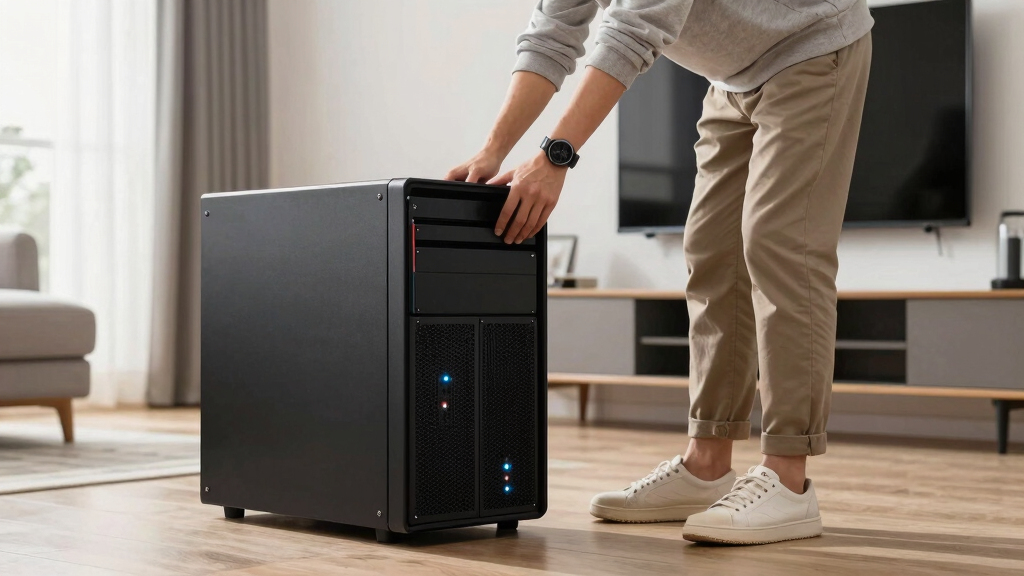
Our evaluation focused on performance, ease of setup, expandability, build quality, and value for different user needs. We considered whether each device could handle common home server tasks such as media streaming, backups, and remote access. Devices were ranked based on their versatility and how well they balance power with user-friendliness, especially for non-enterprise users. Cost-effectiveness was also a key factor—higher prices had to justify their advanced features, while budget options had to still deliver reliable performance. This approach ensures the selected options meet a range of needs, from basic storage to complex workflows.
Factors to Consider When Choosing Best Home Servers
Choosing the best home server involves weighing several factors that influence performance, usability, and future-proofing. The right choice depends on your specific needs, whether that’s simple backups, media streaming, or running multiple applications. Beyond raw specs, understanding how these factors translate into real-world benefits can save you money and frustration. Here are key considerations to keep in mind when selecting your ideal home server.Performance and Processor Power
The processor determines how well your server can handle multiple tasks simultaneously. For media streaming or basic backups, a mid-range CPU like Intel N95 or AMD R2514 is sufficient. However, if you’re planning to run virtual machines, host large media libraries, or handle multiple users, investing in a higher-end processor like Intel Xeon or AMD Ryzen is worthwhile. Keep in mind that more powerful CPUs often come with increased power consumption and cost, so balance your needs accordingly.
Storage Capacity and Expandability
Most home users need enough storage for media, backups, and personal files. 2-bay NAS units are simple and affordable but limit future growth. 4-bay models strike a good balance, offering more expandability without excessive complexity. Look for systems with M.2 NVMe slots or PCIe expansion if you anticipate needing additional cache or storage options later. Remember, the initial capacity is important, but so is the ability to upgrade or add drives as your data grows.
Ease of Use and Ecosystem
For users who prefer a straightforward setup without technical headaches, systems like Synology excel due to their user-friendly interfaces and extensive app ecosystems. These platforms often include built-in media servers, backup tools, and remote access features that work seamlessly. However, they can be more expensive than DIY options and may have limitations in hardware customization. If you’re comfortable with some technical setup, DIY options like ZimaBoard or mini PCs offer more flexibility at a lower cost.
Connectivity and Network Features
Fast and reliable network connectivity is essential for a home server, especially if multiple users stream or transfer large files simultaneously. 10GbE ports significantly improve data transfer speeds but are more common in higher-end models. Dual LAN ports enable link aggregation or network segmentation, improving efficiency and redundancy. Consider your existing network infrastructure—upgrading to faster switches or cabling might be necessary to maximize your server’s capabilities.
Power Consumption and Noise
Home servers run continuously, so efficiency and noise levels matter. Mini PCs and lower-power NAS models tend to consume less electricity and operate quietly, making them suitable for living spaces. Larger enterprise-style servers deliver more power but generate more heat and noise, which can be disruptive in a home environment. Balance your budget with these practical factors to ensure your server doesn’t become a noisy or costly addition to your home.
Frequently Asked Questions
Can I use a regular desktop PC as a home server?
Yes, a regular desktop PC can serve as a basic home server, especially if you already own one. However, desktops are typically less energy-efficient and noisier than dedicated NAS or mini PCs. They may also lack features like multiple drive bays or enterprise-grade connectivity options. If you plan to run 24/7 operations or need a more streamlined setup, investing in a purpose-built home server or NAS can provide better reliability and easier management.
Is a NAS better than a DIY server?
NAS devices generally offer an easier setup, more reliable operation, and a user-friendly interface, making them ideal for most home users. They often come with built-in apps for media, backups, and remote access, reducing setup time. DIY servers, on the other hand, provide greater customization, hardware flexibility, and potential for higher performance—though at the cost of increased complexity. Your choice depends on whether you prioritize simplicity or customization.
How much storage should I get for a home server?
The amount of storage needed varies based on usage, but most home users find 4-8TB sufficient for media libraries, backups, and personal files. If you plan to store large video collections or run virtual machines, consider larger capacities or scalable solutions like RAID configurations. Remember, it’s often better to buy a smaller initial setup that can be expanded later, rather than overpaying for excess capacity upfront.
Do I need enterprise-grade hardware for home use?
In most cases, consumer-grade hardware like NAS devices or mini PCs will meet typical home needs. Enterprise hardware offers higher performance, redundancy, and expandability but comes with higher costs and complexity. Unless you’re running a small business or have demanding workflows like media editing or multiple virtual machines, investing in enterprise-grade hardware isn’t necessary and may complicate your setup.
What features should I prioritize if I want a future-proof home server?
Look for a system with support for expansion—such as additional drive bays, PCIe slots, or M.2 slots—and compatibility with network upgrades like 10GbE. A versatile CPU that can handle multiple tasks and a robust software ecosystem also increases longevity. Investing in higher RAM capacity and energy-efficient hardware can help your server stay capable and cost-effective over several years, even as your needs evolve.
Conclusion
For most users seeking a reliable, straightforward home server, the Synology DS425+ offers an excellent balance of ease of use, performance, and expandability—ideal for those unfamiliar with DIY builds. If budget is a concern, the UGREEN NAS DXP4800 provides robust features at a competitive price, making it perfect for media and backup needs. Power users or those with demanding workflows should consider the Dell PowerEdge R630 for enterprise-grade performance, though it comes with higher complexity and cost. Beginners will find the mini PCs like Beelink ME Pro simple to set up, while tech-savvy users who want maximum customizability may prefer DIY options like ZimaBoard. Ultimately, choosing the right home server depends on your specific tasks, budget, and technical comfort level.
NFL season / tailgating Picks
team gear
As an affiliate, we earn on qualifying purchases.