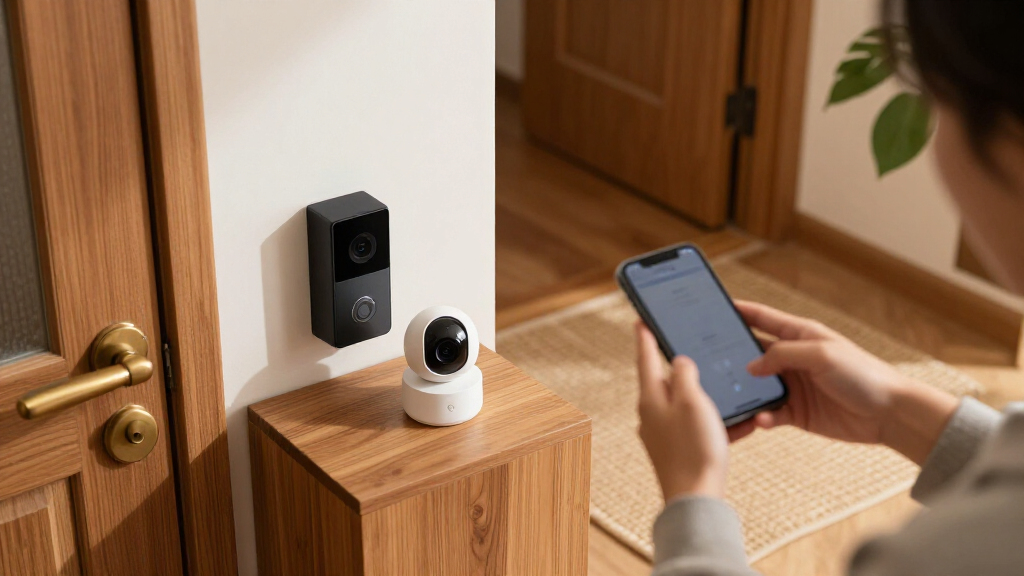
The best smart home security devices depend on whether you need cameras, entry alerts, or a coordinated alarm system. I rank the Ring Alarm Pro 14-Piece Kit first for its broad sensor coverage and built-in eero Wi-Fi 6 router, while the Reolink 16CH 4K system suits buyers who want continuous local recording and the eufy 5-Piece Alarm Kit keeps setup simpler. The main tradeoff is between a connected, expandable system and focused devices that may need less setup but cover fewer risks. Wired cameras can support continuous recording, while wireless models offer more placement freedom and depend on battery or solar power. Read on for the full breakdown, including who each pick suits and what to weigh before choosing.

Get home appliances delivered free — and shop member deals
- Fast, free delivery on millions of items
- Access to Prime Big Deal Days deals on October 6–7
- Prime Video, Amazon Music and more included
Complete the kit
![[Genuine] Waterdrop PF-01A Water Filter Replacement for W...](https://m.media-amazon.com/images/I/41+5tl9EiKL._SX342_SY445_QL70_FMwebp_.jpg)


Key Takeaways
- The Ring Alarm Pro kit combines two jobs: it pairs a 14-piece alarm setup with an eero Wi-Fi 6 router, a distinctive fit for buyers who want security and home networking in one system.
- Reolink’s recorder-based systems lead on camera coverage: the 4K and 12MP PoE kits use a 4TB HDD and 16-channel recorder, while Blink’s wireless options trade continuous wired recording for easier placement.
- Entry protection can start small: the Tapo starter kit covers doors and windows with three sensors and a hub, while the 21-piece alarm system and larger Ring kits target broader sensor coverage.
- Outdoor cameras solve different problems: Blink’s wired floodlight adds 2600-lumen lighting, whereas Reolink’s Argus PT Ultra pairs 4K video with pan-and-tilt movement and solar power.
- Kit size is not the same as system fit: Ring’s 5-, 8-, and 14-piece kits vary in included coverage, while the 5-piece eufy kit is a smaller alarm option; check the devices and services each household actually needs.
| Tapo T31 Smart Door and Window Sensor Starter Kit with Hub, 3 Sensors |  | Best Entry-Level Openings Kit | Included sensors: 3 Tapo T110 contact sensors | Hub: Tapo H100 with built-in chime | Max connected devices: 64 sensors, switches, and buttons | VIEW LATEST PRICE | See Our Full Breakdown |
| Reolink 16CH 4K Security Bullet Camera System with 4TB HDD (RLK16-800B8) |  | Best Whole-Property Camera System | Resolution: 4K Ultra HD (8MP) | Channels: 16CH | Storage: 4TB HDD, expandable to 16TB | VIEW LATEST PRICE | See Our Full Breakdown |
| Blink Wired Floodlight Camera, 1080p HD, 2600 Lumens, White |  | Best for Driveways and Dark Yards | Lighting: 2600 lumens | Video: 1080p HD live view | Night view: Color | VIEW LATEST PRICE | See Our Full Breakdown |
| Orbitell 1080p Wireless Wi-Fi Video Doorbell Camera |  | Best Budget Front-Door Watcher | Resolution: 1080p | Connectivity: 2.4 GHz Wi-Fi only | Storage: Cloud, AES-128 encrypted | VIEW LATEST PRICE | See Our Full Breakdown |
| 21-Piece Wi-Fi Home Alarm System with Alexa Compatibility |  | Best No-Fee Full Alarm Kit | Included pieces: 21 | Connectivity: 2.4 GHz Wi-Fi | Siren volume: 120 dB | VIEW LATEST PRICE | See Our Full Breakdown |
| Blink Outdoor 4 Wireless Security Camera System, 3 Cameras |  | Best Multi-Camera Value | Camera count: 3 | Video resolution: 1080p HD | Night vision: Infrared | VIEW LATEST PRICE | See Our Full Breakdown |
| Reolink Argus PT Ultra 4K Solar-Powered Wireless Outdoor Security Camera |  | Best Set-and-Forget Outdoor Camera | Resolution: 4K (8MP) | Power: Battery with 3W solar panel | Pan / Tilt: 355° / 140° | VIEW LATEST PRICE | See Our Full Breakdown |
| Reolink 16-Channel 12MP PoE Security Camera System with 4TB HDD |  | Best Whole-Property Wired System | Video resolution: 12MP (4512 × 2512) | Camera count: 8 | NVR channels: 16 PoE ports, expandable to 24 channels | VIEW LATEST PRICE | See Our Full Breakdown |
| eufy Security 5-Piece Home Alarm Kit |  | Best Fee-Free Starter Alarm | Included components: HomeBase, keypad, motion sensor, 2 entry sensors | Installation: DIY with included mounts | Monthly fees: None | VIEW LATEST PRICE | See Our Full Breakdown |
| Ring Alarm 8-Piece Home and Business Security System |  | Best Expandable Alarm Ecosystem | Kit size: 8 pieces | Included components: Base station, keypad, 4 contact sensors, motion detector, range extender | Recommended home size: 1–2 bedrooms | VIEW LATEST PRICE | See Our Full Breakdown |
| Ring Alarm 5-Piece Wireless Security System |  | Best for Apartments and Condos | Included components: Base Station, Keypad, Contact Sensor, Motion Detector, Range Extender | Connectivity: Wireless (Z-Wave) | Control: Ring app and physical keypad | VIEW LATEST PRICE | See Our Full Breakdown |
| Ring Alarm 14-Piece Wireless Security System Kit |  | Best Whole-Home Value | Kit contents: 1 Base Station, 2 Keypads, 8 Contact Sensors, 2 Motion Detectors, 1 Range Extender | Recommended home size: 2–4 bedrooms | Connectivity: Wireless (Z-Wave) | VIEW LATEST PRICE | See Our Full Breakdown |
| Ring Alarm Pro 14-Piece Home Security Kit with eero Wi-Fi 6 Router |  | Best Premium All-in-One | Kit contents: 1 Base Station, 2 Keypads, 8 Contact Sensors, 2 Motion Detectors, 1 Range Extender | Router type: Built-in eero Wi-Fi 6 | Wi-Fi speed: Up to 900 Mbps | VIEW LATEST PRICE | See Our Full Breakdown |
| smart home security device | Connectivity |
|---|---|
| Tapo T31 Smart Door and Window | — |
| Reolink 16CH 4K Security Bulle | PoE (Power over Ethernet) |
| Blink Wired Floodlight Camera | — |
| Orbitell 1080p Wireless Wi-Fi | 2.4 GHz Wi-Fi only |
| 21-Piece Wi-Fi Home Alarm Syst | 2.4 GHz Wi-Fi |
| Blink Outdoor 4 Wireless Secur | — |
| Reolink Argus PT Ultra 4K Sola | 2.4GHz and 5GHz Wi-Fi |
| Reolink 16-Channel 12MP PoE Se | — |
| eufy Security 5-Piece Home Ala | — |
| Ring Alarm 8-Piece Home and Bu | — |
| Ring Alarm 5-Piece Wireless Se | Wireless (Z-Wave) |
| Ring Alarm 14-Piece Wireless S | Wireless (Z-Wave) |
| Ring Alarm Pro 14-Piece Home S | Ethernet, Wi-Fi, Z-Wave, Bluetooth |
More Details on Our Top Picks
Tapo T31 Smart Door and Window Sensor Starter Kit with Hub, 3 Sensors
This kit makes the most sense for buyers who want to monitor doors and windows without committing to a full alarm system. Compared with the 21-Piece Wi-Fi Home Alarm System, the Tapo trades a loud siren and whole-home coverage for a clean, low-friction setup: three contact sensors, a hub with a built-in chime, and Matter support that plays nicely with Alexa, Google Home, and HomeKit. The H100 hub can eventually host up to 64 devices, so this grows into a larger Tapo ecosystem rather than being a dead end. The tradeoff is real, though — these sensors do nothing without the hub, and there’s no camera or siren muscle here.
Pros:- Three sensors plus a hub with built-in chime in one affordable package
- Matter support across Alexa, Google Home, HomeKit, and SmartThings
- Hub expands to 64 connected devices over time
- Tool-free magnetic or adhesive mounting with 2-year batteries
Cons:- Sensors are useless without the Tapo H100 hub
- Requires a 2.4 GHz Wi-Fi network to function
Best for: Apartment dwellers and first-time smart home buyers who mainly want to know when a door or window opens
Not ideal for: Homeowners wanting true intrusion deterrence — there’s no loud siren or camera, just alerts and a chime
- Included sensors:3 Tapo T110 contact sensors
- Hub:Tapo H100 with built-in chime
- Max connected devices:64 sensors, switches, and buttons
- Alarm volume:90 dB
- Battery:CR2032, up to 2 years
- Mounting:Magnetic or 3M adhesive
- Compatibility:Matter, Alexa, Google Home, HomeKit, SmartThings
Our verdict“A low-cost, platform-friendly way to start monitoring entry points, as long as alerts — not sirens — are the goal.”
Reolink 16CH 4K Security Bullet Camera System with 4TB HDD (RLK16-800B8)
This is the pick for buyers whose priority is continuous, high-resolution surveillance rather than smart home integration. The 4K bullet cameras deliver four times the detail of the 1080p Blink Wired Floodlight Camera, which matters when you need to zoom into a face or license plate after an incident. With a 4TB HDD recording 24/7 and PoE running power and data over a single cable up to 330 feet, it’s a set-and-forget solution. The tradeoff is ecosystem isolation: unlike the Ring Alarm systems in this roundup, it won’t talk to Alexa, and the cameras only work with Reolink PoE NVRs. You’re buying a surveillance vault, not a smart home centerpiece.
Pros:- 4K resolution with usable digital zoom for identifying detail
- Smart person and vehicle detection reduces false alerts
- Single-cable PoE installation with runs up to 330 feet
- 4TB of storage pre-installed, expandable to 16TB
Cons:- No Alexa, Wi-Fi, or third-party smart home compatibility
- Cameras are proprietary and locked to Reolink PoE NVRs
- Wired installation is far more labor-intensive than wireless options
Best for: Homeowners and small businesses that want wired 24/7 recording with expandable multi-camera coverage
Not ideal for: Renters or anyone wanting Alexa routines and Wi-Fi cameras — this is a hardwired, closed ecosystem
- Resolution:4K Ultra HD (8MP)
- Channels:16CH
- Storage:4TB HDD, expandable to 16TB
- Connectivity:PoE (Power over Ethernet)
- Max cable length:330 ft
- Warranty:2 years
- Compatibility:Reolink PoE NVR only
Our verdict“The strongest choice here for evidence-grade continuous recording, provided smart home integration doesn’t matter to you.”
Blink Wired Floodlight Camera, 1080p HD, 2600 Lumens, White
This option stands out for a job the contact sensors and alarm hubs can’t do: flooding an area with 2600 lumens the moment something moves. For driveways, side gates, and back patios, the light itself is a deterrent before the siren or two-way audio ever come into play. Compared with the Reolink 16CH system, the Blink gives you Alexa integration and color night view in a single-camera package — but at 1080p it can’t match Reolink’s 4K detail for identification. The recurring cost stings too: person detection and cloud clips sit behind a subscription, and local storage hardware is sold separately. You need existing outdoor wiring, which rules out renters outright.
Pros:- 2600 lumens of lighting doubles as an active deterrent
- Color night view and two-way audio
- Customizable dual-zone motion detection with built-in siren
- Native Alexa support for routines and live view
Cons:- Person detection and cloud storage require a paid subscription
- Local backup storage accessories are sold separately
- Requires existing outdoor wiring
Best for: Homeowners with existing outdoor wiring who want bright deterrence plus camera coverage at entry points
Not ideal for: Renters or those without wired junction boxes — installation requires existing outdoor wiring
- Lighting:2600 lumens
- Video:1080p HD live view
- Night view:Color
- Audio:Two-way
- Motion detection:Dual-zone, customizable
- Siren:Built-in
- Alexa compatible:Yes
Our verdict“The pick when powerful lighting matters as much as the camera, as long as wiring and subscription costs are acceptable.”
Orbitell 1080p Wireless Wi-Fi Video Doorbell Camera
This doorbell earns its slot by doing the essentials well at a lower commitment than mainstream doorbell platforms. Its AI motion detection filters out pets and passing cars, which puts it ahead of basic motion-triggered cameras in the roundup for cutting notification fatigue. Pre-capture recording means you see the moments before motion triggered, so packages left at the edge of frame aren’t missed. Compared with the Blink Wired Floodlight Camera, it’s fully wireless and weather-resistant to IP65, but there’s no lighting to deter anyone — it’s a watcher, not a spotlight. The 2.4 GHz-only limitation is worth checking against your router before buying, and cloud features may carry ongoing costs.
Pros:- AI detection distinguishes people from vehicles and animals
- Pre-capture recording catches moments before motion triggers
- Four-LED night vision performs well after dark
- IP65 weather resistance handles outdoor exposure
Cons:- 2.4 GHz Wi-Fi only — no 5 GHz support
- Cloud storage features may require a subscription
Best for: Buyers who want reliable package and visitor monitoring at the front door without professional installation
Not ideal for: Households on 5 GHz-only networks or anyone wanting built-in deterrence lighting
- Resolution:1080p
- Connectivity:2.4 GHz Wi-Fi only
- Storage:Cloud, AES-128 encrypted
- Audio:Two-way
- Night vision:Four infrared LEDs
- Weather resistance:IP65
- Special features:AI motion detection, pre-capture recording
Our verdict“A sensible low-cost doorbell for package tracking and visitor screening if your network and router band are compatible.”
21-Piece Wi-Fi Home Alarm System with Alexa Compatibility
This kit is better suited to buyers who want a complete alarm perimeter without monthly fees — the biggest contrast with Ring Alarm in this roundup, where professional monitoring is the usual upsell. With 21 pieces including door/window sensors, PIR motion detectors, and RFID disarm tags, plus a 120 dB siren and 48-hour battery backup, it covers a whole small home out of the box. Compared with the Tapo T31 starter kit, you get real alarm muscle instead of gentle chimes, but you give up Matter support and the polish of a mature ecosystem. Note the listing’s vague camera claim: treat this as a sensor-and-siren system, not a video solution, and rely on cameras like the Blink or Reolink for footage.
Pros:- No SIM card, contract, or monthly fees required
- Loud 120 dB siren with 48-hour battery backup
- 21 pieces cover doors, windows, and motion in one package
- Works with Alexa, Smart Life, and Tuya for app and voice control
Cons:- 2.4 GHz Wi-Fi dependency — the system goes remote-only if the network drops
- Camera functionality is listed but not clearly described
- Less refined ecosystem than Ring or eufy alternatives
Best for: Budget-conscious homeowners who want multi-room sensor coverage with no subscription or SIM requirements
Not ideal for: Buyers expecting integrated video — camera functionality is unclear and not the system’s strength
- Included pieces:21
- Connectivity:2.4 GHz Wi-Fi
- Siren volume:120 dB
- Battery backup:Up to 48 hours
- Sensor types:Magnetic contact, PIR, RFID
- Max range:330 feet
- Compatibility:Alexa, Smart Life, Tuya
Our verdict“The most cost-effective way to blanket a home in sensors and a serious siren, as long as you don’t expect built-in video.”
Blink Outdoor 4 Wireless Security Camera System, 3 Cameras
Three wire-free cameras in one box make this the most economical way to blanket a whole property in video coverage, and the up-to-two-year AA battery life means no wiring, no solar panels, and no ladder visits for recharging. Compared with the Reolink Argus PT Ultra, the Blink trades 4K detail and remote pan-tilt for sheer coverage-per-dollar, which is the smarter trade if you need to watch a driveway, a backyard, and a side gate at once rather than one wide angle. The catch is the subscription: cloud storage and person detection both sit behind a paid plan, and the included Sync Module Core has no local storage slot, so there’s no fee-free way to keep clips. Night vision is infrared only, so expect grayscale footage after dark.
Pros:- Up to two-year battery life on included AA lithium batteries
- Three cameras plus Sync Module and mounts in a single kit
- Two-way audio and dual-zone enhanced motion detection
- Straightforward Alexa integration for live view
Cons:- Cloud storage and person detection require a paid subscription
- No local storage option with the included Sync Module Core
- 1080p resolution lags well behind the 4K and 12MP options in this roundup
Best for: Homeowners who want to cover multiple blind spots around a house without running wires or charging batteries
Not ideal for: Buyers determined to avoid monthly fees — without a subscription you lose stored footage entirely, since no local storage is included
- Camera count:3
- Video resolution:1080p HD
- Night vision:Infrared
- Battery life:Up to 2 years
- Motion detection:Dual-zone enhanced
- Local storage:Not included with Sync Module Core
- Compatibility:Alexa
Our verdict“Pick this if covering three areas cheaply matters more than maximum image quality or avoiding subscription fees.”
Reolink Argus PT Ultra 4K Solar-Powered Wireless Outdoor Security Camera
This model solves the two annoyances that plague most wireless cameras: dead batteries and blind spots. The 3W solar panel keeps the battery topped off indefinitely in decent sun, and the 355° pan and 140° tilt let you sweep an entire yard from one mounting point — something the fixed-lens Blink Outdoor 4 simply cannot do without buying two or three cameras. The 4K sensor with color night vision also outclasses Blink’s 1080p infrared footage by a wide margin when you need to read a license plate or identify a face. Footage saves to a microSD card you supply yourself, which is genuinely fee-free compared with Blink’s subscription model. The tradeoff is coverage math: one pan-tilt head records in one direction at a time, so simultaneous multi-angle recording isn’t possible.
Pros:- Solar panel eliminates routine battery recharging
- 4K resolution with full-color night vision and motion spotlight
- 355° pan and 140° tilt with remote control from the app
- Person, vehicle, and pet detection with customizable zones; local microSD storage with no fees
Cons:- microSD card must be purchased separately
- Only records one direction at a time despite the wide range
- Solar charging depends on adequate sun exposure at the mounting spot
Best for: Homeowners who want one camera to cover a wide, sunny area with zero ongoing maintenance or fees
Not ideal for: Renters or buyers needing simultaneous coverage of several separate areas — a single pan-tilt camera only records where it’s pointed
- Resolution:4K (8MP)
- Power:Battery with 3W solar panel
- Pan / Tilt:355° / 140°
- Night vision:Color with motion spotlight
- Detection:Person, vehicle, pet
- Storage:microSD card (purchased separately)
- Connectivity:2.4GHz and 5GHz Wi-Fi
- Audio:Two-way
Our verdict“The strongest single-camera pick here if you’d rather buy one excellent pan-tilt head than three budget cameras.”
Reolink 16-Channel 12MP PoE Security Camera System with 4TB HDD
For anyone ready to graduate from wireless gadgets to a serious installation, this kit is the heavy-hitter of the lineup. Eight 12MP PoE cameras deliver detail that makes the 4K Reolink Argus PT Ultra look soft, and because each camera runs power and data over a single Ethernet cable back to the 4TB NVR, there’s no battery to charge, no Wi-Fi dropouts, and no subscription for storage. Recording modes run the gamut — motion, scheduled, or true 24/7 continuous recording, which no battery-powered camera in this roundup can sustain. The costs are real, though: you’ll need to run cables to eight mounting locations, the 20 fps default frame rate looks slightly choppy next to smoother competitors, and despite the 24-channel NVR header, you’re capped at 16 cameras total.
Pros:- 12MP resolution across all eight included cameras
- 4TB NVR storage with 24/7, scheduled, or motion recording — no monthly fees
- Color night vision with 100-foot range and motion-activated spotlights
- PoE design means one cable per camera with no batteries or Wi-Fi dependency
Cons:- Installation requires running Ethernet cable to every camera location
- Default 20 fps frame rate is lower than many competitors
- Camera count is capped at 16 despite the 24-channel NVR
Best for: Property owners building a permanent, subscription-free surveillance setup who can run Ethernet cable to camera locations
Not ideal for: Renters or apartment dwellers — the wired PoE installation requires drilling and cable runs that most rentals can’t accommodate
- Video resolution:12MP (4512 × 2512)
- Camera count:8
- NVR channels:16 PoE ports, expandable to 24 channels
- Storage:4TB HDD
- Night vision range:100 feet
- Recording modes:Motion, scheduled, and 24/7
- Viewing angle:93 degrees
- Power source:Corded electric (PoE)
Our verdict“The pick for a no-compromise, hardwired system — provided you’re willing to do the cabling work up front.”
eufy Security 5-Piece Home Alarm Kit
Where most security ecosystems quietly add a monthly bill, eufy charges nothing after the hardware — no subscription for alerts, arming, or monitoring of your own sensors. The kit covers the basics: a HomeBase, keypad, motion sensor, and two entry sensors, all DIY-mounted in under an hour with app notifications for breaches. Compared with the Ring Alarm 8-piece kit, you get fewer sensors and no professional-monitoring path at all, but you also never face the subscription upsell that Ring layers over remote arming and cloud features. That makes eufy the cleaner choice for buyers whose priority is owning their security outright. The obvious gap is scale — two entry sensors barely cover a front and back door, so any home with ground-floor windows will be adding sensors immediately.
Pros:- No monthly fees of any kind
- Genuinely simple DIY installation with included mounts
- Instant app alerts for motion and door/window breaches
- Keypad arming and disarming without a phone
Cons:- Only two entry sensors included, limiting coverage out of the box
- No option for 24/7 professional monitoring
- Kit lacks cameras, so there’s no visual record of triggers
Best for: Budget-conscious buyers or privacy-minded users who want a working alarm with zero recurring costs
Not ideal for: Larger homes or anyone wanting professional monitoring — two entry sensors won’t cover a full ground floor, and no monitoring option exists
- Included components:HomeBase, keypad, motion sensor, 2 entry sensors
- Installation:DIY with included mounts
- Monthly fees:None
- Alerts:eufy Security app notifications for motion or breaches
- Expandability:Compatible with additional eufy sensors
Our verdict“The right entry point if you want a functional alarm you own outright rather than rent through a subscription.”
Ring Alarm 8-Piece Home and Business Security System
This kit sits in the sweet spot of Ring’s lineup: with a base station, keypad, four contact sensors, a motion detector, and a range extender, it’s sized right for a one-to-two bedroom home, yet it’s the same ecosystem that scales up via the 14-piece kits and Ring cameras like the Blink Wired Floodlight Camera. Compared with the eufy 5-piece kit, you get double the entry sensors and — the big differentiator — an optional path to 24/7 professional monitoring, dispatching authorities when you can’t respond to an alert. The range extender also matters in larger homes where eufy’s HomeBase can struggle at the edges. The cost of that ecosystem is recurring: remote arming, Alexa voice control, and professional monitoring all live behind a Ring Protect subscription, so the true price of ownership climbs past the hardware if you want the full feature set.
Pros:- Four contact sensors, motion detector, and range extender for solid out-of-box coverage
- Optional 24/7 professional monitoring via Ring Protect
- Expands with Ring cameras, sensors, and accessories into one app
- Sized well for 1–2 bedroom homes and small businesses
Cons:- Remote arming, Alexa voice control, and monitoring require a paid subscription
- Additional sensors and accessories sold separately
- Deeper Alexa dependence than ecosystems that work across assistants
Best for: Owners of small homes or businesses who want a system that can grow with cameras, extra sensors, and optional professional monitoring
Not ideal for: Fee-averse buyers — core smart features like remote arming and Alexa control sit behind a subscription, unlike eufy’s free model
- Kit size:8 pieces
- Included components:Base station, keypad, 4 contact sensors, motion detector, range extender
- Recommended home size:1–2 bedrooms
- Monitoring:Optional 24/7 professional via Ring Protect Plan
- App:Ring app
- Voice control:Alexa (with Ring Protect subscription)
Our verdict“The best foundation if you plan to build a larger monitored ecosystem over time rather than buy a standalone alarm.”
Ring Alarm 5-Piece Wireless Security System
This starter kit earns its place as the most sensible entry point for renters because it covers the essentials — one door sensor, one motion detector, a keypad, base station, and range extender — without assuming you own a multi-bedroom house. Compared with the Ring Alarm 14-Piece Kit, you give up whole-home coverage, but that smaller footprint is exactly what makes it work in a condo where drilling sensors onto every window is impractical or prohibited. The tradeoff is real, though: remote arming, cellular backup, and professional monitoring all sit behind a Ring Protect subscription, and Alexa voice control requires that paid tier too. Out of the box, you get local siren alerts and app notifications, which is honest protection but not a monitored system. Next to the similarly sized eufy Security 5-Piece Home Alarm Kit, Ring wins on ecosystem depth and expandability, at the cost of a recurring subscription to unlock its best features.
Pros:- Covers the alarm essentials with five components in one affordable kit
- Wireless design installs without drilling, ideal for rental units
- Expandable with additional Ring sensors, cameras, and accessories
- Local siren and app notifications work without a subscription
- Fits naturally into an Alexa-centered smart home
Cons:- Remote arming, cellular backup, and professional monitoring all require a paid Ring Protect plan
- Only one contact sensor and one motion detector — multi-door homes will need extras sold separately
- No built-in camera or router functions unlike higher-tier Ring kits
Best for: Renters and condo dwellers who want a no-drilling alarm foundation they can grow into over time
Not ideal for: Homeowners who want professional monitoring and remote arming without paying a monthly subscription — those features are paywalled here
- Included components:Base Station, Keypad, Contact Sensor, Motion Detector, Range Extender
- Connectivity:Wireless (Z-Wave)
- Control:Ring app and physical keypad
- Voice assistant compatibility:Alexa (subscription required)
- Expansion:Supports additional Ring sensors and accessories, sold separately
- Professional monitoring:Optional, with compatible Ring Protect Plan
- Best suited for:Apartments and condos
Our verdict“This is the pick for renters who want a dependable alarm skeleton today and room to expand later, provided they accept that the best features live behind a subscription.”
Ring Alarm 14-Piece Wireless Security System Kit
If the 5-piece kit is an alarm skeleton, this is the fully clothed version for a 2–4 bedroom home. Eight contact sensors mean every ground-floor door and most windows can be monitored from day one, and the second keypad lets you arm and disarm from both the front and back entrance — a convenience smaller kits, including the Ring Alarm 5-Piece, simply don’t offer. Compared with standalone camera options like the Blink Outdoor 4 Wireless Security Camera System, this kit takes a sensor-first approach: it tells you when a door actually opens rather than only catching motion on video, which responds faster and avoids false triggers from passing cars. The catch mirrors every Ring alarm: remote arming, cellular backup, and professional monitoring are subscription-only, and homeowners with more than eight entry points will still buy extra sensors. But as a coverage-per-dollar package, it beats piecing together the same components individually.
Pros:- Eight contact sensors and two motion detectors cover a full house out of the box
- Dual keypads allow arming from multiple entrances
- Scales up with additional Ring sensors, cameras, and accessories
- Sensor-based intrusion detection avoids the false alarms common to camera-only setups
Cons:- Remote arming, cellular backup, and professional monitoring require a paid Ring Protect Plan
- Homes with more doors and windows than the included eight sensors need add-ons sold separately
- Lacks the built-in Wi-Fi router and battery backup depth of the Pro tier
Best for: Owners of 2–4 bedroom homes who want door and window coverage throughout the house without buying sensors piecemeal
Not ideal for: Buyers unwilling to pay an ongoing subscription — core smart features stay locked without Ring Protect
- Kit contents:1 Base Station, 2 Keypads, 8 Contact Sensors, 2 Motion Detectors, 1 Range Extender
- Recommended home size:2–4 bedrooms
- Connectivity:Wireless (Z-Wave)
- App control:Ring app with mobile notifications
- Alexa compatible:Yes; subscription required
- Professional monitoring:Available with compatible Ring Protect Plan
- Expansion:Additional sensors and accessories sold separately
Our verdict“The strongest coverage-per-dollar choice for a family home that needs every ground-floor entry monitored on day one, with the caveat that its smartest features are subscription-gated.”
Ring Alarm Pro 14-Piece Home Security Kit with eero Wi-Fi 6 Router
This is the kit for buyers who want security and networking solved in a single purchase. The base station doubles as an eero Wi-Fi 6 router delivering up to 900 Mbps across roughly 1,500 sq. ft., which means one less box on the shelf and a more reliable connection for every other smart device in the house. Compared with the standard Ring Alarm 14-Piece Kit, the Pro adds that router integration plus a rechargeable 24-hour battery backup, giving it genuine resilience during power cuts. The tradeoffs are structural: you must replace your existing primary router and wire the base station directly to your modem, so households attached to their current mesh setup or ISP router will face a real networking decision. And like its siblings, professional monitoring and cellular backup still demand a Ring Protect Plan, with advanced features like threat protection adding further subscription tiers. For a new home or a full smart-home rebuild, though, nothing else in this lineup consolidates so much.
Pros:- Combines a 14-piece alarm system and an eero Wi-Fi 6 router in one device
- 24-hour rechargeable battery backup keeps the system live during outages
- Full-house sensor coverage with two keypads and eight contact sensors
- Optional cellular backup adds protection if broadband goes down
Cons:- Requires replacing your existing primary router and connecting directly to the modem
- Professional monitoring, cellular backup, and advanced features like threat protection each carry subscription costs
- Wi-Fi coverage of 1,500 sq. ft. may require eero extenders in larger homes
Best for: Homeowners setting up a new property or rebuilding their network who want alarm coverage and a Wi-Fi 6 router from one device
Not ideal for: Households happy with their existing mesh router system — the forced router replacement and modem rewiring make this an awkward fit
- Kit contents:1 Base Station, 2 Keypads, 8 Contact Sensors, 2 Motion Detectors, 1 Range Extender
- Router type:Built-in eero Wi-Fi 6
- Wi-Fi speed:Up to 900 Mbps
- Wi-Fi coverage:Up to 1,500 sq. ft.
- Battery backup:Rechargeable 24-hour battery
- Connectivity:Ethernet, Wi-Fi, Z-Wave, Bluetooth
- Voice assistant compatibility:Alexa
- Professional monitoring:Optional, with compatible Ring Protect Plan
- Warranty:1-year limited warranty
Our verdict“The premium pick for buyers consolidating security and home networking into one purchase, provided they’re willing to restructure their router setup and budget for subscriptions.”
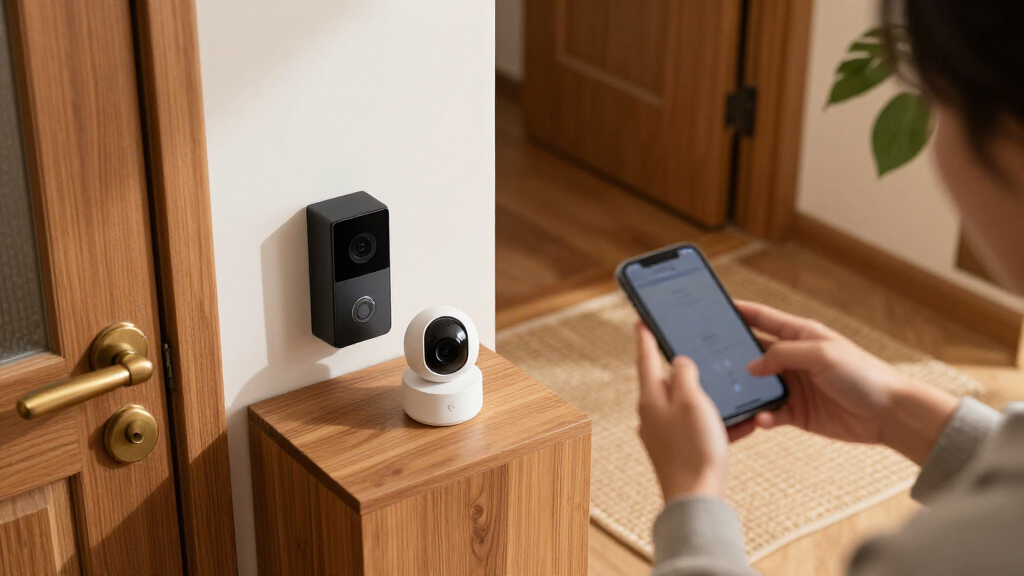
How We Picked
I ranked these devices by how well they address practical home security needs: spotting entry, monitoring indoor or outdoor areas, recording useful footage, and connecting devices into a workable system. I also weighed setup and placement demands, power source, included storage or hub equipment, and how clearly each option suits a particular household. A feature matters here when it changes what a buyer can monitor or how much ongoing upkeep the setup may require.
The ranking gives priority to coverage and versatility, then recognizes products that do one job especially well. That puts the Ring Alarm Pro kit first for its combination of a substantial sensor kit and Wi-Fi router, while Reolink’s recorder-based camera systems earn a strong place for dedicated multi-camera recording. Smaller alarm kits, standalone cameras, and door or window sensors rank according to their narrower but useful roles. Similar Ring kits are separated by included kit size and intended coverage, rather than treated as interchangeable.
Factors to Consider When Choosing Best Smart Home Security Devices
Before choosing a device, map the security gaps you want to address and how much system maintenance you are willing to take on. A useful setup starts with the home’s layout and routines, then matches sensors, cameras, recording, and connectivity to those needs.
Decide Which Risks You Need to Cover
Start by listing likely entry points and areas where seeing activity would change what you do. Door and window sensors can alert you to an opening, but they do not show who is outside or what happened after entry. Cameras add visual context, while alarms can make an event harder to ignore. A common mistake is buying several cameras for a home whose main concern is an unattended side door. Choose devices around specific blind spots and routines, then add coverage only where it improves awareness or response.
Choose Recording That Fits Your Routine
Camera footage is most useful when the recording method matches how often you may need to review it. A recorder with a hard drive can support a dedicated multi-camera setup, while battery-powered cameras prioritize flexible placement. Check whether recording is continuous or event-triggered, how footage is accessed, and whether the storage is included. Do not assume that a camera’s resolution alone guarantees useful evidence; angle, lighting, and the time footage remains available also matter. Buyers who want to avoid frequent battery attention may prefer wired power, provided installation is practical.
Plan for Power and Placement
Wireless devices are easier to place where cabling would be difficult, but their location can be constrained by battery life, Wi-Fi coverage, and charging access. Solar power can reduce charging chores when a camera receives suitable sunlight, though shaded eaves or short winter days can limit that benefit. Wired cameras and floodlights need a more deliberate installation plan and may be less convenient to relocate. Measure mounting positions and check signal strength before buying multiple devices. A device placed where it cannot reliably connect or capture a clear view adds little security.
Check How the System Connects
Alarm kits, hubs, cameras, and routers can each form part of a different setup, so confirm what communicates with what before expanding. A system that bundles a hub or router may reduce the number of separate components, but it also ties more of the setup to one ecosystem. Check app requirements, voice assistant support, and whether the devices you already own can work alongside the new kit. Avoid choosing by compatibility logos alone: a feature may be supported but still require extra equipment or configuration. If more than one person will manage alerts, consider how easily household members can access and understand the system.
Match Kit Size to the Home
A larger bundle can cover more doors and windows at once, but unused sensors do not improve protection. Count exterior doors, accessible windows, and rooms where a motion detector would make sense before comparing kit sizes. Consider pets, frequent visitors, and household routines, since these can affect where motion sensors work well. A smaller kit can be a sensible starting point if it can expand with compatible devices. Pay more for a larger bundle when its included components map to real gaps, rather than assuming a higher piece count automatically means better coverage.
Think Through Upkeep and Response
Security devices need occasional attention: batteries need replacing or charging, camera views need checking, and alerts need settings that suit daily life. Decide who will respond to notifications and whether they can reliably see them when away from home. Read the product details for any optional services or ongoing requirements tied to features you expect to use. Test alert volume and placement in the context of your household, especially if people sleep in different parts of the home. A setup that generates too many irrelevant alerts may be ignored, so tune detection zones and notifications after installation.
Frequently Asked Questions
Should I start with cameras or door and window sensors?
Start with the type of information you most need. Sensors can tell you that a door or window opened, while a camera can show what was happening around a particular area. If your priority is knowing when a perimeter entry occurs, a sensor kit may cover more access points with less camera placement work. If you need visual evidence at a driveway, yard, or entrance, a camera addresses that gap directly. Many homes benefit from combining them over time, but you do not have to buy both types in the first kit.
Is a recorder-based camera system a better choice than wireless cameras?
It depends on whether fixed, ongoing coverage or flexible placement matters more. A recorder-based system such as the Reolink kits includes a 4TB hard drive and supports multiple wired cameras, which can suit homes with several permanent outdoor views. Wireless cameras are easier to position and reposition, but their power and recording approach can require more attention. Before choosing a recorder system, check that cable runs and installation are feasible. For renters or buyers who want to avoid wiring, wireless models may be the more practical fit.
How do I choose between the Ring Alarm kit sizes?
Count the entry points and rooms you want covered, then compare that list with each kit’s included devices. The 5-piece kit is a smaller starting point, the 8-piece system provides a different bundle for home or business use, and the 14-piece kit targets broader coverage. The Ring Alarm Pro 14-piece option also includes an eero Wi-Fi 6 router, which may appeal if network equipment is part of your plan. Check each package’s current component list before ordering, since the piece count alone does not tell you which sensors are included. Choose the bundle that covers your actual layout without leaving key openings unmonitored.
Does solar power remove the need to maintain an outdoor camera?
Solar power can reduce how often you need to charge a compatible camera, but it does not remove upkeep altogether. The panel needs a location with enough direct light, and seasonal shade or weather can affect charging. You still need to check the camera’s connection, lens, mounting, and detection settings. A solar model is a stronger fit when the intended position receives dependable sunlight and running a power cable would be difficult. If the spot is shaded, plan for another power option instead of relying on solar alone.
What should I verify before buying a smart security kit for a home with pets?
Check how motion detection works and whether the device offers settings that can reduce alerts from routine pet movement. Placement matters: a sensor facing a pet’s usual path may trigger more often than one aimed at a specific entry route. For cameras, review detection-zone and notification controls so you can focus alerts on relevant areas. Consider your household schedule too, since pets may move through the home while everyone is away. If the product details do not make its pet-related detection behavior clear, treat that as a point to verify before building your system around it.
Conclusion
For a broad, connected setup, I’d choose the Ring Alarm Pro 14-Piece Kit as the best overall because it combines an extensive alarm bundle with an eero Wi-Fi 6 router. The Tapo T31 starter kit is my best value-style pick for buyers who mainly need straightforward door and window alerts, while the eufy 5-Piece Alarm Kit is a good beginner choice for a smaller alarm setup. For premium multi-camera coverage, I’d look to the Reolink 16CH 12MP PoE system; choose the 4K version if that resolution and its included recorder setup better match your plans. For focused needs, the Blink Wired Floodlight Camera suits a lit outdoor area, and the Reolink Argus PT Ultra fits a location where wireless placement, pan-and-tilt viewing, and solar power are useful. Match the kit to the gaps you identified, then expand only where it adds practical coverage.
NFL season / tailgating Picks
team gear
As an affiliate, we earn on qualifying purchases.