The best home tech deals depend on what you want your home to do: my best overall pick is the Amazon Echo Show 11 for its useful balance of a large screen, Alexa features, and room-filling audio. For a lower-commitment upgrade, the TP-Link Tapo Matter Smart Plug Mini 3-Pack adds flexible control to existing appliances, while the Google Nest Thermostat is the standout for buyers focused on home temperature. The main tradeoffs are ecosystem compatibility, how much setup you want to handle, and whether a screen or speaker adds enough value for your space. Smart plugs and bulbs are simpler starting points; displays and thermostats can bring more capability but deserve closer compatibility checks. Read on for the full breakdown and guidance on matching each pick to your home.

Get home appliances delivered free — and shop member deals
- Fast, free delivery on millions of items
- Access to Prime Big Deal Days deals on October 6–7
- Prime Video, Amazon Music and more included
Complete the kit


![[Genuine] Waterdrop PF-01A Water Filter Replacement for W...](https://m.media-amazon.com/images/I/41+5tl9EiKL._SX342_SY445_QL70_FMwebp_.jpg)
Key Takeaways
The Echo Show 11 leads as the all-around pick: its larger Full-HD screen and spatial audio suit shared spaces better than the smaller Echo Show 5, though it takes up more room.
Matter support makes the Tapo and amazon.com/dp/B09B2SRGXH?tag=theintellihome-20&ascsubtag=dc-1148569″ target=”_blank” rel=”nofollow sponsored noopener”>amazon.com/dp/B0C5DPSW5Y?tag=theintellihome-20&ascsubtag=dc-1148569″ target=”_blank” rel=”nofollow sponsored noopener”>amazon.com/dp/B0BC8N7QXN?tag=theintellihome-20&ascsubtag=dc-1148569″ target=”_blank” rel=”nofollow sponsored noopener”>Linkind plugs more flexible: they are stronger candidates for mixed smart-home ecosystems than Wi-Fi plugs tied mainly to Alexa and Google Home.
Smart plugs are the easiest low-effort upgrade: they can add schedules and remote control to compatible appliances without replacing the appliance itself.
Echo devices serve different rooms and habits: the Spot is oriented around bedside clock use, the Dot is a compact speaker, the Dot Max favors fuller sound, and the Show models add screens.
Thermostats call for a compatibility check before purchase: the Google Nest Thermostat and amazon.com/dp/B0DC91H3JK?tag=theintellihome-20&ascsubtag=dc-1148569″ target=”_blank” rel=”nofollow sponsored noopener”>amazon.com/dp/B0BFCBKXWL?tag=theintellihome-20&ascsubtag=dc-1148569″ target=”_blank” rel=”nofollow sponsored noopener”>amazon.com/dp/B09B93ZDG4?tag=theintellihome-20&ascsubtag=dc-1148569″ target=”_blank” rel=”nofollow sponsored noopener”>Amazon Smart Thermostat address a bigger household system than a plug or bulb, so wiring and platform fit matter more than simple setup.







| home tech deal | Dimensions |
|---|---|
| Amazon Echo Dot | 3.9 x 3.9 x 3.5 inches |
| Mini Projector with WiFi 6 and | — |
| Amazon Echo Spot | 4.5 x 4.1 x 4.4 inches |
| Amazon Echo Show 11 | 10 x 5 x 7.2 inches |
| Amazon Echo Dot Max | 4.27 x 4.27 x 3.9 inches |
| TP-Link Tapo Matter Supported | — |
| Linkind Smart Light Bulbs with | — |
| Linkind Matter Smart Plug | — |
| Addtam Surge Protector | 5.4 × 3.4 inches |
| Amazon Echo Show 15 | 16.1 × 10.1 × 1.4 inches |
| Govee Smart Plug | — |
| Amazon Echo Show 5 | — |
| Google Nest Thermostat | — |
| GHome Smart Plug | 2.1 x 2.1 x 1.1 inches |
| Amazon Smart Thermostat | 3.56 x 3.56 x 0.84 inches |
More Details on Our Top Picks
Amazon Echo Dot (5th Gen) – Smart Speaker with Alexa, Deep Sea Blue
The Echo Dot (5th Gen) is the most space-conscious speaker here, pairing a compact footprint with a full-range driver for everyday music, timers, and Alexa routines. Compared with the Echo Dot Max, it gives up room-filling bass and a built-in Zigbee, Matter, and Thread hub, but takes up less space and suits bedrooms or desks better. Its eero Built-in feature can extend a compatible eero network, though that benefit depends on owning the right router. For a home-tech deal focused on adding useful voice control without committing to a larger smart display or speaker, this is the straightforward pick. The tradeoff is that its sound and smart-home capabilities are more modest than the pricier, larger alternatives.
Pros:- Compact size fits nightstands, desks, and smaller rooms
- 1.6-inch full-range driver handles everyday listening
- Supports Alexa voice commands and routines
- eero Built-in can extend a compatible eero network
Cons:- Does not offer the Echo Dot Max’s stronger bass or integrated smart-home hub
- Wi-Fi extension requires a compatible eero router
- Some advanced features require app setup or subscriptions
Best for: People furnishing a bedroom, desk, or small living space who want Alexa routines and a compact speaker.
Not ideal for: Listeners who want powerful bass or buyers who need a smart-home hub with Zigbee, Matter, and Thread support.
- Dimensions:3.9 x 3.9 x 3.5 inches
- Weight:10.7 oz
- Driver:1.6-inch full-range
- Audio bandwidth:62 Hz–19 kHz
- Wi-Fi:Dual-band 802.11a/b/g/n/ac, 2.4 and 5 GHz
- Connectivity:Wi-Fi, Bluetooth Low Energy Mesh, Matter
- eero Built-in:Up to 1,000 sq. ft. coverage; speeds up to 100 Mbps
- Privacy:Microphone-off button and privacy controls
Our verdict“Choose the Echo Dot (5th Gen) for compact Alexa control and casual listening, not for deep bass or advanced smart-home hub features.”
Mini Projector with WiFi 6 and Bluetooth 5.4, Built-in Apps, 1080P/4K Support
This mini projector is the lineup’s pick for occasional big-screen viewing in a bedroom, dorm, or other small space. Its built-in apps, autofocus, and automatic keystone correction reduce setup steps compared with adding a separate streaming device and manually adjusting the image. It is also far easier to carry around than the Echo Show 11, although that smart display is the more practical choice for everyday home controls and video calls. The projector’s key compromise is image quality: its native resolution is 1280 x 720, despite accepting higher-resolution content, and its 200-lumen brightness is best suited to dim rooms. The short throw range also limits placement and screen size, so it is a flexible casual-viewing option rather than a replacement for a bright, dedicated home theater projector.
Pros:- Lightweight portable design at 0.85 lb
- Built-in apps and media player reduce reliance on extra devices
- Autofocus and automatic keystone correction simplify setup
- Wi-Fi 6, Bluetooth 5.4, HDMI, and USB offer varied connections
Cons:- Native resolution is 1280 x 720, below the resolution it can accept
- 200-lumen brightness is poorly suited to well-lit rooms
- Maximum throw distance of 3.5 meters limits placement and image size
Best for: Students and renters who want a lightweight projector for movie nights in a dim bedroom or dorm.
Not ideal for: Buyers who need a bright, sharp image in a sunlit room or want a large picture from a long distance.
- Native resolution:1280 x 720
- Maximum supported display resolution:1920 x 1080
- Brightness:200 lm
- Display type:LED
- Weight:0.85 lb
- Maximum image size:86 inches
- Throw distance:0.6–3.5 meters
- Setup features:Autofocus and automatic keystone correction
- Connectivity:HDMI, USB, Wi-Fi, Bluetooth
Our verdict“Pick this projector for portable viewing in dark, compact rooms, but choose another display if brightness or native sharpness is the priority.”
Amazon Echo Spot (newest model), Smart Alarm Clock with Alexa, Glacier White
The Echo Spot makes the most sense for a nightstand: its compact touch display puts clock faces and basic visual information within view, while Alexa handles alarms, music, and compatible smart-home controls. Unlike the Echo Dot (5th Gen), it adds a screen for checking the time at a glance; unlike the Echo Show 11, it stays small enough for a bedside table and has no camera. That smaller display is also its limit: it is not a substitute for a larger screen when video calls or more involved visual tasks matter. The speaker and eero Built-in add flexibility, but Wi-Fi extension requires a compatible eero router. For buyers choosing between a simple speaker and a full smart display, this sits in the middle, with an alarm-clock-first design.
Pros:- 2.83-inch touchscreen displays the clock and customizable faces
- No camera, with a microphone-off button and in-app privacy controls
- Alexa can manage alarms, routines, music, and compatible devices
- Compact footprint suits nightstands and kitchen counters
Cons:- Small display is less suited to video calls and detailed visual content
- eero Wi-Fi extension depends on a compatible eero router
- Bluetooth streaming support is limited to compatible devices
Best for: Nightstand shoppers who want an Alexa alarm clock with a small screen, speaker, and camera-free design.
Not ideal for: People who want video calling, a roomy screen for visual content, or eero Wi-Fi extension without a compatible router.
- Dimensions:4.5 x 4.1 x 4.4 inches
- Weight:14.3 oz
- Display:2.83-inch touchscreen, 240 x 320
- Camera:None
- Speaker:1.73-inch full-range
- Wi-Fi:Dual-band 802.11a/b/g/n/ac, 2.4 and 5 GHz
- Bluetooth:A2DP and AVRCP support
- eero Built-in:Up to 1,000 sq. ft. coverage with a compatible eero router
Our verdict“Choose the Echo Spot if you want a compact, camera-free Alexa clock with a screen, rather than a full-size smart display.”
Amazon Echo Show 11 (2025 model), 11″ Full-HD touchscreen with spatial audio, Alexa+
The Echo Show 11 is the most capable display in this group for buyers who want a central screen for smart-home controls, video calls, and on-screen routines. Its 11-inch Full-HD panel gives those tasks more room than the small display on the Echo Spot, while a 13 MP camera with auto framing is better suited to calls. The Echo Dot Max may be a better fit if audio and a compact speaker are the priority, but it cannot match this model’s large visual interface. This larger format brings real tradeoffs: it needs more counter space, relies on a stable Wi-Fi connection, and its feature set may be more than a simple alarm-clock or speaker setup needs. The built-in Zigbee, Matter, and Thread hub adds value for households building a connected-device setup.
Pros:- 11-inch Full-HD touchscreen provides room for controls and visual content
- 13 MP camera includes auto framing for video calls
- Spatial audio system includes a woofer and two full-range drivers
- Built-in Zigbee, Matter, and Thread hub supports a broad smart-home setup
Cons:- Larger body takes up more counter or shelf space than the Echo Spot
- Camera may not suit buyers seeking a camera-free display
- Many connected and interactive features depend on reliable Wi-Fi
Best for: Households that want a kitchen or living-room hub for smart-home controls, video calls, and on-screen routines.
Not ideal for: Small-space buyers who mainly need a bedside clock or speaker and do not want a larger camera-equipped device.
- Display:11-inch Full-HD touchscreen, 1920 x 1200
- Dimensions:10 x 5 x 7.2 inches
- Weight:45.92 oz
- Camera:13 MP with auto framing
- Audio:One 2.8-inch woofer and two full-range drivers
- Wi-Fi:Wi-Fi 6E, IEEE 802.11ax
- Smart-home hub:Zigbee, Matter, Thread
- Bluetooth:Version 5.4
- Privacy:Microphone and camera disable button; dedicated camera controls
Our verdict“Choose the Echo Show 11 as a central household screen if you will use its large display, video calls, and smart-home hub.”
Amazon Echo Dot Max (newest model), Alexa speaker with room-filling sound and nearly 3x bass, Graphite
The Echo Dot Max is the speaker pick for buyers who want more substantial sound and smart-home features in one device. Its 2.5-inch woofer and 0.8-inch tweeter are designed for fuller playback than the Echo Dot (5th Gen), whose compact full-range driver is better matched to casual listening in a smaller room. The Max also includes a hub for Zigbee, Matter, and Thread, which gives it a stronger role in a connected home than the basic Dot. Compared with the Echo Show 11, it keeps the setup focused on audio and voice control rather than a large screen or video calls. The tradeoffs are its larger, heavier body and the eero router requirement for Wi-Fi extension; some features also need app setup or account linking.
Pros:- Dedicated woofer and tweeter support fuller sound and deeper bass
- Built-in hub supports Zigbee, Matter, and Thread
- Wi-Fi 6E and eero Built-in add network and smart-home flexibility
- Can pair with other Echo devices and Fire TV
Cons:- Larger and heavier than the Echo Dot (5th Gen)
- eero Wi-Fi extension requires a compatible eero router
- Some features require app setup and account linking
Best for: Alexa households that want stronger room-filling audio and a built-in hub for Zigbee, Matter, and Thread devices.
Not ideal for: Buyers who need a visual smart-home interface, a very compact speaker, or Wi-Fi extension without a compatible eero router.
- Dimensions:4.27 x 4.27 x 3.9 inches
- Weight:17.82 oz
- Drivers:One 0.8-inch tweeter and one 2.5-inch woofer
- Audio bandwidth:53 Hz–16 kHz
- Wi-Fi:Wi-Fi 6E
- Bluetooth:Bluetooth Low Energy 5.3
- Smart-home hub:Zigbee, Matter, Thread
- Additional features:eero Built-in, Amazon Sidewalk, pairing with Echo devices and Fire TV
- Processor:AZ3 with AI Accelerator
Our verdict“Choose the Echo Dot Max if you want a stronger Alexa speaker that can also anchor a compatible smart-home setup.”
TP-Link Tapo Matter Supported Smart Plug Mini, 15A/1800W, Compact, White (3-Pack)
For buyers automating several lamps or small appliances, the three-pack makes this Tapo set a more useful starting point than a single outlet plug. Matter support gives it broad compatibility with Apple Home, Alexa, Google Home, and SmartThings, while Bluetooth onboarding can simplify setup before Wi-Fi control is in place. Scheduling and voice commands cover everyday routines, and the compact body is less likely than a bulky adapter to block a neighboring outlet. Compared with the Linkind Matter Smart Plug, this pick stands out for including three plugs and explicitly offering Bluetooth setup; the Linkind model lists offline LAN control. The Tapo’s main limits are its 2.4 GHz Wi-Fi requirement and lack of stated energy monitoring, so it won’t help track appliance consumption.
Pros:- Three plugs can automate multiple devices without buying separate single units.
- Matter support works across Apple Home, Alexa, Google Home, and SmartThings.
- Bluetooth onboarding can make initial setup more straightforward.
- Compact design helps preserve access to adjacent outlets.
Cons:- Requires a 2.4 GHz Wi-Fi network for network control.
- No energy monitoring is listed.
- Full functionality depends on a compatible smart home platform.
Best for: Households adding scheduled or voice control to several lamps and small appliances across a Matter-compatible smart home.
Not ideal for: Buyers who need energy-use tracking, rely only on 5 GHz Wi-Fi, or want to control high-draw appliances beyond the stated capacity.
- Pack size:3 plugs
- Maximum power:1800 W
- Operating voltage:120 V
- Connectivity:Bluetooth, Matter, Wi-Fi
- Control:On/off, scheduling, and voice control
- Compatible platforms:Apple Home, Amazon Alexa, Google Home, Samsung SmartThings
- Color:White
- Certification:UL-certified
Our verdict“Choose this three-pack for cross-platform control of several household devices, but pick another option if energy monitoring or 5 GHz Wi-Fi support is a priority.”
Linkind Smart Light Bulbs with Alexa & Google Home Compatibility
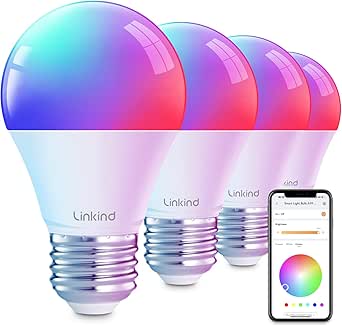
These Linkind bulbs are the lighting pick for buyers who want more than app-controlled on and off: color changes, dimming, preset scenes, and music sync give a room several moods without adding a separate lamp controller. At 800 lumens, each bulb is comparable to a traditional 60-watt bulb, so it can serve as everyday room lighting as well as accent color. Alexa and Google Home voice control adds convenience, while the 25,000-hour listed lifespan can reduce how often bulbs need replacing. Compared with the TP-Link Tapo Smart Plug, these bulbs directly change the light’s color and brightness, but they only control compatible bulb sockets rather than other appliances. They require 2.4 GHz Wi-Fi and are not suited to traditional dimmer switches, where flickering may occur.
Pros:- Multicolor output, dimming, and preset scenes expand lighting choices.
- Music sync adds reactive effects for entertainment spaces.
- Alexa and Google Home support allow voice control.
- A19 shape and E26 base fit many standard indoor fixtures.
Cons:- Not compatible with traditional dimmer switches and may flicker when used with one.
- Requires 2.4 GHz Wi-Fi rather than 5 GHz.
- Listed for indoor use only.
Best for: Alexa or Google Home households that want app-controlled color scenes and dimming in standard indoor lamp sockets.
Not ideal for: Buyers with traditional wall dimmers, 5 GHz-only Wi-Fi, outdoor fixtures, or a need for smart control of non-lighting appliances.
- Bulb type:LED, A19
- Base:E26
- Brightness:800 lumens
- Wattage:9 W
- Equivalent output:60 W incandescent
- Color:Multicolor
- Listed lifespan:25,000 hours
- Control and connectivity:App and voice; Wi-Fi and Bluetooth
Our verdict“Pick these bulbs for flexible indoor color and voice-controlled lighting, but skip them if your fixtures use conventional dimmer switches.”
Linkind Matter Smart Plug, Works with Apple Home, Alexa, Siri, Google Home
The Linkind Matter plug earns a distinct place for buyers who want local control during internet outages, provided their setup supports its offline LAN communication. Its 15 A, 1800 W capacity covers many household devices, while Matter compatibility spans Apple Home, Alexa, Google Home, and SmartThings. Scheduling and voice commands add the usual convenience without tying the plug to one assistant. Compared with the TP-Link Tapo three-pack, Linkind’s key advantage is the stated offline control; Tapo offers three plugs in one bundle and Bluetooth onboarding. That makes Linkind a better fit for a targeted outlet in an existing Matter system, rather than automating several rooms at once. It is limited to 2.4 GHz Wi-Fi, and full platform integration may require a Matter-certified hub.
Pros:- Matter support covers several major smart home platforms.
- Offline LAN communication can preserve control during internet outages.
- Rated for up to 15 A and 1800 W.
- Supports app control, schedules, and voice commands.
Cons:- Supports 2.4 GHz Wi-Fi only.
- Full platform integration may require a Matter-certified hub.
- A single plug offers less multi-room coverage than the Tapo three-pack.
Best for: Smart-home owners with a Matter-compatible hub who want a single outlet to remain controllable over the local network during internet interruptions.
Not ideal for: Buyers seeking several plugs in one purchase, 5 GHz Wi-Fi support, or an outlet solution for devices whose power needs exceed its 1800 W rating.
- Maximum current:15 A
- Power capacity:1800 W
- Connector:Type A plug-in
- Conductors:3 wires
- Connectivity standard:Matter
- Compatible platforms:Apple Home, Alexa, Google Home, SmartThings
- Network feature:Offline LAN communication
- Color:White
Our verdict“Choose Linkind for local control in a Matter-equipped home; choose the Tapo bundle instead if you need to automate several outlets at once.”
Addtam Surge Protector, 5 Outlet Extender with Night Light and 4 USB Ports
This Addtam extender is the practical pick when one wall outlet needs to serve a mix of plugs, phones, and other USB-charged devices. It combines five AC outlets with four USB ports, including USB-C, and its dusk-to-dawn night light adds a low-effort convenience in a hallway or bedroom. The listed 1050-joule surge protection offers a layer of protection for connected electronics, while overload safeguards add another safety measure. Unlike the TP-Link Tapo Smart Plug, this is not a smart-home control device: it expands charging access rather than adding schedules or voice commands. It also doesn’t offer the large household dashboard or streaming features of the Echo Show 15. Check the outlet layout before buying, since the product notes an issue with certain outlet types that may require altering the plastic prong.
Pros:- Five AC outlets and four USB ports expand one wall outlet.
- Includes a USB-C port for compatible devices.
- Dusk-to-dawn sensor controls the built-in night light.
- 1050-joule surge protection and overload safeguards are listed.
Cons:- Certain outlet types may require cutting off the plastic prong, according to the product details.
- Night light may not activate automatically in very low-light conditions.
- Indoor use only.
Best for: Households or home offices that need more AC and USB charging points, plus a night light, near one indoor outlet.
Not ideal for: Buyers who need smart scheduling, remote device control, outdoor use, or a plug-and-play fit for outlet types affected by the prong limitation.
- AC outlets:5
- USB ports:4, including USB-C
- Maximum current:15 A
- Voltage:125 V
- Surge protection:1050 joules
- Night light:Built-in with dusk-to-dawn sensor
- Dimensions:5.4 × 3.4 inches
- Plug type:Type B, three-pin North American
Our verdict“Pick this extender for extra outlet and USB capacity with a night light, but choose a smart plug if remote control and automation matter more.”
Amazon Echo Show 15 (newest model), Full HD 15.6″ Smart Display with Alexa and Fire TV
The Echo Show 15 is the roundup’s most capable shared-screen option: its 15.6-inch Full HD display gives family widgets, smart-home controls, video calls, and Fire TV room to coexist on one prominent screen. The centered 13 MP camera with a shutter is suited to household calls, while the included Alexa Voice Remote makes its streaming role more practical than a display controlled only by touch or voice. Its Zigbee, Matter, and Thread hub support can also bring compatible devices into the same home interface. Compared with the smaller Echo Show 11, the 15’s larger panel better suits wall or kitchen placement, but demands more space and a more deliberate setup. It weighs nearly five pounds, needs Wi-Fi, and can be more screen than a buyer seeking a simple smart speaker or compact clock needs.
Pros:- Large Full HD screen gives widgets and video room to remain readable.
- Built-in Fire TV and included Alexa Voice Remote support streaming.
- Centered 13 MP camera includes a physical shutter.
- Zigbee, Matter, and Thread support broaden smart-home device options.
Cons:- Its size and nearly five-pound weight require a dedicated placement.
- Needs Wi-Fi for connected features.
- Some features may require additional subscriptions.
Best for: Families who want a large kitchen or shared-room screen for organization, Fire TV, video calls, and compatible smart-home devices.
Not ideal for: Small-space buyers, shoppers seeking an inexpensive voice assistant, or households that don’t want a large display taking up wall or counter space.
- Display:15.6-inch, 1920 × 1080
- Dimensions:16.1 × 10.1 × 1.4 inches
- Weight:4.96 lb
- Camera:13 MP with shutter
- Audio:Two 2-inch woofers and two 0.6-inch tweeters
- Wi-Fi:Wi-Fi 6E, tri-band, dual-antenna
- Smart home hub:Zigbee, Matter, Thread
- Included accessories:Alexa Voice Remote, power adapter, 5-foot cord
Our verdict“Choose the Echo Show 15 if a shared large-screen home hub will earn a regular place in your kitchen or living area; otherwise, the Echo Show 11 is the more compact alternative.”
Govee Smart Plug, WiFi Outlet Compatible with Alexa & Google Assistant, 4 Pack
For buyers building a basic connected home, this four-pack makes it easier to automate several lamps or small appliances without adding a hub. Scheduling, group control, and Alexa and Google Assistant support cover the everyday jobs, while ETL certification adds a useful safety credential. Compared with the GHome Smart Plug in this lineup, Govee offers similar core automation, but the listed details emphasize its dual Wi-Fi and Bluetooth control. Both sets are limited to 2.4GHz Wi-Fi and 1200W, so neither suits high-draw appliances or a 5GHz-only network. The compact design helps preserve outlet access, though fit can vary with neighboring plugs. This is a practical home-tech deal for spreading basic control across rooms, not a choice for buyers who need higher capacity or broader network support.
Pros:- Four plugs let buyers automate multiple rooms or devices
- Works with Alexa and Google Assistant voice control
- Scheduling and group control simplify repeat routines
- ETL and FCC certification are listed
Cons:- Supports 2.4GHz Wi-Fi only
- 1200W capacity rules out many higher-draw appliances
Best for: Households that want to automate several lamps or other low-power devices with Alexa or Google Assistant
Not ideal for: Buyers with a 5GHz-only Wi-Fi network or appliances that exceed the plug’s 1200W limit
- Quantity:4 plugs
- Voltage:120 volts
- Amperage:11 A
- Plug type:Type B
- Connectivity:Wi-Fi and Bluetooth
- Voice assistants:Alexa and Google Assistant
- Certification:ETL
- Color:White
Our verdict“Choose this Govee four-pack for straightforward, multi-room control of low-power devices, provided your network uses 2.4GHz Wi-Fi.”
Amazon Echo Show 5 (newest model), Smart display, Designed for Alexa+, Cloud Blue
The Echo Show 5 is the small-screen pick for a nightstand, kitchen counter, or other spot where a larger display would take over. Its 5.5-inch screen can show weather, news, photos, and compatible camera feeds, while the improved bass and clearer vocals give it more audio presence than its size suggests. That makes it a different kind of home-tech deal from the Echo Show 11: the Show 5 saves space, but its display is far less suited to watching video or viewing details across a room. A 2 MP camera supports video calls, though it is not the choice for buyers who prioritize detailed image quality. The camera shutter and mic-off control offer tangible privacy options. Pick it for compact Alexa access and glanceable information, not as a room-filling screen.
Pros:- Compact 5.5-inch display fits smaller surfaces
- Improved bass and clearer vocals for its size
- Built-in camera and smart-home device controls
- Physical microphone control and camera shutter
Cons:- Small screen limits comfortable video viewing
- 2 MP camera is modest for detailed video calls
- Smart-home features depend on compatible devices
Best for: Alexa users who want a small bedside or counter display for quick information, calls, and compatible smart-home controls
Not ideal for: Buyers who want a large screen for extended video viewing or a higher-resolution camera for calls
- Display:5.5 inches
- Camera:2 MP
- Audio:Deeper bass and clearer vocals
- Color:Cloud Blue
- Privacy controls:Microphone/camera off button and built-in camera shutter
- Materials:Recycled polyester yarn and recycled aluminum
- Packaging:Recyclable
Our verdict“Pick the Echo Show 5 when a compact Alexa display matters more than screen size or camera detail.”
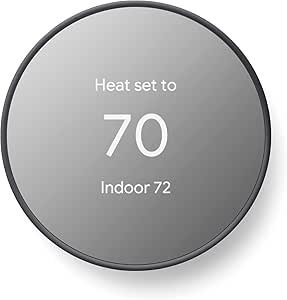
Google Nest Thermostat – Smart Thermostat for Home – Programmable Wi-Fi – Charcoal
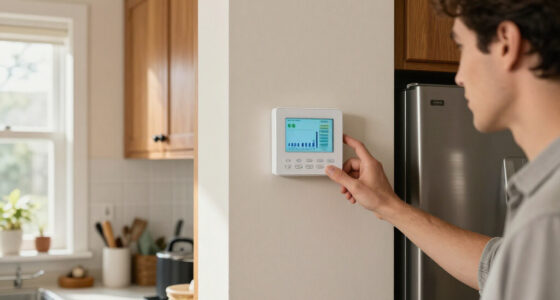
The Nest Thermostat suits homeowners who want app-based temperature control and automatic adjustments without committing to a feature-heavy premium unit. Its away adjustments and programmable schedule can reduce unnecessary heating or cooling when the home is empty, while Wi-Fi lets you change settings remotely. Compared with the Amazon Smart Thermostat, the Nest lists broader platform compatibility, including Google Assistant and Alexa, making it a more flexible fit for mixed smart-home setups. The Amazon model, by contrast, leans into Alexa and Ring routines. Installation is described as DIY-friendly, but HVAC wiring compatibility still matters, and some systems may need extra wiring or accessories. The LCD is compact, and the lack of a lock feature may matter in shared homes. This is a sensible choice for buyers who value cross-platform control over specialized controls.
Pros:- Automatically adjusts settings when the home is unoccupied
- Remote control through the Google Home app
- Works with Google Assistant and Alexa
- Programmable control and ENERGY STAR certification
Cons:- Some HVAC systems may require extra wiring or accessories
- Full remote functionality depends on a stable Wi-Fi connection
- No lock feature is listed
Best for: Homeowners with compatible HVAC systems who want app-based scheduling and control across Google Assistant or Alexa households
Not ideal for: Households needing a thermostat lock or buyers unwilling to check HVAC wiring compatibility before installation
- Temperature control:Heating and cooling
- Connectivity:Wi-Fi and Bluetooth
- Voltage:24 volts
- Display:2-inch LCD
- Control:Remote and voice control
- Compatibility:Amazon Alexa, Google Assistant, Android, and iOS
- Power:Battery powered; 2 included batteries required
- Mounting:Wall mount
Our verdict“Choose the Nest Thermostat for programmable, cross-platform temperature control if your HVAC system is compatible and you do not need a lock.”
GHome Smart Plug, WiFi Smart Outlet Compatible with Alexa and Google Home
GHome’s four-plug set is a good fit when more than one person needs to manage connected lamps, fans, or humidifiers. App sharing, schedules, and group control make it straightforward to coordinate several devices, and voice control works with Alexa and Google Home after app setup. Compared with the Govee Smart Plug four-pack, this model spells out shared access and remote app control as central strengths; both are 2.4GHz-only options with a 1200W limit, so neither is suited to high-wattage appliances. GHome’s 2.1-inch square body is compact enough for many outlets, but its dimensions are more explicit than Govee’s unusually tiny listed measurements, making clearance worth checking at crowded sockets. The extra setup step before linking a voice assistant is a small but real hurdle. Choose it for shared everyday control, not network flexibility.
Pros:- Four-plug set supports automation across multiple devices
- App sharing helps more than one household member manage plugs
- Scheduling and group control support coordinated routines
- Works with Alexa and Google Home voice control
Cons:- Requires a 2.4GHz Wi-Fi network
- Voice assistant connection requires app setup first
- 1200W limit restricts use with higher-draw devices
Best for: Households or roommates who want several low-power devices controlled through schedules and shared app access
Not ideal for: Buyers with 5GHz-only Wi-Fi, high-wattage appliances, or a preference for direct voice-assistant setup without an app
- Quantity:4 plugs
- Model:WP3
- Operating voltage:120 volts
- Wattage:1200 watts
- Connectivity:Wi-Fi, 2.4GHz
- Control methods:App, remote, touch, and voice
- Voice assistants:Alexa and Google Home
- Dimensions:2.1 x 2.1 x 1.1 inches
Our verdict“Pick GHome for a shared, app-managed plug setup across several low-power devices, as long as 2.4GHz Wi-Fi is available.”
Amazon Smart Thermostat
For an Alexa-centered home, this thermostat puts routine-based heating and cooling control in the same app ecosystem as compatible Echo and Ring devices. Scheduling, presence-based adjustments, and an energy dashboard give buyers several ways to manage everyday use, while guided Alexa app setup supports a DIY installation path. Compared with the Google Nest Thermostat, this model is a more focused choice for Alexa and Ring households; Nest lists compatibility across a broader set of platforms. The Amazon thermostat also calls for a C-wire or a separately sold power adapter, which can add installation work and cost. Its 2.4GHz-only Wi-Fi and lack of a built-in microphone mean voice commands rely on another compatible device rather than the thermostat itself. Choose it for Alexa routines and app control, not for platform-neutral smart-home use.
Pros:- ENERGY STAR certified with automatic routine-based adjustments
- Guided installation through the Alexa app
- Remote control through Alexa and Ring apps
- Includes scheduling, vacation mode, and an energy dashboard
Cons:- Requires a C-wire or separately sold power adapter
- Works with 2.4GHz Wi-Fi only
- No built-in microphone for direct voice control
Best for: Alexa and Ring households with compatible 24V HVAC systems and a C-wire that want scheduled, app-based temperature control
Not ideal for: Buyers without a C-wire who do not want a separate adapter, or households seeking broad platform support or built-in voice control
- Dimensions:3.56 x 3.56 x 0.84 inches
- Weight:3.86 oz
- HVAC compatibility:Most 24V systems; requires C-wire
- Network:2.4GHz, 802.11 b/g/n
- App control:Alexa and Ring apps
- On-device control:3 touch buttons
- Certifications:ENERGY STAR and ECOLOGO Gold
- Additional features:Humidity sensing, scheduling, emergency heat, vacation mode, and energy dashboard
Our verdict“Choose the Amazon Smart Thermostat for Alexa and Ring automation if your HVAC system has the required power connection.”
How We Picked
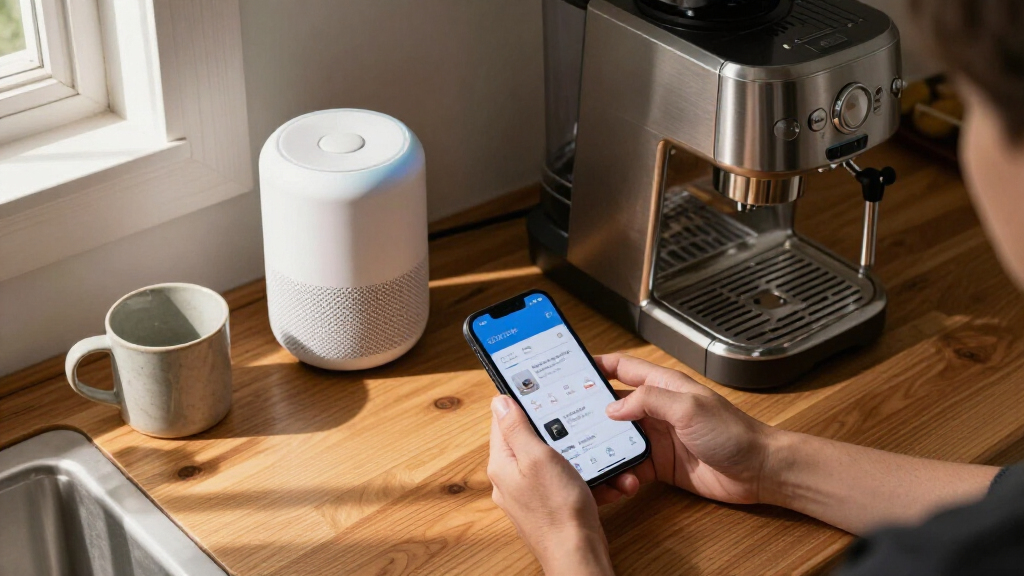
I compared these 15 products by how clearly each one solves a common home-tech need: voice control, room audio, a shared display, lighting, outlet automation, or temperature management. My ranking gives more weight to practical usefulness, ease of matching the product to a household, and flexibility across devices than to feature count alone. A plug that works with the platforms a reader already owns can be a better fit than a more elaborate device that calls for a new routine or ecosystem.
I also weighed form factor, setup demands, and the consequences of a poor fit. Compact speakers and plugs rank well for accessible upgrades, while larger displays earn their place when their screen and sound serve a shared room. Thermostats can offer broader household impact, but compatibility and installation make them less universal. Because the lineup spans different jobs rather than direct substitutes, each pick has a distinct role; the order reflects how broadly useful and easy to place it is, not a claim that one device replaces all the others.
Factors to Consider When Choosing Best Home Tech Deals
Before choosing a deal, start with the job you want the device to do and the equipment you already own. A low-cost addition can become a frustrating purchase if it needs a hub, uses a different voice assistant, or cannot fit your wiring or room. These checks help separate a convenient upgrade from an unnecessary one.
Match the device to a real household task
Pick a problem before picking a product: hands-free timers, bedside alarms, a family information screen, automated lighting, or temperature scheduling each point to a different device. A smart display adds little if you will not use its screen, while a speaker cannot replace a screen for visual reminders or video. Smart plugs make sense for appliances that safely resume their function when power returns, not every device with an on-off switch. A bulb may be a better fit when you want control over the light itself rather than the outlet. Write down the routine you want to automate and check that the product supports it. This keeps a deal from turning into another app and device with no daily purpose.
Check ecosystem and Matter support
List the platforms already in your home—such as Alexa, Google Home, or Apple Home—before buying connected devices. Matter support can improve cross-platform flexibility, but it does not mean every feature works identically in every app or with every controller. Check whether the device needs a compatible hub, border router, or specific setup step, especially if your household has multiple phones and voice assistants. A device with broad compatibility may be easier to share than one that works only through a single brand’s app. Avoid buying several different brands until you know how you prefer to manage routines and rooms. Consistent control often matters more than adding the longest feature list.
Judge the whole setup, not just the device
Smart-home products often depend on stable Wi-Fi, app permissions, and ongoing software support, so check these basics before adding more connected gear. A crowded network or weak signal can make a simple plug seem unreliable. Displays and speakers also need a sensible location: a large screen can be useful in a shared room but intrusive on a small counter. For bulbs, confirm the socket type and whether the wall switch will remain on; cutting power at the switch can make a smart bulb unreachable. For plugs, check dimensions and whether adjacent outlets remain usable. These small fit checks prevent avoidable setup problems.
Treat thermostat compatibility as a separate decision
A smart thermostat is not just another connected accessory: it interacts with heating and cooling equipment, wiring, and household schedules. Verify your system type and existing wiring against the manufacturer’s compatibility information before ordering. If the setup is unclear, take a clear photo of the thermostat wiring and consult the maker’s compatibility tool or a qualified installer. Compare app controls, voice-assistant fit, and scheduling needs alongside the device itself. A thermostat that works with your system but clashes with how your household adjusts temperature can become a source of friction. Do not choose on the assumption that every home can use the same model.
Pay for capability you will actually use
Premium displays and speakers make sense when better sound, a larger screen, or shared access will improve a daily routine. If you mainly need voice timers or a bedside clock, a smaller Echo can be a more sensible fit than a large display. Multi-packs of plugs or bulbs are useful when several rooms need the same upgrade, but buying a pack before testing one device can leave you with extras. Check whether a feature depends on an account, subscription, or compatible service, and count that ongoing commitment as part of the purchase. The best value is the product that meets the need without adding unused hardware. Spend more for an everyday advantage, not a specification you may never notice.
Frequently Asked Questions
Which of these devices is the easiest first smart-home purchase?
A smart plug is usually the simplest starting point because it can add scheduled or voice control to a compatible appliance without replacing it. The TP-Link Tapo Matter Smart Plug Mini is a flexible choice if you want Matter support, while the Govee 4-pack suits buyers planning to automate several outlets at once. Check that the appliance is appropriate for plug-based control and that your Wi-Fi reaches the outlet. Start with one plug if you are unsure how often you will use schedules or voice commands. That small trial can show whether a broader smart-home setup fits your habits.
Do I need Matter devices if I already use Alexa or Google Home?
No; a device that works with your current platform may be all you need. Matter is most useful when you want more choice among compatible platforms or expect your household setup to change. Support can still vary by device and by the features exposed in each platform, so check the specific product’s compatibility details. It is also wise to confirm whether your home needs a compatible controller or network component. Choose Matter for flexibility, not as a guarantee that setup will be identical everywhere.
Should I choose an Echo Show or an Echo speaker without a screen?
Choose a screen when you will use visual information, video, touch controls, or reminders that household members can see. The Echo Show 11 is better suited to a shared space than a compact bedside display, while the Echo Show 5 takes less room. A speaker such as the Echo Dot is a simpler fit for voice commands and audio where screen use would be unnecessary. Consider viewing distance, counter space, and whether other people will benefit from the display. If you mainly ask questions and play audio, a screen may not justify the extra footprint.
What should I check before buying a smart thermostat?
Start by checking that the thermostat supports your heating and cooling system and that your wiring meets its requirements. Compatibility can depend on the equipment type and terminal setup, so do not assume two smart thermostats are interchangeable. Next, compare app and voice-assistant support with the platform your household already uses. Consider who will adjust schedules and whether the controls make sense for everyone at home. If the wiring or system type is uncertain, get professional guidance before installation.
Is a multi-pack of smart plugs or bulbs a better value than buying one?
A multi-pack makes sense when you already know which rooms or appliances need automation and the devices use the same platform. It can be a poor fit if you are still learning how schedules, apps, and voice control work in your home. Try one unit first when compatibility or day-to-day usefulness is uncertain, especially with a new brand. For bulbs, also check socket type and whether household members regularly use the wall switch. For plugs, confirm outlet spacing and appliance suitability before filling several sockets.
Conclusion
For most households seeking a capable shared-room hub, I recommend the Amazon Echo Show 11 as the best overall; its larger screen and spatial audio offer a broader role than the smaller Echo Show 5, at the cost of more space. For best value in a practical starter upgrade, the TP-Link Tapo Matter Smart Plug Mini 3-Pack is a flexible way to automate existing appliances. The best premium pick depends on what you value: choose the Echo Show 15 for a larger display with Fire TV, or the Echo Dot Max when fuller speaker sound matters more than a screen. For beginners, start with an Echo Dot or a single compatible smart plug rather than building a whole system at once. For specific needs, choose the Echo Spot for bedside clock use, Linkind Matter devices for cross-platform smart-home control, or a compatible Google Nest or Amazon thermostat for temperature scheduling. The right choice is the one that fits your space, platform, and routine without adding complexity you will not use.
Halloween Picks
halloween
As an affiliate, we earn on qualifying purchases.