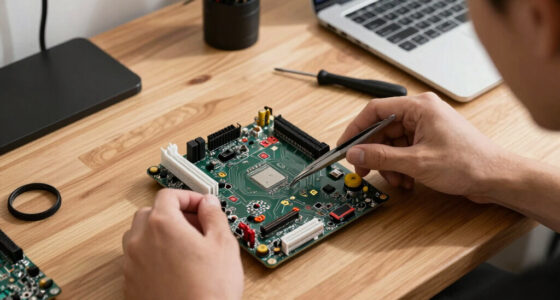
Selecting the best Matter smart home hubs requires balancing raw connectivity with local processing power. The Zemismart M1 Pro stands out as the best overall pick due to its robust support for Thread, Zigbee, and IR, offering extensive device compatibility without cloud reliance. For those prioritizing advanced automation and privacy, the Homey Pro (2026) delivers unmatched local control, while the Aeotec Smart Home Hub remains a solid choice for SmartThings loyalists. Buyers often struggle with choosing between cloud-dependent convenience and local-first reliability. Continue reading to see how these fifteen options stack up against specific use cases and technical requirements.

Get home appliances delivered free with Prime
- Fast, free delivery on millions of items
- Prime Video, Amazon Music and more included
- Member-only deals all year
Complete the kit


Key Takeaways
- Local processing capabilities significantly outperform cloud-dependent hubs in reliability and latency for critical automations.
- Multi-protocol support (Thread, Zigbee, Z-Wave) is becoming the standard for future-proofing, but driver quality varies widely between brands.
- Budget-friendly hubs like the Zemismart M6 often sacrifice advanced automation logic for basic Matter bridging functionality.
- Premium hubs such as Homey Pro justify their cost through extensive local automation engines and superior third-party device support.
- Ecosystem lock-in is decreasing, but specific hubs still offer deeper integration with Apple Home, Google Home, or Amazon Alexa than others.
| Zemismart M1 Pro Matter Smart Home Hub with Thread, Zigbee, and IR |  | Best for Mixed-Protocol Homes | Protocols: Matter, Thread, Zigbee | Connectivity: 10/100 Mbps Ethernet; 2.4 GHz and 5 GHz Wi-Fi | Maximum Zigbee sub-devices: 128 compatible devices | VIEW LATEST PRICE | See Our Full Breakdown |
| Zemismart M6 Matter and Zigbee Smart Home Hub |  | Best for Tuya and Google Home or SmartThings Setups | Model: M6 – Zigbee | Connectivity: Zigbee, Matter, USB | Wireless compatibility: 802.11ac, 802.11ax; dual-band | VIEW LATEST PRICE | See Our Full Breakdown |
| Hubitat Elevation C-8 Pro Smart Home Hub – Z-Wave Zigbee Matter |  | Best for Local-First Automation | Model: C8 Pro | Protocols: Matter 1.5, Z-Wave 800 Series, Zigbee 3.0, Bluetooth | Voice assistant compatibility: Alexa, Google Home, Apple HomeKit | VIEW LATEST PRICE | See Our Full Breakdown |
| Yeelight E1 Smart Home Hub – Matter Controller & Thread Border Router, Wi‑Fi/Ethernet Gateway (Apple Home, Alexa, Google Home, SmartThings) |  | Best for Yeelight-Based Lighting | Model: YP-0751 | Role: Matter controller and Thread Border Router | Connectivity: Wi-Fi or Ethernet | VIEW LATEST PRICE | See Our Full Breakdown |
| Homey Pro (2026) Smart Home Hub |  | Best Premium Multi-Protocol Hub | Model year: 2026 | Connectivity protocols: Wi-Fi, Zigbee, Z-Wave Plus, BLE, Infrared, Matter, Thread | Listed device compatibility: 70,000+ devices from 2,000+ brands | VIEW LATEST PRICE | See Our Full Breakdown |
| SwitchBot Hub 3 Smart Home Hub with Screen and Dial Control |  | Best for Visual Control and Scene Management | Display: 2.4-inch IPS screen | Connectivity: 2.4 GHz Wi-Fi, Bluetooth, Infrared, Matter | Sensor Accuracy: ±0.2°C temperature, humidity sensor | VIEW LATEST PRICE | See Our Full Breakdown |
| Aqara Smart Hub M200 Matter Controller with Zigbee, Thread, Wi-Fi, IR, and PoE |  | Best Power User Hub with PoE Support | Protocols: Matter, Thread, Zigbee, Bluetooth, Wi-Fi, IR, Ethernet (PoE) | Device Capacity: 40 Zigbee + 40 Thread devices | IR Blaster: 360° with status feedback | VIEW LATEST PRICE | See Our Full Breakdown |
| Aeotec Smart Home Hub with SmartThings, Z-Wave, Zigbee, and Matter |  | Best for Z-Wave and Zigbee Compatibility | Protocols: Z-Wave, Zigbee, Matter | Connectivity: Ethernet, Wi-Fi | Frequency: 908.42 MHz (Z-Wave) | VIEW LATEST PRICE | See Our Full Breakdown |
| SwitchBot Hub 2 (2nd Gen) Smart Home Hub |  | Best Compact Entry-Level Hub | Model: Hub 2 (2nd Gen) | Connectivity: Wi-Fi (2.4GHz), Bluetooth, Matter | Sensor Accuracy: ±1.8% RH / ±0.36°F | VIEW LATEST PRICE | See Our Full Breakdown |
| Aqara Smart Hub M100 Matter Controller with Wi-Fi 6 |  | Best Budget Matter Controller | Device Support: 20 Zigbee + 20 Thread devices | Wi-Fi: 2.4 GHz Wi-Fi 6 (802.11ax) | Security: WPA3 | VIEW LATEST PRICE | See Our Full Breakdown |
| TP-Link Tapo H110 Matter-Certified Smart IR and IoT Hub with Chime |  | Best for Legacy Appliance Integration | Connectivity: 2.4 GHz Wi-Fi | Compatibility: Matter; Alexa, Google Assistant, Apple Home | IR Capability: 8,000+ brands; 18 appliance types | VIEW LATEST PRICE | See Our Full Breakdown |
| SONOFF Bridge-M Smart Home Hub |  | Best for Local Control Enthusiasts | Connectivity: Wi-Fi, Ethernet, Zigbee | Matter Role: Bridge only (no controller) | Local Control: Web console, MQTT for Home Assistant | VIEW LATEST PRICE | See Our Full Breakdown |
| Yoolax Zigbee Matter Smart Hub for Alexa and Google Home |  | Best for Large Zigbee Deployments | Connectivity: Zigbee, Sub-GHz | Device Capacity: Up to 128 devices | Voice Control: Alexa, Google Assistant | VIEW LATEST PRICE | See Our Full Breakdown |
| Linkind Matter Smart Hub 2 for BLE Mesh Outdoor Lights |  | Best for Outdoor Lighting Integration | Connectivity: Bluetooth, Matter, Wi-Fi | Max Lights: 200 | Range: 131 ft (40 m) | VIEW LATEST PRICE | See Our Full Breakdown |
| Aqara Smart Home Hub M3 with Matter, Zigbee, Thread, and IR Control |  | Best Premium Multi-Protocol Hub | Protocols: Zigbee, Thread, Matter, Bluetooth, Wi-Fi | Local Storage: 8GB end-to-end encrypted | IR Control: 360° blaster with detection | VIEW LATEST PRICE | See Our Full Breakdown |
| Matter smart home hub | Connectivity |
|---|---|
| Zemismart M1 Pro Matter Smart | 10/100 Mbps Ethernet; 2.4 GHz and 5 GHz Wi-Fi |
| Zemismart M6 Matter and Zigbee | Zigbee, Matter, USB |
| Hubitat Elevation C-8 Pro Smar | — |
| Yeelight E1 Smart Home Hub | Wi-Fi or Ethernet |
| Homey Pro | — |
| SwitchBot Hub 3 Smart Home Hub | 2.4 GHz Wi-Fi, Bluetooth, Infrared, Matter |
| Aqara Smart Hub M200 Matter Co | — |
| Aeotec Smart Home Hub with Sma | Ethernet, Wi-Fi |
| SwitchBot Hub 2 | Wi-Fi (2.4GHz), Bluetooth, Matter |
| Aqara Smart Hub M100 Matter Co | — |
| TP-Link Tapo H110 Matter-Certi | 2.4 GHz Wi-Fi |
| SONOFF Bridge-M Smart Home Hub | Wi-Fi, Ethernet, Zigbee |
| Yoolax Zigbee Matter Smart Hub | Zigbee, Sub-GHz |
| Linkind Matter Smart Hub 2 for | Bluetooth, Matter, Wi-Fi |
| Aqara Smart Home Hub M3 with M | — |
More Details on Our Top Picks
Zemismart M1 Pro Matter Smart Home Hub with Thread, Zigbee, and IR
The M1 Pro makes the strongest case for buyers who want one compact hub to connect Tuya Zigbee devices, Thread products, Matter, and infrared-controlled appliances. Its 38 kHz IR transmitter can handle compatible equipment such as some air conditioners, adding a control option that the Hubitat Elevation C-8 Pro does not list. It also supports up to 128 compatible Zigbee devices and local hub-side automations, so some routines can continue when the internet is down. There are setup caveats: initial activation requires Ethernet, and initial app pairing needs 2.4 GHz Wi-Fi. Compared with the broader automation focus of Homey Pro, the M1 Pro is a more focused bridge, and compatibility varies across devices and ecosystems. IR control also depends on placement and a clear signal path.
Pros:- Combines Matter bridging, a Thread Border Router, a Tuya Zigbee gateway, and IR control.
- Supports local hub-side scenes and automations during internet outages.
- Offers Ethernet and dual-band Wi-Fi connectivity after setup.
- Supports up to 128 compatible Tuya Zigbee devices in a compact enclosure.
Cons:- Initial activation requires Ethernet, and initial app pairing requires 2.4 GHz Wi-Fi.
- Device compatibility and available controls vary by device, firmware, and ecosystem.
- IR control depends on unobstructed placement, and third-party support varies.
Best for: Households with Tuya Zigbee devices, Thread products, and IR-controlled appliances that want local scenes in a compact hub.
Not ideal for: Buyers who cannot connect the hub to Ethernet during initial activation, or who need guaranteed cross-brand Matter and IR compatibility.
- Protocols:Matter, Thread, Zigbee
- Connectivity:10/100 Mbps Ethernet; 2.4 GHz and 5 GHz Wi-Fi
- Maximum Zigbee sub-devices:128 compatible devices
- IR control:38 kHz; reference range up to 9 m in front and approximately 4 m to the side
- Power:USB-C, 5 V/2 A
- Dimensions:95 x 95 x 24 mm
- Initial activation:Ethernet connection required
- Initial app pairing:2.4 GHz Wi-Fi required
Our verdict“Choose the M1 Pro if you need one compact hub for Tuya Zigbee, Thread, Matter, and compatible IR appliances and can accommodate its setup requirements.”
Zemismart M6 Matter and Zigbee Smart Home Hub
The M6 is a straightforward fit for buyers building around compatible Zigbee devices and Tuya, with app-based scenes, schedules, and support for more than 125 devices. It also connects with Google Home and SmartThings, while remote software updates can bring changes without a manual update process. Unlike the Zemismart M1 Pro, the M6’s listed feature set does not include a Thread Border Router or IR control, so it is less versatile for mixed-protocol homes. Its Matter integration also requires a separate border router, which means Matter support alone does not make this a complete Matter hub setup. Alexa is not currently supported, a meaningful limitation for Alexa-centered households, and the charging plug is not included.
Pros:- Supports more than 125 compatible devices.
- Offers app-based scenes, schedules, and automations.
- Works with Tuya, Google Home, and SmartThings.
- Receives remote software updates.
Cons:- Alexa is not currently supported.
- Matter integration requires a separate border router.
- Charging plug is not included.
Best for: Tuya and Zigbee users who rely on Google Home or SmartThings, want app-based routines, and already have a Matter border router if needed.
Not ideal for: Alexa households, or buyers seeking an all-in-one Matter hub with its own border router, Thread support, or IR control.
- Model:M6 – Zigbee
- Connectivity:Zigbee, Matter, USB
- Wireless compatibility:802.11ac, 802.11ax; dual-band
- Device capacity:125+ devices
- Supported platforms:Matter (border router required), Tuya, Google Home, SmartThings
- Alexa support:Not currently supported
- Included items:Hub, user manual, charging cable; plug not included
Our verdict“Pick the M6 for a Tuya and Zigbee setup centered on Google Home or SmartThings, but skip it if you need Alexa or a built-in Matter border router.”
Hubitat Elevation C-8 Pro Smart Home Hub – Z-Wave Zigbee Matter
The Hubitat Elevation C-8 Pro suits buyers who put local automation and internet-outage resilience ahead of a guided, beginner-focused setup. It processes automations on the hub and supports Matter, Z-Wave 800 Series, Zigbee 3.0, and Bluetooth, giving an established device network several ways to connect. Alexa, Google Home, and Apple HomeKit compatibility add voice and platform options, while full functionality requires no subscription. Compared with the Zemismart M1 Pro, the C-8 Pro adds Z-Wave but does not list IR control; compared with Homey Pro, its appeal centers more on local hub processing than a large multi-protocol brand directory. The main tradeoff is setup complexity: building advanced automations can take more learning than using simpler app-based scenes.
Pros:- Processes automations locally, including during internet outages.
- Supports Matter, Z-Wave 800 Series, Zigbee 3.0, and Bluetooth.
- Works with Alexa, Google Home, and Apple HomeKit.
- No subscription is required for full functionality.
Cons:- Advanced automation setup has a learning curve.
- Requires compatible smart home devices; the hub does not provide useful control on its own.
- Does not list IR control, unlike the Zemismart M1 Pro.
Best for: Privacy-minded smart home owners with a mix of Zigbee and Z-Wave devices who want automations to run locally and are comfortable configuring them.
Not ideal for: Beginners seeking a simple guided setup, or households that need an integrated IR transmitter for appliance control.
- Model:C8 Pro
- Protocols:Matter 1.5, Z-Wave 800 Series, Zigbee 3.0, Bluetooth
- Voice assistant compatibility:Alexa, Google Home, Apple HomeKit
- Automation processing:Local on-device processing
- Subscription:None required
- Dimensions:2.95 x 3.23 x 0.67 in
- Item weight:2.56 oz
Our verdict“Choose the C-8 Pro if local control and Z-Wave support matter more to you than a beginner-friendly setup or built-in IR control.”
Yeelight E1 Smart Home Hub – Matter Controller & Thread Border Router, Wi‑Fi/Ethernet Gateway (Apple Home, Alexa, Google Home, SmartThings)
The Yeelight E1 is a more specialized Matter pick than the Hubitat Elevation C-8 Pro or Homey Pro: its clearest strength is adding Matter and Thread control to a Yeelight-centered setup. It supports local automation and can connect by Wi-Fi or Ethernet, with a stated capacity of up to 150 sub-devices. LAN API access and Home Assistant compatibility give technically confident owners more room to customize than a basic app-only hub. But the listed Matter support is limited to Yeelight devices; other brands are supported only if they are color-capable lights. That restriction makes the headline cross-platform promise narrower than the one suggested by broader hubs such as Homey Pro. The single-band 802.11b Wi-Fi specification is also a limitation for buyers expecting more current wireless networking, despite the Ethernet option.
Pros:- Combines Matter controller functionality and a Thread Border Router.
- Local automation can continue offline for faster response.
- Supports up to 150 sub-devices through Wi-Fi or Ethernet.
- LAN API and Home Assistant compatibility suit advanced customization.
Cons:- Matter support is limited to Yeelight devices; other brands are limited to color-capable lights.
- The listed Wi-Fi specification is single-band 802.11b.
- Its device support is narrower than the broader ecosystems offered by Homey Pro or Hubitat.
Best for: Yeelight lighting owners who want local automation, Thread support, and the option to customize through LAN API or Home Assistant.
Not ideal for: Buyers assembling a brand-neutral Matter setup, or anyone who needs broad support for non-lighting devices from other brands.
- Model:YP-0751
- Role:Matter controller and Thread Border Router
- Connectivity:Wi-Fi or Ethernet
- Listed Wi-Fi compatibility:Single-band 802.11b
- Sub-device capacity:Up to 150
- Automation:Local automation
- Advanced integration:LAN API and Home Assistant compatibility
- Warranty:1 year
Our verdict“The E1 makes sense for Yeelight-focused homes that value local control and customization, but it is a poor match for broad, brand-neutral Matter expansion.”
Homey Pro (2026) Smart Home Hub
Homey Pro (2026) is the broadest fit here for households with devices spread across multiple protocols and brands. Wi-Fi, Zigbee, Z-Wave Plus, BLE, infrared, Matter, and Thread let it cover more ground than the Zemismart M1 Pro, which is a more compact option centered on Tuya Zigbee, Thread, Matter, and IR. Homey Flow also gives experienced owners tools for elaborate routines, while on-device processing supports a more local-first approach. Its stated compatibility with more than 70,000 devices across 2,000+ brands is attractive for mixed collections, though the product data does not establish that every device or feature works identically. That flexibility brings a learning curve: advanced flows and open-platform apps can take work to manage. The supplied dimensions are incomplete, making exact placement harder to plan.
Pros:- Supports Wi-Fi, Zigbee, Z-Wave Plus, BLE, infrared, Matter, and Thread.
- Processes data locally on the device with minimal cloud dependency.
- Lists compatibility with more than 70,000 devices from over 2,000 brands.
- Homey Flow supports complex routines and energy-saving schedules.
Cons:- Advanced flows and open-platform apps can require technical knowledge.
- The provided product dimensions are incomplete.
- Broad compatibility does not mean every device supports the same features.
Best for: Experienced smart home owners combining devices from many brands and protocols who want extensive local automation and are willing to configure advanced flows.
Not ideal for: Beginners who want simple setup and routines, or buyers who need confirmed dimensions before choosing a mounting location.
- Model year:2026
- Connectivity protocols:Wi-Fi, Zigbee, Z-Wave Plus, BLE, Infrared, Matter, Thread
- Listed device compatibility:70,000+ devices from 2,000+ brands
- Voice assistant support:Siri, Alexa, Google Home
- Data processing:Local/on-premise
- Control methods:App, voice
- Mounting type:Wall mount
- Dimensions:4.9 x 4.9 x [incomplete]
Our verdict“Choose Homey Pro if you want one highly flexible hub for a varied device collection and are prepared to spend time configuring its automation tools.”
SwitchBot Hub 3 Smart Home Hub with Screen and Dial Control
This hub stands out for its physical rotary dial and IPS screen, offering a tactile way to manage smart home scenes that software-only hubs like the SwitchBot Hub 2 lack. The built-in temperature and humidity sensors allow for local automations based on environmental data, reducing reliance on cloud processing for basic triggers. However, its Matter implementation is primarily for bridging SwitchBot devices rather than controlling a wide array of third-party Matter accessories directly. Compared to the Aeotec Smart Home Hub, it lacks support for Z-Wave or Zigbee, limiting its utility in mixed-protocol environments. It is best viewed as a dedicated controller for SwitchBot ecosystems rather than a universal central brain.
Pros:- Physical dial and screen allow for intuitive, at-a-glance control of scenes and status.
- Built-in temperature and humidity sensors enable local automation triggers.
- Bridges SwitchBot devices to Matter, Apple Home, Alexa, and Google Home.
- Infrared control supports over 100,000 appliances for legacy device integration.
Cons:- Does not support RF devices like ceiling fans or garage door openers.
- Matter support is limited to bridging SwitchBot devices, not acting as a full Matter controller for third-party gear.
- Requires 2.4 GHz Wi-Fi, which can be congested in dense environments.
Best for: SwitchBot ecosystem users who want a physical interface for quick scene switching and environmental monitoring.
Not ideal for: Users with mixed smart home protocols (Z-Wave/Zigbee) or those needing to bridge non-SwitchBot devices via Matter.
- Display:2.4-inch IPS screen
- Connectivity:2.4 GHz Wi-Fi, Bluetooth, Infrared, Matter
- Sensor Accuracy:±0.2°C temperature, humidity sensor
- IR Compatibility:Over 100,000 appliances
- Matter Control:Bridges up to 30 SwitchBot devices
- Controls:Rotary knob and 4 customizable scene buttons
- Voice Assistants:Alexa, Google Assistant, Apple Home
Our verdict“Choose this if you are heavily invested in SwitchBot devices and want a sleek, physical controller for your daily routines.”
Aqara Smart Hub M200 Matter Controller with Zigbee, Thread, Wi-Fi, IR, and PoE
The Aqara Hub M200 is a powerhouse for advanced users, combining PoE power delivery with Thread and Zigbee radio support in a single unit. Unlike the Aqara Hub M100, which relies on USB power and has lower device capacity, the M200 supports up to 40 devices per protocol and includes a 360° IR blaster. Its ability to run local automations for both Zigbee and Matter devices ensures faster response times and reliability during internet outages. However, it locks users into the Aqara ecosystem for Zigbee devices, excluding third-party Zigbee sensors. This model is significantly more capable than the SwitchBot Hub 3 for mixed-protocol setups, offering broader connectivity options for those willing to navigate a more complex setup process.
Pros:- PoE and dual-band Wi-Fi provide flexible and stable network connectivity.
- Supports up to 40 Zigbee and 40 Thread devices with local automation execution.
- 360° IR blaster offers wide coverage for legacy appliance control.
- Acts as a Matter Controller, Thread Border Router, and Matter Bridge simultaneously.
Cons:- Does not support third-party Zigbee devices, limiting hardware choice.
- USB power adapter is not included, adding to the initial cost if PoE is unavailable.
- Some features require cloud connectivity, which may concern privacy-focused users.
Best for: Advanced smart home enthusiasts who need PoE connectivity, high device capacity, and local automation reliability.
Not ideal for: Casual users who want plug-and-play simplicity or those using third-party Zigbee devices from other brands.
- Protocols:Matter, Thread, Zigbee, Bluetooth, Wi-Fi, IR, Ethernet (PoE)
- Device Capacity:40 Zigbee + 40 Thread devices
- IR Blaster:360° with status feedback
- Power Options:PoE or USB-C
- Dimensions:3.93 x 3.93 x 1.21 inches
- Weight:4.6 ounces
- Automation:Local execution for Zigbee and Matter
Our verdict“This is the definitive choice for power users who prioritize network stability via PoE and extensive local automation capabilities.”
Aeotec Smart Home Hub with SmartThings, Z-Wave, Zigbee, and Matter
This hub is one of the few options that supports Z-Wave, Zigbee, and Matter simultaneously, making it ideal for homes with diverse legacy devices. While the Aqara Hub M200 offers stronger Thread support, the Aeotec excels in bridging older Z-Wave and Zigbee products into modern Matter ecosystems via the SmartThings app. Its dual Ethernet and Wi-Fi connectivity ensures a stable connection, and many automations run locally for faster performance. However, the interface is less polished than newer competitors like the SwitchBot Hub 3, and Matter support is primarily focused on bridging rather than native control of all Matter devices. It remains a robust choice for those needing broad protocol compatibility without replacing existing hardware.
Pros:- Supports Z-Wave, Zigbee, and Matter protocols in a single device.
- Offers both Wi-Fi and Ethernet connectivity for network flexibility.
- SmartThings app allows for complex automations that often run locally.
- Compatible with major voice assistants like Alexa and Google Home.
Cons:- Z-Wave Plus support is specific to the V3 model, which may confuse buyers.
- Designed exclusively for North America, limiting international usability.
- Matter implementation is primarily for bridging, not full native control.
Best for: Users with existing Z-Wave or Zigbee devices who want to integrate them into a Matter-compatible SmartThings ecosystem.
Not ideal for: Users looking for a modern, Thread-first hub or those who prefer a more intuitive, app-centric design.
- Protocols:Z-Wave, Zigbee, Matter
- Connectivity:Ethernet, Wi-Fi
- Frequency:908.42 MHz (Z-Wave)
- Voice Assistants:Amazon Alexa, Google Assistant
- Platform:SmartThings
- Region:North America
- Weight:1.1 pounds
Our verdict“Pick this if you have a mixed collection of Z-Wave and Zigbee devices and want a stable bridge to the Matter standard.”
SwitchBot Hub 2 (2nd Gen) Smart Home Hub
The SwitchBot Hub 2 is a streamlined, low-profile option for beginners entering the smart home world. It lacks the screen and dial of the SwitchBot Hub 3, but offers the core functionality of bridging SwitchBot devices to Matter and controlling IR appliances at a lower cost. Its Swiss-made sensors provide accurate temperature and humidity data for basic automations. However, its 6-device limit is a significant bottleneck compared to the 40-device capacity of the Aqara Hub M200. This hub is best suited for small apartments or single-room setups where device count is low. It serves as a gentle introduction to smart home automation without the complexity or bulk of larger hubs.
Pros:- Compact and discreet design fits easily on shelves or tables.
- High-accuracy Swiss-made sensors for reliable temperature and humidity monitoring.
- Consolidates multiple IR remotes into a single app-controlled unit.
- Supports Matter, HomeKit, Alexa, and Google Home for broad ecosystem access.
Cons:- Limited to supporting only 6 SwitchBot devices.
- Wi-Fi connectivity is restricted to the 2.4 GHz band.
- IR control range is capped at 10 meters, requiring central placement.
Best for: Beginners or those with small SwitchBot setups who need a discreet, simple bridge to Matter and voice assistants.
Not ideal for: Users with more than six SwitchBot devices or those who need to bridge third-party Zigbee/Z-Wave products.
- Model:Hub 2 (2nd Gen)
- Connectivity:Wi-Fi (2.4GHz), Bluetooth, Matter
- Sensor Accuracy:±1.8% RH / ±0.36°F
- Max Devices:6 SwitchBot devices
- IR Range:10 meters
- Weight:36 g
- Included Accessories:2 Smart Buttons
Our verdict“This is the ideal starter hub for small homes with few devices who want simplicity over expandability.”
Aqara Smart Hub M100 Matter Controller with Wi-Fi 6
The Aqara M100 offers an affordable entry point into Matter and Thread, supporting up to 20 devices per protocol. It distinguishes itself with Wi-Fi 6 support and WPA3 security, providing a more modern wireless connection than the 2.4 GHz-only SwitchBot Hub 2. Like its bigger brother, the Aqara Hub M200, it executes automations locally, ensuring reliability. However, it lacks the IR blaster and PoE support found in the M200, and its device capacity is half that of the premium model. This hub is perfect for users building a new, Thread-centric smart home who do not need legacy IR control or high-end networking features. It balances cost and capability effectively for mid-sized homes.
Pros:- Supports Wi-Fi 6 with WPA3 for faster and more secure wireless connections.
- Executes Zigbee and Matter automations locally for reduced latency.
- Adjustable shaft allows for flexible placement and antenna positioning.
- Bridges Aqara Zigbee devices to Matter ecosystems like Apple Home and Alexa.
Cons:- Does not include a power adapter.
- Limited to 20 Zigbee and 20 Thread devices.
- Does not support third-party Zigbee devices.
Best for: Budget-conscious users building a new Thread and Zigbee smart home with Aqara devices.
Not ideal for: Users who need to control IR appliances or require more than 20 devices per protocol.
- Device Support:20 Zigbee + 20 Thread devices
- Wi-Fi:2.4 GHz Wi-Fi 6 (802.11ax)
- Security:WPA3
- Protocols:Zigbee, Thread, Matter
- Power:USB-A (5V, 0.5A adapter required)
- Adjustable Shaft:210-degree range
- Automation:Local execution
Our verdict“Choose this for a cost-effective, modern Matter controller that prioritizes local automation and Wi-Fi 6 connectivity.”
TP-Link Tapo H110 Matter-Certified Smart IR and IoT Hub with Chime
This hub stands out for its ability to bridge the gap between modern Matter standards and older infrared-only appliances, a niche that many premium hubs like the Aqara Smart Hub M3 also target but at a different price point. The universal IR remote allows you to control non-smart TVs and AC units through the Tapo app, adding value beyond simple device bridging. However, unlike the SONOFF Bridge-M, which focuses on local Zigbee bridging, the H110 relies heavily on Wi-Fi for its core functions. The built-in chime is a clever touch for sensor alerts, but the requirement for a separate power adapter is a minor inconvenience compared to hubs with integrated plugs. It is a solid choice if you have legacy IR devices, but it lacks the advanced local automation depth found in dedicated Zigbee bridges.Pros:- Combines Matter hub, IR remote, and chime in one compact unit
- Supports 8,000+ IR brands for legacy appliance control
- Local processing maintains automations during internet outages
Cons:- Requires a separate USB power adapter
- IR control limited to line-of-sight range
- Less robust Zigbee bridging capabilities than dedicated bridges
Best for: Users with many non-smart IR appliances (TVs, ACs) who want to integrate them into a Matter ecosystem without buying new smart plugs for everything.
Not ideal for: Those seeking a primary Zigbee or Thread border router with advanced local automation logic, as its IR focus takes precedence over protocol flexibility.
- Connectivity:2.4 GHz Wi-Fi
- Compatibility:Matter; Alexa, Google Assistant, Apple Home
- IR Capability:8,000+ brands; 18 appliance types
- Alarm:93 dB built-in chime
- Power:5V/2A USB adapter (sold separately)
- App Support:iOS 12+, Android 6.0+
Our verdict“Choose this if you want to control old IR appliances via Matter without cluttering your home with multiple remotes.”
SONOFF Bridge-M Smart Home Hub
The SONOFF Bridge-M is engineered for users who prioritize local control and privacy, offering a web console that functions without cloud dependency. This contrasts sharply with the TP-Link Tapo H110, which leans more on app-based convenience. Its ability to bridge Zigbee, BTHome, and eWeLink devices to Matter makes it a versatile translator for mixed-protocol homes. However, it acts strictly as a Matter bridge, meaning it cannot add Matter devices directly or act as a controller, unlike the Aqara Smart Hub M3. This limitation is significant for those hoping to use it as a central brain. The inclusion of Home Assistant integration via MQTT is a major plus for tech-savvy users, but the lack of Matter Controller functionality means it serves a specific bridging role rather than a comprehensive hub role.Pros:- Local web console operates without cloud services
- Bridges Zigbee, BTHome, and eWeLink to Matter
- Supports Home Assistant integration via MQTT
Cons:- Cannot act as a Matter controller
- Cannot add native Matter devices directly
- Requires technical knowledge for web console setup
Best for: Tech-savvy users who want to bridge Zigbee and BTHome devices to Matter platforms while maintaining local control via a web interface.
Not ideal for: Beginners or those who want a single device to manage all Matter devices directly, as this unit only bridges existing devices.
- Connectivity:Wi-Fi, Ethernet, Zigbee
- Matter Role:Bridge only (no controller)
- Local Control:Web console, MQTT for Home Assistant
- Alarm:90 dB
- Warranty:2 years
- Weight:2.88 ounces
Our verdict“Ideal for privacy-focused users who need to bridge legacy Zigbee devices into a Matter ecosystem with local control.”
Yoolax Zigbee Matter Smart Hub for Alexa and Google Home
This hub is tailored for extensive Zigbee networks, supporting up to 128 compatible devices, which is a higher capacity than many entry-level hubs. It utilizes Sub-GHz transmission to minimize interference with crowded Wi-Fi bands, a technical advantage over the TP-Link Tapo H110 which relies solely on 2.4 GHz Wi-Fi. However, its scope is narrower than the SONOFF Bridge-M, as it is optimized specifically for Yoolax blinds and shades rather than general Zigbee bridging. The recommendation of one hub per floor for multi-level homes suggests potential signal limitations compared to hubs with stronger antennas or mesh capabilities. It is a specialized tool for window treatment automation, offering reliable remote control but lacking the multi-protocol flexibility of broader hubs.Pros:- Supports up to 128 devices
- Sub-GHz transmission reduces Wi-Fi interference
- Direct integration with Alexa and Google Assistant
Cons:- Requires one hub per floor for optimal coverage
- Limited to compatible Zigbee devices
- Less versatile than multi-protocol bridges
Best for: Users with large numbers of Yoolax smart blinds or shades who need reliable Zigbee connectivity without Wi-Fi congestion.
Not ideal for: General smart home users who need to bridge various Zigbee brands or require Thread support, as this is highly specialized.
- Connectivity:Zigbee, Sub-GHz
- Device Capacity:Up to 128 devices
- Voice Control:Alexa, Google Assistant
- Signal Coverage:590 inches
- App:Yoolax Home
- Primary Use:Blinds and shades control
Our verdict“Best suited for homeowners with extensive Yoolax blind setups who need high-capacity Zigbee management.”
Linkind Matter Smart Hub 2 for BLE Mesh Outdoor Lights
This hub is a niche solution designed specifically to bring Linkind BLE Mesh outdoor lights into the Matter ecosystem. Unlike the Aqara Smart Hub M3, which supports a wide array of protocols, the Linkind Hub 2 focuses on bridging Bluetooth Mesh lighting devices to platforms like Apple Home and SmartThings. Its ability to pair up to 200 lights with one touch is convenient for large garden setups, but it is useless for non-Linkind devices. The real-time battery tracking is a practical feature for outdoor lights that are hard to reach. However, its IP20 protection rating means it must stay indoors, unlike some rugged outdoor controllers. It is a single-purpose bridge, making it less valuable than general-purpose hubs unless you are already invested in Linkind lighting.Pros:- Bridges Linkind BLE Mesh lights to Matter
- Pairs up to 200 lights with one button press
- Tracks battery and energy usage in real time
Cons:- Only compatible with Linkind BLE Mesh lights
- IP20 rating restricts it to indoor use
- Requires 2.4 GHz Wi-Fi
Best for: Users who already own Linkind BLE Mesh outdoor lights and want to control them via Matter-compatible apps.
Not ideal for: Those seeking a general-purpose smart home hub, as it only bridges specific Linkind Bluetooth lights.
- Connectivity:Bluetooth, Matter, Wi-Fi
- Max Lights:200
- Range:131 ft (40 m)
- Protection:IP20 (Indoor only)
- Power:5 W
- Warranty:1 year
Our verdict“A specialized bridge for Linkind outdoor lighting users who want Matter compatibility.”
Aqara Smart Home Hub M3 with Matter, Zigbee, Thread, and IR Control
The Aqara Hub M3 is a powerhouse for users invested in the Aqara ecosystem, supporting Zigbee, Thread, and Matter simultaneously. It surpasses the SONOFF Bridge-M by acting as a full Matter controller, not just a bridge, allowing direct addition of Matter devices. The 8GB encrypted local storage enables complex automations to run entirely offline, a level of reliability the TP-Link Tapo H110 cannot match. Its 360° IR blaster also competes with TP-Link’s IR features but with better remote-use detection. However, it requires Thread repeaters for full Thread coverage, adding to the overall cost. While it offers PoE and dual-band Wi-Fi, the missing USB-C power adapter is a common annoyance. It is the premium choice for those wanting local control and future-proofing via Thread.Pros:- Full Matter controller with Zigbee and Thread support
- 8GB encrypted local storage for offline automations
- 360° IR blaster with remote-use detection
- Supports PoE and dual-band Wi-Fi
Cons:- USB-C power adapter not included
- Thread repeaters required for full coverage
- Some cloud notifications need internet
Best for: Aqara ecosystem users who need a central hub for Zigbee and Thread devices with robust local automation and Matter controller capabilities.
Not ideal for: Budget-conscious buyers or those outside the Aqara ecosystem who may find the cost and ecosystem lock-in excessive.
- Protocols:Zigbee, Thread, Matter, Bluetooth, Wi-Fi
- Local Storage:8GB end-to-end encrypted
- IR Control:360° blaster with detection
- Network:PoE, Dual-band Wi-Fi (WPA3)
- Device Limit:127 Zigbee, 127 Thread
- Warranty:12 months
Our verdict“The best option for Aqara users seeking a premium, future-proof hub with strong local control and multi-protocol support.”
How We Picked
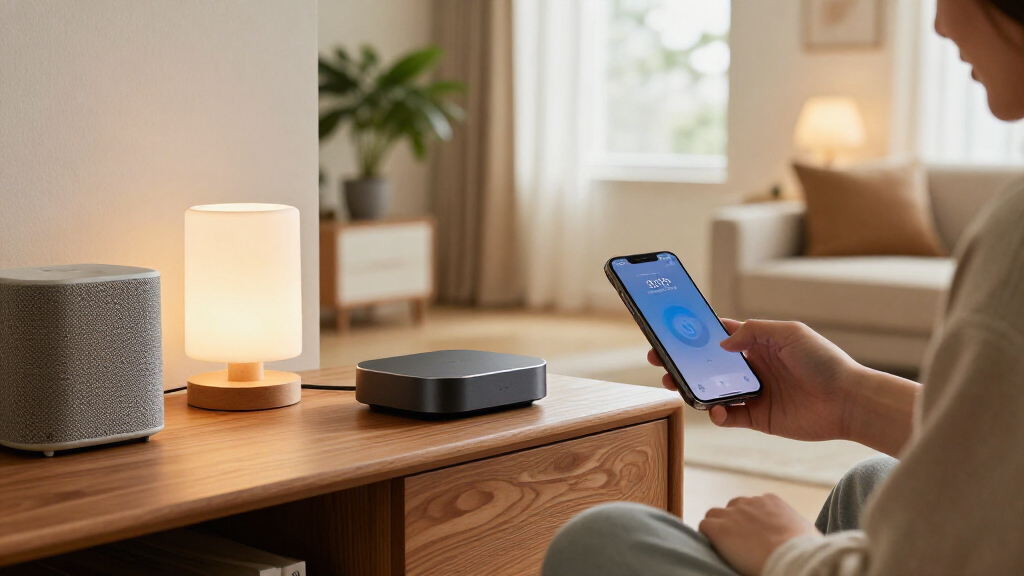
I evaluated these hubs based on protocol versatility, local control capabilities, and ecosystem integration. The primary criterion was the ability to bridge non-Matter devices (Zigbee, Z-Wave, IR) into the Matter ecosystem seamlessly. I also prioritized hubs that offer local execution, ensuring automations continue to function during internet outages, which is a key differentiator from basic cloud bridges. Build quality and connectivity stability were assessed by examining the inclusion of Ethernet ports versus Wi-Fi-only designs, as wired connections provide greater reliability for border routers.
Ranking logic favored devices that balance ease of setup with advanced customization. Products that required complex manual pairing or lacked transparent driver support were ranked lower than those with intuitive apps and active community support. I also considered the long-term viability of the manufacturer’s software updates, as Matter is a rapidly evolving standard that requires frequent firmware patches to maintain compatibility with new device classes.
Factors to Consider When Choosing Best Matter Smart Home Hubs
Choosing the right hub involves more than just checking for the Matter logo. The following factors will help you determine which device aligns with your technical comfort level and home layout.
Local Control vs. Cloud Dependency
Most basic Matter hubs rely on cloud servers to process automations, meaning a power outage or internet drop stops your smart home. Local control hubs process rules directly on the device, ensuring lights turn on and locks unlock even when your Wi-Fi is down. If you live in an area with unstable internet, prioritize hubs with explicit local execution support. This feature also reduces latency, making voice commands feel snappier and automations trigger instantly rather than with a noticeable delay.
Protocol Breadth and Bridge Quality
Matter is a translation layer, not a replacement for existing protocols. A hub’s value often lies in how well it bridges Zigbee, Z-Wave, and Thread devices into Matter. Look for hubs that natively support these protocols rather than relying on external dongles or limited compatibility lists. Some hubs claim support but only work with specific device types, so verify if your existing sensors or bulbs are compatible with the hub’s specific driver implementation.
Ethernet Connectivity for Stability
While Wi-Fi is convenient, it introduces potential points of failure for a Thread Border Router. Hubs with built-in Ethernet ports provide a wired backbone for your Thread network, reducing interference and packet loss. This is particularly important in larger homes or dense urban environments where Wi-Fi congestion is common. If a hub only offers Wi-Fi, ensure it supports dual-band or Wi-Fi 6 to maintain a stable connection for your mesh network.
Ecosystem Integration Depth
Matter promises cross-compatibility, but the user experience varies by ecosystem. Apple Home users often prefer hubs with tight integration for privacy and Siri support, while Amazon Alexa users may benefit from hubs that expose more device attributes to Alexa routines. Google Home has improved but may lack support for certain advanced device features exposed by other ecosystems. Choose a hub that aligns with your primary voice assistant to avoid fragmented control experiences.
Future-Proofing and Update Frequency
The Matter standard is evolving rapidly, with new device classes like energy management and security being added regularly. Manufacturers that push frequent firmware updates are better positioned to support these new features. Check community forums to see how responsive a brand is to bug fixes and new device additions. A hub that is abandoned by the manufacturer can quickly become obsolete as new Matter devices hit the market.
Frequently Asked Questions
Do I need a Matter hub if I already have an Apple TV or HomePod?
If you are primarily an Apple Home user, your Apple TV 4K or HomePod mini already acts as a Matter Controller and a Thread Border Router. This means you can control Matter devices and join Thread networks without buying a separate hub. However, these Apple devices do not bridge Zigbee or Z-Wave devices. If you own legacy Zigbee sensors or Z-Wave locks that you want to integrate into Apple Home via Matter, you still need a third-party hub like the Homey Pro or Zemismart M1 Pro to act as the bridge.
Will my existing Zigbee devices work with any Matter hub?
Not automatically. You need a hub that specifically supports Zigbee to Matter bridging. Even then, compatibility depends on the device type and manufacturer. Some hubs only support specific profiles (like Zigbee 3.0) and may struggle with older Zigbee 1.2 devices. Always check the hub’s compatibility list for your specific bulb or sensor model. If your devices are not listed, they may not expose the correct attributes to Matter, resulting in limited functionality or failure to pair.
Is local control worth the extra cost for a smart home hub?
For most users, local control is worth the investment. It ensures that critical automations, like security alerts or lighting schedules, function without internet access. Cloud-only hubs are cheaper but introduce latency and privacy concerns, as data is sent to remote servers. If you have a simple setup with a few smart plugs, cloud hubs are acceptable. But for complex automations involving multiple device types, local processing provides a more responsive and reliable experience that justifies the higher price tag of premium hubs.
Can I use multiple Matter hubs in the same home?
Yes, but it requires careful configuration. You can have multiple Thread Border Routers to extend the range of your Thread network. However, you should generally have only one primary Matter Controller per ecosystem to avoid conflicts. For example, you might use a Homey Pro to bridge Zigbee devices to Matter, while your Apple TV acts as the Thread Border Router and primary controller for Apple Home. Mixing controllers from different ecosystems (like Alexa and Google) can sometimes cause confusion or duplicate device entries.
How does Thread differ from Matter, and do I need both?
Thread is a low-power wireless mesh network protocol, similar to Zigbee, designed for battery-operated devices. Matter is an application-layer protocol that allows devices to communicate regardless of their underlying radio technology (Wi-Fi, Ethernet, Thread). You do not strictly need Thread to use Matter, as Matter works over Wi-Fi and Ethernet too. However, Thread is recommended for sensors and switches because it is more energy-efficient and self-healing than Wi-Fi. A hub with a Thread Border Router is essential if you want to use Thread devices in a Matter home.
Conclusion
Choosing the best Matter smart home hubs depends on your existing devices and technical preferences. For the Best Overall experience, the Zemismart M1 Pro offers the best balance of connectivity, local control, and value. If you are a Beginner looking for simplicity and strong ecosystem integration, the Aeotec Smart Home Hub or Yeelight E1 provides a user-friendly entry point with reliable performance. For Power Users who demand advanced automation and privacy, the Homey Pro (2026) is the definitive premium choice, despite its higher cost. Budget-conscious buyers should consider the Zemismart M6 or Aqara Smart Hub M100 for basic bridging needs, while those with extensive legacy Zigbee/Z-Wave networks will find the Hubitat Elevation C-8 Pro invaluable for its robust local engine. Match your choice to your current device inventory and future expansion plans to avoid unnecessary upgrades.