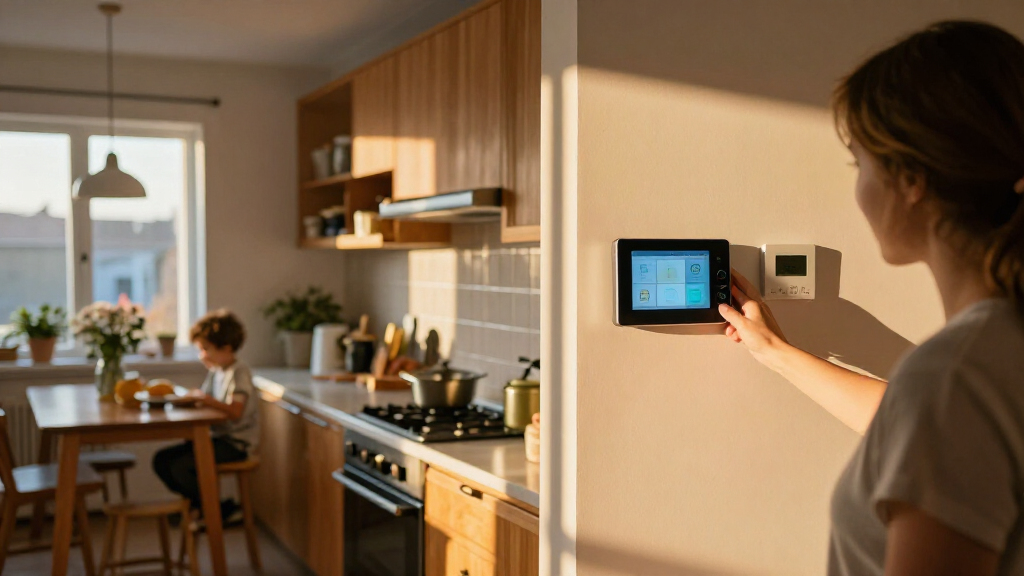

The best smart home dashboards make everyday controls easy to reach without locking you into a setup that cannot handle your devices. I rank the Amazon Echo Hub first for its focused smart-home controls and broad Alexa device support; the Shelly Wall Display XL stands out for a larger, wall-mounted control surface, while Home Assistant Green suits people who want a more flexible, locally managed system. The main tradeoff is between a ready-to-use screen, a customizable control platform, and displays built mainly for calendars or household information. Read on for the full comparison, including who each option suits and what you give up.

Get home appliances delivered free with Prime
- Fast, free delivery on millions of items
- Prime Video, Amazon Music and more included
- Member-only deals all year
Complete the kit



Key Takeaways
- The Echo Hub leads for everyday control: it is a purpose-built Alexa panel, while the Echo Show models split their attention between smart-amazon.com/dp/B09B2SRGXH?tag=theintellihome-20&ascsubtag=dc-1169043″ target=”_blank” rel=”nofollow sponsored noopener”>amazon.com/dp/B0CXVKSG19?tag=theintellihome-20&ascsubtag=dc-1169043″ target=”_blank” rel=”nofollow sponsored noopener”>home controls and general display features.
- Screen size is not the same as dashboard capability: the 21.5-inch Apolosign and 15.6-inch family displays emphasize schedules and household coordination rather than broad device control.
- Wall-panel buyers should check installation before screen size: the 10.1-inch PoE and Android panels offer different wiring and software possibilities, but may require more setup than an Alexa display.
- Home Assistant Green is a hub, not a touchscreen: it is the pick for buyers prioritizing system flexibility, with a separate display or interface needed for a wall dashboard.
- E Ink fills a different role: Seeed Studio reTerminal E1002 and SwitchBot’s dashboard favor persistent, glanceable information over the vivid, interactive controls of LCD panels.
| Like-New Amazon Echo Hub, 8” Smart Home Control Panel with Alexa, Compatible with Thousands of Devices |  | Best for Alexa-Centered Homes | Display: 8-inch touchscreen, 1280 x 800 | Connectivity: Wi-Fi 802.11a/b/g/n/ac; Bluetooth A2DP and AVRCP | Smart home protocols: Zigbee, Thread, Matter, Wi-Fi, Bluetooth LE Mesh | VIEW LATEST PRICE | See Our Full Breakdown |
| Amazon Echo Hub 8-Inch Smart Home Control Panel |  | Best for Customizable Alexa Dashboards | Screen: 8 inches | Connectivity: Wi-Fi, Bluetooth, Zigbee, Matter, Sidewalk, and Thread | Smart home hub: Built in | VIEW LATEST PRICE | See Our Full Breakdown |
| 10.1-inch POE Smart Home Touch Panel with Proximity Sensor, Android 14, WiFi 6E, RS232/RS485, Inwall Controller, White |  | Best for Advanced Integrations | Display: 10.1-inch capacitive touchscreen, 1280 x 800 | Operating system: Android 14 | Processor: RK3576 | VIEW LATEST PRICE | See Our Full Breakdown |
| Shelly Wall Display XL Smart Home Control Panel, 10.1-Inch Touchscreen, Black |  | Best for Shelly and Home Assistant Control | Display: 10.1-inch touchscreen | Connectivity: Wi-Fi and Bluetooth | Relay: Built in, 5A; normally open contact | VIEW LATEST PRICE | See Our Full Breakdown |
| SONOFF NSPanel Pro 120 Smart Control Panel |  | Best Compact Smart Home Dashboard | Touchscreen: 4.7 inches | Dimensions: 4.8 x 3 x 1.7 inches | Model number: NSPanel120PB | VIEW LATEST PRICE | See Our Full Breakdown |
| eufy Security Smart Display E10, 8-Inch Smart Home Hub |  | Best for Eufy Security Monitoring | Screen size: 8 inches | Storage: 64GB eMMC | Model: T87A0 | VIEW LATEST PRICE | See Our Full Breakdown |
| 10.1-Inch Wall-Mounted Android Smart Home Tablet with MQTT (Black) |  | Best for MQTT and Custom Dashboards | Display: 10.1 inches | Operating system: Android 14 | Processor: RK3576, 8-core CPU | VIEW LATEST PRICE | See Our Full Breakdown |
| Apolosign 21.5-Inch Smart Digital Family Calendar and Wall Planner |  | Best for Family Scheduling and Shared Home Control | Display size: 21.5 inches | Modes: Calendar mode and Android mode | Calendar sync: Google Calendar, iCloud, Outlook, and more | VIEW LATEST PRICE | See Our Full Breakdown |
| Seeed Studio reTerminal E1002 7.3-Inch Color E Ink Smart Display |  | Best Low-Power E Ink Dashboard | Display: 7.3-inch color E Ink Spectra 6 | Resolution: 800 × 480 | Battery capacity: 2,000 mAh | VIEW LATEST PRICE | See Our Full Breakdown |
| MOES Smart Home Control Panel with Built-In Alexa and Zigbee Hub |  | Best Compact Alexa and Zigbee Controller | Screen: 5-inch touchscreen | Voice assistant: Built-in Alexa | Connectivity: Zigbee; wired or wireless network | VIEW LATEST PRICE | See Our Full Breakdown |
| Home Assistant Green Smart Home Hub |  | Best for Home Assistant Control | Operating system: Home Assistant OS | Processor: Quad-core | Memory: 4 GB LPDDR4X | VIEW LATEST PRICE | See Our Full Breakdown |
| SwitchBot E-Ink Home Dashboard Weather Station with Family Calendar |  | Best for Glanceable Family Updates | Display: 7.5-inch E-Ink with built-in front light | Connectivity: 2.4 GHz Wi-Fi, Bluetooth Low Energy, USB | Power: Battery powered; one C battery included | VIEW LATEST PRICE | See Our Full Breakdown |
| Yemsd 15.6-Inch Digital Calendar Touchscreen with Chore Chart and Photo Frame |  | Best for Family Planning | Screen size: 15.6 inches | Display: Glare-free HD touchscreen | Calendar sync: Google, Outlook, iCloud, and other platforms | VIEW LATEST PRICE | See Our Full Breakdown |
| Amazon Echo Show 5 (Newest Model) – Smart Display with Alexa, 5.5-inch Screen, Improved Sound, Cloud Blue |  | Best Compact Alexa Dashboard | Display: 5.5 inches | Camera: 2 MP | Sound: Deeper bass and clearer vocals | VIEW LATEST PRICE | See Our Full Breakdown |
| Amazon Echo Show 15 (2nd Gen) 15.6-Inch Full HD Smart Display with Fire TV and Alexa |  | Best All-in-One Wall Dashboard | Display: 15.6-inch, 1920 × 1080 | Dimensions: 16.1 × 10.1 × 1.4 inches | Weight: 4.96 lb | VIEW LATEST PRICE | See Our Full Breakdown |
| smart home dashboard | Display | Connectivity |
|---|---|---|
| Like-New Amazon Echo Hub | 8-inch touchscreen, 1280 x 800 | Wi-Fi 802.11a/b/g/n/ac; Bluetooth A2DP and AVRCP |
| Amazon Echo Hub 8-Inch Smart H | — | Wi-Fi, Bluetooth, Zigbee, Matter, Sidewalk, and Thread |
| 10.1-inch POE Smart Home Touch | 10.1-inch capacitive touchscreen, 1280 x 800 | Wi-Fi 6E, Ethernet, BLE 5.3, RS232, RS485, I/O, and IR |
| Shelly Wall Display XL Smart H | 10.1-inch touchscreen | Wi-Fi and Bluetooth |
| SONOFF NSPanel Pro 120 Smart C | — | — |
| eufy Security Smart Display E1 | — | — |
| 10.1-Inch Wall-Mounted Android | 10.1 inches | Ethernet, USB, Bluetooth, and Wi-Fi 802.11ax |
| Apolosign 21.5-Inch Smart Digi | — | — |
| Seeed Studio reTerminal E1002 | 7.3-inch color E Ink Spectra 6 | USB |
| MOES Smart Home Control Panel | — | Zigbee; wired or wireless network |
| Home Assistant Green Smart Hom | — | Ethernet and USB |
| SwitchBot E-Ink Home Dashboard | 7.5-inch E-Ink with built-in front light | 2.4 GHz Wi-Fi, Bluetooth Low Energy, USB |
| Yemsd 15.6-Inch Digital Calend | Glare-free HD touchscreen | — |
| Amazon Echo Show 5 | 5.5 inches | — |
| Amazon Echo Show 15 | 15.6-inch, 1920 × 1080 | — |
More Details on Our Top Picks
Like-New Amazon Echo Hub, 8” Smart Home Control Panel with Alexa, Compatible with Thousands of Devices
The Echo Hub is the most straightforward fit here for a household that wants one wall-mounted place to manage an Alexa-based smart home. Its 8-inch touchscreen handles touch and voice control, while built-in support for Zigbee, Thread, Matter, Wi-Fi, and Bluetooth LE Mesh gives it broader device reach than the more system-specific Shelly Wall Display XL. The included wall mount and power accessories make setup more approachable, and PIR and ambient-light sensors can support presence-aware behavior and screen adjustments. The tradeoff is that this is a fixed control panel, not a portable screen; a stand and Ethernet adapter are separate purchases. Some advanced functions also need extra configuration, so buyers seeking a more open Android panel may prefer the 10.1-inch POE Smart Home Touch Panel.
Pros:- Built-in support for Zigbee, Thread, Matter, Wi-Fi, and Bluetooth LE Mesh
- Included wall mount and installation hardware
- Touchscreen and Alexa voice control in one panel
- PIR and ambient-light sensors support presence-aware and screen-adjustment features
Cons:- Not designed for handheld or portable use
- Stand and Ethernet adapter require separate purchases
- Some advanced features need additional setup
Best for: Alexa households that want a wall-mounted touchscreen for controlling a mix of compatible lights, locks, cameras, and routines.
Not ideal for: Buyers who need a portable display, a tabletop setup without extra accessories, or a flexible Android panel for custom integrations.
- Display:8-inch touchscreen, 1280 x 800
- Connectivity:Wi-Fi 802.11a/b/g/n/ac; Bluetooth A2DP and AVRCP
- Smart home protocols:Zigbee, Thread, Matter, Wi-Fi, Bluetooth LE Mesh
- Sensors:Passive infrared and ambient-light sensors
- Power:USB-C PD accessories; PoE supported with converter
- Mounting:Wall mount, anchors, screws, and mounting template included
- Materials:Made with 27% recycled materials
Our verdict“Choose the Echo Hub if Alexa is the center of your home and you want a fixed, broadly compatible control panel without moving up to a larger Android screen.”
Amazon Echo Hub 8-Inch Smart Home Control Panel
This Echo Hub suits buyers who want to shape a smart-home screen around their own routines rather than settle for a fixed layout. Its resizable dashboard sections can put frequent controls front and center, and the built-in hub supports Wi-Fi, Bluetooth, Zigbee, Matter, Sidewalk, and Thread. That makes it a more adaptable Alexa-centered dashboard than the SONOFF NSPanel Pro 120, whose smaller 4.7-inch screen favors compact, focused controls. The Echo Hub can also bring cameras, security systems, media, and routines into one interface, with a microphone-off button and other privacy controls. The main catch is installation and ecosystem dependence: the tabletop stand, PoE adapter, and cable pass-throughs are separate, and some Ring features depend on Alexa+ and a compatible subscription.
Pros:- Dashboard sections can be resized to suit household routines
- Built-in hub supports Wi-Fi, Bluetooth, Zigbee, Matter, Sidewalk, and Thread
- Controls compatible cameras, security systems, routines, and media
- Microphone-off button and multiple privacy controls
Cons:- Tabletop stand, PoE adapter, and cable pass-throughs are sold separately
- Some Ring features require Alexa+ and a compatible Ring subscription
- Its Alexa-focused interface is less suited to households built around other control platforms
Best for: Alexa users who want to customize an always-visible dashboard for frequently used devices, cameras, routines, and media.
Not ideal for: Shoppers seeking a ready-to-use tabletop panel with all mounting and networking accessories included, or those who do not use Alexa-compatible devices.
- Screen:8 inches
- Connectivity:Wi-Fi, Bluetooth, Zigbee, Matter, Sidewalk, and Thread
- Smart home hub:Built in
- Mounting:Wall mount; compatible tabletop stand sold separately
- Dashboard:Customizable sections with resizable areas
- Privacy:Microphone-off button and multiple privacy controls
- Recycled materials:27%
Our verdict“Pick this Echo Hub if a customizable Alexa dashboard matters more than bundled installation accessories or platform flexibility.”
10.1-inch POE Smart Home Touch Panel with Proximity Sensor, Android 14, WiFi 6E, RS232/RS485, Inwall Controller, White
This 10.1-inch panel is the most integration-oriented pick in this group. Android 14, Ethernet with PoE, and RS232/RS485 give installers more routes into a custom automation setup than the Alexa-centered Echo Hub, while the larger screen offers more room for controls and status at a glance. Its proximity, light, temperature, and humidity sensors can feed useful context into compatible systems; the result depends on the software and automations the owner supplies. That flexibility comes with more setup responsibility: unlike the Shelly Wall Display XL, which includes a built-in relay and four configurable buttons, this panel does not arrive as a clearly specified appliance-control solution. It is also designed for in-wall installation, so it makes little sense for renters or anyone who wants a movable dashboard.
Pros:- 10.1-inch capacitive touchscreen with 1280 x 800 resolution
- PoE and Ethernet support for a fixed installation
- Wi-Fi 6E, BLE 5.3, RS232, RS485, I/O, and IR connectivity
- Proximity, light, temperature, and humidity sensors
Cons:- In-wall installation limits portability and may require installation work
- Full functionality depends on a compatible smart-home system and configuration
- No camera is included
Best for: Home-automation enthusiasts and installers who need Android-based control with PoE, serial connections, and built-in environmental sensors.
Not ideal for: Renters, buyers seeking a plug-and-play dashboard, or households that want a portable screen or a built-in appliance relay.
- Display:10.1-inch capacitive touchscreen, 1280 x 800
- Operating system:Android 14
- Processor:RK3576
- Memory and storage:4GB RAM, 64GB storage
- Connectivity:Wi-Fi 6E, Ethernet, BLE 5.3, RS232, RS485, I/O, and IR
- Power:PoE support
- Sensors:Proximity, light, temperature, and humidity
- Installation:In-wall design; 86 box included
Our verdict“Choose this panel for a custom, permanently installed automation interface when you can manage the integration work it requires.”
Shelly Wall Display XL Smart Home Control Panel, 10.1-Inch Touchscreen, Black
The Shelly Wall Display XL has a practical advantage over a tablet-style dashboard: it combines a 10.1-inch touchscreen with a 5A relay and four customizable buttons. That makes it a stronger fit than the Android 14 POE panel for buyers who want direct, physical control of selected appliances alongside on-screen automations. It also works with Home Assistant and the Shelly Smart Control app, with listed compatibility for Alexa, Google, HomeKit, and Sonos. The screen can bring smart-home controls and compatible audio together, but this is still a fixed electrical installation, not a flexible tablet. A neutral wire is required, and the relay’s 5A rating limits which loads it can control, so buyers should check appliance requirements before planning around it.
Pros:- Large 10.1-inch touchscreen for centralized controls
- Built-in 5A relay for compatible loads
- Four customizable buttons provide quick physical access to controls
- Works with Home Assistant, Shelly Smart Control, and compatible audio systems
Cons:- Requires a neutral wire and electrical wall-box installation
- Built-in relay is limited to 5A
- Fixed mounting makes it unsuitable as a portable dashboard
Best for: Home Assistant or Shelly households that want a permanent wall dashboard with physical shortcut buttons and control of a suitable appliance load.
Not ideal for: Renters, homes without a neutral wire at the installation point, or buyers who need a relay for loads above 5A.
- Display:10.1-inch touchscreen
- Connectivity:Wi-Fi and Bluetooth
- Relay:Built in, 5A; normally open contact
- Custom buttons:Four
- Mounting and wiring:Standard electrical wall box; neutral wire required
- Compatibility:Shelly Smart Control, Home Assistant, Alexa, Google, HomeKit, and Sonos
- Weight:920 g
Our verdict“Choose the Shelly Wall Display XL if you want a fixed Home Assistant-friendly panel with buttons and a relay for a load within its 5A limit.”
SONOFF NSPanel Pro 120 Smart Control Panel
The SONOFF NSPanel Pro 120 is the compact choice for buyers who want key controls and a few live camera views without dedicating wall space to a large screen. Its 4.7-inch touchscreen is substantially smaller than the 8-inch Echo Hub and 10.1-inch panels, so it suits focused tasks better than a dashboard meant to display many controls at once. A built-in Zigbee gateway, energy monitoring, thermostat controls, and camera viewing give it a useful mix of functions, while web-page shortcuts can open media services. Compatibility is listed for Alexa, Google Assistant, Apple HomeKit, and Home Assistant, giving it a wider stated platform mix than the Alexa-focused Echo Hub. The tradeoff is limited camera support—up to four—and the compact body can make access to ports awkward.
Pros:- Compact 4.7-inch touchscreen for a focused control station
- Built-in Zigbee gateway with support listed for major assistants and Home Assistant
- Energy monitoring, thermostat controls, and live camera viewing
- Web-page shortcuts can provide quick access to media
Cons:- Camera viewer supports a maximum of four cameras and limited camera types
- Smaller screen offers less room for simultaneous controls than the Echo Hub or 10.1-inch panels
- Compact size can make ports harder to access
Best for: Households that want a small fixed panel for essential lighting, thermostat, energy, and limited camera controls.
Not ideal for: Buyers who need a large, glanceable dashboard, extensive camera coverage, or easy access to ports.
- Touchscreen:4.7 inches
- Dimensions:4.8 x 3 x 1.7 inches
- Model number:NSPanel120PB
- Smart home gateway:Built-in Zigbee gateway
- Listed platform compatibility:Alexa, Google Assistant, Apple HomeKit, and Home Assistant
- Camera viewing:Up to four cameras; camera type support is limited
- Dashboard functions:Lighting, thermostats, energy monitoring, and live camera feeds
- Media access:Shortcuts to saved web pages
Our verdict“Choose the NSPanel Pro 120 when a compact control point matters more than the screen space and camera capacity of larger panels.”
eufy Security Smart Display E10, 8-Inch Smart Home Hub
I’d pick the eufy Security Smart Display E10 for a home where checking cameras and responding to entry alerts matters more than controlling a broad mix of smart devices. Its 8-inch touchscreen can show up to four live camera feeds, while doorbell, door, and camera events can appear as hands-free alerts. Local event storage also gives you a quick way to review footage. Compared with the MOES Smart Home Control Panel, this is the more security-focused dashboard; MOES instead adds an Alexa assistant and Zigbee control for compatible Smart Life devices. The E10’s main limitation is its dependence on the eufy ecosystem: daily reports with facial and package recognition require HomeBase 3. Buyers wanting a general-purpose wall controller should look at a broader Android panel instead.
Pros:- Shows up to four live camera feeds at once
- Displays hands-free alerts for doorbell, door, and camera events
- Local event storage supports quick playback
- Includes a charging station, adapter, cable, and wall mount
Cons:- Daily reports with facial and package recognition require HomeBase 3
- Its security-first focus is less suited to broad smart home control than the MOES panel
- The listing’s 78.4-inch dimension appears inconsistent with an 8-inch display
Best for: Households with eufy cameras or a doorbell that want a dedicated screen for live feeds and security alerts.
Not ideal for: Buyers seeking a brand-neutral dashboard for many smart home platforms, or facial and package recognition without HomeBase 3.
- Screen size:8 inches
- Storage:64GB eMMC
- Model:T87A0
- Weight:2.46 pounds
- Color:Black and white
- Included components:Charging station, 5V/2A adapter, Type-C cable, and wall mount
Our verdict“Choose the E10 if eufy camera monitoring is your main dashboard job and you do not need a brand-neutral control panel.”
10.1-Inch Wall-Mounted Android Smart Home Tablet with MQTT (Black)
This 10.1-inch Android panel is the most configurable pick here for owners who want to build around MQTT, Android apps, and kiosk mode. Android 14 and Google Play support leave room for custom dashboard software, while the integrated temperature and humidity sensors and LED lighting add useful functions at the wall. Compared with the Apolosign 21.5-Inch Smart Digital Family Calendar, this panel is better suited to technical smart home setups than shared calendars and household planning; its smaller screen also takes less wall space. That flexibility comes with a fixed-installation tradeoff: there is no built-in battery, so it needs a permanent power connection. Product information also conflicts on whether it has a front-facing camera, so I would not choose it for camera-dependent use without clarification.
Pros:- MQTT support suits custom smart home dashboards
- Android 14, Google Play, and kiosk mode support flexible app setups
- Integrated temperature and humidity sensors and LED lighting
- Ethernet, Wi-Fi 6, Bluetooth, and USB connectivity
Cons:- No built-in battery means it needs a permanent power source
- Listing information conflicts about whether a front-facing camera is included
- Requires more setup than the calendar-focused Apolosign panel
Best for: Home Assistant or other MQTT users who want an Android-based, permanently powered wall dashboard with sensor readings.
Not ideal for: Renters or anyone needing a portable screen, and buyers who require confirmed camera hardware or a simple out-of-box family calendar.
- Display:10.1 inches
- Operating system:Android 14
- Processor:RK3576, 8-core CPU
- Memory and storage:4 GB RAM, 64 GB storage
- Connectivity:Ethernet, USB, Bluetooth, and Wi-Fi 802.11ax
- Smart home features:MQTT, LED lighting, temperature and humidity sensors, and kiosk mode
- Battery:No built-in battery
Our verdict“Choose this panel if you want a customizable MQTT dashboard and can provide permanent power and handle setup.”
Apolosign 21.5-Inch Smart Digital Family Calendar and Wall Planner
The Apolosign is the strongest choice here when the household’s main dashboard needs are schedules, chores, and shared lists—not just device toggles. Its 21.5-inch touchscreen gives calendars from Google, iCloud, Outlook, and other services room to be read at a glance, and built-in planning tools cover chores, shopping, and meals without a subscription. Android mode adds apps, widgets, photo slideshows, and compatible smart home controls. Compared with the 10.1-Inch Android Smart Home Tablet, Apolosign is far more oriented toward family coordination and offers a larger canvas, while the Android tablet is a better fit for MQTT customization. The tradeoff is size and installation: this needs Wi-Fi and continuous power, and smart home functions depend on compatible services and devices.
Pros:- Syncs calendars from Google, iCloud, Outlook, and other services
- Combines shared schedules, chores, shopping lists, and meal planning
- Android mode supports apps and customizable widgets
- No subscription is required for the listed planning features
Cons:- Requires Wi-Fi and power for setup and use
- Its 21.5-inch footprint may be excessive for smaller rooms
- Some smart home and service features depend on compatibility
Best for: Families who want a large shared wall display for calendars, chores, meal plans, and compatible smart home controls.
Not ideal for: Buyers with limited wall space, no convenient power or Wi-Fi, or a preference for a compact, highly technical MQTT control panel.
- Display size:21.5 inches
- Modes:Calendar mode and Android mode
- Calendar sync:Google Calendar, iCloud, Outlook, and more
- Planning features:Chore chart, routines, meal planning, and lists
- Additional features:Apps, widgets, photo slideshow, voice assistant, and compatible smart home controls
- Subscription:No subscription required
- Color:White
Our verdict“Choose Apolosign if a large shared family planner is more useful to your household than a compact, automation-first dashboard.”
Seeed Studio reTerminal E1002 7.3-Inch Color E Ink Smart Display
The reTerminal E1002 suits dashboards that should stay visible without keeping a conventional tablet lit all day. Its 7.3-inch color E Ink screen uses little power while displaying a static layout, and the listed battery life reaches up to three months only in deep-sleep mode with six-hour refresh intervals. SenseCraft HMI offers templates and drag-and-drop dashboard creation, while Home Assistant, ESPHome, and maker-platform support make it more adaptable than a basic information display. Compared with the Apolosign family planner, this is smaller, more maker-oriented, and far better suited to low-power status panels; it cannot match Apolosign’s large, interactive planning surface. Frequent updates are the key tradeoff: the longest battery claim assumes infrequent refreshes.
Pros:- Color E Ink remains readable in bright light while using little power on a static screen
- Supports Home Assistant, ESPHome, and several maker platforms
- SenseCraft HMI offers templates and drag-and-drop dashboard creation
- GPIO, I²C, SPI, and Grove connections allow hardware expansion
Cons:- Up to three months of battery life applies to deep-sleep mode with six-hour refresh intervals
- The 800 × 480 display is less suited to dense dashboards than the larger Apolosign
- E Ink refresh behavior is a poor fit for frequently changing or interactive controls
Best for: Home Assistant users and makers who want an always-visible, low-power status board and are comfortable with infrequent refreshes.
Not ideal for: People who need rapid touchscreen interaction, frequent dashboard updates, or a large display for shared family planning.
- Display:7.3-inch color E Ink Spectra 6
- Resolution:800 × 480
- Battery capacity:2,000 mAh
- Battery life:Up to 3 months in deep-sleep mode with a 6-hour refresh interval
- Connectivity:USB
- Compatible platforms:Home Assistant, ESPHome, Arduino, PlatformIO, and ESP-IDF
- Expansion:GPIO, I²C, SPI, and Grove
- Included accessories:Screwdriver, stand, and USB Type-C cable
Our verdict“Pick the E1002 for a low-power, mostly static smart home status display, not as a fast-refresh touchscreen controller.”
MOES Smart Home Control Panel with Built-In Alexa and Zigbee Hub
The MOES panel combines three jobs in one small unit: a touchscreen, built-in Alexa, and a Zigbee gateway for compatible Smart Life devices. That makes it a more direct fit for everyday device control than the security-focused eufy E10, which prioritizes camera feeds and event playback instead. Touch and voice controls, plus wired or wireless networking and two power options, give buyers some flexibility when choosing a spot for it. Its limits are just as clear: the 5-inch screen leaves less room for dashboards than the larger Android panel or Apolosign, and compatibility centers on Smart Life products. The listed dimensions of 1 × 1 × 1 inches also appear incomplete, so I would verify the physical size before planning an installation.
Pros:- Combines a touchscreen, Alexa, and a Zigbee gateway
- Works with compatible Smart Life switches, bulbs, sockets, cameras, and locks
- Supports touch and voice control
- Offers wired or wireless networking and USB-C or circuit-connected power
Cons:- The 5-inch screen provides less dashboard space than the eufy E10 or larger panels
- Device compatibility is centered on the Smart Life ecosystem
- Listed dimensions of 1 × 1 × 1 inches may be incomplete
Best for: Smart Life households that want a compact wall controller with Alexa voice commands and Zigbee device control.
Not ideal for: Buyers who need a large dashboard, broad cross-platform customization, or confirmed physical dimensions before installation.
- Screen:5-inch touchscreen
- Voice assistant:Built-in Alexa
- Connectivity:Zigbee; wired or wireless network
- Compatible devices:Smart Life switches, bulbs, sockets, cameras, and door locks
- Power options:USB-C or circuit connection
- Weight:13.1 ounces
- Model:CCP-US-MS
Our verdict“Choose the MOES panel if you want a compact Alexa and Zigbee controller for compatible Smart Life devices, rather than a large customizable dashboard.”
Home Assistant Green Smart Home Hub
Home Assistant Green is the most flexible pick here for buyers who want a smart-home control system they can shape around their own devices and automations. Home Assistant OS comes preinstalled, and local storage and control make it a different kind of dashboard from the Echo Show 15, which combines a screen with Alexa, streaming, and built-in radios for several smart-home standards. Green is a hub rather than a screen, so you’ll need a separate display or phone to use its interface. Its fanless, compact build suits a quiet network shelf, while USB expansion can add compatible Zigbee, Z-Wave, or Thread devices. The tradeoff is that it needs Ethernet to get started, and those wireless standards require separate compatible USB hardware.
Pros:- Home Assistant OS is preinstalled, reducing setup work for the core system
- Local control and storage suit buyers who want their smart-home system managed at home
- Compact, fanless design runs silently
- Two USB ports allow compatible Z-Wave, Zigbee, and Thread expansion
Cons:- Requires Ethernet for initial setup and network access
- Does not include a built-in screen for direct dashboard interaction
- Wireless protocols require compatible USB devices purchased separately
Best for: Home Assistant users who want local automation and are comfortable adding compatible USB radios and a separate screen or phone for dashboard access
Not ideal for: Buyers seeking a ready-to-use touchscreen dashboard or wireless setup without extra hardware
- Operating system:Home Assistant OS
- Processor:Quad-core
- Memory:4 GB LPDDR4X
- Storage:32 GB
- Connectivity:Ethernet and USB
- USB ports:2
- Dimensions:4.41 × 4.41 × 1.26 in
Our verdict“Choose Home Assistant Green if you want a quiet, locally controlled automation hub and are willing to supply the screen and wireless radios.”
SwitchBot E-Ink Home Dashboard Weather Station with Family Calendar
The SwitchBot E-Ink Home Dashboard puts shared schedules and household conditions on a calm, always-visible screen rather than trying to replace a full smart-home control panel. Its 7.5-inch display combines calendars from Google, iCloud, Outlook, and other services with indoor and outdoor readings, air quality, and forecasts. That makes it more useful for routine check-ins than the smaller Echo Show 5, while its E-Ink screen avoids the bright, video-focused feel of the Echo Show 15. Custom views, reminders, and two shortcut buttons add practical utility, but the controls are limited compared with a larger touchscreen. Some device control and remote alerts also depend on a SwitchBot Hub, so this is best for families already using, or willing to add, SwitchBot gear.
Pros:- Combines family calendars, weather, and indoor environmental readings on one display
- Glare-free E-Ink screen includes a front light
- Supports up to five family members and multiple calendar services
- Custom views, reminders, and two device-control shortcuts add useful at-a-glance functions
Cons:- Some remote alerts and smart-home control require a separate SwitchBot Hub
- Only two shortcut buttons are available for device control
- Compatible SwitchBot devices may need to be purchased separately
Best for: Households that want a low-glare shared calendar and weather display for up to five family members, especially existing SwitchBot users
Not ideal for: Buyers who want a full touchscreen control center, broad device compatibility, or smart controls without a SwitchBot Hub
- Display:7.5-inch E-Ink with built-in front light
- Connectivity:2.4 GHz Wi-Fi, Bluetooth Low Energy, USB
- Power:Battery powered; one C battery included
- Battery life:Up to 365 days
- Calendar services:Google, iCloud, Outlook, and other major calendars
- Family support:Up to 5 family members
- Mounting:Wall-mounted or tabletop
Our verdict“Pick this for an always-visible family schedule and home-condition display, not as a general-purpose touchscreen hub.”
Yemsd 15.6-Inch Digital Calendar Touchscreen with Chore Chart and Photo Frame
For households whose main dashboard job is coordinating people, meals, and chores, the Yemsd 15.6-inch touchscreen offers a more planning-focused mix than the SwitchBot E-Ink Home Dashboard. It syncs calendars from Google, Outlook, iCloud, and other platforms, then adds meal planning and chore tracking without a subscription fee. The large screen is also a digital photo frame, with 32GB of expandable storage, so it can serve a shared space even when no one is checking the schedule. Unlike the Echo Show 15, the listed features center on family organization and photos rather than streaming and smart-home standards. Its tradeoff is that the product data does not specify smart-device control, and batteries are not included; check the intended power setup before choosing a mounting spot.
Pros:- Syncs calendars across Google, Outlook, iCloud, and other platforms
- Combines scheduling with meal planning and chore tracking
- Works as a digital photo frame with expandable 32GB storage
- Listed family-planning functions do not require subscription fees
Cons:- Product details do not specify smart-home device control
- Batteries are not included
- The listed information does not clarify the power arrangement for wall or desk use
Best for: Families who want a large shared touchscreen for calendars, meal plans, chores, and photos without recurring calendar-feature fees
Not ideal for: Smart-home users who need a dashboard for controlling connected devices or shoppers who need clearly specified power details before installation
- Screen size:15.6 inches
- Display:Glare-free HD touchscreen
- Calendar sync:Google, Outlook, iCloud, and other platforms
- Storage:32GB, expandable
- Functions:Digital calendar, meal planning, chore chart, photo frame
- Mounting:Wall or desk
- Warranty:2 years
Our verdict“Choose the Yemsd if family scheduling and household planning matter more than device control, streaming, or smart-home integration.”
Amazon Echo Show 5 (Newest Model) – Smart Display with Alexa, 5.5-inch Screen, Improved Sound, Cloud Blue
The Echo Show 5 is the compact choice for a bedside table, kitchen counter, or other spot where a large wall display would be out of place. Its 5.5-inch screen can show weather, news, photos, and compatible security-camera feeds, while Alexa provides voice access to supported smart-home devices. Compared with the wall-sized Echo Show 15, it takes up less space and is easier to place near where you use voice controls; compared with the SwitchBot E-Ink Home Dashboard, it offers a more interactive, media-oriented screen rather than a persistent family calendar. The smaller display limits how much information is comfortable to view at once, and its 2 MP camera is modest for video calls. Its usefulness also depends on compatible devices and services.
Pros:- Compact 5.5-inch screen fits smaller rooms and counters
- Alexa supports voice control of compatible smart-home devices
- Can show news, weather, photos, and compatible security-camera feeds
- Includes a camera shutter and a microphone-and-camera-off button
Cons:- Small display limits viewing space for dashboards and shared information
- The 2 MP camera is limited compared with the Echo Show 15’s 13 MP camera
- Full smart-home usefulness depends on compatible devices
Best for: Alexa households that want a small voice-controlled display for quick smart-home actions, camera checks, weather, and video calls
Not ideal for: Families wanting a large shared calendar screen or buyers who prioritize detailed video calls and at-a-glance information across a room
- Display:5.5 inches
- Camera:2 MP
- Sound:Deeper bass and clearer vocals
- Color:Cloud Blue
- Privacy features:Microphone/camera off button and camera shutter
- Materials:Recycled polyester yarn and recycled aluminum
Our verdict“Choose the Echo Show 5 for compact Alexa controls and quick checks, but pick a larger dashboard for shared schedules or richer visual detail.”
Amazon Echo Show 15 (2nd Gen) 15.6-Inch Full HD Smart Display with Fire TV and Alexa
The Echo Show 15 (2nd Gen) earns the all-in-one spot by combining a large, high-resolution screen with family widgets, Alexa control, video calls, and Fire TV. Its 15.6-inch Full HD panel gives shared calendars and controls more room than the compact Echo Show 5, while support for Zigbee, Matter, and Thread means it can connect directly with devices using those standards. The built-in streaming and included remote also make it more of a shared-room entertainment display than the planning-led Yemsd calendar. That breadth comes with tradeoffs: the 4.96-pound unit needs a suitable mounting plan, and wall-mounting hardware is not listed among the included items. Some skills and streaming services may also carry separate fees.
Pros:- Large 15.6-inch Full HD screen supports landscape and portrait orientation
- Supports Zigbee, Matter, and Thread devices for broad smart-home connectivity
- Built-in Fire TV and included remote add entertainment use
- 13 MP camera includes auto-framing and a physical privacy shutter
Cons:- Its 4.96-pound body and large footprint call for a suitable installation location
- Wall-mounting hardware is not listed among the included items
- Some skills and streaming services may require separate fees
Best for: Alexa households seeking a large shared wall display for smart-home controls, family widgets, video calls, and streaming
Not ideal for: Buyers with limited wall space, those seeking a simple calendar-only panel, or anyone unwilling to source mounting hardware separately
- Display:15.6-inch, 1920 × 1080
- Dimensions:16.1 × 10.1 × 1.4 inches
- Weight:4.96 lb
- Camera:13 MP with privacy shutter
- Audio:Two 2-inch woofers and two 0.6-inch tweeters
- Wi-Fi:Wi-Fi 6E; tri-band, dual-antenna MIMO
- Smart-home connectivity:Zigbee, Matter, Thread Border Router
- Processor:Octa-core SoC with Amazon AZ2 neural network engine
Our verdict“Choose the Echo Show 15 if you want a large Alexa-centered control and entertainment screen and have a suitable place to mount it.”

How We Picked
I compared these products by how well they serve as a daily home dashboard, not by screen size or the number of features on a listing. The main criteria were practical device control, compatibility and ecosystem fit, ease of setup, display suitability for its intended use, installation demands, and how much customization a buyer can expect. I also separated smart-home control panels from hubs, voice displays, and family calendars, since they solve related but different problems.
The Echo Hub ranks first because it is designed around home control and offers broad Alexa device compatibility. The Shelly and Android-based wall panels follow for buyers who value a fixed, larger interface but can accept more installation or configuration work. Home Assistant Green ranks as a strong platform choice rather than a complete dashboard, while calendar displays and E Ink options rank lower for general device control because their strengths lie elsewhere. The like-new Echo Hub is listed separately from the standard model, but condition and availability can vary.
Factors to Consider When Choosing Best Smart Home Dashboards
Before choosing a screen, decide what you want to see and do from one spot. A panel for lights, locks, and routines has different needs from a family calendar or a hub that coordinates devices behind the scenes. These factors help avoid paying for the wrong kind of convenience.
1. Decide Whether You Need a Controller, Hub, or Information Display
These labels can overlap, but the distinction affects what the product can do for you. A controller gives you a visible interface for commands; a hub connects devices or provides the foundation for automations; an information display may focus on calendars, weather, and household tasks. A hub such as Home Assistant Green does not, by itself, provide a screen to mount in a hallway. Likewise, a large family planner may show useful information without offering the same range of device controls as a dedicated smart-home panel. Write down the three actions you most want to perform from the display before shopping, then check that the product supports them directly.
2. Match the Ecosystem to the Devices You Already Own
A dashboard is only convenient if it can reach the devices you use. Start with your current voice assistant, hubs, and major device brands, then check whether the dashboard can control them or needs a separate bridge. Broad compatibility claims do not always mean every feature works across every brand, so confirm support for the specific actions you rely on, such as dimming, viewing a camera, or changing a thermostat setting. A single-ecosystem display can be easier to set up, while a more open platform may give advanced users more room to connect different systems. Avoid choosing by a device-count claim alone; the quality of support for your own equipment matters more.
3. Plan Power, Wiring, and Mounting Before Choosing a Wall Panel
A wall-mounted dashboard becomes part of the room, so its power route and placement affect daily use. PoE can simplify power delivery when suitable network cabling is available, while an in-wall installation may call for wiring work and a compatible wall box. A tablet-style Android panel may offer flexibility but can need more configuration than a dedicated appliance. Check whether the screen can be powered continuously, how it attaches to the wall, and whether its placement gives a comfortable viewing angle. A common mistake is buying a large panel first and discovering that the preferred mounting spot has no practical power or network route.
4. Choose Screen Technology for How Often You Interact
Bright LCD touchscreens suit frequent taps, colorful controls, and video or media features, but they need a suitable power source and can feel excessive for information that changes rarely. E Ink is suited to persistent, low-distraction information such as weather or a calendar, though it is not a substitute for a responsive control panel. Screen size also changes how people use a dashboard: a compact display fits a bedside or kitchen counter, while a larger one can make shared schedules easier to read across a room. Think about viewing distance, glare, and whether the screen will remain visible overnight. Choose for the content you will check most often, not just the largest diagonal measurement.
5. Be Realistic About Setup and Ongoing Maintenance
Ready-made voice displays usually ask less of the owner than configurable Android panels or a Home Assistant-centered setup. More control can bring extra decisions about dashboards, integrations, network access, and updates. Ask who will maintain the system if an automation stops working or a device changes its connection method. Also check how the interface handles software updates and whether essential controls still work when internet access is unavailable. For a shared household, a straightforward screen that everyone can understand may prove more useful than a highly customized layout only one person knows how to manage.
6. Separate Household Planning from Smart-Home Automation
Family calendars and chore boards can be valuable even when they are not the best interface for controlling lights or sensors. Decide whether the main job is coordinating schedules, presenting photos, showing weather, or operating devices; combining these jobs is convenient only if the interface handles each one well. A dedicated calendar can make shared routines visible, while a smart-home panel can keep frequently used controls close at hand. Buyers often overestimate how much a household will use a large display simply because it can show many kinds of content. Pick the primary job first, then treat secondary features as a bonus rather than the reason to buy.
Frequently Asked Questions
Can Home Assistant Green work as a smart home dashboard on its own?
Home Assistant Green is a smart-home hub, not a display with a built-in touchscreen. It provides the platform for organizing compatible devices and automations, while you access its dashboard through a separate screen or device. This makes it a better fit for buyers who want control over the software and are comfortable choosing their own interface. If you want a ready-to-mount panel with controls on the screen, a dedicated display is a more direct starting point. Plan for the hub and dashboard as two parts of one setup.
Should I choose a wall panel or an Echo Show for a kitchen dashboard?
Choose based on whether the kitchen display is mainly for device controls or for voice, media, and general information. A dedicated panel such as the Echo Hub centers the interface on smart-home tasks, while Echo Show models add general display and entertainment uses. A fixed wall panel can keep controls in one predictable location, but it brings mounting and power decisions. An Echo Show is easier to place on a counter, though it may not provide the same focused wall-dashboard experience. Check the controls you expect to use most and the space available before deciding.
Is a PoE smart home panel a good choice if I do not have Ethernet at the mounting location?
PoE is most useful when a suitable Ethernet run already reaches the planned installation point or can be added without excessive work. Without that connection, the panel’s power and network requirements may make installation more involved than a Wi-Fi display. Confirm whether the specific panel can operate over Wi-Fi while receiving power another way, and check its supported wiring before buying. A counter-based voice display may be the simpler choice if you do not want to modify a wall. Treat cabling as part of the product decision, not as a detail to solve after purchase.
Can an E Ink dashboard replace a touchscreen control panel?
An E Ink display can replace a screen that mainly shows at-a-glance information, such as a calendar or weather, but it is not the closest match for frequent interactive controls. Its appeal is a calmer, persistent display rather than the colorful, responsive experience of a conventional touchscreen. Consider how often the information changes and whether you need to tap controls throughout the day. If the display will mostly be checked while passing by, E Ink may suit the job. If it needs to operate devices directly, choose a panel built for touch interaction or pair the display with another control surface.
Which dashboard should I choose if my household uses different smart-home brands?
Begin by listing the devices and functions that must work together, then confirm support for those exact models and actions. A platform with broader integration options may suit a mixed-brand home, but it can require more setup and ongoing attention than a single-assistant display. A simple Alexa-focused panel can be a more approachable choice when most devices already work with Alexa. Do not assume that a device appearing in an ecosystem means every advanced feature is available through its dashboard. If compatibility is uncertain, prioritize a return policy and verify the key integrations before building the rest of the setup around one screen.
Conclusion
For most households seeking a dedicated smart-home control screen, I recommend the Amazon Echo Hub as best overall; its Alexa focus gives it a clearer dashboard role than general-purpose Echo Show displays. The standard Echo Hub is my best value in function for buyers who want that focused experience without moving into a configurable wall-panel setup, while the like-new version is a separate option if its condition suits the buyer. For a best premium wall-panel direction, consider the Shelly Wall Display XL or a 10.1-inch Android panel, especially if a larger fixed interface matters and you can handle installation and setup. The best choice for beginners is an Alexa display such as the Echo Hub, with Echo Show models better for people who also want voice, media, or general household use. For specific needs, pick Home Assistant Green for a flexible hub, an E Ink display for quiet glanceable information, or a large family calendar for shared schedules. Let the main job—device control, system flexibility, or household planning—decide your shortlist.
NFL season / tailgating Picks
team gear
As an affiliate, we earn on qualifying purchases.