The best smart home products make everyday tasks easier without locking you into more complexity than you want. My best overall pick is the Amazon Echo Hub, which gives a connected home a dedicated control point; the TP-Link Tapo Matter Smart Plug 3-Pack stands out for adding simple, flexible control to ordinary appliances, while the Google Nest Thermostat is the more focused choice for home climate. The main tradeoffs are ecosystem compatibility, whether you need a hub or screen, and how much setup and maintenance each device adds. A smart plug is an easy starting point, but it cannot replace a dimmer, thermostat, or room-level controller. Read on for all 15 picks, how they differ, and which makes sense for your home.

Get home appliances delivered free with Prime
- Fast, free delivery on millions of items
- Prime Video, Amazon Music and more included
- Member-only deals all year
Complete the kit


Key Takeaways
- The Echo Hub is the strongest control-first pick: it is better suited to managing several compatible devices than a small-screen Echo Show or a voice-only speaker.
- Matter support is the standout plug differentiator: the Tapo 3-Pack and Linkind 4-Pack are more flexible across compatible platforms than plugs tied to a narrower setup, but Matter support does not make every feature universal.
- Plug bundles serve different priorities: Kasa adds energy monitoring and HomeKit support, while the Tapo and Linkind options put broader Matter-based control at the center.
- Displays and speakers are not interchangeable: the Echo Show 11 suits a larger shared screen, the Show 5 and Echo Spot fit smaller spaces, and the Echo Dot Max focuses on audio.
- Some picks solve a specific problem rather than building a whole system: the Nest Thermostat, Tapo 3-Way Dimmer Kit, and Pura Plus make the most sense when climate, fixed lighting, or fragrance is the actual need.
| Google Nest Thermostat – Charcoal | 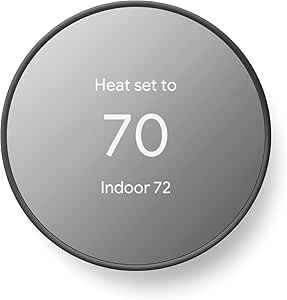 | Best for Energy-Conscious Climate Control | Connectivity: Wi-Fi and Bluetooth | Compatible assistants: Google Assistant, Amazon Alexa, Android, iOS, and Nest | Temperature control: Heating and cooling | VIEW LATEST PRICE | See Our Full Breakdown |
| Amazon Echo Hub 8-Inch Smart Home Control Panel |  | Best Dedicated Smart Home Control Panel | Display: 8-inch touchscreen, 1280 × 800 resolution | Connectivity: Dual-band Wi-Fi, Bluetooth, Zigbee, Thread, Matter, and Sidewalk | Audio: Two top-ported full-range speakers with stereo playback | VIEW LATEST PRICE | See Our Full Breakdown |
| TP-Link Tapo Matter Smart Plug Mini, 15A/1800W, 3-Pack |  | Best Multi-Platform Smart Plug Set | Pack size: Three plugs | Maximum current: 15 A | Maximum wattage: 1800 W | VIEW LATEST PRICE | See Our Full Breakdown |
| Amazon Smart Plug with Alexa |  | Best Simple Plug for Alexa Homes | Dimensions: 3.2 × 1.5 × 2.2 inches | Weight: 3.1 oz | Input: 120 VAC, 60 Hz, 15 A maximum | VIEW LATEST PRICE | See Our Full Breakdown |
| Amazon Echo Show 11 with Full HD Display and Spatial Audio, Graphite |  | Best Premium Smart Display and Hub | Display: 10.95-inch Full HD touchscreen, 1920 × 1200 resolution | Dimensions: 10 × 5 × 7.2 inches | Weight: 45.92 oz | VIEW LATEST PRICE | See Our Full Breakdown |
| Amazon Echo Spot Smart Alarm Clock with Alexa, Glacier White | 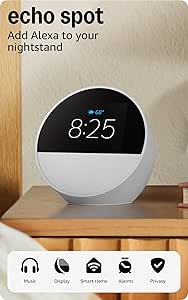 | Best Smart Alarm Clock | Display: 2.83-inch touchscreen, 240 × 320 pixels | Dimensions: 4.5 × 4.1 × 4.4 in | Weight: 14.3 oz | VIEW LATEST PRICE | See Our Full Breakdown |
| Pura Plus Smart Home Fragrance Diffuser for Large Spaces, White |  | Best for Scenting Large Open Rooms | Coverage: Up to 2,000 sq. ft. listed floor area | Runtime: Up to 100 hours | Capacity: 1 ounce | VIEW LATEST PRICE | See Our Full Breakdown |
| Kasa Smart Plug Mini 15A with Energy Monitoring, Apple HomeKit Support (EP25) |  | Best Smart Plug for Energy Tracking | Model: EP25 | Maximum current: 15 A | Maximum load: 1,800 W | VIEW LATEST PRICE | See Our Full Breakdown |
| Linkind Matter Smart Plug, 4-Pack | 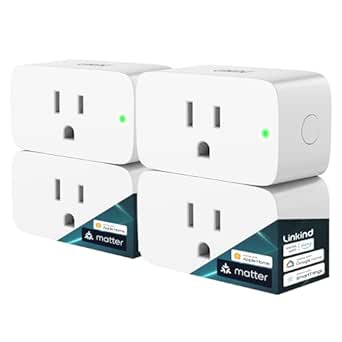 | Best Multiroom Smart Plug Pack | Pack size: 4 plugs | Model: LC09003256 | Maximum amperage: 15 A | VIEW LATEST PRICE | See Our Full Breakdown |
| Amazon Echo Dot Max (newest model), Alexa speaker with room-filling sound and nearly 2x bass, Graphite |  | Best Smart Speaker and Hub in One | Dimensions: 4.27 × 4.27 × 3.9 in | Weight: 17.82 oz | Audio drivers: One 0.8-inch tweeter and one 2.5-inch woofer | VIEW LATEST PRICE | See Our Full Breakdown |
| Tapo Matter Smart 3-Way Dimmer Switch Kit (S515D) |  | Best for Matter-Based 3-Way Lighting | Circuit type: 3-way | Supply voltage: 120V AC, 60Hz | Maximum dimmable LED load: 150W | VIEW LATEST PRICE | See Our Full Breakdown |
| EIGHTREE Wi-Fi Smart Plugs with Alexa and Google Assistant Support, 4-Pack |  | Best Value for Multi-Room Scheduling | Model: ET01B-4 | Pack size: 4 | Wi-Fi compatibility: 2.4 GHz only | VIEW LATEST PRICE | See Our Full Breakdown |
| Amazon Echo Show 5 Smart Display, Cloud Blue |  | Best Compact Smart Home Display | Display: 5.5-inch touchscreen | Camera: 2 MP with built-in shutter | Dimensions: 5.8 × 3.6 × 3.2 in | VIEW LATEST PRICE | See Our Full Breakdown |
| GHome Smart Plug – Wi‑Fi Outlet Compatible with Alexa & Google Home | 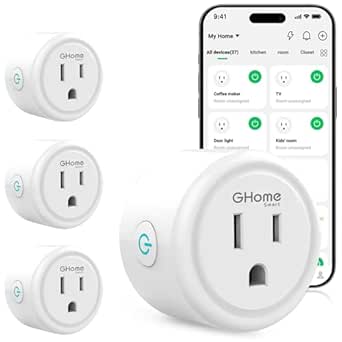 | Best for Simple App-Based Outlet Control | Operating voltage: 120V | Maximum load: 10 A, 1200 W | Connectivity: 2.4 GHz Wi-Fi | VIEW LATEST PRICE | See Our Full Breakdown |
| Govee Smart Plug, Wi-Fi and Bluetooth, 4-Pack |  | Best Four-Pack for Govee App Routines | Model: B5081 | Pack count: 4 | Connectivity: Wi-Fi and Bluetooth | VIEW LATEST PRICE | See Our Full Breakdown |
| smart home product | Connectivity | Dimensions |
|---|---|---|
| Google Nest Thermostat | Wi-Fi and Bluetooth | — |
| Amazon Echo Hub 8-Inch Smart H | Dual-band Wi-Fi, Bluetooth, Zigbee, Thread, Matter, and Sidewalk | — |
| TP-Link Tapo Matter Smart Plug | Bluetooth, Matter, and Wi-Fi | — |
| Amazon Smart Plug with Alexa | — | 3.2 × 1.5 × 2.2 inches |
| Amazon Echo Show 11 with Full | — | 10 × 5 × 7.2 inches |
| Amazon Echo Spot Smart Alarm C | — | 4.5 × 4.1 × 4.4 in |
| Pura Plus Smart Home Fragrance | 2.4 GHz Wi-Fi via the Pura app | 5.75 × 5.5 × 7.75 in |
| Kasa Smart Plug Mini 15A with | 2.4 GHz Wi-Fi | — |
| Linkind Matter Smart Plug | — | — |
| Amazon Echo Dot Max | — | 4.27 × 4.27 × 3.9 in |
| Tapo Matter Smart 3-Way Dimmer | Matter; 2.4 GHz Wi-Fi for connected operation; Bluetooth for setup | — |
| EIGHTREE Wi-Fi Smart Plugs wit | — | 4.06 × 4.06 × 2.28 in |
| Amazon Echo Show 5 Smart Displ | — | 5.8 × 3.6 × 3.2 in |
| GHome Smart Plug | 2.4 GHz Wi-Fi | 2.1 × 2.1 × 1.1 in |
| Govee Smart Plug | Wi-Fi and Bluetooth | — |
More Details on Our Top Picks
Google Nest Thermostat – Charcoal
The Google Nest Thermostat is the strongest fit here for buyers who want smart home convenience to help manage heating and cooling, rather than just control individual devices. Its schedule learning and away adjustments can reduce unnecessary HVAC use, while app and voice control make changes possible without reaching for the wall. Compared with the Echo Hub, which puts many device types on one touchscreen, this thermostat focuses on a single high-impact system. It supports Google Home and Alexa, and its DIY installation is designed to work without a C-wire in most homes. That qualification matters: some heating-only setups and heat pumps may need extra power hardware. It also runs on AA batteries, so it is less hands-off than a continuously powered installation.
Pros:- ENERGY STAR certified with schedule and away features that can reduce unnecessary HVAC operation
- Works with Google Home, Alexa, and other listed voice assistants
- Remote control through a phone or tablet over Wi-Fi
- DIY installation is designed to avoid a C-wire in most homes
Cons:- Some HVAC configurations still need a C-wire or additional power accessory
- Battery-powered operation requires occasional replacement of two AA batteries
Best for: Homeowners seeking app-controlled heating and cooling with schedule and away adjustments, especially in homes with compatible wiring.
Not ideal for: Buyers with heating-only or certain heat-pump systems that require a C-wire, or anyone who wants a central touchscreen for many smart devices.
- Connectivity:Wi-Fi and Bluetooth
- Compatible assistants:Google Assistant, Amazon Alexa, Android, iOS, and Nest
- Temperature control:Heating and cooling
- Display:2-inch LCD
- Power:Two included AA batteries
- Voltage:24 volts
- Mounting:Wall mount
- Color and material:Charcoal; plastic
Our verdict“Choose the Nest Thermostat if your main smart-home goal is simpler, remotely managed heating and cooling and your HVAC system is compatible.”
Amazon Echo Hub 8-Inch Smart Home Control Panel
The Echo Hub is the clearest pick for households that want a fixed place to control compatible devices, routines, cameras, security systems, and media. Its 8-inch customizable touchscreen provides a more direct dashboard than the Echo Show 11, while built-in Zigbee, Thread, and Matter support can connect devices without relying on separate hubs for those protocols. That makes it more of a control surface than a general-purpose smart display: the Echo Show 11 adds video calls and richer entertainment, but is the better match for a kitchen or shared room where viewing matters too. The Hub needs an internet connection for setup and is not designed to be carried around. Wall mounting is included; a tabletop stand and some PoE accessories are separate purchases.
Pros:- Customizable dashboard with device sections and resizable controls
- Built-in Wi-Fi, Bluetooth, Zigbee, Thread, Matter, and Sidewalk support
- Wall mount and power adapter are included
- Mic-off button and additional privacy controls
Cons:- Requires internet over Wi-Fi or Ethernet for setup
- Not intended for handheld or portable use
- Tabletop stand and certain power-over-Ethernet accessories are sold separately
Best for: Alexa-centered households with multiple compatible lights, cameras, routines, and security devices that want a wall-mounted control point.
Not ideal for: Buyers who want a portable display, video-call device, or included tabletop stand; setup also depends on Wi-Fi or Ethernet internet access.
- Display:8-inch touchscreen, 1280 × 800 resolution
- Connectivity:Dual-band Wi-Fi, Bluetooth, Zigbee, Thread, Matter, and Sidewalk
- Audio:Two top-ported full-range speakers with stereo playback
- Sensors:Passive infrared proximity and ambient light sensors
- Power:12.5 W power adapter included
- Power over Ethernet:Supported with compatible USB-C converter and PoE+ or PoE++ source
- Mounting:Wall mount included; tabletop stand sold separately
- Recycled materials:27% recycled materials in device
Our verdict“Pick the Echo Hub if you want a stationary, protocol-rich dashboard for managing a broad Alexa-compatible smart home.”
TP-Link Tapo Matter Smart Plug Mini, 15A/1800W, 3-Pack
The Tapo Matter Smart Plug Mini three-pack suits buyers who want to automate several appliances without tying those outlets to one assistant. Matter support spans Apple Home, Alexa, Google Home, and SmartThings, giving it broader platform flexibility than the Alexa-only Amazon Smart Plug. Local Matter control can also keep compatible devices responsive when internet access is down, though setup still depends on a 2.4 GHz Wi-Fi network. Scheduling, timers, app control, and voice commands cover everyday automation, and the compact body helps preserve access to a neighboring outlet. The tradeoff is that this plug is built for ordinary 120 V household devices within its 15 A/1800 W limit; it is not a route to controlling higher-load equipment. Buyers who only use Alexa may find the Amazon plug’s simpler ecosystem fit sufficient.
Pros:- Matter support works with Apple Home, Alexa, Google Home, and SmartThings
- Local Matter device communication can continue without internet access
- Compact shape helps avoid blocking a neighboring outlet
- App, voice, scheduling, and timer controls are supported
Cons:- Requires a 2.4 GHz Wi-Fi network
- Limited to a maximum load of 15 A or 1800 W
Best for: Households using Apple Home, Alexa, Google Home, or SmartThings that want to automate multiple standard household appliances.
Not ideal for: People with only 5 GHz Wi-Fi, appliances above the 15 A/1800 W limit, or buyers committed to Alexa who need no cross-platform flexibility.
- Pack size:Three plugs
- Maximum current:15 A
- Maximum wattage:1800 W
- Operating voltage:120 V AC
- Wi-Fi:2.4 GHz
- Connectivity:Bluetooth, Matter, and Wi-Fi
- Compatible platforms:Apple Home, Amazon Alexa, Google Home, and Samsung SmartThings
- Safety and warranty:UL-certified flame-retardant design; 2-year limited warranty
Our verdict“Choose the Tapo three-pack if you want flexible, multi-platform control of several standard appliances rather than an Alexa-only plug.”
Amazon Smart Plug with Alexa
The Amazon Smart Plug is a straightforward choice for Alexa households that want schedules and voice control without adding a separate smart-home hub. It can automate compatible indoor devices through the Alexa app and reconnects automatically after power or Wi-Fi outages, reducing the need to set it up again after interruptions. Its compact design leaves the second outlet available, a practical advantage in crowded wall sockets. The main limitation is ecosystem scope: unlike the three-pack Tapo Matter plug, this model supports only Alexa, not Apple Home, Google Home, or other smart hubs. It also uses 2.4 GHz Wi-Fi and is rated for indoor use only. For buyers with a mixed-platform home, Tapo offers more room to change systems; for an Alexa-only setup, this plug keeps the task simple.
Pros:- No separate smart home hub required
- Compact design leaves the second outlet free
- Supports Alexa voice control, timers, schedules, and routines
- Automatically reconnects to Alexa after power or Wi-Fi outages
Cons:- Works only with Alexa and does not support other voice assistants or smart hubs
- Uses 2.4 GHz Wi-Fi and does not support 5 GHz
- Rated for indoor use only
Best for: Alexa users who want to schedule or voice-control a compatible indoor appliance without buying a hub.
Not ideal for: Households using Apple Home, Google Home, or SmartThings, and anyone needing outdoor use or 5 GHz Wi-Fi support.
- Dimensions:3.2 × 1.5 × 2.2 inches
- Weight:3.1 oz
- Input:120 VAC, 60 Hz, 15 A maximum
- Wi-Fi:2.4 GHz, 802.11 b/g/n
- Compatibility:Amazon Alexa only
- Use:Indoor only
- Controls:Alexa voice control, timers, schedules, and routines
- Warranty:1-year limited warranty
Our verdict“Choose this plug for a simple Alexa-only setup, but pick the Tapo Matter plug if cross-platform control matters.”
Amazon Echo Show 11 with Full HD Display and Spatial Audio, Graphite
The Echo Show 11 earns its place for buyers who want smart-home controls alongside a substantial screen for video calls, photos, and everyday Alexa features. Its 10.95-inch Full HD display and spatial audio make it better suited to shared rooms than the Echo Hub, which is designed chiefly as a wall-mounted control panel. The Show 11 also has a built-in Zigbee, Matter, and Thread hub, reducing the need for separate connectivity hardware for supported devices. Its 13 MP camera with auto framing makes calls more practical when people move around the room, and physical controls can disable the camera and microphones. The larger screen and built-in camera take more space than a dedicated panel, however, and listed Bluetooth limitations may rule it out for some speaker or computer-control setups.
Pros:- Large Full HD touchscreen with spatial audio
- Built-in Zigbee, Matter, and Thread Border Router support
- 13 MP camera provides auto framing and 3.3× zoom for video calls
- On-device controls disable the camera and microphones
Cons:- Larger and heavier than a dedicated control panel such as the Echo Hub
- Does not support Bluetooth speakers that require PIN codes
- Does not support hands-free voice control of connected Mac OS X devices
Best for: Households seeking a large Alexa display for shared spaces, with video calls and built-in control for Zigbee, Matter, and Thread devices.
Not ideal for: Buyers who want a compact, control-first wall panel like the Echo Hub, or who rely on PIN-protected Bluetooth speakers or hands-free control of Mac OS X devices.
- Display:10.95-inch Full HD touchscreen, 1920 × 1200 resolution
- Dimensions:10 × 5 × 7.2 inches
- Weight:45.92 oz
- Camera:13 MP with auto framing and 3.3× zoom
- Audio:One 2.8-inch woofer and two full-range drivers
- Wireless:Wi-Fi 6E and Bluetooth 5.4
- Smart home hub:Zigbee, Matter, and Thread Border Router
- Sensors:Ambient temperature, ambient light, presence detection, and camera
Our verdict“Pick the Echo Show 11 if you want a large smart display that doubles as a connected-home hub, not just a device dashboard.”
Amazon Echo Spot Smart Alarm Clock with Alexa, Glacier White
The Echo Spot suits a bedside or desk where a glanceable display is more useful than a larger screen. Its 2.83-inch touchscreen can show time, weather, reminders, and music controls, while Alexa routines can connect morning alarms to compatible lights and other devices. Unlike the Echo Dot Max, this model is built around a compact clock display rather than room-filling sound and a broader smart home hub. Its camera-free design is a practical fit for bedrooms, and a microphone-off button adds a direct privacy control. The tradeoff is limited screen space and a small speaker, so it is not a substitute for an Echo Show or a dedicated music speaker. The eero extension feature also depends on compatible equipment and setup.
Pros:- Small touchscreen displays time, weather, reminders, and music details at a glance
- Alexa routines can coordinate alarms with compatible smart home devices
- Camera-free design with a physical microphone-off button and app privacy controls
- Compact footprint and construction using 36% recycled materials
Cons:- The small display and 1.73-inch speaker are less suited to video or substantial music playback than larger Echo devices
- eero Built-in needs a compatible eero router, linked accounts, and app setup
- Does not support ad-hoc Wi-Fi networks or Bluetooth speakers that require PIN codes
Best for: Alexa users who want a compact bedside clock, visible reminders, and simple voice control of compatible smart home devices.
Not ideal for: Buyers who want video calls, a large screen, stronger room-filling audio, or an eero extender that works without a compatible eero router.
- Display:2.83-inch touchscreen, 240 × 320 pixels
- Dimensions:4.5 × 4.1 × 4.4 in
- Weight:14.3 oz
- Speaker:1.73-inch full-range speaker
- Camera:None
- Wi-Fi:Dual-band 802.11a/b/g/n/ac, 2.4 and 5 GHz
- Bluetooth:A2DP audio streaming and AVRCP remote control
- eero Built-in:Up to 1,000 sq. ft. additional coverage with a compatible eero router
- Recycled materials:36%
Our verdict“Choose the Echo Spot for a privacy-conscious Alexa bedside clock, but pick the Echo Dot Max for stronger sound and more extensive smart home hardware.”
Pura Plus Smart Home Fragrance Diffuser for Large Spaces, White
The Pura Plus brings app scheduling to home fragrance, with a design aimed at open layouts and rooms with high ceilings rather than a single small area. Its dynamic diffusion and internal heaters are intended to spread scent quickly across spaces listed up to 2,000 square feet, while schedules, timers, and away mode let buyers manage fragrance without relying on manual operation. Unlike the Echo Spot or Echo Dot Max, this is a specialized home-comfort device, not a voice assistant or general smart home controller. On-device buttons offer basic control when opening the app feels unnecessary. The main ownership tradeoff is ongoing reliance on separate fragrance refills; app features also require 2.4 GHz Wi-Fi. Its corded, plastic construction may be less appealing where discreet placement or a cordless device matters.
Pros:- Designed to distribute fragrance across large, open areas
- App provides schedules, timers, and away mode
- On-device buttons allow manual control without opening the app
- Listed runtime is up to 100 hours per fill
Cons:- Fragrance refills are sold separately
- App functionality requires a 2.4 GHz Wi-Fi network
- Corded plastic design limits placement flexibility compared with a cordless device
Best for: Households with large open-plan rooms or vaulted spaces that want scheduled fragrance control through an app.
Not ideal for: Buyers scenting a small room, avoiding recurring refill purchases, or needing app control on a network without 2.4 GHz Wi-Fi.
- Coverage:Up to 2,000 sq. ft. listed floor area
- Runtime:Up to 100 hours
- Capacity:1 ounce
- Dimensions:5.75 × 5.5 × 7.75 in
- Weight:1.7 lb
- Connectivity:2.4 GHz Wi-Fi via the Pura app
- Control:App scheduling, timers, away mode, and on-device buttons
- Power:Corded electric
Our verdict“Pick the Pura Plus if you want scheduled fragrance for a large open space; skip it for small rooms or if separate refills do not suit your upkeep preferences.”
Kasa Smart Plug Mini 15A with Energy Monitoring, Apple HomeKit Support (EP25)
The Kasa Smart Plug Mini EP25 stands out for combining broad platform support with real-time and historical energy monitoring. That makes it more informative than a basic outlet such as the Amazon Smart Plug: buyers can track a connected appliance’s usage as well as schedule it or control it by voice. It supports Apple HomeKit, Alexa, Google Assistant, and SmartThings, so it can fit homes with mixed ecosystems. Its compact form is designed to leave access to nearby outlets, and the 15A, 1,800W rating covers many typical household devices. The main platform caveat is that HomeKit remote access requires a networked Apple device at home. It also depends on 2.4 GHz Wi-Fi, so buyers with a 5 GHz-only network should choose another setup.
Pros:- Tracks real-time and historical energy use of connected devices
- Supports Apple HomeKit, Siri, Alexa, Google Assistant, and SmartThings
- Compact plug-in design helps preserve access to adjacent outlets
- UL-certified flame-retardant design with a 15A, 1,800W maximum load
Cons:- HomeKit remote control requires a networked Apple device in the home
- Works on 2.4 GHz Wi-Fi only
- Energy tracking adds little value for buyers who only need simple on/off scheduling
Best for: Smart home owners who want to monitor an appliance’s energy use while controlling it through HomeKit, Alexa, Google Assistant, or SmartThings.
Not ideal for: People who need HomeKit remote access without an Apple device at home, or whose Wi-Fi network does not provide 2.4 GHz.
- Model:EP25
- Maximum current:15 A
- Maximum load:1,800 W
- Operating voltage:120 V AC
- Connectivity:2.4 GHz Wi-Fi
- Compatible platforms:Apple HomeKit, Siri, Amazon Alexa, Google Assistant, SmartThings
- Energy monitoring:Real-time and historical usage
- Safety certification:UL-certified flame-retardant design
- Warranty:2-year limited
Our verdict“Choose the Kasa EP25 over the Amazon Smart Plug when energy data and multi-platform support matter, provided your network and HomeKit setup meet its requirements.”
Linkind Matter Smart Plug, 4-Pack
The Linkind Matter Smart Plug 4-Pack is a practical choice for adding control to several lamps or small appliances across a home without tying every outlet to one assistant brand. Matter support spans Apple Home, Alexa, Google Home, and SmartThings, while local communication can keep compatible control working during an internet outage. That local-network angle separates it from a conventional Wi-Fi plug such as the Kasa EP25, which adds energy monitoring but is sold as an individual plug. The Linkind pack instead prioritizes multiroom coverage and platform flexibility. There is a setup tradeoff: major platforms require a compatible Matter hub, and the plugs need 2.4 GHz Wi-Fi plus IPv6. Buyers seeking energy-use data should choose Kasa; this model focuses on switching, schedules, and timers.
Pros:- Four plugs help extend smart control to multiple rooms
- Matter compatibility spans Apple Home, Alexa, Google Home, SmartThings, and AiDot
- Local Matter communication can support control during internet outages
- Rated for up to 15A and 1,800W, with short-circuit and overload protection
Cons:- Compatible Matter platforms require a Matter hub
- Requires 2.4 GHz Wi-Fi and IPv6
- Does not provide the energy monitoring available with the Kasa EP25
Best for: Households adding smart control to several lamps or appliances across Apple, Alexa, Google, or SmartThings setups that already have a Matter hub.
Not ideal for: Buyers without a compatible Matter hub or IPv6 network, or anyone who wants plug-level energy monitoring.
- Pack size:4 plugs
- Model:LC09003256
- Maximum amperage:15 A
- Power capacity:1,800 W
- Wi-Fi:2.4 GHz only
- Network requirement:IPv6
- Platforms:Apple Home, Alexa, Google Home, SmartThings, and AiDot
- Certifications:FCC and ETL
Our verdict“Choose this pack for multiroom, cross-platform switching if you already have a Matter hub; choose the Kasa EP25 when energy tracking is the priority.”
Amazon Echo Dot Max (newest model), Alexa speaker with room-filling sound and nearly 2x bass, Graphite
The Echo Dot Max is the most capable all-in-one Alexa pick in this group: it pairs a room-adaptive speaker with a built-in Zigbee, Matter, and Thread hub. That gives it a wider smart-home role than the clock-focused Echo Spot, and it can control compatible devices without a separate hub. Its temperature and presence sensors can also trigger routines, while Wi-Fi 6E and eero Built-in add network options for households already using compatible eero equipment. Compared with a dedicated smart plug such as the Linkind four-pack, the Dot Max is a central controller rather than a way to automate several outlets. The tradeoff is that its hub and sensor advantages matter only if your devices and routines use them. eero extension also has compatibility and performance limits, and the speaker remains mono.
Pros:- Built-in Zigbee, Matter, and Thread Border Router support reduces the need for a separate smart home hub
- Room-adaptive audio, a 2.5-inch woofer, and a 0.8-inch tweeter are suited to medium-sized spaces
- Presence and temperature sensing can trigger compatible routines
- Wi-Fi 6E and eero Built-in add connectivity options for compatible networks
Cons:- Mono playback does not provide the stereo separation of a paired speaker setup
- eero Built-in requires a compatible eero router and has limits on speed and connected devices
- Many hub and sensor benefits depend on owning compatible smart home devices
Best for: Alexa households that want a stronger everyday speaker, a built-in smart home hub, and sensor-triggered routines in one device.
Not ideal for: Buyers who only need inexpensive outlet control, prefer a display for visual information, or do not use compatible Alexa, Matter, Zigbee, or Thread devices.
- Dimensions:4.27 × 4.27 × 3.9 in
- Weight:17.82 oz
- Audio drivers:One 0.8-inch tweeter and one 2.5-inch woofer
- Playback channels:Two-way mono
- Wi-Fi:Wi-Fi 6E
- Smart home hub:Zigbee, Matter, and Thread Border Router
- Sensors:Ambient temperature, ambient light, presence detection, and accelerometer
- Bluetooth:Bluetooth Low Energy 5.3; A2DP and AVRCP support
- eero Built-in:Up to 1,000 sq. ft. additional coverage with compatible eero equipment
Our verdict“Choose the Echo Dot Max when you want one Alexa speaker to serve as both a room-friendly audio device and a multi-protocol smart home hub.”
Tapo Matter Smart 3-Way Dimmer Switch Kit (S515D)
The Tapo S515D is the most capable choice here for making a shared light controllable from two wall locations while adding app and voice dimming. Its included main and satellite dimmers are designed to work together, so you can set brightness at either end of a hallway without relying on a traditional 3-way switch. Matter support gives it broader smart-home flexibility than the EIGHTREE Wi-Fi Smart Plugs, which depend on their app setup and supported integrations. Schedules, Away Mode, fade transitions, and energy monitoring add useful automation beyond basic on/off control. The tradeoff is a more involved electrical installation: it needs a neutral wire, a sufficiently deep wall box, and compatible dimmable lighting. Choose it for a planned lighting upgrade, not a quick plug-in addition.
Pros:- Included main and satellite dimmers control one compatible light from two locations
- Matter support works with compatible Apple Home, Alexa, Google Home, and SmartThings setups
- Offers wall, app, and supported voice-assistant dimming from 0% to 100%
- Adds schedules, Away Mode, fade transitions, and energy monitoring
Cons:- Both included dimmers must be installed together and cannot pair with a traditional 3-way switch
- Requires a neutral wire, 2.4 GHz Wi-Fi for connected features, and a wall box at least 2 inches deep
- Limited to compatible dimmable lights and indoor, dry locations
Best for: Homeowners replacing a compatible 3-way lighting setup who want dimming, voice control, and Matter integration
Not ideal for: Renters or anyone without a neutral wire, a deep enough wall box, or compatible dimmable lighting
- Circuit type:3-way
- Supply voltage:120V AC, 60Hz
- Maximum dimmable LED load:150W
- Maximum incandescent/halogen load:300W
- Dimming type:Leading-edge TRIAC
- Brightness range:0%–100%
- Connectivity:Matter; 2.4 GHz Wi-Fi for connected operation; Bluetooth for setup
- Installation requirements:Neutral wire; indoor wall box at least 2 inches deep
Our verdict“Choose the Tapo S515D if you want Matter-connected dimming at two wall locations and can meet its wiring requirements.”
EIGHTREE Wi-Fi Smart Plugs with Alexa and Google Assistant Support, 4-Pack
For buyers who want several outlets automated without adding a hub, the EIGHTREE four-pack is a practical way to spread timers and remote control across multiple rooms. Setup uses the Smart Life app, with Bluetooth assistance, and the plugs then work with Alexa, Google Assistant, and SmartThings. That app-first path is less direct than the Amazon Smart Plug for an Alexa-focused home, but the four-plug bundle suits households that want to automate lamps or other suitable devices in different spots. The key caveat is the conflicting current information: the title says 15 A, while the specifications state 10 A. I would verify the permitted load on the product labeling before connecting anything that draws substantial power. It also requires 2.4 GHz Wi-Fi.
Pros:- Four plugs provide a ready-made set for automating devices in multiple rooms
- Supports remote control, timers, and schedules through the Smart Life app
- Works with Alexa, Google Assistant, and SmartThings after setup
- No hub is required and setup has Bluetooth assistance
Cons:- Listing conflicts on maximum current: 15 A in the title versus 10 A in the specifications
- Requires a 2.4 GHz Wi-Fi network
- Voice assistant control requires Smart Life app setup
Best for: Households automating several lamps or other suitable low-to-moderate-load devices with Alexa, Google Assistant, or SmartThings
Not ideal for: Buyers who need clear high-load ratings, 5 GHz Wi-Fi support, or direct Alexa setup without an additional app
- Model:ET01B-4
- Pack size:4
- Wi-Fi compatibility:2.4 GHz only
- Smart home compatibility:Alexa, Google Assistant, SmartThings
- Setup app:Smart Life
- Hub required:No
- Dimensions:4.06 × 4.06 × 2.28 in
Our verdict“Pick the EIGHTREE four-pack for app-based scheduling across several rooms, but confirm its load rating before use.”
Amazon Echo Show 5 Smart Display, Cloud Blue
The Echo Show 5 earns its place by giving an Alexa home a small screen for controls and visual information, rather than adding another voice-only device. Its 5.5-inch touchscreen can show compatible camera views, while the 2 MP camera supports video calls; the physical shutter and mic/camera-off button give users direct privacy controls. Compared with the much larger Amazon Echo Show 11, this model takes up less space but offers a smaller viewing area and a more modest 1.75-inch speaker. That makes it a better fit for a bedside table or compact counter than a room where shared video and media viewing matter. It can also control compatible smart-home devices, though some skills and services may involve subscriptions or other fees. Treat it as a compact Alexa screen, not a full-size home control panel.
Pros:- Compact touchscreen presents visual information and compatible camera feeds
- Built-in 2 MP camera supports video calls
- Camera shutter and mic/camera-off button provide physical privacy controls
- Uses recycled materials in the fabric and aluminum, with recyclable packaging
Cons:- The 5.5-inch screen is less suited to shared viewing than the Echo Show 11
- Does not support ad-hoc or peer-to-peer Wi-Fi networks
- Some skills and services may require subscriptions or other fees
Best for: Alexa users who want a compact bedside or countertop screen for camera views, calls, and basic smart-home control
Not ideal for: Households wanting a large shared display, stronger room-filling audio, or support for ad-hoc Wi-Fi networks
- Display:5.5-inch touchscreen
- Camera:2 MP with built-in shutter
- Dimensions:5.8 × 3.6 × 3.2 in
- Weight:16.1 oz
- Speaker:1.75-inch full-range speaker
- Wi-Fi:Dual-band 802.11a/b/g/n/ac; does not support ad-hoc networks
- Bluetooth:A2DP and AVRCP support
- Color:Cloud Blue
Our verdict“Choose the Echo Show 5 for a small Alexa display with camera features, and choose the Echo Show 11 if screen size matters more.”
GHome Smart Plug – Wi‑Fi Outlet Compatible with Alexa & Google Home
The GHome Smart Plug is a straightforward pick for controlling compatible devices by app or voice, with scheduling, timers, group control, and family sharing across the GHome, Smart Life, or Tuya apps. Its stated 10 A, 1200 W limit makes its intended use clearer than the EIGHTREE four-pack, whose listing gives conflicting current figures. This GHome listing identifies a four-unit count, so it can suit buyers setting up several outlets, though the provided details do not clarify whether each unit is individually compact. Alexa and Google Home support requires app setup first, and the plug only connects to 2.4 GHz Wi-Fi. Its 1200 W ceiling also rules it out for some higher-draw appliances. I’d choose it for routine lamp and device schedules, not as a catch-all outlet for every appliance.
Pros:- Supports remote control, schedules, timers, and group control
- Works with Alexa and Google Assistant after app setup
- Offers control through GHome, Smart Life, or Tuya apps
- No hub required and listed as ETL/FCC compliant
Cons:- Requires a 2.4 GHz Wi-Fi network
- Alexa and Google Home integration requires app setup first
- The 10 A, 1200 W limit may exclude higher-power appliances
Best for: Alexa or Google Home households that want app-managed schedules and group control for suitable devices
Not ideal for: People with 5 GHz-only Wi-Fi or those looking to control appliances that may exceed 1200 W
- Operating voltage:120V
- Maximum load:10 A, 1200 W
- Connectivity:2.4 GHz Wi-Fi
- Compatible assistants:Alexa, Google Home
- Compatible apps:GHome, Smart Life, Tuya
- Hub required:No
- Dimensions:2.1 × 2.1 × 1.1 in
- Unit count:4
Our verdict“Choose the GHome plug for app-based routines and voice control of devices within its 10 A, 1200 W limit.”
Govee Smart Plug, Wi-Fi and Bluetooth, 4-Pack
The Govee Smart Plug four-pack is a good fit for buyers who want several outlets managed together through one app, with schedules and Alexa or Google Assistant voice control. Bluetooth joins Wi-Fi in its connectivity options, giving setup an alternative connection method; like the GHome Smart Plug, though, connected operation still depends on 2.4 GHz Wi-Fi. These are Type B plugs rated at 1200 W, so they suit routine household devices within that limit rather than higher-load appliances. One detail deserves checking before purchase: the supplied information lists a 10 A rating in the description but 11 A in the specifications. That discrepancy makes the load limit less clear than GHome’s stated 10 A. Choose Govee if its app-based group control suits your setup, and confirm the rating on the device documentation before connecting a load near the limit.
Pros:- Four plugs can be managed together in the Govee Home app
- Supports Alexa and Google Assistant voice commands
- Bluetooth and Wi-Fi connectivity are included
- No hub is required and the plugs are ETL/FCC certified
Cons:- Requires 2.4 GHz Wi-Fi and does not support 5 GHz
- Current rating conflicts between the description’s 10 A and specifications’ 11 A
- The 1200 W maximum limits use with higher-power appliances
Best for: Households that want four app-managed Type B plugs for scheduled control of suitable lamps and appliances
Not ideal for: Buyers using 5 GHz-only Wi-Fi or anyone who needs an unambiguous current rating for a near-limit load
- Model:B5081
- Pack count:4
- Connectivity:Wi-Fi and Bluetooth
- Wi-Fi compatibility:2.4 GHz only; does not support 5 GHz
- Voice assistants:Amazon Alexa, Google Assistant
- Maximum power:1200 W
- Plug type:Type B
Our verdict“Choose the Govee four-pack for app-based group scheduling, but verify its current rating before using a device near the stated limit.”
How We Picked
I ranked these products by how clearly they solve a practical smart home need, how easy their role is to understand, and how much useful flexibility they offer. I weighed platform compatibility, control options, setup demands, everyday usability, and whether the product works as a useful starting point or depends on an existing smart home. I also separated devices that overlap on the surface: a display is not automatically a better controller, and smart plugs with different platform support or monitoring features are not equivalent.
The order reflects breadth of usefulness first, followed by fit for a distinct need. That puts the Echo Hub ahead as a dedicated control center, while flexible Matter plugs rank well for straightforward device control. More specialized products sit lower not because their purpose is less valuable, but because they address fewer households. Each pick also has a tradeoff: readers should check ecosystem fit, installation requirements, and whether they will use its extra features before choosing.
Factors to Consider When Choosing Best Smart Home Products
Smart home shopping is less about collecting connected gadgets and more about choosing devices that work together around routines you already have. Before adding products, I would map the control method, platform, and installation needs for each task.
Start With the Platform You Already Use
Choose a primary way to control the home before buying several devices, such as Alexa, Google Home, or Apple Home. A product may support multiple assistants while still offering different features in each app, so check the specific functions you expect to use. Matter can broaden compatibility, but it does not guarantee that every device feature, automation, or remote-control option works identically across platforms. Some setups also need a compatible controller or hub. A common mistake is buying several devices based on a logo without checking whether they appear in the same app and support the same routines. If you expect to change ecosystems, favor products with clear cross-platform support and keep the packaging or setup details for reference.
Match the Device to the Job
A smart plug is suited to a compatible plug-in appliance, not every electrical device in the home. A dimmer switch is a better fit for fixed lighting, while a thermostat addresses heating and cooling schedules. Before purchasing, check the appliance or wiring requirements and whether the intended use is supported; a plug should not be treated as a substitute for a purpose-built control. Buy for the task, not the smart label. This avoids paying for features that do not apply or expecting a simple on-off device to deliver room-level automation. For more permanent changes, confirm installation requirements and whether you are comfortable with the work involved.
Choose the Right Control Surface
Voice control is convenient when your hands are busy, while a screen makes device status and manual controls easier to see at a glance. A dedicated panel can keep controls in one place, but it takes up wall or counter space and may be unnecessary if you mostly use voice commands. Screen size should follow the room and task: a kitchen or shared area can benefit from a larger display, while a bedside device can be smaller and more focused. Think about who will use it, including guests or household members who may not want to speak commands. Avoid buying a display simply because it can control devices; check whether its screen and placement will improve the way you manage them.
Look Beyond Bundle Size When Comparing Plugs
Multipacks can make it easier to add control in several rooms, but the number of outlets is only one part of the decision. Compare platform support, outlet rating, physical size, and whether monitoring or scheduling features matter to you. Energy monitoring changes the use case: it can help identify consumption patterns, while a basic plug may be enough for lamps or other simple routines. Check whether plugs block nearby outlets or fit the space where you plan to install them. Also account for setup effort: pairing many devices at once can create a confusing mix of names and rooms. A smaller, deliberate rollout often makes automations easier to manage than buying the largest bundle available.
Account for Installation and Ongoing Upkeep
Wireless plugs and speakers are usually easier to place than wall switches or thermostats, which may depend on existing wiring or system compatibility. Read installation guidance before choosing a device that changes fixed lighting or climate control, and ask a qualified professional if the requirements are outside your comfort level. Maintenance is part of the ownership tradeoff: fragrance devices need refills, connected devices may need app or firmware updates, and automations can need adjustment when routines change. Consider whether the product still offers useful manual control if Wi-Fi or a service is unavailable. A gadget that needs frequent attention may be a poor fit for a buyer who wants the home to run quietly in the background.
Pay for Capabilities You Will Use
Extra screens, audio features, monitoring, and dedicated control panels can add convenience, but they only help when they fit a real routine. Decide whether you need a room controller, a speaker, a display, or a single-purpose device before comparing specifications. Spend for reach or capability, not novelty: a larger shared screen may serve a household better, while a compact device can be enough for a bedroom or occasional voice commands. Likewise, monitoring is useful when you plan to act on the information, not just collect it. A practical first setup is one device for a clear need, followed by additions that work with the same platform and solve another specific problem.
Frequently Asked Questions
Can I mix Matter products with Alexa, Google Home, and Apple Home?
Often, yes, but the exact experience depends on the device and the controllers or hubs in your setup. Matter is designed to support multiple platforms, yet setup steps and available features can differ between apps. Check that the specific product supports the platform you plan to use and whether it needs a compatible Matter controller. If you want one shared control system, set up a small number of devices first and confirm that routines and remote access work as expected. Avoid assuming that Matter alone means every feature appears everywhere.
Should I buy a smart plug multipack or start with a single plug?
A multipack makes sense when you already know which appliances or lamps you want to control and they are in suitable locations. Starting with one plug is a better way to check app setup, Wi-Fi coverage, and platform fit before adding several devices. Think about whether you need features such as energy monitoring or broad platform support, since bundle size does not tell you what each plug can do. Also check outlet spacing so a compact plug does not interfere with neighboring sockets. Expand once the first device works reliably in your actual routine.
Do I need an Echo Hub if I already have an Echo Show?
Not necessarily. An Echo Show combines a display and Alexa features, while the Echo Hub is aimed more directly at controlling a connected home from a dedicated panel. If you mainly want a screen for calls, media, or occasional commands, an Echo Show may be a better fit. If many compatible devices need a shared, easy-to-reach control point, the Hub has a clearer role. Consider where the device will sit or be mounted and who will use it before adding another screen to the home.
When should I choose a smart dimmer instead of a smart plug?
Choose a smart dimmer when you want to control compatible fixed lighting from a wall switch and adjust brightness as part of a routine. A smart plug is better suited to a compatible plug-in lamp or appliance that only needs switched power. Before buying a dimmer kit, check your wiring, lighting type, and installation requirements; not every fixture or circuit will suit every dimmer. If wiring changes are unfamiliar, get qualified help rather than guessing. The right choice depends on whether the light is plug-in or hardwired and whether dimming matters.
Which smart home devices still help if my internet connection goes down?
That depends on the product, its local controls, and how its routines are configured. A physical switch or manual control may still work even when app access or cloud features do not, while remote commands and some automations may be unavailable. Check the product documentation for local control and offline behavior rather than assuming a smart device will keep every feature running. For essential lighting or climate needs, retain a straightforward manual way to operate the equipment. A reliable setup should not leave you unable to use a basic household function when connectivity is interrupted.
Conclusion
For most households building a connected setup, I would start with the Amazon Echo Hub as best overall, especially when a central control point matters more than having another media screen. The TP-Link Tapo Matter Smart Plug 3-Pack is my best value-style pick for adding flexible control to several compatible devices, while the Echo Show 11 is the best premium choice for a household that wants a larger display as well as smart home access. Beginners who already use Alexa can start with the Amazon Smart Plug for a straightforward first step. For specific needs, choose the Google Nest Thermostat for climate control, the Tapo 3-Way Dimmer Kit for compatible fixed lighting, or the Kasa plug when energy monitoring and HomeKit support matter. Match the product to your platform and daily task, then add devices only when they solve another clear problem.