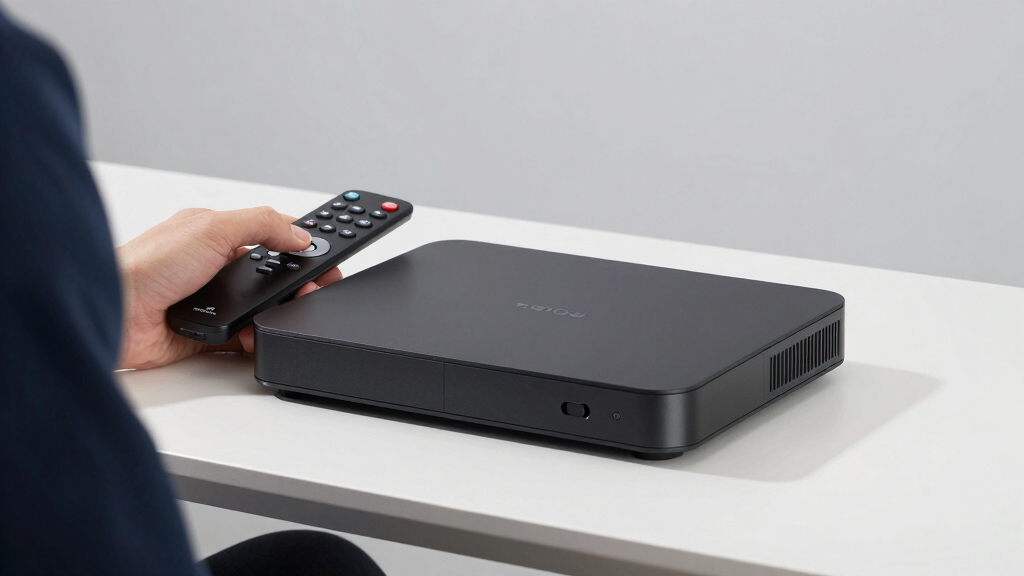

Choosing the best premium streaming device in 2026 means balancing performance, features, and price. The NVIDIA Shield Android TV Pro stands out for its powerful processing and gaming capabilities, making it ideal for tech enthusiasts. The Fire TV Cube offers hands-free control and seamless smart home integration for those seeking convenience. However, premium devices often come with tradeoffs like higher costs or complexity, which can be daunting for some users. Keep reading for a detailed breakdown that will help you find the perfect fit for your home entertainment setup.
Key Takeaways
- The NVIDIA Shield remains the top choice for performance and gaming, justifying its premium price.
- Voice control and smart home integration are key differentiators for the Fire TV Cube.
- HDR and Dolby Vision support are widespread among top-tier options, enhancing picture quality.
- Build quality and user interface consistency set premium devices apart from budget options.
- Price differences among these devices reflect varying levels of processing power, ecosystem support, and smart features.
| NVIDIA Shield Android TV Pro 4K HDR Streaming Media Player |  | Best Overall Premium Streaming Device | Processor: NVIDIA Tegra X1+ | RAM: 3 GB | Storage: 16 GB | VIEW LATEST PRICE | See Our Full Breakdown |
| Amazon Fire TV Stick 4K Max Streaming Device with Alexa+ |  | Best for Smarter Voice Control and Quick Navigation | Processor: Quad-core | Resolution: 4K Ultra HD | HDR Support: Dolby Vision, HDR10+ | VIEW LATEST PRICE | See Our Full Breakdown |
| Google TV Streamer 4K with Voice Remote |  | Best for Personalized, High-Quality Visuals | Resolution: 4K HDR | HDR: Yes | Dolby Vision: Yes | VIEW LATEST PRICE | See Our Full Breakdown |
| Fire TV Cube (3rd Gen) with Alexa, 4K Ultra HD, Wi-Fi 6E, Hands-Free Streaming |  | Best for Hands-Free Control and Smart Home Integration | Size: 3.38” x 3.38” x 2.99” | Weight: 513g | Processor: Octa-core 4x 2.2GHz | VIEW LATEST PRICE | See Our Full Breakdown |
| Roku Streaming Stick 4K with HDR & Dolby Vision |  | Best Compact Premium Streaming Device | Resolution: 4K Ultra HD | HDR: Dolby Vision, HDR10 | Wi-Fi: Long-range Wi-Fi | VIEW LATEST PRICE | See Our Full Breakdown |
| Amazon Fire TV Stick 4K Plus (Newest Model) |  | Best Premium with Advanced Features | Resolution: 4K Ultra HD | HDR Support: Dolby Vision, HDR10+ | Audio: Dolby Atmos | VIEW LATEST PRICE | See Our Full Breakdown |
More Details on Our Top Picks
NVIDIA Shield Android TV Pro 4K HDR Streaming Media Player
The NVIDIA Shield Android TV Pro stands out for its exceptional performance and multimedia capabilities, making it the top choice for those seeking a truly versatile streaming experience. It supports 4K HDR with Dolby Vision and Atmos, offering immersive visuals and sound that surpass many competitors like the Google TV Streamer, which, while capable, doesn’t match the Shield’s gaming and app ecosystem. Its expandable storage and robust remote with motion activation add to its appeal, though the premium price and limited internal storage may be drawbacks for budget-conscious buyers. This model is perfect for home entertainment enthusiasts who want a device that doubles as a gaming hub and media server.
Pros:- Supports 4K HDR with Dolby Vision and Atmos for immersive viewing and sound
- Expandable storage with 2 USB 3.0 ports
- Advanced remote with motion activation, backlit buttons, and voice control
- Wide app and game compatibility including Netflix, YouTube, Prime Video, and more
Cons:- Requires separate purchase of game controllers for gaming
- Limited internal storage at 16 GB, may need external storage
- Premium price point compared to basic streaming devices
Best for: Home entertainment enthusiasts who want high-performance streaming combined with gaming capabilities
Not ideal for: Casual viewers or those on a tight budget who primarily need simple streaming, as the cost can be prohibitive
- Processor:NVIDIA Tegra X1+
- RAM:3 GB
- Storage:16 GB
- Video Support:4K HDR, Dolby Vision
- Audio Support:Dolby Atmos, Dolby Digital Plus
- Remote Features:Motion-activated, backlit, voice control
- Connectivity:Bluetooth 5.0, Wi-Fi dual-band AC, Gigabit Ethernet
- Additional Features:Built-in Chromecast 4K, Plex Media Server, gaming support
Bottom line: This pick is ideal for tech-savvy users who desire a premium, multi-purpose streaming and gaming device.
Amazon Fire TV Stick 4K Max Streaming Device with Alexa+
The Fire TV Stick 4K Max makes a compelling case for users who value speed and seamless integration with Alexa, offering a quick, fluid interface that outpaces many budget models. Its powerful quad-core processor ensures rapid app launches and smooth browsing, which is a step above the Google TV Streamer’s performance. The device supports Dolby Vision and Atmos for high-quality visuals and sound, but its internal storage remains limited at 16GB, similar to other streaming sticks like the Roku Streaming Stick 4K. This makes it less suitable for those who want to download or store many apps locally. It’s best suited for Amazon ecosystem fans who appreciate voice control and fast, clutter-free operation.
Pros:- Supports 4K Ultra HD with Dolby Vision and Dolby Atmos for immersive experience
- Fast processor ensures quick app launches and navigation
- Supports cloud gaming via Xbox Game Pass
- Alexa-enabled remote for smarter search and device control
Cons:- Subscription fees may apply for some streaming services and gaming
- Requires a separate controller for gaming, sold separately
- Limited internal storage for downloads
Best for: Amazon Prime users and smart home enthusiasts who want a fast, voice-controlled setup
Not ideal for: Users preferring a dedicated gaming platform or those who need extensive local storage for apps and downloads
- Processor:Quad-core
- Resolution:4K Ultra HD
- HDR Support:Dolby Vision, HDR10+
- Audio:Dolby Atmos
- Storage:16GB
- Wi-Fi:Wi-Fi 6E
- Remote:Enhanced voice remote with recents button
Bottom line: This device is perfect for Amazon ecosystem fans seeking speed, smart voice control, and streaming flexibility.
Google TV Streamer 4K with Voice Remote
The Google TV Streamer 4K is tailored for viewers who prioritize personalized content recommendations and high-quality visuals. Its support for 4K HDR and Dolby Vision rivals the Fire TV Cube, but with a more streamlined interface that adapts to individual viewing habits. The faster processor and 32 GB storage offer smoother operation than some other streaming sticks, though the HDMI 2.1 cable is sold separately, adding a small extra cost. Compared to the NVIDIA Shield, it lacks the same level of gaming and multimedia versatility, but it compensates with a user-friendly experience and robust smart home integration. This device makes the most sense for those deeply embedded in the Google ecosystem or who want a straightforward, visually rich streaming solution.
Pros:- Supports 4K HDR and Dolby Vision for vibrant visuals
- Faster processor and 32 GB storage for smooth navigation
- Includes a redesigned voice remote with smart home controls
- Allows casting from multiple devices
Cons:- HDMI 2.1 cable sold separately
- Requires additional accessories for full setup
- Limited gaming capabilities compared to NVIDIA Shield
Best for: Google ecosystem users who want a smart, customizable streaming experience with high-quality visuals
Not ideal for: Those seeking a dedicated gaming device or extensive app storage for downloads
- Resolution:4K HDR
- HDR:Yes
- Dolby Vision:Yes
- Dolby Atmos:Supported
- Storage:32 GB
- Processor:Faster than previous generation
- Remote Features:Voice control, customizable button
Bottom line: This pick is best for Google users wanting a personalized, high-quality streaming experience with smart home integration.
Fire TV Cube (3rd Gen) with Alexa, 4K Ultra HD, Wi-Fi 6E, Hands-Free Streaming
The Fire TV Cube (3rd Gen) excels as a hands-free, powerhouse streaming device, combining a powerful octa-core processor with support for 4K Ultra HD, HDR, Dolby Vision, and Atmos. Its Wi-Fi 6E support promises faster, more reliable streaming, especially in busy networks. Compared to the NVIDIA Shield, the Cube offers deeper smart home integration and a more streamlined voice experience, but internal storage remains limited at 16 GB, similar to other sticks. The device’s extensive HDMI and port options make it ideal for complex setups. It’s best suited for users who want a central hub for streaming and smart home controls, prioritizing convenience and voice command over gaming or local storage.
Pros:- Powerful octa-core processor for fast, responsive performance
- Supports 4K Ultra HD, HDR, Dolby Vision, and Dolby Atmos
- Hands-free Alexa voice control and smart home hub features
- Wi-Fi 6E for faster, more reliable streaming
Cons:- Limited internal storage at 16 GB
- Some services may not be available in 4K or HDR
- Requires compatible 4K TV and high-speed internet for best results
Best for: Smart home users wanting a central, voice-controlled streaming hub with high-quality visuals
Not ideal for: Gamers or users needing extensive app downloads, due to limited storage
- Size:3.38” x 3.38” x 2.99”
- Weight:513g
- Processor:Octa-core 4x 2.2GHz
- GPU:800MHz
- Storage:16 GB
- Wi-Fi:Wi-Fi 6E Tri-band
- Ports:HDMI 2.1, IR Extender, Ethernet
Bottom line: This device suits smart home enthusiasts who want a seamless, voice-driven streaming experience with high-quality visuals.
Roku Streaming Stick 4K with HDR & Dolby Vision
The Roku Streaming Stick 4K stands out for its simplicity and broad app support, making it ideal for viewers who want a straightforward, reliable 4K experience without extra bells and whistles. Compared to the Fire TV Stick 4K Plus, it offers a more neutral interface and less focus on smart home integration, which may be a drawback for those invested in Amazon’s ecosystem. Its compact design allows it to hide behind most TVs, and the voice remote adds convenience. However, it depends heavily on Wi-Fi stability and is limited to Roku-compatible services, which could be restrictive for some users. This pick is perfect for those seeking a clean, easy-to-use device that delivers excellent picture quality in a small footprint.Pros:- Compact design fits discreetly behind most TVs
- Excellent 4K picture quality with Dolby Vision and HDR
- Intuitive voice remote with TV controls
- Access to a wide range of streaming apps and free live TV
Cons:- Dependent on Wi-Fi stability for optimal streaming
- Limited to Roku ecosystem, fewer smart home features
Best for: Casual viewers who want a simple, reliable 4K streaming device with broad app access
Not ideal for: Power users seeking deep smart home integration or a device with native gaming capabilities
- Resolution:4K Ultra HD
- HDR:Dolby Vision, HDR10
- Wi-Fi:Long-range Wi-Fi
- Remote:Voice remote with TV controls
- Compatibility:Any TV with HDMI
Bottom line: This device suits viewers who prioritize ease of use and great picture quality in a small package.
Amazon Fire TV Stick 4K Plus (Newest Model)
The Fire TV Stick 4K Plus offers a more feature-rich experience than the Roku, with support for Dolby Vision, HDR10+, and Dolby Atmos for a truly cinematic look and sound. Its Wi-Fi 6 support ensures smooth streaming, even in busy households with multiple devices, setting it apart from older models. The inclusion of Alexa voice controls and access to over 1.8 million titles makes it a versatile choice for those who want more than just streaming—like smart home control and gaming. The main tradeoff involves potential subscription fees for some content and limited gaming compared to dedicated consoles. This device is ideal for users seeking a premium experience with smart home capabilities baked in.Pros:- Supports 4K Ultra HD with Dolby Vision and Atmos
- Wi-Fi 6 provides fast, stable streaming in busy networks
- Includes Alexa Voice Remote for smart home and content control
- Access to vast library of movies, TV shows, and free content
Cons:- Subscription fees may apply for some streaming services
- Slightly more complex setup for new users
- Limited gaming capabilities compared to dedicated consoles
Best for: Homeowners who want a versatile, high-performance streaming device with smart home integration
Not ideal for: Casual viewers who prefer a simple interface or are on a tight budget, as it tends to be pricier
- Resolution:4K Ultra HD
- HDR Support:Dolby Vision, HDR10+
- Audio:Dolby Atmos
- Wi-Fi:Wi-Fi 6
- Content Access:Over 1.8 million titles, free and paid
- Remote:Alexa Voice Remote
Bottom line: This device is best for those wanting a high-end streaming experience with smart home features and future-proof connectivity.

How We Picked
This list of the best premium streaming devices was curated based on a combination of performance benchmarks, build quality, usability, and ecosystem integration. We prioritized devices that offer robust 4K HDR and Dolby Vision support, fast responsiveness, and reliable software updates. Cost was considered as part of the overall value, but only for devices that deliver notable advantages worth the investment. Our ranking emphasizes devices that excel in delivering a seamless, high-quality streaming experience for demanding users who want the best of the best.Factors to Consider When Choosing Best Premium Streaming Device
When choosing a premium streaming device, several factors influence how well it fits your needs. Beyond basic streaming capabilities, the device’s processing power, video quality support, user interface, and smart home integration can significantly affect your experience. Consider these factors carefully to avoid common pitfalls, such as sacrificing future-proofing for current features or overpaying for unnecessary extras. A balanced approach ensures you get a device that offers lasting value and performance.Performance and Processing Power
A premium streaming device should handle high-bitrate 4K content smoothly without lag or buffering. Devices with faster processors and more RAM generally provide a more responsive interface and better multitasking. This is particularly important if you plan to use the device for gaming or running demanding apps alongside streaming. Failing to prioritize performance can lead to frustration, especially on less capable models that struggle with newer content formats.
Video and Audio Support
Look for devices that support Dolby Vision, HDR10+, and Dolby Atmos for the best picture and sound quality. These features significantly improve viewing experiences on compatible TVs and sound systems. Skipping over these can limit your content quality and diminish the value of your premium setup. Also, ensure your device supports the latest Wi-Fi standards for uninterrupted streaming, especially if you have a busy network.
Smart Home Ecosystem Compatibility
Many premium devices offer voice control and smart home integration. Choose a device compatible with your existing smart home setup, whether that’s Alexa, Google Assistant, or Apple HomeKit. This integration enhances convenience but can also lead to compatibility issues if you favor a less supported ecosystem. Consider future upgrades and the ecosystem’s ecosystem support to avoid needing to replace your device prematurely.
Build Quality and User Interface
Premium devices often feature sturdy construction and intuitive interfaces, which contribute to a more enjoyable experience. Avoid devices with laggy menus or poorly designed remotes, as these can detract from usability. A clean, responsive UI coupled with a well-designed remote makes navigation effortless, especially during binge-watching sessions. Don’t overlook the importance of regular software updates, which keep your device secure and compatible with new features.
Price and Future-Proofing
While it’s tempting to go for the most expensive option, evaluate whether the added features justify the cost. Look for devices that support upcoming standards like Wi-Fi 6E or HDMI 2.1, which can extend the device’s relevance. Over-investing in features you don’t need can lead to unnecessary expenses, so consider your actual usage patterns and whether a slightly less expensive model might suffice without sacrificing core performance.
Frequently Asked Questions
Is it worth paying extra for a premium streaming device with gaming capabilities?
If you enjoy casual gaming or want a single device for streaming and gaming, investing in a premium device like the NVIDIA Shield can be worthwhile. It offers robust processing power, a wide selection of apps, and gaming features that justify the higher price. However, if gaming isn’t a priority, you might find better value in a device focused solely on streaming, which can save you money without sacrificing core features.
Can I use a premium streaming device with any TV?
Most premium streaming devices are compatible with any modern TV that has an HDMI port. However, for the best experience, ensure your TV supports features like HDMI 2.1 or HDR standards that your device offers. Additionally, pairing a high-performance device with a good-quality TV allows you to take full advantage of 4K, HDR, and Dolby Vision for superior picture quality.
Do I need a smart home ecosystem to benefit from a premium device?
While a smart home ecosystem isn’t a requirement, many premium devices include voice control and automation features that significantly enhance usability. If you already have compatible smart home devices, choosing a device that integrates seamlessly can streamline your control setup. Otherwise, you might be paying for features you don’t fully utilize, so consider your existing ecosystem before making a decision.
How important are software updates for a premium streaming device?
Regular software updates are vital for security, bug fixes, and new features. Premium devices tend to receive more consistent updates, which prolong their relevance and performance. Choosing a device from a manufacturer with a strong update track record can prevent issues related to outdated software and ensure your device stays compatible with evolving content standards.
Is it better to buy a device with a dedicated remote or voice control?
A dedicated remote offers tactile control and quick navigation, which many users prefer for traditional TV watching. Voice control adds convenience, especially for searching content or controlling smart home devices. Ideally, a premium device should offer both options, allowing flexibility based on your preferences and usage scenarios. Consider how you typically interact with your device to choose the best control method for your needs.
Conclusion
For those seeking the best overall experience, the NVIDIA Shield Android TV Pro offers unrivaled performance and versatility. If you prioritize smart home integration and hands-free control, the Fire TV Cube is a compelling choice. Budget-conscious buyers who want high-quality visuals without extra bells and whistles might prefer the Roku Streaming Stick 4K. Beginners or less tech-savvy users should lean toward devices with simple interfaces and comprehensive remote controls, like the Fire TV Stick 4K Plus. Ultimately, your ideal premium streaming device depends on your specific needs and how much you’re willing to invest in future-proofing and advanced features.