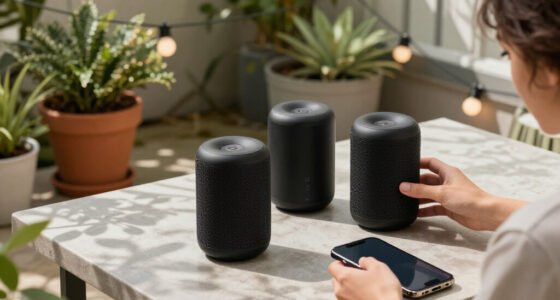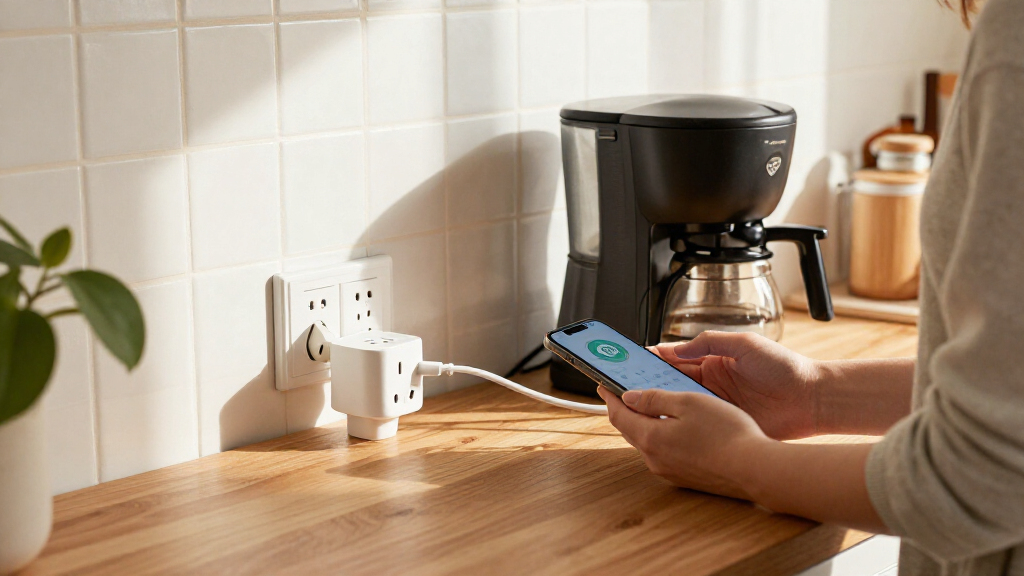
Smart plugs with energy monitoring can show how much electricity a connected device uses while adding app-based control and schedules. I rank the Tapo P110M as the best overall pick for its Matter support, 15A rating, and four-plug bundle; the Kasa KP125MP2 stands out for a two-plug Matter setup, while the THIRDREALITY Gen3 suits homes already using a compatible Zigbee hub. The main tradeoffs are ecosystem compatibility, how much setup a hub requires, and whether you need a two- or four-pack. Monitoring also varies by app, so buyers should check whether energy history and reporting meet their needs. Read on for the full comparison and guidance on choosing the right plug for your devices.

Get home appliances delivered free with Prime
- Fast, free delivery on millions of items
- Prime Video, Amazon Music and more included
- Member-only deals all year
Complete the kit


Key Takeaways
- Tapo P110M leads as the most balanced pick: it combines Matter support, a 15A rating, and a four-pack, making it a strong fit for buyers who want broad platform flexibility without buying plugs one at a time.
- Kasa offers the clearest pack-size choice: the KP125MP2 is a two-pack for a smaller setup, while the four-pack suits buyers outfitting several devices; compare the exact model and bundle before choosing.
- THIRDREALITY stands apart through Zigbee: it can make sense for a home with a compatible hub, but buyers seeking a direct Wi-Fi setup should look elsewhere in this lineup.
- The two Tapo options serve different needs: P110M adds Matter, while P115 is a Wi-Fi-focused alternative; choose based on ecosystem requirements rather than assuming the newer standard is necessary.
- Energy monitoring is only useful if the reporting fits your goal: before buying any model, check its app’s usage history and whether you need per-device tracking, schedules, or broader smart-home integration.
| Tapo P110M Matter Smart Plugs with Energy Monitoring, 4-Pack, 15A |  | Best Overall | Model: P110M | Pack size: 4 plugs | Maximum load: 15 A; 1,800 W | VIEW LATEST PRICE | See Our Full Breakdown |
| AiSeek Smart Plug with Energy Monitoring, 15A, 2.4 GHz Wi-Fi, 4-Pack |  | Best for Grouped App Control | Model: KT-US-EM-15AP | Pack size: 4 plugs | Maximum load: 15 A; 1,800 W | VIEW LATEST PRICE | See Our Full Breakdown |
| Tapo P115 Smart Wi-Fi Plug with Energy Monitoring, 4-Pack, 15 A |  | Best for Scheduling and Auto-Shutoff | Model: P115 | Pack size: 4 plugs | Operating voltage: 110 V AC | VIEW LATEST PRICE | See Our Full Breakdown |
| Kasa Matter Smart Plug with Energy Monitoring, KP125MP2, 15A/1800W, 2-Pack |  | Best Two-Pack for Local Control | Model: KP125MP2 | Pack size: 2 plugs | Maximum load: 15 A; 1,800 W | VIEW LATEST PRICE | See Our Full Breakdown |
| Kasa Matter Smart Plug with Energy Monitoring, 4-Pack |  | Best Matter Four-Pack | Model: KP125MP4 | Pack size: 4 plugs | Maximum load: 15 A; 1,800 W | VIEW LATEST PRICE | See Our Full Breakdown |
| Govee Smart Plugs with Energy Monitoring, Wi-Fi and Bluetooth, 4-Pack |  | Best for Detailed Energy History | Model: H5086 | Pack size: 4 plugs | Connectivity: Wi-Fi and Bluetooth | VIEW LATEST PRICE | See Our Full Breakdown |
| THIRDREALITY Smart Plug Gen3, 4-Pack |  | Best for Zigbee Smart-Home Setups | Pack size: 4 plugs | Connectivity: Zigbee 3.0 | Hub requirement: Compatible Zigbee hub required | VIEW LATEST PRICE | See Our Full Breakdown |
| Kasa Smart Plug Mini with Energy Monitoring (KP115) |  | Best for Safety-Conscious Wi-Fi Buyers | Model: KP115 | Connectivity: 2.4 GHz Wi-Fi | Operating voltage: 120 V AC | VIEW LATEST PRICE | See Our Full Breakdown |
| smart plugs with energy monitoring | Connectivity | Model | Pack size | Operating voltage |
|---|---|---|---|---|
| Tapo P110M Matter Smart Plugs | Matter, Wi-Fi | P110M | 4 plugs | — |
| AiSeek Smart Plug with Energy | 2.4 GHz Wi-Fi | KT-US-EM-15AP | 4 plugs | 120 V |
| Tapo P115 Smart Wi-Fi Plug wit | 2.4 GHz Wi-Fi | P115 | 4 plugs | 110 V AC |
| Kasa Matter Smart Plug with En | Matter, SmartThings, Wi-Fi | KP125MP2 | 2 plugs | 120 V |
| Kasa Matter Smart Plug with En | Matter, Wi-Fi, SmartThings | KP125MP4 | 4 plugs | 120 V |
| Govee Smart Plugs with Energy | Wi-Fi and Bluetooth | H5086 | 4 plugs | 120 V AC |
| THIRDREALITY Smart Plug Gen3 | Zigbee 3.0 | — | 4 plugs | 110 V |
| Kasa Smart Plug Mini with Ener | 2.4 GHz Wi-Fi | KP115 | — | 120 V AC |
More Details on Our Top Picks
Tapo P110M Matter Smart Plugs with Energy Monitoring, 4-Pack, 15A
The Tapo P110M is my strongest all-around pick for households that want energy tracking without committing to one smart-home brand. Its Matter support connects it with Apple Home, Alexa, Google Home, and SmartThings, while energy monitoring and bill estimates make usage easier to follow across connected devices. The four-pack also suits buyers who want to monitor several appliances at once, and its compact shape is less likely to take over a double outlet.
Compared with the Tapo P115, the P110M’s clearest advantage is Matter compatibility, not a stated broader range of energy features. The tradeoff is that it uses 2.4 GHz Wi-Fi only, and bill estimates depend on billing-system integration. Choose it for cross-platform flexibility; skip it if precise cost estimates are your main goal.
Pros:- Matter compatibility spans Apple Home, Alexa, Google Home, and SmartThings
- Energy monitoring includes bill estimates and configurable power thresholds
- Four plugs allow usage tracking across several appliances
- Compact design helps preserve access to neighboring outlets
Cons:- Connects over 2.4 GHz Wi-Fi only
- Bill estimates require integration with billing systems
Best for: Households using different smart-home platforms that want four energy-monitoring plugs with Matter compatibility.
Not ideal for: Buyers who need 5 GHz Wi-Fi support or expect bill estimates to work without linking billing information.
- Model:P110M
- Pack size:4 plugs
- Maximum load:15 A; 1,800 W
- Connectivity:Matter, Wi-Fi
- Wi-Fi band:2.4 GHz
- Compatible platforms:Amazon Alexa, Apple HomeKit, Google Home, Samsung SmartThings
- Control:App, voice, scheduling
- Certification:UL Certified
Our verdict“Choose the Tapo P110M if you want a four-plug Matter set with energy tracking across major smart-home platforms.”
AiSeek Smart Plug with Energy Monitoring, 15A, 2.4 GHz Wi-Fi, 4-Pack
The AiSeek four-pack is a practical choice for buyers who want real-time energy readings alongside schedules, timers, and group control in the SmartLife app. Grouping plugs lets you manage several devices together instead of handling each outlet separately, while Alexa and Google Assistant add voice control after account linking. Its stated overload and short-circuit protection also gives buyers useful safety information when comparing basic Wi-Fi options.
Unlike the Tapo P110M, AiSeek does not list Matter compatibility or Apple Home support, so it is a narrower fit for mixed-platform homes. Its strengths are app-based grouping and a stated two-year warranty, but voice assistants require linking through SmartLife and the plugs need 2.4 GHz Wi-Fi. Pick it for straightforward grouped control; pass if Matter integration is a priority.
Pros:- Tracks real-time power and energy use
- SmartLife app supports schedules, timers, and grouped control
- Works with Alexa and Google Assistant after app linking
- Compact body and stated overload and short-circuit protection
Cons:- Requires 2.4 GHz Wi-Fi
- Voice assistant control depends on linking the SmartLife app
- No Matter or Apple Home compatibility is listed
Best for: Alexa or Google Assistant households that want to monitor several devices and operate plugs in groups through SmartLife.
Not ideal for: Apple Home or Matter-focused buyers, and households that cannot use 2.4 GHz Wi-Fi.
- Model:KT-US-EM-15AP
- Pack size:4 plugs
- Maximum load:15 A; 1,800 W
- Operating voltage:120 V
- Connectivity:2.4 GHz Wi-Fi
- Compatible services:Alexa, Google Assistant, SmartLife, Tuya
- Dimensions:1.4 × 2.8 × 2 in
- Certifications:FCC certified; ETL listed
- Warranty:2 years
Our verdict“Choose AiSeek if SmartLife grouping and real-time energy readings matter more to you than Matter or Apple Home support.”
Tapo P115 Smart Wi-Fi Plug with Energy Monitoring, 4-Pack, 15 A
The Tapo P115 suits buyers who want energy statistics alongside simple routines. Its charts help you follow device consumption, while scheduling and automatic shutoff can cut power to a connected device at set times without relying on manual reminders. App and voice control work with Alexa, Google Assistant, and SmartThings, and the four-pack makes it easier to apply that routine to multiple appliances.
Compared with the Tapo P110M, the P115 lists auto-shutoff and energy charts but does not list Matter support. That makes it a better match for buyers focused on routines inside its supported ecosystem, not those seeking Matter-based flexibility across platforms. It also relies on 2.4 GHz Wi-Fi, and cost estimates depend on billing information. Choose it for scheduled control; look elsewhere if Matter is a must.
Pros:- Energy monitoring includes statistics and charts
- Scheduling and automatic shutoff support repeatable routines
- Works with Alexa, Google Assistant, and SmartThings
- Compact four-plug set is designed to leave neighboring outlets accessible
Cons:- Works with 2.4 GHz Wi-Fi only
- Cost estimates depend on adding billing information
- Matter compatibility is not listed
Best for: People who want to track appliance energy and automate shutoff or schedules across several devices using Tapo, Alexa, Google Assistant, or SmartThings.
Not ideal for: Buyers building a Matter-centered home or needing plugs that connect to 5 GHz Wi-Fi.
- Model:P115
- Pack size:4 plugs
- Operating voltage:110 V AC
- Maximum load:15 A; 1,800 W
- Connectivity:2.4 GHz Wi-Fi
- Compatible assistants:Amazon Alexa, Google Assistant, SmartThings
- Features:Energy monitoring, scheduling, auto-shutoff
- Certifications:ETL, FCC, RoHS
Our verdict“Choose the Tapo P115 if energy charts and automatic shutoff are more useful to you than Matter integration.”
Kasa Matter Smart Plug with Energy Monitoring, KP125MP2, 15A/1800W, 2-Pack
The Kasa KP125MP2 is the focused pick for buyers who need just two energy-monitoring outlets and value local Matter control. After setup, compatible devices can be controlled on the local network even if internet access drops. Matter support spans Apple Home, Alexa, Google Home, and SmartThings, so this two-pack can fit into several established smart-home setups without limiting the buyer to one assistant.
Compared with the four-pack Tapo P110M, the Kasa offers a similar cross-platform approach but supplies half as many plugs, making it better for a small number of priority devices than whole-home coverage. Its energy tracking is useful for monitoring consumption, though the supplied details do not specify bill estimates or power thresholds. It remains limited to 2.4 GHz Wi-Fi, and offline control relies on a functioning local network and prior setup.
Pros:- Matter support covers major smart-home platforms
- Local network control can work without internet after setup
- Energy monitoring helps track connected-device consumption
- Compact, UL-certified flame-retardant design
Cons:- Two-plug pack offers less coverage than the Tapo P110M four-pack
- Requires 2.4 GHz Wi-Fi
- Internet-free control depends on prior setup and local network availability
Best for: Smart-home owners who need two energy-monitoring plugs and want Matter-based local control across Apple Home, Alexa, Google Home, or SmartThings.
Not ideal for: Buyers who want a larger multi-room set or expect offline control without a working local network and completed setup.
- Model:KP125MP2
- Pack size:2 plugs
- Maximum load:15 A; 1,800 W
- Operating voltage:120 V
- Connectivity:Matter, SmartThings, Wi-Fi
- Wi-Fi band:2.4 GHz
- Compatible assistants:Apple Home, Amazon Alexa, Google Assistant, Samsung SmartThings
- Warranty:2-year limited
Our verdict“Choose the KP125MP2 when two Matter-compatible plugs and local control matter more than getting a larger pack.”
Kasa Matter Smart Plug with Energy Monitoring, 4-Pack
The Kasa KP125MP4 makes sense for buyers who want to cover several appliances with Matter-compatible energy-monitoring plugs. Its four outlets support the same broad platform mix as the Kasa KP125MP2, including Apple Home, Alexa, Google Home, and SmartThings, while local Matter control can keep working over the home network when the internet is unavailable. The compact, UL-certified flame-retardant design also helps it fit into everyday outlet setups.
Compared with the two-pack KP125MP2, this version offers broader coverage in one set; the core appeal is pack size rather than a different monitoring feature set. It tracks energy usage, but the supplied details do not specify bill estimates or thresholds. Buyers should also note the 15 A, 1,800 W limit and 2.4 GHz Wi-Fi requirement. Choose it for multi-device Matter control, not for loads beyond its rating.
Pros:- Four plugs provide wider device coverage than the Kasa KP125MP2 two-pack
- Matter support works with Apple Home, Alexa, Google Home, and SmartThings
- Local control can remain available when internet access is down
- Compact, UL-certified flame-retardant construction
Cons:- Requires 2.4 GHz Wi-Fi
- Maximum load is 15 A and 1,800 W
- Product details do not specify bill estimates or configurable power thresholds
Best for: Households that want four Matter-compatible energy-monitoring plugs for appliances spread across rooms and use a supported smart-home platform.
Not ideal for: People who need 5 GHz Wi-Fi support or plan to connect equipment exceeding the 15 A, 1,800 W maximum.
- Model:KP125MP4
- Pack size:4 plugs
- Maximum load:15 A; 1,800 W
- Operating voltage:120 V
- Connectivity:Matter, Wi-Fi, SmartThings
- Wi-Fi band:2.4 GHz
- Compatible assistants:Apple Home, Amazon Alexa, Google Assistant, Samsung SmartThings
- Design and safety:Compact; UL-certified flame-retardant
- Warranty:2-year limited
Our verdict“Choose the KP125MP4 if you want four Kasa Matter plugs for energy tracking and local control across multiple devices.”
Govee Smart Plugs with Energy Monitoring, Wi-Fi and Bluetooth, 4-Pack
The Govee set stands out for buyers who want more than a live wattage readout: its app tracks power, current, and voltage, with energy history retained for up to a year. That longer record can help you spot recurring usage patterns before changing schedules or replacing an appliance. Compared with the Kasa KP115, Govee makes the historical data window a clear strength and supplies four plugs, but app-based control depends on Govee Home rather than a broader hub ecosystem. Alexa and Google Assistant support, group controls, and schedules cover everyday automation, while Bluetooth and Wi-Fi give it more connection options than a Wi-Fi-only description suggests. The tradeoff is that setup still requires 2.4 GHz Wi-Fi; it will not join a 5 GHz network, and its app is part of the package whether or not you want another smart-home app.
Pros:- Tracks power, current, and voltage, with energy history available for up to one year.
- Four plugs support group control, schedules, remote access, and voice commands.
- Works with Amazon Alexa and Google Assistant.
- ETL and FCC certified.
Cons:- Does not support 5 GHz Wi-Fi.
- App-based control requires the Govee Home app.
- At 2.68 x 2.4 x 1.5 inches, the plug may crowd nearby outlets.
Best for: Households that want year-long energy records across several appliances and already use Alexa or Google Assistant.
Not ideal for: People whose home Wi-Fi uses only 5 GHz or buyers who want energy monitoring inside a hub-based platform without relying on Govee Home.
- Model:H5086
- Pack size:4 plugs
- Connectivity:Wi-Fi and Bluetooth
- Wi-Fi compatibility:2.4 GHz only; does not support 5 GHz
- Operating voltage:120 V AC
- Maximum wattage:1800 W
- Voice assistants:Amazon Alexa and Google Assistant
- Dimensions:2.68 x 2.4 x 1.5 inches
- Certifications:ETL and FCC
Our verdict“Choose Govee if year-long, multi-metric energy tracking matters more than avoiding a dedicated app or 2.4 GHz Wi-Fi setup.”
THIRDREALITY Smart Plug Gen3, 4-Pack
For shoppers already running a compatible Zigbee hub, THIRDREALITY adds real-time power monitoring while each plug also helps repeat the Zigbee mesh signal. That dual role can make the four-pack a better fit for a spread-out smart home than the Govee Smart Plugs, which rely on Wi-Fi and the Govee Home app. The listed ±1% monitoring accuracy is a useful specification for buyers comparing consumption readings, and the compact design is intended to leave adjacent outlets usable. The catch is the hub requirement: these plugs are not a straightforward standalone Wi-Fi purchase, and compatibility depends on a supported hub or compatible Echo device. Buyers without that setup should look at Wi-Fi options such as the Kasa KP115 instead. Platform support spans Home Assistant, SmartThings, and Hubitat, but the product data does not list a specific energy-history period.
Pros:- Provides real-time power monitoring with listed accuracy of ±1%.
- Repeats the Zigbee mesh signal as well as controlling a connected device.
- Supports Home Assistant, SmartThings, Hubitat, and compatible Echo devices.
- Compact design is intended to avoid blocking adjacent outlets.
Cons:- Requires a compatible Zigbee hub or supported hub-equipped platform.
- The supplied product data does not specify an energy-history period.
- Uses Zigbee rather than direct Wi-Fi, limiting its appeal for hub-free setups.
Best for: Home Assistant, SmartThings, or Hubitat users who want outlet-level monitoring and an added Zigbee mesh repeater.
Not ideal for: Buyers without a compatible Zigbee hub, or anyone seeking a simple Wi-Fi plug with a clearly specified energy-history feature.
- Pack size:4 plugs
- Connectivity:Zigbee 3.0
- Hub requirement:Compatible Zigbee hub required
- Operating voltage:110 V
- Power monitoring accuracy:±1%
- Compatible platforms:Home Assistant, SmartThings, Hubitat, and compatible Echo devices
- Control methods:Remote and voice
- Material:Plastic
- Warranty:1 year
Our verdict“Pick THIRDREALITY when you already have a supported Zigbee hub and want monitoring plugs that also strengthen mesh coverage.”
Kasa Smart Plug Mini with Energy Monitoring (KP115)
The Kasa KP115 is a practical choice for someone who wants energy monitoring and everyday scheduling in a compact Wi-Fi plug, with added attention to outlet safety. Its overheating protection, fireproof shell, sliding child safety cover, and UL certification give it a stronger safety-focused pitch than the supplied Govee description, which lists ETL and FCC certification but not those same protections. Kasa also includes a two-year warranty, while the THIRDREALITY Gen3 is a better fit for buyers who already depend on Zigbee and want mesh repeating. The KP115 instead keeps setup centered on 2.4 GHz Wi-Fi and the Kasa app, with Alexa and Google Assistant voice control. Its product details do not specify how long energy data is stored, so shoppers who prioritize a defined long-term history may prefer Govee’s stated one-year record.
Pros:- Combines energy monitoring with scheduling and remote control.
- Includes overheating protection, a fireproof shell, and a sliding child safety cover.
- UL certified and backed by a two-year warranty.
- Supports Amazon Alexa and Google Assistant.
Cons:- Requires a 2.4 GHz Wi-Fi connection.
- The supplied product details do not specify how long energy history is retained.
- Unlike the THIRDREALITY Gen3, it does not act as a Zigbee mesh repeater.
Best for: Households seeking a Wi-Fi energy-monitoring plug with listed safety features, child protection, and Alexa or Google Assistant control.
Not ideal for: Buyers using only 5 GHz Wi-Fi, or those who need a specified long-term energy-history window or a Zigbee-based setup.
- Model:KP115
- Connectivity:2.4 GHz Wi-Fi
- Operating voltage:120 V AC
- Maximum wattage:1800 W
- Voice assistants:Amazon Alexa and Google Assistant
- Safety features:Overheating protection, fireproof shell, and sliding child safety cover
- Certification:UL certified
- Warranty:2 years
- Dimensions:2.62 x 1.57 x 1.5 inches
Our verdict“Choose the KP115 for a safety-focused Wi-Fi plug with energy monitoring, but favor Govee if a stated year-long energy history is your priority.”
How We Picked
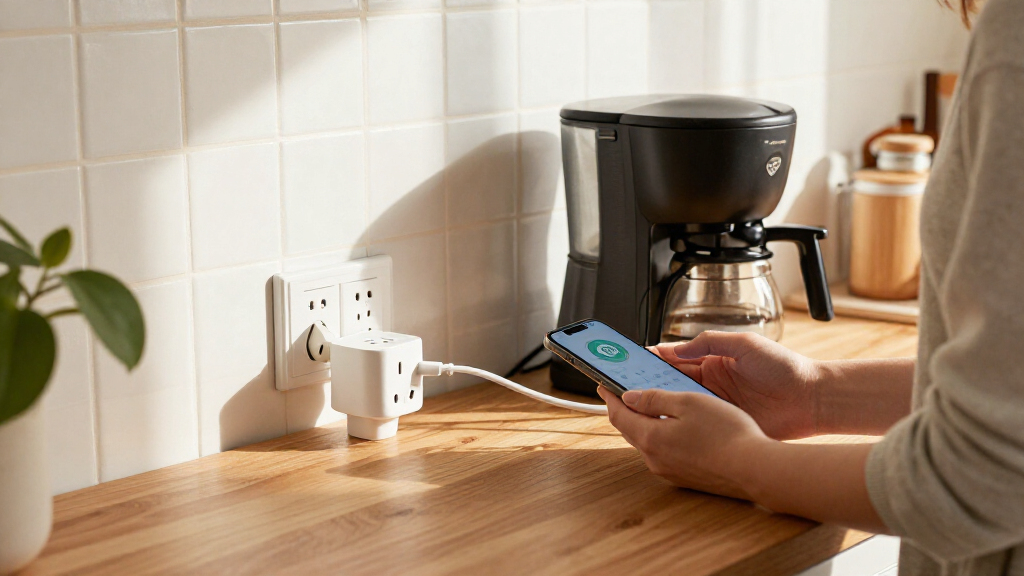
I ranked these smart plugs with energy monitoring by how well their features serve real household setups: ecosystem compatibility, rated electrical capacity, pack size, connection method, and the usefulness of their energy data. I gave more weight to options that combine monitoring with straightforward everyday control, while accounting for whether a product requires a separate hub or is tied to a particular setup.
The order reflects overall flexibility first, then stronger fits for narrower priorities such as a compact multi-plug setup, Wi-Fi and Bluetooth connectivity, or a Zigbee hub environment. A larger bundle is not automatically better, and Matter support is not a reason to pay attention if a buyer’s devices and platform do not use it. Each pick has a tradeoff: buyers should verify app features, wireless requirements, and the plug’s suitability for their connected appliance before making a choice.
Factors to Consider When Choosing Smart Plugs With Energy Monitoring
Choosing a plug is not just a matter of matching a brand to a phone. I would start with the device you want to monitor, the smart-home system you already use, and what you expect the energy data to tell you. These checks can prevent buying a bundle with the wrong connection type or an app that does not answer your actual question.
Match the Plug to the Appliance
Check the appliance label and manual for its electrical load before choosing a smart plug. A 15A rating does not mean every appliance is appropriate: some devices draw more power at startup, and certain appliances may call for a dedicated outlet or direct connection. Avoid using a plug with equipment the manufacturer says should not be switched remotely, or with a load beyond the plug’s stated limit. For high-draw devices, review both the plug rating and the appliance guidance rather than relying on the plug’s form factor. This matters more than app features because a mismatch can make an otherwise convenient monitor unsuitable for the job.
Choose an Ecosystem Before Choosing a Bundle
Matter, Wi-Fi, and Zigbee describe different ways a plug can connect and work with other devices. Matter can help a plug fit into supported smart-home platforms, but the controller and platform still need to support the relevant functions. A Wi-Fi model may be simpler if you already use its app, while a Zigbee plug can be a sensible addition to an existing hub-based network. A common mistake is buying a hub-dependent model without checking for a compatible hub first. Check the exact model’s platform support and setup requirements, since brand names alone do not guarantee that every feature works across every system.
Decide What Energy Data You Actually Need
Energy monitoring can mean different things in practice: current use, accumulated consumption, historical charts, or alerts and automations based on usage. If you only want to compare how much two appliances consume, a simple history view may be enough. If you plan to act on unusual consumption or set routines based on measured use, check whether the app supports those functions rather than assuming they come with monitoring. Also look for the reporting period and any limits on stored history. The most informative plug is the one whose data you can interpret and use, not necessarily the one with the longest feature list.
Buy the Right Number of Plugs
Four-packs can make sense when you have several devices to monitor, but they can leave unused units if you are still testing the setup. A two-pack is a more measured start for a small apartment or a couple of appliances. Think about outlet spacing as well: plugs can block an adjacent socket, and a multi-plug bundle does not solve a crowded outlet. It can be useful to list the intended devices and rooms before deciding on a pack size. That small step helps distinguish a genuine bundle value from buying more hardware than your household can use.
Check Wireless and Hub Requirements
Some smart plugs depend on a particular Wi-Fi band, while Zigbee models require a compatible hub; the product specifications should settle this before purchase. A router that combines bands under one network name can sometimes complicate setup for devices that need a specific band, so check the maker’s setup instructions. Bluetooth support may assist with local setup or connectivity, but it does not automatically mean the plug can operate as a standalone Bluetooth device in every use case. If your network is unreliable near the intended outlet, smart controls and energy reporting may be less dependable. Confirm connection requirements for the exact model and plan its location before ordering.
Think About Local Control and Long-Term Use
Smart plugs can depend on cloud services, a local hub, or a mix of both, and that affects how they behave during an internet outage. Buyers who want routines to keep running locally should check the manufacturer’s documentation for the exact model and platform. Consider whether you will keep using the companion app and whether multiple household members need access. Firmware support and clear privacy practices matter too, since a plug remains connected in the home long after setup. Paying more for a feature makes sense only when it improves the way you plan to control or monitor the device.
Frequently Asked Questions
Do Matter smart plugs still need the manufacturer’s app?
Setup and day-to-day control depend on the smart-home platform you choose, and the manufacturer’s app may still be needed for initial setup, firmware updates, or model-specific energy reports. Matter support can broaden compatibility, but it does not guarantee every feature appears in every platform’s interface. Before buying, check whether the platform you use displays energy data for that exact plug. If you rely on detailed usage history, confirm where that information is available instead of assuming Matter carries every app feature across systems.
Can I use an energy-monitoring plug with a refrigerator or other high-draw appliance?
Do not decide by appliance category alone: check the appliance’s electrical requirements, including startup load, and compare them with the plug’s rating and manufacturer guidance. Some appliances are not suited to being switched off remotely, even if their normal running load appears within range. A plug’s monitoring feature does not make an electrical mismatch safe. If the appliance maker advises against an intervening plug, follow that guidance. For uncertain or high-draw equipment, use a suitable dedicated monitoring solution instead of guessing.
Will a smart plug show me exactly how much a device costs to run?
A plug can report energy use, but converting that figure into a reliable cost depends on the app’s billing-rate settings and how closely they match your electricity plan. Time-of-use rates, taxes, and changing tariffs can make a simple cost estimate differ from a utility bill. Check whether the app lets you enter rates and whether it supports different rates by time period. If it reports only consumption, you can still use the data to compare devices, but you may need to calculate cost separately. Treat app estimates as guidance rather than a billing record.
Should I choose a four-pack or start with one or two plugs?
Start with a smaller bundle if you have not confirmed that the app’s energy reports answer your needs or that the plug works well with your smart-home setup. A four-pack makes more sense when you already have several specific devices to monitor and enough suitable outlets for them. Count intended appliances first, then check outlet spacing and whether any device has restrictions on smart switching. Starting small can also reveal whether energy monitoring changes a decision you make at home. Choose a larger pack when the use cases are clear, not just because more plugs are included.
Will energy monitoring work if my internet goes down?
Behavior varies by model, app, hub, and smart-home platform: some local controls or automations may keep working, while cloud-based reporting and remote access may pause. Do not assume that a plug’s energy readings remain available in the app during an outage. Check the product documentation for local control and outage behavior, especially if you want routines to continue without internet. A hub-based setup may offer different local capabilities than a Wi-Fi-only arrangement, but that depends on the hardware and configuration. If outage operation matters, verify it for the exact model before purchase.
Conclusion
For the best overall fit, I recommend the Tapo P110M: its Matter support, 15A rating, and four-pack balance compatibility and coverage. The best value-style choice for a multi-device setup is the AiSeek four-pack if its 2.4 GHz Wi-Fi requirements and app features suit your home; for buyers who want a more established platform choice, compare the Kasa four-pack with the two-plug KP125MP2. For beginners, I’d start with a smaller Wi-Fi setup such as the Tapo P115 or Kasa KP115, after checking the app and platform fit. For a premium-style, platform-flexible setup, choose a Matter model such as the Kasa KP125MP2 or Tapo P110M; the lineup does not identify a clear premium pick based on hardware alone. For a specific Zigbee hub setup, choose THIRDREALITY Gen3, while Govee is a fit for buyers who want Wi-Fi and Bluetooth connectivity. Match the plug to your appliance, ecosystem, and reporting needs before choosing a bundle.