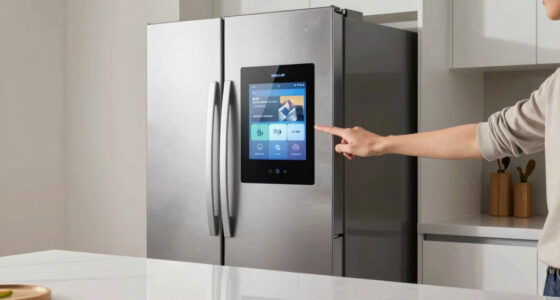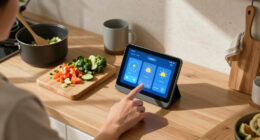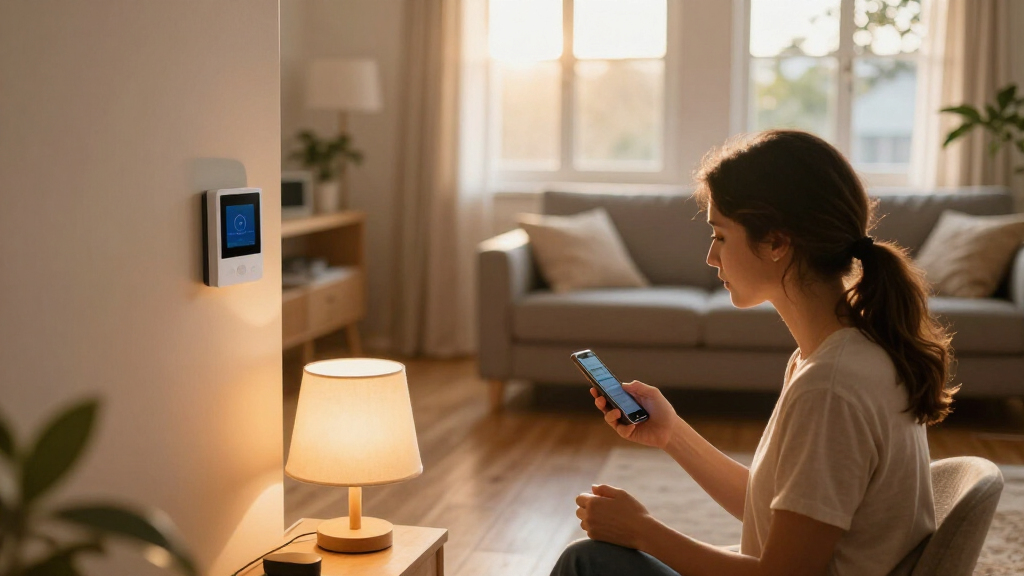

The best HomeKit smart home devices depend on what you want to automate and how much setup you’re willing to take on. My best overall pick is the Lutron Caseta Diva Smart Dimmer Starter Kit, which pairs a dedicated hub with reliable lighting control; the Kasa Smart Plug Mini EP25 stands out for adding energy monitoring, while the Lockly PIN Genie Pro Zeno brings Apple Home Key access to the front door. The main tradeoffs are native HomeKit support versus Matter flexibility, and whether a device needs a hub, wiring, or careful compatibility checks. Read on for how these nine options differ and which makes sense for your home.

Get home appliances delivered free with Prime
- Fast, free delivery on millions of items
- Prime Video, Amazon Music and more included
- Member-only deals all year
Complete the kit



Key Takeaways
- Lutron Caseta earns the overall lead by offering a dedicated-hub lighting system, while the Kasa and Tapo picks are simpler ways to add control to individual outlets.
- The Kasa EP25 is the standout choice when outlet-level energy monitoring matters; the more basic Matter plugs focus on switching devices on and off.
- Matter support broadens platform flexibility, but it does not make every setup identical: check the required controller, network band, and feature support before buying.
- Permanent upgrades call for extra planning: the Kasa KS200P3 needs compatible switch wiring, and the Meross garage controller must match the opener and sensor setup.
- This lineup covers distinct jobs rather than one all-in-one system: Lockly handles entry, Linkind handles bulbs, and the Tapo power strip handles several plugged-in devices.
| Meross Smart Garage Door Opener Remote with HomeKit, Alexa, and Google Assistant |  | Best for Garage Access | Model: MSG100HK | Connectivity: Wi-Fi, 2.4 GHz only | Compatible platforms: Apple HomeKit, Siri, CarPlay, Amazon Alexa, Google Assistant, SmartThings | VIEW LATEST PRICE | See Our Full Breakdown |
| Kasa Smart Plug Mini 15A with Energy Monitoring, Apple HomeKit Support (EP25P4) |  | Best Value for Energy Tracking | Model: EP25P4 | Maximum load: 15 A, 1800 W | Operating voltage: 120 V AC | VIEW LATEST PRICE | See Our Full Breakdown |
| Kasa Apple HomeKit Smart Light Switch KS200P3, Single Pole |  | Best for Built-In Lighting Control | Model: KS200 | Switch type: Single-pole, one-way | Wiring requirement: Neutral wire required | VIEW LATEST PRICE | See Our Full Breakdown |
| Tapo P316M Matter Smart Wi-Fi Power Strip with Energy Monitoring |  | Best for Multi-Device HomeKit Setups | Model: P316M | AC outlets: 6 individually controlled | USB ports: 3 always-on, 5 V 2.4 A | VIEW LATEST PRICE | See Our Full Breakdown |
| TP-Link Tapo P125M Smart Plug Mini (3-Pack), Matter Supported, 15A/1800W, Works with Apple Home, Alexa & Google Home |  | Best for Simple Multi-Room Automation | Model: Tapo P125M | Pack size: 3-pack | Maximum current: 15 A | VIEW LATEST PRICE | See Our Full Breakdown |
| Lutron Caseta Diva Smart Dimmer Starter Kit; Dimmer, Hub, Remote, & More | 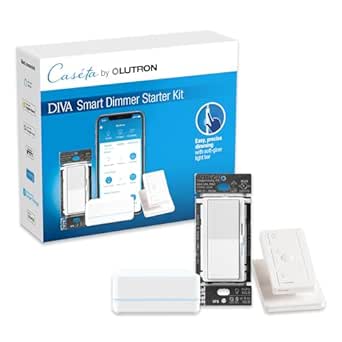 | Best for Reliable Smart Lighting | Kit includes: Diva dimmer, Pico remote, Pico pedestal, and Lutron smart hub | HomeKit support: Apple Home | Other listed integrations: Alexa, Google Home, Ring, and Sonos | VIEW LATEST PRICE | See Our Full Breakdown |
| Lockly PIN Genie Pro Zeno Series Smart Lock Deadbolt with Apple Home Key |  | Best HomeKit Smart Lock | Lock type: Deadbolt | Apple Home feature: Apple Home Key | Control methods: App, remote, voice, keypad, and Home Key | VIEW LATEST PRICE | See Our Full Breakdown |
| Linkind Matter Smart Light Bulbs, Works with Apple Home, Alexa, Google Home |  | Best for Colorful, Hub-Free Bulb Upgrades | Bulb shape and base: A19; E26 | Connectivity: Matter over 2.4 GHz Wi-Fi | Compatible platforms: Apple Home, Alexa, and Google Home | VIEW LATEST PRICE | See Our Full Breakdown |
| Linkind Matter Smart Plug, 4-Pack |  | Best Multi-Room Matter Plug Pack | Pack quantity: 4 plugs | Connectivity: Matter; 2.4 GHz Wi-Fi; IPv6 network | Compatible platforms: Apple Home, Alexa, Google Home, SmartThings, and AiDot | VIEW LATEST PRICE | See Our Full Breakdown |
| HomeKit smart home device | Connectivity | Model |
|---|---|---|
| Meross Smart Garage Door Opene | Wi-Fi, 2.4 GHz only | MSG100HK |
| Kasa Smart Plug Mini 15A with | 2.4 GHz Wi-Fi | EP25P4 |
| Kasa Apple HomeKit Smart Light | 2.4 GHz Wi-Fi | KS200 |
| Tapo P316M Matter Smart Wi-Fi | 2.4 GHz Wi-Fi; Matter | P316M |
| TP-Link Tapo P125M Smart Plug | 2.4 GHz Wi-Fi, Bluetooth, Matter | Tapo P125M |
| Lutron Caseta Diva Smart Dimme | — | — |
| Lockly PIN Genie Pro Zeno Seri | Built-in Wi-Fi | — |
| Linkind Matter Smart Light Bul | Matter over 2.4 GHz Wi-Fi | — |
| Linkind Matter Smart Plug | Matter; 2.4 GHz Wi-Fi; IPv6 network | — |
More Details on Our Top Picks
Meross Smart Garage Door Opener Remote with HomeKit, Alexa, and Google Assistant
For HomeKit owners who want to check and operate a garage door from the same smart home system as their lights and plugs, the Meross MSG100HK fills a role none of the other picks can. Its wired sensor reports whether the door is open or closed, so schedules and automatic closing can help avoid leaving the garage unsecured. Existing wall buttons and remotes continue to work, which makes adding remote access less disruptive than replacing the opener. Compared with the Kasa Smart Plug Mini EP25, this is a purpose-built control for a high-impact household task, not a general way to automate an appliance. The tradeoff is compatibility: it supports only 2.4 GHz Wi-Fi, some openers need an adapter, and Security+ 3.0 models are not supported. Check your opener model before choosing it.
Pros:- Reports door status through a wired sensor
- Adds schedules and automatic closing
- Keeps existing wall buttons and remotes functional
- Works with HomeKit, Siri, CarPlay, Alexa, Google Assistant, and SmartThings
Cons:- Requires a 2.4 GHz Wi-Fi network
- Some opener models need a separate adapter
- Not compatible with Security+ 3.0
Best for: HomeKit households with a compatible garage door opener that want door-status checks, remote access, and automatic closing without replacing existing controls.
Not ideal for: Owners of Security+ 3.0 openers, incompatible models, or homes that rely only on 5 GHz Wi-Fi.
- Model:MSG100HK
- Connectivity:Wi-Fi, 2.4 GHz only
- Compatible platforms:Apple HomeKit, Siri, CarPlay, Amazon Alexa, Google Assistant, SmartThings
- Compatibility:200+ brands and 1,600+ models; adapter may be required; not compatible with Security+ 3.0
- Maximum supported devices:1
- Maximum range:200 meters
- Dimensions:3 × 2 × 1 in
- Subscription fees:None
Our verdict“Choose the Meross if your opener is compatible and garage status and remote closing matter more than general-purpose smart control.”
Kasa Smart Plug Mini 15A with Energy Monitoring, Apple HomeKit Support (EP25P4)
The Kasa EP25 is a practical HomeKit pick for automating a lamp or appliance while keeping tabs on electricity use. Its real-time and historical monitoring gives it an advantage over the Tapo P125M, which offers Matter and local LAN control but no stated energy tracking. The Kasa also needs no hub, and its compact body is designed to leave neighboring outlet space available. That combination makes it a stronger fit for someone who wants usage data as well as schedules and Siri control, rather than simply adding an on/off switch. Its main limitation is that HomeKit remote control requires another networked Apple device at home, and setup depends on 2.4 GHz Wi-Fi. Buyers seeking Matter-based cross-platform flexibility or offline local control may prefer the Tapo.
Pros:- Tracks real-time and historical energy use
- Supports HomeKit and several major voice assistants
- Compact design helps preserve access to adjacent outlets
- Works without a separate hub and supports schedules and timers
Cons:- Requires 2.4 GHz Wi-Fi
- HomeKit remote control requires an additional networked Apple device at home
Best for: HomeKit users who want to automate a lamp or compatible appliance and review its real-time and historical energy use.
Not ideal for: Buyers who need Matter support, local control when internet access is unavailable, or HomeKit remote access without a networked Apple device at home.
- Model:EP25P4
- Maximum load:15 A, 1800 W
- Operating voltage:120 V AC
- Connectivity:2.4 GHz Wi-Fi
- Energy monitoring:Real-time and historical usage
- Voice assistants:Siri, Amazon Alexa, Google Assistant, SmartThings
- Safety certification:UL certified
- Warranty:2-year limited
Our verdict“Pick the EP25 if energy monitoring is more useful to you than Matter support or offline local control.”
Kasa Apple HomeKit Smart Light Switch KS200P3, Single Pole
The Kasa KS200 makes sense when you want Siri control at the wall, rather than relying on smart bulbs that can become unavailable when someone flips a physical switch. It replaces a standard single-pole switch and adds remote control, timers, schedules, and an away mode for varying lighting while you are out. Compared with the Linkind Matter Smart Light Bulbs elsewhere in this roundup, the KS200 controls the fixture through its wiring and leaves bulb choice open; the bulbs are easier to add but depend on the wall switch staying on. This switch is not a universal retrofit, though: it needs a neutral wire and a 2.4 GHz Wi-Fi connection. Installation is app-guided, but buyers who do not want to work with switch wiring may be better served by smart bulbs.
Pros:- Provides HomeKit, Siri, Alexa, and Google Assistant control
- Controls a fixture at the wall without depending on smart bulbs
- Offers schedules, timers, countdowns, and away mode
- App-guided installation for compatible wiring
Cons:- Requires a neutral wire
- Needs 2.4 GHz Wi-Fi
- HomeKit remote control requires a networked Apple device at home
Best for: HomeKit households replacing a compatible single-pole wall switch who want Siri, app, and scheduled control of a fixture.
Not ideal for: Renters, buyers without a neutral wire in the switch box, or anyone seeking a no-wiring lighting upgrade.
- Model:KS200
- Switch type:Single-pole, one-way
- Wiring requirement:Neutral wire required
- Connectivity:2.4 GHz Wi-Fi
- Input voltage:100–120 VAC, 50/60 Hz
- Control platforms:Apple HomeKit, Siri, Amazon Alexa, Google Assistant
- Installation:App-guided; standard wall plate size
Our verdict“Choose the KS200 if you own or manage a compatible single-pole circuit and want smart control built into the wall switch.”
Tapo P316M Matter Smart Wi-Fi Power Strip with Energy Monitoring
The Tapo P316M is the most capable choice here when one location needs several separately controlled devices. Its six individually controlled AC outlets can run different schedules, while per-outlet energy monitoring helps identify which connected equipment uses power. Three always-on USB ports add charging capacity, though they cannot be switched individually. Matter support links the strip with HomeKit and other major platforms, giving it broader ecosystem flexibility than the Kasa EP25, which is a single smart outlet with energy monitoring. The tradeoff is physical: at 16.2 inches long, this strip takes more space than compact plugs, and its 37-inch cord may limit placement. It also relies on 2.4 GHz Wi-Fi, so this is best for a desk or entertainment area rather than a small, crowded outlet.
Pros:- Individually controls six AC outlets
- Tracks energy use for each AC outlet
- Matter compatibility spans major smart home platforms
- Supports schedules and local app control during internet outages
Cons:- Large 16.2-inch body may be awkward in tight spaces
- USB ports are always on and are not individually controlled
- Requires 2.4 GHz Wi-Fi
Best for: HomeKit users organizing a desk, media center, or other setup with several devices that need independent schedules and outlet-level energy tracking.
Not ideal for: Buyers with limited space, a distant outlet, or a need to switch USB ports individually.
- Model:P316M
- AC outlets:6 individually controlled
- USB ports:3 always-on, 5 V 2.4 A
- Maximum current:15 A
- Voltage:120 V
- Connectivity:2.4 GHz Wi-Fi; Matter
- Cord length:37 inches
- Dimensions:16.2 × 4.8 × 1.9 inches
- Features:Energy monitoring, surge protection, scheduling, remote and local control
Our verdict“Choose the P316M when you need one HomeKit-compatible strip to manage and monitor several AC devices independently.”
TP-Link Tapo P125M Smart Plug Mini (3-Pack), Matter Supported, 15A/1800W, Works with Apple Home, Alexa & Google Home
The Tapo P125M three-pack is the straightforward way to add HomeKit control to several lamps or compatible appliances without buying a hub for each ecosystem. Matter support lets these plugs join Apple Home, Alexa, Google Home, or SmartThings, and local LAN control means basic operation can continue when internet access is down. That offline capability and cross-platform reach distinguish it from the Kasa EP25, which adds energy monitoring but does not list Matter support. Bluetooth onboarding also helps simplify setup. The P125M does not provide stated energy-use tracking, so it is less informative than the Kasa for users who want to monitor consumption. Like the Kasa, it uses 2.4 GHz Wi-Fi; full control also depends on a smartphone app or smart speaker.
Pros:- Three plugs support Matter across major smart home platforms
- Local LAN control works when internet access is unavailable
- Compact design avoids blocking adjacent outlets
- Bluetooth onboarding simplifies initial setup
Cons:- Requires a 2.4 GHz Wi-Fi network
- Does not list energy monitoring
- Full control requires a smartphone app or smart speaker
Best for: Households adding simple on/off control to several lamps or appliances across Apple Home and other Matter-compatible platforms.
Not ideal for: Buyers who need energy monitoring, individual USB control, or plugs for a network that lacks 2.4 GHz Wi-Fi.
- Model:Tapo P125M
- Pack size:3-pack
- Maximum current:15 A
- Maximum power:1800 W
- Operating voltage:120 V AC
- Connectivity:2.4 GHz Wi-Fi, Bluetooth, Matter
- Compatibility:Apple Home, Amazon Alexa, Google Home, Samsung SmartThings
- Certification:UL certified
- Warranty:2-year limited
Our verdict“Pick the P125M three-pack for simple, flexible HomeKit automation across multiple rooms, not for energy tracking.”
Lutron Caseta Diva Smart Dimmer Starter Kit; Dimmer, Hub, Remote, & More
The Caseta Diva is my pick for buyers who want HomeKit lighting that does not depend on Wi-Fi. Its included hub handles communication with the dimmer, while HomeKit adds voice control and automations; that setup is more involved than the Kasa KS200P3, but it avoids relying on a Wi-Fi switch connection for everyday control. The included Pico remote is useful for adding a second control point without running new wire, and the dimmer works with compatible existing bulbs rather than requiring smart bulbs. It also needs no neutral wire, which can make it a fit for older switch boxes. The tradeoff is a dedicated hub, a wallplate sold separately, and compatibility limits: this is for dimmable lighting, not every fixture or bulb combination.
Pros:- Included hub keeps dimmer communication independent of Wi-Fi availability.
- No neutral wire is required for installation.
- Pico remote adds a wireless control point without new switch wiring.
- Works with existing compatible dimmable bulbs and supports Apple HomeKit.
Cons:- Requires the included hub, adding equipment beyond the wall dimmer.
- Wallplate is sold separately.
- Limited to compatible dimmable lighting, with LED load capped at 150 W.
Best for: HomeKit households seeking dependable dimming, especially in older homes without neutral wires or where a second switch location is useful.
Not ideal for: Renters or buyers who want a hub-free, low-effort bulb upgrade, or anyone whose lights use non-dimmable bulbs.
- Kit includes:Diva dimmer, Pico remote, Pico pedestal, and Lutron smart hub
- HomeKit support:Apple Home
- Other listed integrations:Alexa, Google Home, Ring, and Sonos
- Wiring:No neutral required
- LED load:Up to 150 W
- Incandescent/halogen load:Up to 600 W
- Control methods:App, Pico remote, and voice
- Switch type:Paddle dimmer; single-pole and 3-way configurations
Our verdict“Choose the Caseta Diva if reliable HomeKit dimming and flexible switch placement matter more than a hub-free setup.”
Lockly PIN Genie Pro Zeno Series Smart Lock Deadbolt with Apple Home Key
The Lockly PIN Genie Pro is the clearest choice here for buyers who want to replace a deadbolt with Apple Home Key access, rather than add another lighting or outlet control. It offers several ways in: Home Key, keypad, app, remote access, and voice assistants. Its shuffled keypad is a useful distinction from simpler keypad locks because it makes repeated PIN entry less revealing, while support for up to 65 PINs suits households or short-term rentals with changing users. Compared with the Lutron Caseta Diva, this is a more security- and access-focused device, but it depends on a strong Wi-Fi signal for remote features and requires the Lockly app for its full feature set. Check your door thickness and setup before buying; its broad access options come with more app and network dependence than a basic deadbolt.
Pros:- Supports Apple Home Key alongside keypad, app, remote, and voice control.
- PIN Genie keypad shuffles number positions to help guard against code observation.
- Stores up to 65 unique PINs for households and guest access.
- Built-in Wi-Fi enables remote control without a separate hub.
Cons:- Remote features depend on reliable Wi-Fi coverage at the door.
- Full feature access requires a smartphone and the Lockly app.
- Compatibility is limited to doors 1 3/8 to 3 1/8 inches thick.
Best for: HomeKit users who want Apple Home Key at the door, plus separate keypad codes for family members, guests, or rental access.
Not ideal for: Buyers with weak Wi-Fi near the entry, or anyone wanting a lock whose full feature set works without a smartphone and Lockly app.
- Lock type:Deadbolt
- Apple Home feature:Apple Home Key
- Control methods:App, remote, voice, keypad, and Home Key
- Connectivity:Built-in Wi-Fi
- Keypad capacity:Up to 65 PINs
- Door thickness:1 3/8 to 3 1/8 inches
- Auto-lock:Yes
- Dimensions:5.31 x 3.03 x 4.53 inches
- Material and color:Zinc; matte black
Our verdict“Pick the Lockly if Home Key and flexible guest codes are your priorities and your entry has reliable Wi-Fi.”
Linkind Matter Smart Light Bulbs, Works with Apple Home, Alexa, Google Home
These Linkind bulbs are my pick for adding color and scene control without replacing a wall switch or buying a dedicated lighting hub. Matter support lets them join Apple Home and other supported ecosystems, making them more flexible across platforms than choosing bulbs tied to just one app. At 800 lumens, they can serve as everyday A19 lamps, while color options, preset scenes, and music sync are aimed at rooms where atmosphere matters as much as basic illumination. Compared with the Lutron Caseta Diva, they are easier to add one lamp at a time, but they do not dim through a traditional dimmer switch. They also rely on 2.4 GHz Wi-Fi, so buyers should check their network and avoid installing them on a wall dimmer; smart control belongs in the app or a compatible home platform.
Pros:- Matter support connects with Apple Home and other supported smart home platforms.
- 16 million colors and 104 preset scenes offer extensive lighting customization.
- 800-lumen output suits everyday A19 lamp use.
- Music sync and energy-use insight add functions beyond basic on/off control.
Cons:- Not compatible with traditional dimmer switches.
- Requires a 2.4 GHz Wi-Fi network.
- Music sync and extra scene features depend on the AiDot app.
Best for: HomeKit users who want app-controlled color and scenes in standard E26 lamps, particularly in rooms without a wall dimmer.
Not ideal for: Households using traditional dimmer switches or networks that do not provide 2.4 GHz Wi-Fi.
- Bulb shape and base:A19; E26
- Connectivity:Matter over 2.4 GHz Wi-Fi
- Compatible platforms:Apple Home, Alexa, and Google Home
- Light output:800 lumens
- Power use:9 W
- Color capability:16 million colors
- Color temperature:Up to 6500 K
- Color rendering index:90
Our verdict“Choose these bulbs for flexible Matter-based color lighting, but use them only in fixtures controlled without a traditional dimmer.”
Linkind Matter Smart Plug, 4-Pack
This four-pack makes the most sense when I want to bring several ordinary plug-in devices into Apple Home through Matter at once. Schedules, timers, voice control, and local LAN operation can make lamps or other suitable appliances easier to automate, and the 15 A / 1800 W capacity gives each plug a defined load ceiling. Compared with the Kasa Smart Plug Mini, its standout difference is Matter support across several platforms; the TP-Link Tapo P125M is another Matter alternative, so the Linkind pack is most compelling for a multi-room rollout rather than a single outlet. There are setup conditions: Apple Home control through Matter needs a compatible hub, and the network must support both 2.4 GHz Wi-Fi and IPv6. It is not a fit for buyers who want to skip those network checks.
Pros:- Four plugs let buyers automate multiple outlets across rooms.
- Matter support works with Apple Home and other listed platforms through a compatible hub.
- Local LAN control can continue when internet service is unavailable.
- Supports schedules, timers, voice control, and loads up to 15 A / 1800 W.
Cons:- Apple Home and other listed Matter-platform control requires a compatible hub.
- Requires a 2.4 GHz Wi-Fi network and IPv6.
- Does not provide the energy monitoring listed for the Kasa EP25P4.
Best for: HomeKit households with several lamps or suitable plug-in devices to automate, and a Matter-compatible hub plus an IPv6-capable 2.4 GHz network.
Not ideal for: Buyers who need only one smart outlet, lack a Matter-compatible hub for Apple Home, or cannot use IPv6 on their network.
- Pack quantity:4 plugs
- Connectivity:Matter; 2.4 GHz Wi-Fi; IPv6 network
- Compatible platforms:Apple Home, Alexa, Google Home, SmartThings, and AiDot
- Power capacity:15 A; 1800 W
- Plug type:Type A
- Poles and wires:1 pole; 3 wires
- Material:Copper
- Certifications:FCC; ETL
Our verdict“Choose this pack for several Matter-controlled outlets if your network and hub meet its requirements.”
How We Picked
I ranked these devices by how well they solve a clear HomeKit task, how much setup they ask of buyers, and how useful their capabilities are beyond basic app control. I gave weight to platform compatibility, day-to-day convenience, physical installation, hub requirements, and the flexibility to use the device with other smart-home platforms. I also looked at whether a product offers a meaningful reason to choose it, such as energy monitoring, Apple Home Key, or control of several outlets.
The order reflects the breadth and practical value of each device, not a claim that every home needs the same gear. The Lutron kit places first as a strong, purpose-built lighting upgrade; the Kasa EP25 follows for buyers who want useful monitoring as well as switching. The remaining picks rank by their more specific roles and setup tradeoffs: a door lock or garage controller can solve a high-impact task, while bulbs and plugs are easier entry points but offer narrower control. Buyers should confirm compatibility for their exact wiring, garage opener, lock setup, and Home hub before choosing.
| HomeKit smart home device | Model |
|---|---|
| Meross Smart Garage Door Opene | MSG100HK |
| Kasa Smart Plug Mini 15A with | EP25P4 |
| Kasa Apple HomeKit Smart Light | KS200 |
| Tapo P316M Matter Smart Wi-Fi | P316M |
| TP-Link Tapo P125M Smart Plug | Tapo P125M |
| Lutron Caseta Diva Smart Dimme | — |
| Lockly PIN Genie Pro Zeno Seri | — |
| Linkind Matter Smart Light Bul | — |
| Linkind Matter Smart Plug | — |
Factors to Consider When Choosing Best HomeKit Smart Home Devices
Before choosing a device, I’d start with the job it needs to do, then work outward to compatibility and installation. A plug is not a substitute for a dimmer, and a Matter label does not remove every platform or network requirement. These checks can prevent buying a device that connects but cannot deliver the automations or controls you expect.
Match the device to the job
Decide whether you need to control a lamp, a ceiling fixture, an entry point, or a group of appliances. Smart plugs work well for devices that resume their previous state when power returns, but they cannot dim a lamp unless the lamp itself supports dimming. Bulbs provide color or dimming options, yet a wall switch that cuts power can make them unavailable to HomeKit. A wired switch can keep control at the wall, but it changes the home’s electrical setup. For equipment such as a garage door, check that remote operation and the required safety sensors suit your opener before treating it like a standard plug-in device.
Check HomeKit, Matter, and controller requirements
Compatibility labels describe different things: native Apple Home support, Matter support, or access through a manufacturer’s app and integration. Matter can make a device easier to share across supported platforms, but a Matter device still needs a compatible controller and a suitable network connection. Some advanced functions may appear in one app but not another, so check the exact controls you expect to use in Apple Home. A device working with Apple Home does not automatically mean every feature is available through Siri or automations. Before buying, verify the product’s current compatibility notes and whether your existing Home hub can handle the setup you want.
Plan for installation before ordering
Plug-in devices usually need little more than an available outlet, while smart switches and locks can involve wiring, door measurements, or existing hardware. For a wall switch, check whether the circuit is single-pole or part of a multi-way setup and confirm the wiring requirements against your home. Smart locks need to fit the door’s deadbolt dimensions and may call for changes to access habits or backup-key storage. Garage controllers vary by opener and sensor arrangement, so compatibility is not a detail to leave until installation day. If the work involves electrical wiring or uncertain door hardware, factor in professional help rather than assuming every device is a quick swap.
Choose between a hub and a direct connection
A dedicated hub adds another device and setup step, but it can give a product line a consistent control path and reduce reliance on each accessory connecting directly to Wi-Fi. Wi-Fi devices may be easier to add one at a time, though a large number of connected accessories can add load to a home network. Matter does not mean every accessory uses the same radio or avoids a hub in all configurations. Think about where your router and Home hub sit, how many devices you expect to add, and whether you want a single vendor’s system or a mixed setup. The easiest choice for one room may not be the easiest to maintain across a whole home.
Decide whether monitoring and automation matter
Energy monitoring is useful when you want to see how much power a connected appliance uses, but it is different from measuring an entire home’s electricity use. Check whether the readings are available in the app you plan to use and whether they support the decisions you want to make. Automations also depend on more than a device’s on-off control: schedules, sensors, location, and household routines affect how helpful they feel. Start with a specific routine, such as turning a light on at dusk, rather than buying features without a clear use. A simpler accessory can be the better fit if you only need dependable remote switching.
Think about household access and recovery
Smart-home controls should still make sense when a phone is unavailable, a guest visits, or the internet drops. For a lock, decide how family members and visitors will get in and how you will handle a dead battery or connectivity issue. For lighting, consider whether people in the home can still use a familiar wall control. Keep account access and recovery options clear, especially when several household members share control. Convenience features are most useful when they fit existing routines instead of making every household member learn a new one.
Frequently Asked Questions
Do I need an Apple Home hub to use these devices?
Not every basic function requires an Apple Home hub, but remote access and some Home automations may. Requirements vary by product and by whether it connects through HomeKit, Matter, Wi-Fi, or a separate manufacturer hub. Check the device’s current setup instructions and the Apple Home features you plan to use before buying. A hub can also help keep automations available when you are away from home. If you only need local control through the device’s own app, your needs may be different.
Should I choose a Matter device over one made specifically for HomeKit?
Choose based on the platforms and features you need, not the label alone. Matter can make it easier to use supported devices across multiple smart-home ecosystems, which is useful if your household mixes platforms. A HomeKit-focused product may still be the simpler fit if Apple Home is your only system and its feature set matches your needs. In either case, verify the required controller, network setup, and which functions appear in Apple Home. Broad compatibility does not guarantee that every app offers the same controls.
Can I use a smart plug to control any appliance?
No. Check the appliance’s power draw against the plug’s rated limits, and avoid using a smart plug with equipment that should not be unexpectedly switched off. Appliances with motors, heating elements, or special startup behavior may need particular care. A smart plug also cannot dim a connected light or replace a dedicated control system. If energy use is part of your decision, check whether the model provides monitoring and where those readings are shown. Follow the manufacturer’s safety guidance for both the plug and the appliance.
What should I check before replacing a wall switch with a smart switch?
Confirm the switch type, wiring configuration, and whether the circuit is single-pole or multi-way. Check the product’s wiring requirements against the wires in the electrical box; do not rely on the existing switch’s appearance as proof of compatibility. Also consider what happens to smart bulbs on that circuit if someone turns the wall switch off. If you are unsure about the wiring, ask a qualified electrician rather than experimenting. These checks matter more than choosing a switch based on app features alone.
Will a HomeKit smart lock still work if my internet goes down?
Internet loss does not necessarily stop local lock operation, but remote access and cloud-linked features may be unavailable. The exact behavior depends on the lock, its connection method, and your home setup. Before relying on any smart lock as your only access method, confirm its physical backup options, battery alerts, and local control behavior. Keep a backup entry plan that does not depend on a phone or an active internet connection. Also check how access is shared with other household members and visitors.
Conclusion
For the broadest lighting upgrade, I’d choose the Lutron Caseta Diva Starter Kit as the best overall pick; it makes the most sense for buyers comfortable adding a hub and replacing a wall dimmer. The Kasa EP25 is my best value for an outlet where energy monitoring is useful, while the Lockly PIN Genie Pro Zeno is the best premium choice for buyers who want a smart deadbolt with Apple Home Key. Beginners should start with a plug such as the Tapo P125M or Linkind Matter Smart Plug, after checking their controller and network requirements. For specific needs, choose the Meross for garage-door control, the Kasa KS200P3 for a compatible wired switch, the Tapo P316M for several devices at one outlet, or Linkind bulbs for smart lighting without rewiring. Pick the device that fits your installation and daily routine first; the best HomeKit setup is the one your household can use consistently.
Columbus Day / Indigenous Peoples' Day Picks
long weekend sales
As an affiliate, we earn on qualifying purchases.