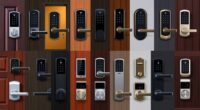
If you’re looking for the best smart locks for renters that balance security and convenience, I’ve got you covered. These locks support multiple unlocking methods like fingerprint, app control, PIN codes, and even voice commands. They also offer remote management, activity monitoring, and seamless integration with smart home systems. Many feature weatherproof designs and easy DIY installation, making them perfect for renters. Keep going and you’ll discover detailed options that suit your lifestyle.

Get home appliances delivered free — and shop member deals
- Fast, free delivery on millions of items
- Access to Prime Big Deal Days deals on October 6–7
- Prime Video, Amazon Music and more included
Key Takeaways
- Offers multiple keyless access methods like fingerprint, app control, NFC, PIN, voice commands, and physical keys for flexible entry.
- Supports remote management, activity logs, real-time notifications, and user sharing, ideal for renters and hosts.
- Features durable, weatherproof designs with anti-drill, auto-lock, and encryption for high security in various environments.
- Easy DIY installation compatible with standard doors, with long-lasting battery life and low-battery alerts.
- Seamlessly integrates with smart home ecosystems like Alexa, Google, and Apple, enhancing convenience and automation.
eufy Security Smart Lock C220, Keyless Entry Door Lock

If you’re a renter looking for a reliable, keyless way to secure your apartment, the eufy Security Smart Lock C220 is an excellent choice. It offers about eight months of battery life from eight AA batteries, with smart power management and an alarm for unusual attempts. You can open it using six methods: fingerprint, app, keypad, physical key, Apple Watch, or voice commands with Alexa or Google Assistant. Its self-learning AI fingerprint ensures quick and accurate access. Built-in Wi-Fi lets you control the lock remotely, manage access, and receive notifications, all easily integrated into your existing ecosystem.
Best For: renters and homeowners seeking a reliable, keyless, and easily controllable smart lock for their entry doors.
Pros:
- Supports multiple unlocking methods including fingerprint, app, keypad, physical key, Apple Watch, and voice commands for versatile access.
- Self-learning AI fingerprint technology enhances unlocking speed and accuracy over time.
- Built-in Wi-Fi allows remote management, real-time notifications, and seamless integration with other smart home devices.
Cons:
- Battery life of around 8 months requires periodic replacements, which may be inconvenient for some users.
- Installation, while straightforward, may not be compatible with all types of existing deadbolts without additional adapters.
- The IP53 waterproof rating offers some protection but may not withstand extreme weather conditions over long periods.
August Smart Keyless Door Lock (4th Gen)

The August Smart Keyless Door Lock (4th Gen) stands out for renters seeking a hassle-free, secure way to manage access without changing their existing door hardware. It easily installs inside your door in just 10 minutes and fits most single cylinder deadbolts, preserving your home’s curb appeal. You can open it via the August app, share temporary or permanent access, and even use biometric ID for enhanced security. Features like Auto-Unlock, Auto-Lock, and DoorSense make daily use effortless. With built-in Wi-Fi, it integrates seamlessly with voice assistants like Alexa and Google, offering convenience, security, and smart automation—all without exterior modifications.
Best For: renters and homeowners seeking a quick, easy-to-install, and secure keyless entry solution that preserves their home’s exterior appearance.
Pros:
- Easy 10-minute installation inside the door with minimal exterior modifications
- Compatible with most single cylinder deadbolts, fitting a variety of doors
- Supports biometric ID and remote access via Wi-Fi, enhancing security and convenience
Cons:
- Only compatible with single cylinder deadbolts, limiting use with other lock types
- Requires Wi-Fi connection for full remote functionality, which may depend on stable internet
- Inside installation means exterior hardware remains unchanged, which might not suit all aesthetic preferences
August Wi-Fi Smart Keyless Door Lock

The August Wi-Fi Smart Keyless Door Lock stands out for renters who want a quick, damage-free way to upgrade their home security without altering their door’s appearance. It easily fits most single-cylinder deadbolts and installs in about 10 minutes, keeping the exterior look unchanged. With the August app, I can lock or open remotely, share access, and set schedules—all without keys. Features like auto-unlock and auto-lock add convenience and security, while biometric options provide extra protection. Its built-in Wi-Fi connects seamlessly to smart home systems and voice assistants, making it a versatile, discreet upgrade perfect for renters seeking smart security without hassle.
Best For: renters seeking a quick, damage-free, and aesthetically discreet upgrade to their home security with smart features and easy installation.
Pros:
- Easy to install in about 10 minutes without damaging the door or altering exterior appearance
- Supports remote locking, unlocking, scheduling, and sharing access via the August app
- Seamless integration with popular smart home systems and voice assistants like Alexa, Google, and Apple HomeKit
Cons:
- Requires Wi-Fi connection and compatible smartphone with the app for full functionality
- May not fit all types of deadbolts, especially some double-cylinder models
- Biometric options are optional and may require additional accessories for use
Philips Wi-Fi Smart Door Lock with App and Keyless Entry

For renters who want both security and convenience, the Philips Wi-Fi Smart Door Lock with App and Keyless Entry stands out thanks to its flexible opening options. You can open it via the app, passcodes, fingerprints, physical keys, or voice commands with Alexa or Google Assistant. It supports multiple fingerprints and creates up to 100 custom passcodes for family, friends, or renters—plus, you can share one-time or scheduled codes remotely. The built-in Wi-Fi allows remote control without extra hubs, and real-time alerts keep you informed of access events. It’s easy to install and offers auto-lock for added security, making it a versatile choice for renters.
Best For: Renters seeking a secure, convenient, and flexible smart lock solution that allows remote access and multiple unlocking options without requiring additional hubs.
Pros:
- Offers multiple unlocking methods including app control, passcodes, fingerprints, physical keys, and voice commands with Alexa or Google Assistant.
- Supports remote locking and unlocking via built-in Wi-Fi without the need for extra hubs.
- Provides real-time access notifications and auto-lock feature for enhanced security and ease of use.
Cons:
- Batteries (4 or 8 AA alkaline) are not included, requiring additional purchase.
- Does not include a door sensor, limiting detailed activity monitoring.
- Installation may require careful alignment and handling, which could be challenging for some DIY users.
Philips WiFi Smart Lock with App and Touchscreen

If you’re looking for a smart lock that offers both convenience and robust security without extra hubs, the Philips WiFi Smart Lock with App and Touchscreen is an excellent choice. It connects directly to your Wi-Fi, allowing remote control through the app, where you can manage PIN codes, grant access, and get real-time notifications. The lock supports voice commands via Alexa and Google Assistant, making hands-free operation easy. It offers five unlocking options—app, fingerprint, PIN, voice, or physical key—and features 360° fingerprint recognition that *releases* in 0.3 seconds. With auto-lock, splash-proof durability, and a 24-month warranty, it’s designed for seamless, secure everyday use.
Best For: homeowners and renters seeking a secure, convenient, and easy-to-manage smart lock that integrates seamlessly into their smart home without the need for additional hubs.
Pros:
- Supports remote management via Wi-Fi without extra hubs, enabling easy control from anywhere.
- Offers multiple unlocking options, including app, fingerprint, PIN, voice, and physical key, for versatile access.
- Features quick 360° fingerprint recognition unlocking in just 0.3 seconds, enhancing security and convenience.
Cons:
- Requires 8 batteries, which may need replacement over time despite the long battery life.
- Compatibility limited to Alexa and Google Assistant; other smart home ecosystems may not be supported.
- Auto-lock timing customization might not suit all user preferences or specific security needs.
Aqara Smart Lock U100 with Fingerprint and Keyless Entry

Aqara Smart Lock U100 stands out for renters seeking a seamless blend of security and convenience thanks to its fingerprint recognition and keyless entry options. It supports Apple Home and Home Key, allowing access via an iPhone or Apple Watch, even during battery outages. You can also manage access via the Aqara Home app, set remote passwords, or issue one-time codes for visitors. With multiple unlocking methods—fingerprint, NFC cards, mechanical key, or app control—it offers versatility. Its zinc alloy body is weatherproof, and the lock features auto-locking, a touchscreen keypad, and AES encryption for security. Plus, it integrates smoothly with Alexa, Google, and IFTTT for smart home automation.
Best For: renters and homeowners seeking a secure, versatile, and smart keyless entry solution that integrates seamlessly with popular smart home ecosystems.
Pros:
- Supports multiple unlocking methods including fingerprint, app control, NFC cards, and mechanical key for maximum flexibility.
- Compatible with Apple Home, Home Key, Alexa, Google, and IFTTT, enabling comprehensive smart home integration and automation.
- Weatherproof zinc alloy construction with AES encryption ensures durability and high security, suitable for various environments.
Cons:
- Requires an Aqara Zigbee 3.0 hub for integration with Google Home, Alexa, and IFTTT, adding extra setup complexity.
- Batteries last up to 8 months, which may require periodic replacement or backup power options.
- NFC cards are sold separately, so additional accessories may be needed for full functionality.
eufy Security Smart Lock C220, Fingerprint Keyless Entry Door Lock

The eufy Security Smart Lock C220 stands out with its advanced fingerprint recognition system, making it an excellent choice for renters who want quick, secure access without the hassle of keys. Its self-learning AI improves fingerprint accuracy over time, reducing unlocking errors. With six ways to open—fingerprint, app, keypad, key, Apple Watch, and voice commands—it offers versatility. The lock’s durable design works in temperatures from -22℉ to 158℉ and features an IP53 waterproof rating, ensuring reliable performance in various weather conditions. Easy to install and compatible with most standard deadbolts, it provides a seamless, secure, and convenient rental solution.
Best For: renters and homeowners seeking a secure, versatile, and easy-to-install keyless entry solution suitable for various weather conditions.
Pros:
- Self-learning AI fingerprint recognition increases accuracy over time, reducing errors
- Multiple unlocking options including app, keypad, voice commands, and physical key for convenience
- Durable design with IP53 waterproof rating and operation from -22℉ to 158℉ for reliable performance in diverse weather
Cons:
- Battery life may require frequent replacement with approximately 8 months per set of 8 AA batteries
- Installation, while straightforward, may still pose challenges for those unfamiliar with DIY projects
- Some features, like remote access and notifications, depend on stable Wi-Fi connection and compatible devices
Veise VE012W Smart WiFi Fingerprint Lock

The Veise VE012W Smart WiFi Fingerprint Lock stands out for renters seeking flexible, remote control over their door access. It offers six unlocking methods: app control, fingerprint, PIN code, voice command, auto-lock, and a physical key, providing versatility. Its built-in WiFi allows real-time remote management, activity logs, and access sharing via the KK Home app. Designed for outdoor use with an IP55 waterproof rating, it’s easy to install without wiring, powered by 8 AA batteries. Compatible with major smart home systems, it’s a reliable, convenient choice for renters who want security and convenience combined in one smart lock.
Best For: renters seeking a versatile, remote-controlled smart lock with multiple unlocking options and easy installation.
Pros:
- Supports six unlocking methods including app, fingerprint, PIN, voice, auto-lock, and physical key for maximum flexibility
- Built-in WiFi enables real-time remote access, activity logs, and sharing via the KK Home app
- Easy screwdriver installation without wiring, suitable for outdoor use with IP55 waterproof rating
Cons:
- Requires 8 AA batteries (not included), which need periodic replacement
- Meets Grade 3 security standards, which may be less secure than higher-grade locks for some users
- Limited to smart home compatibility and app-based control, may not support all smart home ecosystems seamlessly
TEEHO TE001 Keyless Entry Door Lock with Keypad

If you’re looking for a reliable smart lock that combines security with ease of use, the TEEHO TE001 Keyless Entry Door Lock with Keypad is an excellent choice. It offers keyless access with a backlit keypad that supports 20 user codes, including temporary ones for guests. Features like automatic locking, anti-peeping password protection, vacation mode, and mute mode enhance convenience and security. Made from durable weather-resistant materials, it’s suitable for outdoor use. Easy to install with minimal tools, it fits standard 54mm door holes. With a sleek satin nickel finish, this lock provides reliable security backed by a 1-year warranty and positive customer feedback.
Best For: homeowners and renters seeking a secure, keyless entry solution that is easy to install and suitable for outdoor use.
Pros:
- Easy to install with minimal tools, suitable for both men and women
- Durable weather-resistant design (IP54) for outdoor use
- Provides multiple access options with 20 user codes and temporary PINs
Cons:
- Not compatible with 38mm (1-1/2 inch) door holes, only fits 54mm ones
- Requires batteries, so periodic replacement is necessary
- No connectivity protocol; limited remote control or smart home integration
ULTRALOQ Bolt Smart Lock with WiFi and Fingerprint

For renters seeking a smart lock that combines seamless control with robust security, the ULTRALOQ Bolt Smart Lock with WiFi and Fingerprint stands out. It offers versatile control options, including app remote access, voice commands via Alexa, Google Assistant, and Siri, plus keypad and mechanical keys. The biometric fingerprint scanner adds an extra layer of security, while features like auto lock/unlock and real-time notifications keep things convenient. Certified BHMA for durability and weatherproofed with IP65, it’s easy to install with just a screwdriver. Powered by eight batteries, it can last up to a year, making it a reliable and flexible choice for renters.
Best For: renters and homeowners seeking a versatile, secure, and easy-to-install smart lock with multiple control options and robust durability.
Pros:
- Supports remote access, voice commands, keypad, and mechanical keys for flexible control
- Biometric fingerprint scanner enhances security and convenience
- IP65 weatherproof rating and BHMA certification ensure durability and weather resistance
Cons:
- Requires 8 AA batteries, which need periodic replacement (up to a year of use)
- Slightly heavier at 3.4 pounds, which may be a consideration for some door setups
- Limited to compatible smart home ecosystems and may require a hub for full Apple HomeKit automation
Philips WiFi Keypad Door Lock with Handle

Anyone seeking a seamless blend of security and convenience will appreciate the Philips WiFi Keypad Door Lock with Handle, especially since it offers keyless entry through multiple methods. It supports app control, voice commands with Alexa or Google Assistant, fingerprint biometric, passcodes, and a physical key. The digital deadbolt features auto-lock, anti-drill protection, and an anti-peeping password for extra safety. With built-in WiFi, you can manage and monitor access remotely via the Philips Home Access App, whether you’re at home or away. Its sleek brushed metal finish and easy DIY installation make it an excellent choice for renters wanting reliable security combined with modern convenience.
Best For: homeowners, renters, and Airbnb hosts seeking a versatile, secure, and easy-to-install smart lock with keyless entry options.
Pros:
- Supports multiple unlocking methods including app, voice, fingerprint, passcodes, and physical key for maximum flexibility.
- Built-in WiFi allows remote management and monitoring without additional hubs or bridges.
- Features auto-lock, anti-drill protection, and anti-peeping passwords for enhanced security.
Cons:
- Requires 8 AA batteries (not included), so ongoing battery management is necessary.
- Installation may be challenging on non-standard door sizes or thicker doors; verification needed beforehand.
- Limited to 2.4GHz WiFi; incompatible with 5GHz networks without additional hardware.
Schlage Encode Smart WiFi Deadbolt Lock

The Schlage Encode Smart WiFi Deadbolt Lock stands out for its built-in WiFi, allowing you to control and monitor your lock remotely without any additional hubs or wiring. Using the Schlage Home app, you can manage up to 100 access codes, view lock history, and receive customizable notifications. Installation is quick and simple—just a screwdriver is needed, with no wiring required. It offers robust security with encrypted WiFi, a built-in alarm for forced entry or door movement, and a fingerprint-resistant touchscreen. Compatible with Alexa and Google Home, it provides seamless hands-free operation, making it an ideal choice for renters seeking security and convenience.
Best For: renters and homeowners seeking a secure, easy-to-install smart lock with remote access and keyless entry capabilities.
Pros:
- No wiring or additional hubs required for setup, simplifying installation.
- Supports multiple access codes and integrates seamlessly with Alexa and Google Home for voice control.
- Built-in alarm and encrypted WiFi provide enhanced security and peace of mind.
Cons:
- Requires a stable WiFi connection for remote features to function properly.
- The touchscreen may be fingerprint-prone despite its resistance, requiring regular cleaning.
- Limited to doors with specific thickness and backset measurements, potentially reducing compatibility with some doors.
SwitchBot Smart Lock WiFi, Keyless Entry Door Lock

SwitchBot Smart Lock WiFi stands out as an excellent choice for renters seeking a seamless, keyless entry solution that doesn’t require altering their existing door hardware. It retrofits your current deadbolt with a simple adhesive setup, making installation quick and tool-free. Compatible with various lock types, it supports remote control via an app, voice commands with Alexa, Google, and Siri, and even unlocks with Apple Watch. Its security features include ATS-128-CTR encryption and notifications for lock status. With a battery life of around 180 days, it offers convenience, security, and flexibility—perfect for renters who want smart access without permanent changes.
Best For: Renters and temporary residents seeking a quick, tool-free, keyless entry solution that integrates seamlessly with their existing door hardware.
Pros:
- Easy, tool-free installation using adhesive, no impact on existing lock hardware
- Compatible with multiple lock types and supports remote control via app and voice assistants
- Secure with ATS-128-CTR encryption and useful features like auto-lock and notifications
Cons:
- Battery life of approximately 180 days may require frequent replacements
- Plastic construction may feel less durable compared to metal locks
- Limited to indoor use and certain door types, potentially restricting placement
LOCKSTAR Smart Door Lock with Keyless Entry and Multiple Access Methods

If you’re looking for a smart lock that combines versatile access options with user-friendly installation, the LOCKSTAR Smart Door Lock is an excellent choice. It offers multiple secure entry methods, including app control, fingerprint Touch ID, keypad code, card FOB, traditional key, and compatibility with smart home devices. The auto-lock feature adds convenience, locking automatically after closing or manually via long-tap on the keypad. Installation is straightforward with basic tools like a screwdriver and drill, fitting most doors. The lock’s real-time notifications and event history provide peace of mind, making it an ideal solution for renters seeking security and convenience.
Best For: renters and homeowners seeking a versatile, easy-to-install smart lock with multiple secure access options and real-time security features.
Pros:
- Offers a wide range of access methods including app, fingerprint, keypad, card FOB, and traditional key for maximum flexibility
- Easy DIY installation with basic tools, suitable for most doors
- Provides real-time notifications and event history for enhanced security
Cons:
- No batteries included, requiring users to supply their own power source
- Compatibility and connectivity depend on Wi-Fi and smart home integration, which may vary by device
- Limited to zinc material with a finished black appearance, which may not match all decor styles
Smart Lock Ultra with Keypad, Fingerprint Door Lock, App Remote Control

For renters seeking a smart lock that combines advanced security with effortless convenience, the Smart Lock Ultra with Keypad, Fingerprint Door Lock, and App Remote Control stands out. It offers multiple unlocking methods, including 0.3-second fingerprint recognition supporting up to 100 fingerprints, a keypad, and remote control via the SwitchBot App. Compatible with Alexa, Google Assistant, and Apple HomeKit through the Hub mini, it integrates seamlessly into your smart home. Its six-layer security system, magnetic auto-lock, and detailed activity records ensure safety. Easy to install and supported by a 12-month battery life, this lock provides a reliable, versatile solution for renters.
Best For: Renters and homeowners seeking a secure, easy-to-install smart lock with versatile unlocking options and smart home integration.
Pros:
- Supports multiple unlocking methods including fingerprint, keypad, and app remote control for convenience.
- Compatible with popular smart home systems like Alexa, Google Assistant, and Apple HomeKit via Hub mini.
- Features a 6-layer security system, magnetic auto-lock, and activity records to ensure safety.
Cons:
- First available date is in 2025, which may suggest limited current stock or future release.
- Requires batteries with a 12-month lifespan, so periodic replacement is necessary.
- Self-adhesive installation may not be suitable for all door types or preferences.
Factors to Consider When Choosing a Smart Lock for Renters

When choosing a smart lock, I look at how well it fits my door and how easy it is to install without professional help. I also consider features like access management and how long the batteries last, so I won’t be locked out unexpectedly. Plus, I want my lock to work smoothly with my existing smart home devices for added convenience.
Compatibility With Doors
Choosing a smart lock that fits your door perfectly is essential for easy installation and reliable operation. First, check your door’s thickness, which typically ranges from 1-3/8 inches to 2 inches, to ensure the lock will fit. Also, verify that the lock supports standard deadbolt sizes and backset measurements, like 2-3/8 inches or 2-3/4 inches, for a seamless fit. Since many rentals prefer non-invasive options, choose a lock that doesn’t require extensive modifications. Additionally, confirm the lock works with your door type, whether it’s a single-cylinder deadbolt or another mechanism. Finally, consider if the lock offers both inside and outside access, matching your specific security and convenience needs. Proper compatibility guarantees a smooth, hassle-free setup.
Ease of Installation
Installing a smart lock should be straightforward, especially for renters who want to avoid damage or complicated setups. Look for models that don’t require drilling or wiring, instead using adhesive or simple screwdriver installation. Make sure the lock is compatible with your door type and thickness, as some are adjustable for different sizes. Opt for options with clear, step-by-step instructions and minimal tools needed, so installation feels quick and easy. Many locks also offer remote control or app-based guidance, which simplifies setup for those less tech-savvy. Additionally, check if the manufacturer provides helpful installation videos or customer support to make the process hassle-free. Prioritizing these features ensures you can install your smart lock confidently and without damage, saving time and effort.
Access Management Features
Access management features are crucial for renters who want flexible, secure control over who can enter their home. I look for locks that support remote access management, so I can grant or revoke permissions easily through a smartphone app, whether I’m home or away. Multiple user codes or digital keys are essential for providing temporary or scheduled access for visitors, cleaners, or maintenance staff without physical keys. I also prioritize locks with activity logs or access history tracking to monitor entries, adding transparency for both renters and landlords. Features like auto-lock and unlock, using proximity sensors or timed locking, boost security effortlessly. Finally, I prefer locks that allow simple sharing of access rights, making it easy to manage permissions without dealing with physical keys.
Power and Battery Life
Battery life is a key factor to contemplate when selecting a smart lock for renters, as it directly impacts maintenance and reliability. Most smart locks run on AA batteries, lasting between 6 months and over a year, depending on usage and features like auto-lock or multiple unlocking methods. Longer battery life means less frequent replacements, which is ideal for renters who prefer low-maintenance security. Many models include low-battery alerts, so you’re notified before power runs out, ensuring continuous access. Some locks also offer emergency power options, like USB-C ports or backup keys, for releasing when batteries are dead. Choosing a lock with extended battery life and clear alerts helps maintain security without constant attention, making it a practical choice for renters seeking convenience and peace of mind.
Smart Home Integration
When choosing a smart lock for renters, it’s essential to take into account how well it integrates with your existing smart home setup. I look for locks compatible with popular ecosystems like Alexa, Google Assistant, or Apple HomeKit to guarantee seamless control. Remote access management is critical—I want to be able to grant or revoke entry without dealing with physical keys. Real-time notifications and activity logs help me monitor who enters and leaves, adding an extra layer of security. Automation features like auto-lock and scheduled access make daily routines more convenient. Ultimately, I verify that the lock can connect easily to my current setup without complicated wiring or modifications, ensuring a hassle-free upgrade that enhances both security and convenience.
Security and Privacy
Security and privacy are essential factors to contemplate when selecting a smart lock for a rental property. I recommend choosing a lock that supports strong encryption protocols like AES-128 or AES-256, ensuring access data is protected from hacking. It’s also smart to pick a lock with temporary or scheduled access codes, which allow you to grant renters limited, revocable entry. Monitoring features like activity logs and real-time notifications help you stay aware of who enters and exits. Privacy features such as automatic lockout after failed attempts and anti-peep keypads add extra security. Finally, confirm that the device complies with privacy regulations and doesn’t insecurely store or transmit personal data, safeguarding both your property and your tenants’ privacy.
Portability and Flexibility
Choosing a smart lock that’s portable and flexible makes renting easier and more secure. Locks that install without wiring or drilling are perfect, allowing quick removal and transfer between properties. Battery-powered options with 8 AA batteries guarantee reliable power without hardwired connections, making setup simple. Models supporting multiple unlocking methods—such as app control, keypads, and biometric options—offer versatile access for different users, enhancing convenience. Compact and lightweight designs improve portability, so you can easily carry or move the lock as needed. Remote access features are especially useful, letting you grant temporary or scheduled access without physical keys. Overall, these features give renters the flexibility to adapt to changing living situations while maintaining security and control over who enters their home.
Frequently Asked Questions
Can Smart Locks Be Easily Removed Without Damaging the Door?
Yes, smart locks can usually be removed easily without damaging your door. I’ve found that many models are designed with renter-friendly features, like adhesive strips or simple mounting brackets. Just make sure to follow the manufacturer’s instructions for removal. I recommend choosing a lock with a non-permanent installation method to avoid marks or damage, making it stress-free to switch locks or move without leaving a trace.
Do Smart Locks Require Permanent Wiring or Drilling?
Smart locks typically don’t require permanent wiring or drilling, making them perfect for renters. I’ve found that most models are designed for easy installation using existing deadbolts or doorknobs, so you can secure your space without damaging the door. You just need to follow simple instructions, often involving just a few screws or adhesive strips. This way, you get smart security without any permanent, invasive modifications.
Are Smart Locks Compatible With All Types of Doors?
Smart locks are generally compatible with most standard doors, but not all. I’ve found they work well with wooden, metal, and some composite doors, but if you have a very thick or unusual door type, you might need an adapter or different model. It’s best to verify your door’s thickness and material before buying. I always measure carefully and read the lock’s specifications to ensure a good fit and reliable operation.
How Do Smart Locks Handle Power Outages or Low Batteries?
Smart locks are like trusty friends during power outages—they often come with backup options. When batteries run low, I get notified via an app, and I can usually switch to a physical key or use an emergency power source like a portable charger. Some models also have a physical override or a low-battery alert, so I never get locked out unexpectedly. Staying prepared keeps my home secure and my mind at ease.
Can Tenants Install or Uninstall Smart Locks Without Landlord Approval?
No, tenants generally shouldn’t install or uninstall smart locks without landlord approval. Doing so can violate lease agreements or property rules, and may lead to disputes or eviction. I recommend always asking for permission first and discussing any smart lock upgrades with your landlord. If approved, make sure you adhere to installation instructions carefully to avoid damage and ensure everything remains compliant with your lease.
Conclusion
Choosing the right smart lock feels like finding a piece of home in a busy world. With so many options, I realized it’s not just about security but also how seamlessly it fits into daily life. Sometimes, a small upgrade can unexpectedly bring peace of mind and convenience, reminding us that the right choice often comes when we least expect it. After all, home is where safety and simplicity meet.
NFL season / tailgating Picks
team gear
As an affiliate, we earn on qualifying purchases.