Roborock vacuums are known for their powerful cleaning performance and smart navigation features. However, like any electronic device, they can encounter issues over time. Regular maintenance and troubleshooting are key to ensuring your Roborock Q7 M5+ operates efficiently and lasts for years. This guide provides clear, safe, and practical steps to diagnose common problems, perform routine care, and optimize your robot’s performance.
Whether your Roborock is not charging, missing spots, or showing error messages, the following steps will help you identify and resolve issues effectively. Remember, safety is paramount—always disconnect the device from power before performing any maintenance.
Key Takeaways
| Routine Maintenance | Regular cleaning of brushes and filters prevents clogs and improves efficiency. |
| Troubleshooting Common Issues | Most problems can be resolved with simple steps like resetting or cleaning sensors. |
| Battery Care | Proper charging habits extend battery life and prevent unexpected shutdowns. |
| Navigation and Sensors | Keep sensors clean to maintain PreciseSense LiDAR navigation accuracy. |
| Filter Replacement | Replacing washable HEPA filters every few months ensures optimal suction and air quality. |

roborock Q7 M5+ Robot Vacuum and Mop, Up to 7-9 Weeks Self-Empty, 10000Pa
- Long-lasting Self-Emptying: Up to 7-9 weeks with 2.7L dust bag
- Powerful Suction: 10000Pa for deep cleaning
- Tangle-Resistant Brushes: Dual anti-tangle design for pet hair
As an affiliate, we earn on qualifying purchases.
Initial Troubleshooting Steps
- Check the power source: Ensure the charging dock is plugged in and the indicator lights are on. If not, try a different outlet.
- Inspect the charging contacts: Wipe the contacts on both the dock and the robot with a dry cloth to remove dust or debris.
- Restart the robot: Turn off the device, wait a few seconds, then turn it back on to reset its system.
- Verify Wi-Fi connection: For app control issues, make sure your Wi-Fi is active and the robot is connected properly.
Cleaning and Maintaining Sensors and Brushes
- Turn off the robot and remove the main brush: Use the quick-release mechanism, then clean with a brush or cloth to remove tangled hair or debris.
- Clean the dual anti-tangle system: Carefully remove hair from the side brushes and side brush bearings.
- Wipe sensors: Use a soft, dry cloth to gently clean the PreciSense LiDAR sensor and cliff sensors, ensuring no obstructions.
- Replace filters regularly: Wash the washable HEPA filters included with the recommended 4-pack every 1-3 months, or as needed.
Battery and Charging Tips
- Ensure the robot is placed correctly on the dock: The charging contacts should align properly for optimal power transfer.
- Avoid frequent partial charges: Charge the robot fully when the battery is low to prolong overall battery health.
- Store in a cool, dry place: Excessive heat or cold can diminish battery capacity over time.
- If the robot isn’t charging, reset the power connection: Turn off, unplug, and reconnect the dock, then restart the robot.
Updating Firmware and App Settings
Regularly check for firmware updates via the Roborock app. Updates often include bug fixes and performance improvements that resolve common issues. Also, review your cleaning schedules and map settings to ensure optimal operation. Clearing outdated maps or resetting the robot’s Wi-Fi connection can resolve app-related glitches.
When to Contact Support
If troubleshooting steps do not resolve your issue, or if the robot displays persistent error codes, contact Roborock customer support. Be prepared to provide details about the problem, software version, and any steps already taken. Professional repair or replacement might be necessary for hardware failures.
The Products in This Guide

roborock Q7 M5+ Robot Vacuum and Mop
- ✔ Suction: 10000Pa
- ✔ Dust Capacity: 2.7L
- ✔ Navigation: PreciSense LiDAR

4 Pack Washable Filter
- ✔ Type: HEPA
- ✔ Pack: 4 pieces
- ✔ Compatibility: Q7 series and others
roborock Q7 M5+ Robot Vacuum and Mop
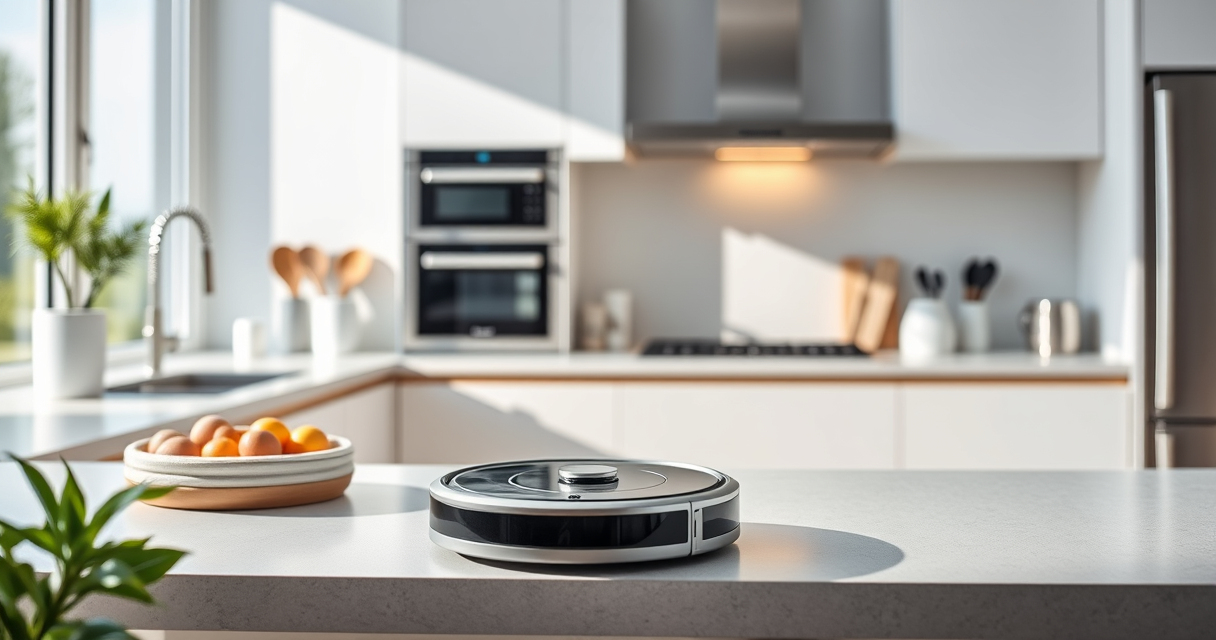
The Roborock Q7 M5+ Robot Vacuum and Mop stands out with its powerful 10,000Pa suction, dual anti-tangle system, and up to 9 weeks of self-emptying. Its PreciSense LiDAR navigation ensures precise mapping, making maintenance straightforward. Overall, it’s a reliable choice for pet owners and busy households.
Pros:
- Powerful 10,000Pa suction
- Up to 7-9 weeks self-emptying
- Dual anti-tangle system
- Precise LiDAR navigation
Cons:
- Higher price point
- Requires regular filter cleaning
- May need app updates for best performance
Best for: Pet owners and large homes needing frequent, high-power cleaning
Not ideal for: Small apartments with minimal pet hair or clutter
Bottom line: Roborock Q7 M5+ offers impressive power and long self-emptying intervals, ideal for pet-friendly homes.
4 Pack Washable Filter
This 4-pack of washable filters is compatible with multiple Roborock models, including the Q7 series. They are designed to match the original in performance, ensuring your robot maintains strong suction and good air quality between filter changes.
Pros:
- Compatible with Q7, Q7+, Q7 Max, and more
- Washable and reusable
- True HEPA filtration
- Easy to install
Cons:
- Not OEM, but performs similarly
- Requires regular washing
- Replacement every 3-6 months for optimal performance
Best for: Maintaining air quality and suction efficiency
Not ideal for: Models outside the listed compatibility range
Bottom line: A cost-effective, washable HEPA filter set that keeps your Roborock performing at its best.
Frequently Asked Questions
How often should I clean the sensors on my Roborock?
You should clean the sensors, including the PreciSense LiDAR, cliff sensors, and bumper sensors, at least once a month or if your robot starts missing spots or has navigation issues. Use a soft, dry cloth for gentle cleaning.
What is the best way to reset my Roborock if it stops working?
To reset your Roborock, turn off the device, unplug the charging dock if applicable, then restart the robot. If problems persist, perform a factory reset via the app or contact support.
Can I use regular soap to wash the filters?
No, only use water to rinse the washable HEPA filters. Avoid using soap or detergents, which can damage the filter media and reduce filtration efficiency.
How do I improve the suction power of my Roborock?
Ensure the main brush and side brushes are free of hair and debris, clean the filters regularly, and check for software updates. Proper maintenance helps maintain maximum suction.
Is it safe to leave my Roborock charging overnight?
Yes, Roborock models are designed with safety features to prevent overcharging. However, it’s best to follow manufacturer recommendations and unplug if not needed for extended periods.
Keep Your Roborock Running Like New
Regular maintenance and troubleshooting are essential for keeping your Roborock Q7 M5+ performing at its best. From cleaning sensors and brushes to replacing filters and managing software updates, each step helps ensure efficient cleaning and long-lasting performance. With proper care, your robotic vacuum will continue to deliver powerful, hassle-free cleaning for years to come.
Affiliate disclosure: As an Amazon Associate we earn from qualifying purchases. Prices and availability are accurate as of the time of publishing.