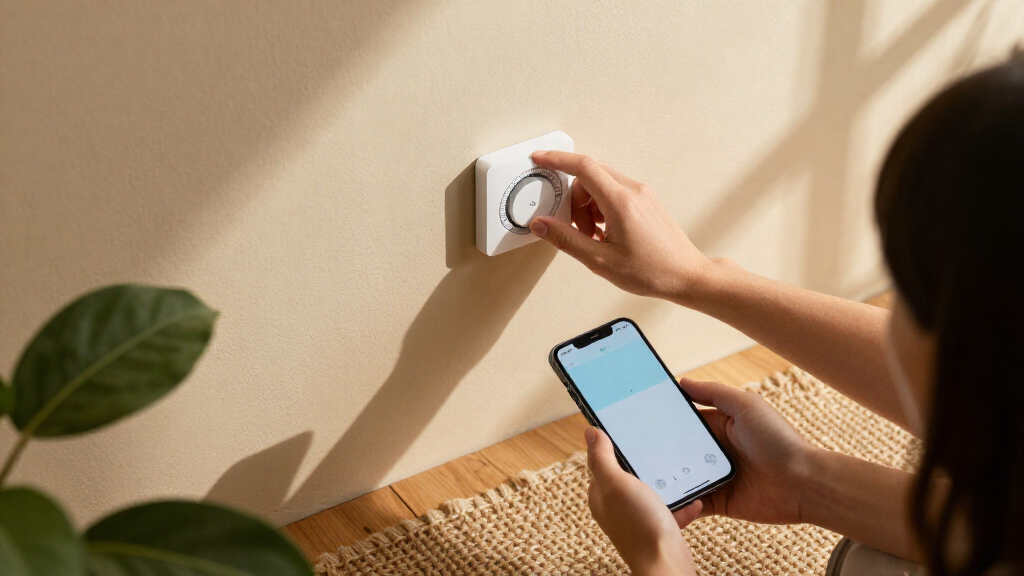

The best smart thermostats pair dependable HVAC control with an app and smart features that fit the way you live. I’d start with the Google Nest Learning Thermostat (4th Gen) for its learning features and included temperature sensor, while the Amazon Smart Thermostat is a straightforward choice for Alexa homes and the ecobee Smart Thermostat Premium adds room sensing and broader smart-home functions. The main tradeoffs are compatibility, how much automation you want, and whether extra sensors or a more involved setup justify choosing a higher-feature model. Some homes also need a C-wire or a compatible power adapter, so checking the HVAC system matters as much as comparing features. Read on for the full breakdown and help matching a thermostat to your home.

Get home appliances delivered free with Prime
- Fast, free delivery on millions of items
- Prime Video, Amazon Music and more included
- Member-only deals all year
Complete the kit



Key Takeaways
- Room sensing distinguishes the premium picks: the Nest Learning Thermostat (4th Gen) includes a Temperature Sensor, while ecobee Premium bundles a SmartSensor; these are more useful for uneven temperatures than a thermostat that only reads the hallway.
- Smart-home fit can matter more than learning features: Amazon’s model makes the most sense for Alexa and Ring users, while the Aqara W200 is aimed at buyers prioritizing Apple Adaptive Temperature.
- The lineup spans different levels of involvement: Amazon Smart Thermostat and Nest Smart Thermostat offer simpler paths, while learning models add automation that may not suit buyers who prefer direct control.
- Sensi offers several distinct alternatives: the ST55 emphasizes Wi-Fi basics, while the Touch 2 and Touch ST75 add touchscreen interfaces; choosing among them depends on whether you value simplicity or on-device controls.
- Compatibility checks are a shared first step: before choosing any model, verify your heating and cooling system, wiring, and power requirements; a feature-rich thermostat is not a good fit if installation is incompatible.
| Emerson Sensi Touch Smart Thermostat with Color Touchscreen, Wi-Fi, and App Control (ST75, Black) |  | Best for Hands-On Control | Model: ST75 | Display: 4.3-inch LCD touchscreen | Connectivity: Wi-Fi | VIEW LATEST PRICE | See Our Full Breakdown |
| Amazon Smart Thermostat with Alexa and Ring Compatibility |  | Best for Alexa Households | Model: S6ED3R | Dimensions: 3.56 x 3.56 x 0.84 inches | Wi-Fi: 2.4 GHz, 802.11 b/g/n; no 5 GHz or ad-hoc networks | VIEW LATEST PRICE | See Our Full Breakdown |
| Honeywell Home Wi-Fi Smart Color Programmable Thermostat, Gray |  | Best for Customizable Scheduling | Model: RTH9585WF1004 | Display: LED color touchscreen | Connectivity: Wi-Fi | VIEW LATEST PRICE | See Our Full Breakdown |
| Google Nest Learning Thermostat, 3rd Generation, Stainless Steel |  | Best for Automatic Schedule Learning | Generation: 3rd | Finish and material: Stainless steel; metal | Display: Digital | VIEW LATEST PRICE | See Our Full Breakdown |
| Google Nest Smart Thermostat, Programmable Wi-Fi, Snow |  | Best for C-Wire Flexibility | Color: Snow | Display: 1.07-inch LCD | Connectivity: Wi-Fi and Bluetooth Low Energy | VIEW LATEST PRICE | See Our Full Breakdown |
| Google Nest Learning Thermostat (4th Gen) with Nest Temperature Sensor (2nd Gen), Obsidian |  | Best for Learning Comfort Across Rooms | Temperature control: Heating and cooling | Connectivity: Wi-Fi | System voltage: 24 volts | VIEW LATEST PRICE | See Our Full Breakdown |
| ecobee Smart Thermostat Essential, Wi-Fi, Energy Star Certified |  | Best Value for Core Smart Controls | Connectivity: Wi-Fi | Display: 3.74-inch LCD touchscreen | Power source: Battery powered | VIEW LATEST PRICE | See Our Full Breakdown |
| ecobee Smart Thermostat Enhanced, Wi-Fi Programmable Thermostat |  | Best for Automatic Occupancy Adjustments | Connectivity: Wi-Fi | Display: 4-inch LCD | Power source: Corded electric | VIEW LATEST PRICE | See Our Full Breakdown |
| ecobee Smart Thermostat Premium with Wi-Fi, Siri and Alexa, and SmartSensor |  | Best Premium Smart-Home Hub | Connectivity: Wi-Fi | Voice assistants: Siri and Alexa built in | Included sensor: SmartSensor | VIEW LATEST PRICE | See Our Full Breakdown |
| Honeywell Home X7S Smart Wi-Fi Programmable Thermostat, Black |  | Best for Matter-Based Smart Homes | Display: 4.3-inch customizable touchscreen | Connectivity: Wi-Fi and Matter certified | Wi-Fi requirements: 2.4 or 5.0 GHz; 802.11ax/ac/a/b/g/n router | VIEW LATEST PRICE | See Our Full Breakdown |
| Vine ST300 Wi-Fi Smart Thermostat with Large Knob and Night Light |  | Best for Simple, Hands-On Control | Model: ST300 | Display: 3.5-inch LCD touchscreen | Connectivity: Wi-Fi | VIEW LATEST PRICE | See Our Full Breakdown |
| Google Nest Learning Thermostat Pro Edition with Temperature Sensor (4th Gen, Polished Silver) |  | Best for Learning and Room-Based Comfort | Generation: 4th Gen (2024) | Model number: G5AJK GJQ8U | Display: LCD | VIEW LATEST PRICE | See Our Full Breakdown |
| Aqara Smart Thermostat W200 with Apple Adaptive Temperature |  | Best for Matter Smart-Home Integration | Display: 4-inch full-color touchscreen | HVAC compatibility: About 85% of HVAC systems | Connectivity: Dual-band Wi-Fi (2.4/5 GHz), Zigbee, Matter 1.4, Thread | VIEW LATEST PRICE | See Our Full Breakdown |
| Sensi Touch 2 Smart Wi-Fi Thermostat, ST76 |  | Best for Room-Sensor Expansion | Model: ST76 | Display: LCD touchscreen | Connectivity: Wi-Fi, 2.4 GHz and 5.0 GHz | VIEW LATEST PRICE | See Our Full Breakdown |
| Sensi ST55 Wi-Fi Smart Thermostat |  | Best for DIY Installation | Connectivity: Wi-Fi | Compatible systems: Air conditioner, boiler, furnace, heat pump | Compatible assistants and platforms: Amazon Alexa, Apple HomeKit, Google Assistant, SmartThings, Vera | VIEW LATEST PRICE | See Our Full Breakdown |
| smart thermostat | Connectivity | Display |
|---|---|---|
| Emerson Sensi Touch Smart Ther | Wi-Fi | 4.3-inch LCD touchscreen |
| Amazon Smart Thermostat with A | — | — |
| Honeywell Home Wi-Fi Smart Col | Wi-Fi | LED color touchscreen |
| Google Nest Learning Thermosta | Wi-Fi and Bluetooth | Digital |
| Google Nest Smart Thermostat | Wi-Fi and Bluetooth Low Energy | 1.07-inch LCD |
| Google Nest Learning Thermosta | Wi-Fi | Touchscreen |
| ecobee Smart Thermostat Essent | Wi-Fi | 3.74-inch LCD touchscreen |
| ecobee Smart Thermostat Enhanc | Wi-Fi | 4-inch LCD |
| ecobee Smart Thermostat Premiu | Wi-Fi | — |
| Honeywell Home X7S Smart Wi-Fi | Wi-Fi and Matter certified | 4.3-inch customizable touchscreen |
| Vine ST300 Wi-Fi Smart Thermos | Wi-Fi | 3.5-inch LCD touchscreen |
| Google Nest Learning Thermosta | Wi-Fi, Bluetooth | LCD |
| Aqara Smart Thermostat W200 wi | Dual-band Wi-Fi (2.4/5 GHz), Zigbee, Matter 1.4, Thread | 4-inch full-color touchscreen |
| Sensi Touch 2 Smart Wi-Fi Ther | Wi-Fi, 2.4 GHz and 5.0 GHz | LCD touchscreen |
| Sensi ST55 Wi-Fi Smart Thermos | Wi-Fi | LED screen |
More Details on Our Top Picks
Emerson Sensi Touch Smart Thermostat with Color Touchscreen, Wi-Fi, and App Control (ST75, Black)
The Emerson Sensi Touch suits buyers who want to adjust settings directly on the wall as easily as in an app. Its 4.3-inch color touchscreen gives schedules, temperatures, and controls more room than the compact button interface on the Amazon Smart Thermostat. Remote access, usage reports, geofencing, and maintenance alerts add useful automation without making the thermostat dependent on learning your habits like the Google Nest Learning Thermostat.
DIY setup is supported by guided instructions, illuminated terminals, and a built-in level, but the installation advantage has a limit: this model requires a C-wire, and compatibility depends on the home’s HVAC equipment. I’d favor it over the Honeywell Home color model when a clear, simple touchscreen is the priority, but skip it if your wiring lacks a C-wire or you want a thermostat that learns a routine automatically.
Pros:- Large color touchscreen makes on-device adjustments and menus easy to read.
- Offers app control, flexible scheduling, usage reports, and geofencing.
- Guided installation, illuminated terminals, and a built-in level support DIY setup.
- Equipment alerts and maintenance reminders help flag routine service needs.
Cons:- Requires a C-wire, which can rule it out for some existing installations.
- HVAC compatibility depends on the home’s equipment and wiring.
- Does not learn a schedule automatically like the Google Nest Learning Thermostat.
Best for: Homeowners with a C-wire who want an easy-to-read wall touchscreen, app access, and straightforward schedules and alerts.
Not ideal for: Homes without a C-wire, or buyers seeking automatic schedule learning rather than programmable controls.
- Model:ST75
- Display:4.3-inch LCD touchscreen
- Connectivity:Wi-Fi
- Control methods:App, touchscreen, and voice
- Smart home compatibility:Amazon Alexa, Apple HomeKit, Google Assistant, SmartThings, and Vera
- HVAC compatibility:Air conditioner, boiler, furnace, and heat pump
- Power requirement:C-wire required
- Features:Programmable scheduling, auto changeover, geofencing, filter indicator, and daylight savings time readiness
Our verdict“Choose the Sensi Touch if you have a C-wire and want clear touchscreen control alongside app-based scheduling and alerts.”
Amazon Smart Thermostat with Alexa and Ring Compatibility
The Amazon Smart Thermostat makes the most sense when Alexa and Ring are already part of a home’s routine. Its Alexa and Ring app controls, voice operation through a compatible Echo, schedules, vacation mode, and emergency heat mode cover the everyday essentials. Compared with the Emerson Sensi Touch, it has a simpler on-device interface—three touch buttons rather than a large color touchscreen—but connects more directly to Amazon’s app ecosystem.
ENERGY STAR and ECOLOGO Gold certifications, humidity sensing, and an energy dashboard add practical context to heating and cooling use. The tradeoffs are significant for some homes: it needs a C-wire or separate power adapter, supports only 2.4 GHz Wi-Fi, and does not work with 110–240V systems such as electric baseboard heat. I’d choose it over the Honeywell Home color model for an Alexa-centered setup, not for broad smart-home flexibility.
Pros:- Works with Alexa and Ring apps, on-device touch controls, and compatible Alexa voice devices.
- Includes schedules, vacation mode, and emergency heat mode.
- Humidity sensing and an energy dashboard provide useful system and usage information.
- Guided app installation and included wall plates support a cleaner setup.
Cons:- Requires a C-wire or a separately sold power adapter kit.
- Does not support 110–240V HVAC systems, including electric baseboard heat.
- Uses 2.4 GHz Wi-Fi only, and voice control requires a compatible Alexa-enabled device.
Best for: Alexa and Ring households with compatible 24V HVAC equipment and 2.4 GHz Wi-Fi.
Not ideal for: Homes with electric baseboard or other 110–240V systems, 5 GHz-only Wi-Fi, or no C-wire and no plan to add a power adapter.
- Model:S6ED3R
- Dimensions:3.56 x 3.56 x 0.84 inches
- Wi-Fi:2.4 GHz, 802.11 b/g/n; no 5 GHz or ad-hoc networks
- HVAC compatibility:Most 24V systems, including conventional forced air, heat pumps, and radiant boilers
- Power requirement:C-wire or separately sold power adapter kit
- Controls:Three touch buttons, Alexa app, Ring app, and Alexa voice control with a compatible device
- Features:Humidity sensing, schedules, emergency heat mode, vacation mode, energy dashboard, and automatic air filter ordering
- Certifications:ENERGY STAR and ECOLOGO Gold
Our verdict“Pick this model for a compatible 24V system already centered on Alexa or Ring, but skip it if you need 5 GHz Wi-Fi or broader wiring support.”
Honeywell Home Wi-Fi Smart Color Programmable Thermostat, Gray
The Honeywell Home RTH9585WF1004 is a strong fit for households that want detailed control over when temperatures change. Its schedules can be set with temporary, permanent, and vacation holds, making it more adaptable for shifting routines than the simpler schedules on the Amazon Smart Thermostat. The customizable color touchscreen also gives it a more personalized wall display than the Google Nest Smart Thermostat’s compact screen.
Remote monitoring, energy reports, weather forecasts, and equipment reminders make the interface useful beyond setting a temperature. That level of on-screen control comes with a firm wiring requirement: it needs a C-wire, and it does not support 120–240V electric baseboard heat. Heating-only oil furnace installations also require a C-wire. I’d pick this over the Sensi Touch when schedule holds and forecast information matter more than a more streamlined interface, but it is a poor match for homes with unsupported wiring.
Pros:- Customizable color touchscreen presents controls on the wall.
- Supports temporary, permanent, and vacation schedule holds.
- App access, energy reports, weather forecasts, and equipment reminders add context beyond temperature control.
- Works with Amazon Alexa and Google Home voice assistants.
Cons:- Requires a C-wire, including for heating-only oil furnace systems.
- Not compatible with 120–240V electric baseboard heat.
- Its schedule and display options may be more involved than buyers seeking simple automatic adjustments need.
Best for: Households with compatible forced-air, boiler, or heat-pump systems that want customizable schedules and useful on-screen information.
Not ideal for: Homes without a C-wire, electric baseboard systems, or buyers who prefer a minimal display and limited programming.
- Model:RTH9585WF1004
- Display:LED color touchscreen
- Connectivity:Wi-Fi
- Power requirement:C-wire required
- System compatibility:Forced-air gas, oil, or electric; hot water and steam; heat pumps with electric backup
- Voice assistants:Amazon Alexa and Google Home
- Fan modes:On, automatic, and circulate
- Features:Programmable schedules, temporary and vacation holds, energy reports, weather forecasts, and equipment reminders
Our verdict“Choose Honeywell Home if you want flexible schedule holds and forecast details on a color screen and your system has a C-wire.”
Google Nest Learning Thermostat, 3rd Generation, Stainless Steel
The Google Nest Learning Thermostat, 3rd Generation is the pick for buyers who would rather have a thermostat adapt to their routine than build every schedule themselves. It learns preferred temperatures and makes automatic adjustments, unlike the Emerson Sensi Touch, which centers on user-set schedules and direct touchscreen control. Energy history and HVAC monitoring add a view of system use, while app and voice controls provide remote access.
Its stainless-steel metal finish gives it a more polished wall presence than the plastic-bodied Honeywell Home color thermostat, and support for 2.4 GHz and 5 GHz Wi-Fi offers more network flexibility than the Amazon Smart Thermostat. The learning features are not a cure-all: remote control and notifications rely on working internet and Wi-Fi, the Nest Temperature Sensor is sold separately, and HVAC alerts apply only to eligible systems. It suits buyers who value automation over extensive manual programming.
Pros:- Learns preferred temperatures and adjusts the home automatically.
- Supports app and compatible Alexa and Google Assistant voice control.
- Energy history and HVAC monitoring offer added insight into system use.
- Metal finish, bright digital display, and support for both 2.4 GHz and 5 GHz Wi-Fi.
Cons:- Remote control and mobile notifications require working internet and Wi-Fi.
- Nest Temperature Sensor is sold separately.
- HVAC alerts cover eligible systems and do not replace professional diagnosis.
Best for: Homeowners who want a polished thermostat that can learn preferred temperatures and adjust schedules automatically.
Not ideal for: Buyers who want dependable remote features without internet access, need a temperature sensor in another room included, or prefer detailed manual scheduling.
- Generation:3rd
- Finish and material:Stainless steel; metal
- Display:Digital
- Connectivity:Wi-Fi and Bluetooth
- Wi-Fi bands:2.4 GHz and 5 GHz
- Power:Hardwired; 24 volts
- Control methods:App, voice, and remote
- Compatibility:Amazon Alexa, Google Assistant, and Nest Temperature Sensor (sold separately)
Our verdict“Choose the 3rd-generation Nest Learning Thermostat if automatic schedule adaptation and a metal finish matter more than included room sensors or manual schedule control.”
Google Nest Smart Thermostat, Programmable Wi-Fi, Snow
The Google Nest Thermostat is a practical choice for buyers who want app-based control and energy-minded scheduling without a C-wire in many homes. Its home-away temperature adjustment can reduce unnecessary heating or cooling when the house is empty, while the Google Home app and compatible voice assistants make remote changes straightforward. Compared with the 3rd-generation Nest Learning Thermostat, this model emphasizes programmed schedules and occupancy-related adjustments rather than learning preferred temperatures.
Its DIY installation design and support for 2.4 GHz and 5 GHz Wi-Fi make it an approachable option, but the small 1.07-inch display gives less room for on-device information than the Emerson Sensi Touch or Honeywell Home color-screen models. C-wire needs also vary: some heating, cooling, heat-pump, and zone-controlled systems require a C-wire or power accessory. Choose it for simpler smart control, not for a large wall touchscreen or the Nest Learning model’s automatic schedule learning.
Pros:- Can adjust temperature when the home is unoccupied.
- Works with the Google Home app and compatible voice assistants.
- Designed for DIY installation and does not need a C-wire in many homes.
- Supports 2.4 GHz and 5 GHz Wi-Fi and Bluetooth Low Energy.
Cons:- Some heating, cooling, heat-pump, and zone-controlled systems need a C-wire or compatible power accessory.
- Small 1.07-inch screen offers less at-a-glance information than the Sensi Touch touchscreen.
- Remote control and notifications rely on internet and Wi-Fi.
Best for: DIY-minded homeowners who want Google Home control and occupancy-based temperature adjustment, especially where a C-wire is not needed.
Not ideal for: Homes with systems that require a C-wire or power accessory, or buyers who want a large touchscreen or automatic schedule learning.
- Color:Snow
- Display:1.07-inch LCD
- Connectivity:Wi-Fi and Bluetooth Low Energy
- Wi-Fi bands:2.4 GHz and 5 GHz
- Power:Battery powered; 24 volts
- C-wire requirement:Not needed in most homes; required for some systems
- Controls:Buttons, voice, and app
- Features:Programmable schedules, heating and cooling control, home-away temperature adjustment, HVAC alerts, and maintenance reminders
Our verdict“Pick this Nest for DIY-friendly app control and home-away adjustments when your HVAC system supports its wiring requirements.”
Google Nest Learning Thermostat (4th Gen) with Nest Temperature Sensor (2nd Gen), Obsidian
The Nest Learning Thermostat (4th Gen) is the strongest fit here for households that want the thermostat to adapt to routines while accounting for a room beyond the hallway. Its included 2nd-gen Temperature Sensor can help address uneven comfort without requiring a separate sensor purchase, unlike the ecobee Enhanced, whose SmartSensors are sold separately. The thermostat learns temperature preferences and supports app and voice control, making it a good match for people who would rather refine a schedule than build one from scratch. It works with many 24V systems and often does not need a C-wire, but compatibility still depends on the HVAC setup. Some features rely on the Google Home app, so buyers seeking a straightforward, platform-neutral interface may prefer another option.
Pros:- Learns temperature preferences and adjusts to changing routines.
- Includes a sensor for addressing comfort in another room.
- Often works with compatible 24V systems without a C-wire.
- Supports Google Home app and compatible voice-assistant control.
Cons:- HVAC compatibility depends on the home’s specific system.
- Some features require the Google Home app.
Best for: Households with rooms that run warmer or cooler than the thermostat location, especially those already using Google Home.
Not ideal for: Buyers who want to avoid Google Home features or cannot verify that their HVAC system is compatible.
- Temperature control:Heating and cooling
- Connectivity:Wi-Fi
- System voltage:24 volts
- Display:Touchscreen
- Power source:Battery; one CR2 battery included
- Mounting:Wall mount
- Included sensor:Nest Temperature Sensor (2nd gen)
- Smart home compatibility:Amazon Alexa, Android, Apple HomeKit, Google Assistant, and iOS
Our verdict“Choose this Nest if you want adaptive scheduling plus an included room sensor, and your HVAC system is compatible.”
ecobee Smart Thermostat Essential, Wi-Fi, Energy Star Certified
The ecobee Smart Thermostat Essential covers the everyday smart-thermostat basics without leaning on a learning system or bundled room sensor. Auto-scheduling, auto-away, humidity detection, and control from either the color touchscreen or app give buyers useful ways to manage comfort. Its support for Apple HomeKit, Google Assistant, and Alexa makes it a flexible alternative to the more Google-centered Nest Learning Thermostat. The tradeoff is that add-ons can change what the setup provides: SmartSensors are sold separately, and homes without a C-wire may need a separately purchased Power Extender Kit. That makes the Essential less compelling for room-by-room sensing than the Nest with its included sensor or the ecobee Premium, which also bundles one.
Pros:- Works with Apple HomeKit, Google Assistant, and Alexa.
- Offers touchscreen and app control.
- Includes auto-scheduling, auto-away, and fan control.
- Supports a wide range of 24 VAC HVAC system types.
Cons:- SmartSensors are sold separately.
- Power Extender Kit and trim kit are sold separately.
- Compatibility needs to be checked against the home’s HVAC equipment.
Best for: Cost-conscious buyers with a compatible 24 VAC system who want app, touchscreen, and major smart-home platform support.
Not ideal for: Households that want an included room sensor or need a Power Extender Kit without purchasing extra installation accessories.
- Connectivity:Wi-Fi
- Display:3.74-inch LCD touchscreen
- Power source:Battery powered
- Mounting:Wall mount
- Supported systems:Most 24 VAC systems, including gas, oil, electric, dual fuel, forced air, heat pumps, and boilers
- Smart home compatibility:Apple HomeKit, Google Assistant, and Amazon Alexa
- Features:Auto-away, auto-scheduling, fan control, humidity detection, and programmable temperature control
- Color and material:White plastic
Our verdict“Pick the Essential for flexible everyday controls across major platforms, but budget for separately sold accessories if you need them.”
ecobee Smart Thermostat Enhanced, Wi-Fi Programmable Thermostat
The ecobee Smart Thermostat Enhanced earns its place for households that want temperature adjustments to respond to occupancy as well as a schedule. That can help reduce heating or cooling in an empty home without requiring constant app changes. It supports Alexa, Google Assistant, Apple HomeKit, and SmartThings, a broader mix than the Essential’s listed platform support, and it includes both a Power Extender Kit and trim kit. Compared with the ecobee Premium, though, the Enhanced lacks a bundled SmartSensor, air-quality monitoring, and a built-in speaker. Those omissions keep it focused on climate control rather than serving as a wider home hub. Buyers who want room-specific sensing will need to add a SmartSensor, and HVAC compatibility should be checked before installation.
Pros:- Adjusts temperature based on occupancy, schedule, and preferences.
- Supports Alexa, Google Assistant, Apple HomeKit, and SmartThings.
- Includes a Power Extender Kit and trim kit.
- ENERGY STAR certified and backed by a 3-year warranty.
Cons:- SmartSensors for room-level occupancy detection are sold separately.
- HVAC compatibility must be checked before installation.
Best for: Smart-home households seeking occupancy-based temperature adjustments, broad platform support, and included wiring accessories.
Not ideal for: Buyers who want a room sensor, air-quality monitoring, or a built-in voice-assistant speaker in the box.
- Connectivity:Wi-Fi
- Display:4-inch LCD
- Power source:Corded electric
- System voltage:24 volts
- Compatible HVAC:Air conditioner, boiler, furnace, heat pump, and humidifier
- Smart home compatibility:Amazon Alexa, Android, Apple HomeKit, Google Assistant, and iOS
- Included accessories:Power Extender Kit and trim kit
- Certification and warranty:ENERGY STAR; 3 years
Our verdict“Choose the Enhanced for occupancy-aware control and broad smart-home support, but choose the ecobee Premium if you want a sensor and air-quality features included.”
ecobee Smart Thermostat Premium with Wi-Fi, Siri and Alexa, and SmartSensor
The ecobee Smart Thermostat Premium is the most feature-packed choice in this group, combining climate control with an included SmartSensor, built-in air-quality monitoring, and a speaker for Siri or Alexa. The sensor gives it a clear room-comfort advantage over the ecobee Enhanced, where SmartSensors are sold separately; the Nest Learning Thermostat also includes a room sensor, but this ecobee adds air-quality alerts and filter reminders. A Power Extender Kit and trim kit are included, which can simplify setup in homes without a C-wire. The extras come with dependencies: Siri requires an Apple home hub, some security alerts need a subscription, and certain doorbell features require compatible ecobee hardware. Buyers who only need scheduling may find the Essential or Enhanced a better fit.
Pros:- Includes a SmartSensor for room occupancy and comfort adjustments.
- Built-in air-quality monitor provides alerts and filter reminders.
- Built-in speaker supports Siri, Alexa, and audio streaming.
- Includes a Power Extender Kit and trim kit.
Cons:- Siri requires an Apple home hub.
- Smoke-alarm sound alerts through Smart Security require a subscription.
- Doorbell video and two-way talk require a compatible ecobee Smart Doorbell Camera.
Best for: Buyers who want room-aware temperature control alongside air-quality monitoring and built-in voice-assistant features.
Not ideal for: People seeking a simple thermostat, or those unwilling to rely on an Apple home hub or optional security subscription for certain features.
- Connectivity:Wi-Fi
- Voice assistants:Siri and Alexa built in
- Included sensor:SmartSensor
- HVAC compatibility:Compatible with 95% of HVAC systems, according to the product description
- Air-quality monitoring:Built in
- Installation accessories:Power Extender Kit and trim kit included
- Certification and warranty:ENERGY STAR certified; 3 years
- Siri requirement:Apple home hub required
Our verdict“Choose the Premium if you will use its included sensor and air-quality and voice features; skip the extras if basic scheduling is enough.”
Honeywell Home X7S Smart Wi-Fi Programmable Thermostat, Black
The Honeywell Home X7S stands out for buyers who want a large, customizable touchscreen and Matter compatibility with Alexa, Google Assistant, and Apple Home. Its 4.3-inch display gives schedule and temperature changes a more direct, on-device feel than the app-centered ecobee Enhanced. Occupancy detection and humidity monitoring add useful context for automatic adjustments, while the First Alert app provides remote control. Its wiring and system limits are more restrictive than the Nest Learning Thermostat or ecobee Premium: the X7S requires a C-wire and does not support electric baseboard heat. A C-wire adapter voucher is included if needed, but buyers should verify their system configuration and any requirements for humidity monitoring before choosing it.
Pros:- Customizable 4.3-inch touchscreen for on-device control.
- Matter certified and compatible with Alexa, Google Assistant, and Apple Home.
- Occupancy detection and humidity monitoring support more responsive control.
- C-wire adapter voucher included if an adapter is needed.
Cons:- Requires a C-wire or an adapter solution.
- Does not support 120–240V electric baseboard heat.
- Humidity monitoring may require additional HVAC equipment or accessories.
Best for: Homeowners with supported conventional or heat-pump systems who want a large touchscreen and Matter integration.
Not ideal for: Homes with 120–240V electric baseboard heat, no practical C-wire solution, or HVAC equipment outside the listed configurations.
- Display:4.3-inch customizable touchscreen
- Connectivity:Wi-Fi and Matter certified
- Wi-Fi requirements:2.4 or 5.0 GHz; 802.11ax/ac/a/b/g/n router
- Wiring:C-wire required; adapter voucher included if needed
- Supported HVAC configurations:Up to 3 heat/2 cool heat pump with electric backup, or 2 heat/2 cool conventional systems
- Additional system support:Hot water and forced air; does not support electric baseboard heat
- Smart home compatibility:Amazon Alexa, Google Assistant, and Apple Home
- Features:Auto-scheduling, occupancy detection, humidity monitoring, and programmable temperature control
- Certification and power:ENERGY STAR; hardwired
Our verdict“Choose the X7S for a large-screen Matter setup if your HVAC system is supported and you can meet its C-wire requirement.”
Vine ST300 Wi-Fi Smart Thermostat with Large Knob and Night Light
The Vine ST300 pairs a touchscreen with a physical knob, making temperature changes feel direct rather than app-dependent. That combination suits households where some people want smart scheduling and voice control while others prefer turning a control on the wall. Its adjustable night light and child lock add useful touches for bedrooms and family spaces, while seven-day scheduling and Auto Home/Away handle routine changes. Compared with the button-led Sensi ST55, the Vine offers a larger touchscreen interface and knob, but the ST55 is the more flexible pick for homes where a C-wire may be absent. The ST300 requires a C-wire and works only with supported 24V systems, so checking HVAC compatibility comes before choosing it.
Pros:- Physical knob and touchscreen give users two straightforward ways to adjust temperature
- Adjustable night light and child lock suit bedrooms and family households
- Supports seven-day schedules and Auto Home/Away
- App control works with Amazon Alexa and Google Assistant
Cons:- Requires a C-wire
- Limited to compatible 24V AC heating and cooling systems
Best for: Households that want app and voice features but still prefer a prominent physical control for everyday temperature changes.
Not ideal for: Homes without a C-wire or with HVAC equipment outside the supported 24V systems.
- Model:ST300
- Display:3.5-inch LCD touchscreen
- Connectivity:Wi-Fi
- Voice assistants:Amazon Alexa, Google Assistant
- Programming:7-day scheduling
- Modes:Auto Home/Away
- System compatibility:Most supported 24V AC systems, including conventional, heat pump, and heating- or cooling-only systems
- Wiring:Hardwired; C-wire required
Our verdict“Choose the Vine ST300 if easy wall-side controls matter as much as app access and your system has a C-wire.”
Google Nest Learning Thermostat Pro Edition with Temperature Sensor (4th Gen, Polished Silver)
The Nest Learning Thermostat Pro Edition combines learning controls with an included Nest Temperature Sensor, giving it an advantage when one room routinely feels warmer or cooler than the thermostat’s location. That makes it a more tailored comfort option than the schedule-focused Sensi Touch 2, whose room sensors are optional extras. The Nest is designed for a broad range of 24V systems, including heat pumps, radiant heating, and zoned setups, and app connectivity supports remote adjustments. Its tradeoff is a more involved setup: professional installation is recommended, which may make it less appealing to buyers seeking a straightforward DIY replacement. The included sensor helps justify its place for buyers who need room-specific control, but households that only want basic scheduling may find the Sensi ST55 simpler.
Pros:- Learns temperature preferences and supports programmable control
- Includes a Nest Temperature Sensor for room-based temperature control
- Supports many 24V systems, including heat pumps, radiant heating, and zoned systems
- Wi-Fi and Bluetooth connectivity support app-connected use
Cons:- Professional installation is recommended
- Uses a nonstandard battery
Best for: Homeowners with uneven room temperatures who want a learning thermostat and an included sensor, especially in homes with compatible complex HVAC systems.
Not ideal for: DIY-first buyers seeking a basic, easy-to-install thermostat or people whose HVAC system is not compatible with its 24V requirements.
- Generation:4th Gen (2024)
- Model number:G5AJK GJQ8U
- Display:LCD
- Connectivity:Wi-Fi, Bluetooth
- Included sensor:Nest Temperature Sensor
- System compatibility:Most 24V HVAC systems
- Mounting:Wall mount
- Power:One nonstandard battery required
Our verdict“Pick the Nest Pro Edition when learning controls and the included room sensor matter more than a simple DIY installation.”
Aqara Smart Thermostat W200 with Apple Adaptive Temperature
The Aqara W200 is the most smart-home-focused option in this group: its Matter 1.4 support spans Apple Home, Google Home, Alexa, and SmartThings, while built-in Zigbee, Matter, and Thread hubs can reduce the need for separate home-automation hardware. Its mmWave presence detection can support temperature adjustments and automations based on whether people are in a space. Compared with the Vine ST300, the Aqara offers broader platform integration and a larger full-color screen, but it also brings more setup requirements and platform-specific caveats. Apple Adaptive Temperature needs a compatible home hub and current software, and homes without a C-wire may need to buy Aqara’s adapter separately. HVAC compatibility is listed at about 85% of systems, so checking the specific equipment remains important.
Pros:- Matter 1.4 support connects with Apple Home, Google Home, Alexa, and SmartThings
- Built-in mmWave presence detection can trigger occupancy-based adjustments
- Combines Zigbee hub, Matter controller, and Thread border router
- 4-inch full-color touchscreen provides a large on-device interface
Cons:- C-wire adapter is sold separately for homes without a C-wire
- Apple Adaptive Temperature requires a compatible home hub and iPhone or Apple Watch running version 26 or later
- Clean Energy Guidance is available only in the contiguous U.S.
Best for: Smart-home enthusiasts who use Matter-compatible devices and want presence-based automations alongside thermostat control.
Not ideal for: Buyers seeking a simple thermostat setup, homes with unsupported HVAC equipment, or Apple users lacking the required hub and software.
- Display:4-inch full-color touchscreen
- HVAC compatibility:About 85% of HVAC systems
- Connectivity:Dual-band Wi-Fi (2.4/5 GHz), Zigbee, Matter 1.4, Thread
- Smart-home features:Zigbee hub, Matter controller, Thread border router
- Presence detection:mmWave radar
- C-wire option:Aqara C-Wire Adapter sold separately
- Apple Adaptive Temperature:Requires a compatible Apple home hub and iPhone or Apple Watch running version 26 or later
- Clean Energy Guidance:Available in the contiguous U.S. only
Our verdict“Choose the Aqara W200 if cross-platform smart-home integration and presence automations outweigh its setup and compatibility checks.”
Sensi Touch 2 Smart Wi-Fi Thermostat, ST76
The Sensi Touch 2 ST76 makes the most sense for buyers who want a clear touchscreen now and the option to address room-to-room temperature differences later. It supports up to 15 optional Sensi Room Sensors, a broader expansion path than the single sensor included with the Nest Learning Thermostat Pro Edition. App-guided DIY installation, remote access, flexible schedules, and usage reports keep everyday management approachable; ENERGY STAR certification is another useful point for efficiency-minded shoppers. The tradeoff is that the sensors are sold separately, so balancing several rooms adds extra purchases. A C-wire is required, which also makes this a less suitable replacement for homes with no common wire. For buyers who do have one, it is a practical middle ground between basic scheduling and room-aware control.
Pros:- Supports up to 15 optional Sensi Room Sensors
- App-guided DIY installation and touch, app, and voice controls
- Provides remote access, flexible scheduling, and HVAC usage reports
- ENERGY STAR certified
Cons:- Requires a C-wire
- Room sensors are sold separately
Best for: Homeowners with a C-wire who want app-guided setup, usage reports, and the option to add sensors for multiple rooms.
Not ideal for: Homes without a C-wire or buyers who expect room sensors to be included in the box.
- Model:ST76
- Display:LCD touchscreen
- Connectivity:Wi-Fi, 2.4 GHz and 5.0 GHz
- Compatible systems:Air conditioner, boiler, furnace, heat pump
- Wiring:Common wire (C-wire) required
- Room sensors:Supports up to 15 Sensi Room Sensors, sold separately
- Voice assistants:Amazon Alexa, Google Assistant
- Dimensions:5.6 × 3.25 × 0.77 inches
Our verdict“Choose the Sensi Touch 2 if you have a C-wire and want room-sensor flexibility without committing to a learning thermostat.”
Sensi ST55 Wi-Fi Smart Thermostat
The Sensi ST55 is the practical pick for replacing a conventional thermostat without adding much installation complexity. Its built-in level and guided setup instructions help with alignment and wiring, and most installations do not require a C-wire—a useful contrast with the Vine ST300 and Sensi Touch 2, both of which require one. Remote access, schedules, equipment alerts, filter reminders, and usage reports cover the smart features many households use day to day. The ST55 also works with several assistants and platforms, including Apple HomeKit and SmartThings. Its simpler LED display and button-based controls are less polished than the ST76 touchscreen, and many functions depend on Wi-Fi and app access. I’d choose it for a reliable, guided upgrade rather than a display-first experience.
Pros:- Built-in level and guided instructions support DIY installation
- Most installations do not require a common wire
- Remote access, scheduling, and HVAC usage reports
- Works with Alexa, Apple HomeKit, Google Assistant, SmartThings, and Vera
Cons:- Compatibility depends on the home’s HVAC equipment
- Many smart functions depend on Wi-Fi and app connectivity
Best for: DIY homeowners replacing a compatible 24V thermostat who want app scheduling and alerts without usually needing a C-wire.
Not ideal for: Buyers who want a large touchscreen, or households whose HVAC equipment or connectivity setup is not compatible.
- Connectivity:Wi-Fi
- Compatible systems:Air conditioner, boiler, furnace, heat pump
- Compatible assistants and platforms:Amazon Alexa, Apple HomeKit, Google Assistant, SmartThings, Vera
- Display:LED screen
- Controls:Buttons, app, touch, voice
- Power:Corded electric; two AA batteries included
- Voltage:24 V AC
- Energy certification:ENERGY STAR
Our verdict“Choose the Sensi ST55 for a guided, lower-wiring-hassle smart upgrade rather than a touchscreen-heavy thermostat.”
How We Picked
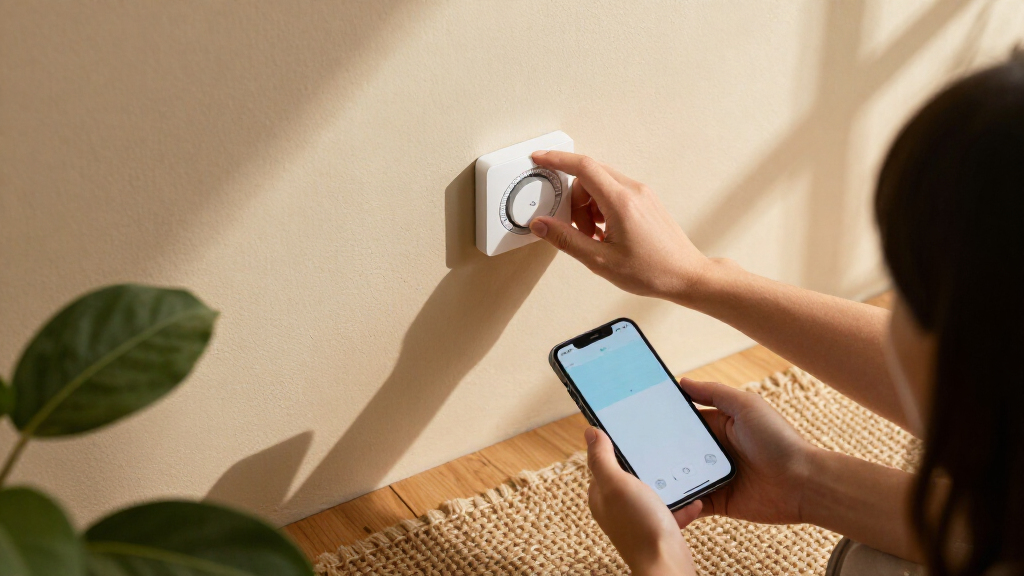
I compared these thermostats by the questions that most affect a purchase: HVAC compatibility and power requirements, ease of setup and everyday control, app and automation features, smart-home support, and options for managing temperature across rooms. I also considered whether a model’s extra functions—such as learning schedules, voice assistant support, or a bundled room sensor—solve a real household need or add complexity without much benefit.
The ranking favors thermostats that balance useful control with a clear fit for different homes, rather than rewarding the longest feature list. The Nest Learning Thermostat (4th Gen) leads for its combination of learning features and included sensor; ecobee Premium follows for households seeking room sensing and broader connected functions. Simpler, ecosystem-specific, touchscreen, and compact options rank according to their narrower strengths, with compatibility and control preferences treated as deciding factors rather than afterthoughts.
Factors to Consider When Choosing Best Smart Thermostats
Before choosing a model, match the thermostat to your heating system, wiring, home layout, and preferred level of automation. These decisions often matter more than the number of app features: a thermostat that fits your equipment and habits can be easier to live with than a more elaborate option.
Check HVAC Compatibility Before Comparing Features
Start by identifying whether your home has conventional heating and cooling, a heat pump, a boiler, or another setup, then compare that information with the thermostat’s compatibility list. Systems with multiple stages or specialized controls can have requirements that a standard thermostat does not meet. Take a clear photo of the existing wiring and note the terminal labels before buying. A C-wire or approved power adapter may be needed to supply steady power, but wiring requirements vary by model and system. Do not assume that a similar-looking thermostat will use the same connections. If the system type or wiring is unclear, confirm compatibility with the manufacturer or a qualified installer before removing the old unit.
Decide Whether You Need Room Sensors
A thermostat usually measures temperature where it is mounted, which can be a poor match for a bedroom, sunny room, or distant part of the house. Room sensors can help the system respond to temperatures in selected spaces, but they do not make every room independently heated or cooled. Think about where discomfort happens and when those rooms are occupied before paying for sensor support. Sensor placement, battery changes, and app settings add small ongoing tasks. If the home is relatively even in temperature, a single thermostat reading may be enough. For persistent hot or cold spots, first check airflow, insulation, and blocked vents, since sensors cannot fix those underlying issues.
Choose Automation You Will Actually Use
Learning schedules, geofencing, voice control, and automation routines can reduce manual adjustments, but each relies on preferences, permissions, or connected services. A learning thermostat suits someone who wants the schedule to adapt over time; a programmable model may be a better fit for buyers who prefer to set and keep specific periods. More automation is not automatically more convenient if household routines change often or several people need to control the system. Check whether the app’s schedule tools are clear and whether manual changes are easy to make. Decide which tasks you want the thermostat to handle before treating an extra feature as a benefit.
Match Smart-Home Support to Your Existing Devices
Thermostat integrations can make voice commands and routines useful, but compatibility differs across assistants and platforms. Start with the devices and routines already used at home, then verify the thermostat’s specific support rather than relying on a general label such as smart-home compatible. One well-supported ecosystem is often simpler than splitting controls across several apps. Buyers focused on Alexa, Apple, or another platform should check which functions work through that system and which remain exclusive to the thermostat’s own app. Also consider whether everyone in the household can access the controls they need. If you do not use voice assistants or routines, ecosystem support may matter less than a clear app and reliable local controls.
Balance Screen Controls, App Use, and Installation
A touchscreen can make schedule changes and temperature adjustments easier for people who prefer to use the wall control, while a simpler interface may suit homes where adjustments mostly happen in an app. Think about who will operate the thermostat, including guests and household members who may not want to install an app. Installation difficulty is separate from day-to-day ease: an intuitive screen does not guarantee that wiring is straightforward. Check whether the model requires an account, Wi-Fi, or an additional setup step for its main functions. For a first smart thermostat, clear compatibility guidance and accessible manual controls can be more valuable than a longer feature list.
Know When Paying for More Features Makes Sense
Higher-feature thermostats make the most sense when their additions solve a specific problem: room sensors for uneven temperatures, broader integrations for an established smart home, or learning features for someone who wants less schedule maintenance. If your main goal is remote temperature changes, a simpler Wi-Fi model may meet it without extra complexity. Pay for a feature only when you expect to use it, and check whether sensors or accessories are included or sold separately. Consider the full setup, including any adapter, sensor, or professional installation your home may need. A less elaborate thermostat that matches the HVAC system and household routine can be the better long-term choice.
Frequently Asked Questions
How do I know if a smart thermostat will work with my HVAC system?
Identify your heating and cooling system type and compare its wiring with the thermostat’s compatibility information before purchase. Photograph the existing wire connections and note the labels, since wire colors alone are not a reliable guide. Check for special equipment such as a heat pump, boiler, or multi-stage system, which can affect compatibility. Confirm whether the model needs a C-wire or supports an approved adapter. If the manufacturer’s compatibility tool cannot resolve your setup, ask a qualified installer before disconnecting the existing thermostat.
Do I need a C-wire to install one of these thermostats?
Not every installation needs a C-wire, but smart thermostats often need a steady source of power that older wiring may not provide. Requirements depend on both the thermostat and the HVAC system, so check the installation guide for the exact model rather than relying on a general rule. Some models support an adapter, while others may call for different wiring or professional help. A thermostat that powers on initially can still behave inconsistently if its power setup is unsuitable. Verify this before choosing a model, especially if your current thermostat uses only a few wires.
Will a room sensor fix hot and cold spots in my house?
A room sensor can help a compatible thermostat account for temperatures in selected rooms, which may improve comfort when the thermostat’s location does not reflect where people spend time. It cannot provide separate heating or cooling to a room unless the HVAC system itself supports that kind of control. Before buying sensors, check whether vents are blocked, filters need attention, or rooms have poor insulation. These issues can cause temperature differences that a sensor only reports, rather than fixes. Sensor support is most useful when the system works properly but the thermostat’s single reading does not match household comfort.
Should I choose a learning thermostat or a programmable one?
Choose a learning model if you want the schedule to adapt and are comfortable with automation changing settings based on observed patterns. A programmable thermostat is a better match if you prefer to set exact periods and keep them predictable. Neither approach is automatically more efficient: the result depends on your routine, settings, and heating or cooling system. Households with changing schedules may need to adjust or review automation more often. Compare how each model handles manual overrides and schedule editing, since those controls shape everyday use more than the category label.
Which smart-home platform should I prioritize when choosing a thermostat?
Prioritize the platform your household already uses for voice commands, routines, or connected devices, then confirm which thermostat functions it supports. The Amazon Smart Thermostat is a natural candidate for Alexa and Ring households, while the Aqara W200 is positioned for buyers interested in Apple Adaptive Temperature. Other models may offer their own combinations of assistant and app support, so check the exact integration rather than assuming features are shared across platforms. If household members use different systems, consider whether the thermostat’s own app offers reliable shared control. Buyers who rarely use voice commands may get more value from simple scheduling and clear manual operation.
Conclusion
For most shoppers, I’d choose the Google Nest Learning Thermostat (4th Gen) as the best overall option, particularly when its learning features and included sensor fit the home. The Amazon Smart Thermostat is my best value-oriented pick for an Alexa-centered setup and a simpler feature set, while the ecobee Smart Thermostat Premium is the best premium match for buyers who want room sensing and connected functions. Beginners who want a more direct route into app-based control should compare the Google Nest Smart Thermostat with Amazon’s model based on their preferred ecosystem. For specific needs, I’d look at the Aqara W200 for Apple-focused features, a Sensi touchscreen model for on-device controls, or a sensor-equipped Nest or ecobee for uneven room temperatures. Before settling on any of them, confirm HVAC compatibility and power requirements; that check can narrow the field more than any feature comparison.