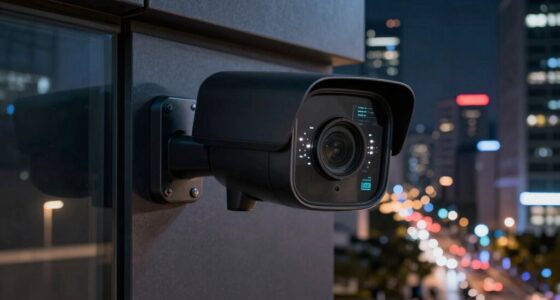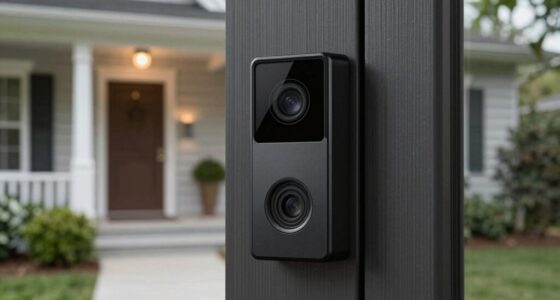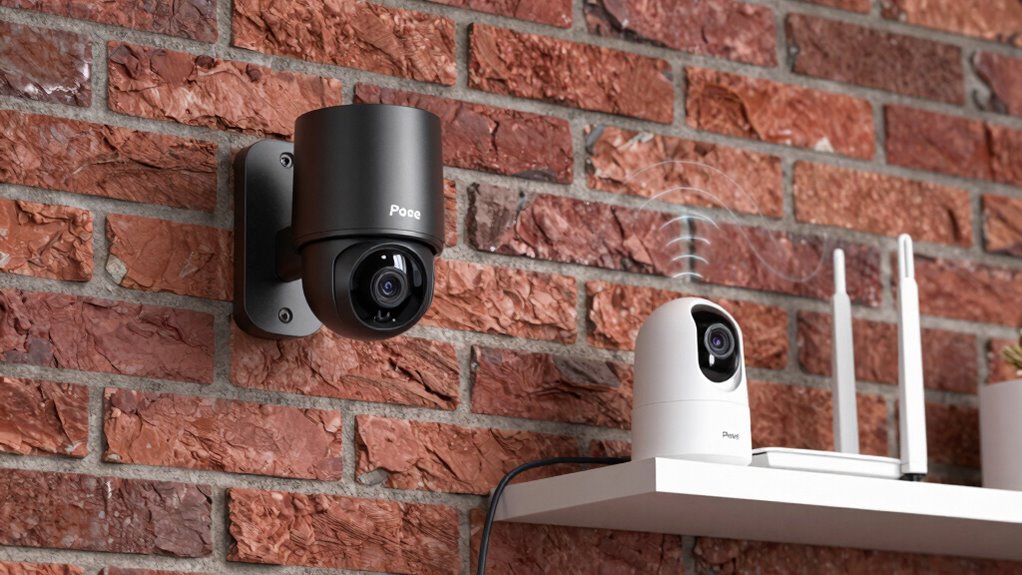

PoE security cameras connect via Ethernet cables, providing you with a stable, high-quality video feed that’s less prone to interference. They require more setup, involving wiring and network planning, but offer reliable performance, especially for continuous recording. Wi-Fi cameras are easier to install but can suffer from signal issues, lag, or lost footage. To know more about how these systems compare and which fits your needs best, keep exploring the details.

Get home appliances delivered free with Prime
- Fast, free delivery on millions of items
- Prime Video, Amazon Music and more included
- Member-only deals all year
Key Takeaways
- PoE cameras use Ethernet cables for stable, high-quality video, while Wi-Fi cameras rely on wireless signals susceptible to interference.
- PoE installations are more complex, requiring Ethernet wiring, whereas Wi-Fi cameras are easier to set up with existing wireless networks.
- PoE systems integrate seamlessly with network storage and offer reliable remote access; Wi-Fi cameras often depend on cloud services.
- Wired PoE connections provide consistent performance and clearer images; Wi-Fi cameras may experience lag and footage loss due to network issues.
- PoE cameras draw power through Ethernet, reducing the need for separate power sources; Wi-Fi cameras require additional power adapters.
When choosing a security camera system, understanding the differences between Power over Ethernet (PoE) cameras and Wi-Fi setups is essential. Both options have their advantages and drawbacks, especially when it comes to features like cloud storage and installation complexity. If you’re aiming for a reliable, straightforward setup, it’s important to weigh these factors carefully. PoE cameras connect directly to your network via Ethernet cables, which means they often provide a more stable and high-quality video feed. This stability is vital if you want continuous recording without interruptions. Because they’re wired, PoE cameras tend to be less susceptible to interference from other wireless devices, giving you clearer images and more consistent performance. When it comes to cloud storage, PoE systems usually integrate seamlessly with network-based storage solutions. This makes it easier to set up remote access to your footage, and you won’t have to worry about losing recordings if a camera goes offline. However, the installation process can be more complex with PoE cameras because you need to run Ethernet cables to each camera location. This might involve drilling, cable management, and sometimes a more involved setup process, especially if your property isn’t pre-wired for network cables. Additionally, understanding the network infrastructure needed for PoE setups can help you plan a more efficient installation. Proper planning of your network topology is essential to ensure reliable connectivity and performance. Wi-Fi cameras, on the other hand, are known for their ease of installation. You simply connect them to your wireless network, which means you can place them almost anywhere within Wi-Fi range. This flexibility makes Wi-Fi setups ideal for DIY installation or quick deployments. When it comes to cloud storage, many Wi-Fi cameras are designed to work effortlessly with cloud services, allowing you to access footage remotely without managing local storage devices. The convenience of wireless setup reduces installation complexity greatly, but it can introduce some reliability issues. Wi-Fi signals can be affected by interference, distance, and network congestion, potentially leading to lag or lost footage. Additionally, Wi-Fi cameras may require more frequent firmware updates and can be less stable over time compared to wired systems. It’s also worth considering how power supply options can impact your overall security camera setup and maintenance. Properly managing power sources is crucial for ensuring continuous operation and reducing maintenance needs. Moreover, selecting the right power options can influence the long-term reliability of your security system.
As an affiliate, we earn on qualifying purchases.
Frequently Asked Questions
Are Poe Cameras Easier to Install Than Wi-Fi Cameras?
Poe cameras are generally easier to install than Wi-Fi cameras because they don’t rely on Wi-Fi signals, reducing setup complications. You connect them directly to your network via Ethernet, making remote monitoring straightforward. Plus, there’s no need to configure Wi-Fi settings or worry about signal interference. With Poe cameras, you get a more reliable connection, simplifying network configuration and ensuring consistent remote monitoring without the hassle of wireless setup.
Do Poe Cameras Require a Separate Power Source?
While Poe cameras often seem like a more involved setup, they do require a dedicated power source, which might add a touch of wiring complexity. This means you’ll need to plan for a reliable power supply or run Ethernet cables with power capabilities. Though it might feel like extra effort at first, this setup guarantees consistent power and reliable performance, giving you peace of mind and clearer security footage.
Can Poe Cameras Be Used Outdoors?
Yes, PoE cameras can be used outdoors. They’re designed with outdoor durability and weather resistance in mind, making them suitable for various weather conditions. You’ll want to make certain they’re installed in protected areas or with proper enclosures to maximize their lifespan. Their robust build handles rain, snow, and extreme temperatures, so you can rely on them for continuous outdoor surveillance without worry about weather-related damage.
What Is the Typical Cost Difference Between Poe and Wi-Fi Cameras?
You’ll find that PoE cameras generally cost more upfront than Wi-Fi cameras, mainly due to their higher camera resolution options and the need for a network switch or injector. While Wi-Fi cameras can be cheaper and easier to install, PoE setups often provide better image quality and more consistent streaming because they use dedicated network bandwidth. However, keep in mind that additional expenses for cables and installation may impact the total cost.
How Do Poe Cameras Perform During Power Outages?
When the lights go out, Poe cameras hold their ground better than Wi-Fi ones, thanks to their power outage resilience. They rely on a wired connection, so as long as your backup power solutions like an uninterruptible power supply (UPS) are in place, your cameras keep watching even during outages. Without backup power, though, Poe cameras might go dark, so investing in a reliable power backup is wise to guarantee continuous security.
As an affiliate, we earn on qualifying purchases.
Conclusion
Understanding the differences between POE security cameras and Wi-Fi setups helps you choose what’s best for your needs. Did you know that POE cameras often provide more reliable connections and better security, especially for large or complex setups? With over 70% of surveillance systems now opting for wired options, it’s clear that stability and security matter. So, whether you prioritize seamless connectivity or flexible installation, knowing these differences guarantees you make an informed choice for your security needs.
network video recorder for security cameras
As an affiliate, we earn on qualifying purchases.
As an affiliate, we earn on qualifying purchases.
As an affiliate, we earn on qualifying purchases.
Fall Picks
fall essentials
As an affiliate, we earn on qualifying purchases.