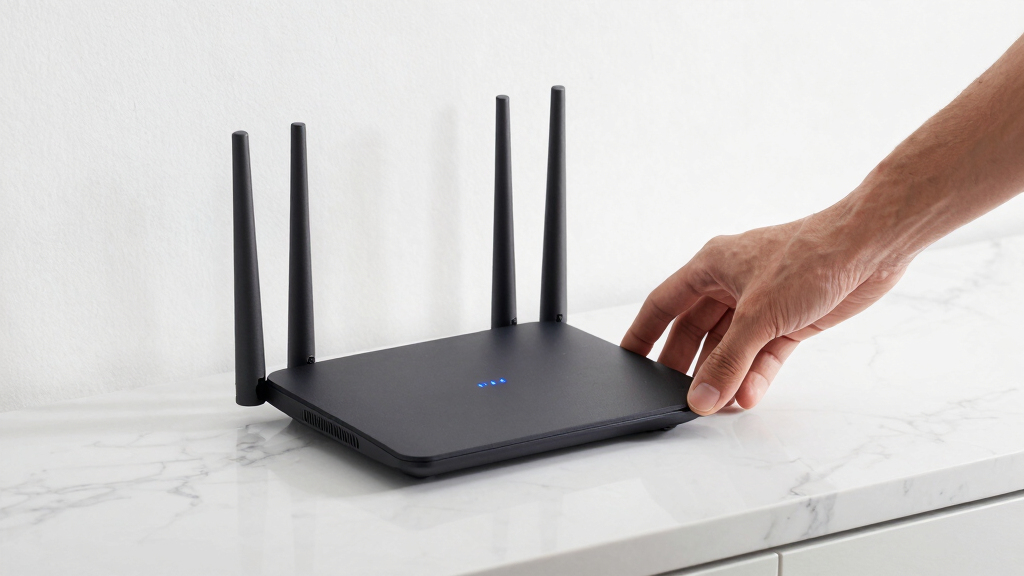
Finding the best wifi 6 mesh router for a smart home involves balancing coverage, device capacity, ease of use, and future-proof features. The NETGEAR Orbi RBK852 stands out as the top overall pick for its extensive coverage and robust performance. For those prioritizing affordability, the TP-Link Deco X55 offers solid features at a lower price point. Meanwhile, the Eero 6 Mesh WiFi Router appeals to users seeking straightforward setup and reliable coverage for smaller to medium homes. The main tradeoffs involve balancing speed, coverage, and complexity—more advanced setups can mean higher costs or more configuration. Continue reading for a detailed breakdown of these options to find your ideal fit.

Get home appliances delivered free with Prime
- Fast, free delivery on millions of items
- Prime Video, Amazon Music and more included
- Member-only deals all year
Complete the kit



Key Takeaways
- The top-ranked models excel in coverage and device capacity, making them suitable for large smart homes with many connected gadgets.
- Pricing varies significantly; budget options like Deco X55 provide good value but may lack some premium features found in higher-end models.
- Ease of setup and management is crucial for non-technical users, with brands like Eero simplifying this process.
- Future-proofing through WiFi 6 compatibility is essential, but not all models deliver the same performance in real-world conditions.
- Tradeoffs often involve choosing between maximum coverage and device capacity versus user-friendly features or aesthetics.
| NETGEAR Orbi 370 Series WiFi 7 Mesh System, 3 Pack |  | Best Overall for Large, High-Speed Smart Homes | Coverage: 6,000 sq ft | Number of Units: 3 (1 router + 2 satellites) | WiFi Technology: WiFi 7 | VIEW LATEST PRICE | See Our Full Breakdown |
| TP-Link AX1800 WiFi 6 Router (Archer AX21 V5) |  | Best Value for Solid WiFi 6 Performance | Wi-Fi Standard: Wi-Fi 6 (802.11ax) | Bandwidth: 1.8 Gbps total | Antennas: 4 high-gain antennas | VIEW LATEST PRICE | See Our Full Breakdown |
| NETGEAR Orbi Whole Home Tri-Band WiFi 6 Mesh Network System (RBK852) |  | Best for High Device Capacity and Secure Streaming | Coverage: 5,000 sq ft | Device Capacity: 100 devices | Speed: AX6000 | VIEW LATEST PRICE | See Our Full Breakdown |
| Eero 6 Mesh WiFi Router – Supports Internet Plans up to 900 Mbps, Coverage up to 1,500 sq. ft., Connect 75+ Devices, 1-Pack |  | Best for Small to Medium Homes with Smart Home Integration | Coverage: 1,500 sq ft | WiFi Speed: 900 Mbps | Device Capacity: 75+ | VIEW LATEST PRICE | See Our Full Breakdown |
| TP-Link Deco X55 Pro AX3000 Whole Home Wi-Fi 6 Mesh System, 3-Pack |  | Best for Large, High-Speed Smart Homes | Wi-Fi Standard: Wi-Fi 6 (AX3000) | Coverage: 6,500 sq ft | Number of Units: 3 | VIEW LATEST PRICE | See Our Full Breakdown |
| NETGEAR Orbi Whole Home Tri-Band WiFi 6 Mesh Network System (RBK753P) – Router with 2 Satellite Extenders – AX5200, Coverage up to 7,500 sq. ft., 75 Devices |  | Best Overall for Large Smart Homes | Coverage: 7,500 sq. ft. | Device Capacity: 75 devices | Speed: AX5200 (up to 5.2Gbps) | VIEW LATEST PRICE | See Our Full Breakdown |
| LNN AX3000 WiFi 6 Router, No App Required |  | Best for Simplicity and Flexibility | WiFi Standard: WiFi 6 (AX3000) | Maximum Speed: 2402Mbps on 5GHz, 574Mbps on 2.4GHz | Antennas: 5 external antennas | VIEW LATEST PRICE | See Our Full Breakdown |
| TP-Link Deco X55 AX3000 WiFi 6 Mesh System (3-Pack) |  | Best for Seamless Whole-Home Coverage | Wi-Fi Standard: Wi-Fi 6 (AX3000) | Coverage: 6500 sq ft | Number of Units: 3 | VIEW LATEST PRICE | See Our Full Breakdown |
| wifi 6 mesh router for smart home | Coverage | Device Capacity |
|---|---|---|
| NETGEAR Orbi 370 Series WiFi 7 | 6,000 sq ft | — |
| TP-Link AX1800 WiFi 6 Router | Extensive coverage | — |
| NETGEAR Orbi Whole Home Tri-Ba | 5,000 sq ft | 100 devices |
| Eero 6 Mesh WiFi Router | 1,500 sq ft | 75+ |
| TP-Link Deco X55 Pro AX3000 Wh | 6,500 sq ft | — |
| NETGEAR Orbi Whole Home Tri-Ba | 7,500 sq. ft. | 75 devices |
| LNN AX3000 WiFi 6 Router | — | 20+ devices |
| TP-Link Deco X55 AX3000 WiFi 6 | 6500 sq ft | — |
More Details on Our Top Picks
NETGEAR Orbi 370 Series WiFi 7 Mesh System, 3 Pack
The NETGEAR Orbi 370 Series stands out for its expansive coverage up to 6,000 sq ft and support for WiFi 7 speeds up to 5 Gbps, making it ideal for large smart homes with demanding bandwidth needs. Compared to the NETGEAR Orbi RBK852, it offers faster WiFi technology and greater scalability, though at a potentially higher cost and with the requirement of a subscription for security after the trial. Its easy setup via the Orbi app and support for up to 70 devices ensure reliable, fast connectivity across multiple smart gadgets and streaming devices. The main tradeoff is that coverage can vary depending on home layout, and the system’s cost might be a barrier for some users. This choice makes the most sense for homeowners with extensive coverage needs who want the latest WiFi standard and high speeds without sacrificing reliability.
Pros:- Provides extensive whole-home WiFi coverage with no dead zones
- Supports WiFi 7 for ultra-fast speeds suitable for gaming and 4K streaming
- Easy setup and management via the Orbi app
- Expandable system for larger or multi-storey homes
Cons:- Requires subscription for NETGEAR Armor security after trial
- Coverage may vary depending on home construction and layout
Best for: Large, tech-heavy smart homes needing fast, reliable WiFi across multiple rooms and floors
Not ideal for: Small apartments or homes with modest internet needs, where the high price and extensive coverage are unnecessary
- Coverage:6,000 sq ft
- Number of Units:3 (1 router + 2 satellites)
- WiFi Technology:WiFi 7
- Max Speed:5 Gbps
- Supported Devices:Up to 70
- Additional Coverage per Satellite:2,000 sq ft
Our verdict“This system best suits large, high-bandwidth smart homes that require top-tier WiFi 7 performance and coverage.”
TP-Link AX1800 WiFi 6 Router (Archer AX21 V5)
The TP-Link Archer AX21 V5 provides a balanced mix of speed, coverage, and security at a more accessible price point, making it a smart choice for users who want reliable WiFi 6 without the premium cost. While it doesn’t support WiFi 6E, its dual-band setup with 1.8 Gbps total bandwidth and four high-gain antennas deliver strong performance for everyday smart home tasks, streaming, and gaming. Compared to the TP-Link Deco X55 Pro, it offers a more budget-friendly option with similar security features, though the Deco system covers larger areas and supports more devices. Its VPN support and advanced security make it appealing for users concerned about privacy. The main tradeoff is that it doesn’t support the new 6 GHz band, which limits future-proofing and peak performance in dense environments.
Pros:- Fast dual-band WiFi 6 speeds for streaming and gaming
- Supports multiple devices simultaneously with OFDMA
- Includes advanced security features and VPN support
- Affordable price for solid WiFi 6 performance
Cons:- Does not support WiFi 6E or 6 GHz band
- Performance may vary based on environment and device placement
Best for: Smart home users seeking reliable WiFi 6 within a tight budget, suitable for small to medium homes
Not ideal for: Homes requiring WiFi 6E or extensive coverage for large properties, where the lack of the 6 GHz band could be limiting
- Wi-Fi Standard:Wi-Fi 6 (802.11ax)
- Bandwidth:1.8 Gbps total
- Antennas:4 high-gain antennas
- Security:Advanced security with VPN support
- Coverage:Extensive coverage
- Compatibility:Works with all major ISPs
Our verdict“This router offers a reliable, budget-friendly WiFi 6 upgrade for small to medium smart homes that prioritize speed and security.”
NETGEAR Orbi Whole Home Tri-Band WiFi 6 Mesh Network System (RBK852)
The NETGEAR Orbi RBK852 offers a robust solution for large households or smart homes with many devices, supporting up to 100 gadgets with speeds up to AX6000. Its tri-band WiFi 6 technology ensures that bandwidth is shared efficiently, making it ideal for streaming, gaming, and web conferencing. Compared to the TP-Link Deco X55 Pro, it provides faster speeds and a more comprehensive security suite with NETGEAR Armor, but at a higher price and with additional setup steps. The system’s 5,000 sq ft coverage and four Ethernet ports per device make it flexible for wired and wireless needs, though additional satellites are sold separately, which could add to the overall cost. It is best suited for large, connected smart homes that need reliable, high-capacity WiFi.
Pros:- Fast WiFi 6 speeds ideal for demanding tasks
- Supports up to 100 devices simultaneously
- Large coverage area up to 5,000 sq ft
- Built-in security with NETGEAR Armor
Cons:- Additional satellites sold separately, increasing total cost
- Limited to U.S. use and requires app setup
Best for: Large households or smart homes with many devices requiring robust, secure coverage
Not ideal for: Small apartments or homes with minimal device counts, where the extensive coverage and capacity are overkill
- Coverage:5,000 sq ft
- Device Capacity:100 devices
- Speed:AX6000
- Additional Coverage per Satellite:2,500 sq ft
- Ethernet Ports:4 on router and each satellite
- Security:NETGEAR Armor
Our verdict“This mesh system is perfect for large, device-rich smart homes that need dependable, high-speed WiFi with strong security features.”
Eero 6 Mesh WiFi Router – Supports Internet Plans up to 900 Mbps, Coverage up to 1,500 sq. ft., Connect 75+ Devices, 1-Pack
The Eero 6 Mesh WiFi Router excels in simplicity and smart home integration, supporting over 75 devices across a modest 1,500 sq ft. Its built-in Zigbee hub makes connecting smart home gadgets straightforward, and its easy setup via the app appeals to less tech-savvy users. While it provides reliable WiFi 6 speeds up to 900 Mbps, this limits its suitability for very high-speed internet plans or large homes. Compared to the TP-Link Deco X55, it offers easier management and smart home features but less coverage and device capacity overall. Its automatic updates and user-friendly interface make it ideal for families who prioritize ease of use and smart home compatibility, though larger or faster internet plans may find it limiting.
Pros:- Easy to set up and manage via app
- Supports a large number of devices with Wi-Fi 6
- Built-in Zigbee smart home hub for seamless device integration
- Automatic updates improve security and performance
Cons:- Limited to 1,500 sq ft coverage per unit
- Speeds capped at 900 Mbps, not suitable for very fast internet plans
Best for: Small to medium-sized homes prioritizing smart home integration and easy setup
Not ideal for: Large homes or users with internet plans exceeding 900 Mbps who need broader coverage or higher speeds
- Coverage:1,500 sq ft
- WiFi Speed:900 Mbps
- Device Capacity:75+
- Connectivity:Wi-Fi 6, Zigbee hub
Our verdict“This mesh router suits small to medium homes seeking straightforward smart home connectivity and reliable WiFi 6 performance.”
TP-Link Deco X55 Pro AX3000 Whole Home Wi-Fi 6 Mesh System, 3-Pack
The TP-Link Deco X55 Pro delivers extensive coverage up to 6,500 sq ft with a 3-pack, supporting over 150 devices simultaneously. Its 2.5 Gbps ports per unit and support for Ethernet backhaul make it highly adaptable for high-speed internet plans and wired connections. Compared with the NETGEAR Orbi RBK852, it offers larger coverage and supports more devices, making it suitable for dense smart home environments. The Deco X55 Pro is easy to set up via the Deco app and provides reliable performance for streaming, gaming, and smart home automation. The main drawback is that to fully utilize its high-speed capabilities, a compatible high-speed internet plan is necessary, along with a higher price point for all the added features.
Pros:- Covers large areas up to 6,500 sq ft
- Supports over 150 devices for busy smart homes
- High-speed 2.5 Gbps ports and Ethernet backhaul support
- Seamless setup and management via Deco app
Cons:- Requires high-speed internet plan to maximize full features
- Premium price for advanced capabilities
Best for: Homes with large coverage needs and many connected devices requiring high-speed internet
Not ideal for: Homes with modest internet plans or smaller spaces where such extensive coverage and capacity are unnecessary
- Wi-Fi Standard:Wi-Fi 6 (AX3000)
- Coverage:6,500 sq ft
- Number of Units:3
- Ports per Unit:2 x 2.5 Gbps
- Supports Ethernet Backhaul:Yes
- Maximum Devices:150+
Our verdict“This system is ideal for large, device-dense smart homes that demand extensive coverage and high-speed wired and wireless connections.”
NETGEAR Orbi Whole Home Tri-Band WiFi 6 Mesh Network System (RBK753P) – Router with 2 Satellite Extenders – AX5200, Coverage up to 7,500 sq. ft., 75 Devices
The NETGEAR Orbi RBK753P stands out for its expansive coverage of up to 7,500 sq. ft. and support for 75 devices, making it ideal for large smart homes with multiple gadgets. Compared to the TP-Link Deco X55, which covers slightly less area and supports fewer devices, the Orbi offers faster WiFi 6 speeds (AX5200) and more robust security features like NETGEAR Armor. However, this system requires separate purchases for satellite extenders, which could increase overall cost, and it’s primarily designed for U.S. users. Its wide coverage and high device capacity make it perfect for households needing seamless, high-speed connectivity across large spaces. The setup is straightforward via the Orbi app, and security features are built-in, providing peace of mind.
Pros:- Extensive coverage up to 7,500 sq. ft.
- Supports up to 75 devices simultaneously
- Fast WiFi 6 speeds (AX5200) for smooth streaming and gaming
- Built-in security with NETGEAR Armor
Cons:- Requires purchasing additional satellite extenders separately
- Limited to U.S. compatibility and support
Best for: Large households with expansive homes and many smart devices needing reliable, high-speed coverage.
Not ideal for: Small apartments or users with limited budgets, since the system and additional satellites can be costly and overkill for small spaces.
- Coverage:7,500 sq. ft.
- Device Capacity:75 devices
- Speed:AX5200 (up to 5.2Gbps)
- Number of Satellites:2
- Ethernet Ports:3 on router, 2 on each satellite
- Compatibility:Any internet service up to 1Gbps
Our verdict“This system is best suited for large homes with many smart devices that demand broad, fast WiFi coverage.”
LNN AX3000 WiFi 6 Router, No App Required
The LNN AX3000 WiFi 6 Router offers a straightforward setup without the need for a dedicated app, appealing to users who prefer browser-based configuration. Its dual-band performance (up to 2402Mbps on 5GHz) ensures reliable speeds for typical streaming and smart home devices, similar in performance to the TP-Link Deco X55. Unlike the Deco, it supports over 20 devices and includes security features like WPA3, but it lacks a dedicated mobile app, which might be inconvenient for some. Its external antennas promote wide coverage, but actual performance can vary depending on home layout. This pick makes sense for users seeking a simple, flexible router that can support a decent number of devices without relying on app-based setup.
Pros:- Easy setup via browser—no app needed
- Supports over 20 devices with solid WiFi 6 performance
- Includes WPA3 security and parental controls
- External antennas for wide coverage
Cons:- Coverage can vary depending on home layout
- No built-in mesh support; needs compatible mesh routers for extension
Best for: Tech-savvy users who prefer browser setup and need a reliable dual-band WiFi 6 router for moderate smart home networks.
Not ideal for: Users seeking a mesh system with extensive coverage or an integrated app-based setup for ease of use, especially in larger homes.
- WiFi Standard:WiFi 6 (AX3000)
- Maximum Speed:2402Mbps on 5GHz, 574Mbps on 2.4GHz
- Antennas:5 external antennas
- Security:WPA3
- Ports:1 WAN Gigabit, 3 LAN Gigabit
- Device Capacity:20+ devices
Our verdict“This router is ideal for users who want a simple, high-performance WiFi 6 device without the complexity of app-based configurations.”
TP-Link Deco X55 AX3000 WiFi 6 Mesh System (3-Pack)
The TP-Link Deco X55 3-pack provides extensive WiFi 6 coverage for homes up to 6,500 sq. ft. and supports up to 150 devices, making it a solid choice for busy smart homes. Compared to the NETGEAR Orbi RBK753P, which covers larger areas, the Deco X55 offers slightly less maximum coverage but is easier to set up and manage through the Deco app. It includes multiple Gigabit Ethernet ports and supports Ethernet backhaul, which can enhance performance in larger or multi-story homes. Though straightforward to configure, some users might find the advanced features somewhat complex. This system is best for users who want reliable, seamless WiFi coverage across a sizable home without extensive manual setup.
Pros:- Supports coverage up to 6,500 sq. ft.
- Supports up to 150 devices for busy smart homes
- Easy setup via Deco app with user-friendly management
- Multiple Ethernet ports with Ethernet backhaul support
Cons:- Requires a separate modem for most ISPs
- Some advanced features may be complex for beginners
Best for: Smart home owners needing broad WiFi coverage and high device support in medium to large homes.
Not ideal for: Users with very large properties or demanding high-speed applications that need more than 6,500 sq. ft. coverage or maximum device support of 150.
- Wi-Fi Standard:Wi-Fi 6 (AX3000)
- Coverage:6500 sq ft
- Number of Units:3
- Ethernet Ports per Unit:3
- Total Ethernet Ports:6
- Supports Ethernet Backhaul:Yes
Our verdict“This mesh system offers dependable whole-home WiFi coverage suitable for tech-savvy smart home users seeking simplicity and high device capacity.”

How We Picked
These products were selected based on their WiFi 6 capabilities, coverage, device capacity, ease of setup, and overall build quality. We prioritized models that are widely available and have proven reliability in smart home environments. Our ranking weighs performance and scalability heavily, as these are critical for homes with multiple smart devices and high bandwidth needs. We also considered user reviews and feature sets to identify options suitable for various budgets and technical skill levels, ensuring a balanced mix of premium and affordable choices.Factors to Consider When Choosing Best Wifi 6 Mesh Router For Smart Home
Choosing the best wifi 6 mesh router for a smart home involves understanding several key factors. Beyond raw speed, consider coverage area, device capacity, ease of setup, and future-proof features like security updates. The right model should match your home’s size and your device ecosystem, avoiding common pitfalls such as overpaying for unnecessary features or buying a model that can’t handle your smart device load. This guide will help clarify these considerations so you can make a confident decision.Coverage Area and Scalability
Ensuring your mesh system covers your entire home without dead zones is paramount. Larger homes often need more nodes or a system designed for extended coverage, like the RBK852 with multiple extenders. However, overspending on excessive coverage for a small apartment might be wasteful. Think about your home’s square footage and how many devices will be connected simultaneously to choose a system that scales with your needs.
Device Capacity and Network Load
Smart homes typically involve dozens of connected devices, from security cameras to smart speakers. A router’s device capacity determines how smoothly your network handles this load. Systems like the RBK753P support up to 75 devices, making them suitable for large households. Choosing a model with insufficient capacity can lead to slowdowns and dropped connections, especially during peak usage times.
Ease of Setup and Management
For many users, a straightforward setup process and user-friendly app are essential. Brands like Eero excel here, offering simple app-based configurations and ongoing management. Overly complex systems might deliver high performance but could intimidate less tech-savvy users or require professional installation, adding to the overall cost and hassle.
Performance and Future-Proofing
WiFi 6 is a key feature, but not all models deliver consistent performance across different environments. Look for routers with strong antennas, MU-MIMO, and OFDMA support to maximize speed and efficiency. Investing in a system with regular firmware updates and security patches ensures your network stays protected and performs well as your smart home expands.
Design and Aesthetics
While often overlooked, the physical design and size of your router can influence placement and overall home aesthetics. Compact, unobtrusive systems like the LNN AX3000 are ideal for minimalistic spaces, whereas larger units might be better suited for dedicated network closets. Consider where you’ll place your router and how it fits into your home environment.
Frequently Asked Questions
Can I use a wifi 6 mesh router to support smart home devices with different protocols?
Yes, most wifi 6 mesh routers are compatible with a wide range of smart home protocols such as Zigbee, Z-Wave, and Wi-Fi. While the router itself primarily handles network traffic, many models support smart home hubs or integrate with smart home ecosystems via apps. Ensuring your chosen system offers robust security and easy integration will help manage multiple protocols smoothly.
Is it worth paying extra for a tri-band system in a smart home setup?
Tri-band systems provide an additional dedicated band for backhaul, which can significantly improve network stability and speed in large or device-dense homes. If your household has many smart devices or high-bandwidth activities, investing in a tri-band model like the RBK852 can reduce congestion and latency. However, for smaller homes or lighter usage, a dual-band system may suffice and save costs.
What features should I prioritize for future smart home expansions?
Look for routers that support WiFi 6 and have ample device capacity, as these are essential for future growth. Also, consider systems with strong security features, regular firmware updates, and compatibility with smart home hubs or voice assistants. Choosing a modular system that can be expanded with additional nodes helps ensure your network can handle new devices over time.
How do I determine the right coverage for my home?
Start by measuring your home’s square footage and considering the number of floors and walls that could block signals. Larger homes or those with many obstacles benefit from mesh systems designed for wide coverage, like the RBK852. Keep in mind that adding more nodes can extend coverage but may increase complexity and cost. Planning ahead for potential expansion prevents the need for costly upgrades later.
Is it better to buy a pre-configured mesh system or assemble one from individual routers?
Pre-configured mesh systems are generally easier to set up and manage, making them ideal for most users, especially in a smart home environment. While assembling a network from separate routers might offer more customization, it often requires more technical knowledge and time. For seamless integration and ongoing support, a dedicated mesh kit is typically the smarter choice for most households.
Conclusion
For those seeking the best overall performance and coverage, the NETGEAR Orbi RBK852 makes a compelling choice, especially for large homes with many devices. Budget-conscious buyers aiming for reliable WiFi 6 coverage should consider the TP-Link Deco X55, which offers excellent value. If ease of use is your priority, the Eero 6 Mesh WiFi Router provides straightforward setup and management. For premium users looking for maximum scalability, systems like the RBK753P deliver extensive coverage and device capacity. Your smart home needs dictate whether you prioritize performance, affordability, or simplicity—use this guide to match the right router with your home environment.
Fall Picks
fall essentials
As an affiliate, we earn on qualifying purchases.