
TL;DR

Get home appliances delivered free with Prime
- Fast, free delivery on millions of items
- Prime Video, Amazon Music and more included
- Member-only deals all year
Thorsten Meyer AI published guidance saying distance and isolation are the strongest noise-control steps for high-power AI workstations. The guide supports a headless “rig in the closet” setup, but warns that enclosed systems need ventilation to avoid heat buildup, throttling and louder fans.
Thorsten Meyer AI has published a new guide advising AI workstation owners to move loud, high-power rigs away from their desks, arguing that distance and isolation can reduce perceived noise more effectively than acoustic foam when the system is properly cooled.
The guide frames placement as the fifth and final lever in a workstation noise-control sequence. It ranks distance and isolation first, followed by reducing noise at the source, blocking sound transmission and, only then, absorbing room reflections with foam.
According to the guide, a headless workstation placed in another room or closet can remove the main noise source from the workspace. The setup is aimed at machines accessed over a network, where the user does not need the tower physically beside the desk.
The guide warns that enclosing a high-power rig creates a heat problem if the space is sealed. It says closet and cabinet setups need a passive airflow path or quiet exhaust fan, and adds that soundproof server cabinets combine acoustic lining with managed exhaust.
Why It Matters
The guidance matters for readers running local AI workloads because high-power GPUs can produce fan noise, vibration and heat during long sessions. If the machine is used mostly through remote access, moving it away from the work area may offer a lower-cost path to a quieter room than buying acoustic panels first.
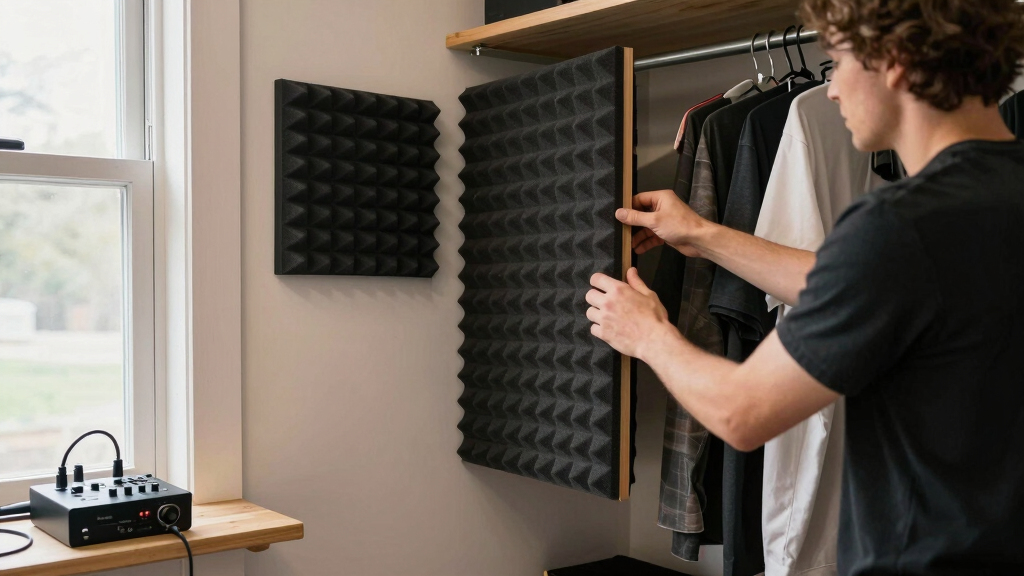
The guide also narrows the role of common sound-control products. It says anti-vibration pads can help with mechanical hum, acoustic foam can reduce reflections inside a room, and barriers or cabinets are needed to block sound from traveling between spaces.
quiet high-power AI workstation enclosure
As an affiliate, we earn on qualifying purchases.
As an affiliate, we earn on qualifying purchases.
Background
The placement guide follows earlier noise and heat controls in Thorsten Meyer AI’s workstation series, including changes at the source such as undervolting, cooling, case choice and fan setup. Its main point is that acoustic treatment should come after those steps, not before them.
The guide separates airborne noise, such as fan whoosh and GPU hum, from structure-borne noise, such as vibration passed into a desk, floor or wall. It says foam can soften airborne reflections, while rubber feet, pads or drive mounting changes are needed for vibration.
“The most powerful noise fix isn’t a material — it’s a floor plan.”
— Thorsten Meyer AI guide
“Distance beats foam — by a lot.”
— Thorsten Meyer AI guide
“Never fully seal a 24/7 rig.”
— Thorsten Meyer AI guide
ventilated server cabinet for GPU rigs
As an affiliate, we earn on qualifying purchases.
As an affiliate, we earn on qualifying purchases.
What Remains Unclear
The exact noise reduction readers will get is not fixed. The guide cites manufacturer figures for cabinets and says results vary by enclosure and environment. It does not provide independent test data for every closet, cabinet, fan or workstation layout.
As an affiliate, we earn on qualifying purchases.
What’s Next
Readers considering the setup should first reduce noise at the source, then test a remote or headless placement with temperature monitoring. Any closet or cabinet build should include a route for hot air to leave before the system is used for long AI workloads.
soundproof computer cabinet with exhaust fan
As an affiliate, we earn on qualifying purchases.
As an affiliate, we earn on qualifying purchases.
Key Questions
What is the main development in this guide?
Thorsten Meyer AI is advising workstation owners to treat placement as a primary noise-control step, especially for AI rigs that can be used over a network.
Does acoustic foam block computer noise?
The guide says foam can reduce reflections inside a room, but it does not block sound transmission like a door, wall, dense panel or cabinet.
Is a closet a safe place for a high-power AI workstation?
Only if heat can escape. The guide warns against fully sealing a 24/7 rig because trapped heat can lead to throttling and louder fans.
What low-cost item does the guide recommend for vibration?
It points to anti-vibration pads or rubber feet as a cheap way to reduce structure-borne hum from a tower touching a desk, floor or wall.
Source: Thorsten Meyer AI
Fall yard work Picks
leaf blowers
As an affiliate, we earn on qualifying purchases.