
TL;DR
A homebrew macro pad designed with an RP2040 microcontroller, OLED display, and encoder has been showcased, demonstrating ease of customization and appealing design. The project highlights the growing maker interest in DIY peripherals.
A homebrew macro pad built with an RP2040 microcontroller, OLED display, and encoder has been introduced, demonstrating a compact, customizable device that appeals to keyboard enthusiasts and makers. The project showcases the potential for accessible DIY peripherals with open-source firmware, highlighting ongoing interest in personalized input devices.
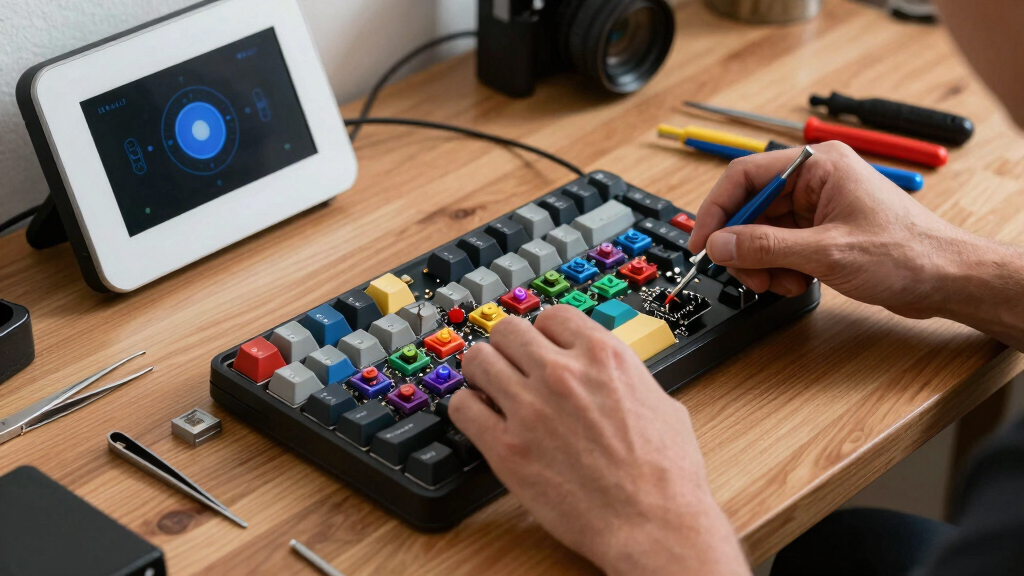
The macro pad, named Apna Dost, utilizes the RP2040 microcontroller and runs QMK firmware, enabling easy customization and modification. It features a small number of buttons, an OLED display for labeling, and an encoder that can serve multiple functions. The design is open-source, and the creator notes that adding more keys would be straightforward, with potential for further layout customization.
The project has garnered positive attention from the maker community, emphasizing the advantages of using QMK firmware for DIY projects. The creator also mentioned repurposing an old conference badge into a macro pad, illustrating the accessibility of building such devices with readily available parts.
Implications for DIY Keyboard Enthusiasts
This project exemplifies how accessible microcontrollers like the RP2040, combined with open-source firmware such as QMK, empower makers to create highly customizable input devices. It lowers the barrier for hobbyists to develop personalized macro pads, potentially influencing future DIY peripheral designs and fostering innovation within the keyboard community.
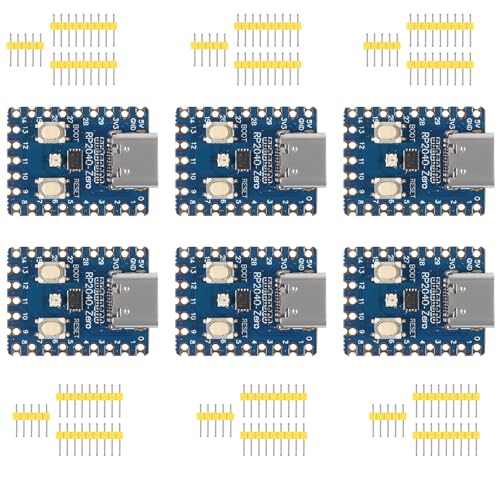
hiBCTR 6 – Piece Set of RP2040 – Zero Boards: RP2040 Microcontroller – Based PICO Development Boards. Equipped with a Dual – core 264KB Cortex M0+ Processor and 2MB Flash. Pins are unsoldered.
- Processor: Dual-core Cortex M0+ up to 133MHz
- Memory: 264KB SRAM and 2MB Flash
- Development Board: RP2040 Zero PICO with unsoldered pins
As an affiliate, we earn on qualifying purchases.
As an affiliate, we earn on qualifying purchases.
Growing Interest in Custom Mechanical Keyboard Accessories
Over recent years, the maker community has shown increasing enthusiasm for building custom mechanical keyboards and accessories. DIY macro pads have become popular for streamlining workflows and enhancing productivity. The use of microcontrollers like the RP2040, introduced by Raspberry Pi, has further democratized access to programmable, feature-rich peripherals. For example, see how to build custom radio projects with the Kv4p HT radio. This project continues that trend by demonstrating a practical, customizable macro pad that can be assembled with minimal prior experience. Learn more about DIY projects like this in our Show HN: Homebrew 6.0.0 guide.
“The design is simple but versatile, and the use of QMK makes it easy to customize for any workflow.”
— an anonymous maker

MOSHOU Macro Pad with Macropad Knob,3-Layers Custom,12 Key Macro Keypad with Wireless Receiver,Hot swappable Switch Gaming Keyboard,Programmable Keyboard RGB,Mini Shortcut Keypad (Black)
- Programmable Keys and Knobs: 12 keys with customizable macro knobs
- Stepless Rotation Knobs: Rotate and press knobs for commands
- Multiple Lighting Modes: 6 selectable RGB lighting modes
As an affiliate, we earn on qualifying purchases.
As an affiliate, we earn on qualifying purchases.
Remaining Questions About Project Scalability
It is not yet clear how easily the design can be scaled up for more keys or integrated into larger keyboard setups. Details about durability, long-term firmware stability, and user customization options beyond the initial design are still emerging.

nullbits SNAP 75% Mechanical Keyboard Kit (Black)
- Type: Split 75% Mechanical Keyboard Kit
- Customization: Tons of customization options
- Configuration: Snap together or separate
As an affiliate, we earn on qualifying purchases.
As an affiliate, we earn on qualifying purchases.
Next Steps for DIY Macro Pad Development
Developers and enthusiasts may experiment with expanding the macro pad’s layout, integrating additional features, or customizing firmware further. Future updates could include community-driven modifications, improved hardware designs, or tutorials to facilitate broader adoption of similar projects.

ZhouWang 90Pcs Dreamlike Click Switch, For Keyboard、Clicker for 3D Prints
- Type: Dreamlike Click Mechanical Switches
- Number of Pieces: 90 Pieces
- Compatibility: For Keyboards and 3D Prints
As an affiliate, we earn on qualifying purchases.
As an affiliate, we earn on qualifying purchases.
Key Questions
Can I build this macro pad myself?
Yes, the design is open-source, and the components used are readily available, making it accessible for DIY builders with basic electronics knowledge.
What firmware does the macro pad use?
The macro pad runs QMK firmware, which is widely used in custom keyboard projects for its flexibility and support for various features.
How many keys can be added to this design?
The current design uses a small number of keys, but it can be expanded easily by modifying the PCB layout and firmware configuration.
Is this suitable for beginners?
While some basic electronics knowledge is helpful, the open-source nature and community support make it feasible for motivated beginners to build and customize.
Will the project be available for download?
Yes, the creator has shared details and files online, encouraging others to replicate and modify the design.
Source: Hackaday