To extend Wi-Fi coverage for outdoor smart cameras and devices, start by placing your router centrally and elevated outdoors, avoiding obstacles like walls and trees. Upgrade to a high-performance, weatherproof router with dual-band support and MU-MIMO technology. Use outdoor Wi-Fi extenders or mesh systems to cover large areas, and add directional antennas or outdoor access points for targeted signal boost. Keep exploring these tips for even more effective solutions.

Get home appliances delivered free with Prime
- Fast, free delivery on millions of items
- Prime Video, Amazon Music and more included
- Member-only deals all year
Key Takeaways
- Place your router centrally and elevate it to improve outdoor signal reach.
- Use outdoor-rated Wi-Fi extenders or mesh systems strategically near outdoor cameras.
- Install outdoor access points or directional antennas to focus signals toward outdoor devices.
- Upgrade to high-performance routers supporting MU-MIMO and dual-band frequencies for better coverage.
- Minimize obstacles and interference by mounting devices openly and away from walls or metal objects.
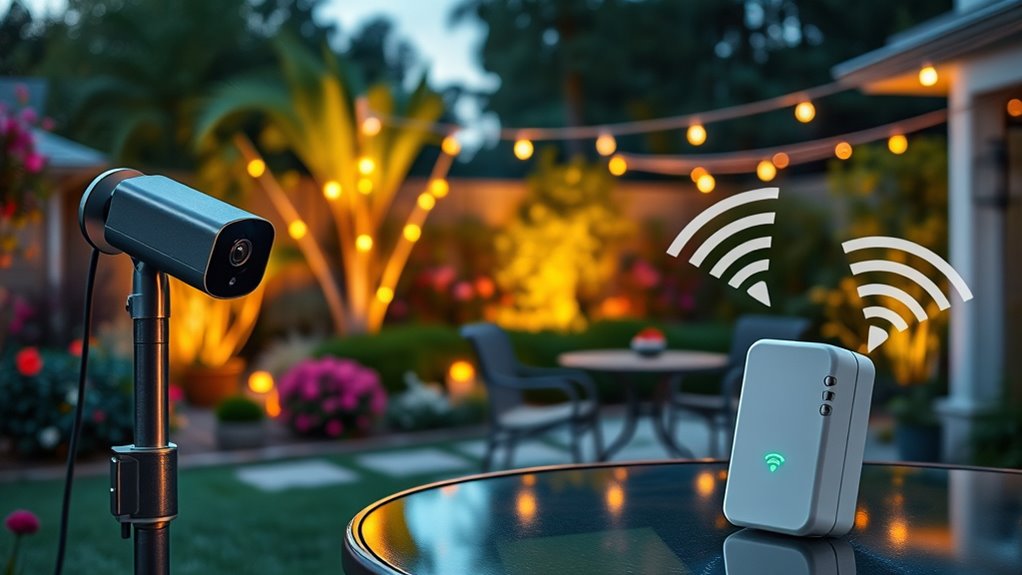
Are you tired of dead zones and weak signals in your home or office? When it comes to outdoor smart cameras and devices, a reliable Wi-Fi connection isn’t just a convenience — it’s vital for security and seamless operation. If your current setup isn’t cutting it, there are practical ways to extend your Wi-Fi coverage outdoors without overhauling your entire network. First, consider placing your router in a central location within your home or office. This might seem obvious, but maximizing the router’s position guarantees the strongest signal radiates evenly across the area, reducing dead spots outside. Elevating the router on a shelf or mounting it higher can also improve signal distribution, especially if you’re dealing with obstacles like walls or furniture that block wireless signals. Additionally, understanding signal strength can help you identify areas needing the most coverage improvements.
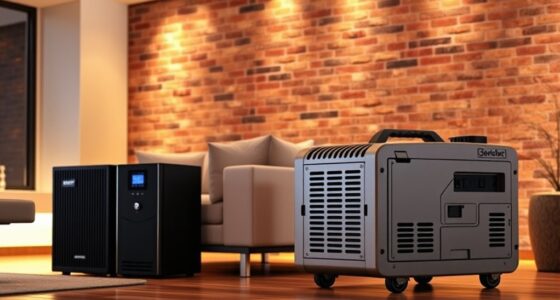
Next, evaluate your current Wi-Fi equipment. If your router is outdated or doesn’t support the latest standards, upgrading to a newer model can notably boost your outdoor coverage. Modern routers with MU-MIMO technology handle multiple devices more efficiently, which is especially useful if you have several smart cameras or sensors operating simultaneously. Additionally, choosing a router with higher power output or external antennas allows you to direct signals more effectively toward outdoor areas. Some routers even feature weatherproof designs, making them more suitable for outdoor mounting.
Upgrade to a weatherproof, MU-MIMO router with external antennas for better outdoor Wi-Fi coverage.
Another effective solution is installing Wi-Fi extenders or mesh networks designed specifically for outdoor use. Outdoor Wi-Fi extenders act as relay points, capturing the existing signal and rebroadcasting it further into your yard or driveway. Mesh Wi-Fi systems are particularly advantageous because they create a unified network with multiple nodes, ensuring consistent coverage across large outdoor spaces. When selecting these devices, ensure they support the frequency bands your devices use — dual-band systems can provide better performance and less interference.
Finally, consider using directional antennas or outdoor access points to focus your Wi-Fi signal precisely where you need it most. Directional antennas concentrate the signal in a specific direction, which is perfect for targeting a distant camera or an outdoor workspace. Outdoor access points are built to withstand weather elements and can be mounted on poles or walls to extend Wi-Fi coverage reliably. Proper cabling and secure mounting are vital to maintain signal integrity and device longevity. By combining these strategies — optimizing your router’s placement, upgrading your equipment, and deploying specialized outdoor devices — you can enjoy robust Wi-Fi coverage that keeps your outdoor smart cameras and devices connected smoothly, providing peace of mind and convenience.
As an affiliate, we earn on qualifying purchases.
Frequently Asked Questions
Can Outdoor Wi-Fi Extenders Handle Multiple Devices Simultaneously?
Yes, outdoor Wi-Fi extenders can handle multiple devices simultaneously, but it depends on their specifications. If you choose a high-quality extender with a strong processor and ample bandwidth, you’ll experience smoother connections for your smart cameras and other outdoor devices. Keep in mind that too many devices may slow down your network. To guarantee peak performance, select an extender designed for multi-device use and ensure your internet plan supports the demand.
What Is the Ideal Placement for Outdoor Wi-Fi Repeaters?
You should place outdoor Wi-Fi repeaters halfway between your router and the smart cameras, ideally at a point with minimal obstructions. Studies show that signal strength drops by 50% every 10 meters, so positioning the repeater correctly guarantees maximum coverage. Keep it elevated and clear of dense objects like trees or walls to maximize signal strength and maintain reliable outdoor device connections.
Do Weather Conditions Affect Wi-Fi Signal Strength Outdoors?
Weather conditions can definitely affect your Wi-Fi signal outdoors. Rain, snow, fog, and high humidity can weaken the signal by absorbing or scattering Wi-Fi waves. Strong winds or storms may cause physical disruptions, like moving antennas or damaged cables. To maintain a strong connection, you should shield your equipment from harsh weather, use weatherproof gear, and consider placing repeaters or routers in sheltered locations to minimize weather-related interference.
How Do I Prevent Interference From Neighboring Wi-Fi Networks?
To prevent interference from neighboring Wi-Fi networks, you should change your router’s channel to a less congested one, typically 1, 6, or 11 in the 2.4 GHz band. Use a Wi-Fi analyzer app to identify crowded channels and select the best option. Keep your router away from other electronics and large metal objects, and consider upgrading to a dual-band or mesh system for improved performance.
Is It Necessary to Upgrade My Router for Better Outdoor Coverage?
Yes, upgrading your router can make a significant difference. A newer, more powerful router with better range and antenna technology can provide stronger outdoor coverage. You might think your current setup is enough, but hidden dead zones could be lurking. Don’t leave your outdoor cameras vulnerable—invest in a high-performance router now to guarantee seamless connectivity and peace of mind. The upgrade could be the game-changer you need.
As an affiliate, we earn on qualifying purchases.
Conclusion
Extending your Wi-Fi coverage ensures your outdoor cameras and devices stay connected and secure. While some believe simply moving your router closer solves the issue, investing in range extenders or mesh networks often provides a more reliable solution. Research shows that proper placement and quality equipment markedly improve coverage. So, don’t just rely on assumptions—test your setup and choose the right tools. A strong, consistent Wi-Fi connection truly makes a difference in keeping your outdoor tech protected and functional.
outdoor directional Wi-Fi antenna
As an affiliate, we earn on qualifying purchases.
As an affiliate, we earn on qualifying purchases.
As an affiliate, we earn on qualifying purchases.
Cold & flu season Picks
humidifiers
As an affiliate, we earn on qualifying purchases.