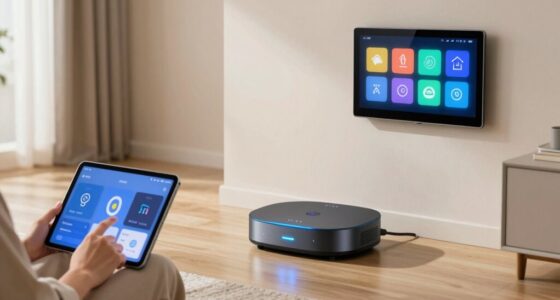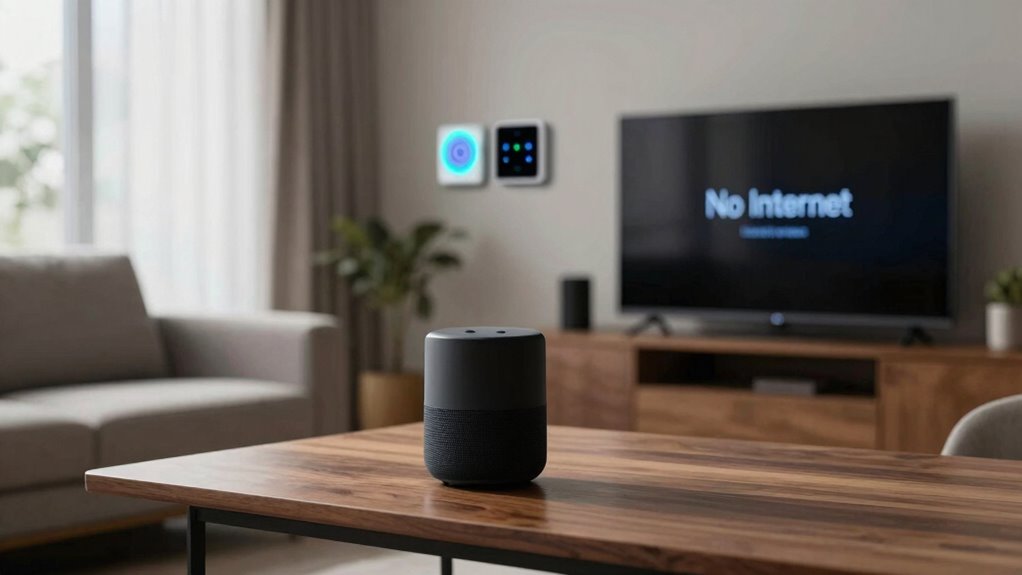

When your smart home loses internet access, your devices may still function locally but lose remote control, alerts, and automation features. Security cameras might stop sending real-time notifications, and smart locks could revert to manual mode. Routine tasks like lighting or temperature control often halt, and voice commands won’t work. While some devices have local storage or backups, most depend on internet. To keep your home secure, it’s helpful to understand how these systems respond during outages and what you can do to stay prepared.

Get home appliances delivered free with Prime
- Fast, free delivery on millions of items
- Prime Video, Amazon Music and more included
- Member-only deals all year
Key Takeaways
- Security alerts and live monitoring are delayed or halted during internet outages.
- Cloud-based automations and remote controls become temporarily unavailable.
- Devices may revert to last known settings and require manual operation.
- Local storage options retain footage but are less accessible without internet.
- Backup connectivity or manual plans are essential to maintain security during disruptions.

Security alerts are another critical aspect that’s affected during an internet outage. Smart security cameras, alarms, and doorbells depend on internet access to send real-time notifications or stream footage to your phone. If your internet connection drops, you might not receive immediate alerts about suspicious activity or doorbell presses. This delay can leave you feeling less secure, as you’re unable to monitor your home or respond promptly to potential threats. Some security systems have local storage options, but without internet, accessing those recordings becomes more cumbersome. Additionally, smart locks might still function locally, allowing you to open or lock doors manually, but remote control and monitoring are lost until the connection is restored. Connectivity issues can also affect the overall performance of your smart home system, making it crucial to have backup plans in place. It’s important to understand how local storage can help mitigate some of these issues during outages. Relying solely on cloud-based services can be risky, so incorporating backup connectivity methods can ensure continuous security coverage. Moreover, understanding internet dependency helps in preparing for potential disruptions and maintaining safety.
Even basic automation routines can become unreliable when the internet is out. Many smart homes rely on cloud-based services to run routines like turning off lights at sunset or adjusting the thermostat based on occupancy. Without internet, these routines may halt altogether, forcing you to revert to manual control. Some devices may still operate locally—if they’re designed with that capability—but many depend entirely on cloud connectivity. This can be frustrating if you’re used to a hands-off experience, as you’ll need to manually manage your smart home until the connection is restored. It’s also helpful to have a clear understanding of how smart device functionality varies during outages.
In most cases, your smart home devices will revert to their last known settings during an internet outage. Smart lights may stay on or off, but won’t respond to voice commands until the connection is back. Security alerts might stop until your system reconnects to the cloud, leaving you temporarily vulnerable or unaware of ongoing issues. Once your internet is restored, devices typically sync up and resume their normal functioning, but during the outage, you’re largely limited to manual control. It’s a reminder that, despite how integrated and convenient smart homes are, they still heavily depend on a reliable internet connection to deliver their full range of features and security.
smart home backup internet connection
As an affiliate, we earn on qualifying purchases.
As an affiliate, we earn on qualifying purchases.
Frequently Asked Questions
Can My Smart Home Devices Still Function Without Internet?
Your smart home devices can still function without internet, thanks to offline functionality and device independence. Many devices, like smart locks or thermostats, operate locally without needing an active connection, allowing you to control them directly through your app or voice commands. However, some features, such as remote access or cloud-based services, might be unavailable. To guarantee continuous control, choose devices with robust offline capabilities and prioritize those with device independence.
Will Losing Internet Affect My Home’s Security Systems?
Losing internet can impact your home automation security systems, especially if they rely on cloud connectivity. During connectivity issues, some features might stop working or become less responsive, leaving your home vulnerable. However, many security devices with local storage or offline modes continue to function, allowing you to maintain basic security. To minimize disruption, consider systems with offline capabilities that guarantee your home’s safety even when internet access drops.
How Can I Manually Control My Smart Devices Offline?
Think of manually controlling your smart devices offline like flipping a switch in a dark room. You can use local control options on your devices or dedicated control panels to operate them directly. Many smart devices have manual operation features, such as physical buttons or switches, enabling you to manage lights, locks, or thermostats without internet. Keep your manual controls accessible, so you stay in command even when offline.
What Backup Options Exist if My Internet Goes Down?
If your internet goes down, you can rely on your local network and device firmware for backup options. Many smart devices have offline modes or local controls, allowing you to manage them via a dedicated app or physical switches. Ensuring your devices have the latest firmware can improve offline functionality. Setting up a local hub or smart home controller can also keep your system operational without internet, giving you control during outages.
Does Internet Loss Impact Smart Home Energy Management?
Losing internet access can impact your smart home energy management, but a local network helps minimize disruptions. With devices operating on a local network, they maintain device autonomy and continue managing energy efficiently. You can still control and monitor your smart devices through local connections, ensuring your energy management remains functional even when the internet is down. This setup keeps your home energy system reliable and responsive regardless of internet connectivity.
As an affiliate, we earn on qualifying purchases.
Conclusion
When your smart home loses internet access, your devices lose connectivity, your routines pause, and your convenience diminishes. You might find your voice commands go unheard, your security systems go offline, and your smart appliances become just ordinary appliances. But remember, resilience lies in preparation—backup plans, local controls, and manual overrides keep you in control. Stay connected to your home’s core functions, even when the internet takes a break, and your smart home remains truly smart.
As an affiliate, we earn on qualifying purchases.
As an affiliate, we earn on qualifying purchases.
NFL season / tailgating Picks
team gear
As an affiliate, we earn on qualifying purchases.