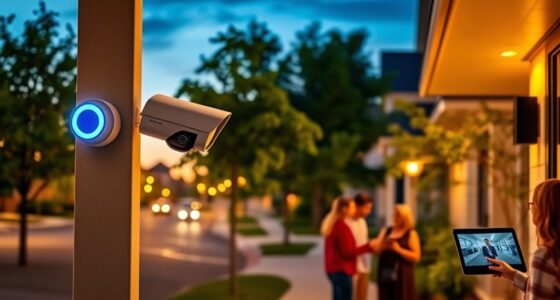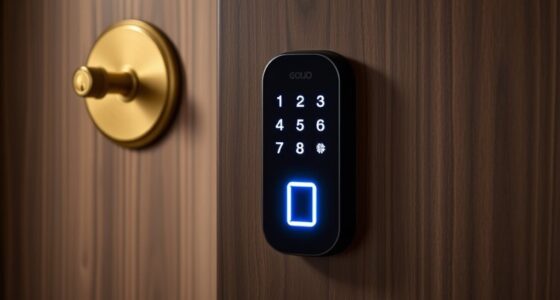
To set up your own AI-powered smart security system, start by choosing a central hub like a smart home assistant or security control panel. Install compatible cameras, motion detectors, and sensors at key entry points, ensuring they’re easy to install and connected to Wi-Fi. Enable features like facial recognition and activity analysis to reduce false alarms. Automate lighting and locks for added security. Explore further techniques to fully protect your home and maximize your smart system’s potential.
Key Takeaways
- Select a central hub like a smart home assistant for device control and integration.
- Install compatible smart cameras, sensors, and alarms at strategic entry points using user-friendly apps.
- Connect cameras to Wi-Fi, follow app instructions for setup, and customize motion detection and alert settings.
- Enable AI features such as facial recognition and activity analysis to enhance security and reduce false alarms.
- Integrate with smart locks and lighting, perform regular updates, and review footage for ongoing system effectiveness.

Are you looking for a way to enhance your home’s security without breaking the bank? If so, setting up a DIY smart security system might be just what you need. With advancements in technology, you can now create an effective, AI-powered alarm system using affordable devices and simple steps. The best part is that you don’t need to be a tech expert to do it—just a bit of patience and curiosity. Start by choosing a central hub, such as a smart home assistant or a dedicated security hub, that can connect all your devices. This hub acts as the brain of your system, allowing you to control everything from your smartphone or tablet. Once you’ve got your hub, select compatible smart cameras, motion detectors, door/window sensors, and alarms. Many of these devices are available at reasonable prices and can be easily installed with minimal tools.
Next, you’ll want to set up your cameras in strategic locations—entry points like front and back doors, windows, and hallways. Position cameras at a height that captures clear images but also deters intruders. Many smart cameras come with night vision, two-way audio, and motion detection features, making them versatile and effective. As you install these devices, ensure they’re connected to your Wi-Fi network and paired with your central hub. Most devices come with user-friendly apps that guide you through the setup process. Once connected, you can customize the settings, such as motion sensitivity and notification preferences. Setting up alerts on your phone ensures you’re immediately notified of any suspicious activity, even when you’re away. Incorporating smart security features like facial recognition or activity analysis can further enhance your system’s capabilities. To add an AI-powered layer of security, look for cameras or sensors that feature facial recognition or activity analysis. These tools help differentiate between normal movements and potential threats, reducing false alarms. Many systems allow you to train the AI to recognize familiar faces or pets, so you only get alerts when something unusual happens. Finally, integrate your alarm system with smart locks and lighting for a thorough security setup. For example, you can set your lights to turn on when motion is detected or lock the doors remotely if you notice suspicious activity. Regularly updating your device firmware and reviewing your security footage ensures your system stays reliable and effective.

Security Cameras Wireless Outdoor, 2K Battery Powered AI Motion Detection Spotlight Siren Alarm WiFi Surveillance Indoor Home Camera, Color Night Vision, 2-Way Talk, Cloud/SD Storage-Black WiFi Camera
Rechargeable & Waterproof & Wire-Free: This wireless rechargeable outdoor/indoor camera can provide 1 to 5 months of worry…
As an affiliate, we earn on qualifying purchases.
As an affiliate, we earn on qualifying purchases.
Frequently Asked Questions
What Are the Best Budget-Friendly AI Security Components?
You can find budget-friendly AI security components like smart cameras from Wyze or Blink, which offer motion detection and alerts at affordable prices. Pair them with a compatible hub or app, such as SmartThings or Google Home, to enhance functionality. Additionally, consider entry sensors and doorbells that integrate AI features without breaking the bank. These components provide effective security without sacrificing your budget.
How to Ensure Data Privacy With DIY Security Systems?
Imagine a fortress with open gates—you want your security system to protect your privacy, not expose it. To guarantee data privacy, you should use encrypted connections, keep firmware updated, and choose systems with transparent privacy policies. Avoid cloud storage or limit access to trusted devices. Regularly review your system’s permissions and settings, so your personal data stays secure, giving you peace of mind in your smart home.
Can I Integrate Existing Home Automation Devices?
Yes, you can integrate your existing home automation devices into your DIY AI-powered alarm system. Most systems support popular protocols like Zigbee or Z-Wave, making it easy to connect smart lights, locks, and thermostats. Check compatibility first, then follow the manufacturer’s instructions to link your devices. This seamless integration enhances security and convenience, allowing you to control everything from a single app or interface effortlessly.
What Are Common Troubleshooting Steps for System Malfunctions?
When your system malfunctions, start by checking the power connections and ensuring all devices are properly plugged in. Restart your system to reset any temporary glitches. Verify your Wi-Fi connection, as poor connectivity often causes issues. Update your firmware and apps to the latest versions. If problems persist, consult the user manual or reach out to customer support for specific troubleshooting steps. Regular maintenance helps keep your system running smoothly.
How to Update or Upgrade the AI Software Safely?
You should always back up your system before updating or upgrading the AI software. For example, imagine upgrading your alarm system’s software, and it crashes, losing your settings. To avoid this, download the latest firmware from the official site, verify its integrity, then follow the manufacturer’s instructions carefully. Keep your device connected to a stable power source and internet, and monitor the process closely to guarantee a safe upgrade.

Ring Alarm 14-Piece Kit (newest model), Wireless smart home or business security system, expandable, easy setup, Mobile App Control, 24/7 Professional Monitoring, Alexa Compatible
A great fit for 2-4 bedroom homes, this Alarm Kit includes one Base Station, two Keypads, eight Contact…
As an affiliate, we earn on qualifying purchases.
As an affiliate, we earn on qualifying purchases.
Conclusion
With your DIY smart security system in place, you’ve turned your home into a fortress that’s smarter and more responsive than ever. Think of it as having a vigilant guardian that never sleeps, always ready to alert you at the first sign of trouble. By taking the reins, you’re not just installing a device—you’re creating peace of mind that’s as reliable as a trusted friend. Now, your home’s safety is truly in your hands.

Aqara Zigbee Presence Sensor FP1E, mmWave Radar Wired Motion Sensor, AI Spatial Learning, Supports HomeKit, Alexa, Google Home, Matter Over Bridge, Requires Aqara Zigbee 3.0 Hub
[Multi-Ecosystem Support with Matter] An Aqara Zigbee 3.0 amera Hub G2H pro), the Zigbee Presence Sensor FP1E features…
As an affiliate, we earn on qualifying purchases.
As an affiliate, we earn on qualifying purchases.

ULTRALOQ Bolt SE Smart Lock, Built-in Wi-Fi, Matter Over Thread, Works with Apple Home, Alexa, Google, 7-in-1 Keyless Entry Deadbolt with Fingerprint ID, App, Keypad, Remote Control, 18 Months Battery
𝟕-𝐢𝐧-𝟏 𝐊𝐞𝐲𝐥𝐞𝐬𝐬 𝐄𝐧𝐭𝐫𝐲 𝐃𝐨𝐨𝐫 𝐋𝐨𝐜𝐤: Fingerprint ID(stores up to 50 fingerprints) + Passcodes(up to 50) + Smartphone App(compatible…
As an affiliate, we earn on qualifying purchases.
As an affiliate, we earn on qualifying purchases.