You can secure your smart home without a subscription by choosing devices with local storage options like SD cards or NAS, which keep footage on-site and avoid ongoing fees. Optimize security with strong, unique passwords, regular updates, and network segmentation. Use local network protocols like Wi-Fi or Zigbee for device control, ensuring independence from cloud services. By focusing on local control and storage, you maintain your privacy and security—discover more ways to enhance your setup below.

Get home appliances delivered free — and shop member deals
- Fast, free delivery on millions of items
- Access to Prime Big Deal Days deals on October 6–7
- Prime Video, Amazon Music and more included
Key Takeaways
- Local storage options for security footage eliminate reliance on subscription-based cloud services.
- Devices with local network control and communication ensure system functionality during internet outages.
- Regular security practices like changing default passwords and enabling two-factor authentication enhance security.
- Subscription-free alerts and monitoring can be managed via local alerts or manual oversight.
- Choosing equipment emphasizing local storage, control, and open-source security software reduces ongoing costs and enhances security.
Are you tired of ongoing subscription fees for your home security system? If so, you’re not alone. Many homeowners want reliable security without the recurring costs that often come with traditional systems. The good news is, it’s entirely possible to build a smart home security setup that’s both effective and affordable without a subscription. The key lies in choosing the right equipment and understanding what features are essential.
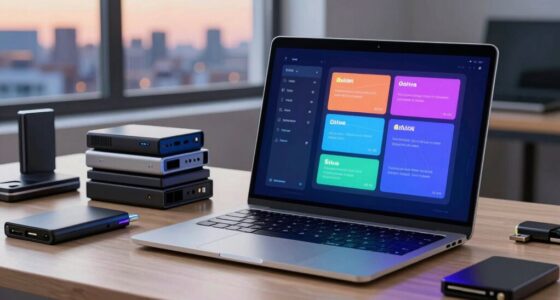
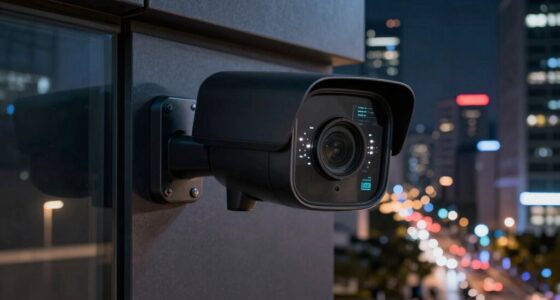
First, consider security cameras that offer local storage options, such as SD card slots or network-attached storage (NAS). These cameras allow you to record footage directly onto a device in your home, eliminating the need for cloud storage, which typically requires a subscription. With local storage, your videos stay on-site, giving you full control over your data and avoiding monthly fees. While some cameras might offer free cloud storage, many with robust local storage options provide a cost-effective way to keep footage accessible without ongoing expenses.
Choose security cameras with local storage like SD cards or NAS for cost-effective, subscription-free footage control.
Next, look for a system that emphasizes professional monitoring without locking you into a subscription. Many standalone security devices can alert you through push notifications or local alarms when they detect unusual activity. For more all-encompassing protection, some systems offer optional professional monitoring services, but these are often available as one-time or annual payments rather than monthly subscriptions. This way, you can choose to pay for monitoring only when needed, or skip it altogether if you prefer to handle alerts yourself. Additionally, selecting local control options ensures your system remains independent of cloud-dependent services, enhancing both security and cost savings. Incorporating local network communication can also improve your system’s reliability and response times, especially during internet outages. A secure network setup is also vital to prevent unauthorized access and ensure your system’s integrity.
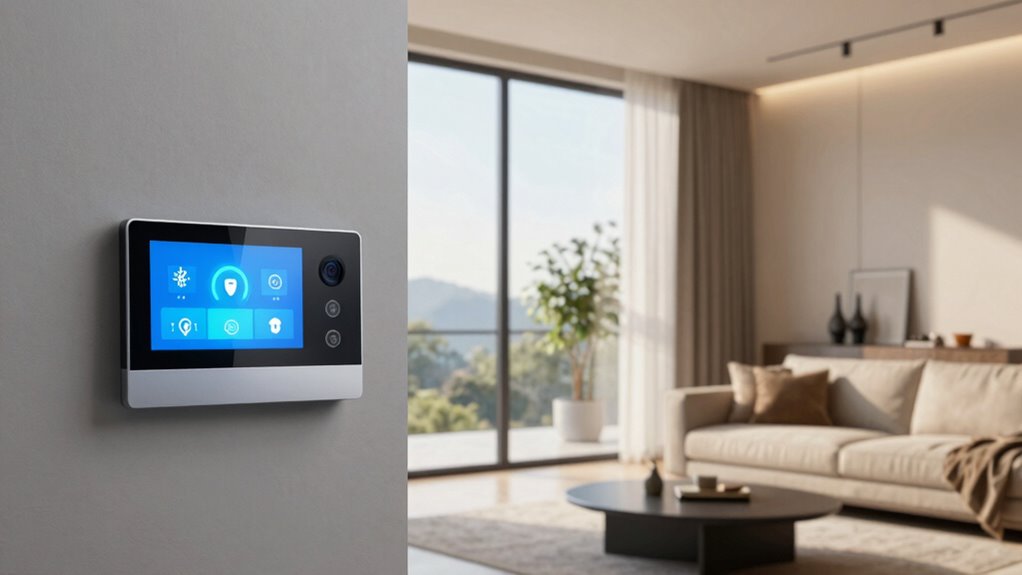
Furthermore, ensure your smart home devices communicate via local networks, such as Wi-Fi or Zigbee, rather than relying solely on cloud-based platforms. This setup allows for real-time control and monitoring without needing to connect to external servers, which can be a point of vulnerability or cost. By integrating devices that support local control and storage, you retain independence from subscription-based services while maintaining a secure environment. Additionally, choosing open-source security software can give you more control over your system’s features and updates without ongoing costs.
Additionally, adopting a robust security approach that includes regular security audits and network segmentation can significantly enhance your home’s safety without additional costs. Finally, focus on robust security practices, such as changing default passwords, enabling two-factor authentication, and regularly updating your device firmware. These steps greatly enhance your home’s security without extra costs and protect your system from potential breaches.
security cameras with local storage SD card
As an affiliate, we earn on qualifying purchases.
As an affiliate, we earn on qualifying purchases.
Frequently Asked Questions
Can I Upgrade My Smart Home Security System Later?
Yes, you can upgrade your smart home security system later. When doing so, focus on device integration to guarantee new devices work seamlessly with your existing setup. Also, prioritize data privacy by choosing reputable brands and reviewing their privacy policies. Upgrading allows you to enhance security features, add new devices, and improve overall system performance, giving you better control and peace of mind without compromising your data privacy.
What Are the Best Non-Subscription Security Devices?
Think of DIY installation as your key to control—these are the best non-subscription security devices. You can choose cameras, alarms, and sensors that prioritize privacy, avoiding constant cloud storage. With no ongoing fees, you retain full control over your data, easing privacy concerns. These devices are simple to set up, giving you confidence that your smart home stays secure without the need for expensive subscriptions or external providers.
How Does Local Storage Compare to Cloud Options?
Local storage offers you control and privacy since your security footage stays on your device, reducing risks from hacking. Cloud backup, on the other hand, provides remote access and automatic updates, making it easier to retrieve footage if your local storage fails. While local storage keeps data in-house, cloud options add convenience and redundancy. Your choice depends on balancing privacy concerns with the need for accessible, reliable backups.
Are There Any Hidden Costs With Non-Subscription Systems?
Yes, there can be hidden fees or additional charges with non-subscription systems. While you might avoid monthly fees, some devices or features may require one-time purchases or future upgrades that aren’t included initially. Be cautious of costs for extended warranties, professional installation, or proprietary accessories. To avoid surprises, read the fine print thoroughly, and ask about any potential hidden fees before committing to a system.
How Reliable Are Non-Subscription Security Solutions?
Non-subscription security solutions can be fairly reliable, especially if they support third-party integrations that enhance functionality. However, you should be aware of potential privacy concerns, as some systems might store or share your data. While these solutions often lack the continuous updates subscription plans offer, choosing reputable brands and ensuring they have strong encryption can help maintain your smart home’s security without ongoing costs.
network-attached storage NAS for security footage
As an affiliate, we earn on qualifying purchases.
As an affiliate, we earn on qualifying purchases.
Conclusion
In the end, you don’t have to put all your eggs in one basket to keep your smart home secure without a subscription. With the right devices, strong passwords, and regular updates, you can stay one step ahead of potential threats. Remember, a stitch in time saves nine—taking proactive measures now can save you a lot of trouble later. So, don’t wait for trouble to knock; be prepared and keep your home safe.
As an affiliate, we earn on qualifying purchases.
subscription-free home security system
As an affiliate, we earn on qualifying purchases.
As an affiliate, we earn on qualifying purchases.
Fall Picks
fall essentials
As an affiliate, we earn on qualifying purchases.