TL;DR

Get home appliances delivered free with Prime
- Fast, free delivery on millions of items
- Prime Video, Amazon Music and more included
- Member-only deals all year
This article outlines 10 verified hacks every Apple Home user should know, including enabling critical alerts and customizing automations. These tips improve safety, convenience, and device management.
Apple Home users can now leverage 10 proven hacks to improve safety, automate routines, and customize their smart home experience. These tips, confirmed by recent guides from sources like Lifehacker, help users maximize device capabilities and enhance security.
One key confirmed feature is enabling Critical Alerts in the Settings, which allows emergency notifications—such as smoke or carbon monoxide alerts—to break through Silent and Do Not Disturb modes. This ensures immediate awareness of safety threats, even when devices are muted.
Users can also customize their Control Center by pinning frequently used scenes or automations, providing quick access without opening the Home app. This involves long-pressing the Control Center and selecting specific scenes or accessories to pin.
Another confirmed tip is splitting device sensors into multiple tiles, which allows for more targeted automations, such as opening smart shades based on ambient light or activating a fan based on room temperature. This is done via the Accessory Settings in the Home app.
Additionally, users can set built-in countdown timers for devices triggered by sensors, so lights or appliances turn off automatically after a set period—helping to conserve energy and prevent forgetfulness. This is configured through the automation setup in the Home app.
Advanced automations can respond to weather conditions using Shortcuts, such as adjusting blinds or heating based on sun exposure or temperature. Setting these involves creating time-based automations and converting them into Shortcuts with weather conditions as triggers.
Creative uses include programming smart bulbs to act as silent intercoms by flashing lights, which can serve as visual alerts instead of shouting, and using motion sensors to smoothly transition audio between rooms.
Why These Hacks Improve Safety and Convenience
Implementing these confirmed hacks provides enhanced safety through critical alerts that notify users of emergencies regardless of device settings. They also offer increased convenience by enabling quick access to favorite scenes, automating routine tasks based on environmental conditions, and creating silent communication methods within the home.
For Apple Home users, these tips can help maximize device utility, reduce manual management, and create a smarter, safer living environment. They are especially valuable for households with safety concerns or those seeking more seamless automation.
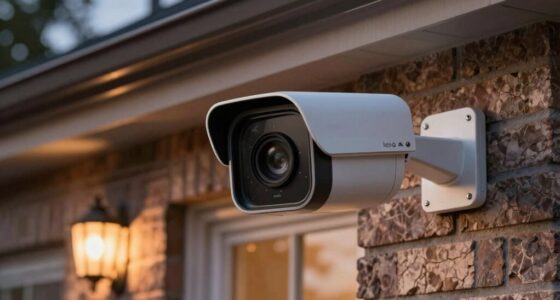
Apple HomeKit critical alerts device
As an affiliate, we earn on qualifying purchases.
As an affiliate, we earn on qualifying purchases.
Recent Updates and User Guides for Apple Home Automation
Apple’s HomeKit platform has steadily expanded its features, with recent guides from sources like Lifehacker highlighting practical tips for users. These include enabling critical alerts, customizing Control Center shortcuts, and creating weather-based automations. Many of these tips have been confirmed through official Apple documentation and user reports, making them reliable strategies for optimizing smart home setups.
While some features, such as splitting sensors into multiple tiles, are well-documented, others—like automating audio transitions—are emerging uses that users are experimenting with. As Apple continues to update its platform, these hacks are likely to evolve further.
“Enabling Critical Alerts ensures emergency notifications break through silent modes, keeping you safe at all times.”
— Lifehacker
smart home automation scenes control center
As an affiliate, we earn on qualifying purchases.
As an affiliate, we earn on qualifying purchases.
Unverified Uses and Future Automation Possibilities
While these tips are confirmed, some advanced automation ideas—such as using motion sensors to switch audio sources or programming complex weather-based routines—are still emerging and lack extensive official documentation. Their effectiveness may vary depending on device compatibility and software updates. It is also unclear how Apple will expand or restrict these features in future updates, so users should stay informed about platform changes.
As an affiliate, we earn on qualifying purchases.
Next Steps for Apple Home Users and Platform Updates
Apple is expected to continue enhancing HomeKit capabilities through software updates, potentially adding more automation options and customization features. Users should keep their devices updated and monitor official Apple communications for new features. Experimenting with current hacks can improve daily living, but users should also remain cautious about unsupported automations that may not work consistently across devices.
As an affiliate, we earn on qualifying purchases.
Key Questions
Are these hacks officially supported by Apple?
Most of these tips are based on confirmed features and documented settings within the Home app and iOS. However, some advanced automations, like audio transitions or custom weather routines, are emerging uses that may not be explicitly supported or may vary in reliability.
Do I need special devices to implement these hacks?
Most tips apply to standard Apple HomeKit-compatible devices, such as sensors, smart bulbs, and switches. Features like critical alerts and Control Center pinning are built into iOS and do not require additional hardware.
Many automations and settings are user-specific or require shared access. Confirm device permissions and ensure all users have the latest software updates to maximize compatibility.
Are there safety risks in setting up complex automations?
Generally, automations like critical alerts are designed with safety in mind. However, users should test automations carefully to avoid unintended device behaviors, especially when automating safety-critical functions.
Source: Lifehacker
Halloween Picks
halloween
As an affiliate, we earn on qualifying purchases.