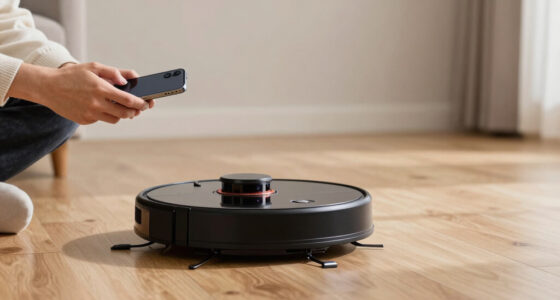
The best Apple HomeKit smart home devices depend on whether you want simple plug-in control, permanent lighting upgrades, or a hub for your home. My best overall pick is the Apple HomePod (2nd Generation), which pairs a capable smart speaker with a central role in an Apple Home setup. For straightforward automation, the TP-Link Tapo P125M Matter Smart Plug Mini stands out for Matter compatibility, while the Kasa Smart Plug Mini EP25P2 adds energy monitoring. The main tradeoffs are choosing Matter or direct HomeKit support, deciding between plugs and installed switches, and matching devices to indoor or outdoor use. Read on for how all 14 options compare and which fits your home.

Get home appliances delivered free with Prime
- Fast, free delivery on millions of items
- Prime Video, Amazon Music and more included
- Member-only deals all year
Complete the kit



Key Takeaways
- The HomePod is the roundup’s most versatile pick: unlike a plug or switch, it adds speaker functionality while serving as a central Apple Home device.
- Matter and HomeKit are not interchangeable buying labels. The Tapo P125M and Linkind plugs offer Matter support, while several other picks are identified as HomeKit-compatible; check the exact pairing requirements for your setup.
- Energy monitoring separates a few plug options from basic control. Kasa’s EP25P2 and four-pack model include it, so they suit buyers who want to track connected appliances, not only automate them.
- Permanent switches and plug-in devices solve different problems. The meross MSS510 and Kasa KS200P3 replace compatible wall switches, while smart plugs avoid electrical installation and can move between devices.
- Specialist devices may matter more than a general-purpose gadget. The meross MSG100HK targets garage access, the Kasa EP40A is for outdoor control, and the Airversa QliQ adds physical button control.
| Linkind Matter Smart Plug, 4-Pack |  | Best for Multi-Platform Flexibility | Pack size: 4 plugs | Connectivity: Matter and 2.4 GHz Wi-Fi | Wi-Fi requirement: 2.4 GHz and IPv6 | VIEW LATEST PRICE | See Our Full Breakdown |
| Tapo P125 Smart Plug Mini, 15A, 2-Pack |  | Best for HomeKit Beginners | Model: P125 | Pack size: 2 plugs | Maximum power: 1800 W | VIEW LATEST PRICE | See Our Full Breakdown |
| TP-Link Tapo P125M Matter Smart Plug Mini, 3-Pack |  | Best Matter Plug Value | Model: Tapo P125M | Pack size: 3 plugs | Connectivity: Matter, Wi-Fi, and Bluetooth | VIEW LATEST PRICE | See Our Full Breakdown |
| Airversa QliQ AC1 HomeKit Button Controller, White |  | Best Physical HomeKit Controller | Model: AC1 | Buttons: 3 | Supported actions: Up to 9 | VIEW LATEST PRICE | See Our Full Breakdown |
| meross MSS510 Smart Wi-Fi Light Switch, Single-Pole, 4-Pack |  | Best for Replacing Multiple Wall Switches | Model: MSS510 | Pack size: 4 switches | Switch type: Single-pole, 1-way | VIEW LATEST PRICE | See Our Full Breakdown |
| meross Smart Plug, 15A, Apple HomeKit Compatible, Voice and App Control, 4-Pack |  | Best Value Multi-Pack | Model: MSS110HK | Pack count: 4 | Maximum load: 15A, 1,800W | VIEW LATEST PRICE | See Our Full Breakdown |
| meross MSG100HK Smart Garage Door Opener Remote |  | Best HomeKit Garage Upgrade | Model: MSG100HK | Connectivity: 2.4GHz Wi-Fi | Compatible opener coverage: 200+ brands and 1,600+ models; adapter may be required | VIEW LATEST PRICE | See Our Full Breakdown |
| Apple HomePod (2nd Generation) Smart Speaker, Midnight |  | Best Premium Home Hub and Speaker | Model: MDEW4LL/A | Woofer: 1 × 4-inch | Tweeters: 5 beamforming tweeters | VIEW LATEST PRICE | See Our Full Breakdown |
| Kasa Apple HomeKit Smart Light Switch KS200P3, Single Pole |  | Best for Built-In Light Control | Model: KS200P3 | Switch type: Single-pole, one-way | Operation: On-off | VIEW LATEST PRICE | See Our Full Breakdown |
| meross Smart Table Lamp with HomeKit and Alexa |  | Best Color Lamp for a Desk or Bedside | Light source: LED | Wattage: 6W | Color temperature: 2700–6500K | VIEW LATEST PRICE | See Our Full Breakdown |
| Linkind Matter Smart LED Bulbs, 6-Pack, A19 E26, 60W Equivalent |  | Best Color Bulb Value | Quantity: 6 bulbs | Bulb shape and base: A19, E26 | Power: 9 W per bulb | VIEW LATEST PRICE | See Our Full Breakdown |
| Kasa Smart Plug Mini 15A (EP25P2) with Apple HomeKit and Energy Monitoring |  | Best for Energy Monitoring | Model: EP25P2 | Unit count: 2 | Maximum load: 1800 W | VIEW LATEST PRICE | See Our Full Breakdown |
| Kasa EP40A Outdoor Smart Plug with Apple HomeKit |  | Best Outdoor HomeKit Plug | Model: EP40A | Outlets: 2 independently controlled AC outlets | Voltage: 125 V | VIEW LATEST PRICE | See Our Full Breakdown |
| Kasa Smart Plug Mini 15A with Energy Monitoring, 4-Pack, Apple HomeKit Supported |  | Best Multi-Room Plug Pack | Model: EP25P4 | Pack size: 4 | Maximum current: 15 A | VIEW LATEST PRICE | See Our Full Breakdown |
| Apple HomeKit smart home device | Model | Connectivity |
|---|---|---|
| Linkind Matter Smart Plug | — | Matter and 2.4 GHz Wi-Fi |
| Tapo P125 Smart Plug Mini | P125 | 2.4 GHz Wi-Fi and Bluetooth |
| TP-Link Tapo P125M Matter Smar | Tapo P125M | Matter, Wi-Fi, and Bluetooth |
| Airversa QliQ AC1 HomeKit Butt | AC1 | Thread; Apple Home exclusive |
| meross MSS510 Smart Wi-Fi Ligh | MSS510 | — |
| meross Smart Plug | MSS110HK | — |
| meross MSG100HK Smart Garage D | MSG100HK | 2.4GHz Wi-Fi |
| Apple HomePod | MDEW4LL/A | — |
| Kasa Apple HomeKit Smart Light | KS200P3 | 2.4GHz Wi-Fi |
| meross Smart Table Lamp with H | — | — |
| Linkind Matter Smart LED Bulbs | — | 2.4 GHz Wi-Fi, Matter |
| Kasa Smart Plug Mini 15A | EP25P2 | 2.4 GHz Wi-Fi |
| Kasa EP40A Outdoor Smart Plug | EP40A | — |
| Kasa Smart Plug Mini 15A with | EP25P4 | 2.4 GHz Wi-Fi |
More Details on Our Top Picks
Linkind Matter Smart Plug, 4-Pack
The Linkind four-pack suits a home where Apple Home is only one part of the smart-home setup. Matter support connects these plugs with Apple Home, Alexa, Google Home, and SmartThings, while local-network control can keep supported commands working when internet access drops. That gives it a wider platform reach than the HomeKit-focused Airversa QliQ AC1 button, which is designed exclusively for Apple Home. Schedules, timers, and voice control cover everyday automation, and the 15 A capacity accommodates many household appliances. The tradeoff is setup dependency: the plugs need 2.4 GHz Wi-Fi and IPv6, and some platforms require a Matter-capable hub or controller. Choose this pack when cross-platform flexibility and four outlets matter more than avoiding network requirements.
Pros:- Matter support works across Apple Home, Alexa, Google Home, and SmartThings
- Local-network control can remain available during internet outages
- Four plugs provide a convenient way to automate several appliances
- 15 A capacity with short-circuit and overload protection
Cons:- Requires 2.4 GHz Wi-Fi and IPv6
- Some platforms require a Matter-certified hub or controller
Best for: Households using Apple Home alongside other smart-home platforms that want to automate several appliances at once
Not ideal for: Buyers with a network that lacks 2.4 GHz Wi-Fi or IPv6, or anyone seeking a plug that needs no Matter controller for their chosen platform
- Pack size:4 plugs
- Connectivity:Matter and 2.4 GHz Wi-Fi
- Wi-Fi requirement:2.4 GHz and IPv6
- Maximum current:15 A
- Power capacity:1800 W
- Plug type:Type A
- Protection:Short-circuit and overload protection
- Certifications:FCC and ETL
Our verdict“Choose the Linkind pack if you want four Matter plugs that can serve a mixed-platform home and can meet its network requirements.”
Tapo P125 Smart Plug Mini, 15A, 2-Pack
The Tapo P125 is a straightforward starting point for adding everyday appliances to Apple Home. Unlike the Linkind Matter Smart Plug, it does not depend on Matter or a separate smart-home hub for its listed platform support; it connects over Wi-Fi and also supports Alexa, Google Assistant, and SmartThings. Its compact shape is useful when two wall outlets sit close together, while schedules, timers, and Away Mode let a lamp or other device follow a routine without daily app control. The two-plug pack is smaller than the three-plug Tapo P125M bundle, and this model lacks that product’s stated Matter-based local control. HomeKit remote access also needs an additional networked Apple device at home, and the plug only supports 2.4 GHz Wi-Fi.
Pros:- Supports Apple HomeKit, Alexa, Google Assistant, and SmartThings
- Compact design helps keep the neighboring outlet accessible
- Scheduling, timers, and Away Mode support routine automation
- No separate hub is required
Cons:- HomeKit remote control requires an additional networked Apple device at home
- Works only with 2.4 GHz Wi-Fi
Best for: Apple Home newcomers who want two compact plugs for lamps or small household appliances without adding a separate hub
Not ideal for: Buyers who need Matter-based cross-platform setup or remote HomeKit access without a networked Apple device at home
- Model:P125
- Pack size:2 plugs
- Maximum power:1800 W
- Operating voltage:120 V AC
- Connectivity:2.4 GHz Wi-Fi and Bluetooth
- Compatible platforms:Apple HomeKit, Alexa, Google Assistant, and SmartThings
- Automation:Scheduling, timer, and Away Mode
- Certifications:UL, FCC, and RoHS
Our verdict“Pick the Tapo P125 for simple two-outlet HomeKit automation, but choose the Tapo P125M if Matter and local network control are priorities.”
TP-Link Tapo P125M Matter Smart Plug Mini, 3-Pack
The Tapo P125M is a strong fit for buyers who want Matter’s cross-platform approach in a compact plug. It works with Apple Home, Alexa, Google Home, and SmartThings, and its local Matter communication can keep devices talking over the home network if internet service is unavailable. That makes it more flexible across smart-home ecosystems than the Tapo P125, which offers broad assistant support but does not list Matter. The three-pack also covers more outlets than the P125’s two-pack, while keeping a small form intended to avoid blocking a neighboring socket. This is still a 2.4 GHz Wi-Fi device with a 15 A, 1800 W maximum, so it is not a solution for higher-load equipment or networks that rely on other Wi-Fi bands.
Pros:- Matter supports Apple Home, Alexa, Google Home, and SmartThings
- Local Matter control can work without an internet connection
- Three-plug pack covers more devices than the Tapo P125 two-pack
- Compact design helps preserve access to adjacent outlets
Cons:- Supports 2.4 GHz Wi-Fi only
- Maximum load is limited to 15 A or 1800 W
Best for: Households building an Apple Home setup alongside other Matter-compatible platforms and wanting three compact plugs
Not ideal for: Buyers whose network lacks 2.4 GHz Wi-Fi or who need a plug rated above 15 A and 1800 W
- Model:Tapo P125M
- Pack size:3 plugs
- Connectivity:Matter, Wi-Fi, and Bluetooth
- Wi-Fi band:2.4 GHz
- Maximum current:15 A
- Maximum power:1800 W
- Operating voltage:120 V AC
- Warranty:2-year limited warranty
Our verdict“Choose the Tapo P125M over the Tapo P125 if you want a three-pack with Matter and local network control.”
Airversa QliQ AC1 HomeKit Button Controller, White
The Airversa QliQ AC1 fills a different role from the smart plugs and switches here: it gives Apple Home users a physical way to trigger scenes and accessory actions. Its three buttons and three gesture types allow up to nine assigned actions, so a single wall-mounted controller can replace repeated Siri commands or app navigation. The included wall plate and built-in magnet make placement more flexible than a fixed light switch such as the meross MSS510. The tradeoff is a narrower audience: the QliQ is Apple Home exclusive, and it needs a compatible Thread-enabled Apple Home hub within 30 feet. Its rechargeable battery is rated for up to two months per charge, so buyers should also expect periodic charging rather than the set-and-forget operation of a wired switch.
Pros:- Three buttons with single, double, and long presses support up to nine actions
- Included wall plate and built-in magnet give flexible placement options
- Rechargeable battery is rated for up to two months per charge
- Physical controls can trigger Apple Home accessories and scenes
Cons:- Requires a compatible Thread-enabled Apple Home hub within 30 feet
- Works exclusively with Apple Home
- Needs recharging periodically
Best for: Apple Home households that want a wall-mounted physical controller for scenes, lights, and other connected accessories
Not ideal for: People using multiple smart-home platforms, or homes without a compatible Thread-enabled Apple Home hub nearby
- Model:AC1
- Buttons:3
- Supported actions:Up to 9
- Connectivity:Thread; Apple Home exclusive
- Hub requirement:Thread-enabled Apple Home hub within 30 feet
- Battery:Rechargeable lithium-ion
- Battery life:Up to 2 months per charge
- Dimensions:2.99 × 1.26 × 0.57 inches
- Mounting:Surface mount with included wall plate and built-in magnet
Our verdict“Choose the QliQ AC1 if you want configurable physical scene controls and already have a nearby Thread-enabled Apple Home hub.”
meross MSS510 Smart Wi-Fi Light Switch, Single-Pole, 4-Pack
The meross MSS510 is the pick for homeowners who want Apple Home control at the wall, rather than adding plugs to individual lamps. Four switches can extend scheduling and voice control across several rooms, and sunrise and sunset routines can make lighting follow the day without repeated manual adjustments. Compared with the Tapo P125M plugs, the MSS510 gives control at the light circuit, but installation is more demanding and less flexible: it is designed for single-pole wiring, requires a neutral wire, and connects only to 2.4 GHz Wi-Fi. Its schedules can run locally during an internet outage, though remote control still depends on network access. Check the wiring and switch type before choosing this pack; it is not a plug-in option or a fit for every switch box.
Pros:- Four switches can add smart control to multiple rooms
- Supports Apple HomeKit, Siri, Alexa, Google Assistant, and SmartThings
- Timers, schedules, and sunrise and sunset routines support hands-off lighting
- Schedules can continue locally when the internet is down
Cons:- Requires a neutral wire
- Designed for single-pole, 1-way installations only
- Requires 2.4 GHz Wi-Fi
Best for: Homeowners with neutral wires and single-pole light circuits who want to add HomeKit control in several rooms
Not ideal for: Renters, homes without neutral wires, or buyers with multi-way lighting circuits that need a different switch type
- Model:MSS510
- Pack size:4 switches
- Switch type:Single-pole, 1-way
- Neutral wire:Required
- Wi-Fi:2.4 GHz
- Operating voltage:110 V
- Wattage:400 W
- Compatible platforms:Amazon Alexa, Google Assistant, Apple HomeKit, Siri, and SmartThings
- Dimensions:4.7 × 2.8 × 1.5 inches
Our verdict“Choose the MSS510 over smart plugs when you have compatible single-pole wiring and want permanent HomeKit control of several light circuits.”
meross Smart Plug, 15A, Apple HomeKit Compatible, Voice and App Control, 4-Pack
The four-plug bundle is a practical way to add HomeKit control to lamps and other plug-in appliances around several rooms. Each plug supports up to 15A and 1,800W, and its compact body is designed to leave space for a second plug at the same outlet. Schedules can follow sunrise and sunset, which makes it more flexible than a basic on/off timer. Compared with the Kasa Smart Plug Mini with Energy Monitoring, this meross set focuses on supplying more outlets rather than reporting energy use. The tradeoff is that remote HomeKit control needs a compatible Apple home hub that stays online, and setup depends on 2.4GHz Wi-Fi. I’d choose it for multiple standard indoor outlets, not for buyers who need energy tracking or a plug that works on 5GHz Wi-Fi.
Pros:- Four plugs make it easy to automate outlets in multiple rooms
- Supports loads up to 15A and 1,800W
- Compact design can leave the neighboring outlet accessible
- Schedules include sunrise and sunset options
Cons:- Remote HomeKit control requires a compatible Apple home hub
- Works with 2.4GHz Wi-Fi only
- Does not provide energy monitoring
Best for: HomeKit households that want to automate several lamps or appliances across multiple rooms with one compact plug bundle.
Not ideal for: Buyers who need energy monitoring, 5GHz Wi-Fi support, or remote HomeKit control without an always-online Apple home hub.
- Model:MSS110HK
- Pack count:4
- Maximum load:15A, 1,800W
- Voltage:120V
- Wi-Fi:2.4GHz
- Plug type:Type B
- Dimensions:2.68 × 2.3 × 1.5 in
- Certifications:ETL, FCC
Our verdict“Choose this set if you want several compact HomeKit-controlled outlets and do not need energy-use data.”
meross MSG100HK Smart Garage Door Opener Remote
The MSG100HK brings an existing compatible garage door opener into HomeKit without adding a separate hub or subscription. Its wired sensor reports door status, so automations can act on whether the door is open or closed rather than relying only on a remote command. App and voice control, schedules, and automatic closing make it more useful for garage access than the indoor outlet control of the meross Smart Plug 4-Pack. Compatibility is the main buying checkpoint: the unit supports many opener models, but some need an adapter, and Security+ 3.0 is not supported. It also uses 2.4GHz Wi-Fi. I’d pick it for someone who wants a HomeKit-connected existing garage door system; buyers with an unsupported opener should check compatibility before choosing it.
Pros:- Wired sensor provides door status updates
- Adds app and voice control to compatible existing openers
- Supports schedules and automatic closing
- Works without a separate hub or subscription fee
Cons:- Not compatible with Security+ 3.0
- Some garage opener models require a separate adapter
- Requires 2.4GHz Wi-Fi
Best for: Homeowners with a compatible existing garage opener who want HomeKit status checks, remote control, and automatic closing without a subscription.
Not ideal for: Owners of Security+ 3.0 or otherwise unsupported openers, and households whose Wi-Fi network lacks 2.4GHz coverage in the garage.
- Model:MSG100HK
- Connectivity:2.4GHz Wi-Fi
- Compatible opener coverage:200+ brands and 1,600+ models; adapter may be required
- Supported protocols:Security+ 1.0 and 2.0; not Security+ 3.0
- Sensor:Wired
- Hub required:No
- Subscription fees:None
- Dimensions:3 × 2 × 1 in
Our verdict“Choose this garage add-on if your opener is compatible and you want door status and control in HomeKit without a subscription.”
Apple HomePod (2nd Generation) Smart Speaker, Midnight
The second-generation HomePod stands apart from the plugs and switches here because it pairs Siri control with room-filling audio and smart-home connectivity. Its support for Matter and Thread can help connect compatible devices, while built-in sound, temperature, and humidity sensors add options beyond voice commands. Unlike the Kasa KS200P3 light switch, which directly controls a wired lighting circuit, the HomePod is a tabletop speaker and part of the home’s voice-control setup. Its larger audio system and sensor features suit buyers who want one device to serve more than a single automation task. The tradeoffs are its tabletop footprint and the need to buy a second HomePod separately for stereo pairing. It makes most sense in an Apple-centered home that will use both its speaker and smart-home roles.
Pros:- Combines Siri voice control with a high-fidelity speaker system
- Supports Matter and Thread smart home devices
- Built-in sound, temperature, and humidity sensors
- Can pair with a second HomePod for stereo audio
Cons:- Stereo pairing requires purchasing a second HomePod
- Tabletop speaker format is less useful for buyers seeking a dedicated switch or plug
- Its smart-home value depends on having compatible devices to control
Best for: Apple households seeking a premium Siri speaker that can also support Matter and Thread devices and provide room sensor data.
Not ideal for: Buyers who only need a low-cost way to automate one light or outlet, or who want stereo sound from a single speaker.
- Model:MDEW4LL/A
- Woofer:1 × 4-inch
- Tweeters:5 beamforming tweeters
- Microphones:4
- Maximum output power:38W
- Smart home compatibility:Matter and Thread
- Sensors:Sound, temperature, and humidity
- Mounting type:Tabletop
Our verdict“Choose the HomePod if you want a premium Siri speaker that can also serve as a Matter and Thread entry point for an Apple home.”
Kasa Apple HomeKit Smart Light Switch KS200P3, Single Pole
For frequently used ceiling lights, the KS200P3 replaces the wall switch rather than adding a smart plug to a lamp cord. It offers HomeKit voice and app control, plus schedules, timers, and Away Mode, without needing a separate hub. Compared with the meross Smart Plug 4-Pack, this is a cleaner fit for fixed lighting that should remain controlled from the wall; the plug bundle is easier to install but cannot replace a built-in switch. Installation is the deciding tradeoff: this model is single-pole only and requires a neutral wire, so it will not suit every electrical box or multi-way circuit. It also needs 2.4GHz Wi-Fi, and HomeKit remote access depends on a networked Apple device at home. I’d choose it for a compatible single-switch circuit, not as a universal switch replacement.
Pros:- Controls fixed lighting through HomeKit, the Kasa app, and voice assistants
- Schedules, timers, and Away Mode support automated lighting
- Works without a separate smart-home hub
- Includes a wall plate and installation accessories
Cons:- Requires a neutral wire in the switch box
- Designed for single-pole circuits rather than multi-location switching
- Requires 2.4GHz Wi-Fi, and HomeKit remote access needs a networked Apple device at home
Best for: Homeowners replacing a standard single-pole wall switch who have a neutral wire and want scheduled HomeKit lighting control.
Not ideal for: Renters, homes without a neutral wire, or buyers replacing a three-way or other multi-location switch circuit.
- Model:KS200P3
- Switch type:Single-pole, one-way
- Operation:On-off
- Input voltage:100–120VAC, 50/60Hz
- Connectivity:2.4GHz Wi-Fi
- Wiring:Neutral wire required
- Hub required:No
- Certification:UL
Our verdict“Choose this switch for a compatible single-pole circuit when you want HomeKit control at the wall instead of at the lamp plug.”
meross Smart Table Lamp with HomeKit and Alexa
This meross lamp is a standalone lighting choice for a desk, bedside table, or accent spot where changing light color is part of the appeal. It combines 16 million colors, tunable white from 2700K to 6500K, and 1%–100% dimming with touch, app, and voice controls. Its schedules and timers can continue locally when the internet is down, a useful distinction from relying on cloud access for every routine. Compared with the Linkind Matter Smart LED Bulbs, this is an integrated tabletop lamp rather than a way to add smart color to an existing fixture. That makes placement simple, but limits it to a corded, indoor location and its included lighting setup. I’d choose it for a dedicated accent light, not for buyers outfitting many lamps or needing outdoor-rated lighting.
Pros:- Offers tunable white light from 2700K to 6500K and 16 million colors
- Dimming range runs from 1% to 100%
- Supports touch, app, and voice control
- Schedules and timers can operate locally when the internet is down
Cons:- Requires a corded electrical outlet
- Not water resistant, limiting placement to dry indoor areas
- An integrated lamp is less flexible than adding a smart bulb to an existing fixture
Best for: HomeKit users who want an all-in-one color and tunable-white lamp for a bedside table, desk, or indoor accent area.
Not ideal for: Buyers who want to smarten an existing bulb fixture, need outdoor or water-resistant lighting, or prefer a battery-powered lamp.
- Light source:LED
- Wattage:6W
- Color temperature:2700–6500K
- Colors:16 million
- Brightness:1%–100% dimmable
- Controls:Touch, app, and voice
- Power source:Corded electric
- Water resistance:Not water resistant
Our verdict“Choose this lamp for flexible indoor accent lighting with HomeKit control, and choose smart bulbs instead if you need to upgrade existing fixtures.”
Linkind Matter Smart LED Bulbs, 6-Pack, A19 E26, 60W Equivalent
For outfitting several rooms with color lighting, I’d put the Linkind Matter Smart LED Bulbs ahead of single-purpose smart lighting: the six-bulb pack offers Matter support, Apple Home compatibility, and control through several major platforms. With up to 800 lumens per bulb, they can serve as everyday room lighting as well as accent lights, while the 16 million colors and 104 scenes add options for mood and routines. Music sync is another extra the Kasa EP25P2 smart plug cannot provide, since that plug controls existing appliances rather than changing a room’s light. The tradeoff is setup and fixture compatibility: these bulbs need 2.4 GHz Wi-Fi and generally do not work with traditional dimmer switches. Choose them for standard, non-dimmed fixtures; skip them if your lighting depends on wall dimmers.
Pros:- Matter support enables compatibility with Apple Home and other listed smart home platforms.
- Six A19 E26 bulbs provide broad coverage for standard indoor fixtures.
- Offers 16 million colors, 104 preset scenes, and music sync.
- Uses 9 watts while delivering up to 800 lumens per bulb.
Cons:- Requires a 2.4 GHz Wi-Fi connection.
- Generally incompatible with traditional dimmer switches.
Best for: Apple Home households that want to add color and app-controlled lighting to several standard E26 fixtures at once.
Not ideal for: Buyers with traditional dimmer switches, fixtures that need specialty bulb shapes, or homes that cannot connect devices to 2.4 GHz Wi-Fi.
- Quantity:6 bulbs
- Bulb shape and base:A19, E26
- Power:9 W per bulb
- Brightness:Up to 800 lumens per bulb
- Incandescent equivalent:60 W
- Connectivity:2.4 GHz Wi-Fi, Matter
- Compatibility:Apple Home, Alexa, Google Home
- Usage:Indoor
Our verdict“Choose this six-pack for Matter-compatible color lighting across standard fixtures, but skip it if your bulbs need to work with traditional dimmers.”
Kasa Smart Plug Mini 15A (EP25P2) with Apple HomeKit and Energy Monitoring
The Kasa Smart Plug Mini EP25P2 is the pick I’d make when knowing an appliance’s energy use matters as much as controlling it. Its real-time and historical monitoring can help identify which connected devices draw power, while schedules and timers add straightforward automation in Apple Home and other supported platforms. Compared with the outdoor Kasa EP40A, this indoor two-pack is designed for household outlets rather than weather exposure; its 15A, 1800W capacity suits many lamps and appliances within that rating. It also connects over Wi-Fi without a hub, though it requires a 2.4 GHz network. One HomeKit limitation affects remote access: a networked Apple device must be at home. I’d choose it over a basic plug when energy data is useful, but not for outdoor equipment or buyers who need remote HomeKit control without an Apple device at home.
Pros:- Tracks real-time and historical energy use.
- Supports Apple HomeKit, Alexa, Google Assistant, and SmartThings.
- Offers schedules, timers, and remote app control without a hub.
- Compact, UL-certified flame-retardant design with a maximum 1800W load.
Cons:- Requires 2.4 GHz Wi-Fi.
- HomeKit remote control requires a networked Apple device at home.
Best for: HomeKit users who want to schedule indoor lamps or appliances and track their energy use from a two-plug pack.
Not ideal for: People seeking an outdoor plug or HomeKit remote control without a networked Apple device at home.
- Model:EP25P2
- Unit count:2
- Maximum load:1800 W
- Operating voltage:120 V
- Connectivity:2.4 GHz Wi-Fi
- Energy monitoring:Real-time and historical usage
- Compatible platforms:Apple HomeKit, Amazon Alexa, Google Assistant, SmartThings
- Hub required:No
- Dimensions:2.62 x 1.57 x 1.5 inches
Our verdict“Pick the EP25P2 when indoor energy monitoring is a priority; choose the Kasa EP40A instead for outdoor outlets.”
Kasa EP40A Outdoor Smart Plug with Apple HomeKit
The Kasa EP40A fills a role the indoor Kasa EP25P2 cannot: it brings Apple Home control to outdoor devices through two independently controlled outlets. That separation is useful when, for example, you want a lighting schedule on one outlet and a different routine for another connected device. Its IP64 weather resistance is suited to dust and splashing water, not careless placement; the product guidance calls for mounting it at least eight inches above the ground to reduce rainwater splash risk. Like the EP25P2, it relies on 2.4 GHz Wi-Fi, and HomeKit remote control requires a networked Apple device at home. Unlike that indoor plug, the EP40A is built for outdoor use, but it lacks the specified energy monitoring of the EP25P2. I’d choose it for patio or garden automation, not for uncovered low-to-ground placement.
Pros:- Two AC outlets can be controlled independently.
- IP64 rating provides protection against dust and splashing water.
- Works with Apple HomeKit, Siri, Alexa, and Google Assistant.
- Supports app control, grouping, and schedules.
Cons:- Requires a 2.4 GHz Wi-Fi connection.
- HomeKit remote control requires a networked Apple device at home.
- Placement at least eight inches above ground is advised to reduce rainwater splash risk.
Best for: HomeKit users automating two separate outdoor devices, such as exterior lights and seasonal decorations.
Not ideal for: Buyers who need energy monitoring, cannot place the plug at least eight inches above ground, or need it to work without 2.4 GHz Wi-Fi.
- Model:EP40A
- Outlets:2 independently controlled AC outlets
- Voltage:125 V
- Wi-Fi:2.4 GHz, 802.11 b/g/n
- Wi-Fi range:Up to 300 ft
- Weather resistance:IP64
- Voice assistants:Siri, Alexa, Google Assistant
- Plug type:Type A
Our verdict“Choose the EP40A for independently scheduled outdoor devices, but use the EP25P2 if energy monitoring is the priority.”
Kasa Smart Plug Mini 15A with Energy Monitoring, 4-Pack, Apple HomeKit Supported
When the goal is to automate several rooms at once, I’d choose this four-pack of Kasa EP25P4 plugs over the two-pack EP25P2. Both listings specify energy monitoring, a 15A/1800W maximum load, and compatibility with Apple HomeKit and several other platforms; the main distinction here is the larger pack for spreading schedules across more lamps, fans, or other rated appliances. No hub is required, and timers and remote app control make routine automation accessible. That broader coverage comes with the same network condition as the EP25P2: a 2.4 GHz Wi-Fi connection is required, and HomeKit remote control needs a networked Apple device at home. This is a practical household set, not an outdoor solution like the Kasa EP40A, and buyers should check each appliance against the load limit before connecting it.
Pros:- Four plugs support automation across multiple indoor outlets.
- Monitors connected devices’ energy use in real time and historically.
- Works with Apple HomeKit, Siri, Alexa, Google Assistant, and SmartThings.
- No hub required; supports schedules, timers, and remote app control.
Cons:- Requires a 2.4 GHz Wi-Fi connection.
- HomeKit remote control requires a networked Apple device at home.
Best for: Households setting up HomeKit schedules and energy tracking for several indoor lamps, fans, or appliances.
Not ideal for: Buyers who only need one or two plugs, need outdoor weather resistance, or lack a 2.4 GHz Wi-Fi network.
- Model:EP25P4
- Pack size:4
- Maximum current:15 A
- Maximum load:1800 W
- Operating voltage:120 V AC
- Connectivity:2.4 GHz Wi-Fi
- Energy monitoring:Yes
- Compatible systems:Apple HomeKit, Alexa, Google Assistant, SmartThings
- Warranty:2-year limited warranty
Our verdict“Choose this pack over the EP25P2 when you need four indoor HomeKit plugs with energy monitoring rather than a smaller set.”
How We Picked
I compared these 14 devices by how directly they support an Apple Home setup, what they add beyond basic on-and-off control, and how much setup or installation they ask of a buyer. I also weighed versatility, device-specific fit, and useful extras such as Matter support, energy monitoring, outdoor use, voice control, and physical controls. A device’s role matters: a smart plug should be easy to place and match to the load, while an in-wall switch needs to suit the home’s wiring and lighting circuit.
The ranking gives the broadest-use option the lead, then distinguishes practical everyday choices from more specialized devices. The HomePod ranks first for combining speaker use with a central smart-home role; compact plugs follow because they solve common automation needs without replacing wiring. Picks with more specific jobs, such as garage control or outdoor switching, rank for the buyers who need those functions rather than for universal appeal. I treat product names and stated features as a starting point, not a substitute for checking compatibility, electrical limits, and setup requirements in your own home.
Factors to Consider When Choosing Best Apple HomeKit Smart Home Devices
Before choosing a device, decide what you want HomeKit to change in your daily routine. A plug, switch, bulb, speaker, and garage controller each affect a different part of a setup, so the best choice is rarely the one with the longest feature list.
Check the exact Apple Home and Matter setup
Compatibility can depend on the product version, platform support, and how you plan to add the device. Matter support can make a product usable across more than one smart-home platform, but it does not mean every model has identical features or setup steps in Apple Home. Check the packaging and manufacturer’s current instructions for the exact model number, rather than relying on a family name or an old listing. Also check whether your planned automations need a Home hub or another network component. If your household uses only Apple devices, direct HomeKit compatibility may be the simpler path; if you mix platforms, Matter may offer more flexibility. Avoid buying several devices before confirming that one pairs reliably with your home network.
Choose plugs, switches, or bulbs based on the fixture
A smart plug is usually the least invasive way to automate a lamp or appliance, but it only controls power to devices that can safely resume after power is cut. An in-wall switch can control existing fixtures without occupying an outlet, yet installation and wiring compatibility become part of the decision. Smart bulbs offer control over the bulb itself, but a wall switch that cuts power can make them unavailable to automations. Before choosing, identify who uses the room and whether they need the physical switch to keep working as usual. For rentals or frequent rearranging, plugs and bulbs are easier to move; for a permanent lighting setup, a compatible wall switch may feel more natural. Don’t assume every device with a similar name is suitable for every circuit or appliance.
Match electrical ratings and monitoring to the load
Smart plugs are not a universal solution for every appliance. Compare the device’s stated electrical rating with the appliance label, and follow manufacturer guidance for motors, heaters, and other high-demand equipment. Energy monitoring is useful when you want visibility into consumption, but it is not the same as reducing usage automatically or measuring every device in the home. If monitoring is a priority, choose a model that explicitly includes it rather than assuming all smart plugs report energy use. A multipack can simplify several similar automations, but buying a larger set only makes sense when you have suitable devices and outlets ready. Keep the plug’s size and neighboring outlet access in mind too, especially on crowded power strips.
Plan for Wi-Fi coverage, hubs, and network load
Smart-home reliability depends on the network as much as on the device. A room with weak Wi-Fi can make a compatible plug or bulb slow to respond, so check coverage where the device will sit before adding more hardware. Many Wi-Fi devices connect directly to a router, while other smart-home accessories may rely on a hub or a different communication method. Read the setup requirements for each model and account for how many devices your network already supports. Matter can simplify cross-platform control, but it does not repair weak coverage or remove every setup dependency. If you are automating multiple rooms, add devices in stages and confirm each one stays responsive before expanding.
Decide whether physical controls matter
Voice and app control are convenient, but they are not always the fastest option for everyone at home. A button controller can give guests or family members a simple way to trigger a scene without finding a phone or remembering a voice command. Wall switches retain a familiar interaction, while speakers add voice access and can also serve as everyday audio devices. Consider what should happen when the internet, phone, or voice assistant is unavailable, and whether the device still offers a useful physical control. This is particularly relevant in shared rooms, where not every person will want to use the same app. Choose convenience that fits household habits, not just the control method that looks best on a feature list.
Pay for the function you will actually use
Extra features only add value when they solve a real problem in your home. Energy monitoring may help you track a specific appliance, while an outdoor plug or garage controller earns its place only if you need control in that location. A smart speaker can be a stronger central purchase if you want music and voice control alongside home automation; it is less compelling if your only goal is switching one lamp remotely. Compare multipacks by the number of devices you can use, not by the headline quantity. Also factor in installation effort and any accessories or hub requirements when comparing options. Buying a basic device that fits the job can be a better choice than paying for capabilities that will sit unused.
Frequently Asked Questions
Should I choose a Matter smart plug or one labeled Apple HomeKit compatible?
Start by checking the exact model’s setup instructions and the Apple Home features you expect to use. Matter can be useful if you also use other smart-home platforms, but its presence alone does not promise that every feature or automation behaves the same across apps. A HomeKit-compatible label points more directly to Apple Home support, though you should still confirm the device’s requirements and current software compatibility. The Tapo P125M and Linkind plug are the Matter-focused options in this roundup, while several other plugs are presented as HomeKit-compatible. If you want the least uncertainty, verify the model number and setup path before buying a multipack.
Do I need a HomePod to use the other devices in this roundup?
No, a HomePod is not required just to use every compatible device, but some Apple Home features and remote access can depend on having a supported home hub. Check Apple’s current requirements for the feature you want, such as automations or control while away from home. The HomePod is the roundup’s best overall pick because it combines a speaker with a smart-home role, not because every plug or bulb needs one to turn on. If you already have a supported Apple home hub, buying another speaker solely for connectivity may not make sense. Confirm your existing setup before adding hardware.
Are smart plugs a good replacement for smart switches?
They solve different problems. A plug is easier to install and can be moved between suitable devices, but it occupies an outlet and only controls power to whatever is plugged into it. An in-wall switch can control a hardwired fixture at the wall, though it requires a compatible circuit and may call for installation work. Think about how people in the room currently control the light and whether a plug would leave the fixture’s physical switch in an awkward state. For lamps, a plug may be the simplest fit; for built-in lighting, a switch may provide a more familiar routine. Check wiring and electrical requirements before choosing an in-wall model.
When is energy monitoring worth choosing over a basic smart plug?
Energy monitoring is most useful when you have a specific appliance or question in mind, such as wanting to see whether a device draws power while idle. The Kasa EP25P2 and its four-pack counterpart add monitoring to ordinary plug control, unlike basic plug choices in this roundup. Monitoring does not automatically lower consumption, and readings should not replace the appliance’s safety instructions or a dedicated electrical assessment. If you will never check the data or change your habits based on it, a simpler plug may be the better fit. Choose a monitored model for visibility, not on the assumption that it will save energy by itself.
What should I check before buying an outdoor HomeKit smart plug?
Confirm that the model is rated for the location and conditions where you plan to use it, and follow its guidance for weather exposure and connected loads. Outdoor placement can also make Wi-Fi coverage less reliable, so test the signal near the outlet rather than assuming indoor coverage will reach. Check whether the device’s outlet arrangement suits the equipment you want to control and whether its electrical rating matches that load. The Kasa EP40A is the roundup’s outdoor-specific option, so it is a more relevant starting point than an indoor plug for garden or exterior use. Do not use an indoor-rated device outdoors simply because it fits the outlet.
Conclusion
For the broadest mix of smart-home usefulness and everyday function, I’d choose the Apple HomePod (2nd Generation) as the best overall pick. For value-focused buyers who want a simple Matter-based starting point, the Tapo P125M is a practical plug-in choice; for beginners, a basic smart plug is generally easier to set up than replacing a wall switch. Buyers who want more from a plug should look at the Kasa EP25P2 for energy monitoring, while the HomePod is the premium choice for those who also want a smart speaker. For specific needs, choose the Kasa EP40A for outdoor control, the meross MSG100HK for garage access, or the Airversa QliQ for physical button control. Match the device to the job, confirm compatibility and electrical requirements, then expand your Apple Home setup one useful automation at a time.
Fall yard work Picks
leaf blowers
As an affiliate, we earn on qualifying purchases.