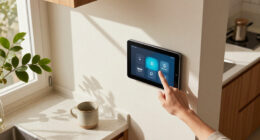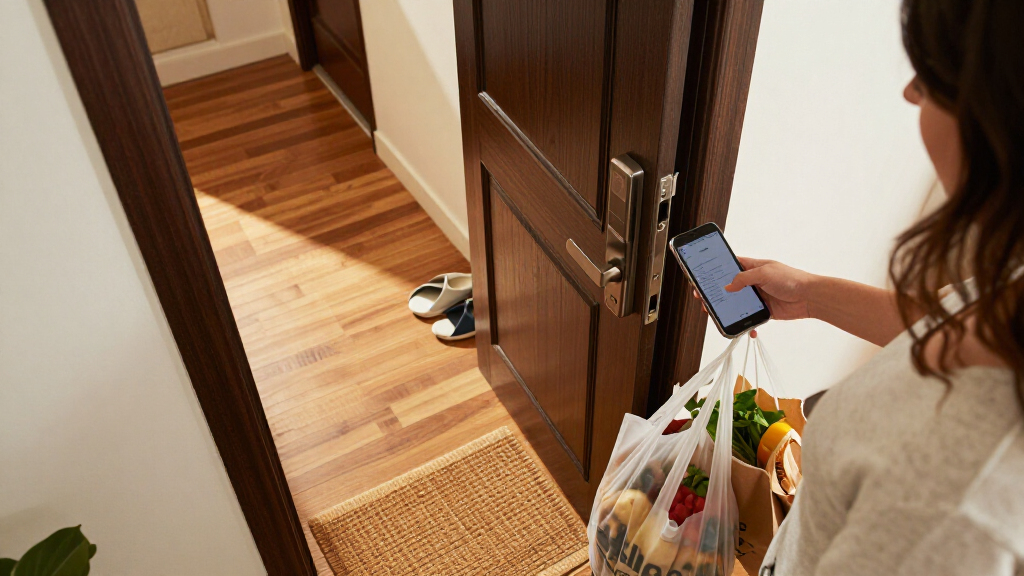
The best smart door locks combine dependable entry with access methods that fit your household; my best overall pick is the Schlage Encode WiFi Smart Deadbolt for shoppers who prioritize a recognized deadbolt design and built-in Wi-Fi. For fingerprint access, the eufy Security Smart Lock C220 is a standout, while the ULTRALOQ Bolt SE is a strong option for buyers interested in Matter over Thread. The main tradeoffs are connectivity, installation fit, access methods, and whether you want a deadbolt alone or a matching handle set. A feature-rich lock can be a poor fit if it does not suit your door or smart-home setup. Continue reading for the full breakdown of all 15 options and guidance on choosing the right one.

Get home appliances delivered free with Prime
- Fast, free delivery on millions of items
- Prime Video, Amazon Music and more included
- Member-only deals all year
Complete the kit



Key Takeaways
- The Schlage Encode WiFi Smart Deadbolt leads for buyers who want a conventional deadbolt format with Wi-Fi built in; its fit and setup still need to match the existing door.
- Fingerprint access is a major point of difference among the eufy C220, Wyze Lock Bolt v2, and several Veise and Philips models, but buyers should compare the full access setup rather than choosing by biometric entry alone.
- The ULTRALOQ Bolt SE stands apart for Matter over Thread, making smart-home compatibility a distinct reason to choose it over Wi-Fi-focused alternatives.
- Handle-set models solve a different problem from deadbolts alone: the Philips 4200 Series, Firstriver M6, Veise VE017G-H, and YOSIMIKA YA3 are relevant when a coordinated handle is part of the replacement.
- Several entries are close variants or overlap in purpose, including two Philips 4200 Series versions and multiple Veise models, so buyers should verify the exact finish, included hardware, and access features before ordering.
| Ulecoce U68 Fingerprint Keypad Deadbolt with Knob Set, Matte Black | 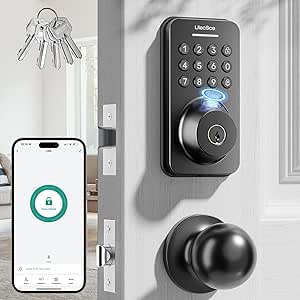 | Best for Flexible Access Sharing | Unlock methods: Fingerprint, keypad passcode, app, one-touch, physical key | Credential capacity: Up to 512 fingerprints and passcodes | Fingerprint recognition time: As little as 0.3 seconds | VIEW LATEST PRICE | See Our Full Breakdown |
| Philips 4200 Series Wi-Fi Keypad Deadbolt with Handle |  | Best for Direct Wi-Fi Setup | Model: DDL242X-1HW-L | Connectivity: 2.4 GHz Wi-Fi; no hub required | Unlock methods: Fingerprint, PIN code, app, voice assistant | VIEW LATEST PRICE | See Our Full Breakdown |
| ULTRALOQ Bolt SE Wi-Fi Smart Lock with Matter over Thread |  | Best for Matter and Weather Exposure | Connectivity: 2.4 GHz Wi-Fi and Matter over Thread | Matter requirement: Compatible Matter over Thread hub (Thread Border Router) | Access methods: Fingerprint, passcode, app, web portal, eKey, voice control, mechanical key | VIEW LATEST PRICE | See Our Full Breakdown |
| eufy Security Smart Lock C220 Fingerprint Keyless Entry Deadbolt |  | Best for Bridge-Free Remote Control | Model: T8506 | Lock type: Deadbolt | Unlock methods: Fingerprint, app, keypad, physical key, Apple Watch, Alexa or Google voice assistant | VIEW LATEST PRICE | See Our Full Breakdown |
| Firstriver M6 Wi-Fi Smart Front Door Lock Set |  | Best for Adjustable Auto-Lock | Model: M6 | Connectivity: Built-in 2.4 GHz Wi-Fi | Unlock methods: Fingerprint, app, passcode, IC card, mechanical key, remote app access, Alexa voice control | VIEW LATEST PRICE | See Our Full Breakdown |
| Wyze Lock Bolt v2 Wi-Fi Fingerprint Smart Deadbolt |  | Best for Flexible Entry | Model: WLCKB2 | Lock type: Biometric deadbolt with keypad | Connectivity: Wi-Fi | VIEW LATEST PRICE | See Our Full Breakdown |
| IULOCK Keypad & Key Smart Door Lock – Matte Black |  | Best for Weather Exposure | Model: IU-30 | Entry methods: Keypad and key | Keypad capacity: Up to 50 user codes | VIEW LATEST PRICE | See Our Full Breakdown |
| Veise DK012W Wi-Fi Smart Fingerprint Deadbolt, Matte Black |  | Best for Remote Access Management | Model: DK012W | Connectivity: Wi-Fi | Unlock methods: Fingerprint, passcode, key, app, and voice | VIEW LATEST PRICE | See Our Full Breakdown |
| Veise VE017G-H Wi-Fi Smart Door Lock Deadbolt with Handle Set, Matte Black |  | Best for a Matching Handle Set | Model: VE017G-H | Material: Aluminum and zinc alloy | Connectivity: Wi-Fi; separate gateway required for remote access | VIEW LATEST PRICE | See Our Full Breakdown |
| YOSIMIKA YA3 Smart Fingerprint Deadbolt Lock with Handle Set |  | Best for Flexible Auto-Lock Timing | Model: YA3H-Black | Connectivity: Bluetooth | Access methods: Fingerprint, passcode, key fob, app, physical key | VIEW LATEST PRICE | See Our Full Breakdown |
| Veise VE017 Fingerprint Smart Door Lock with App Control, Matte Black |  | Best for Fast Fingerprint Access | Unlock methods: Fingerprint, app, fob card, code, mechanical key, Alexa/Google voice via G1 Gateway, auto-lock | Connectivity: KK Home app; remote and voice features require optional G1 Gateway | Fingerprint recognition: Under 0.2 seconds | VIEW LATEST PRICE | See Our Full Breakdown |
| Yamiry YR01 Smart Door Lock with Keypad and Fingerprint Reader |  | Best for Easy DIY Installation | Model: YR01 | Unlock methods: Fingerprint, Bluetooth app, passcode, key fob, mechanical key, Alexa | Remote access: Requires separately sold Wi-Fi gateway | VIEW LATEST PRICE | See Our Full Breakdown |
| Philips 4200 Series Wi-Fi Smart Door Lock with Handle, Fingerprint and Keypad, Satin Nickel |  | Best for a Matching Handle Set | Model: DDL242X-1HW | Finish: Satin nickel | Connectivity: 2.4 GHz Wi-Fi; no hub required | VIEW LATEST PRICE | See Our Full Breakdown |
| Schlage Encode WiFi Smart Deadbolt with Century Trim, Matte Black |  | Best for High Code Capacity | Model: BE489WBCEN622 | Finish and trim: Matte black, Century trim | Connectivity: Built-in Wi-Fi | VIEW LATEST PRICE | See Our Full Breakdown |
| Philips Wi-Fi Smart Deadbolt Lock with Keyless Entry |  | Best for Remote Passcode Sharing | Model: DDL242X-1HW | Connectivity: Built-in 2.4 GHz Wi-Fi; no hub required | Unlock methods: App, passcode, fingerprint, physical key, Alexa, Google Assistant | VIEW LATEST PRICE | See Our Full Breakdown |
| smart door lock | Model | Connectivity | Unlock methods |
|---|---|---|---|
| Ulecoce U68 Fingerprint Keypad | — | — | Fingerprint, keypad passcode, app, one-touch, physical key |
| Philips 4200 Series Wi-Fi Keyp | DDL242X-1HW-L | 2.4 GHz Wi-Fi; no hub required | Fingerprint, PIN code, app, voice assistant |
| ULTRALOQ Bolt SE Wi-Fi Smart L | — | 2.4 GHz Wi-Fi and Matter over Thread | — |
| eufy Security Smart Lock C220 | T8506 | Built-in Wi-Fi | Fingerprint, app, keypad, physical key, Apple Watch, Alexa or Google voice assistant |
| Firstriver M6 Wi-Fi Smart Fron | M6 | Built-in 2.4 GHz Wi-Fi | Fingerprint, app, passcode, IC card, mechanical key, remote app access, Alexa voice control |
| Wyze Lock Bolt v2 Wi-Fi Finger | WLCKB2 | Wi-Fi | — |
| IULOCK Keypad & Key Smart Door | IU-30 | — | — |
| Veise DK012W Wi-Fi Smart Finge | DK012W | Wi-Fi | Fingerprint, passcode, key, app, and voice |
| Veise VE017G-H Wi-Fi Smart Doo | VE017G-H | Wi-Fi; separate gateway required for remote access | — |
| YOSIMIKA YA3 Smart Fingerprint | YA3H-Black | Bluetooth | — |
| Veise VE017 Fingerprint Smart | — | KK Home app; remote and voice features require optional G1 Gateway | Fingerprint, app, fob card, code, mechanical key, Alexa/Google voice via G1 Gateway, auto-lock |
| Yamiry YR01 Smart Door Lock wi | YR01 | — | Fingerprint, Bluetooth app, passcode, key fob, mechanical key, Alexa |
| Philips 4200 Series Wi-Fi Smar | DDL242X-1HW | 2.4 GHz Wi-Fi; no hub required | Fingerprint, PIN code, app, Alexa, Google Assistant |
| Schlage Encode WiFi Smart Dead | BE489WBCEN622 | Built-in Wi-Fi | — |
| Philips Wi-Fi Smart Deadbolt L | DDL242X-1HW | Built-in 2.4 GHz Wi-Fi; no hub required | App, passcode, fingerprint, physical key, Alexa, Google Assistant |
More Details on Our Top Picks
Ulecoce U68 Fingerprint Keypad Deadbolt with Knob Set, Matte Black
The Ulecoce U68 suits households that want several ways to get in and room for many enrolled users: it stores up to 512 fingerprints and passcodes, and its app supports temporary and scheduled codes. Fingerprint, keypad, app, one-touch, and key entry give family members alternatives if one method is inconvenient. Compared with the Philips 4200 Series Wi-Fi Keypad Deadbolt, this lock offers much greater stated credential capacity, but Philips connects directly to Wi-Fi for remote control. The U68’s app unlocking works only within 5 meters; remote and voice functions need a separately sold gateway. Its adjustable auto-lock, five backup keys, and three-year warranty add practical reassurance, though the extra gateway is a meaningful added requirement for buyers who want control from away from home.
Pros:- Stores up to 512 fingerprints and passcodes, far more than the ULTRALOQ Bolt SE’s stated 50 for each credential type.
- Five entry methods give household members alternatives to fingerprint access.
- App supports temporary and scheduled access codes.
- Includes five backup keys and a three-year warranty.
Cons:- Remote and voice control require a separately sold Ulecoce gateway.
- App-based unlocking is limited to a 5-meter range.
- Alexa and Google Assistant support depends on the additional gateway.
Best for: Large households, shared homes, or hosts who need many fingerprint and code slots plus temporary guest access.
Not ideal for: Buyers who want remote access or voice control out of the box, or who need to unlock the door through the app from beyond a few meters.
- Unlock methods:Fingerprint, keypad passcode, app, one-touch, physical key
- Credential capacity:Up to 512 fingerprints and passcodes
- Fingerprint recognition time:As little as 0.3 seconds
- App unlocking range:Within 5 meters
- Auto-lock delay:5–60 seconds
- Voice assistant support:Alexa and Google Assistant with separately sold Ulecoce gateway
- Door compatibility:Left- or right-hand doors
- Included keys and warranty:Five backup keys; 3-year warranty
Our verdict“Choose the U68 if a large household needs plentiful credentials and multiple entry methods, but skip it if you expect built-in remote access.”
Philips 4200 Series Wi-Fi Keypad Deadbolt with Handle
The Philips 4200 Series is a strong match for buyers who want remote app access without purchasing a separate hub: it connects directly to 2.4 GHz Wi-Fi and also supports Alexa and Google Assistant. Permanent, one-time, periodic, and recurring PINs make it easier to give different people access on different terms. Its included lever set is a practical advantage over deadbolt-only options such as the eufy Security Smart Lock C220, which is designed to fit an existing deadbolt rather than replace the handle set. Philips also adds fingerprint entry and an adjustable auto-lock timer. The tradeoffs are a recommended router distance of 33 feet, batteries that are not included, and auto-lock that must be enabled in the app; buyers should check those details before installation.
Pros:- Direct 2.4 GHz Wi-Fi enables remote app control without a separate hub.
- Supports permanent, one-time, periodic, and recurring PIN codes.
- Includes two matching door levers and installation hardware.
- Works with Alexa and Google Assistant.
Cons:- Batteries are not included.
- Wi-Fi performance guidance calls for placement within 33 feet of the router.
- Auto-lock is off by default and needs to be enabled in the app.
Best for: Homeowners who want a coordinated deadbolt-and-lever set with remote app access and several types of PIN codes, without a separate hub.
Not ideal for: People with no nearby 2.4 GHz Wi-Fi, buyers who want batteries included, or households that prefer auto-lock to be active out of the box.
- Model:DDL242X-1HW-L
- Connectivity:2.4 GHz Wi-Fi; no hub required
- Unlock methods:Fingerprint, PIN code, app, voice assistant
- PIN code types:Permanent, one-time, periodic, recurring
- Auto-lock timer:0–180 seconds
- Battery life and type:Up to 6 months; 1.5 V alkaline batteries, not included
- Compatible door thickness:1-3/8 to 1-3/4 inches (38–50 mm)
- Included components:Smart lock, two door levers, latch assembly, mounting hardware, user manual
Our verdict“Pick the Philips 4200 if you want a Wi-Fi-connected lock and matching lever set in one package, and can provide nearby 2.4 GHz coverage.”
ULTRALOQ Bolt SE Wi-Fi Smart Lock with Matter over Thread
The ULTRALOQ Bolt SE stands apart for pairing Matter over Thread support with an IP65 weather-resistance rating. That combination makes it a distinctive choice for buyers building a compatible smart-home system or seeking a lock rated for exposure to dust and water. Entry options extend beyond fingerprint and passcode to an app, web portal, eKey, voice control, and mechanical keys; activity history and low-battery alerts help with day-to-day management. Compared with the eufy Security Smart Lock C220, ULTRALOQ offers Thread and Matter compatibility, while eufy lists built-in Wi-Fi without a bridge. The catch is that Matter over Thread needs a compatible hub, and the ULTRALOQ supports only 50 fingerprints and 50 passcodes. A door sensor is not included, so it cannot report door position by itself.
Pros:- Supports both 2.4 GHz Wi-Fi and Matter over Thread.
- IP65 rating provides stronger stated water and dust resistance than the eufy C220’s IP53 rating.
- Includes fingerprint, passcode, app, web portal, eKey, voice, and mechanical-key access.
- Lists up to 18 months of battery life and lifetime mechanical coverage.
Cons:- Matter over Thread requires a compatible hub or Thread Border Router.
- Credential capacity is limited to 50 fingerprints and 50 passcodes.
- Door sensor is not included.
Best for: Smart-home owners with a compatible Thread Border Router who want Matter connectivity, multiple access methods, and an IP65-rated lock.
Not ideal for: Buyers seeking a ready-to-use Matter setup without a Thread hub, a lock with a door sensor included, or capacity for more than 50 fingerprints or passcodes.
- Connectivity:2.4 GHz Wi-Fi and Matter over Thread
- Matter requirement:Compatible Matter over Thread hub (Thread Border Router)
- Access methods:Fingerprint, passcode, app, web portal, eKey, voice control, mechanical key
- Credential capacity:Up to 50 fingerprints and 50 passcodes
- Battery life:Up to 18 months
- Water resistance:IP65
- Material:Zinc alloy
- Warranty:Lifetime mechanical coverage; 18-month electronic coverage
Our verdict“Choose the Bolt SE if you already have compatible Thread equipment and value Matter support and weather resistance over high credential capacity.”
eufy Security Smart Lock C220 Fingerprint Keyless Entry Deadbolt
The eufy Security Smart Lock C220 is a straightforward pick for buyers who want remote control without adding a bridge: built-in Wi-Fi connects the deadbolt to the app, while fingerprint, keypad, physical-key, Apple Watch, and voice options cover different routines. It also includes eight AA batteries, unlike the Philips 4200 Series Wi-Fi Keypad Deadbolt, whose batteries are sold separately. The C220 is designed to fit most standard deadbolts without drilling, a useful distinction from a full lock-and-handle replacement such as Philips. Auto-lock, alerts, IP53 water resistance, and BHMA Grade 3 certification add practical context beyond its entry methods. The tradeoff is the eight-battery setup and an estimated battery life of up to eight months, which varies with use; it also lacks the ULTRALOQ Bolt SE’s stated IP65 rating.
Pros:- Built-in Wi-Fi provides remote control without a separate bridge.
- Offers fingerprint, app, keypad, physical key, Apple Watch, and voice-assistant entry.
- Includes eight AA batteries and two keys.
- Lists BHMA Grade 3 certification and IP53 water resistance.
Cons:- Uses eight AA batteries, with battery life of up to eight months depending on use.
- Does not include a matching handle set.
- Its IP53 rating is below the ULTRALOQ Bolt SE’s IP65 rating.
Best for: Homeowners who want built-in Wi-Fi and several unlocking choices while keeping an existing standard deadbolt and handle.
Not ideal for: Buyers who need a matching handle set, Matter over Thread, or longer stated battery life and stronger water resistance than IP53.
- Model:T8506
- Lock type:Deadbolt
- Unlock methods:Fingerprint, app, keypad, physical key, Apple Watch, Alexa or Google voice assistant
- Connectivity:Built-in Wi-Fi
- Battery:Eight AA batteries included; up to 8 months
- Certification:BHMA Grade 3
- Water resistance:IP53
- Installation:Fits most standard deadbolts; about 15 minutes without drilling
Our verdict“Choose the C220 if you want bridge-free remote control on an existing deadbolt, but look elsewhere for a complete handle set or higher weather-resistance rating.”
Firstriver M6 Wi-Fi Smart Front Door Lock Set
The Firstriver M6 combines a deadbolt and handle set with a broad menu of entry methods, including fingerprint, passcode, IC card, app, mechanical key, and Alexa voice control. Its 5–900-second auto-lock range is especially flexible: compared with the Philips 4200 Series’ 0–180-second timer, it gives buyers more time to carry groceries or step back through the door before locking. Built-in 2.4 GHz Wi-Fi supports remote app access, activity alerts, and guest passcodes, while one-touch locking simplifies leaving home. The package includes fobs, keys, and installation parts, and installation uses a screwdriver. Still, Alexa voice control requires an Alexa speaker, Wi-Fi is limited to 2.4 GHz, and the one-year warranty is shorter than the three years listed for the Ulecoce U68.
Pros:- Combines a deadbolt and handle set with several entry methods, including IC card and mechanical key.
- Auto-lock can be set from 5 to 900 seconds, a wider range than the Philips 4200 Series.
- Built-in Wi-Fi supports remote app access, activity alerts, and guest passcodes.
- Designed for screwdriver-only DIY installation and includes fobs and keys.
Cons:- Wi-Fi supports 2.4 GHz only.
- Alexa voice control requires an Alexa speaker.
- One-year warranty is shorter than the Ulecoce U68’s three-year coverage.
Best for: Households wanting a complete lock-and-handle set, multiple entry options, guest codes, and a long adjustable auto-lock delay.
Not ideal for: Buyers who need 5 GHz Wi-Fi support, voice control without an Alexa speaker, or a longer stated warranty.
- Model:M6
- Connectivity:Built-in 2.4 GHz Wi-Fi
- Unlock methods:Fingerprint, app, passcode, IC card, mechanical key, remote app access, Alexa voice control
- Fingerprint unlock time:0.3 seconds
- Auto-lock timer:5–900 seconds
- Included components:Handle set, deadbolt assemblies, latch, fobs, keys, installation hardware, manuals
- Installation:DIY installation with a screwdriver
- Warranty:1 year
Our verdict“Pick the M6 if you want a full handle set and unusually flexible auto-lock timing, provided 2.4 GHz Wi-Fi and an Alexa speaker suit your setup.”
Wyze Lock Bolt v2 Wi-Fi Fingerprint Smart Deadbolt
The Wyze Lock Bolt v2 suits households that want several ways through the door without relying on a phone. It combines fingerprint, keypad, app, and physical-key entry, and its scanner is designed to learn with use for quick recognition. Compared with the IULOCK IU-30, it adds fingerprint access and Wi-Fi app control, while the IULOCK offers longer stated battery life and stronger weather protection. Auto-lock and tamper alarms add useful oversight, and USB-C emergency power gives you an option if the batteries run down.
The tradeoff is battery upkeep: this lock takes eight AA batteries, and remote app control depends on Wi-Fi. Its IP53 rating is also less weather-resistant than the IP65-rated IULOCK and Veise DK012W. I’d choose it for access flexibility, not for the lowest-maintenance setup.
Pros:- Offers fingerprint, app, keypad, and physical-key entry
- Fingerprint scanner is designed to learn with use
- Auto-lock and tamper alarms support everyday security routines
- USB-C emergency power and stated battery life of up to eight months
Cons:- Uses eight AA batteries
- Remote app control depends on Wi-Fi
- IP53 protection is below the IP65 rating of the IULOCK IU-30 and Veise DK012W
Best for: Households that want fingerprint entry alongside keypad, app, and keyed backup access.
Not ideal for: Buyers seeking fewer batteries to replace or stronger stated weather resistance than IP53.
- Model:WLCKB2
- Lock type:Biometric deadbolt with keypad
- Connectivity:Wi-Fi
- Entry methods:Fingerprint, app, keypad, physical key
- Keypad capacity:Up to 50 codes
- Fingerprint capacity:Up to 50 fingerprints
- Battery:Eight AA batteries; up to eight months of battery life
- Weather resistance:IP53
- Emergency power:USB-C
Our verdict“Choose the Wyze if you want multiple entry methods and fingerprint access, but look to the IULOCK IU-30 for stronger weather protection and longer stated battery life.”
IULOCK Keypad & Key Smart Door Lock – Matte Black
The IULOCK IU-30 is the straightforward choice here for homes where rain and outdoor exposure matter more than fingerprint or app features. Its IP65 rating and backlit keypad make code entry practical in wet or dim conditions, while capacity for up to 50 user codes suits families, guests, or rotating access needs. Compared with the Wyze Lock Bolt v2, it gives up fingerprint and app entry, but it uses four AAA batteries rather than eight AA and has a longer stated battery life of up to 18 months.
Passage and silent modes add flexibility for daily use, though this is still a keypad-and-key lock rather than a connected smart deadbolt with remote management. The product information also describes tool-free installation while listing a screwdriver among the included components; buyers should expect to handle fit and latch alignment. Its knob-style form may feel bulkier than a conventional deadbolt.
Pros:- IP65 weather protection
- Stores up to 50 customizable user codes
- Backlit keypad with passage and silent modes
- Stated battery life of up to 18 months with USB-C backup power
Cons:- Does not list fingerprint or app entry
- Uses four AAA batteries, which require replacement
- Knob may be bulkier than a traditional deadbolt
Best for: Homeowners who want weather-resistant keypad access and many user codes without needing app or fingerprint control.
Not ideal for: Buyers who need remote access management, fingerprint unlocking, or a slimmer deadbolt-style setup.
- Model:IU-30
- Entry methods:Keypad and key
- Keypad capacity:Up to 50 user codes
- Weather resistance:IP65
- Battery:Four AAA batteries; up to 18 months
- Backup power:USB Type-C
- Door thickness:1-3/8 to 2-1/2 inches
- Modes:Auto-lock, passage, and silent
- Warranty:Lifetime limited mechanical and finish warranty; one-year limited electronics warranty
Our verdict“Pick the IULOCK IU-30 for weather-resistant, code-based access, but choose the Wyze Lock Bolt v2 if fingerprint and app entry matter more.”
Veise DK012W Wi-Fi Smart Fingerprint Deadbolt, Matte Black
The Veise DK012W is the strongest fit in this group for people who want a connected lock with useful oversight beyond simply opening the door. Its remote app control, activity logs, and alerts help owners keep track of access, while scheduled auto-locking can reduce the chance of leaving the deadbolt open. It also supports fingerprint, passcode, key, app, and voice access, with room for up to 50 fingerprints. Compared with the YOSIMIKA YA3, it offers Wi-Fi connectivity directly in the listed feature set, while the YA3 relies on Bluetooth and requires a separate gateway for remote unlocking.
The Veise’s IP65 rating and BHMA Grade 3 certification add useful protection credentials, but it takes eight AA batteries that are not included. Its stated fingerprint capacity is generous, though buyers who want fewer batteries to manage may prefer the IULOCK IU-30’s four-AAA setup. Check the listed door-thickness range before ordering.
Pros:- Remote app management, activity logs, and alerts
- Supports fingerprint, passcode, key, app, and voice access
- Scheduled auto-lock delay can be set from 10 to 180 seconds
- IP65 rating and BHMA Grade 3 certification
Cons:- Requires eight AA batteries, not included
- Fingerprint storage is limited to 50
- Fits doors 1-3/8 to 2 inches thick, so other door sizes are outside the stated range
Best for: Owners who want remote app access, access history, alerts, and scheduled locking for a standard US door.
Not ideal for: Buyers who want a battery-efficient setup or need capacity beyond 50 stored fingerprints.
- Model:DK012W
- Connectivity:Wi-Fi
- Unlock methods:Fingerprint, passcode, key, app, and voice
- Fingerprint capacity:Up to 50
- Auto-lock delay:10–180 seconds
- Security certification:BHMA Grade 3
- Weather resistance:IP65
- Power:Eight AA batteries, not included
- Door thickness:1-3/8 to 2 inches
Our verdict“Choose the DK012W for connected access tracking and scheduled locking; consider the YOSIMIKA YA3 if you prefer Bluetooth operation and a separate gateway is acceptable.”
Veise VE017G-H Wi-Fi Smart Door Lock Deadbolt with Handle Set, Matte Black
The Veise VE017G-H makes the most sense when replacing a deadbolt and handle together, rather than adding smart features to an existing deadbolt alone. Its Wi-Fi control, voice compatibility, and activity logs put remote management at the center of the experience, while the handle-set format gives the entry hardware a coordinated look. The listed fingerprint response time is 0.2 seconds, and the lock supports flexible code sharing and anti-peeping security. Compared with the Veise DK012W, this model is the more natural fit for a full handle-and-deadbolt refresh; the DK012W instead specifies capacity for up to 50 fingerprints and scheduled auto-locking.
There is a connectivity caveat: the product details say a separate Wi-Fi gateway is required for remote access, so the Wi-Fi label alone does not tell the full setup story. It also uses four AA batteries, not included, and stores 20 or more fingerprints. Its ANSI Grade 3/BHMA certification is useful context, but this is not the pick for buyers who want the largest stated fingerprint capacity.
Pros:- Combines a smart deadbolt with a handle set
- Lists Wi-Fi control, voice compatibility, and activity logs
- Fingerprint recognition is specified at 0.2 seconds
- Fits standard doors 1-3/8 to 2 inches thick
Cons:- Remote access requires a separate Wi-Fi gateway
- Four AA batteries are not included
- Fingerprint capacity is listed as 20 or more, below the DK012W’s stated 50
Best for: Homeowners replacing both the entry handle and deadbolt who want app, voice, and activity-log features.
Not ideal for: Buyers who want remote access without an additional gateway or need a stated fingerprint capacity higher than 20-plus.
- Model:VE017G-H
- Material:Aluminum and zinc alloy
- Connectivity:Wi-Fi; separate gateway required for remote access
- Fingerprint response:0.2 seconds
- Fingerprint capacity:20 or more
- Power:Four AA batteries, not included
- Battery life:300+ days
- Door thickness:1-3/8 to 2 inches
- Certification:ANSI Grade 3 and BHMA
Our verdict“Choose the VE017G-H when you want a coordinated handle-and-deadbolt replacement, but favor the DK012W if higher fingerprint capacity and scheduled auto-locking matter more.”
YOSIMIKA YA3 Smart Fingerprint Deadbolt Lock with Handle Set
The YOSIMIKA YA3 stands out for buyers who want flexible entry methods and control over how quickly the door locks behind them. It supports fingerprint, passcode, key fob, app, and physical key, with an auto-lock range from five seconds to 15 minutes. That broad timing window can suit both quick exits and households that need more time to get through the door. Compared with the Veise VE017G-H, the YA3 lists key-fob access and a longer auto-lock adjustment range, while the Veise specifies Wi-Fi but requires a separate gateway for remote access.
The YA3 uses Bluetooth, and remote unlocking requires a separate gateway, so app access at home is not the same as controlling the lock from anywhere. Its 0.3-second fingerprint time and 99.99% accuracy are manufacturer-stated claims, not guarantees for every user. The set includes three IC cards and two backup keys, but its zinc construction and stated dimensions make checking the door and hardware fit sensible before purchase.
Pros:- Offers fingerprint, passcode, key-fob, app, and physical-key entry
- Auto-lock can be set from 5 to 900 seconds
- Includes three IC cards and two backup keys
- Supports app-based access management and access logs
Cons:- Remote unlocking requires a separate gateway
- Uses Bluetooth rather than listed Wi-Fi connectivity
- Fingerprint speed and accuracy figures are manufacturer-stated claims
Best for: Households that want several entry methods, key fobs, and a wide range of auto-lock timing options.
Not ideal for: Buyers who need remote unlocking out of the box or prefer a lock with a stated Wi-Fi connection.
- Model:YA3H-Black
- Connectivity:Bluetooth
- Access methods:Fingerprint, passcode, key fob, app, physical key
- Auto-lock:5–900 seconds
- Fingerprint unlock time:0.3 seconds, manufacturer-stated
- Fingerprint recognition accuracy:99.99%, manufacturer-stated
- Voice assistants:Amazon Alexa and Google Assistant
- Material:Zinc
- Included access cards and keys:Three IC cards and two backup keys
Our verdict“Pick the YA3 if key fobs and adjustable auto-lock timing are priorities, but choose the Veise VE017G-H if you want a Wi-Fi-listed handle set and can account for its gateway requirement.”
Veise VE017 Fingerprint Smart Door Lock with App Control, Matte Black
The Veise VE017 suits households that want several ways to enter without relying on a phone: fingerprint, code, fob, or mechanical key are all available. Its on-device fingerprint processing is specified to recognize prints in under 0.2 seconds, while AES-128 local credential storage keeps access data on the lock. Compared with the Yamiry YR01, it adds stated local encryption and remote user management through its app, giving it a stronger privacy angle. The tradeoff is that remote access and voice control require the separately sold G1 Gateway; without it, some connected features are out of reach. DIY installation is described as taking about 15 minutes without drilling, but the four AA batteries are not included. I’d choose it for quick, flexible entry—not for buyers who want every remote feature ready out of the box.
Pros:- Fingerprint recognition is specified at under 0.2 seconds.
- Fingerprint, app, fob, code, mechanical key, and voice options provide flexible entry.
- AES-128 local storage keeps credentials on the lock.
- App-based user management and activity logs are available.
Cons:- Remote features and voice control require the separately sold G1 Gateway.
- Four AA batteries are not included.
- Full connected functionality depends on the app and internet access.
Best for: Households that want fast fingerprint entry, local credential storage, and several backup ways to unlock.
Not ideal for: Buyers who need remote access or voice control immediately without purchasing a separate gateway, or who want batteries included.
- Unlock methods:Fingerprint, app, fob card, code, mechanical key, Alexa/Google voice via G1 Gateway, auto-lock
- Connectivity:KK Home app; remote and voice features require optional G1 Gateway
- Fingerprint recognition:Under 0.2 seconds
- Credential storage:AES-128 local storage
- Material:All-zinc alloy, all-metal
- Water resistance:IP55
- Power:Four AA/LR6 alkaline batteries, not included
- Battery life:Approximately 12 months
Our verdict“Choose the VE017 if fast fingerprint access and locally stored credentials matter more than having remote features ready without extra hardware.”
Yamiry YR01 Smart Door Lock with Keypad and Fingerprint Reader
The Yamiry YR01 is a practical pick for buyers who want multiple entry methods without a complicated installation: it is designed for standard American wooden doors, uses a screwdriver, and is described as taking about 10 minutes to fit. Its reversible handle helps with left- or right-handed doors, while the included two fobs and two mechanical keys give a household useful backups from the start. Compared with the Veise VE017, the YR01’s strongest case is its straightforward fit and included accessories, rather than the Veise’s stated local AES-128 credential storage. The app supports temporary and one-time passcodes plus unlock history, but remote access and Alexa require a separate Wi-Fi gateway. That makes it less appealing to anyone expecting direct Wi-Fi control out of the box. I’d shortlist it for a simple DIY upgrade with flexible access sharing.
Pros:- Six listed unlocking methods cover fingerprint, app, passcode, fob, key, and Alexa.
- App supports temporary and one-time passcodes.
- Unlock records help owners keep track of access.
- Reversible handle and screwdriver installation suit many standard wooden doors.
Cons:- Remote access and Alexa control require a separately sold Wi-Fi gateway.
- Compatibility is specified for most standard American wooden doors, not every door type.
Best for: DIY-focused households with standard wooden doors that want included fobs, keys, and temporary passcode sharing.
Not ideal for: Buyers who want remote control or Alexa access without buying a separate Wi-Fi gateway.
- Model:YR01
- Unlock methods:Fingerprint, Bluetooth app, passcode, key fob, mechanical key, Alexa
- Remote access:Requires separately sold Wi-Fi gateway
- Installation:DIY with screwdriver; approximately 10 minutes
- Door compatibility:Most standard American wooden doors
- Handle:Reversible for left- or right-handed doors
- Included keys and fobs:Two key fobs and two mechanical keys
- Included hardware:Exterior and interior assemblies, screw set, adjustable latch
Our verdict“Pick the YR01 for a beginner-friendly DIY installation and handy included keys and fobs, provided you can live without direct remote access.”
Philips 4200 Series Wi-Fi Smart Door Lock with Handle, Fingerprint and Keypad, Satin Nickel
The Philips 4200 Series is a good fit for buyers replacing both a deadbolt and door levers, since the matching handle set comes in the box. It connects directly to 2.4 GHz Wi-Fi, so app-based remote control does not call for a separate hub, and it supports Alexa and Google Assistant. Fingerprint entry is specified at 0.3 seconds, while PIN options and an adjustable 0–180-second auto-lock timer give households alternatives when hands are full or the door needs to relock on its own. Compared with the Schlage Encode, this Philips includes the handle set and fingerprint entry, while Schlage offers capacity for up to 100 access codes. The Philips’s main constraints are its specified door-thickness range and eight AA batteries, which are not included. I’d favor it when a coordinated lock-and-handle replacement is the priority.
Pros:- Matching door levers and lock are included in one set.
- Built-in 2.4 GHz Wi-Fi enables remote app control without a hub.
- Fingerprint, PIN, app, and voice assistant access provide varied entry options.
- Auto-lock timing can be set from 0 to 180 seconds.
Cons:- Requires eight AA alkaline batteries, which are not included.
- Fits doors only 1-3/8 to 1-3/4 inches thick.
- Schlage Encode supports up to 100 access codes, a stated capacity advantage over this model.
Best for: Homeowners replacing a deadbolt and lever together who want direct Wi-Fi, fingerprint entry, and a matching finish.
Not ideal for: Buyers whose doors fall outside the specified thickness range or who want to avoid sourcing eight AA batteries.
- Model:DDL242X-1HW
- Finish:Satin nickel
- Connectivity:2.4 GHz Wi-Fi; no hub required
- Unlock methods:Fingerprint, PIN code, app, Alexa, Google Assistant
- Fingerprint unlock time:0.3 seconds
- Auto-lock setting:0–180 seconds
- Compatible door thickness:1-3/8 to 1-3/4 inches (38–50 mm)
- Power:Eight AA alkaline batteries, not included
- Included components:Smart lock, two door levers, latch assembly, mounting hardware, user manual
Our verdict“Choose this Philips if you want a direct-Wi-Fi lock and matching handle set, and your door fits its specified thickness range.”
Schlage Encode WiFi Smart Deadbolt with Century Trim, Matte Black
The Schlage Encode stands out for households that manage access for many people: it stores up to 100 access codes and provides lock history through the Schlage Home app. Built-in Wi-Fi supports remote monitoring without a separate hub, while the included physical key offers a straightforward backup. Its customizable alarm and auto-lock add useful controls beyond basic keypad entry. Compared with the Philips 4200 Series, Encode gives buyers a clearly stated 100-code capacity, while the Philips adds fingerprint access and a matching handle set. The Schlage’s tradeoff is power demand: its four included AA batteries are specified to last up to six months with typical use, shorter than the roughly year-long estimate listed for the Veise VE017. Remote and voice features also rely on Wi-Fi and the app. I’d pick it for code-heavy access management, not for fingerprint-first entry.
Pros:- Supports up to 100 access codes.
- Built-in Wi-Fi enables remote control and monitoring without an additional hub.
- Lock history, customizable alarm, and auto-lock add access oversight.
- Includes four AA batteries and a physical backup key.
Cons:- Battery life is specified as up to six months with typical use.
- Remote and voice features depend on Wi-Fi and the Schlage Home app.
- Unlike the Philips 4200 Series, it does not list fingerprint entry or an included matching handle set.
Best for: Landlords or busy households that need to issue and manage access codes for many people without adding a hub.
Not ideal for: Fingerprint-focused buyers or anyone seeking longer stated battery life than the up-to-six-month estimate.
- Model:BE489WBCEN622
- Finish and trim:Matte black, Century trim
- Connectivity:Built-in Wi-Fi
- Access code capacity:Up to 100 codes
- Door thickness:1-3/8 to 1-3/4 inches
- Backset:2-3/8 or 2-3/4 inches
- Power:Four AA batteries, included
- Battery life:Up to six months with typical use
- Warranty:Limited lifetime mechanical and finish; limited three-year electronics
Our verdict“Choose the Encode if managing a large roster of access codes matters more than fingerprint entry or longer battery intervals.”
Philips Wi-Fi Smart Deadbolt Lock with Keyless Entry
This Philips Wi-Fi Smart Deadbolt is suited to owners who want to handle guest access remotely: built-in 2.4 GHz Wi-Fi supports app control, alerts, access history, and up to 100 custom passcodes, including temporary or scheduled codes. Fingerprint, physical key, app, and voice control add alternatives if a code is inconvenient. Compared with the Schlage Encode, it offers fingerprint entry and describes temporary or scheduled passcodes, while both provide built-in Wi-Fi and capacity for up to 100 codes. The stated fit range extends to doors 2 inches thick, wider than the range listed for the Philips 4200 Series. On the other hand, this model does not include a door sensor, and its AA alkaline batteries are not included. I’d choose it for remote code management, but buyers wanting door-open sensing should look elsewhere.
Pros:- Built-in 2.4 GHz Wi-Fi supports remote access and alerts without a hub.
- Stores up to 100 custom passcodes, including temporary or scheduled codes.
- Fingerprint, passcode, app, physical key, and voice options provide multiple entry routes.
- Auto-lock timer and Away Mode add configurable security controls.
Cons:- AA alkaline batteries are not included.
- A door sensor is not included.
- Supports 2.4 GHz Wi-Fi only.
Best for: Hosts and households that regularly grant temporary or scheduled access and want to manage codes remotely.
Not ideal for: Buyers who need a door sensor included, use only 5 GHz Wi-Fi, or want batteries supplied.
- Model:DDL242X-1HW
- Connectivity:Built-in 2.4 GHz Wi-Fi; no hub required
- Unlock methods:App, passcode, fingerprint, physical key, Alexa, Google Assistant
- Maximum passcodes:100 custom passcodes
- Passcode options:Temporary or scheduled codes
- Auto-lock timer:10–180 seconds
- Compatible door thickness:1-3/8 to 2 inches (38–50 mm)
- Batteries:AA alkaline (LR6), not included
- Door sensor:Not included
Our verdict“Pick this Philips for remote management of a large set of temporary or scheduled codes, unless an included door sensor is a requirement.”
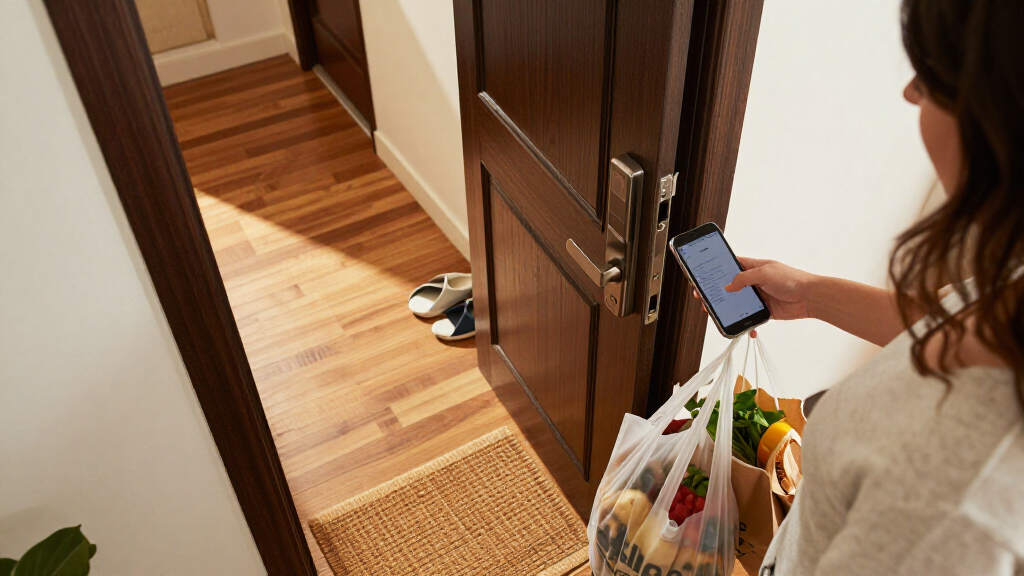
How We Picked
I compared these 15 locks by the things that change the buying decision: access methods, connectivity, smart-home compatibility, lock format, installation fit, and the amount of door hardware included. I gave weight to options that clearly serve a distinct use, such as the Schlage Encode for built-in Wi-Fi, the ULTRALOQ Bolt SE for Matter over Thread, and the fingerprint-focused eufy C220. I also considered how much setup or compatibility checking a buyer may need before installation.
The order reflects the breadth of use and clarity of the product’s role, not a claim that one lock suits every door. Models with distinct connectivity or a well-defined use case rank ahead of products that appear to overlap heavily with other entries. I treat close variants—such as the two Philips 4200 Series listings and several Veise locks—as separate choices because finish, included handle hardware, and feature configuration can affect fit. Before buying, confirm the exact model’s specifications and your door measurements.
Factors to Consider When Choosing Best Smart Door Locks
The feature list is only part of the decision. I would start with your door, household routines, and smart-home setup, then decide which added capabilities justify extra installation or maintenance work.
Check Door Fit Before Comparing Features
Smart locks are not universal replacements, even when they look similar in product photos. Measure the door thickness, backset, bore hole, and spacing between the deadbolt and handle before ordering, then compare those measurements with the exact model’s requirements. A deadbolt-only lock and a lock set with a handle solve different hardware needs, so do not assume a handle is included. If your door has a nonstandard layout, confirm compatibility with the manufacturer rather than relying on a general claim that installation is easy. This check can prevent a capable lock from becoming an inconvenient return.
Choose Connectivity Around Your Home Network
Wi-Fi can allow remote control without a separate hub, but it adds another device to your home network and may affect battery life. Thread-based options such as the ULTRALOQ Bolt SE call for a compatible smart-home setup, so check what equipment and platforms you already own. A lock controlled locally by keypad or fingerprint may still meet your needs if remote access is not a priority. Think through who needs to operate the lock and from where: a household that wants to manage access while away has different needs from one that mainly wants keyless entry at the door. Avoid buying for a connectivity standard you do not plan to use.
Match Access Methods to Household Routines
Keypads, fingerprints, physical keys, and app control each address different habits. A keypad can work well for visitors who should not receive a physical key, while fingerprint entry may reduce the need to remember a code for regular users. A physical-key backup can matter if batteries run out or an electronic feature is unavailable. Consider whether children, older adults, guests, or service providers will use the lock, and whether they can comfortably use its chosen method. More entry methods can add flexibility, but they can also add setup and management tasks.
Decide Whether You Need a Deadbolt or a Full Handle Set
If your existing handle is in good condition, a deadbolt-only replacement may be the simpler route. If you are changing the look or condition of the full entry hardware, a model bundled with a handle may save you from coordinating separate finishes and fit requirements. A set can also mean more installation steps and more measurements, so compare what is actually included in the package. Check whether the handle and lock are intended for your door handing and layout. Choosing the right format matters more than selecting the longest feature list.
Plan for Battery Changes and Backup Entry
Electronic locks need a plan for power loss, whether that means keeping fresh batteries on hand, using a physical key, or following the model’s specified emergency procedure. Read the battery and backup details before buying instead of assuming every lock handles outages the same way. Wi-Fi and frequent app communication can add to power demands, so connectivity choices may affect upkeep. A household that travels often may value a clear low-battery alert and a backup entry method more than another app feature. Add battery checks to an existing home-maintenance routine so the lock does not become a surprise problem.
Pay for Features You Will Actually Use
Extra connectivity and multiple entry methods are useful only when they solve a real problem in your household. A smart-home enthusiast may get more value from Matter over Thread, while someone who mainly wants fingerprint entry may prefer a lock built around that routine. Do not treat a bundled handle, Wi-Fi control, fingerprint reader, and keypad as interchangeable perks; each addresses a different need and can add setup complexity. Before choosing a premium feature set, write down the two or three tasks you want the lock to handle. That simple filter can make a focused option a better fit than a more elaborate one.
Frequently Asked Questions
Should I choose built-in Wi-Fi or Matter over Thread?
Choose based on the smart-home equipment and remote access you already use. Built-in Wi-Fi, as offered by the Schlage Encode, can suit buyers who want direct internet-connected control without adopting a Thread setup. The ULTRALOQ Bolt SE’s Matter over Thread support may fit a home already prepared for that standard, but compatibility depends on the rest of the system. Check supported platforms and any required hub or border router for the exact lock before purchase. If you only need keypad or fingerprint entry at the door, either connection type may be more than you need.
Is fingerprint entry a better choice than a keypad?
Neither method is better for every household. Fingerprint access can make routine entry quick for enrolled users, while a keypad is practical when several people need access without each enrolling a fingerprint. A keypad can also be easier to manage for temporary visitors if the lock supports the access controls you need. Some models combine these methods, but extra features bring more setup and maintenance to check. Choose based on who will use the door and how often you expect to change access.
Can I replace my existing deadbolt without replacing the handle?
Often, a deadbolt-only model can replace the lock while leaving a compatible handle in place, but the door layout and the lock’s installation requirements decide whether that works. The Philips 4200 Series, Firstriver M6, Veise VE017G-H, and YOSIMIKA YA3 are listed with handle sets, while several other options focus on the deadbolt. Measure the door and check the product’s included parts before ordering. If you are keeping the existing handle, confirm that the new lock’s finish and dimensions will work alongside it. Do not assume a product photo shows every item in the box.
What should I do if the lock loses power or my internet goes down?
Internet loss and battery loss are different situations, so check how the specific lock handles each one. A keypad, fingerprint reader, or physical key may continue to provide local entry even when remote app control is unavailable, but the exact behavior varies by model. Review the manufacturer’s instructions for backup entry and battery replacement before installation. Keep the required batteries available and pay attention to any low-power warnings the lock provides. If a physical key backup matters to you, verify that the model includes one rather than assuming it does.
How should I choose between similar Philips and Veise models?
Start with the exact model name and configuration, then compare finish, included handle hardware, access methods, and connectivity. This roundup includes two Philips 4200 Series listings, one described with fingerprint and keypad access, as well as multiple Veise locks with different model numbers and formats. Similar branding does not guarantee identical features or package contents. Check the manufacturer’s specifications and the listing details for the specific version you plan to buy. If two options meet your needs, favor the one that matches your door and existing hardware with less replacement work.
Conclusion
For the broadest fit among these picks, I recommend the Schlage Encode WiFi Smart Deadbolt as best overall, especially for buyers who want built-in Wi-Fi in a deadbolt format. The Wyze Lock Bolt v2 is a value-oriented option to compare if fingerprint entry and Wi-Fi are priorities, while the Philips 4200 Series Wi-Fi Keypad Deadbolt with Handle is a practical starting point for beginners who want a clearly described keypad-and-handle setup. For a premium smart-home integration path, I would look at the ULTRALOQ Bolt SE and confirm that the home is ready for Matter over Thread. If fingerprint access is your specific need, compare the eufy C220 with the Wyze and Veise models; if you need a coordinated handle set, focus on the Philips, Firstriver, Veise VE017G-H, or YOSIMIKA options. The right choice is the one that matches your door, access habits, and existing home technology—not simply the one with the most features.
Cold & flu season Picks
humidifiers
As an affiliate, we earn on qualifying purchases.