
TL;DR

Get home appliances delivered free — and shop member deals
- Fast, free delivery on millions of items
- Access to Prime Big Deal Days deals on October 6–7
- Prime Video, Amazon Music and more included
Smart home security cameras let you monitor a home remotely, receive activity alerts, and review recorded footage, but useful coverage depends on placement, lighting, connectivity, storage, and privacy settings. Before buying, decide which areas matter, how you want footage stored, and what the camera can still do during an internet or power outage.
A camera can send you a crisp alert that someone is at your front door—and still fail to show who walked away with your delivery. Smart home security cameras can help you monitor a home, receive alerts about activity, and review recordings, but their usefulness depends on more than a megapixel number on the box.
This guide helps you match a camera to the job: watching a porch, checking on a pet, or keeping an eye on an empty house. You’ll learn what detection and storage features really do, how to plan for weak Wi-Fi and outages, and which privacy steps belong on your setup list.
The goal is simple: choose a view that answers a real question, then make sure the camera can capture and keep the footage you need. Think of the camera as one window in your home. Where you point it matters as much as how clear the glass is.
Match the camera’s view and night performance to the distance and details you need to capture.
Check storage method, retention time, continuous-recording support, and subscription cost before buying.
Test Wi-Fi and power at the exact installation spot, and plan for what happens during outages.
Use unique passwords, multifactor authentication, software updates, and sensible retention settings.
Aim cameras at meaningful entrances and keep neighbors’ private areas out of frame.
Smart home security cameras do more than show live video
Smart home security cameras connect a camera to an app so you can check a live view, receive alerts about activity, and review recorded clips. They range from simple indoor cameras to weatherproof outdoor models, doorbell cameras, and systems linked to a local recorder. Which type fits depends on the spot you want to watch and what you need to know when you’re away.
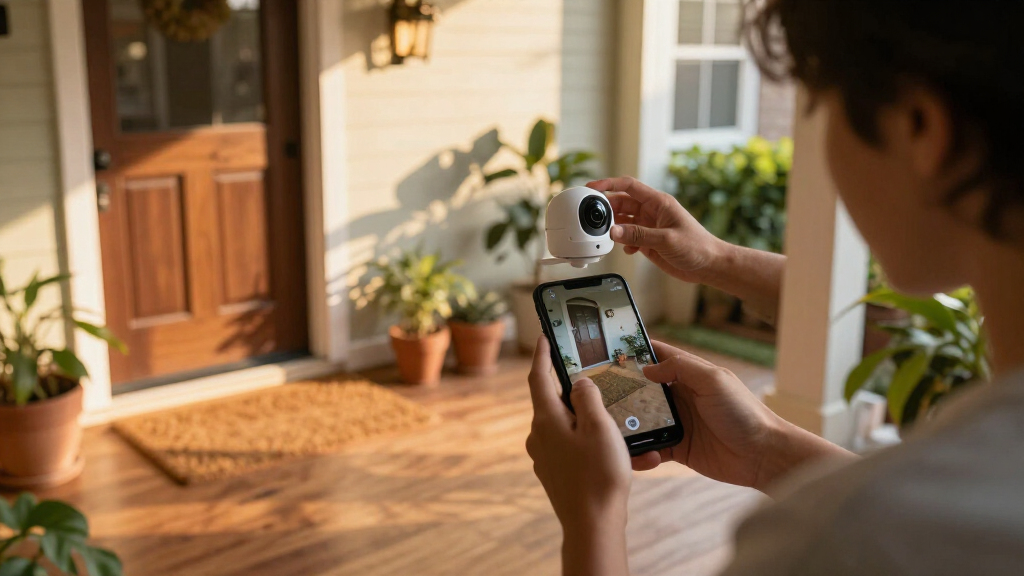
Imagine you’re at work when a delivery arrives. A doorbell camera might show the courier placing a box on the step, while a porch camera aimed farther down the path might catch someone approaching from the sidewalk. One view answers “Was the parcel delivered?” The other may show what happened next. Neither view is automatically better; each serves a different purpose.
Many cameras can distinguish motion from people, pets, vehicles, or packages. That can cut down on alerts when tree branches flutter or a cat crosses the patio, though detection features may depend on a subscription and can make mistakes. Treat an automated event label as a useful clue, not a guaranteed account of what occurred.
Some newer models also use on-device processing, where part of the video analysis happens on the camera or a local hub. That can reduce reliance on cloud processing, but how much works locally varies by model. Check the feature list for the particular camera, not just the family of products.
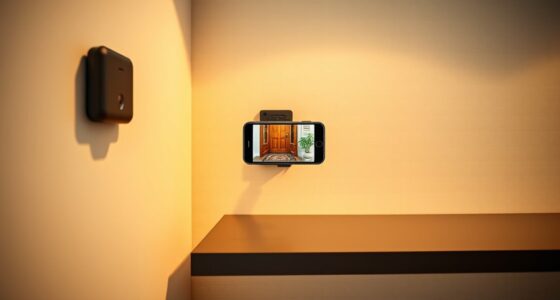
outdoor smart home security camera with night vision
As an affiliate, we earn on qualifying purchases.
As an affiliate, we earn on qualifying purchases.
Choose image quality for the scene you need to see
A camera gives you useful footage when its resolution, field of view, lighting, and image processing fit the scene you want to monitor. A high-resolution label alone cannot promise a readable face in the dark or a clear view of a car across a wide driveway. Judge the full picture, including how far away the subject will be.
Think about a camera mounted above your garage. A very wide view could show the entire driveway, but people at the far edge may look tiny. A narrower view could make the entrance clearer while missing activity near the gate. Before mounting anything, stand where the camera would go and ask which details matter: a face at the door, a package on the step, or movement across the yard.
Night performance depends on infrared illumination, available light, distance, and what sits in the frame. Color night vision may use ambient light or a built-in spotlight. If the camera points through a window, reflections and glare can wash out the scene; an indoor camera placed outside also may lack the weather rating for rain or temperature changes.
For example, a homeowner checking whether a dog has returned to the back door may need a broad view and a light that switches on after dark. Someone watching a front entrance may care more about a tighter view that captures faces near the door. The right image is the one that helps answer your specific question.
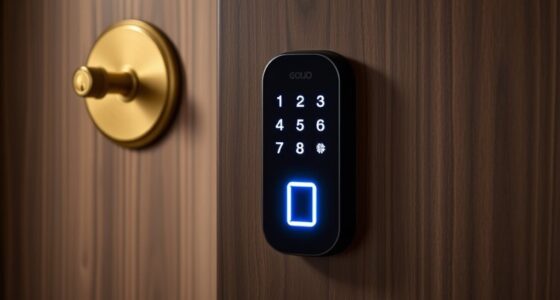
wireless indoor security camera with motion detection
As an affiliate, we earn on qualifying purchases.
As an affiliate, we earn on qualifying purchases.
Compare storage choices before you pay for a plan
Cloud storage, a memory card, and a local hub each handle recordings differently, so check where clips go, how long they remain available, and what happens when the internet drops. Some cameras offer basic live viewing without a subscription, while longer cloud history, advanced detection, or richer notifications may require a paid plan. A low purchase price can lead to higher costs if the features you want sit behind monthly fees.
Understanding the implications of each storage option helps you avoid surprises. Cloud storage often involves ongoing costs but offers the convenience of remote access and automatic updates. Local storage, like a memory card or hub, can be more cost-effective over time but may require manual management and can be vulnerable if stolen or damaged. The tradeoff is between convenience and control—cloud options are easier but may involve ongoing fees, while local storage needs more hands-on management but can be more private and cost-stable.
Suppose you travel for two weeks and want to review a delivery from the first day away. A short recording window might have erased that clip before you return. A memory card or recorder may keep footage locally, but storage capacity, overwrite settings, and remote access still matter. Ask whether the camera supports continuous recording or saves only event clips; many battery-powered models record when they detect activity rather than filming nonstop.
| Storage option | What to check | Useful for |
|---|---|---|
| Cloud | Plan cost, retention window, and internet needs | Remote clip access and managed history |
| Memory card | Capacity, overwrite behavior, and theft exposure | Local clips without a recorder hub |
| Local hub or recorder | Outage behavior, storage size, and access setup | Keeping several cameras’ recordings together |
Write down the full cost for the first year, including the camera, required hub, subscription, and replacement batteries if applicable. Then compare it with a setup that stores footage locally. Plan terms and bundled features can change, so check the current details before you buy.
battery-powered doorbell camera with app alerts
As an affiliate, we earn on qualifying purchases.
As an affiliate, we earn on qualifying purchases.
Plan for weak Wi-Fi, low batteries, and outages
A camera stays useful when its power source, Wi-Fi connection, and outage behavior match its location. Remote viewing and many alerts usually need an internet connection, even when a model can record locally without Wi-Fi. A camera in a distant garage might work perfectly in setup and then lose its connection when a metal door closes.
Understanding the importance of reliable connectivity and power is crucial because these factors directly impact the camera’s effectiveness. Weak Wi-Fi signals can cause delays or missed alerts, reducing your ability to respond promptly. Batteries running low might mean the camera stops recording or sending alerts at critical moments, which could leave you vulnerable. Outages, whether due to storms or technical failures, can render your system temporarily useless unless you have backup options like a cellular connection or uninterruptible power supply (UPS). Recognizing these tradeoffs helps you plan for contingencies—such as placing cameras closer to routers, using wired power sources where possible, or investing in backup power solutions—so your security system remains resilient during disruptions.
home security camera with local storage
As an affiliate, we earn on qualifying purchases.
As an affiliate, we earn on qualifying purchases.
Set alerts to tell you what matters
Detection zones and alert categories can make a camera’s notifications more relevant by focusing on people or packages in a chosen area. More specific detection may cut down on alerts from passing cars or swaying branches, but performance can vary with shadows, weather, camera angle, and the model’s software. Some advanced detections also require a subscription or work only within one app.
Optimizing alerts is about balancing the volume of notifications with their usefulness. If alerts are too frequent, they can become noise, leading you to ignore or disable them altogether. Carefully setting detection zones ensures that you are only notified about events that truly matter—like a person approaching your front door—rather than every passing vehicle or wind-blown tree branch. Testing these zones at different times helps identify blind spots or false triggers, so you can refine the system to reduce false alarms and improve your response time. Remember, alerts are only as good as the scene they monitor; too broad a zone might overwhelm you with irrelevant notifications, while too narrow might miss critical activity. Adjust sensitivity carefully and consider the scene’s lighting and movement patterns—this tailored approach makes alerts meaningful and actionable.
Protect privacy with careful placement and account settings
Camera placement, account security, software updates, and retention settings all shape how private a smart camera system is. Indoor cameras deserve extra care because they record rooms where you relax, sleep, or talk with family. Strong, unique passwords and multifactor authentication help protect your account, while regular updates can address software problems.
Understanding how placement impacts privacy is essential. Indoor cameras can inadvertently capture private moments or sensitive conversations if placed improperly. Proper positioning—aimed only at necessary areas—reduces the risk of unintended recording. For outdoor cameras, avoid pointing them at neighbors’ private spaces or shared areas to respect privacy laws and neighbor relations. Regularly reviewing who has access to your account and removing old shared users minimizes the risk of unauthorized viewing. Keeping software updated ensures vulnerabilities are patched, preventing hackers from exploiting outdated security. Also, consider setting a sensible retention period for clips—storing only what you need—so you don’t accumulate unnecessary personal footage that could be compromised. The key is to balance surveillance needs with privacy rights, making sure your system protects your home without overstepping boundaries.
Install each camera where it can answer a real question
A good installation starts with a specific question, such as “Did someone leave a parcel?” or “Is the side gate open?” That question guides the view, mounting position, power, and weather rating you need. Planning around meaningful entrances usually gives you more useful footage than adding cameras simply to cover every inch of a property.
Use this quick sequence before you drill or mount a camera:
- Name the event: Decide what you want to see, such as a visitor at the front door or a vehicle entering the driveway.
- Test the view: Check the angle during daylight and after dark, and look for glare, obstructions, and areas outside the frame.
- Check the location: Confirm the camera’s weather and temperature rating, nearby power, and Wi-Fi strength.
- Confirm the recording: Choose cloud, card, or hub storage and check how long clips stay available.
- Review privacy and alerts: Set detection zones, secure the account, and avoid recording neighbors’ private areas.
Say you want to watch a side entrance used by a babysitter and dog walker. A camera that shows only the gate may miss whether the latch closed; one angled too widely may capture a neighbor’s patio. Test the frame before fixing the mount, and adjust it until it shows the entrance without sweeping across private spaces.
Spend on the features that solve your problem
The best camera is the one whose features match your use, recording habits, and budget. A renter checking on a cat may value a movable indoor camera and simple live viewing, while someone watching a long driveway may need weather resistance, reliable night footage, and a power source that supports frequent recording. Smart-home compatibility can make either setup easier to use, but support for a voice assistant or device standard does not guarantee every camera feature will work across platforms.
Compare the total cost over time, not just the price on the shelf. Add any required hub, subscription, storage, and likely battery replacements. If two cameras cost about the same upfront, but one charges monthly for the recording history you need, the cheaper-looking option may cost more over a year.
Keep your setup small at first. A doorbell camera and one carefully placed outdoor camera may answer the main questions for a modest home. After a week, check which alerts helped and whether the footage showed the details you needed. Add another camera only when you can name the blind spot it will cover.
That brings you back to the porch example: a camera that sends fewer, clearer alerts and preserves the delivery clip may serve you better than a wide, high-resolution camera whose notifications you ignore. Choose for the moments you need to understand, then tune the system around your daily routine.
Frequently Asked Questions
Do smart home security cameras work without Wi-Fi?
Some cameras can record to a memory card or local hub without internet, but remote viewing and many alerts usually need connectivity. Check whether recordings remain accessible during an outage and whether the router also has backup power.
Do I need a subscription to use a security camera?
Not always. Some cameras support basic live viewing or local recording without a plan, while cloud history and advanced detection may cost extra. Compare the current feature list and yearly cost before choosing a model.
How long do camera recordings stay available?
Retention depends on the storage method, capacity, settings, and subscription plan. Check the history window and overwrite behavior; a memory card may replace older clips when it fills, while a cloud plan may keep footage for a fixed period.
Can smart cameras record continuously?
Some wired cameras and recorder-based systems support continuous recording. Many battery-powered models save event clips instead to conserve power, so check the recording mode if you need a complete timeline.
Are smart home security cameras safe from hackers?
No internet-connected device is risk-free. Use a unique password, multifactor authentication, and current software, then review account access and privacy settings so only the right people can view recordings.
What should I check before using a camera outdoors?
Choose a model rated for the location’s weather and temperature, and check power and Wi-Fi at the mounting point. Aim it at the entrance or area you need to monitor, and avoid neighbors’ private spaces.
Conclusion
Choose a camera by starting with the scene you need to understand, then work backward through view, lighting, storage, connectivity, and privacy. A quick test at the mounting spot can tell you more than a long feature list.
When the next alert arrives, you want the clip to answer a real question—not just add another buzz to your pocket. Point the lens with purpose.
Fall yard work Picks
leaf blowers
As an affiliate, we earn on qualifying purchases.