
You need simple smart home devices because they make daily tasks easier without overwhelming you. Intuitive design and clear instructions help you gain confidence, encouraging regular use. Voice control simplifies actions, while straightforward security features keep you safe without confusion. Devices with minimal setup and easy interfaces promote independence and reduce frustration. Prioritizing simplicity guarantees these devices serve their purpose effectively. Keep exploring to discover how thoughtful design can truly enhance your everyday life.
Key Takeaways
- Simplified devices reduce confusion, increasing confidence and consistent use among seniors.
- Intuitive design minimizes the learning curve, making technology accessible for all skill levels.
- Clear instructions and straightforward controls prevent frustration and promote independence.
- Minimal setup and easy security features ensure reliable, stress-free operation.
- Prioritizing simplicity enhances safety and empowers seniors to manage their environment confidently.

As technology advances, smart home devices are becoming essential tools for seniors seeking independence and safety at home. However, for these devices to be truly effective, simplicity must come first. When you’re choosing smart home technology, it’s tempting to focus on the latest features or complex systems, but if they’re not easy to use, they won’t serve their purpose. The goal is to make daily life easier, not more complicated. That’s why intuitive design, straightforward operation, and clear instructions matter more than fancy bells and whistles.
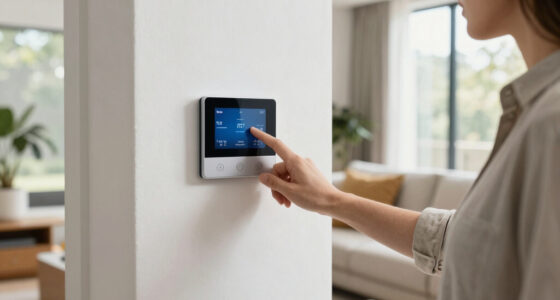
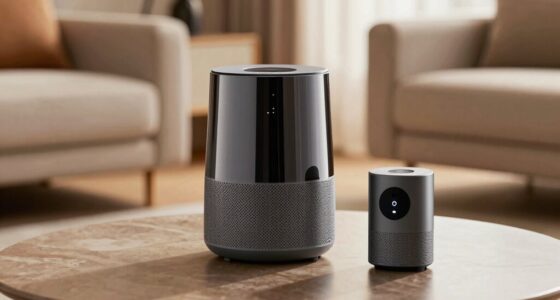
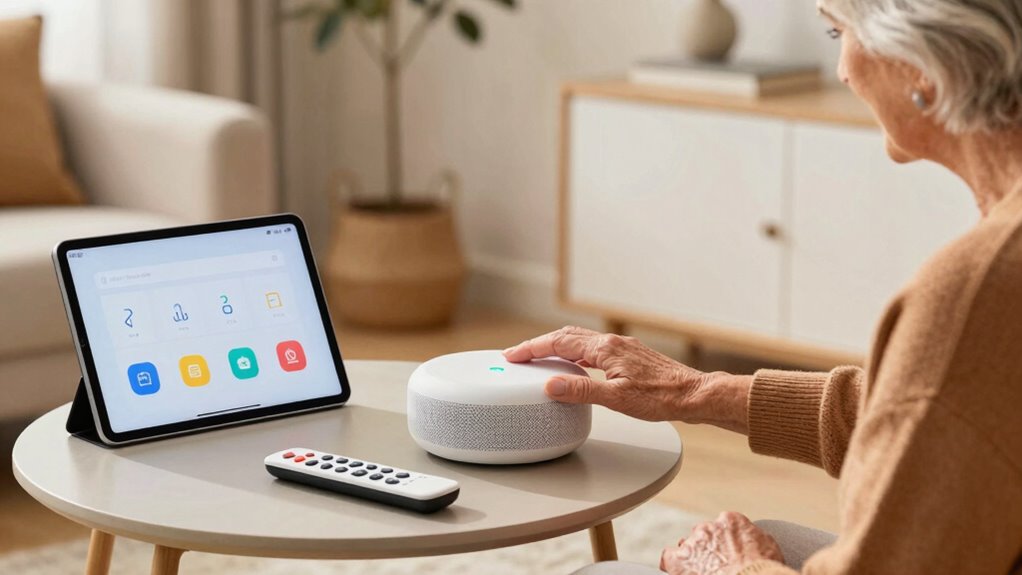
Voice control is a prime example of a feature that can boost usability. When you can simply speak commands to turn on lights, adjust the thermostat, or call for help, it reduces the need for physical effort or *steering through* complicated menus. Voice control should be so intuitive that you don’t need to remember specific commands or struggle with tricky interfaces. The technology should recognize your voice easily and respond promptly, providing a seamless experience that encourages regular use. This hands-free approach helps seniors maintain independence, especially if mobility or vision issues make traditional controls difficult. User-friendly technology is key to ensuring these devices truly support daily routines without adding frustration.
Security features are equally *crucial*, but they need to be straightforward to set up and operate. Complex security systems can overwhelm anyone, especially seniors who aren’t tech-savvy. Look for devices with simple controls and clear alerts. For example, a smart doorbell with a straightforward app, or a camera with easy-to-understand notifications, can *considerably* enhance safety without adding confusion. These devices should offer peace of mind, alerting you to unusual activity or allowing remote monitoring, but they shouldn’t require extensive technical knowledge to manage. Simplified security setups are essential for fostering confidence and consistent use among seniors. Incorporating intuitive interfaces directly impacts how easily seniors can adapt to these new technologies.
Additionally, user-friendly interfaces and minimal setup are essential to ensure that these devices truly serve their purpose for seniors. Devices with cluttered screens, complicated menus, or requiring frequent troubleshooting defeat their purpose for seniors. Moreover, clear instructions can be a vital factor in helping seniors feel confident in using new technology. When voice control and security features are implemented with ease of use at the forefront, these tools become true allies in maintaining independence and safety. Furthermore, designing devices with accessible features ensures that a wider range of seniors can benefit from smart home technology comfortably. Remember, the best smart home devices are those that empower you to live comfortably and securely, without feeling overwhelmed by technology.

Blink Mini 2K+ (newest model) – Plug-in Home & Pet Indoor Security Camera with 2K video resolution, night vision, enhanced audio, motion detection – 2 cameras (Black)
Mini camera, max performance — Mini 2K+ is our third-generation compact plug-in camera, delivering sharper 2K video resolution…
As an affiliate, we earn on qualifying purchases.
As an affiliate, we earn on qualifying purchases.
Frequently Asked Questions
How Do I Choose the Right Smart Home Device for My Loved One?
To choose the right smart home device for your loved one, prioritize simplicity and ease of use. Look for devices with voice control features, so they can operate them comfortably. Make sure the device offers good interoperability with other systems they already use, reducing frustration. Ask if the setup is straightforward, and consider options with clear instructions or support. This way, your loved one stays safe and independent without feeling overwhelmed.
Are There Any Safety Concerns With Smart Home Devices for Seniors?
Think of smart home devices as a double-edged sword, like Pandora’s box—offering safety but also potential risks. You might worry about privacy concerns and device vulnerabilities, which could expose personal data or lead to hacking. To stay safe, choose simple, trusted devices, keep software updated, and set strong passwords. This way, you enjoy the benefits without opening doors to unwanted security threats.
Can Smart Home Devices Be Customized for Individual Needs?
Yes, smart home devices can be personalized to meet your individual needs. You can customize settings through personalization options, allowing you to adjust features like volume, display size, or notification preferences. Accessibility features further enhance usability, such as voice commands or simplified controls. This guarantees the device is tailored for your comfort and safety, making it easier to use and more responsive to your specific requirements.
What Is the Cost Range for Senior-Friendly Smart Home Technology?
Think of smart home tech as a toolbox; pricing options range from budget-friendly to premium. You can find devices costing around $50 to $300, depending on features and brand. Affordability factors include device complexity, subscription fees, and installation costs. By comparing options, you find solutions that fit your budget, making safety and convenience accessible without breaking the bank.
How Easy Is It to Update or Upgrade Smart Home Devices Over Time?
Updating or upgrading your smart home devices is generally straightforward. You’ll receive software updates over the internet, which you can install easily, often with a simple tap or click. Just make certain your devices have good software compatibility; otherwise, some updates might not work seamlessly. Regular updates keep your devices secure and functioning well, making it easier for you to enjoy the latest features without hassle.

Kasa Smart Plug HS103P4, Smart Home Wi-Fi Outlet Works with Alexa, Echo, Google Home, No Hub Required, 15 Amp, UL Certified, 4-Pack, White
Voice control: Kasa smart plugs that work with Alexa and Google Home Assistant. Enjoy the hands free convenience…
As an affiliate, we earn on qualifying purchases.
As an affiliate, we earn on qualifying purchases.
Conclusion
To wrap it up, keeping smart home devices simple guarantees seniors can truly benefit without feeling overwhelmed. When technology is easy to use, it empowers them to stay independent, safe, and connected. Remember, a tool that’s complicated is often a tool that’s neglected. By prioritizing simplicity, you’re helping your loved ones embrace the smart home revolution with open arms. After all, it’s better to walk before you run—making ease the key to their comfort and security.

Sensi Smart Thermostat, 100 Years of Expertise, Wi-Fi, Data Privacy, Programmable, Easy DIY Install, Works with Alexa, Energy Star Certified, Mobile App, ST55
PRIVACY PROTECTION: Sensi won’t sell your personal information to third parties
As an affiliate, we earn on qualifying purchases.
As an affiliate, we earn on qualifying purchases.

WarmBot 1080p Smart Wi-Fi Doorbell Camera with Doorbell Receiver, AI Motion Detection, Night Vision, Cloud Storage, 2 Way Audio, Battery Powered, 2.4GHz Wi-Fi Only
Private and Secure Cloud Recording – Video footage is stored securely with bank-level AES 128-bit encryption, accessible through…
As an affiliate, we earn on qualifying purchases.
As an affiliate, we earn on qualifying purchases.